In short
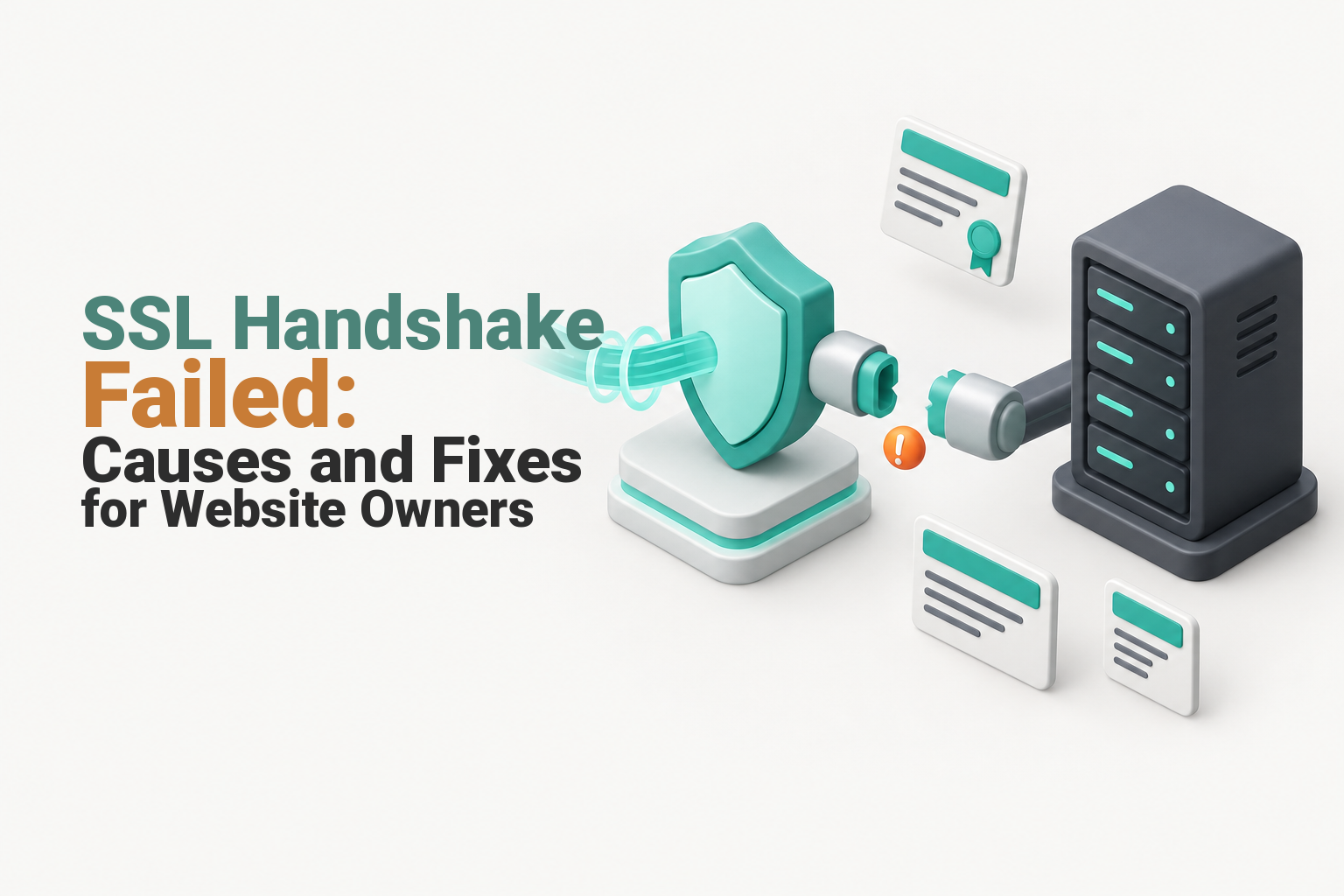
An SSL handshake failed error means the browser, proxy or server could not agree on a secure TLS connection before the website loaded. Fix it by identifying whether the failure is local or site-wide, then checking the live certificate, hostname and chain, TLS versions, port 443, SNI, cipher support, proxy settings and origin-server logs.
Key takeaways
- A failure on one device usually calls for local clock, browser, trust-store and network checks before server changes.
- A site-wide failure usually points to the live certificate, TLS service, secure port, proxy or origin server.
- Cloudflare Error 525 identifies a failed handshake between Cloudflare and the origin, not between the visitor and Cloudflare.
- The IETF deprecated TLS 1.0 and TLS 1.1 in 2021, so servers and clients should share TLS 1.2 or TLS 1.3 support.
- Test the public hostname and the origin separately before changing certificate or proxy settings.
Table of contents
- What does an SSL handshake failed error mean?
- How can you tell which layer is failing?
- What causes handshake failure on a website?
- How do you fix an SSL handshake failed error in the right order?
- How do you fix Cloudflare Error 525 at the origin?
- What should you collect before contacting hosting support?
- How do you stop SSL handshake failures happening again?
- What else do website owners ask about SSL handshake errors?
- What should you do next?
Start with scope, not settings. The fastest route to the cause is to work out who cannot connect, which hostname fails and whether the request breaks before or after a reverse proxy.
What does an SSL handshake failed error mean?
An SSL or TLS handshake is the negotiation that creates an encrypted connection before normal website content is sent. The IETF's TLS 1.3 standard describes the client and server agreeing on security parameters, authenticating the server and deriving keys for the connection.
Where can the secure connection break?
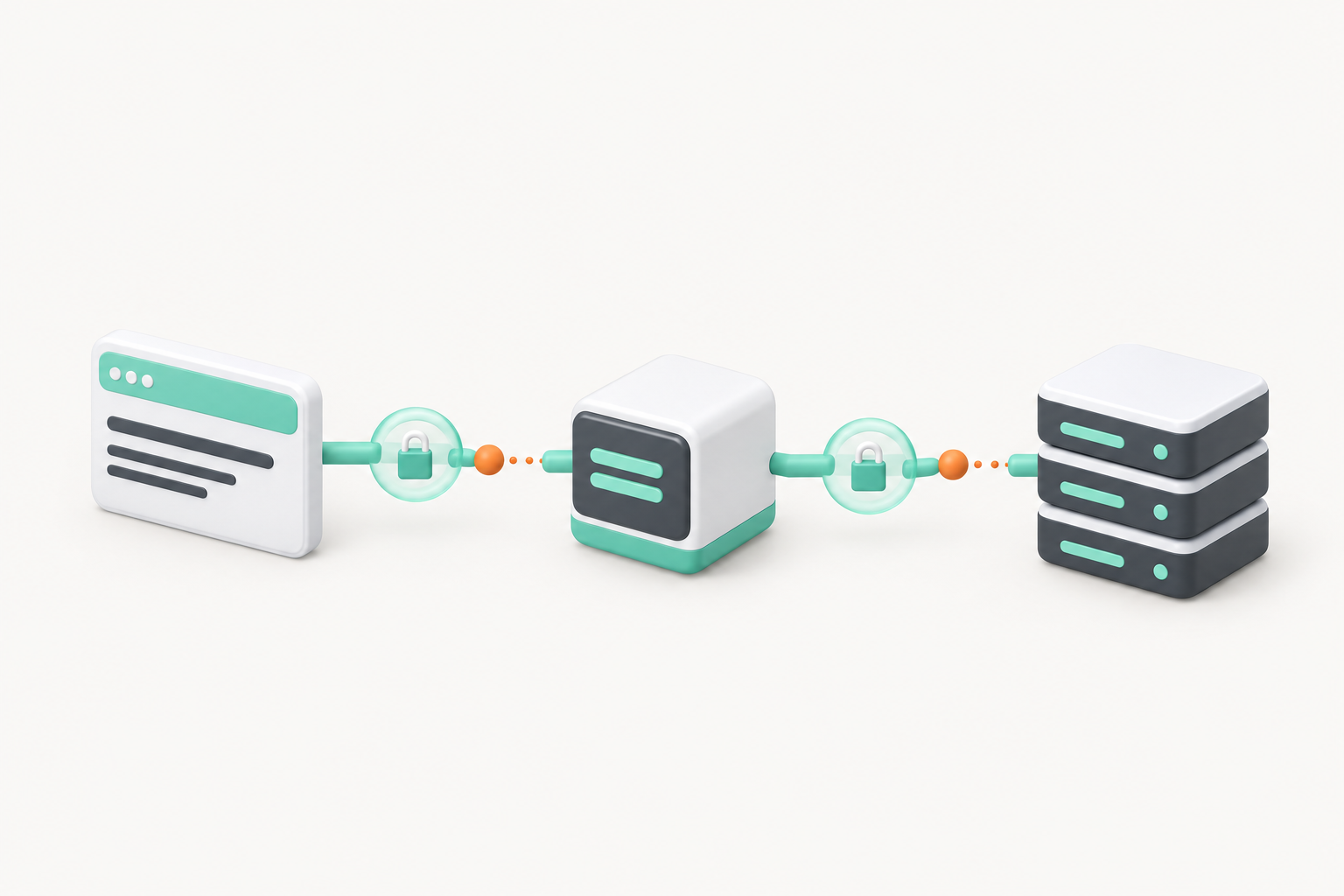
Modern websites may have more than one TLS connection. A visitor might connect securely to a content delivery network or reverse proxy, while that service creates a second secure connection to the origin web server.
The public message rarely identifies the exact stage. It may represent an incompatible protocol, certificate problem, SNI error, closed secure port or connection reset before the server sends an HTTP response.
DNS happens earlier. If the domain's DNS service is not responding, the browser may never reach a server that can attempt the TLS handshake, so fix resolution before replacing a certificate.
An SSL handshake failure is a connection-stage problem, so identify the failing link before changing website code.

Performance you can feel, backed by clients who depend on it. Read how our support and uptime create long‑term customer success.Power Your Business with Better Hosting
How can you tell which layer is failing?
Test the same hostname from a second device and a different network before changing the server. A failure limited to one device usually points to its clock, browser, trust store, security software or network, while a failure across devices points to the website, origin or proxy path.
Which symptom points to which layer?
| Symptom | Likely layer | First check |
|---|---|---|
| One device fails, but other visitors connect | Device or local network | Check date and time, update the browser and test mobile data |
| Every device fails, including a direct origin test | Origin certificate or TLS service | Inspect the live certificate, port 443 and server logs |
| The public hostname fails, but the direct origin succeeds | Proxy, routing or proxy-to-origin connection | Review proxy mode, origin host, SNI and firewall rules |
| Cloudflare displays Error 525 | Cloudflare-to-origin handshake | Test the origin certificate, secure port, TLS and ciphers |
| DNS lookup fails before HTTPS starts | DNS | Correct authoritative records and confirm propagation |
Run these quick scope checks:
- Test the exact address customers use, including
www, the root domain and any affected subdomain. - Try another browser, device and internet connection.
- Record whether the error is constant or intermittent.
- Check whether it began after a certificate renewal, DNS edit, server migration, firewall change or proxy configuration update.
- Confirm the affected device has the correct date, time and time zone.
A wrong device clock can make a valid certificate appear expired or not yet active, but it does not explain a site-wide failure. Avoid changing the origin server until another device confirms the problem.
A one-device failure points local; a site-wide failure points to the certificate, server or proxy path.
What causes handshake failure on a website?
Website-wide handshake failures usually come from the certificate, TLS configuration, virtual host, secure listener or proxy-to-origin path. The useful question is not which cause is theoretically possible, but which cause matches the scope and the most recent change.
- The server presents the wrong certificate. The certificate may be expired, not yet active, installed with the wrong private key or issued for a different hostname. Start by checking whether the SSL certificate is valid on the live endpoint, not just in the hosting account.
- The certificate chain is incomplete. The origin must send the leaf certificate and required intermediates. Let's Encrypt notes that failure to provide the correct certificate chain is a common cause of trouble on otherwise modern platforms.
- The client and server have no shared TLS version. TLS 1.0 and 1.1 are deprecated. As at October 2026, the current cPanel SSL/TLS documentation states that supported cPanel and WHM versions use TLS 1.2 or later and can support TLS 1.3.
- There is no compatible cipher suite or key-exchange option. A very old client may not support the server's modern choices, while an outdated server may offer only options a current browser or proxy rejects.
- SNI selects the wrong virtual host. Server Name Indication tells a shared server which hostname the client wants during the handshake. A missing or incorrect SNI value can make the server return the wrong certificate or reject the connection.
- Nothing suitable is listening on the secure port. Port 443 may be closed, the web service may be stopped, a firewall may reset the connection, or the hostname may point to an old server that is not configured for HTTPS.
- A proxy cannot establish TLS with the origin. The public certificate can be healthy while the certificate or TLS configuration behind the proxy is broken.
Most site-wide handshake failures come from certificate, TLS, SNI, port or proxy-origin configuration faults.
Host your website with our 5-star rated, cPanel website hosting plans.
Super fast servers, with security included and hosted in your choice of Australian Data Center.
View cPanel Plans
How do you fix an SSL handshake failed error in the right order?
Use a fixed troubleshooting order so that each result rules out part of the connection path. Do not renew certificates, weaken TLS settings or disable a proxy until a test shows which layer is failing.
What order should you use?
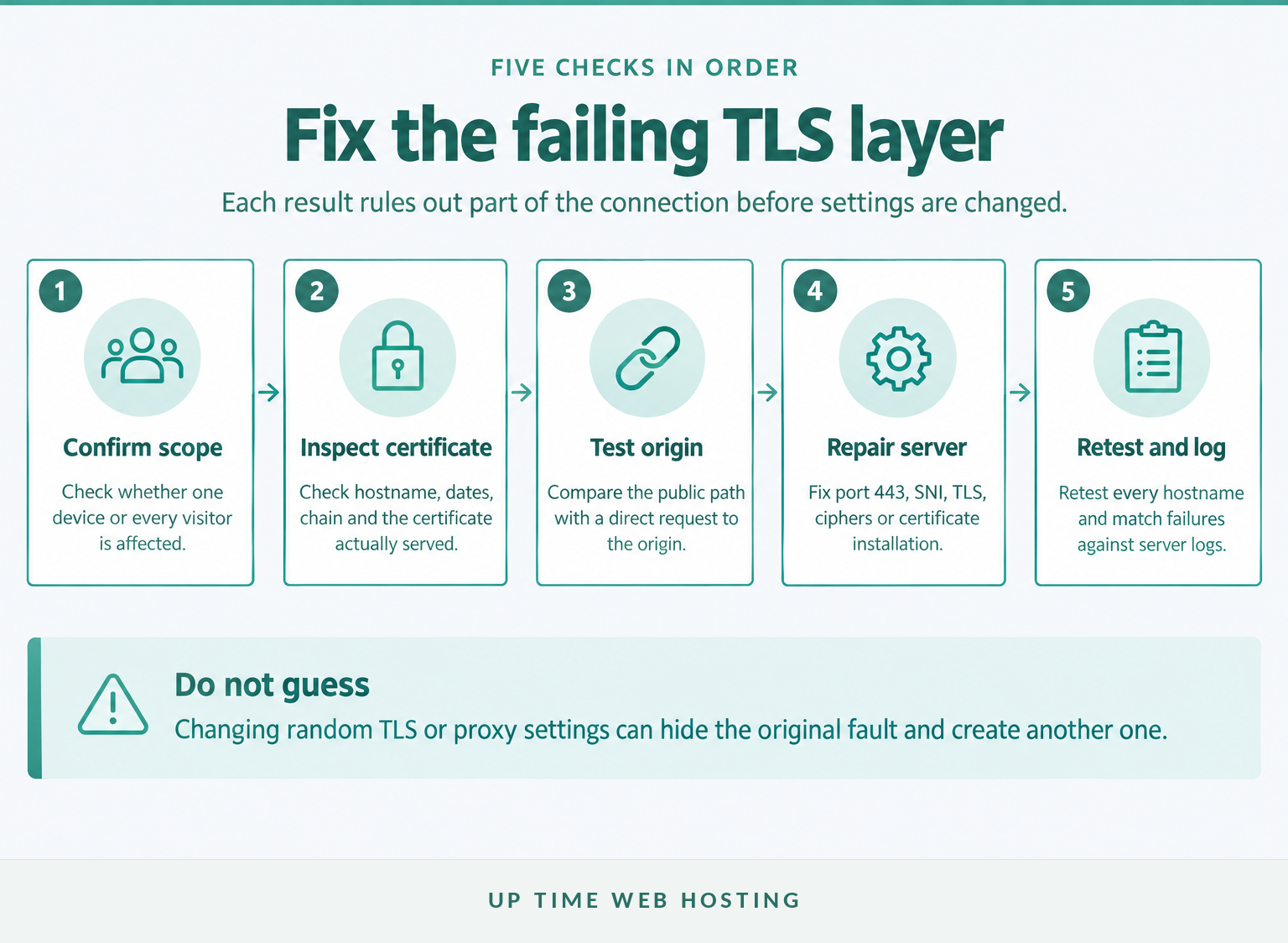
- Record the exact failure and scope. Save the hostname, browser message, error code and time with the time zone. Confirm whether it affects one visitor, several networks or every monitoring location.
- Inspect the live certificate. Check the exact hostname, validity dates, issuer, Subject Alternative Names and certificate path. Remember that
example.com,www.example.comandshop.example.comcan present different certificates.
- Test the public TLS endpoint. If a terminal is available, run:
“bash openssl s_client -connect example.com:443 -servername example.com -showcerts curl -Iv https://example.com/ “
The OpenSSL s_client documentation confirms that -servername sends the SNI hostname and -showcerts displays the certificate list sent by the server. Look for certificate verification errors, the certificate actually returned, the negotiated TLS version and whether the connection closes before negotiation completes.
- Test the origin without the proxy. Replace the hostname and example IP below with the real values:
“bash curl -svo /dev/null https://example.com --connect-to ::203.0.113.34 “
Cloudflare's curl troubleshooting guide uses this approach to compare a proxied request with a direct origin request while preserving the hostname used for TLS. If the direct test fails too, investigate the origin. If it succeeds while the public route fails, review the proxy, SNI, routing and firewall path.
- Repair the hosting configuration and retest. In cPanel, inspect SSL/TLS Status, the installed certificate and any AutoSSL failure. The current cPanel AutoSSL documentation explains where administrators can review issuance failures, warnings and logs.
Renew or reinstall the certificate only when the tests show that it is missing, expired, mismatched or incomplete. For a manual cPanel workflow, follow the guide to installing an SSL certificate in cPanel and confirm that the certificate, private key and CA bundle belong together.
After any repair, retest every affected hostname through the public route and directly against the origin. A successful homepage test does not prove that an API hostname, www address or separate subdomain is fixed.
Fix handshake failures in order: scope, certificate, direct test, server repair, then retest.
How do you fix Cloudflare Error 525 at the origin?
Cloudflare Error 525 means Cloudflare could not complete the SSL/TLS handshake with the origin server while the zone used Full or Full (strict) encryption. The visitor may have connected successfully to Cloudflare, so browser changes will not repair the failed origin connection.
Cloudflare's Error 525 documentation, updated on 16 June 2026, lists common origin causes including no valid certificate, a closed secure port, missing SNI support and incompatible cipher suites.
Check the following at the origin:
- A certificate is installed for the requested hostname.
- Port 443, or the configured custom secure port, is open and listening.
- The virtual host accepts the hostname sent through SNI.
- The server and Cloudflare share a supported TLS version and cipher configuration.
- Firewall rules allow legitimate proxy connections to the origin.
- Apache, Nginx, IIS or hosting logs show what happened at the timestamp of the 525 response.
Do not confuse 525 with Error 526. Cloudflare's Error 526 documentation says 526 occurs when Full (strict) is active and Cloudflare cannot validate the origin certificate, such as when it is expired, untrusted, incomplete or issued for the wrong hostname.
Cloudflare Error 525 is fixed at the Cloudflare-to-origin connection, not in the visitor's browser.
What should you collect before contacting hosting support?
A hosting provider can investigate faster when the report identifies the failing hostname, route and time. A screenshot saying only that SSL failed provides less evidence than a short record of what was tested and where the connection stopped.
Include:
- The complete hostname and URL that failed.
- The exact browser, proxy or command-line error.
- The first and most recent failure time, including AEST, AEDT or another time zone.
- Whether the failure affects one device, one network or every tested location.
- Any recent certificate, DNS, firewall, proxy or migration changes.
- Sanitised OpenSSL and curl output.
- Whether the direct origin test worked.
- Relevant cPanel AutoSSL, Apache, Nginx or IIS log messages.
Never send a private key, hosting password or unsanitised diagnostic archive. Cloudflare warns that browser HAR files can include passwords, payment information and other sensitive details, so remove confidential data before sharing one.
If the handshake failure exposes broader issues with availability, updates, backups or security configuration, a structured website health checkup can help separate the urgent fault from the maintenance work that should follow.
A timestamped support packet turns an intermittent TLS complaint into a fault that can be traced.
Register your new domain name at competitive market prices including free domain add-ons like privacy, DNS Hosting, Custom Nameservers and Forwarding.
Always the best price and no nasty renewal price hikes.
Register A Domain Name
How do you stop SSL handshake failures happening again?
Prevention depends on monitoring the live endpoints rather than assuming an installed certificate will keep working. Certificate renewal, hostname coverage, server compatibility and proxy-to-origin encryption each need an owner and a repeatable check.
Which layer needs ongoing checks?
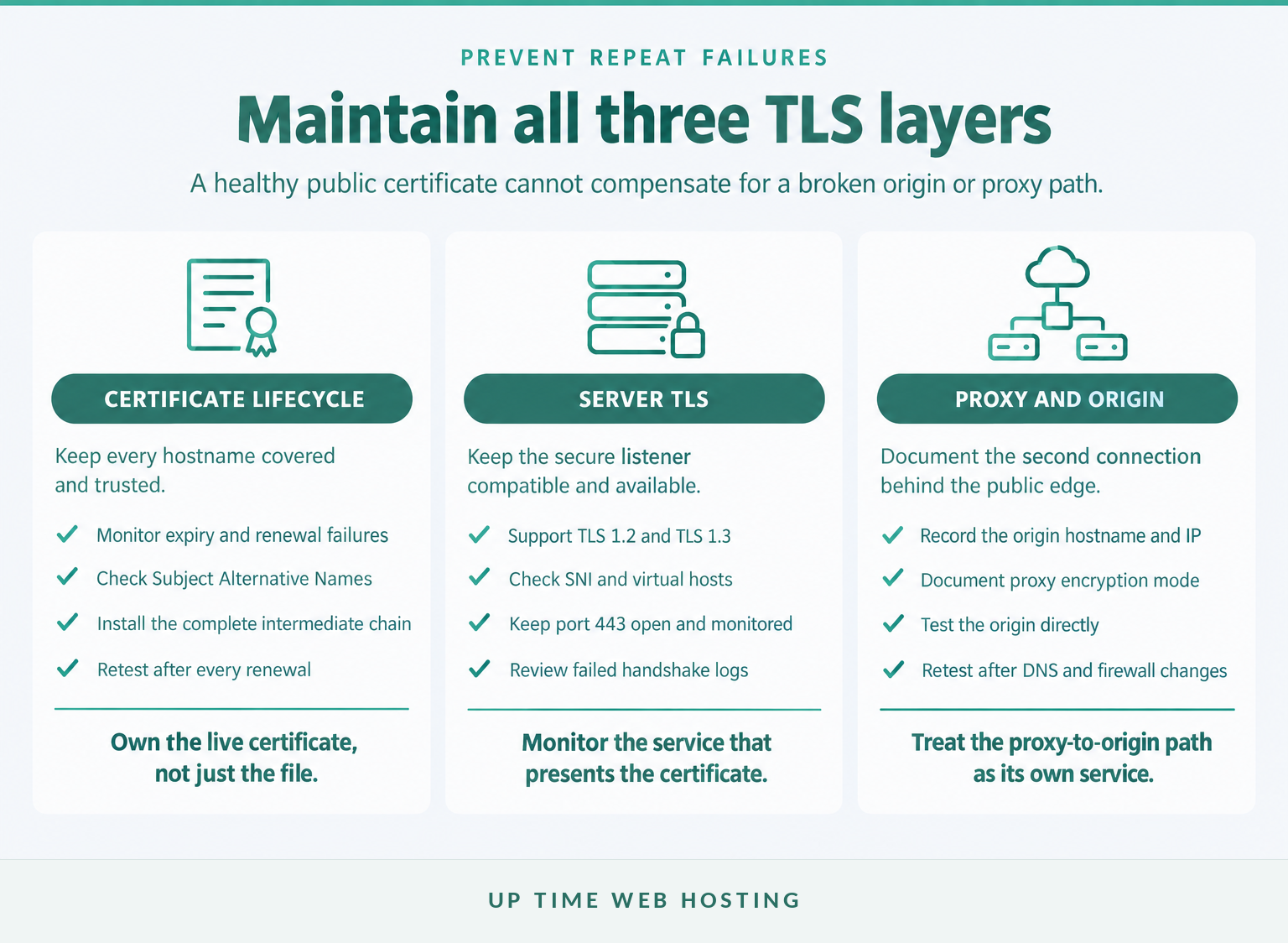
- Monitor certificate expiry and renewal failures for every public hostname.
- Test the root domain,
www, customer-facing subdomains, APIs and control-panel hostnames separately. - Keep the complete intermediate certificate chain installed.
- Retain TLS 1.2 and TLS 1.3 support while disabling obsolete protocol versions.
- Document which systems terminate TLS, including proxies, load balancers and origin servers.
- Record SNI, origin hostname, secure port and proxy encryption settings before migrations.
- Recheck HTTPS after DNS, firewall, certificate or server changes.
- Monitor failed TLS connections and alert before customers report them.
A renewal notification alone is not enough. The certificate can renew successfully while the wrong virtual host, incomplete chain, stale proxy configuration or closed origin port still prevents a successful connection.
Prevention means monitoring the live HTTPS endpoints and documenting every layer that terminates TLS.
What else do website owners ask about SSL handshake errors?
The visible error differs between browsers, applications and proxies, but the underlying checks remain similar. These answers focus on website connections rather than unrelated download managers, games or desktop applications.
What causes handshake failure?
Handshake failure occurs when the client, proxy or server cannot complete TLS negotiation. Common causes include an invalid or incomplete certificate chain, hostname mismatch, unsupported TLS versions, incompatible cipher suites, incorrect SNI, a closed secure port, firewall resets or a proxy that cannot establish TLS with the origin server.
What does the error "525 SSL handshake failed" mean and how can I fix it?
Cloudflare Error 525 means Cloudflare reached the origin server but could not complete the SSL/TLS handshake while the zone used Full or Full (strict) encryption. Check the origin certificate, port 443, SNI, supported TLS versions and cipher suites, then match Cloudflare's timestamp with the origin server's SSL error logs.
How can I fix the "ERR_SSL_PROTOCOL_ERROR" error?
Fix ERR_SSL_PROTOCOL_ERROR by testing the exact hostname on another device and network first. If the problem is site-wide, inspect the live certificate and chain, confirm TLS 1.2 or 1.3 support, test the origin directly if a proxy is involved, and check server logs for resets, SNI errors or failed negotiation.
The error name changes by browser or proxy, but the same certificate, TLS and connection checks still apply.
Experience Microsoft 365 Business Standard for free for 30 days.
Up to 25 users with full access to email, OneDrive and Teams. Includes full versions of desktop apps of Outlook, Word, Excel, PowerPoint and more.
Try Microsoft 365
What should you do next?
If the error is site-wide, run the certificate and direct-origin checks now and give the results to the hosting provider rather than changing random browser or CMS settings. If the current environment repeatedly misses renewals or cannot provide practical SSL support, review Up Time Web Hosting's web hosting options for Australian-hosted cPanel plans with included SSL and local support.
Fix the failing layer first, then make certificate renewal and TLS monitoring part of routine hosting maintenance.