In short
Your IMAP server details should come from the company or control panel that manages the mailbox, not from a guessed hostname. Find the incoming server, IMAP port, encryption type, full username and mailbox password in cPanel's Connect Devices screen, your provider's setup guide or an already configured mail app.
Key takeaways
- The safest source is the control panel or provider that manages the mailbox, because a guessed hostname may not match the server's security certificate.
- cPanel users can find account-specific settings under Email Accounts > Connect Devices.
- Port 993 with SSL/TLS is the standard secure IMAP choice; use port 143 only when the provider specifically instructs you to do so.
- An IMAP username is often the full email address, while the password is normally the mailbox password rather than the device or cPanel password.
- SMTP is a separate outgoing-mail service, so an app may need a different port or security option for sending.
Table of contents
- What IMAP settings do you actually need?
- Where should you look first instead of guessing?
- How do you find IMAP settings in cPanel?
- Can you find the IMAP server in an existing email app?
- Which IMAP port and security option should you choose?
- What are your IMAP username and password?
- Why do guessed IMAP settings fail?
- How do you test the settings before adding every device?
- What else do people ask about IMAP settings?
- What should you do if the account still will not connect?
Before opening the account setup screen, collect the incoming-mail fields and the separate outgoing-mail settings. The same verified values can then be used on each device that accesses the mailbox.
What IMAP settings do you actually need?
An email app normally needs the exact incoming hostname, IMAP port, encryption type, username and password. It may also request separate SMTP information before it can send messages.
| Field | What it means | What to enter |
|---|---|---|
| Account type | The incoming-mail protocol | IMAP |
| Incoming server | The server's fully qualified hostname | Copy the exact value supplied by the mailbox provider |
| IMAP port | The network port used for incoming mail | Usually 993 with SSL/TLS |
| Security | How the connection is encrypted | Usually SSL/TLS, sometimes called implicit TLS |
| Username | The mailbox login name | Often the complete email address |
| Password | The credential for the mailbox | The mailbox password or provider-directed app credential |
| Outgoing server | The server used to send mail | Copy the separate SMTP hostname, port and security settings |
Do not treat the email address and server hostname as interchangeable. An address such as accounts@example.com identifies a mailbox, while the server may be mail.example.com, the hosting server's hostname or another address chosen by the provider.
A complete IMAP setup uses the exact host, port, encryption, username and mailbox credential, not merely the word IMAP.

Performance you can feel, backed by clients who depend on it. Read how our support and uptime create long‑term customer success.Power Your Business with Better Hosting
Where should you look first instead of guessing?
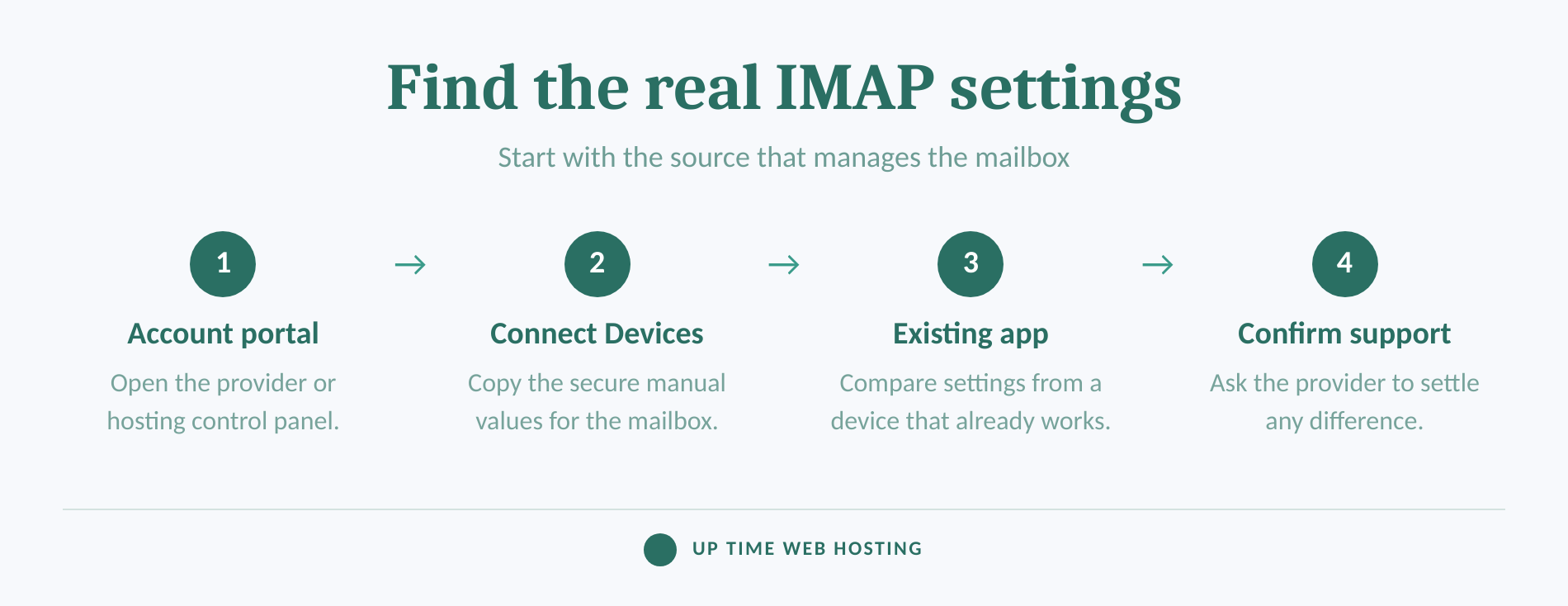
Start with the system that manages the mailbox, because it has the account-specific values the server expects. An existing app is useful as a secondary source, but it may hide automatically configured settings.
cPanel's July 8, 2026 mobile setup guide identifies the Set Up Mail Client screen, webmail and the administrator's welcome email as places where account settings may be supplied.
Check these sources in order:
- The hosting or email account portal. Look for Email Accounts, Devices, Mail Client Setup, Manual Settings or a similar option.
- The mailbox's webmail home screen. Some webmail systems provide a configuration or device setup link outside the inbox.
- An existing mail app. Inspect the account's incoming server settings if the app makes them visible.
- The provider or business administrator. Ask for the incoming hostname, IMAP port, encryption, username format and authentication requirement.
Avoid entering credentials into an unofficial server-finder form unless the business has assessed how the form handles email addresses. A domain lookup may offer a clue, but it cannot confirm the account's password policy, certificate name or required authentication method.
The mailbox's control panel or provider is the primary source; everything else is a clue that still needs verification.
How do you find IMAP settings in cPanel?
In cPanel, open Email Accounts and select Connect Devices beside the mailbox being configured. The resulting page displays automatic configuration options and the manual incoming and outgoing settings.
Use this path:
- Sign in to the cPanel account that hosts the email domain.
- Open Email Accounts in the Email section.
- Find the required mailbox and select Connect Devices.
- Scroll to Mail Client Manual Settings and use the secure SSL/TLS values.
- Copy the username, incoming hostname, IMAP port, outgoing hostname and SMTP port exactly as displayed.
The current cPanel Set Up Mail Client documentation, last modified July 8, 2026, lists IMAP port 993 for secure settings and explains that the displayed server hostname can depend on the domain's SSL certificate status. A valid certificate may allow the email domain to be used, while another configuration may require the hosting server's hostname.
This is why mail.example.com should not be constructed from the email address and assumed to be correct. Even when a host commonly uses that pattern, the value displayed for the selected account is the safer choice because it should match the certificate presented by the server.
An automatic configuration script can save time, but keep a copy of the manual settings. Those values make it easier to check another device or diagnose a later connection error.
In cPanel, Connect Devices is the source of truth for the selected mailbox's current manual settings.
Host your website with our 5-star rated, cPanel website hosting plans.
Super fast servers, with security included and hosted in your choice of Australian Data Center.
View cPanel Plans
Can you find the IMAP server in an existing email app?
An already working app may reveal the incoming server, username, port and security option. The path varies by device, and automatically managed accounts may not expose editable server fields.
Where is the IMAP server on an iPhone?
The Apple iPhone User Guide for iOS 26 places email accounts under Settings > Apps > Mail > Mail Accounts. Select the account, then open Account Settings if that option appears; manually configured accounts may display the incoming hostname, while port and security details may appear under Advanced.
If the account was added automatically, the iPhone may show the provider account rather than editable IMAP fields. Use the provider's control panel instead of deleting a working account simply to reveal its settings. For a complete device walkthrough, follow the iPhone mail settings guide.
Where is the IMAP server on Android?
Android menus vary by device manufacturer and mail app. Open the mail app's settings, select the business account and look for Incoming settings, Server settings or Account settings.
Current cPanel documentation warns that its Android instructions may differ between operating-system versions. If the server fields are hidden, use cPanel Connect Devices, webmail or the provider's setup instructions rather than relying on a path written for another phone.
Where is the IMAP server on a computer?
Open the email application's account settings and look for a section named Server Settings, Incoming Mail or Advanced Settings. Copy the incoming hostname, account type, port, encryption and username, but remember that a working old device may still contain a retired server address that should not be reused without checking the provider's current instructions.
An existing app is a useful clue, but the provider's current account settings should settle any difference.
Which IMAP port and security option should you choose?
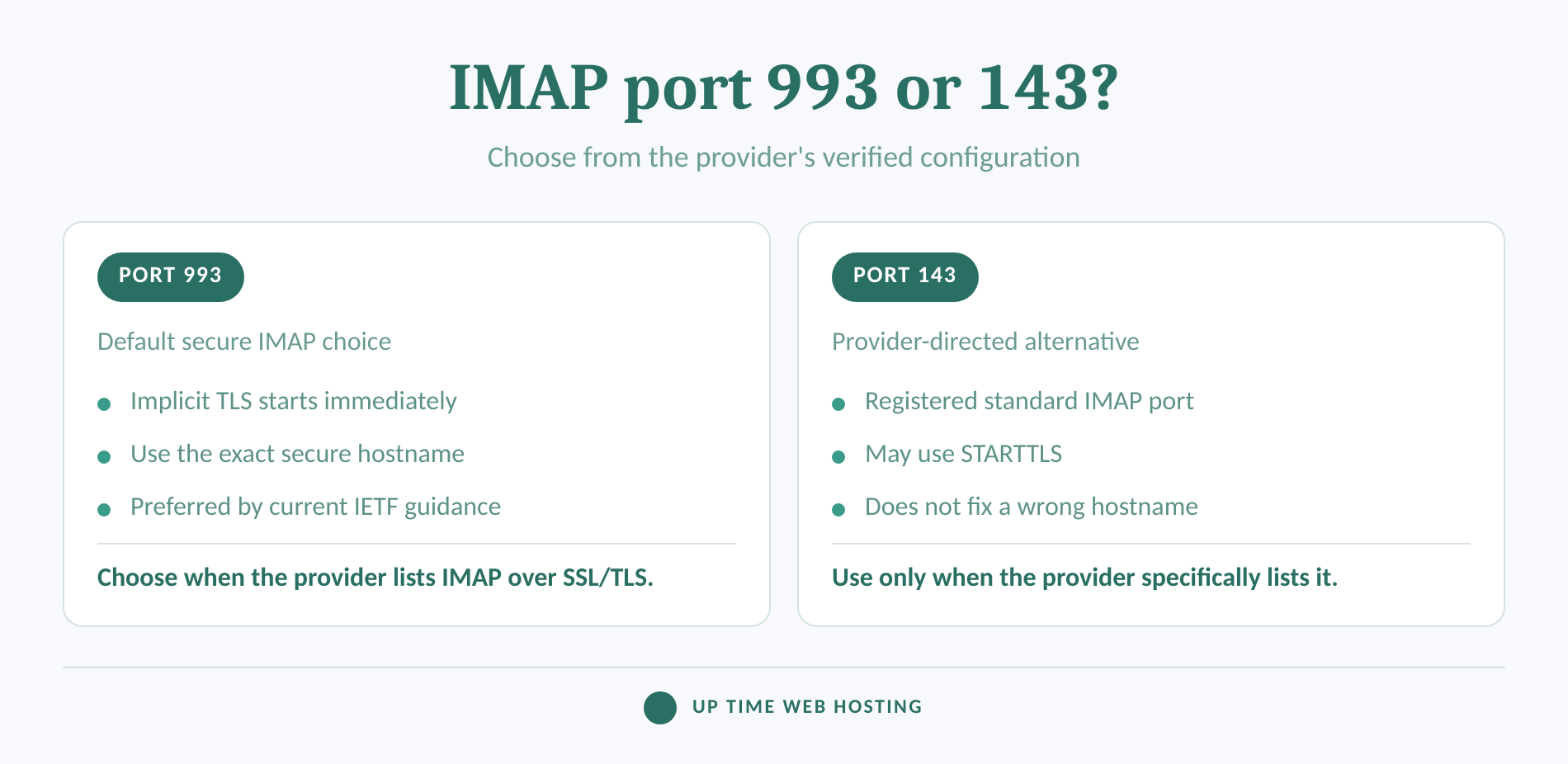
Use port 993 with SSL/TLS when the provider lists secure IMAP or IMAP over SSL/TLS. Use port 143 only when the provider explicitly supplies it with the required security method.
As of September 2026, IANA's service-name registry lists TCP port 993 for IMAP over TLS and TCP port 143 for the standard IMAP service. RFC 8314 recommends implicit TLS for mail access, which means encryption begins as soon as the connection to port 993 starts.
Port 143 can support a connection upgraded with STARTTLS, but selecting it at random is not a sensible response to a port 993 error. A failure on 993 may be caused by the hostname, password, username, certificate or account status rather than the port itself.
Outgoing SMTP settings are separate. A provider may specify port 465 with implicit TLS or port 587 with STARTTLS, so copy the exact SMTP values instead of assuming the incoming and outgoing ports use the same rule. For the related secure POP3 and SMTP values, see pop3s ports explained.
Use port 993 with SSL/TLS unless the mailbox provider gives a different, explicit configuration.
What are your IMAP username and password?
The IMAP username is commonly the complete email address for a hosted business mailbox. The IMAP password is normally the password assigned to that mailbox, not the phone passcode, computer password or general cPanel login.
For cPanel mailboxes, the current setup documentation specifies the full email address as the username. If a provider supplies a different username format or requires an app-specific credential, its account instructions take precedence.
A stored password normally cannot be displayed in the hosting control panel. cPanel's Manage Email Accounts documentation, last modified August 17, 2026, says a forgotten mailbox password must be replaced rather than retrieved.
To reset a cPanel mailbox password:
- Open Email Accounts.
- Select Manage beside the mailbox.
- Enter or generate a new password in the Security section.
- Save the change.
- Update the password on every device and application using that mailbox.
A device that keeps requesting an IMAP password may still hold the old password, use the wrong username or be connecting to the wrong hostname. Verify all fields before resetting the password again.
The IMAP password belongs to the mailbox, and a forgotten cPanel mailbox password must be replaced rather than revealed.
Register your new domain name at competitive market prices including free domain add-ons like privacy, DNS Hosting, Custom Nameservers and Forwarding.
Always the best price and no nasty renewal price hikes.
Register A Domain Name
Why do guessed IMAP settings fail?
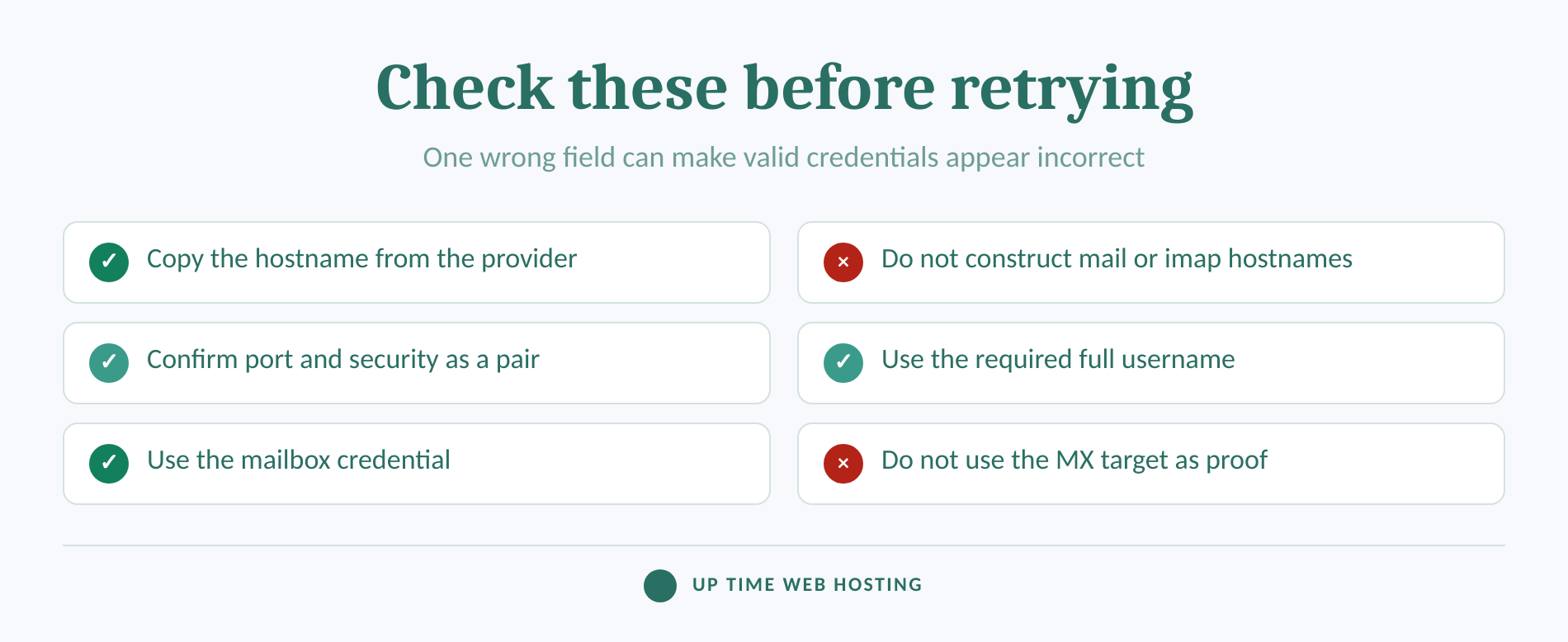
Guessed settings fail because the email address alone does not reveal the server's certificate name, login format or authentication policy. A hostname that looks reasonable can still point to the wrong service or trigger a security warning.
Check for these common mistakes:
- The incoming hostname was constructed as
imap.yourdomainormail.yourdomainwithout verification. - The SMTP hostname was entered in the IMAP server field.
- Port 993 was paired with no encryption, or port 143 was paired with the wrong security method.
- Only the part before
@was entered when the server expects the full email address. - The cPanel password or device password was used instead of the mailbox password.
- An old password remains stored on another phone, computer or business application.
- A certificate warning was bypassed instead of checking the hostname.
An MX records lookup can show where other mail systems deliver messages for a domain. However, RFC 5321 defines MX records as part of SMTP delivery routing, not as a directory of IMAP client settings. The MX target may be a filtering gateway or relay, so it does not prove which hostname employees should use to read mail.
If the account connects and sends successfully but new messages do not arrive, use can send email but not receive it? check these settings first rather than changing every server field at once.
A guessed hostname is not confirmed until it matches the provider's instructions, certificate and successful mailbox login.
How do you test the settings before adding every device?
Test one mailbox on one device before changing every computer and phone. Begin with webmail so that a password problem can be separated from a server-settings problem.
Use this order:
- Sign in to webmail using the complete email address and mailbox password.
- Compare the IMAP hostname, port, security and username character by character with the provider's settings.
- Add the account to one mail app using IMAP and secure settings.
- Send a test message to the mailbox and confirm that it appears.
- Read, move or flag the message and confirm that the change also appears in webmail.
- Send a reply to test the separate SMTP configuration.
- Add the mailbox to other devices only after incoming mail, synchronisation and sending all work.
If webmail rejects the same credentials, fix the mailbox password or account status first. Changing the IMAP port cannot repair a failed webmail login.
A clean webmail login followed by receive, sync and send tests proves more than a mail app's brief success message.
Experience Microsoft 365 Business Standard for free for 30 days.
Up to 25 users with full access to email, OneDrive and Teams. Includes full versions of desktop apps of Outlook, Word, Excel, PowerPoint and more.
Try Microsoft 365
What else do people ask about IMAP settings?
Most IMAP questions come down to locating the account fields or identifying the correct credential. The following answers apply to manually configured business mailboxes, although a provider may use automatic sign-in instead.
How do I find the IMAP on my iPhone?
On an iPhone running iOS 26, open Settings, tap Apps, Mail, Mail Accounts, then select the email account. For a manually configured account, open Account Settings and check the incoming server details; Advanced may show the port and security. If those fields are hidden, use the provider or hosting control panel.
How do I reset my IMAP password for email?
An IMAP password is usually the mailbox password. You cannot normally retrieve an existing password from cPanel, so reset it under Email Accounts, Manage, Security, save the new password, then update every phone and computer using the mailbox. Confirm whether the provider requires a separate app password before changing it repeatedly.
What is my IMAP username and password?
For a typical hosted business mailbox, the IMAP username is the complete email address and the password is the mailbox's own password. The username is not necessarily the cPanel account name, and the password is not the computer or phone passcode. Use any different format explicitly supplied by the mailbox provider.
Why is my email asking for an IMAP password?
An email app asks for an IMAP password when it cannot authenticate to the incoming-mail server. Common causes include an expired or changed mailbox password, an old password stored on the device, the wrong full-email-address username, an incorrect hostname or a provider requirement for a separate app credential. Verify every field before resetting anything.
Most IMAP password prompts are authentication problems, so verify the username, hostname and stored credential together.
What should you do if the account still will not connect?
Ask the mailbox provider to confirm the exact incoming hostname, IMAP port, encryption method, username format and authentication requirement. Give support the error message and the time of the failed attempt, but do not send the mailbox password by ordinary email.
If webmail works but the mail app does not, provide the app name, device version and a screenshot with the password hidden. If webmail also fails, ask the administrator to check the mailbox status or reset its password.
Businesses that want cPanel hosting with email capability and local Australian support can review Up Time Web Hosting's email for business options.
When verified values still fail, the next useful action is a provider-side account and server check rather than another guessed hostname.