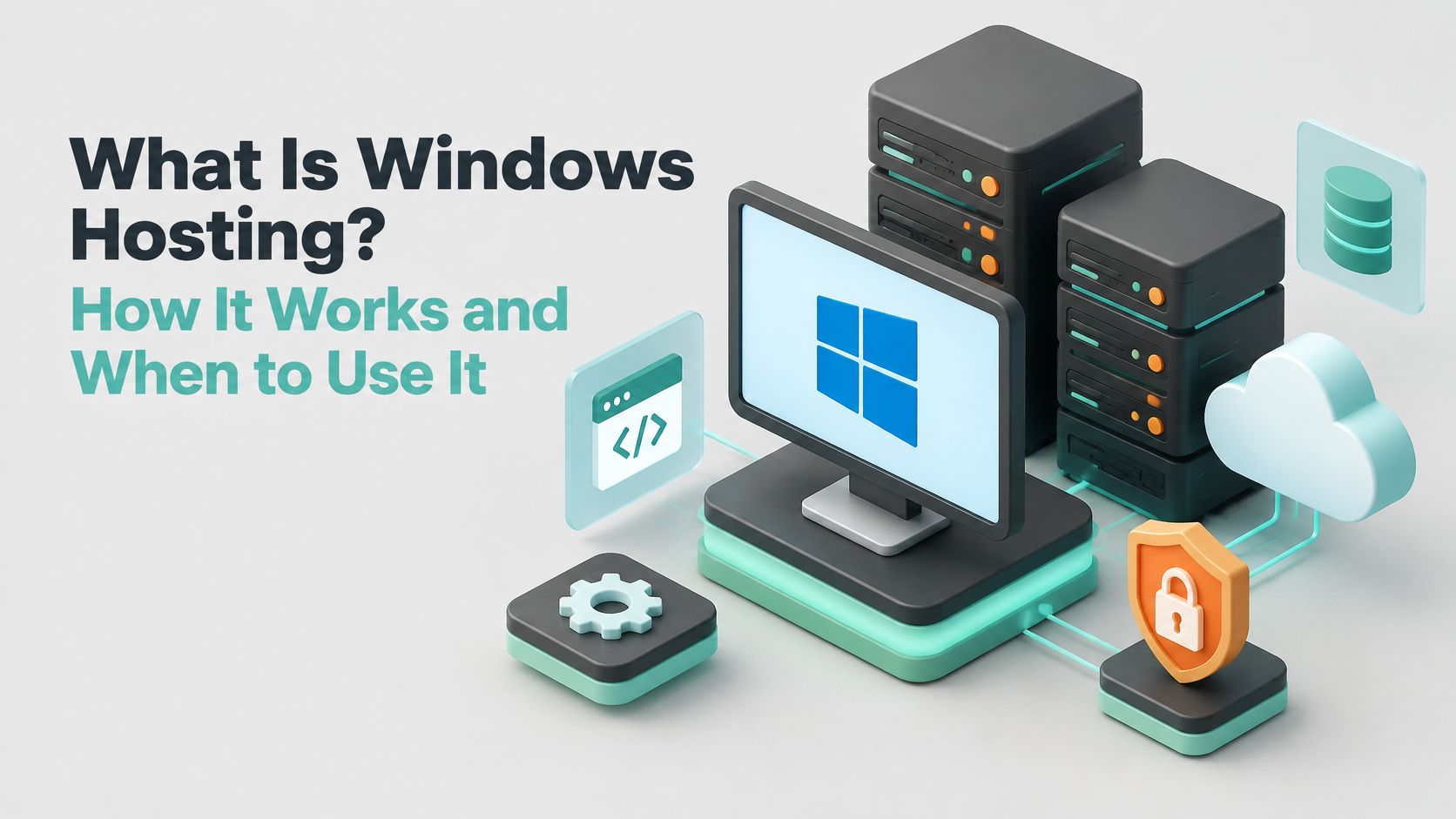
Windows hosting is web hosting on Windows Server, where IIS serves your pages and ASP.NET runs your application code, often with Microsoft SQL Server behind it.
You might be replacing an old hosting account, launching a customer portal or trying to understand a developer's handover notes. Before buying anything, you need to know whether the new host can run your existing application, not just whether its plan says Windows.
Table of Contents
- What Windows Hosting Actually Is
- How IIS, ASP.NET and MSSQL Work Together
- Windows Hosting Compared with Linux Hosting
- Where Windows Hosting Fits and Where It Falls Short
- Securing and Speeding Up a Windows Host
- How to Move an ASP.NET Site onto Windows Hosting
- Choose a Windows Host Built for Australian Sites
- Windows Hosting Frequently Asked Questions

Performance you can feel, backed by clients who depend on it. Read how our support and uptime create long‑term customer success.Power Your Business with Better Hosting
What Windows Hosting Actually Is
Think of a hosting account as leasing a shop inside a managed shopping centre. You don't own the building, the centre handles shared infrastructure and maintenance, and you decide what goes on the shelves. With hosting, those shelves hold your website files, application code and business data.
The Windows part describes the server's operating system, not the computer you use to manage your website. You can administer a Windows-hosted application from a Mac, and customers can visit it from their phones.

Say a Brisbane trades business has an ASP.NET quoting tool that reads prices from SQL Server and relies on Windows-specific components. Moving its files to a basic Linux account won't make it work. A developer would need to replace those dependencies or rebuild the affected parts.
Hosted infrastructure is already familiar to Australian businesses: the Australian Bureau of Statistics reported that 55.4% used paid cloud-computing services in 2019–20. That measures cloud use broadly, not Windows hosting specifically.
Practical rule: Choose the environment your application needs, rather than the operating system you recognise.
A managed hosting account gives you remote server capacity without buying physical hardware. The provider's service agreement should identify who patches the server, while your developer remains responsible for application maintenance unless that work is explicitly included.
If your handover mentions ASP.NET, classic ASP or SQL Server, investigate Windows compatibility first. If it mentions WordPress and PHP, Linux may be the more straightforward choice.
How IIS, ASP.NET and MSSQL Work Together
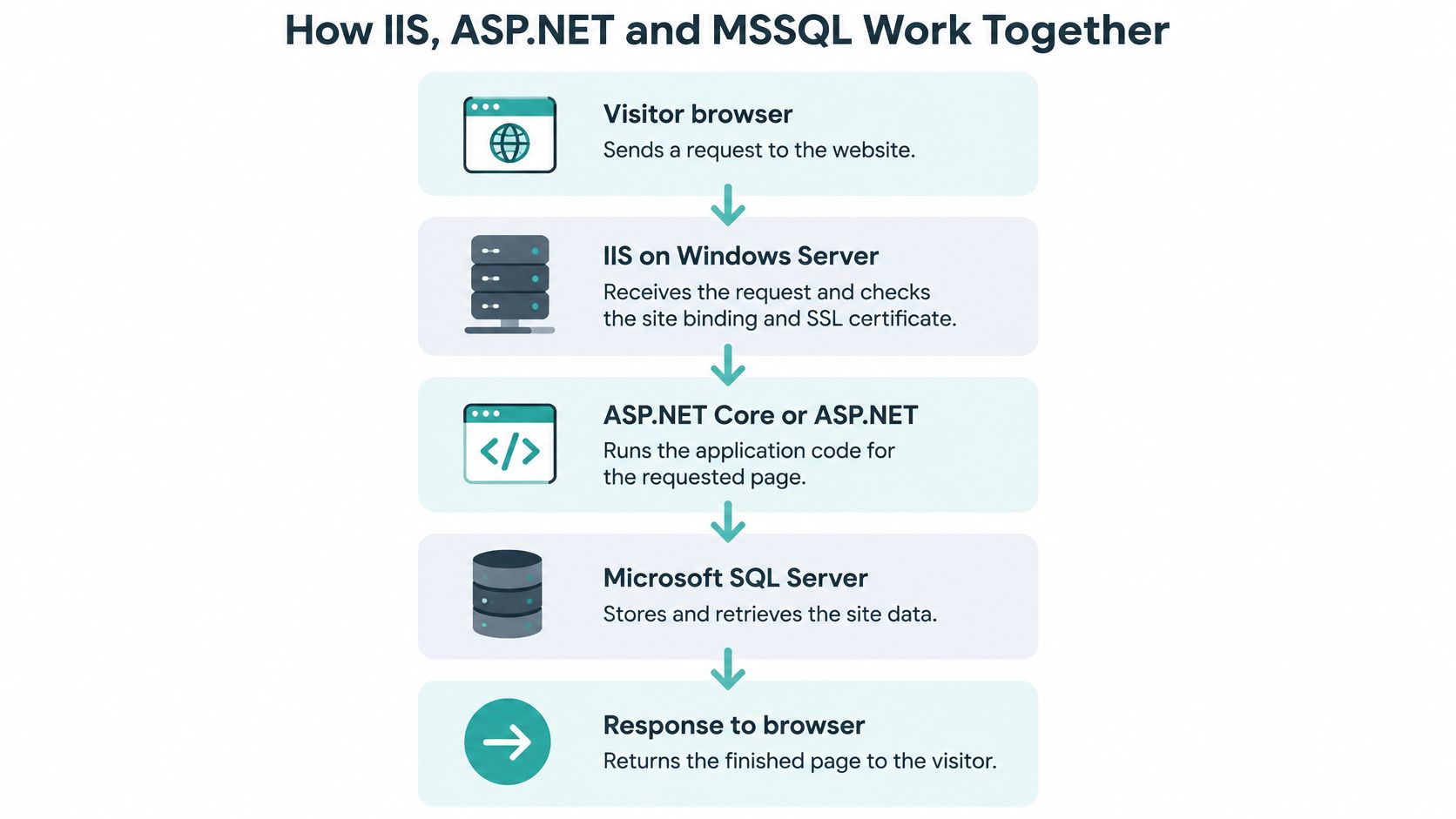
A request starts when someone opens a page in their browser. Internet Information Services, or IIS, receives that request on Windows Server and matches it to the correct website using its binding, which identifies the hostname and connection settings.
For an HTTPS connection, the server also needs the correct certificate. IIS then serves a static file or passes the request to the application responsible for generating the response.
Windows hosting components and their roles
| Component | Job | What it means for your site |
|---|---|---|
| Windows Server | Operating system for the host | Runs the server, services and security updates |
| IIS | Web server | Receives visitor requests and routes them to your site or app |
| .NET Hosting Bundle | Installs the .NET runtime and ASP.NET Core Module | Required for ASP.NET Core apps running on IIS |
| ASP.NET or classic ASP | Application framework or scripting environment | Runs your application code and business logic |
| Microsoft SQL Server | Relational database | Stores customer, order and content data for the app |
Following an order request
Consider a Perth wholesaler's order page. IIS passes the order request to the application, the application checks product availability in a SQL Server stock table, and it returns a finished page or structured data to the browser.
For ASP.NET Core, the hosting integration matters. Microsoft's IIS deployment documentation explains that the .NET Hosting Bundle installs the runtime, libraries and ASP.NET Core Module used to host or proxy the application through IIS.
A missing or incompatible bundle can cause deployment errors even when the uploaded files are correct. Our guide to what ASP.NET is explains the application technology behind these requirements.
IIS also uses application pools to separate application processes and permissions. Separate pools help prevent one application's crash from stopping another, although shared server failures can still affect both.
Before choosing a plan, record:
- Runtime: The exact .NET Framework or modern .NET target.
- Architecture: Whether native dependencies require x86 or x64 execution.
- Database and background work: The database engine, scheduled tasks and required permissions.
These details tell a host far more than saying the website uses ASP.NET.
Host your website with our 5-star rated, cPanel website hosting plans.
Super fast servers, with security included and hosted in your choice of Australian Data Center.
View cPanel Plans
Windows Hosting Compared with Linux Hosting
Windows and Linux hosting at a glance
| Factor | Windows hosting | Linux hosting |
|---|---|---|
| Web server | IIS | Apache, Nginx or LiteSpeed |
| Languages | ASP.NET, classic ASP, PHP | PHP, Python, Node.js, Ruby |
| Databases | Microsoft SQL Server, MySQL | MySQL, MariaDB, PostgreSQL |
| Typical control | IIS Manager or a Windows hosting panel | cPanel or a similar Linux control panel |
| Licensing | Microsoft and SQL Server licences usually built into plan price | Mostly open-source, with lower licence overhead |
| Deployment | Web Deploy, Git or FTP | Git, SFTP or control-panel upload |
| Best fit | Existing ASP.NET, MSSQL or Windows-authenticated apps | WordPress, PHP and open-source stacks |
These are typical hosting-plan combinations, not absolute technical limits. Modern ASP.NET Core can run on Linux, and a database can live on a separate server. What matters is whether the particular plan supports your complete application.
A Gold Coast café with a WordPress blog needs PHP, a compatible database and straightforward WordPress administration. Linux is usually the simpler fit because the surrounding tools are designed for that workload. Choosing Windows adds little unless another application on the account requires it.
A Sydney accounting firm has a different problem. Its older ASP.NET client portal might use .NET Framework, Windows authentication and Windows-only libraries. That portal needs a compatible Windows environment unless a developer replaces or redesigns those dependencies.
Compare the whole operating cost
Windows and SQL Server licensing can affect the plan price. Check whether the quoted fee includes the required database edition, storage, backups and support, rather than comparing headline rates alone.
Deployment tools also affect everyday work. A developer publishing from Visual Studio may prefer Web Deploy, while another team uses Git-based releases. SFTP and control-panel uploads suit simpler workflows, but uploading files alone won't configure database permissions or background tasks.
The cheapest account isn't the cheapest solution if your developer has to rebuild the application to use it.
Control-panel access deserves a separate check. A shared Windows account may let you manage files and databases without giving you full IIS Manager access or permission to install server components.
Start with Windows for Windows-specific dependencies. For WordPress, PHP and conventional open-source stacks, Linux is usually simpler and can cost less. For modern .NET applications, ask the developer which operating systems the complete application supports.
Where Windows Hosting Fits and Where It Falls Short
The Australian Bureau of Statistics recorded an online presence for 67.2% of Australian businesses in 2021–22. When customers rely on a business website to order, book or access documents, a platform fault can interrupt those activities.
Useful workloads
- Business applications: ASP.NET quoting, booking and reporting tools used by staff.
- Authenticated intranets: Applications designed around Windows authentication.
- Legacy systems: Classic ASP applications where a rewrite isn't currently practical.
- Stores and portals: nopCommerce deployments and custom customer portals with compatible database requirements.
Practical benefits
- Native compatibility: Windows-specific frameworks and libraries can run without replacement workarounds.
- Database integration: Direct SQL Server connectivity suits applications built around that engine. The MSSQL database hosting guide explains the database side of this choice.
- IIS controls: Application pools, URL rewriting and per-site configuration support application-specific behaviour when the plan exposes those settings.
Limitations to check
- Installer selection: Don't assume the account includes the same open-source installers as a Linux hosting panel.
- Administration skills: Confirm your developer or support team can troubleshoot IIS, rather than assuming Linux administration experience transfers directly.
- Licence scope: Check database edition and licensing inclusions before comparing prices.
An Adelaide tradie's older ASP.NET booking app with Windows-only dependencies won't run on a basic Linux plan just because its files upload successfully. The correct decision starts with those dependencies.
Distinguish dealbreakers from trade-offs. An unavailable runtime, missing SQL Server feature or prohibited background task can prevent the app from working; a higher monthly fee or unfamiliar control panel may be manageable.
Securing and Speeding Up a Windows Host
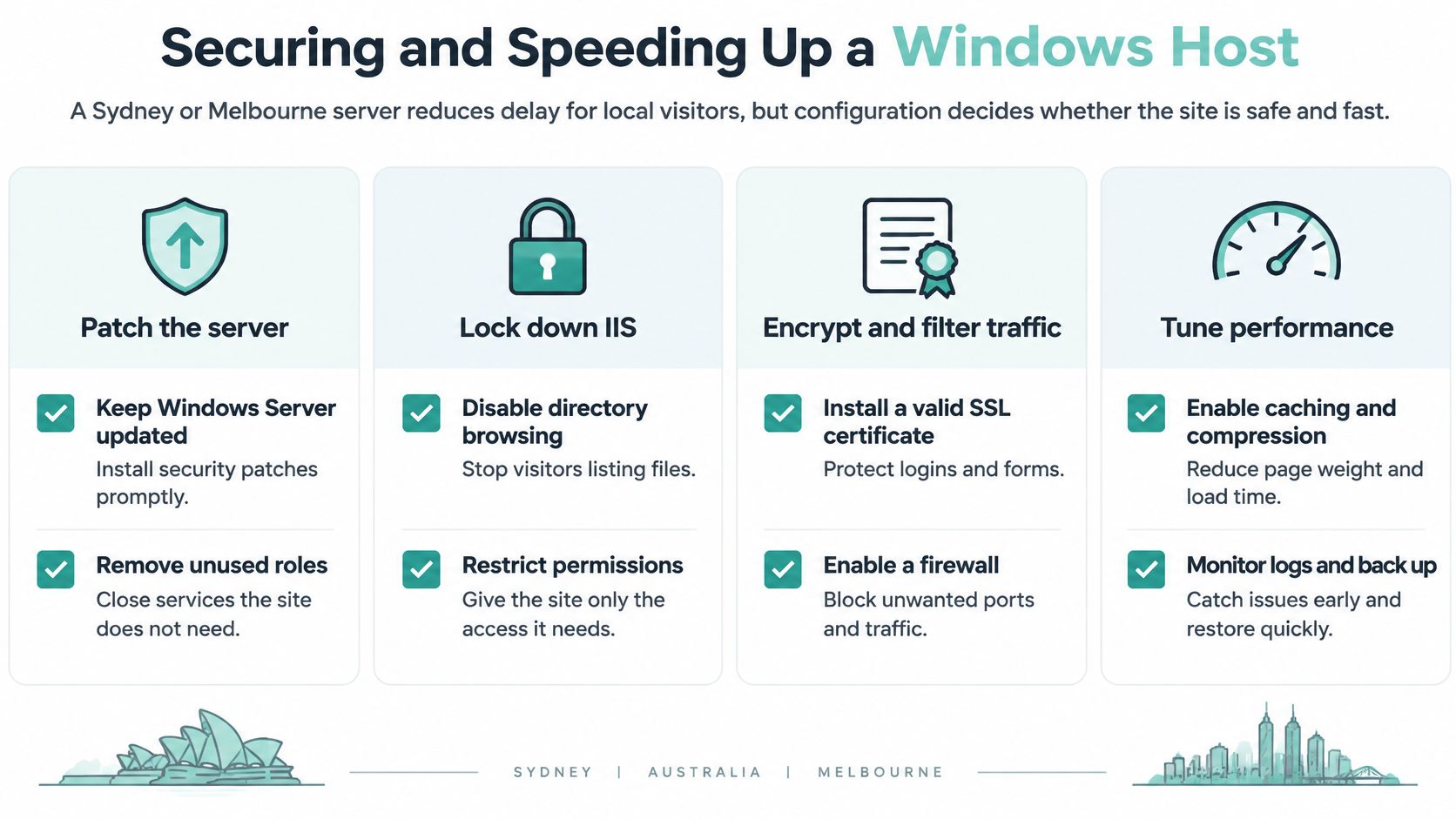
A Sydney or Melbourne server can reduce network delay for Australian visitors. It doesn't automatically make an application secure, and it won't fix slow database queries.
Microsoft's IIS hardening guidance recommends controls including valid certificates, TLS 1.2 or TLS 1.3, restricted permissions, request filtering and removal of unnecessary features. Treat these as configuration responsibilities, not benefits that follow automatically from choosing Windows.
Security and monitoring
- Protect connections: Require HTTPS, disable deprecated protocols and weak cipher suites, and restrict administrative access.
- Reduce exposure: Remove unused IIS features, disable directory browsing and enable request filtering.
- Limit permissions: Separate application pools where available and run applications with least privilege, not as SYSTEM.
- Watch activity: Review event and authentication logs for repeated failed logins or excessive requests. Assign responsibility for patching Windows, IIS, SQL Server and application dependencies.
Recovery and performance
- Make recovery testable: Require nightly off-site backups appropriate to your business, and test a database restore. A successful backup notification doesn't prove the application can be recovered.
- Cache selectively: Enable compression and cache suitable responses, but don't allow shared output caching to expose customer-specific pages.
- Tune the actual bottleneck: Inspect slow SQL queries and their indexes before buying more server capacity.
- Schedule maintenance carefully: Configure application-pool recycling around application behaviour and quiet periods, then measure response times from Australian locations.
Recovery check: Ask who performs the restore, what data it includes and how the restored application is tested.
Our Windows server management guide provides further context for assigning these tasks. Before signing, get written answers about patch ownership, restoration arrangements, recovery expectations and which logs you can access.
Register your new domain name at competitive market prices including free domain add-ons like privacy, DNS Hosting, Custom Nameservers and Forwarding.
Always the best price and no nasty renewal price hikes.
Register A Domain Name
How to Move an ASP.NET Site onto Windows Hosting
A migration should prove the application works before customers depend on the replacement environment. Keep the existing host available until you've tested the new installation and have a rollback plan.
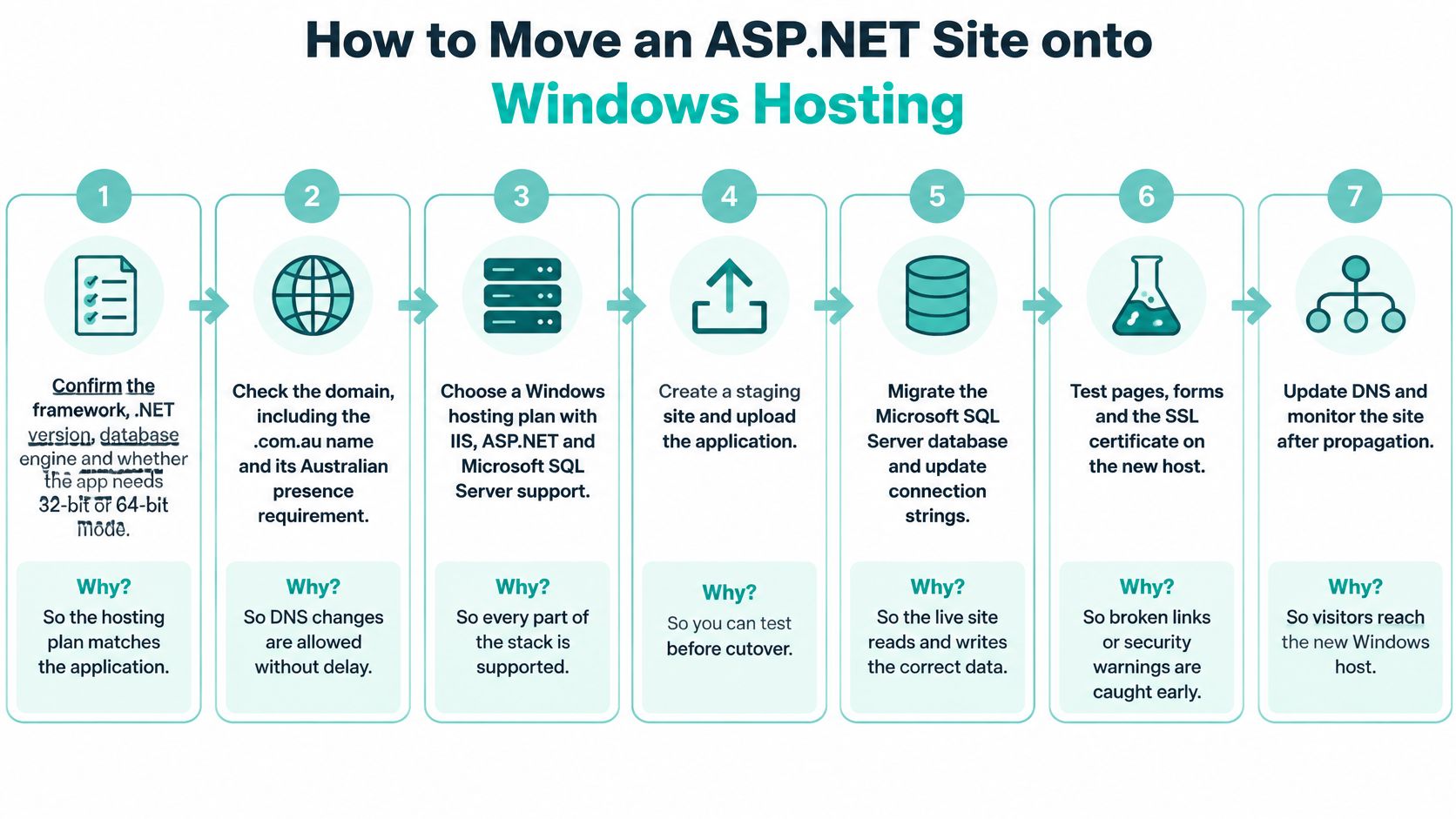
Confirm compatibility. Record the runtime, database engine, process architecture, native libraries and scheduled tasks. A common slip is checking ASP.NET support without checking the application's precise target framework.
Check domain eligibility and ownership. business.gov.au's domain registration guide explains that commercial .com.au and .net.au registrations generally require an ABN or ACN; registration doesn't provide intellectual-property protection. The Australian Government's domain review distinguishes org.au for charities and not-for-profits, id.au for Australian citizens or residents, and gov.au for government bodies, so don't choose an ineligible namespace.
Back up files and data. Export the site and obtain a restorable SQL Server backup, recording connection strings securely. Copying website files without the database leaves an incomplete migration.
Deploy to staging. Choose Web Deploy, Git or a supported file-transfer method and test away from the live website. The Publish to Plesk using Web Deploy knowledge-base article gives deployment-specific instructions; don't overwrite production before testing.
Configure the runtime and application pool. Have the required Hosting Bundle installed and match pool settings to the application. ASP.NET Core commonly uses No Managed Code for the pool's CLR setting, while .NET Framework requires its appropriate configuration, so don't blindly select matching-looking version labels.
Prepare the domain cutover. Follow the registrar's DNS guidance and preserve existing mail-related settings when directing website traffic to the new host. Outdated registrant details are a separate risk: the Australian Parliament's licensing summary explains that ineligible registrations may be suspended or cancelled.
Validate and monitor. Install and verify the certificate before public cutover, then test logins, forms, uploads and database writes again afterwards. Watch logs closely during the initial operating period; a working home page doesn't prove the whole application works.
Choose a Windows Host Built for Australian Sites
Checks to run before choosing a Windows host
| Check | Why it matters | Question for the provider |
|---|---|---|
| .NET version | Determines application compatibility | Which .NET versions are supported on IIS? |
| Database | Engine version and features must match | Is MS-SQL included, and which edition? |
| Hosting Bundle and app pools | Controls application startup and isolation | Who installs the bundle and configures pool settings? |
| x86 or x64 mode | Affects memory and native libraries | Which execution modes are available? |
| Domain control | Preserves access to DNS and registration | Can you register and manage my .au domain? |
| Support and location | Affects assistance and data handling | Where are servers and support staff, and when is support available? |
We describe our hosting as 100% Australian, with servers in Sydney, Melbourne, Brisbane and Perth and local support through phone, tickets and call-backs. Our Australian data sovereignty hosting guide explains why location matters, although local hosting alone doesn't satisfy every compliance obligation.
Our ASP.NET hosting runs classic ASP, ASP.NET and PHP side by side on Windows, with MySQL and MSSQL. It includes Web Deploy or Git, server logs and a configurable web application firewall.
For a Melbourne company moving an intranet, completing the table is more useful than choosing by plan name. Compare your application's requirements, then obtain written confirmation of its runtime, Hosting Bundle, database edition and backup responsibilities before signing up.
Experience Microsoft 365 Business Standard for free for 30 days.
Up to 25 users with full access to email, OneDrive and Teams. Includes full versions of desktop apps of Outlook, Word, Excel, PowerPoint and more.
Try Microsoft 365
Windows Hosting Frequently Asked Questions
Is Windows hosting more expensive than Linux hosting?
The headline price is often higher because of licensing. Compare the complete monthly cost, including the required database edition and management, rather than assuming equivalent-looking accounts include equivalent services.
Can I run WordPress on Windows hosting?
Yes, provided the host supplies compatible PHP and database support. Linux is usually simpler and cheaper for a WordPress-only website; choose Windows when another application creates a genuine requirement.
Do I need to buy Windows or SQL Server licences myself?
Usually not for a managed hosting account. Confirm the included licences and permitted database use in writing, especially when moving to a self-managed server.
Can I move from Windows hosting to Linux later?
Static files and PHP applications are generally easier to transfer, although configuration still needs testing. Modern cross-platform .NET applications may also move, but Windows authentication, .NET Framework or Windows-only libraries require redevelopment or replacement.
Do I need a .com.au domain for an Australian business site?
No, an Australian business website doesn't have to use .com.au. If you choose that namespace, meet its commercial eligibility requirements and keep your business and contact details current with the registrar.
UpTime Web Hosting offers Australian Windows hosting for ASP.NET applications, with MSSQL support and deployment tools for maintaining your site. Visit UpTime Web Hosting with your application's runtime, database and deployment requirements, and ask us to confirm compatibility and management responsibilities before you migrate.