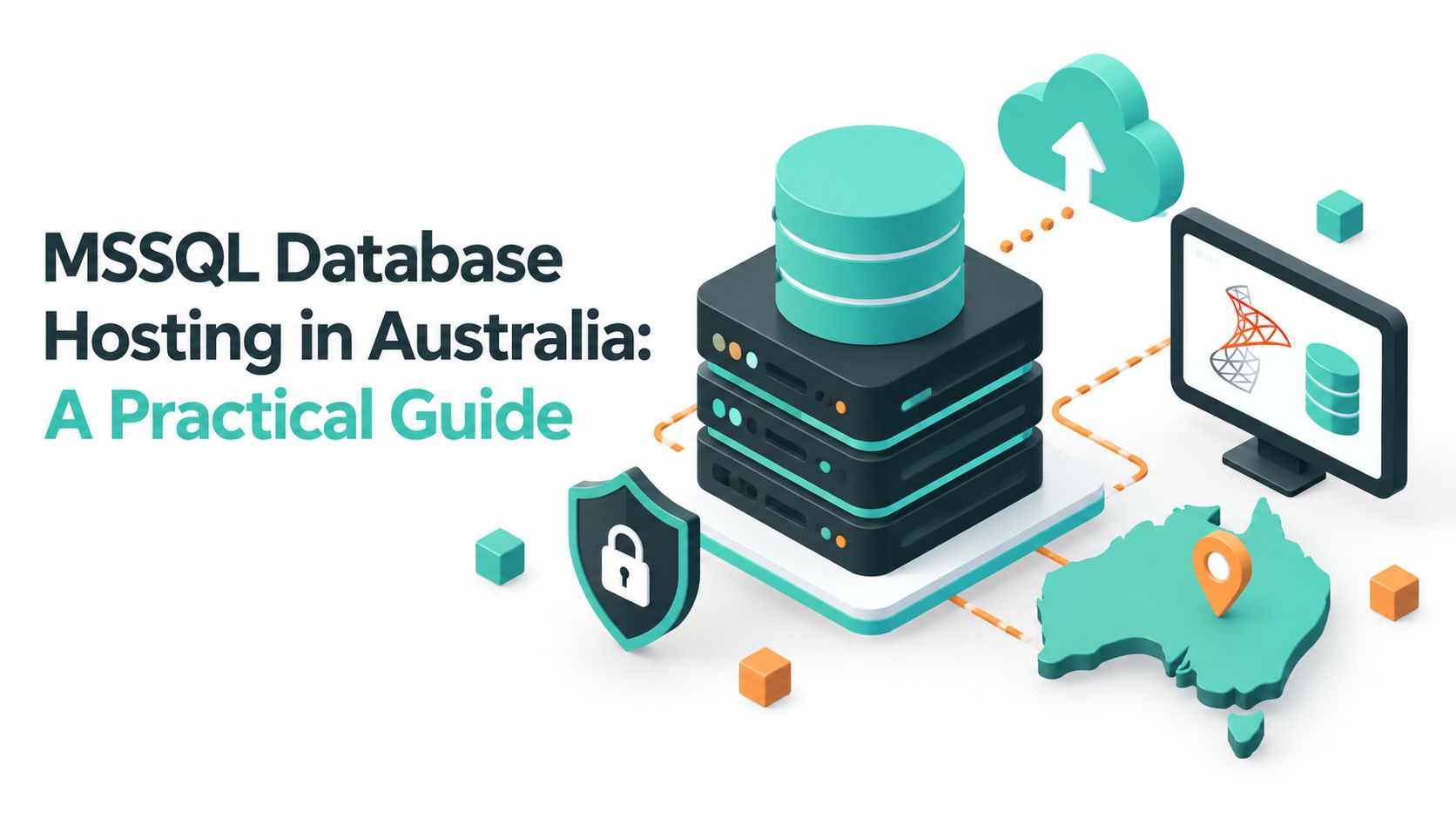
Your online shop is growing, but its database is still sitting in an ageing Access file, a temporary MySQL workaround, or a server nobody wants to reboot during business hours. Then your developer confirms the new application depends on Microsoft SQL Server, and the question changes from “Can we host this website?” to “Where should the database run, who will secure it, and what happens when the SQL Server version reaches the end of support?”
That's the decision behind MSSQL database hosting in Australia. The right choice depends on application compatibility, SQL Server edition, network design, backups, data residency, licensing, performance and lifecycle planning. Price matters, but a low monthly fee won't help if the host can't isolate the database, restore it reliably or support an upgrade before your version becomes a security risk.
Table of Contents
- When an Australian Business Needs MSSQL Hosting
- What MSSQL Database Hosting Actually Means
- Technical Requirements for Running MSSQL
- Security, Backups and Australian Compliance
- Performance Tuning and Migration Checklist
- Pricing, Licensing and Choosing a Plan Type
- How to Choose a Reliable Australian MSSQL Host
- Bringing It All Together

Performance you can feel, backed by clients who depend on it. Read how our support and uptime create long‑term customer success.Power Your Business with Better Hosting
When an Australian Business Needs MSSQL Hosting
Many Australian SMBs arrive at SQL Server through an application rather than a database strategy. An e-commerce business might outgrow Access when several staff need to update orders simultaneously. A developer may choose SQL Server because an ASP.NET application already uses Microsoft libraries and T-SQL. An operations manager may discover that an ERP, reporting platform or integration tool expects SQL Server connections.
The trigger can be straightforward:
- Application compatibility: Existing ASP.NET or .NET Core software may already be designed for SQL Server.
- Business software: Microsoft Dynamics, MYOB Advanced and other line-of-business systems can impose database requirements that limit your hosting options.
- Reporting and integration: Some reporting tools connect through Microsoft's Tabular Data Stream, or TDS, and work best with SQL Server-native features.
- Automation: SQL Server Agent jobs can run scheduled imports, reports, maintenance tasks and backups without relying on a separate scripting platform.
- Operational control: A managed host can take responsibility for server availability, storage, patching and routine database administration.
Microsoft describes SQL Server as available for Windows and as a virtual machine in Azure, with documentation covering setup, administration and development in its official SQL Server downloads and documentation. That gives businesses more than one deployment pattern, but it doesn't remove the need to match the platform to the application.
Practical rule: Start with the application vendor's supported SQL Server versions, authentication methods, drivers and edition requirements. Don't select a hosting plan first and hope the software fits later.
This guide treats hosting as a sequence of decisions. You'll need to confirm the Windows and SQL Server stack, choose an edition, design secure connectivity, check Australian compliance expectations, plan backups, tune or migrate the database and understand licensing before comparing plans.
What MSSQL Database Hosting Actually Means
MSSQL database hosting means a SQL Server instance runs on infrastructure managed by a hosting provider or cloud operator. Depending on the plan, the provider may manage the Windows operating system, storage, backups, monitoring, patching and network controls, while your team manages databases, logins, queries and application settings.
The simplest analogy is a commercial kitchen. SQL Server is the specialist cooking equipment, Windows Server is the kitchen environment, storage is the cold room and the host is responsible for keeping the building, power and equipment operational. You still decide what data goes into the system and how the application uses it, but you're not necessarily maintaining the underlying server yourself.
SQL Server traditionally runs on Windows Server because it's a proprietary Microsoft platform with close integration into IIS, Active Directory, .NET, PowerShell and Microsoft management tools. Microsoft also documents SQL Server virtual machine deployment in Azure, and SQL Server can run in other supported configurations, including Linux in suitable circumstances. For many Australian SMB applications, however, a Windows plan remains the least complicated route, particularly when the application relies on IIS or the .NET Framework.
A connection doesn't require the web server and database server to be the same machine. The application communicates with SQL Server through a driver and protocol, commonly TDS. That connection may use TCP/IP, a private network path or another configured method, depending on the host and application.
SQL Server compared with other databases
MySQL and PostgreSQL can be excellent choices for applications built around them. They may be simpler or more economical when your developers already use those ecosystems. SQL Server becomes more compelling when the workload needs deep .NET integration, T-SQL features, SQL Server Reporting Services, SQL Server Agent or Microsoft enterprise tooling.
The trade-off is operational and financial complexity. SQL Server editions have different feature and licensing implications, and Windows hosting can cost more than a comparable open-source stack. Moving an application from SQL Server to MySQL or PostgreSQL also isn't a simple file transfer. Queries, data types, stored procedures, authentication and reporting integrations may all need changes.
For businesses committed to the Microsoft application stack, an Australian Windows web hosting environment can reduce compatibility work. The important question isn't whether Windows is automatically superior. It's whether the hosting environment supports the software you already operate and the controls your data requires.
Host your website with our 5-star rated, cPanel website hosting plans.
Super fast servers, with security included and hosted in your choice of Australian Data Center.
View cPanel Plans
Technical Requirements for Running MSSQL
A reliable SQL Server deployment begins with compatibility, not storage. Confirm the operating system, application framework, database edition, drivers and network path before migration. Microsoft's SQL Server documentation should be the reference point for supported combinations, while your application vendor should confirm its own requirements.
A typical Windows-based environment may include:
- Windows Server: Confirm the host supports the Windows Server version required by your SQL Server release and application. The plan should also provide a clear patching responsibility.
- IIS: ASP.NET applications commonly depend on Internet Information Services. ASP.NET Core can use IIS integration or another supported hosting arrangement, but the application team must confirm the expected model.
- .NET runtimes: Match the installed .NET Framework or .NET runtime to the application build. A database can be healthy while the web application fails because its runtime is missing.
- SQL Server edition: Express, Standard and Enterprise offer different capabilities and licensing considerations. Choose based on feature requirements and workload, not the label alone.
- Drivers: Applications may use ODBC, OLE DB or a framework-specific provider. Check driver versions and encryption support before moving production.
Connectivity and firewall design
SQL Server commonly accepts TCP connections through the default 1433 port, but the port alone doesn't make a deployment secure. The host should restrict inbound access with firewall rules, allow only required application sources and avoid exposing the database directly to the public internet. Named Pipes may appear in legacy configurations, but TCP/IP is usually easier to manage across separated servers and hosted networks.
Consider an ERP used by an Australian SMB with 50 concurrent users, 20 GB of data and nightly SQL Server Agent jobs. Those workload details come from the example, not a universal sizing rule. Express may be suitable for a small application, but the team should assess its limits and whether it supports the required Agent and operational features. Standard is usually the sensible starting point for this ERP because the workload needs scheduled jobs, business application support and room for operational growth, while Enterprise features may be unnecessary. The host and software vendor still need to validate licensing, memory, CPU and concurrency requirements.
SQL Server 2016 reached the end of mainstream support in July 2021, as documented in Microsoft's lifecycle information referenced by the Australian database guidance. That date doesn't by itself make every installation unusable, but it should prompt a supported-version review before you commit to a new deployment.
For a Windows-based application, confirm the server stack and patching model through the provider's Windows Server hosting options before you sign up.
Security, Backups and Australian Compliance
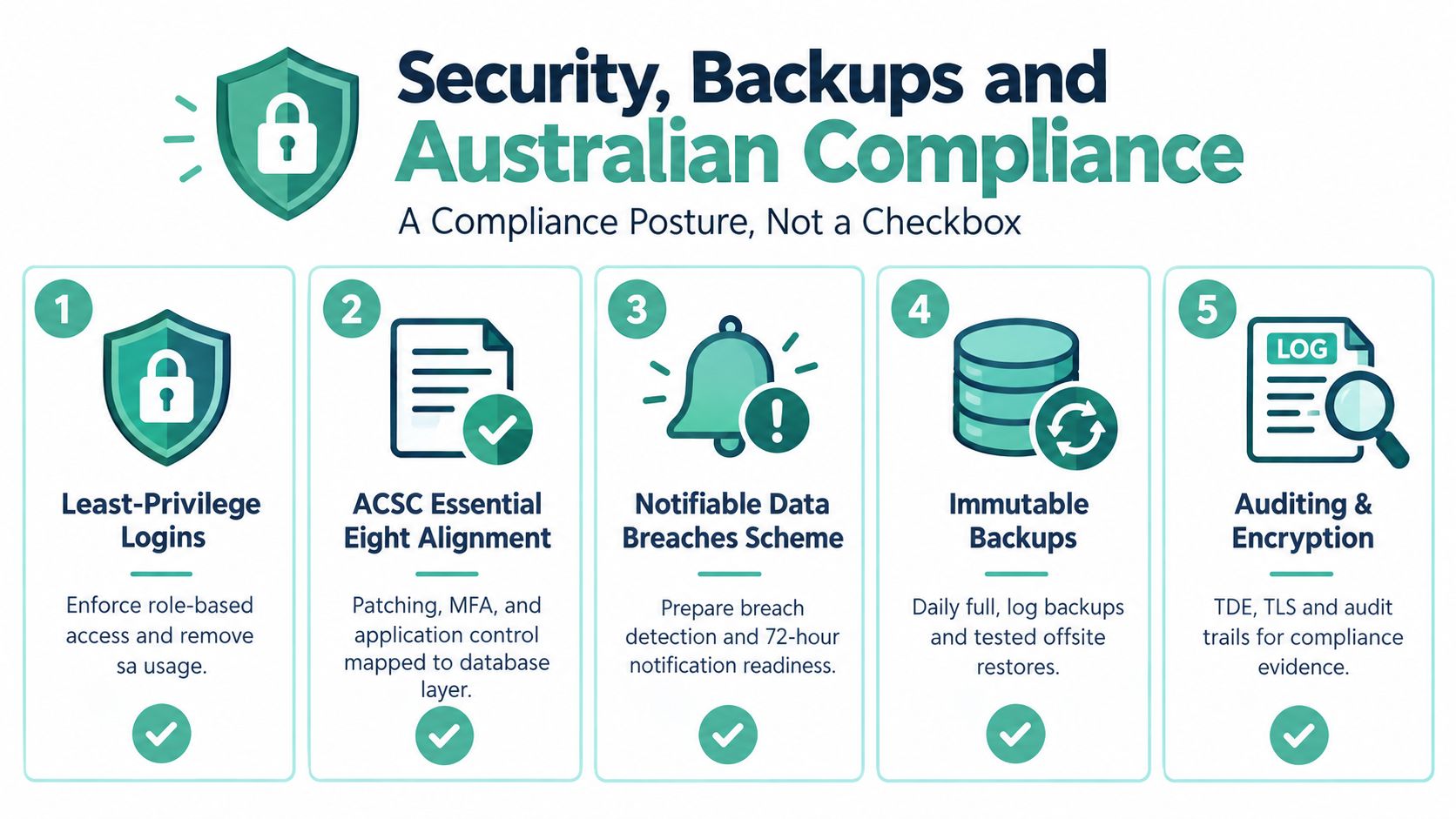
Database hosting is part of your compliance posture, not a checkbox added after deployment. The Australian Cyber Security Centre's database systems guidance.pdf) emphasises design controls such as separating database servers from web servers, using different network segments, restricting access and encrypting data in transit. It also distinguishes development, testing, staging and production environments.
That guidance matters to an SMB because a “managed” plan isn't automatically secure. Ask whether the provider can demonstrate network segmentation, restricted administrative access, TLS configuration, database isolation and a process for maintaining a database register. Microsoft's compliance mapping also connects Transparent Data Encryption with ACSC database-system guidance, so encryption at rest should be discussed alongside connection security rather than treated as a separate feature.
Build the controls around the data
Use least-privilege accounts instead of giving applications broad administrator rights. Remove unnecessary use of the sa account, separate human administration from application access and record who can reach production. Enforce encrypted connections, use Transparent Data Encryption where supported and confirm that certificates and keys are managed properly.
Backups need the same discipline. A sensible 3-2-1 design can include a local full backup, an off-host differential or log backup and an encrypted off-site copy in another Australian region. The exact schedule should follow your recovery point objective, or RPO, and the rate at which data changes. A backup that has never been restored is an assumption, not a recovery plan.
Your audit file should explain:
- Access control: Which accounts exist, what roles they hold and when access was reviewed.
- Backup evidence: What was backed up, where it was stored, how long it's retained and when restoration was tested.
- Security settings: Which encryption, firewall, segmentation and patching controls apply.
- Incident readiness: How the business detects a suspected breach and escalates it under the Notifiable Data Breaches scheme.
- Environment separation: How development and test systems avoid using uncontrolled production copies.
If your plan relies on provider-managed copies, ask for the retention policy, restore procedure and ownership boundaries. You can also review the provider's off-site backup solutions as part of that assessment.
Performance Tuning and Migration Checklist
A database migration should replace guesswork with evidence. Start by measuring the current workload, then test the new environment against representative queries and application behaviour. Don't treat a faster server as a substitute for poor indexing, blocking or unsuitable query plans.
Use this workflow:
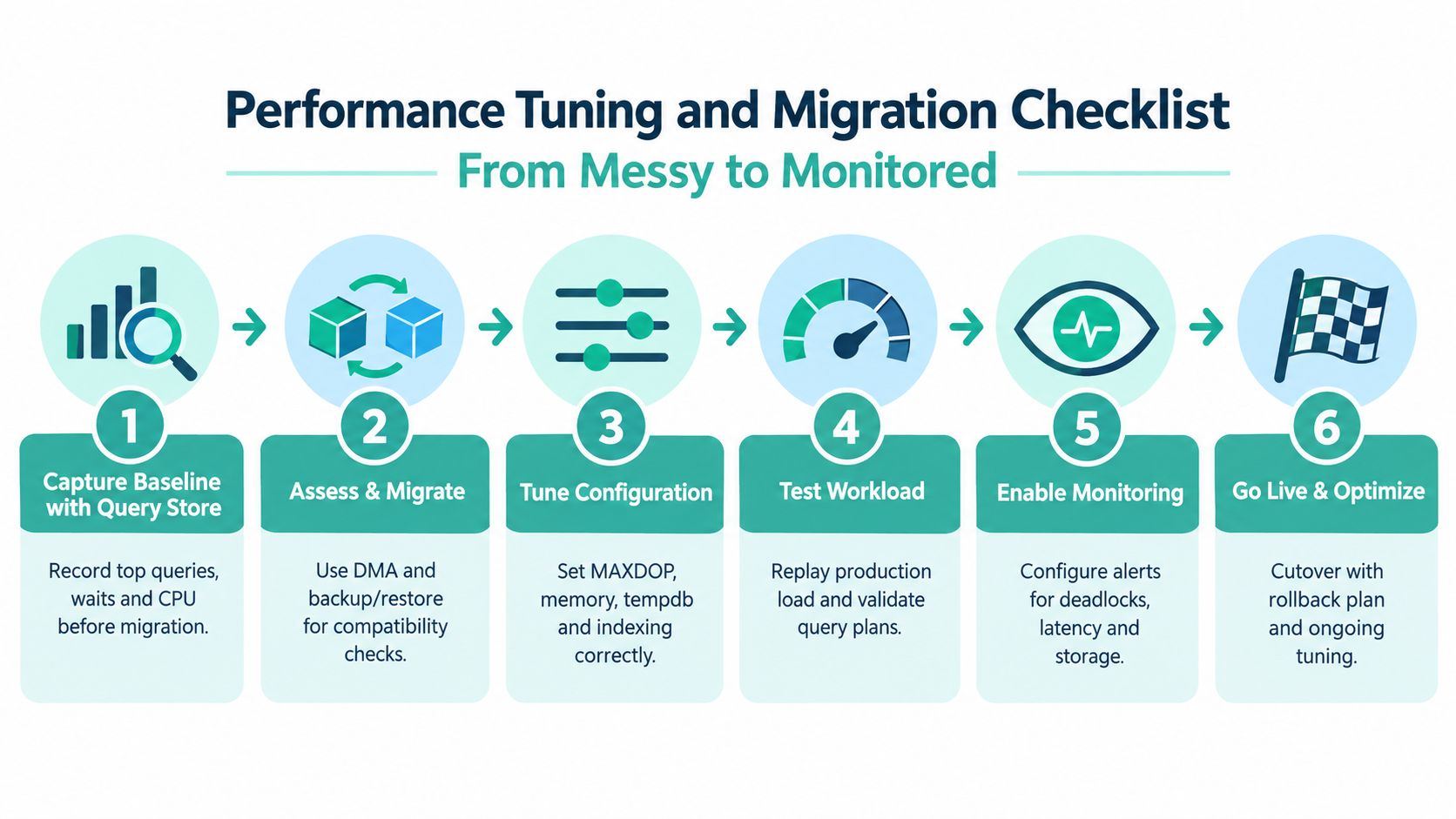
- Capture a baseline with Query Store. Record the most expensive queries, waits, CPU pressure, duration and execution plans before changing the environment. The baseline gives you something concrete to compare after migration.
- Assess compatibility. Review the source database, target SQL Server release and compatibility level. If the destination is SQL Server 2019 or 2022, test the application at the target compatibility level rather than changing it blindly.
- Remove deprecated dependencies. Inventory old syntax, unsupported features, linked-server assumptions and authentication settings. Resolve warnings during testing, not during the cutover window.
- Tune the configuration. Review MAXDOP, memory allocation, tempdb layout, statistics and indexes. Index the most expensive queries first, and verify that each change improves the measured workload.
- Confirm recovery requirements. Choose the recovery model with the RPO and restore process in mind. Validate full, differential and log backup behaviour, then perform a restoration to an isolated test environment.
- Rehearse and monitor. Replay representative production activity, check deadlocks and latency, configure alerts for storage and failures, then prepare a rollback plan.
Prepare for the SQL Server 2016 deadline
SQL Server 2016 reaches the end of extended support on 14 July 2026, after which Microsoft won't provide further security patches or bug fixes without paid Extended Security Updates. That makes the date a practical milestone for Australian businesses with existing instances. A new project shouldn't start on an unsupported path, and an existing installation needs a tested upgrade plan.
Before cutover, compare schemas, recreate logins and permissions, inspect linked servers, migrate Agent jobs, validate connection strings and check scheduled reports. Run a measured dry run against the new host so you know how long backup transfer, restore, validation and application checks take. The aim is a controlled cutover, not an improvised weekend outage.
The website migration checklist can help organise the wider hosting move, but database-specific testing still belongs with the application and SQL Server team.
Register your new domain name at competitive market prices including free domain add-ons like privacy, DNS Hosting, Custom Nameservers and Forwarding.
Always the best price and no nasty renewal price hikes.
Register A Domain Name
Pricing, Licensing and Choosing a Plan Type
The headline hosting fee rarely represents the full cost of SQL Server. You may also need to account for the edition, licence model, backup storage, managed administration, migration work, monitoring and future upgrades.
Australian SMBs usually encounter three broad plan shapes:
| Plan type | Typical price band (AUD/month) | Best fit |
|---|---|---|
| Shared Windows hosting with MSSQL | Not stated | Smaller sites and applications that fit the provider's shared resource and database limits |
| Managed Windows VPS | Not stated | Businesses needing more control, predictable resources and a dedicated SQL Server environment |
| Dedicated or cloud-hosted server | Not stated | Larger, regulated or resource-intensive workloads requiring stronger isolation and custom configuration |
No universal price band is safe to publish because SQL Server licensing and infrastructure differ between providers. A shared plan may bundle a database or offer it as an add-on. A managed VPS may include an instance but still require an edition decision. A dedicated or cloud server may allow more control, but you'll carry more responsibility for licensing, patching and administration.
Match the plan to the workload
Database size is only one signal. Ask how many concurrent connections the application creates, whether queries need substantial CPU or memory, whether SQL Server Agent and SSRS are required, and whether the workload has regular reporting peaks. A modest data footprint can still need a VPS if the application runs frequent analytical queries or scheduled jobs.
Licensing can be based on cores or client access licences, depending on the arrangement and edition. Confirm whether the provider supplies the SQL Server licence, whether your agreement permits the proposed hosting model and what happens when you move infrastructure. Enterprise features can change the economics quickly, while Express may be appropriate only when its capacity and feature boundaries suit the application.
SQL Server on Linux or in containers can change the operating system cost and deployment model, but it doesn't remove SQL Server licensing, supportability, backup or security obligations. Choose that architecture only when your application, operations team and provider can support it.
How to Choose a Reliable Australian MSSQL Host
Use a written question set before comparing plans. A provider should be able to answer these questions in documentation or pre-sales conversations, not after migration.
| Buyer criterion | What to verify | UpTime Web Hosting provision |
|---|---|---|
| Australian location | Ask where the database and backups are stored, and assess latency for your users and application. | Australian hosting locations and local infrastructure are described as part of its hosting service. |
| SQL Server versions | Confirm support for current, supportable releases such as SQL Server 2019 or 2022, and ask for an upgrade path. | Its Windows hosting materials describe SQL Server support, including SQL Server Web Edition 2019 with SQL Agent. |
| Windows stack | Check the Windows Server version, IIS support, .NET runtime options and patch responsibilities. | Windows and ASP.NET hosting plans are available for Microsoft application stacks. |
| Backups | Ask about frequency, off-site storage, retention, encryption and tested restores. | The service includes encrypted off-site nightly backups according to its hosting information. |
| Security posture | Request details on isolation, firewalling, access controls, encryption and alignment with ACSC expectations. | Isolation options and security controls can be discussed against the workload and data classification. |
| Licensing transparency | Confirm the SQL Server edition, included features, add-on costs and ownership of the licence. | MSSQL database options and edition availability should be confirmed before ordering. |
Microsoft's regional documentation lists Australia East as an available region for Azure Arc-enabled SQL Server, which gives Australian organisations a local Microsoft ecosystem option for suitable deployments. It doesn't automatically satisfy every residency, security or contractual obligation, so ask where each component runs.
For an independent comparison process, use an Australian web hosting comparison to record location, support, backups, operating system, database edition and licensing answers in one place.
A small site with a compatible application may fit shared Windows hosting. An ERP with scheduled Agent jobs generally deserves a managed environment with predictable resources. Sensitive workloads may need isolated infrastructure and stronger evidence around access, segmentation, backups and restoration. The right tier is the smallest one that meets those operational requirements without leaving your team responsible for controls the provider promised to manage.
Experience Microsoft 365 Business Standard for free for 30 days.
Up to 25 users with full access to email, OneDrive and Teams. Includes full versions of desktop apps of Outlook, Word, Excel, PowerPoint and more.
Try Microsoft 365
Bringing It All Together
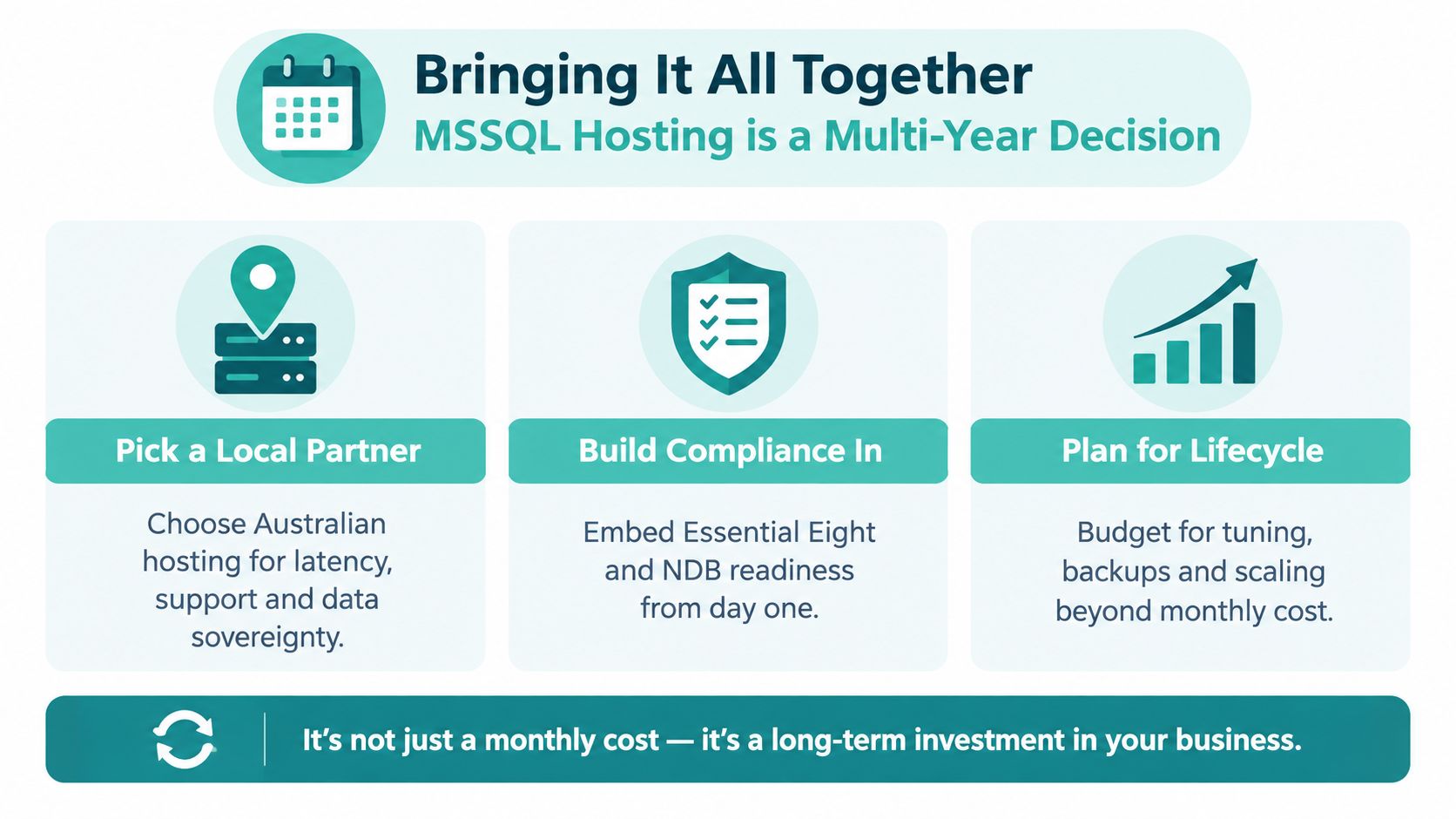
MSSQL hosting is a multi-year platform decision disguised as a monthly subscription. Your database may support orders, financial records, customer history, reporting and integrations, so the cost of a failed migration or unsupported version can exceed the hosting invoice.
Three principles should guide the decision:
- Plan around lifecycle: SQL Server 2016 reaches extended support end on 14 July 2026, so new deployments should use a supported path and existing installations should have a tested upgrade route.
- Design compliance in: Segment database and web roles, restrict access, encrypt connections and data where appropriate, separate environments and maintain tested off-site backups. ACSC guidance treats these as design details, not optional marketing features.
- Separate hosting from licensing: Ask exactly which SQL Server edition, Windows components, Agent features, backup services and management tasks are included. Your total cost should remain visible when the workload grows or the platform changes.
Start by recording your current SQL Server version, edition, database size, application dependencies, Agent jobs, backup process and data residency obligations. Then shortlist two or three Australian providers and ask each one to answer the same questions about isolation, encryption, recovery testing, supported versions, licensing and migration assistance.
UpTime Web Hosting provides Australian Windows and ASP.NET hosting with MSSQL database options, local infrastructure and managed hosting services that can be assessed against the controls in this guide. Visit UpTime Web Hosting to review the available options and discuss a SQL Server hosting plan that fits your application, compliance needs and upgrade path.