In short
Report spam email in Australia to the channel that matches the message: send unlawful commercial spam to the ACMA, scams or phishing attempts to Scamwatch, and cybercrime involving stolen money, personal information, hacked accounts or malware through ReportCyber. Also alert your email provider, workplace IT team and any organisation being impersonated.
Key takeaways
- The ACMA accepts unedited forwards of suspected commercial spam at report@submit.spam.acma.gov.au and provides a separate form for formal spam complaints.
- Scamwatch uses an online form for suspicious contact or scam activity, including phishing attempts that have not yet caused a loss.
- ReportCyber is the appropriate route when money or personal information has been stolen, an account has been accessed, or a device has been infected.
- Contact the bank or card provider immediately if financial details or money may be at risk, rather than waiting until every report is complete.
- A work email should be preserved and reported to the organisation's IT or security team before it is deleted or forwarded outside the organisation.
Contents
- Where should I report a spam or phishing email in Australia?
- How can I tell spam, phishing and an ordinary unwanted email apart?
- What should I keep before I report the email?
- What should I do if I clicked a link or shared details?
- Should I also report the email to my provider or the organisation being impersonated?
- Is it worth reporting a single spam or phishing email?
- How can I reduce the next wave of unwanted email?
- What else should I know about reporting spam email?
- What should I do now?
The reporting routes below were checked against official Australian pages on 22 October 2026. Use the linked government forms rather than a saved address or an old blog post, because reporting channels can change.
Where should I report a spam or phishing email in Australia?
Report the email according to what happened, not merely because the message looks suspicious. The ACMA handles unlawful commercial spam, Scamwatch handles scam attempts and suspicious contact, and ReportCyber handles cybercrime or account and device compromise.
Quick routing guide
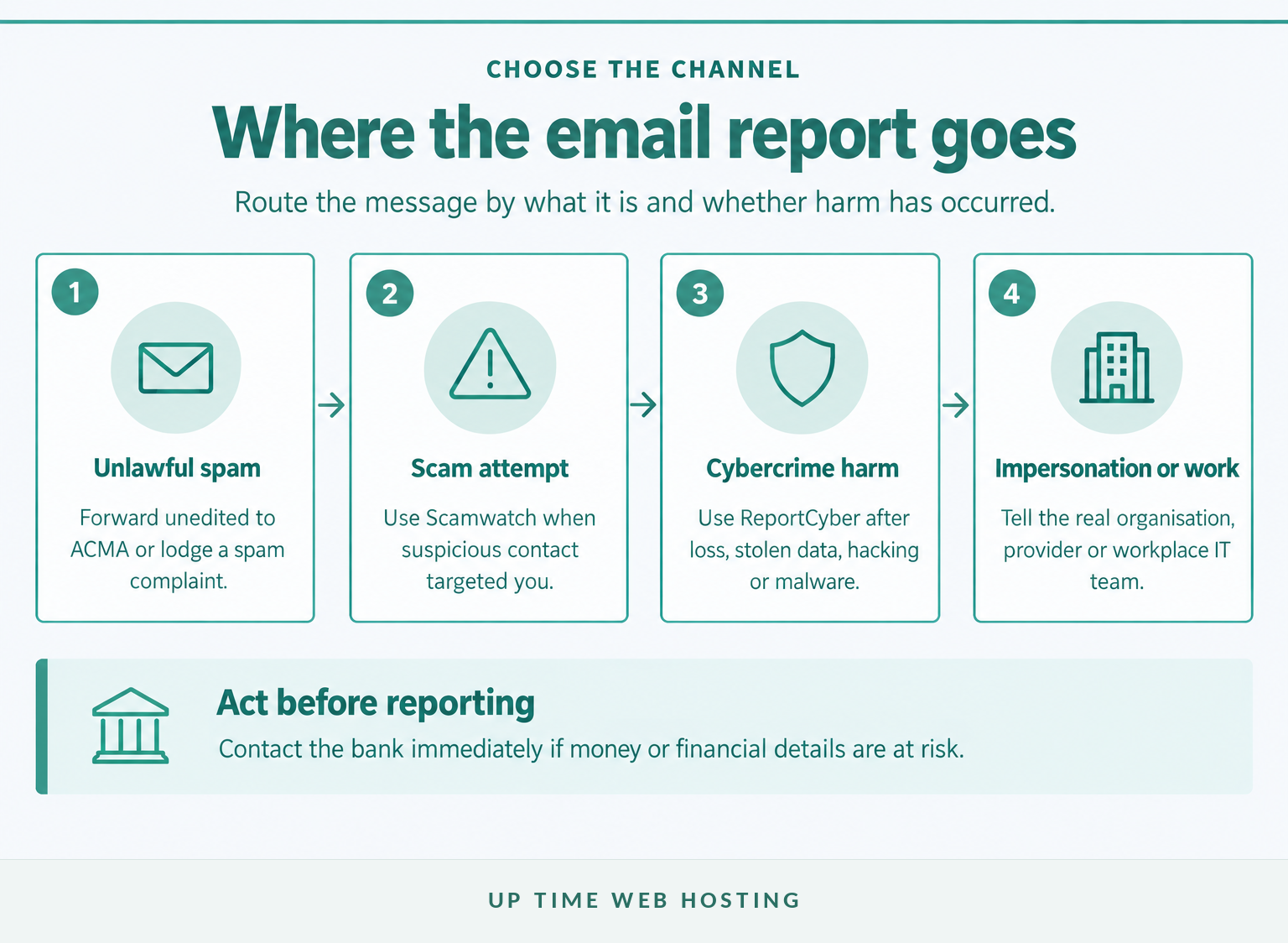
| What happened? | Primary reporting route | What else should you do? |
|---|---|---|
| You received unwanted commercial marketing that may breach Australian spam rules | Use the ACMA dealing with spam guidance. Forward the unedited email to report@submit.spam.acma.gov.au or use the ACMA spam complaint form. | Mark it as spam with the email provider. Use unsubscribe only when the sender is verified. |
| You received a scam or phishing attempt but did not lose money, share information or lose account access | Complete the Scamwatch report form. | Report it to the email provider and the real organisation being impersonated. |
| You lost money, shared sensitive information, installed malware or lost control of an account or device | Contact the bank first when financial details are involved, then use the ReportCyber selector. | Also notify Scamwatch, the email provider and the affected organisation. |
| A work mailbox received an invoice-change request, credential theft attempt or other targeted message | Report it to the workplace IT or security team. Use ReportCyber if an account, device or payment process was compromised. | Preserve the original message and warn affected staff, suppliers or customers when necessary. |
Forwarding an email to ACMA is not the same as lodging a complaint. ACMA says forwarding is a quick way to supply a message for its compliance work, while the complaint form is used when a person believes the spam rules were broken. (acma.gov.au)
Scamwatch's current public reporting route is its online form. Cybercrime reports involving loss, stolen information, malware, threats or unauthorised access should go through the current cyber.gov.au report selector rather than an email address copied from an older guide. (scamwatch.gov.au)
The correct reporting destination depends on the message's purpose and the harm that has already occurred.

Performance you can feel, backed by clients who depend on it. Read how our support and uptime create long‑term customer success.Power Your Business with Better Hosting
How can I tell spam, phishing and an ordinary unwanted email apart?
The labels matter because Australian agencies have different responsibilities. A message can be annoying without being unlawful spam, while a polished marketing-style email may actually be a phishing attempt.
Spam, phishing or merely unwanted?
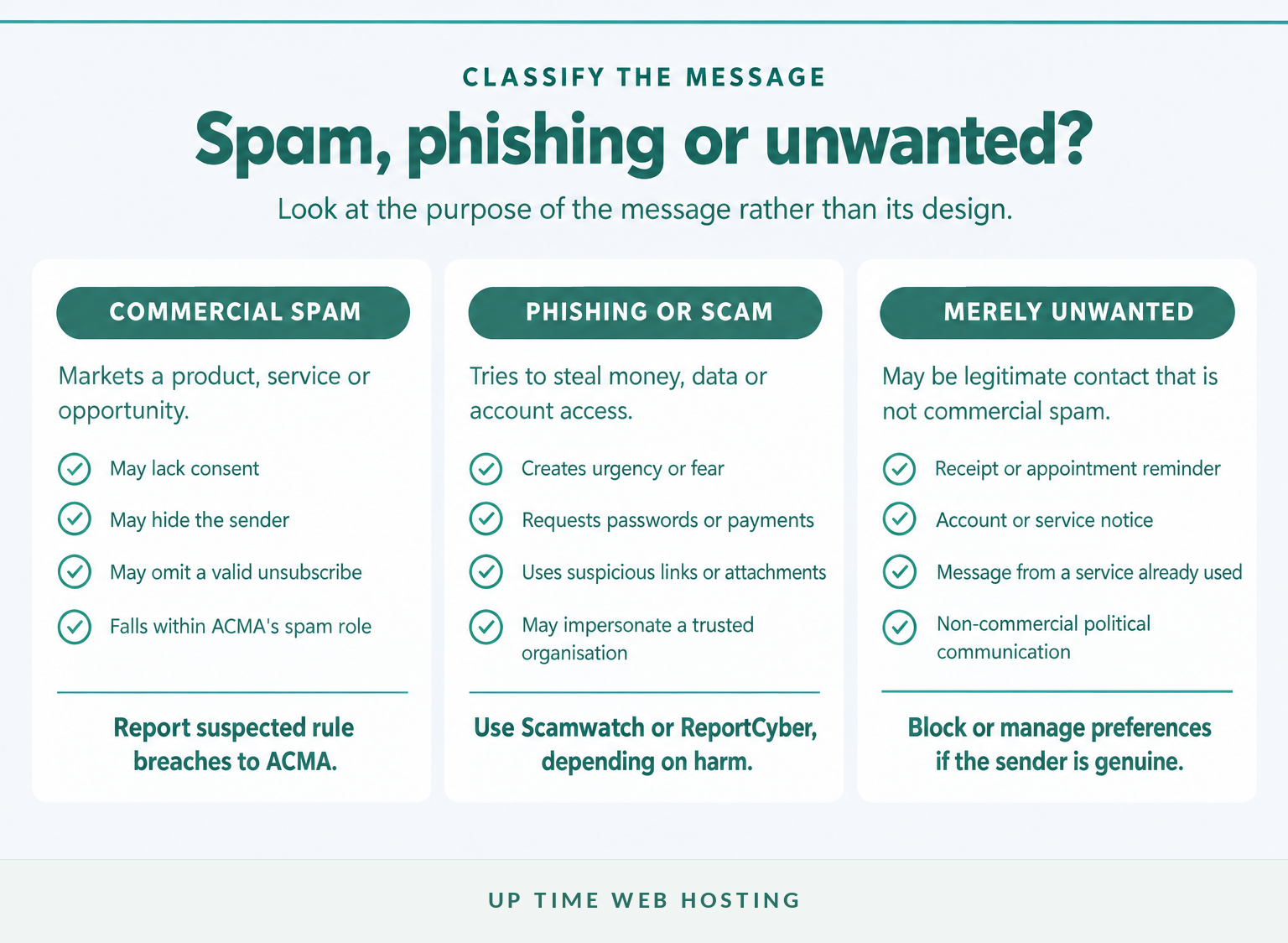
The Australian Communications and Media Authority defines spam as an unwanted commercial electronic message containing an offer, advertisement or promotion. Under the Spam Act 2003, commercial electronic messages generally require consent, accurate sender details and a functional unsubscribe facility. (acma.gov.au)
- Commercial spam: The message markets a product, service or opportunity. Possible warning signs include no consent, missing sender information, no usable unsubscribe facility or continued marketing after an opt-out.
- Phishing or scam email: The message tries to steal money, credentials or personal information, install software, change payment details or pressure the recipient to act. Scamwatch warns that these messages often imitate trusted organisations and use links or attachments.
- Unwanted but not necessarily spam: Receipts, appointment reminders, account notices and service updates may be unwanted but are not usually commercial spam. Political messages also sit outside the commercial spam rules in many cases.
Review examples of spam email if the message appears to be bulk marketing. If it asks for passwords, payments or urgent account action, use the separate checks for how to identify phishing emails.
Use an unsubscribe link only when the sender and destination are trustworthy. ACMA says legitimate businesses must generally stop marketing within five business days of an unsubscribe request, but it also advises against clicking links when the sender cannot be verified. (acma.gov.au)
Classify the message by what it is trying to achieve, not by how professional it looks.
What should I keep before I report the email?
Keep the original email and enough information to show what happened. Do not click links, open attachments, reply to the sender or edit the message before forwarding it to an authorised reporting channel.
Record or preserve:
- the complete original email, including the unchanged subject line
- the sender address displayed by the mail system
- the date and time received
- screenshots of the message, suspicious website or payment request
- any amount lost and the transaction date
- what information was entered or disclosed
- any password changes, bank calls or other recovery actions already taken.
For a work mailbox, follow internal instructions before forwarding the message outside the organisation. The Australian Government's cyber.gov.au social-engineering guidance advises keeping a suspicious message for investigation and reporting it to the organisation's IT or cyber security team. (cyber.gov.au)
Targeted supplier-payment changes or messages sent from a genuine but compromised mailbox may be business email compromise, not ordinary spam. Preserve invoices, payment instructions and related correspondence because the organisation and bank may need to trace the event.
Preserve the original first, then report or delete it according to the relevant agency and workplace instructions.
Host your website with our 5-star rated, cPanel website hosting plans.
Super fast servers, with security included and hosted in your choice of Australian Data Center.
View cPanel Plans
What should I do if I clicked a link or shared details?
Secure money, accounts and devices before spending time on every reporting form. A clicked link does not always mean compromise, but entering credentials, approving a payment or installing software requires immediate action.
Recovery checklist after a mistake
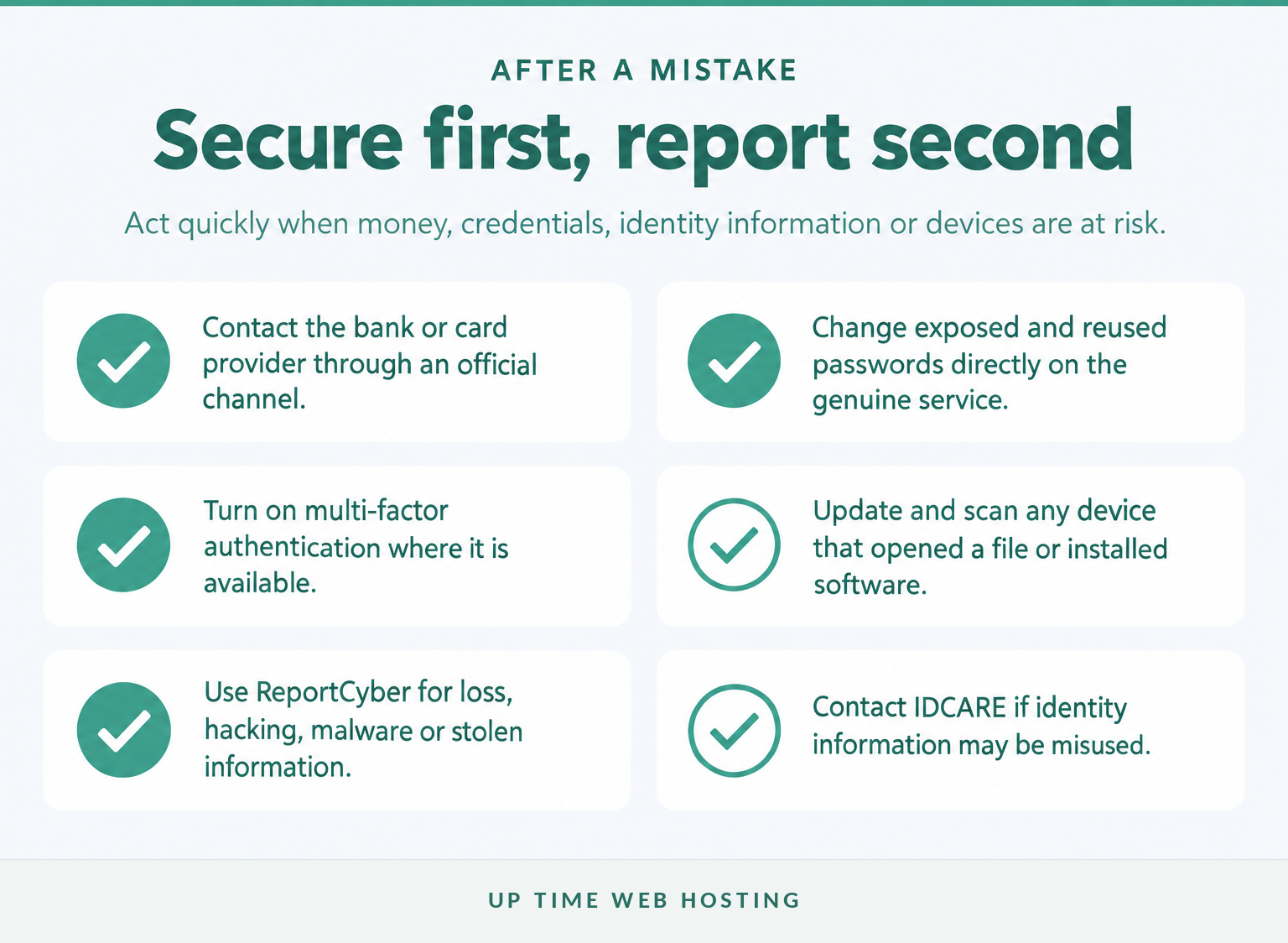
- Contact the bank or card provider. Use the number in the official app, on the card or on the bank's website. Ask about stopping transactions and securing affected accounts.
- Change exposed passwords. Go directly to the genuine service rather than following the email link. Change any other account that reused the same password and turn on multi-factor authentication where available.
- Secure the device. Remove any remote-access software installed at the sender's request, install available security updates and run the device's trusted security scan.
- Use ReportCyber. Report stolen money or personal information, unauthorised account access, malware, extortion and other cybercrime through the official selector.
- Report the scam. Submit the email or contact details to Scamwatch and tell the genuine organisation or platform being impersonated.
- Get identity support. Contact the IDCARE contact page or call 1800 595 160 if identity documents or substantial personal information may have been exposed.
Cyber.gov.au provides help during cybercrime and lists 1300 CYBER1 (1300 292 371) as its 24-hour Cyber Security Hotline for advice. If anyone is in immediate danger, call 000. (cyber.gov.au)
If financial details, credentials or device access were exposed, recovery comes before routine inbox clean-up.
Should I also report the email to my provider or the organisation being impersonated?
Yes. Government reporting helps identify broader patterns, while the email provider, workplace and impersonated organisation may be able to block the sender, protect an account or warn other customers.
Who else should receive the report?
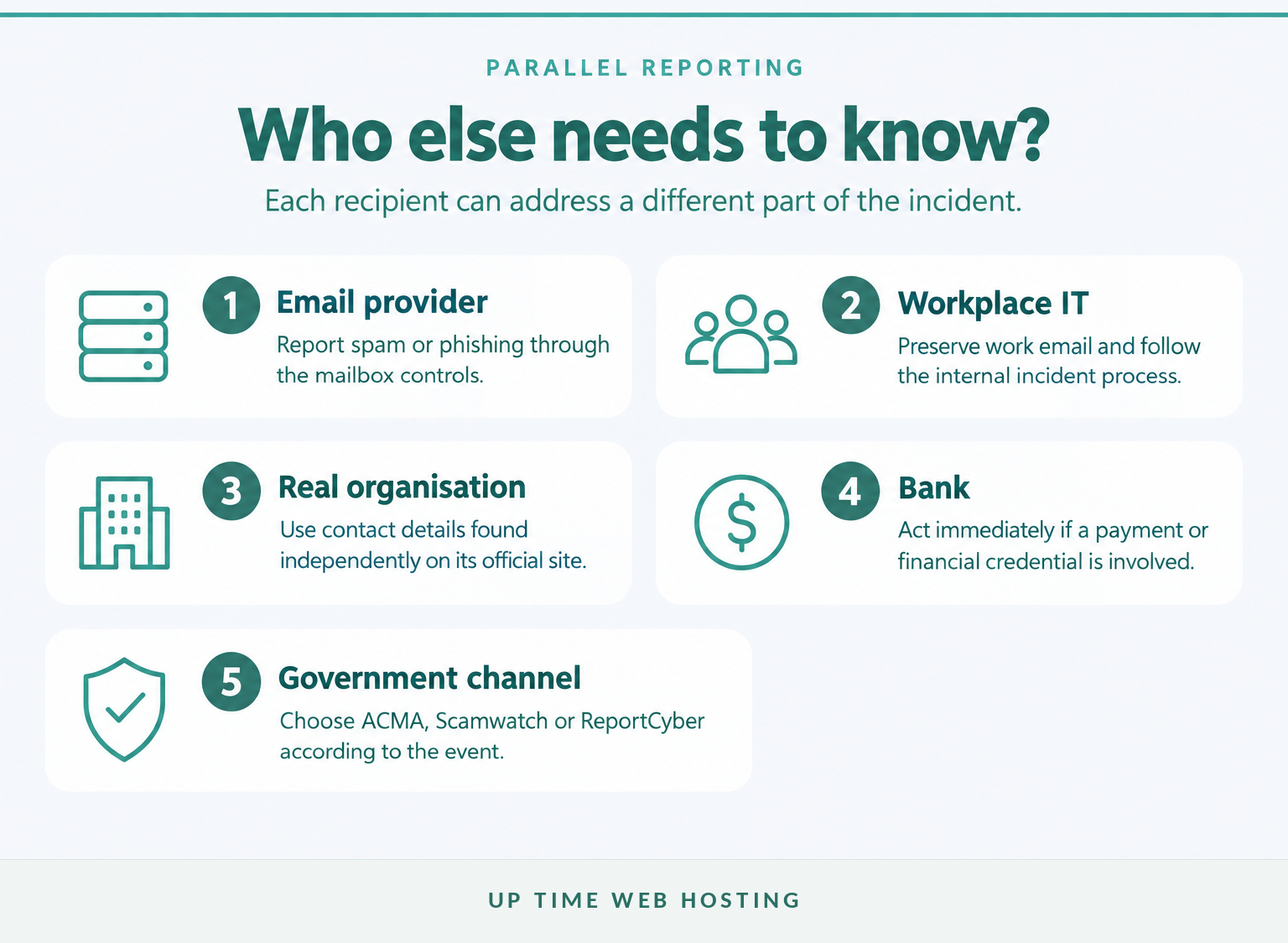
- Email provider: Use the built-in report spam or report phishing function where available. This also removes the message from the inbox without replying to the sender.
- Workplace IT or security team: Report messages received through a work address, especially payment changes, requests for credentials and suspicious attachments.
- Impersonated organisation: Find its reporting instructions through an official website or app. Never use an address, link or phone number contained in the suspicious email.
- Bank or payment provider: Contact it immediately when a transfer, card, account or financial credential may be affected.
Some organisations publish dedicated reporting routes. For example, the Services Australia and myGov scam reporting page instructs recipients to forward the entire email to reportascam@servicesaustralia.gov.au. The ATO scam safety guidance provides an official verification and reporting route and lists 1800 008 540 for checking suspicious ATO contact. (servicesaustralia.gov.au)
An organisation-specific report does not replace Scamwatch or ReportCyber when the incident also meets their criteria.
One suspicious email may need parallel reports because each recipient can address a different part of the risk.
Is it worth reporting a single spam or phishing email?
Yes, provided the report goes to the right channel and expectations remain realistic. An individual report may not produce a personal response, investigation update or refund, but it can contribute to wider compliance and disruption work.
ACMA says forwarded spam and formal complaints inform its education, compliance and enforcement activities, although it cannot provide outcomes for every individual complaint. Scamwatch says reports help it identify scam activity, warn the community and work with organisations to remove scam websites, advertisements and contact details. (acma.gov.au)
Reporting does not replace recovery. A person who has lost money or exposed credentials should contact the bank and secure affected accounts even if a government report has already been lodged.
A single report may not receive an individual outcome, but it can add evidence to a larger pattern.
Register your new domain name at competitive market prices including free domain add-ons like privacy, DNS Hosting, Custom Nameservers and Forwarding.
Always the best price and no nasty renewal price hikes.
Register A Domain Name
How can I reduce the next wave of unwanted email?
Reporting addresses the message that arrived, while prevention reduces the number of risky messages that reach users. No single control catches every scam, so combine filtering, secure accounts and a clear staff-reporting process.
For a personal or business mailbox:
- keep the provider's spam and phishing filters enabled
- use unique passphrases and multi-factor authentication
- keep mail applications, browsers and devices updated
- teach users to verify changed payment details through a separate channel
- review quarantine and false positives instead of automatically allowing every blocked sender
- use domain-level filtering when several mailboxes receive the same campaigns.
Australian businesses can use these email security best practices to build a broader process around passwords, authentication, staff awareness, filtering and incident response. Current cyber.gov.au guidance also recommends strong account security, updates and direct verification through trusted contact methods. (cyber.gov.au)
Reporting is reactive; layered filtering and account security reduce the chance that the next message reaches a person who can be tricked.
What else should I know about reporting spam email?
The reporting channel depends on what the email was trying to do and whether any harm occurred. These common questions provide the short answer for the situations Australians search most often.
Is there any way to report spam emails?
Yes. In Australia, forward suspected unlawful commercial spam to the ACMA, report scam or phishing contact through Scamwatch, and use ReportCyber if money, personal information, an account or a device has been compromised. Also use your email provider's report function and notify the organisation being impersonated. (acma.gov.au)
Where do I send spam emails to report?
Send ordinary commercial spam to the ACMA by forwarding the unedited message to report@submit.spam.acma.gov.au, or use the ACMA complaint form when alleging a breach. Send scam and phishing reports through Scamwatch's online form. Use ReportCyber when the email led to theft, hacking, malware or extortion. (acma.gov.au)
Is it worth reporting phishing emails?
Yes. The ACMA uses spam reports and complaints to guide compliance work, while Scamwatch uses reports to identify patterns, warn the community and support disruption activity. A report may not produce a personal response or recover money, but it can add evidence that helps authorities and service providers act. (acma.gov.au)
Where to report any phishing or spam emails?
Report unlawful commercial spam to the ACMA. Report scam or phishing attempts to Scamwatch, and report cybercrime through ReportCyber if you lost money, shared sensitive information, installed malware or lost control of an account. For work email, notify the IT or security team before deleting or forwarding the message. (acma.gov.au)
Report spam, scams and cybercrime through different channels because each agency has a different role.
Experience Microsoft 365 Business Standard for free for 30 days.
Up to 25 users with full access to email, OneDrive and Teams. Includes full versions of desktop apps of Outlook, Word, Excel, PowerPoint and more.
Try Microsoft 365
What should I do now?
Classify the email, preserve the original and use the reporting route that matches the harm. If money, identity information, a device or an account is at risk, secure it before finishing the reports.
For businesses using compatible cPanel hosting, Premium Email Spam Protection adds inbound filtering for spam, phishing and malware, with quarantine and searchable logs across mailboxes on the protected domain. Review compatibility and decide whether server-side filtering belongs in the next email-security step. (uptimewebhosting.com.au)
Reporting deals with the message already received; filtering reduces how many risky messages reach users next time.