App builders in Australia offer a surprisingly powerful and low-cost way for businesses to create their own mobile apps—all without needing to write a single line of code. For a lot of small to medium businesses, this technology is a game-changer, making an app launch possible for the very first time.
What Are App Builders and Why They Matter for Australian Businesses

Ever built flat-pack furniture? You could go out, source the timber, cut every piece yourself, and assemble it from scratch. That's a slow, expensive process that requires a lot of skill. Or, you could use a good-quality kit with pre-made parts and clear instructions.
App builders are the digital flat-pack kit for creating a mobile app.
These platforms give you a visual, drag-and-drop interface to add features, tweak designs, and build a fully functional app. For Australian small and medium businesses (SMBs), this unlocks opportunities that were once only realistic for companies with massive budgets.
From Cafés to Tradies: Practical Examples
The true value of app builders in Australia really shines when you see how they work in the real world. Just think about these local business scenarios:
- A Melbourne Café: The owner could build a simple loyalty program app. Customers collect digital stamps, get push notifications for daily specials, and maybe even order their morning flat white ahead of time. Practical Example: A builder like Stamp Me is specifically designed for loyalty programs.
- A Brisbane Tradie: A plumber or electrician could create a booking app. Clients see their availability, book a time slot, and get automated reminders, which cuts down on no-shows and endless phone tag. Practical Example: An app builder with a Calendly or Acuity Scheduling integration would make this seamless.
- A Sydney Boutique: A small fashion store could launch its own e-commerce app. Customers can browse new arrivals, make purchases, and track their orders right from their phones. Practical Example: Platforms like GoodBarber or Vajro integrate directly with Shopify for this purpose.
So, how do they work? These platforms use pre-built code blocks and templates, a method known as "no-code" or "low-code" development. If you want to get into the nitty-gritty, this ultimate guide to no-code and low-code development platforms explains the technology in more detail. The bottom line is, it massively lowers the barrier to entry.
The key benefit is that it makes app development accessible to everyone. All of a sudden, creating an app isn't a $50,000+ project; it's an affordable monthly subscription. This helps Aussie businesses offer the same modern, convenient experiences as their larger competitors.
This whole approach makes app creation feel much less mysterious and far more achievable. It's a lot like how modern website builders let just about anyone build a professional-looking site. If you've ever used one, you'll feel right at home. For more on that, you might find our guide on the best website builder for small business in Australia useful.
Ultimately, these tools give you the power to connect directly with your customers, make your operations more efficient, and even open up entirely new ways to make money.

Performance you can feel, backed by clients who depend on it. Read how our support and uptime create long‑term customer success.Power Your Business with Better Hosting
How to Choose the Right App Builder for Your Business
Not all app builders are created equal. The right choice isn’t just about ticking off features on a list; it's a strategic decision that needs to match your specific business. What works for a bustling café in Melbourne won't be the right fit for a tradie booking jobs across Sydney.
Think of it like buying a new ute. You wouldn't get a single-cab for a family of five, and you wouldn't choose a city runabout for hauling heavy gear to a work site. The right vehicle depends entirely on the job you need it to do. It’s the same with app builders.
This is your practical guide to evaluating the options, focusing on what really matters for Aussie businesses.
Core Technical Capabilities
First things first, you've got a technical decision to make. Are you building a native app—the kind people download from the Apple App Store or Google Play—or is a Progressive Web App (PWA) a smarter move?
Native Apps: These live on a user's device and deliver the slickest performance. They can tap into phone hardware like the camera, GPS, and contacts, making them perfect for rich, interactive experiences where you want people coming back again and again.
Progressive Web Apps (PWAs): Think of these as supercharged websites that act like an app. Users can "add" them to their home screen, and they often work offline. They’re fantastic for simpler tasks but have limited access to a phone’s deeper features.
The key is to match the tech to your business goal. If you want to send push notifications to customers about a flash sale, a native app is the clear winner. But if you just need a mobile-friendly way for clients to book an appointment, a PWA could be all you need and much simpler to get off the ground.
To help you decide, we've put together a table comparing the essential features.
App Builder Feature Comparison for Australian SMBs
Use this table to weigh the features that matter most, helping you select an app builder that aligns with your business objectives and budget.
| Feature | What It Means for Your Business | Best For Businesses That... | Key Considerations |
|---|---|---|---|
| Native vs. PWA | Native apps offer full device access (camera, GPS); PWAs are web-based with an app-like feel. | ...need high performance and features like push notifications (Native) or just need a solid mobile presence (PWA). | Native apps require separate builds for Apple and Android; PWAs are a single build. |
| Ease of Use | How quickly can you build and launch without needing to code? | ...are run by non-technical founders or have limited time and resources for a complex development project. | Look for drag-and-drop interfaces, pre-built templates, and clear tutorials. |
| Customisation | The ability to change layouts, branding, and features to match your unique brand identity. | ...have a strong brand and don't want a "cookie-cutter" app that looks like everyone else's. | Some builders are very restrictive, while others offer deep design control. |
| Integrations | How well the app connects with tools you already use, like CRMs, booking systems, or email marketing. | ...rely on other software to run their operations and need seamless data flow. | Check for direct integrations vs. needing a third-party tool like Zapier. |
| Cost Structure | The total cost, including monthly fees, transaction percentages, and one-off charges. | ...are on a tight budget and need predictable, transparent pricing without hidden fees. | Look for tiered plans, transaction fees on sales, and charges for premium features. |
This comparison should give you a solid framework for shortlisting platforms that make sense for your specific situation.
Cost Structures and Australian Pricing
Getting a clear picture of the real cost is absolutely vital. Most app builders use a subscription model, but the devil is always in the detail, especially here in Australia.
Before you sign up, dig into the fine print for:
- Monthly vs. One-Time Fees: The majority are monthly subscriptions, but some might sting you with an initial setup fee.
- Transaction Fees: If you're selling anything, be aware that many platforms will take a cut of every sale, on top of what you’re already paying them each month.
- GST Inclusion: Always, always check if the advertised price includes GST. A price that looks good can suddenly jump 10% at the checkout, throwing your budget out of whack.
A transparent cost structure is a sign of a good partner. Many of the principles for budgeting a website apply here, too, and you can get a deeper understanding by reading our guide on website creation costs.
Integrations and Local Compliance
Your app won't exist in a bubble; it needs to talk to the other tools you use to run your business. Make sure your chosen builder can integrate with Australian payment gateways like eWay, Pin Payments, or Stripe. If it can’t, you’ll have a nightmare trying to take payments from local customers.
When looking at different platforms, it can be helpful to see what the top SaaS website builders offer, as they often face similar challenges with integrations.
Crucially, consider data sovereignty. To comply with the Australian Privacy Act, it's best practice to ensure your customer data is stored on servers located within Australia. Not all international app builders offer this, making it a key differentiator for local providers.
Ultimately, picking the right app builder comes down to aligning its capabilities with your real-world business needs and legal obligations. By carefully weighing up the technical fit, the true cost, and the local integrations, you’re not just buying a piece of software—you’re making a smart investment in your business's growth.
Your Step-by-Step Guide to Building and Launching Your App
Taking an app from a flicker of an idea to a published product on your customers' phones can feel like a mountain to climb. But with today's app builders in Australia, the process is far more straightforward, broken down into a few manageable steps. Think of this as your practical guide to getting your app out there.
We'll walk through the entire journey, from figuring out what you actually need to build, to hitting that exciting "publish" button.
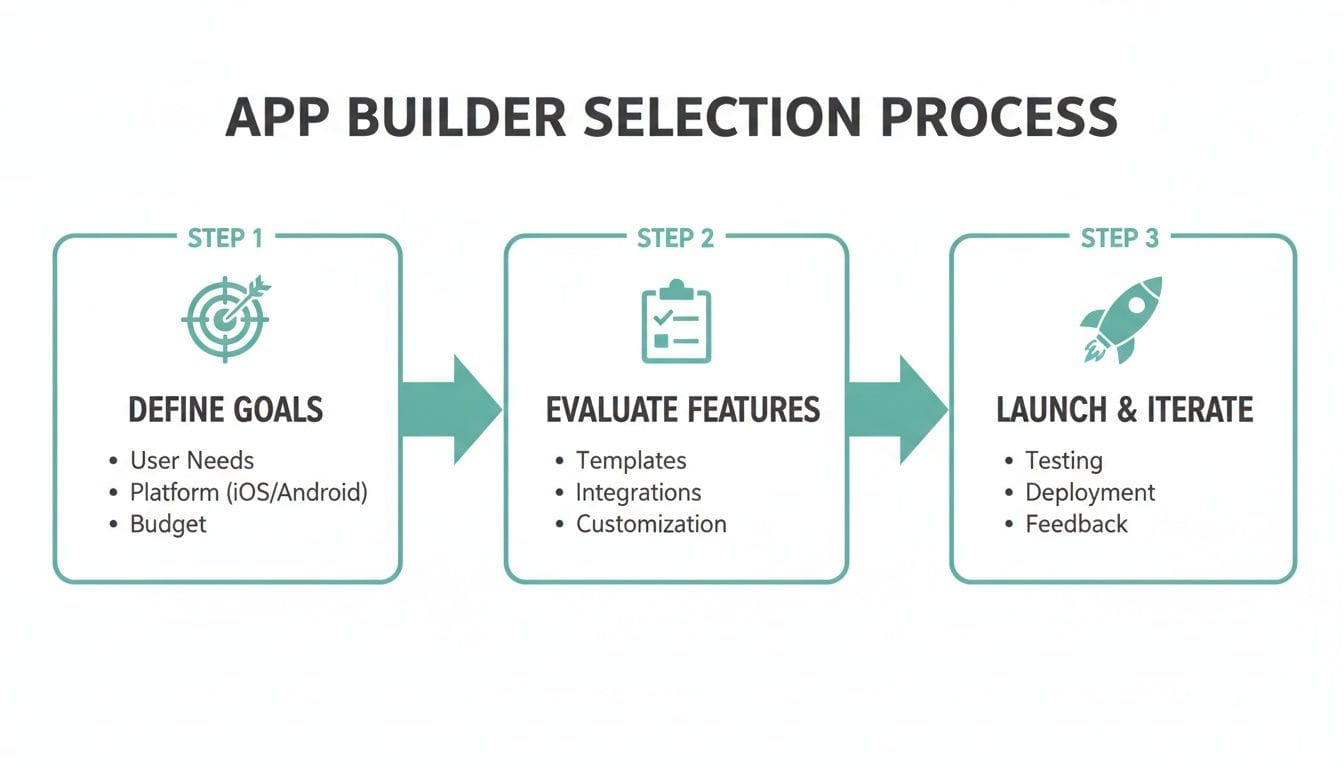
As you can see, a successful app isn't about throwing everything at the wall. It's built on a solid foundation: defining your goals first, choosing the right features, and then planning a smart launch.
Step 1: Define Your Minimum Viable Product
Before you even think about colours or logos, you need to nail down your Minimum Viable Product (MVP). This isn't some complex technical term; it's just the simplest, most essential version of your app that solves one core problem for your ideal customer. Forget the bells and whistles for now.
The whole point of an MVP is to get your app into the hands of real users as quickly as possible. You launch, you get feedback, and then you improve it based on what people actually do and say. It’s about learning, not guessing.
For a local cafe, an MVP might just be a digital loyalty card and a page showing the menu and opening hours. You can always add fancy features like pre-ordering or delivery integration later, once you know customers actually want them. This approach saves you time, money, and a lot of headaches.
Step 2: Design the Interface and Add Features
Now for the fun part—bringing your app to life. Most app builders come with a library of pre-made templates, which are a fantastic starting point. Pick one that feels right for your brand, then start customising it with your logo, business colours, and imagery.
With your design shell in place, you can start adding the core functions using simple drag-and-drop tools. This is where your MVP plan comes in handy. You might add things like:
- Product Catalogues: To showcase what you sell, complete with photos, details, and pricing.
- Contact Forms: A simple way for users to send an enquiry straight from the app.
- Booking Systems: Let customers book appointments or reserve a table without having to call.
- Information Pages: Crucial sections like your "About Us" story or a "Find Us" page with a map.
The golden rule here is to keep the user experience (UX) clean and obvious. If someone has to spend more than a few seconds trying to figure out how to do something, they’ll probably just delete the app. And if your app is part of a bigger digital push, our guide on how to start an online business in Australia has some great complementary tips.
Step 3: Test, Test, and Test Again Before Launch
You wouldn't open a restaurant without tasting the food first, right? The same goes for your app. Never, ever launch without thorough testing. Use your app builder's preview mode to click every button, follow every link, and fill out every form.
Do this on both iOS and Android simulators, but more importantly, get the test version onto a few real phones. How it looks on a computer screen and how it feels in your hand can be two very different things.
Once you’re sure it’s working smoothly, it’s time to get your launch materials ready. This means creating your developer accounts with Apple and Google and preparing your "shop window" for the app stores. You’ll need:
- App Icon: Something simple, sharp, and memorable.
- Screenshots: High-quality images that show off your app’s best features in action.
- App Description: Clear, persuasive text explaining what your app does and why someone should bother downloading it.
With all that ready, you’ll submit your app for review. This can take anywhere from a few days to a couple of weeks, depending on the platform. Once you get that magic approval notification, you’re ready to publish and tell the world about your new app.
Host your website with our 5-star rated, cPanel website hosting plans.
Super fast servers, with security included and hosted in your choice of Australian Data Center.
View cPanel Plans
Understanding App Hosting, Deployment, and Security
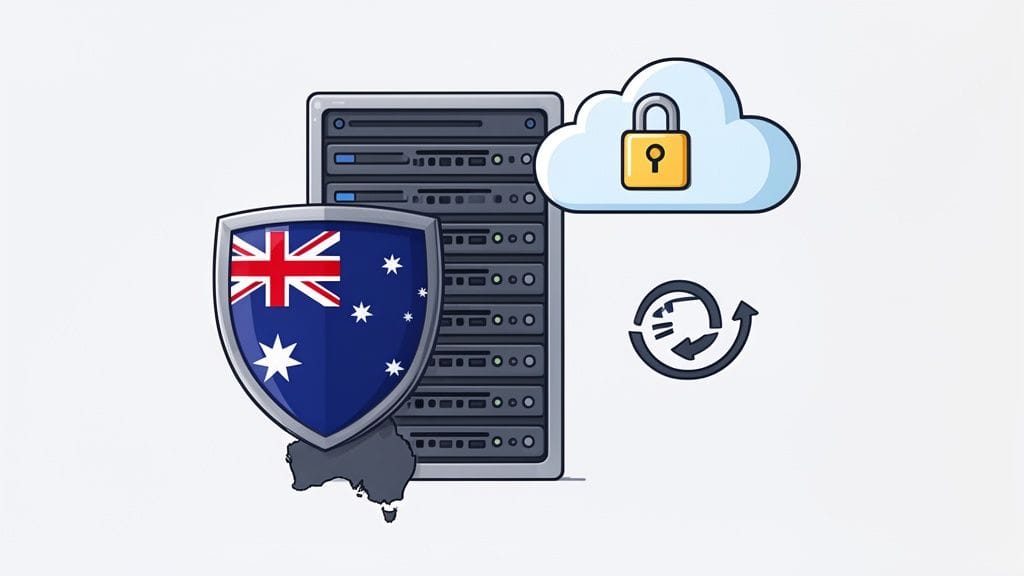
So you've used a DIY app builder and your app is looking sharp. It's easy to think the job is done, but behind the scenes, some of the most critical parts are just getting started: hosting and security. Thinking about where your app actually ‘lives’ online and how it’s protected is what builds real trust with your customers.
Imagine your app’s data is like valuable stock in a warehouse. You wouldn't just stash it in some unsecured shed miles away from your customers, would you? Of course not. That's why choosing an app builder that uses local Australian hosting is such a game-changer for Aussie businesses.
When your data is hosted on servers right here in Australia, your app runs faster for your local users. It also makes it much simpler to comply with the Australian Privacy Act. This is a massive plus that many international app builders in Australia just can't offer.
Your App's Digital Security Guard
Beyond just location, solid security is completely non-negotiable. Think of it as a 24/7 digital security team protecting your business and, more importantly, your customers. A good provider will handle this for you, but you need to know what you're paying for.
Here are the key security layers your app needs:
- SSL Certificates: This is the little padlock you see in your browser. It encrypts all the data flowing between your app and the server, keeping sensitive info like passwords and credit card details safe from prying eyes.
- Automated Backups: If the worst happens, regular, off-site backups are your safety net. They mean you can restore customer data and get your app back online fast, with minimal drama.
- DDoS Protection: Picture this as a bouncer at the door during a flash mob. It stops floods of malicious traffic from overwhelming your app and knocking it offline.
- Malware Scanning: This is like a routine health check for your app, constantly looking for and getting rid of any nasty code that could steal data or cause damage.
These security features aren't just technical add-ons; they're the very foundation of a trustworthy app. A secure, reliable hosting setup shows your customers you’re serious about protecting their privacy.
The perks of a great technical foundation go beyond security. Using powerful tech like cloud hosting means your app can handle sudden bursts of traffic—like when a marketing campaign goes viral. If you want to get into the nitty-gritty, you can learn more about the benefits of cloud hosting in our other article.
At the end of the day, a strong backbone ensures your app is fast, safe, and always there when your customers need it.
DIY App Builder vs. Hiring a Local Agency
So, you’ve reached a fork in the road. You know an app would be great for business, but how do you actually get it built? This is a huge decision, and it really comes down to one question: do you go the DIY route with an app builder, or do you hire a professional Australian agency to handle it for you?
There’s no single "best" answer here. It’s all about what makes sense for your specific business, your budget, and your goals. Let's look at what each path involves to help you figure out which one is right for you.
The Do-It-Yourself Route with an App Builder
Jumping into the world of app builders in Australia can feel incredibly empowering. You’re in the driver’s seat.
The advantages are pretty clear:
- Low Cost: This is the big one. Instead of staring down a five-figure invoice from an agency, you’re looking at a manageable monthly subscription, often just a couple of hundred dollars.
- Incredible Speed: Thanks to pre-made templates and simple drag-and-drop tools, you can get a functional app up and running in a matter of days or weeks, not months.
- Complete Control: You’re the one making the changes. Every update, tweak, and new feature is in your hands, meaning you can react instantly to customer feedback.
Of course, there are trade-offs. With a DIY builder, you are your own tech support, which means you’re the one who has to figure things out when they go wrong. Your customisation options are also limited by what the platform offers; you can’t build truly unique or highly complex features from scratch.
Hiring a Local Australian Agency
On the other hand, partnering with a local development agency is a completely different ball game. This is the premium, full-service option where you bring in a team of experts to take the lead.
Choosing an agency means you're investing in a custom-built solution. Their job is to get to know your business inside and out and create an app from the ground up that’s a perfect fit for how you operate.
The main upsides are obvious: you get a bespoke, professional design and access to expert guidance on everything from user experience to security. The final product will be perfectly tailored to your vision.
The downsides? A much higher cost, often starting from $20,000, and a longer timeline to get from concept to launch. If you're weighing this up, looking into how professional small business website design services work can give you a good idea of the agency process.
DIY Builder vs. Local Agency at a Glance
This quick comparison helps you decide which route is better for your app based on common business factors.
| Factor | DIY App Builder | Local Australian Agency |
|---|---|---|
| Cost | Low monthly subscription (e.g., $50 - $500/month) | High upfront investment (e.g., $20,000+) |
| Speed | Very fast (days to weeks) | Slower (months) |
| Complexity | Best for simple, standard features | Can handle highly complex, custom functionality |
| Control | Full, direct control over all changes | Control is indirect, managed through the agency |
| Expertise | You need to learn the platform and troubleshoot | You get a team of experts (designers, developers) |
| Best For | Startups, small businesses, simple loyalty/info apps | Established businesses, apps with unique features |
Ultimately, your choice depends on balancing your budget against the complexity of your vision.
Two Scenarios to Guide Your Decision
To make this feel a bit more real, let’s look at two Aussie businesses and the choices they made.
Example 1: Coastal Coffee Roasters
Coastal Coffee Roasters, a popular local café, wanted a simple app for their regulars. All they needed was a digital loyalty card to replace the old paper ones and a way to send push notifications for their "Roast of the Week." They used a DIY app builder and launched it in three weeks for a low monthly fee. It was a massive hit, boosting customer loyalty without costing a fortune.
Example 2: Metro Logistics
Metro Logistics, on the other hand, is a growing courier company with complex needs. They required real-time package tracking for clients, a smart routing system for their drivers, and integration with their existing warehouse software. This was way beyond what any DIY builder could do. They made the smart choice to invest in a local agency, which built a powerful, custom app that now forms the backbone of their entire operation.
Looking at these examples, the dividing line becomes pretty clear. If your needs are straightforward and your budget is tight, a DIY builder is a fantastic option. But if your app needs to do something complex and business-critical, investing in an agency is the right move for the long run.
Your Top Questions About App Builders in Australia, Answered
Jumping into the world of app development can feel a bit daunting, and it's natural to have a few questions. To help you move forward with confidence, we've put together some straightforward answers to the queries we hear most often from Australian business owners.
How Much Does It Really Cost to Build an App?
The good news is that using an app builder is a world away from the cost of traditional development. Most work on a simple subscription model.
- Typical Range: You can expect to pay anywhere from $50 to $500 AUD per month, depending on the complexity and features you’re after.
- Hidden Costs: Always double-check the fine print. Look for one-off setup fees, transaction percentages on any sales you make through the app, and whether the advertised price includes GST.
Even at the top end of that range, it’s just a fraction of the $20,000+ you might be quoted as a starting price from a local development agency. This puts a custom app well within reach for most small business budgets.
How Long Does It Take to Launch an App?
Speed is one of the biggest perks of going the DIY route. Forget waiting months for a developer to finish; you can get your app off the ground much, much faster.
If you’ve got a clear plan for your content and features, you can have a simple but professional app built and ready for testing in a matter of days or a couple of weeks. Often, the biggest time investment is just getting your own images and text ready to go.
Once you’ve submitted your finished app, you'll need to factor in an extra 1-2 weeks for Apple and Google to review and approve it before it appears in their stores.
Can I Switch App Builders if I Change My Mind?
This is a critical point to understand: moving your app between different builders is incredibly difficult, if not impossible. Most are closed systems, meaning you can't just pack up your app and move it to a competitor.
You would need to rebuild the entire app from scratch on the new platform. This is exactly why it’s so important to do your homework and choose the right builder from the get-go. For a refresher on what to look for, pop back to our section on how to choose the right app builder.
Do I Need Separate Developer Accounts for Apple and Google?
Yes, you will. To get your app published, you need to register as a developer directly with both app stores.
- Apple App Store: This requires an Apple Developer Program membership, which costs around $149 AUD per year.
- Google Play Store: This requires a Google Play Console account, which is a one-time fee of about $25 USD.
The great thing is that many app builder platforms have walk-throughs and tutorials to guide you through this necessary step.
Ready to bring your app idea to life on a secure, high-performance platform? UpTime Web Hosting offers reliable, 100% Australian hosting and tools to support your digital growth. Explore our hosting solutions and get started today at https://uptimewebhosting.com.au.