Your site probably isn't “broken”. It's just carrying more weight than shared hosting was built for.
That's the point many Australian business owners hit after a decent growth run. The WordPress site that felt fine at launch starts dragging in the admin area, WooCommerce orders take longer to process, plugin updates feel tense, and busy periods expose every weakness at once. You're still online, but you're no longer comfortable.
That's where managed VPS WordPress hosting starts to make sense. It gives you dedicated resources, stronger isolation, and ongoing server management without pushing you into full sysadmin mode. For Australian businesses, there's another layer to it. Hosting location, support hours, and local expectations around data and reliability matter more than most global roundups admit.
Table of Contents
- When Your WordPress Site Outgrows Shared Hosting
- What is Managed VPS Hosting for WordPress
- Core Features to Evaluate in a Managed VPS
- Matching the Right VPS Plan to Your Business
- The Australian Advantage for Your WordPress Site
- Your Smooth Migration to a Managed VPS
- Managed VPS Hosting FAQ
- What does fully managed usually mean for WordPress hosting
- Can you host multiple WordPress websites on one managed VPS
- Is managed VPS overkill for a small business blog
- Is managed VPS worth paying for instead of handling it in-house
- What should you prioritise when comparing the best managed VPS WordPress hosting

Performance you can feel, backed by clients who depend on it. Read how our support and uptime create long‑term customer success.Power Your Business with Better Hosting
When Your WordPress Site Outgrows Shared Hosting
A common pattern looks like this. A local trades business, clinic, retailer, or professional service launches on a simple shared plan, adds a booking tool or shop later, then keeps layering on plugins, images, forms, and tracking scripts. The site still works, but it no longer feels reliable.
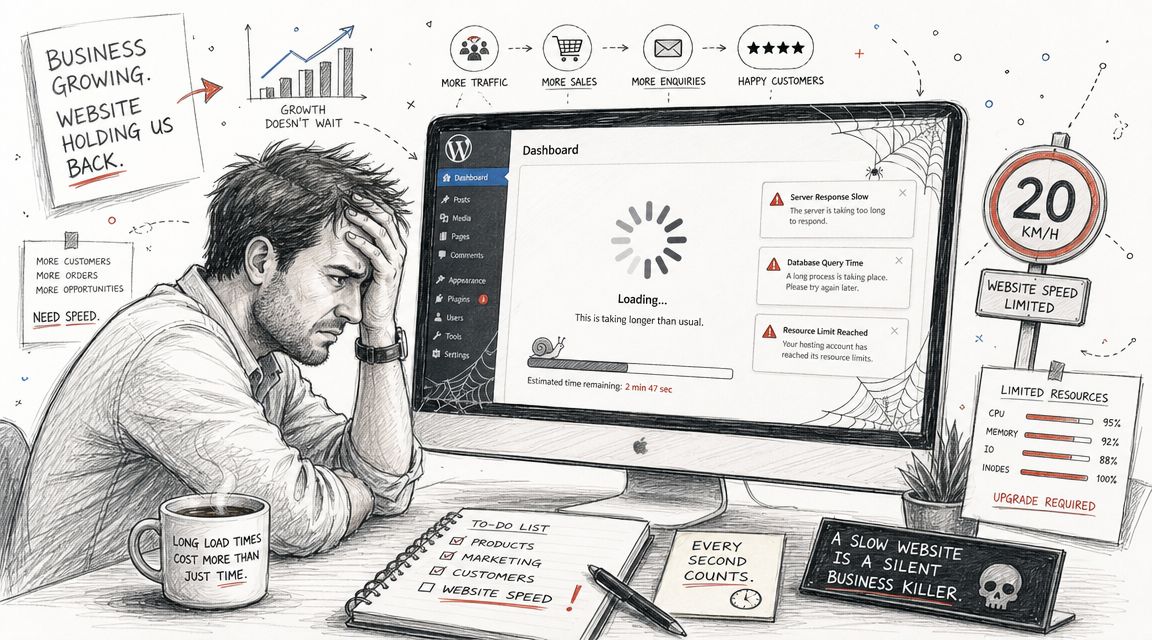
You'll usually notice it first in places customers never see. The dashboard takes too long to load. Editing pages feels laggy. Product imports stall. Backups run at awkward times. Then the public side starts showing strain as well, especially on mobile and during peak periods.
A lot of owners assume they need a full rebuild. Often they don't. They need a better hosting model than standard shared web hosting services.
The warning signs are practical, not theoretical
If any of these sound familiar, your site has likely outgrown shared hosting:
- The backend feels slow: Logging in, editing content, or updating plugins takes longer than it should.
- Your site struggles with heavier plugins: WooCommerce, membership tools, LMS plugins, page builders, and search plugins put more pressure on server resources.
- Load times vary too much: Some visits feel fine, others are sluggish for no clear reason.
- Busy periods make you nervous: Sales campaigns, email sends, and social traffic spikes expose resource limits quickly.
- You're spending too much time on hosting issues: You wanted to run the business, not babysit a server environment.
Practical rule: If your WordPress admin area is frustrating your staff, the hosting problem is already affecting the business.
Google's Core Web Vitals guidance gives useful targets for modern websites. A good Largest Contentful Paint is 2.5 seconds or less and a good Interaction to Next Paint is 200 milliseconds or less according to Google-focused performance guidance cited here. Shared hosting can still suit smaller sites, but those benchmarks become harder to hit when your WordPress install grows heavier.
If you're also working through front-end speed issues, this guide on Prescott website help from Silva Marketing is worth a read because it frames speed as a user experience problem, not just a server spec problem.
What is Managed VPS Hosting for WordPress
Managed VPS hosting means your WordPress site runs in its own allocated server environment, with the host handling the underlying server administration for you. You get more control and dedicated resources than shared hosting, but you don't have to manage operating system updates, monitoring, or routine server maintenance yourself.
For a non-technical business owner, that's the whole point. You're not buying a blank server and a weekend project. You're buying breathing room.
The practical difference from shared hosting
On shared hosting, many sites live on the same environment and compete for the same pool of resources. That works well for brochure sites, early-stage blogs, and simpler business websites. It becomes less comfortable when your site is plugin-heavy, transactional, or visited by more people at once.
With managed VPS, your site gets an isolated slice of server resources such as CPU and memory. In practice, that usually means:
- A steadier WordPress backend
- More predictable performance under load
- Better fit for WooCommerce and membership plugins
- Room to host multiple sites without the same cross-account interference you see on crowded shared servers
- Less operational work if the VPS is actively managed
One useful benchmark from an expert comparison is that managed VPS plans for WordPress commonly include NVMe SSD storage, 1 Gbps network speed, DDoS protection, dedicated IPs, and a 99.99% uptime guarantee according to this managed WordPress VPS comparison. The important part isn't the checklist by itself. It's what those features are trying to solve: lower storage latency, steadier delivery, and a hosting setup that copes better when WordPress does more work.
UpTime Managed VPS Plans at a Glance
If you're comparing options, it helps to anchor the idea in actual plan tiers. UpTime's managed VPS hosting in Australia is structured in a way most growing businesses will recognise.
| Feature | Managed VPS 1 | Managed VPS 2 | Managed VPS 3 |
|---|---|---|---|
| Best fit | Growing business site | Busy multi-site setup | Heavier WordPress workloads |
| Resource profile | Entry managed VPS allocation | Mid-tier managed resources | Higher managed resource allocation |
| WordPress use case | Business site, brochure site, smaller WooCommerce | Multiple sites, agency accounts, larger store | Memberships, larger stores, plugin-heavy environments |
| Management approach | Managed server support | Managed server support with more headroom | Managed server support with more capacity |
| Typical reason to choose | Shared hosting is no longer enough | You need room for several sites or stronger consistency | You need sustained performance and operational simplicity |
That table is intentionally practical. Most buyers don't choose a VPS because they love infrastructure. They choose it because shared hosting has stopped feeling dependable.
A managed VPS is the middle ground that works for many Australian businesses. More capable than shared hosting, simpler than self-managed infrastructure.
Host your website with our 5-star rated, cPanel website hosting plans.
Super fast servers, with security included and hosted in your choice of Australian Data Center.
View cPanel Plans
Core Features to Evaluate in a Managed VPS
Not every managed VPS is worth paying for. The label alone doesn't tell you much. You want to know what the service does for your WordPress site, and what work it takes off your plate.
Performance that helps WordPress feel fast
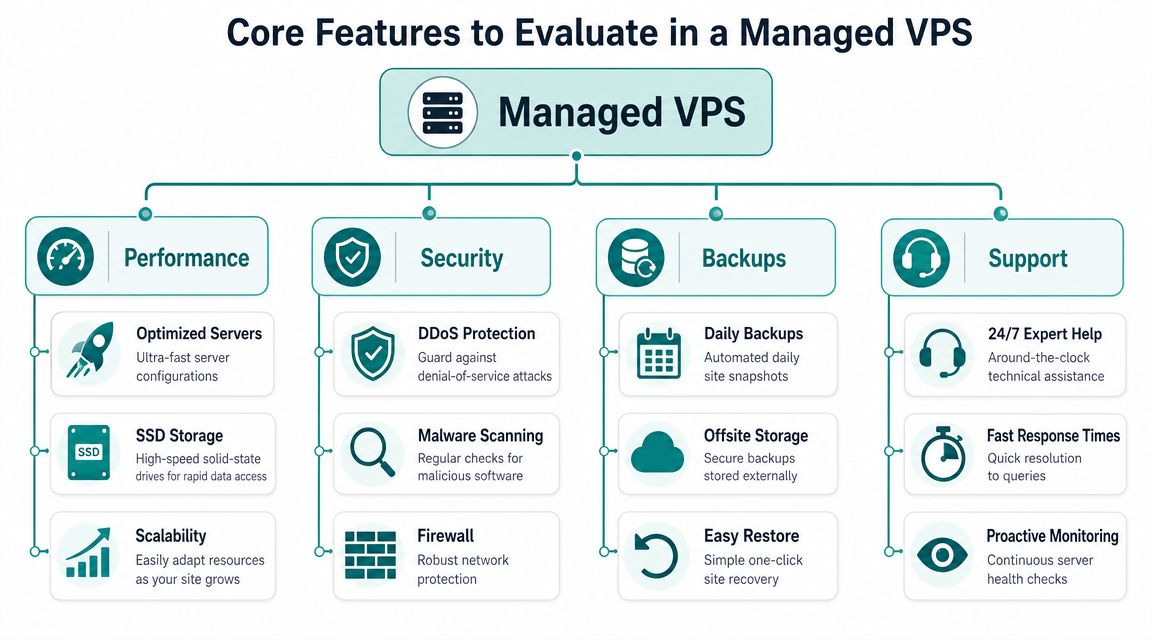
WordPress speed isn't only about your theme. Hosting architecture matters. For business sites, the most useful performance signals are fast storage, solid caching, and a server stack tuned for PHP and database-heavy workloads.
That's why NVMe storage matters more than marketing adjectives. WordPress constantly reads from the database and filesystem, especially with WooCommerce, page builders, search tools, and media-heavy sites. Faster storage helps those operations feel less sluggish.
For day-to-day use, I'd look for these performance levers first:
- NVMe-backed storage: Better suited to heavier WordPress I/O than older storage layers.
- LiteSpeed server stack: Useful for dynamic WordPress delivery and efficient caching behaviour.
- Practical caching controls: Server-level tools and WordPress-aware cache handling reduce the trial-and-error that business owners often deal with.
- Room to scale: A managed VPS should let you move up before the site becomes painful.
If you're tuning WordPress on LiteSpeed, this LiteSpeed cache settings guide for cPanel is the sort of knowledge base article worth keeping handy. It's the difference between “caching is enabled” and “caching is configured properly”.
Security and backups that reduce business risk
The best managed VPS WordPress hosting isn't just about speed. It should also reduce the chance that one bad plugin update, malware event, or brute-force wave turns into a business disruption.
Independent managed WordPress comparisons repeatedly treat automatic backups and updates, a web application firewall, malware scanning, and hack recovery assistance as baseline expectations for quality managed service, as noted in this managed WordPress hosting review roundup.
That's a useful filter because it separates real management from glorified server rental.
A practical checklist looks like this:
- Web application firewall: Helps block known malicious request patterns before they become a bigger problem.
- Malware scanning: Gives you ongoing inspection rather than relying on luck or a once-a-year cleanup.
- DDoS-aware protection: Important when a traffic event isn't genuine demand.
- Automated off-site backups: You want restore points that survive even if the live environment has a bad day.
- Straightforward restore process: A backup only matters if you can get back online cleanly.
Security features matter most when something goes wrong. That's exactly why they should be in place before you need them.
Support that actually removes work from your week
Many plans overpromise. “Managed” should mean more than a control panel and a ticket form. It should mean someone is watching the environment, handling routine server-side tasks, and helping when WordPress problems overlap with hosting problems.
The broader Australian business context makes that practical, not optional. Australia had 2.65 million actively trading businesses in June 2024, and most are small businesses that often need simpler managed infrastructure rather than self-managed servers, as discussed in this Australian hosting market overview on managed WordPress hosting needs for local businesses. That's why managed VPS fits the market so well. It combines dedicated resources with lower admin overhead.
What works in practice:
- Monitoring that's continuous, not reactive
- Clear ownership when a hosting-layer issue appears
- Support that understands WordPress behaviour, not just server status
- Backup and restore expectations that are documented and easy to follow
What doesn't work:
- Hosts that call it managed but leave updates, hardening, and troubleshooting mostly to you
- Support that only responds after the problem affects customers
- Plans that look powerful on paper but create extra admin work every week
Matching the Right VPS Plan to Your Business
Choosing a plan gets easier when you stop thinking in generic labels and start thinking about workload. WordPress sites fail differently depending on what they do all day.
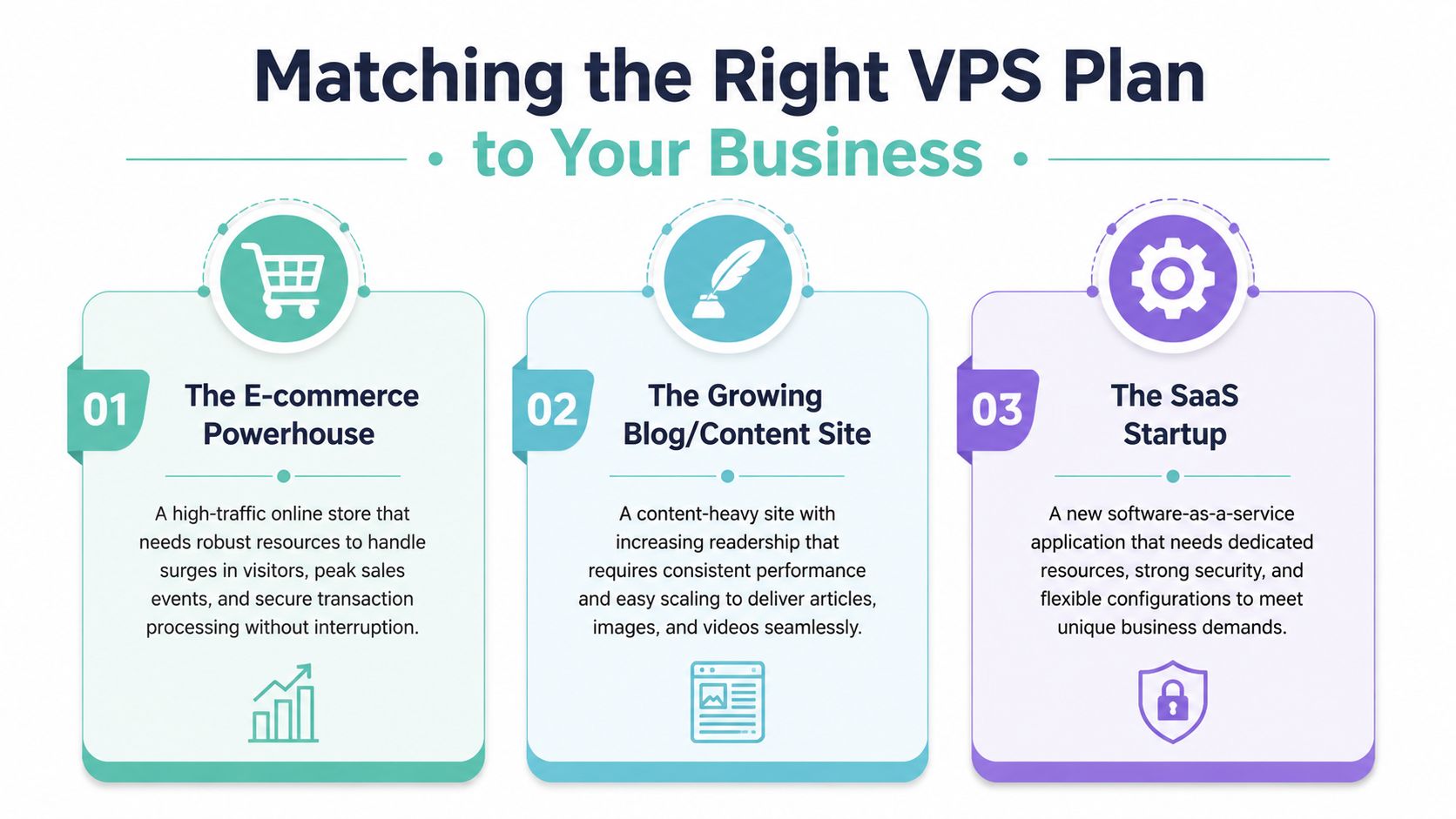
A WooCommerce store with regular peaks
A store has more moving parts than a standard content site. Product searches, cart sessions, checkout activity, payment integrations, transactional email, and stock plugins all add load.
For that business, Managed VPS 2 is usually the more sensible starting point than the smallest tier. It gives you more breathing room when promotions, seasonal campaigns, or catalogue growth put pressure on the server. You're not only buying speed. You're buying consistency when buyers are trying to complete a transaction.
Look for this plan fit if your store has:
- Frequent product updates
- Multiple WooCommerce extensions
- Traffic spikes during campaigns
- A team using the admin area throughout the day
An agency managing several WordPress sites
Agencies have a different problem. One site might be light, but the combined management load becomes messy fast. Updates, staging habits, backups, client plugins, and support requests all stack up.
For an agency, Managed VPS 2 or Managed VPS 3 usually makes more sense than trying to squeeze too much into shared hosting. The reason isn't glamour. It's operational control. You get a more isolated environment, more consistent site behaviour across accounts, and fewer awkward conversations when one client's plugin stack slows everyone else down.
If you manage client sites, you need a hosting setup that stays predictable even when clients make unpredictable decisions.
A good agency fit usually includes cPanel access, clear backup routines, and enough headroom to onboard new sites without immediate plan stress.
A membership or learning site with heavy plugins
Membership sites, course platforms, and gated content setups often look moderate from the outside but work hard in the background. Logged-in users, custom dashboards, recurring payments, LMS features, and dynamic content reduce the benefit of simple caching alone.
That's where Managed VPS 3 is easier to justify. These sites tend to need steadier CPU and memory availability over longer sessions, not just quick bursts. When lots of people are logged in at once, the server has to do more real-time work.
This category includes sites using tools such as:
- Membership plugins
- Learning management systems
- Community features
- Custom search or filtering
- Complex form workflows
If your site fits more than one of these scenarios, choose based on the hardest workload, not the calmest day.
The Australian Advantage for Your WordPress Site
For Australian businesses, hosting choice isn't just about specs. It's also about where the infrastructure sits, who supports it, and how well it matches local traffic patterns.
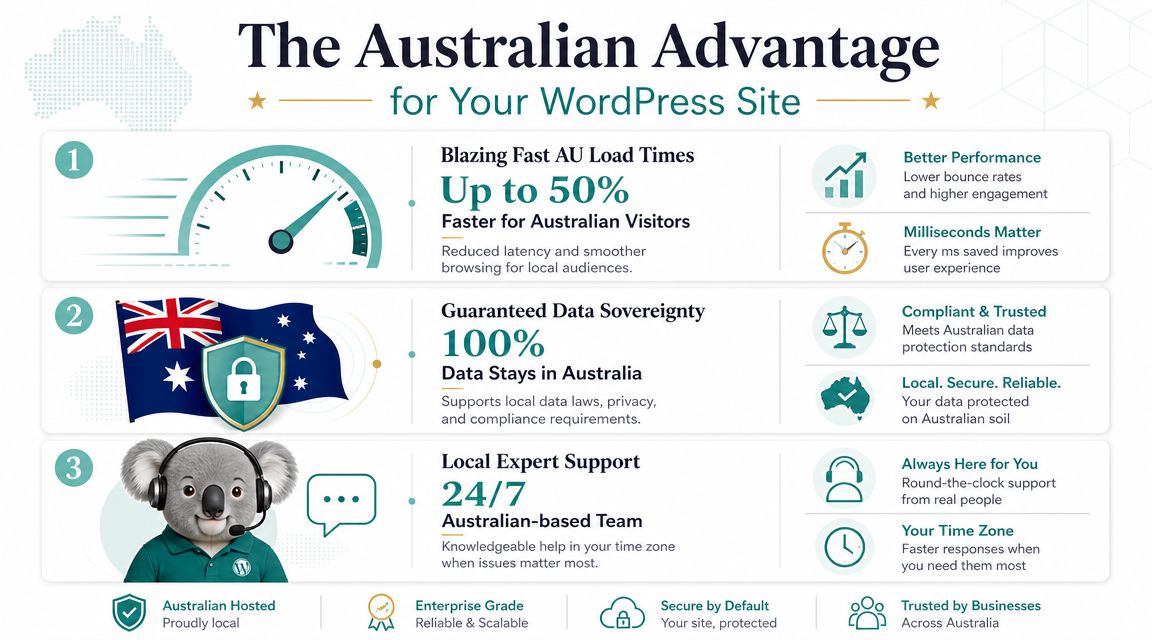
Why location matters more in Australia
Australia-specific performance is still underexplained in most global hosting guides. One of the more useful observations from the managed VPS discussion space is that most global content doesn't answer how Sydney, Melbourne, Brisbane, or Perth placement changes outcomes for Australian traffic patterns, even though that's a critical gap for local businesses, as noted in this article on finding WordPress VPS hosting with an Australian performance lens.
That matters because users don't browse from a lab. They browse from homes, offices, shops, regional areas, and mixed connection types. Australian broadband also commonly operates across FTTN, FTTB, FTTP, HFC, fixed wireless, and satellite access modes, which means network path and hosting location can materially affect the experience for local visitors.
For business owners, the takeaway is simple:
- A local audience usually benefits from local hosting
- Supporting teams in Australia benefit from lower-latency admin access
- Disaster recovery planning should reflect Australian geography and business continuity expectations
Why local support and onshore hosting matter
This is also where onshore hosting becomes more than a technical preference. Australian consumer and SMB guidance consistently emphasises keeping data and support onshore, and that lines up with how many businesses buy hosting today.
There's practical comfort in dealing with a local provider, local billing, and support that understands Australian business hours and expectations. Transparent invoicing with GST included is easier to manage than puzzling through overseas pricing quirks. So is calling a local team when something affects sales, bookings, or client sites.
If data location is part of your risk and compliance thinking, it's worth reading about Australian data sovereignty hosting. It frames the issue in plain business terms rather than abstract infrastructure language.
One Australian option in this category is UpTime Web Hosting, which offers local server presence in Sydney, Melbourne, Brisbane, and Perth together with managed VPS, local support, off-site backups, malware scanning, DDoS-protected firewalls, and performance tooling such as LiteSpeed and AccelerateWP. For many local businesses, that combination is more useful than chasing raw server control from an overseas provider.
Register your new domain name at competitive market prices including free domain add-ons like privacy, DNS Hosting, Custom Nameservers and Forwarding.
Always the best price and no nasty renewal price hikes.
Register A Domain Name
Your Smooth Migration to a Managed VPS
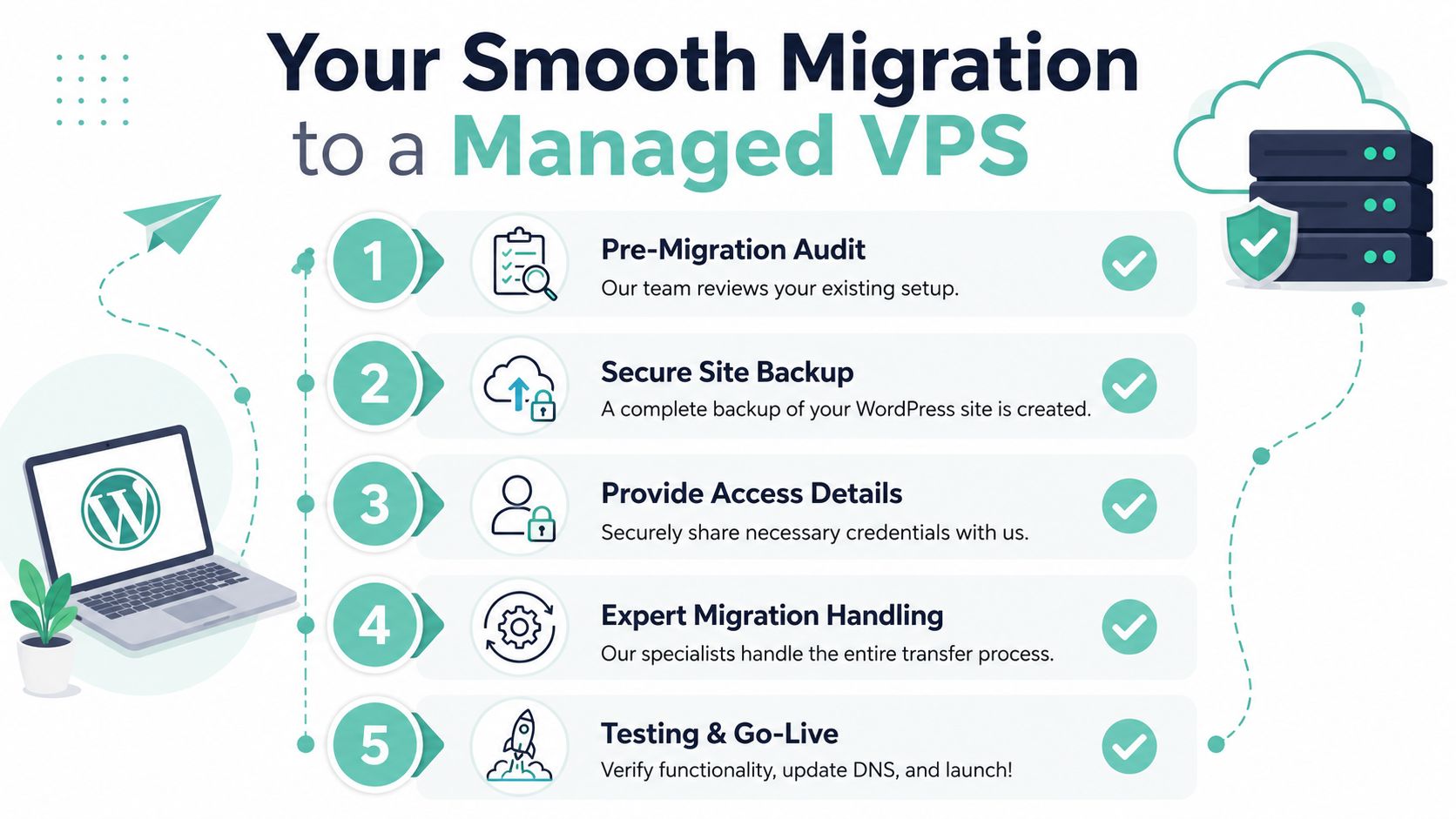
Migration sounds risky because it often brings to mind downtime, broken email, and a stressful launch window. In practice, a WordPress move is manageable when it's treated like a checklist instead of a last-minute scramble.
Before the move
Start with a clean handover. The smoother your source site is, the easier the migration tends to be.
Use this short pre-migration list:
- Take a fresh backup: Keep a clean restorable copy before anyone touches the live site.
- Update what should be updated: Old plugins and abandoned themes complicate moves.
- Remove what you no longer need: Unused plugins, old backups stored inside WordPress, and orphaned themes create noise.
- List critical functions: Payments, forms, bookings, membership access, redirects, and tracking should all be checked after the move.
If you want a hosting-specific walkthrough, this guide on how to migrate WordPress to VPS hosting is the right place to start.
During and after the move
Once the migration begins, the main job is validation. Don't just load the homepage and assume you're done.
Check the parts that make the business run:
- Frontend pages: Homepage, service pages, product pages, blog templates
- Forms and transactions: Contact forms, checkout flow, booking tools
- Logins and restricted content: Membership areas, admin accounts, course access
- Performance settings: Caching, SSL, and any WordPress acceleration features
- Backups and monitoring: Confirm they're active in the new environment
Move the site when you can properly test it, not when your calendar is already overloaded.
After the site is live, give the team a week of careful observation. Watch the dashboard speed, scheduled jobs, plugin updates, and customer-facing forms. That first week usually tells you whether the new environment is easier to run.
Managed VPS Hosting FAQ
What does fully managed usually mean for WordPress hosting
It usually means the host handles server-level administration such as monitoring, routine maintenance, security controls, and support around the hosting environment. It does not always mean they manage your WordPress content, plugin choices, or custom development work. Always check where the line sits.
Can you host multiple WordPress websites on one managed VPS
Yes, if the plan has the resources and the sites are a good fit together. This is common for agencies and businesses running a main site plus landing pages, campaign sites, or separate brand properties. The question isn't whether you can. It's whether the combined workload stays comfortable.
Is managed VPS overkill for a small business blog
Sometimes yes. If your site is small, stable, and lightly used, shared hosting may still be the sensible option. Managed VPS is usually a better fit when the site plays an operational role in the business, uses heavier plugins, or needs stronger consistency.
Is managed VPS worth paying for instead of handling it in-house
That's one of the biggest buyer questions, and it's a fair one. The business case isn't only about hardware. It's also about who handles updates, patching, monitoring, and incident response when something breaks. This is especially relevant in Australia, where cyber risk for small businesses remains a persistent issue, making the workload reduction from managed services a real business benefit, as discussed in this analysis of whether managed VPS hosting is worth paying for.
What should you prioritise when comparing the best managed VPS WordPress hosting
Prioritise fit over hype. For most Australian businesses, that means local hosting relevance, practical support, reliable backups, proper security controls, and enough headroom for the site you run. Fancy specs are nice. A hosting setup your team can trust is better.
If your WordPress site has reached the point where shared hosting feels limiting, UpTime Web Hosting is worth a look for Australian businesses that want managed VPS options, local infrastructure, and support that aligns with local operating hours and expectations.