Your WordPress site probably didn’t start out needing much. A brochure site, a few landing pages, maybe a small WooCommerce catalogue. Then traffic grew, plugins piled up, backups took longer, and the admin area started dragging every time staff tried to process orders or update content.
That’s usually when business owners start looking up wordpress hosting dedicated server options. Not because they want to become server admins, but because the current setup is costing time, sales, and patience. Generic hosting advice often misses what matters for Australian businesses: local speed on the NBN, where your customer data sits, and whether support understands your timezone and compliance pressures.
Table of Contents
- What Is a WordPress Dedicated Server
- Dedicated Server vs Other WordPress Hosting Options
- When Your Australian Business Needs a Dedicated Server
- Security and Compliance on Your Dedicated Server
- Recommended Specs for Australian WordPress Sites
- Migrating and Maintaining Your WordPress Dedicated Server
- WordPress Dedicated Server FAQs

Performance you can feel, backed by clients who depend on it. Read how our support and uptime create long‑term customer success.Power Your Business with Better Hosting
What Is a WordPress Dedicated Server
A Brisbane retailer runs a WooCommerce sale on Friday afternoon. Traffic rises, checkout slows, staff cannot load the order screen, and support calls start before the promotion is half over. That is usually the moment a business realises hosting is not just a monthly line item. It affects revenue.
A WordPress dedicated server means your site runs on a physical server reserved for your business alone. You are not sharing CPU, RAM, disk activity, or risk exposure with a long list of unrelated websites. For Australian businesses, that matters for two reasons. Performance is more consistent for local users on the NBN, and you have clearer control over where site data sits and who manages the infrastructure.
Shared hosting works like a busy serviced office. A dedicated server works like your own premises. You choose how the space is set up, and someone else’s bad behaviour does not slow down your team.

That difference shows up quickly with WordPress. A simple brochure site can run happily on a small plan for quite a while. A business site with WooCommerce, page builders, stock syncing, CRM connections, payment plugins, and tracking scripts is a different workload. If you want a clearer picture of a local WordPress server environment built for business sites, check whether resources are exclusive and whether the stack is tuned for WordPress rather than generic hosting.
What you’re really paying for
The main benefit is not raw power on paper. It is consistent performance under real business use.
When staff log into WordPress, update products, export orders, run backups, or publish campaign pages, the server has capacity set aside for your site. That reduces the random slowdowns that often happen on cheaper shared plans. For an Australian store serving local buyers, that consistency matters because even small delays at checkout can cost sales. Google has also reported that as page load time goes from 1 second to 3 seconds, the probability of bounce increases by 32%, according to Google’s mobile page speed research.
Practical rule: If your website affects enquiries, bookings, or online sales every week, hosting is part of operations, not just IT.
What a dedicated server changes day to day
For most SMB owners, the gains are operational before they are technical:
- Faster admin work: Staff can log in, update pages, process orders, and search plugins without waiting on a crowded server.
- More headroom for WordPress tools: Heavy plugins, larger product catalogues, and custom functions are easier to run without constant performance trade-offs.
- Cleaner security isolation: Problems caused by other customers on the same machine are removed from the equation.
- Better planning: Capacity is easier to forecast before EOFY promotions, Black Friday campaigns, or seasonal spikes common in Australian retail.
A dedicated server is not the first upgrade every business needs. But once your website becomes part of how you sell, support customers, or stay compliant, it starts to make sense as infrastructure you can rely on.
Dedicated Server vs Other WordPress Hosting Options
Most businesses don’t jump straight from a new domain to dedicated hosting. They climb a ladder. Shared hosting first, then maybe VPS, then something more serious once the site becomes central to revenue, support, or operations.
The mistake is assuming every step up solves the same problem. It doesn’t. Some plans improve convenience. Others improve control. A wordpress hosting dedicated server improves isolation and consistency in a way the lower tiers often can’t.
A practical hosting ladder
| Hosting Type | Best For | Resources | Performance | Typical AU Cost (Monthly) |
|---|---|---|---|---|
| Shared | Small brochure sites, early-stage blogs | Shared with many other users | Fine for light use, inconsistent under load | Lower-cost entry plans |
| VPS | Growing sites, agencies, technical teams | Partitioned share of a server | Better than shared, still limited by host setup | Mid-range |
| Cloud | Apps or sites with changing demand | Flexible virtual resources | Can scale well, depends on architecture | Usage and plan dependent |
| Managed WordPress | Owners who want convenience | Varies by provider | Often well-optimised for WordPress | Mid to premium |
| Dedicated Server | Busy stores, custom builds, high-stakes sites | Full physical server for one customer | Strong and consistent | Premium |
A VPS is often the stepping stone. It gives you more control than shared hosting and can be a sensible move for a site that has outgrown entry-level plans. If you’re comparing that path, it helps to look at how WordPress VPS hosting sits between shared and dedicated in terms of management and headroom.
What each option feels like in real use
Shared hosting is cheap because compromise is built in. If you run a service business website with moderate traffic, that can be fine. But once your site handles campaigns, bookings, or online orders, neighbour activity starts to matter. During a local promotion or seasonal rush, that’s when page speed can wobble.
VPS hosting gives you a reserved slice of a server. It’s a good fit for businesses that need more breathing room but aren’t yet dealing with heavy WooCommerce usage or custom server requirements. The catch is that it can still feel tight when traffic is spiky or when WordPress is doing lots of database work behind the scenes.
Cloud hosting is useful when flexibility matters more than simplicity. For some teams, that’s ideal. For others, cloud setups become a patchwork of moving parts that still need tuning, caching, and oversight. It can solve scaling issues while introducing operational complexity.
Managed WordPress hosting is attractive because it reduces maintenance. Core updates, backups, and WordPress-specific support are helpful, especially for non-technical owners. But managed plans vary widely. Some are built on shared or virtualised environments with limits that only become obvious after the site grows.
If your busiest sales day is the day your hosting falls apart, the monthly savings on a lower tier weren’t savings at all.
A dedicated server is different because it removes a class of problems rather than masking them. No noisy neighbours. No awkward ceiling where one plugin, one campaign, or one importer tips the server into distress. You get the whole machine, which means cleaner performance planning and far more room for customisation.
That doesn’t mean every business should pay for dedicated hosting. A suburban accountant with a simple lead-gen site probably shouldn’t. A WooCommerce store, a membership platform, a busy publisher, or an agency hosting multiple client builds often should. The right question isn’t “What’s the most powerful option?” It’s “What hosting type stops the problems that are already slowing the business down?”
Host your website with our 5-star rated, cPanel website hosting plans.
Super fast servers, with security included and hosted in your choice of Australian Data Center.
View cPanel Plans
When Your Australian Business Needs a Dedicated Server
Monday, 9:07 am. Your team is processing orders, a promo email has just landed, and three staff are in WordPress updating products. The site stays up, but everything drags. Checkout slows, the admin area hangs, and support starts hearing from customers before anyone in the office finishes their first coffee. That is usually the point where an Australian business has outgrown ordinary hosting.
For local SMBs, the pressure often shows up in day-to-day operations before it shows up in a hosting dashboard. The website has become part of the business itself. It takes bookings, processes payments, syncs stock, answers enquiries, and supports customers across time zones from Perth to Brisbane. On NBN connections that already vary by location and quality, a sluggish server adds even more delay where customers feel it most.
The tipping points I see most often
The first sign is not raw traffic on its own. It is what happens under load. A site that looks fine at 11 pm can struggle badly at 10 am when staff are logged in, customers are checking out, and background tasks are running together. WordPress does more than serve pages. It also runs database queries, cron jobs, plugin tasks, image processing, and email events. Shared and lower-end VPS plans tend to show strain here first.
WooCommerce makes this more obvious. A Melbourne retailer might still have a decent-looking homepage while the admin side becomes painful. Product saves take too long. Bulk imports stall. Order status changes lag. Customers click Pay Now twice because the checkout feels stuck. That is not a minor technical annoyance. It affects conversion rate, staff productivity, and trust.
Publishers and member sites hit a different ceiling. A Perth news site or a training portal can cope with average traffic, then wobble as soon as one article, campaign, or login spike lands. In those cases, a dedicated server gives the site room to breathe because the CPU, RAM, and storage performance are allocated to one business, not shared with strangers.
There is also a practical support issue. If the website drives real revenue, waiting in a global queue for generic help is a poor trade. Many owners start looking at local Australian hosting providers with local infrastructure and support once outages start affecting sales hours in Australia, not someone else's business day overseas.
A quick business check
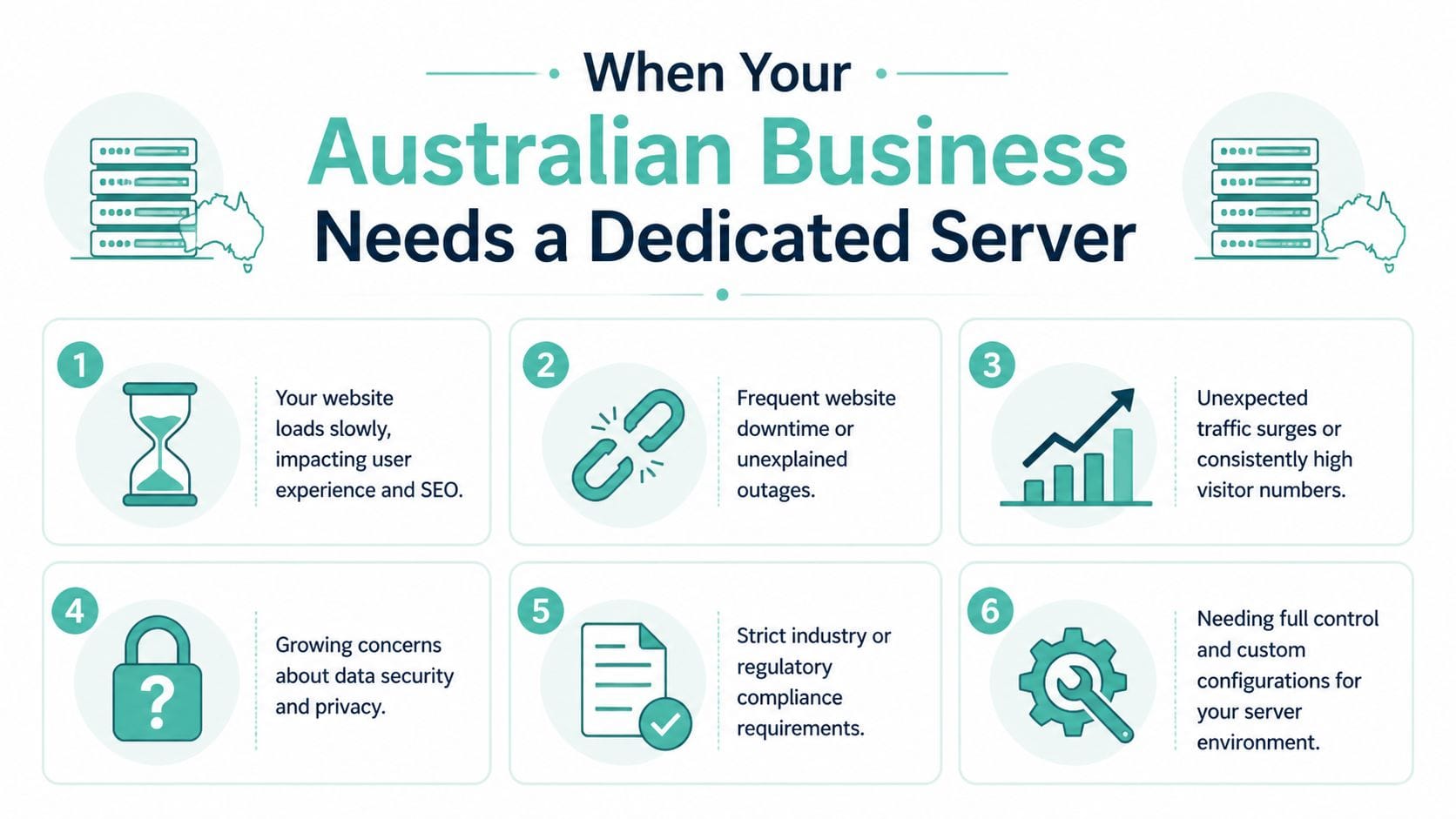
A dedicated server starts to make sense when several of these are true:
- The site slows during busy periods. Sales campaigns, catalogue updates, and email sends create visible slowdowns.
- WooCommerce or memberships are central to revenue. Logged-in users, cart activity, dynamic pricing, and order processing put steady pressure on the server.
- Staff lose time in wp-admin. Slow product edits, delayed reports, and clunky imports cost wages every week.
- You need tighter control. Custom PHP settings, server rules, staging workflows, or specific caching setups are easier on a dedicated environment.
- Downtime has a clear dollar cost. If every hour offline means missed orders, missed bookings, or a backed-up support team, cheap hosting stops being cheap.
- You are reviewing operational risk. Businesses that already read up on topics like SaaS server protection strategies usually reach the same conclusion. Stable infrastructure matters before an incident, not after one.
Judge hosting by how the site performs during your busiest hour, not by how fast the homepage loads on a quiet afternoon.
Some businesses reach this point after they have already done the sensible fixes. They have cleaned up plugins, compressed images, added caching, and improved the theme. If the site still feels fragile, the bottleneck is often the hosting layer itself.
A dedicated server is not for every Australian business. A simple brochure site usually does not need one. But if your WordPress site is tied directly to sales, service delivery, or daily staff workflows, upgrading is less about getting a bigger machine and more about removing a recurring business constraint.
Security and Compliance on Your Dedicated Server
Security on a dedicated server starts with a simple truth. More control gives you more responsibility. If the server is configured badly, dedicated hosting won’t save you. If it’s configured properly, it gives you a much stronger foundation than crowded environments where your business inherits risk from other users.
For Australian businesses, this isn’t just about hackers or malware. It’s also about where data lives, who can access it, and whether your hosting choice creates avoidable compliance problems.
Local hosting is a risk decision
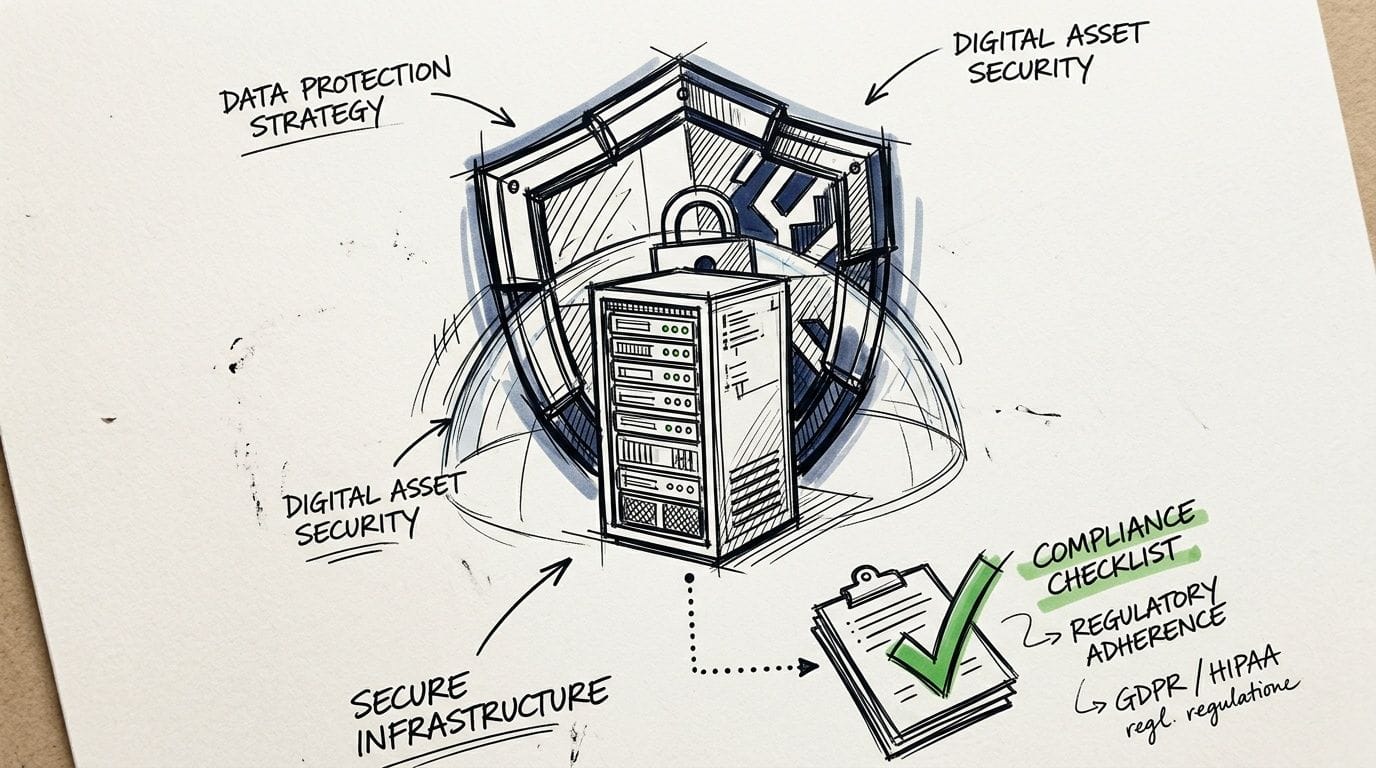
A lot of global hosting content talks about performance and generic security features, but it skips Australian data residency concerns. That’s a gap. 78% of Australian SMBs cite data residency as a top concern, and choosing offshore hosting can create cross-border transfer risk and fines of up to AUD 50 million, according to Liquid Web’s discussion of dedicated server needs.
That matters if your WordPress site stores customer records, enquiry submissions, order histories, health information, membership details, or internal documents. A local setup helps keep data inside Australia and makes your compliance posture easier to understand. If your team is reviewing options around Australian data sovereignty hosting, that should be part of the decision before pricing is.
What a properly secured setup includes
A secure dedicated WordPress environment isn’t one tool. It’s layers working together:
- Firewall protection: filters suspicious traffic before it reaches WordPress.
- Malware scanning: catches compromised files and known malicious patterns early.
- DDoS mitigation: helps keep the site reachable when traffic is hostile, not legitimate.
- Backups kept separately: recovery matters as much as prevention.
- Access control: strong account practices, limited privileges, and careful admin use.
If you want broader reading on defensive thinking beyond WordPress itself, these SaaS server protection strategies are useful because they focus on reducing exposure rather than chasing problems after the fact.
A secure server isn’t the one with the most badges on the sales page. It’s the one with fewer weak points, cleaner access rules, and a recovery plan that’s been thought through before anything goes wrong.
Dedicated hosting also makes isolation cleaner. If another business on a shared platform makes a poor security choice, that shouldn’t become your problem. With a dedicated server, the environment is yours to harden. That’s valuable for firms in professional services, healthcare-adjacent operations, education, finance, and any business handling customer data that would be costly to expose.
For many Australian SMBs, local dedicated hosting is the first time speed, control, and compliance line up in one decision.
Recommended Specs for Australian WordPress Sites
Specs matter, but not in the way many buyers think. Chasing the biggest CPU count without fixing the software stack is like buying a larger ute because the tyres are flat. For a wordpress hosting dedicated server, the right build depends on workload, not bragging rights.
For most Australian SMBs, I’d start with the questions that affect real performance: Is it WooCommerce? Does the admin team work inside WordPress all day? Are there traffic spikes during launches, campaigns, or holiday periods? Does the site run heavy search, filtering, membership, or learning tools?
Build for the site you have now
A small service business site with modest traffic doesn’t need an oversized machine. What it needs is fast storage, sensible caching, and enough memory for WordPress, the database, and routine background tasks to run without contention.
A growing WooCommerce store is different. It benefits from:
- Modern CPU capacity: checkout, search, and admin tasks are processor-sensitive.
- Adequate RAM: WooCommerce, object caching, and PHP workers all lean on memory.
- NVMe storage: faster database reads and writes help the whole stack feel sharper.
- Uncapped bandwidth where available: useful when campaigns or product launches create unpredictable bursts.
An agency hosting multiple WordPress sites on one server should plan for mixed workloads. One client may barely use resources while another runs bulky plugins, image-heavy pages, or campaign traffic. In that scenario, stability matters more than theoretical efficiency.
The software stack matters as much as hardware
Many hosting comparisons often fall short. They talk about disk and RAM but ignore the stack that makes WordPress fast in Australia. 45% of Australian WordPress sites experience holiday traffic surges that cause 30% cart abandonment, and technologies like AccelerateWP and LiteSpeed on AU-based dedicated servers can deliver 3x faster TTFB, cutting revenue loss from slow hosting by up to 80% during peak sales periods, according to CloudPanel’s dedicated WordPress hosting guide.
That lines up with what I see in practice. When Australian stores hit Black Friday, EOFY campaigns, or seasonal promotions, raw server power helps, but caching and web server efficiency usually decide whether the site stays responsive.
A practical build approach looks like this:
| Business type | What to prioritise | Why it matters |
|---|---|---|
| Local services site | NVMe, caching, clean PHP setup | Keeps pages and admin responsive without overbuying |
| WooCommerce store | More RAM, LiteSpeed, object caching | Handles cart, checkout, search, and admin load better |
| Agency server | Balanced CPU and memory, account isolation | Prevents one client site from affecting the others |
| Membership or LMS site | Memory, database performance, stable concurrency | Logged-in users create heavier dynamic load |
Buy for consistency, not vanity. A right-sized server with LiteSpeed and AccelerateWP will usually outperform a poorly tuned larger box.
If you’re deciding between options, ask for the full stack, not just hardware specs. In Australia, that usually means local datacentre performance, efficient caching, and a platform tuned for WordPress rather than generic hosting defaults.
Register your new domain name at competitive market prices including free domain add-ons like privacy, DNS Hosting, Custom Nameservers and Forwarding.
Always the best price and no nasty renewal price hikes.
Register A Domain Name
Migrating and Maintaining Your WordPress Dedicated Server
Migration worries a lot of business owners more than cost does. They can see why a dedicated server would help, but they assume the move will be messy, risky, or full of downtime. In reality, a good migration is mostly planning and sequencing.
What causes problems isn’t the idea of moving. It’s rushing the move, skipping testing, or treating maintenance as an afterthought once the site is live.
What a clean migration looks like
A reliable migration usually follows a checklist, not improvisation. If you want a broader operations view, the NineArchs playbook for data centre operations is useful reading because it reinforces the importance of staged execution and verification.
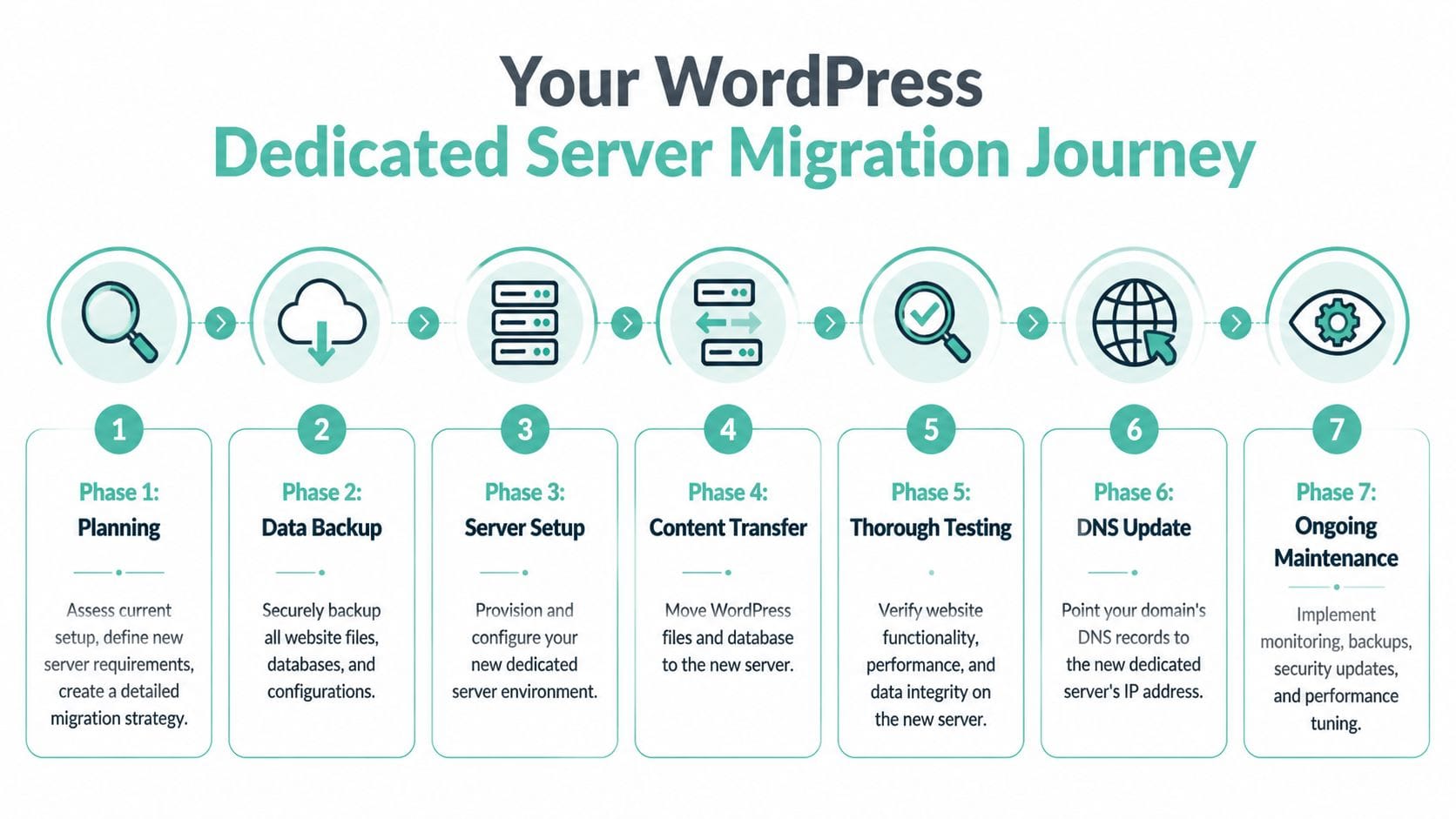
For WordPress, the migration flow is straightforward:
- Audit the current site: themes, plugins, PHP compatibility, cron jobs, email dependencies, and backup status.
- Provision the new server: install the stack, harden the environment, and prepare resources for the actual workload.
- Copy files and database: move content carefully, then check paths, users, and application settings.
- Test before cutover: forms, checkout, logins, redirects, image paths, admin speed, and plugin behaviour all need checking.
- Switch with a plan: don’t make the move during your busiest trading window.
A practical website migration checklist helps keep this process organised, especially if multiple staff or developers are involved.
What maintenance actually means
Once the site is live, maintenance becomes the difference between a server that stays healthy and one that slowly degrades.
That ongoing work usually includes:
- Monitoring: uptime, resource use, unusual traffic patterns, and early warning signs.
- Security updates: WordPress core, plugins, themes, and server-side packages all need attention.
- Backup verification: backups should exist, but they also need to be recoverable.
- Performance tuning: cache rules, PHP settings, database housekeeping, and plugin review.
- Control panel administration: if your team uses cPanel or a similar interface, routine tasks should be simple and documented.
The smoothest migrations happen when the new server is treated as a managed environment, not a one-off move.
That’s why many businesses choose managed dedicated hosting instead of going fully self-managed. You still get the dedicated resources, but you don’t have to wake up as a system administrator overnight. For an SMB owner, that’s often the sweet spot. Better performance and more control, without taking on every technical burden personally.
WordPress Dedicated Server FAQs
Can I host multiple WordPress sites on a single dedicated server
Yes, if the server is sized properly and the sites are managed sensibly. This is common for agencies, multi-brand businesses, and owners with a main site plus campaign or microsite properties. The key issue isn’t whether you can do it. It’s whether the sites are isolated well enough that one heavy install doesn’t drag down the rest.
What does managed support usually include
Managed support typically covers the server environment rather than your marketing stack or page design. In practice, that often means server monitoring, security patching, backup oversight, service troubleshooting, and help with core hosting tools such as cPanel, databases, SSL, and email-related hosting functions. It usually doesn’t mean someone will fix a badly coded plugin or redesign your WooCommerce checkout.
How does pricing for a dedicated server in Australia work
Australian pricing varies based on hardware, management level, software stack, and support scope. The important thing is to read beyond the headline monthly figure. Check whether GST is included, whether backups and security tools are bundled, whether support is local, and whether there are lock-in terms or setup fees. A cheaper plan can end up costing more if it excludes essentials you’ll need anyway.
For SMBs, the pricing question is simpler: does the hosting cost less than the time, missed sales, and operational drag caused by a server that isn’t coping?
If your WordPress site is starting to feel like a bottleneck, UpTime Web Hosting is worth a close look. They’re an Australian provider with local infrastructure in Sydney, Melbourne, Brisbane and Perth, plus WordPress, cPanel, VPS, domains, email, and business-friendly support. For SMBs that want local performance, transparent GST-inclusive pricing, and help from an Australian team, they offer a practical path from everyday hosting to a more serious setup.