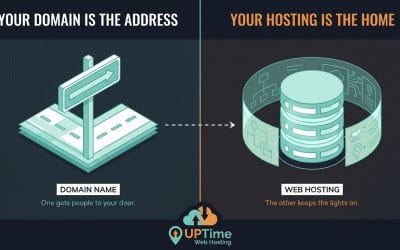
When you're looking for cheap VPS hosting in Australia, the goal isn't just to find the lowest price—it's to find incredible value without cutting corners on quality. Think of it as the perfect step up from shared hosting, giving you dedicated resources for better speed and security, all at a price that won't break a small business budget.
Understanding Cheap VPS Hosting for Australian Businesses
A Virtual Private Server (VPS) is a massive leap forward from your standard shared hosting plan.
Picture shared hosting as an apartment block. Everyone shares the same utilities like power and water. If one tenant decides to run every appliance they own, the lights might flicker for everyone else. A VPS, on the other hand, is like owning a townhouse. You're on the same block, but you have your own dedicated utilities—your own CPU, RAM, and storage that belong exclusively to you. This isolation means your website's performance won't get dragged down by noisy neighbours.
For Australian businesses, this dedicated setup is a game-changer. It means faster website speeds, rock-solid reliability even when you get a sudden surge in traffic, and much tighter security because your digital space is walled off from others. You get most of the perks of a dedicated server without the hefty price tag.
Managed vs. Unmanaged Services
One of the first big decisions you'll make is choosing between a managed or unmanaged VPS. It really boils down to your technical know-how and what your time is worth to you.
- Unmanaged VPS: This is the full DIY route. Your provider hands you the keys to the server and a base operating system, and the rest is up to you. We're talking software installation, security patching, backups, and troubleshooting. It's cheaper upfront, but it demands a serious amount of technical skill and time to get right. For example, you would be responsible for manually installing updates via the command line (e.g.,
sudo apt-get update && sudo apt-get upgradeon a Debian-based system) and configuring your own firewall rules. - Managed VPS: With this option, your hosting provider becomes your server admin team. They handle everything from the initial setup and security monitoring to software updates and technical support. For most small business owners, this is easily the better choice. It lets you focus on running your business, not wrestling with server commands. For example, if a critical security vulnerability like Heartbleed is discovered, a managed provider will patch your server for you, often before you even know there’s a threat.
For any business without a dedicated IT person on staff, a managed VPS delivers genuine peace of mind and predictable costs. It stops unexpected technical glitches from derailing your operations.
The Advantage of a Local Australian Provider
Opting for an Australian provider for your VPS hosting is more than just supporting local; it's a smart strategic move. Hosting your website in a local data centre—like those in Sydney or Melbourne—dramatically cuts down latency for your Aussie visitors, which translates to faster page load times. You can learn more about why hosting in Australia is important for data sovereignty and performance.
On top of that, a local provider means you get expert support that actually works in your time zone. Plus, the pricing is transparent and includes GST, so you're not hit with surprise costs. It’s all about getting a reliable, high-performance solution without hidden fees or frustrating communication gaps.
| Feature Comparison | Shared Hosting | Unmanaged VPS | Managed VPS |
|---|---|---|---|
| Resources | Shared with others | Dedicated to you | Dedicated to you |
| Performance | Can be inconsistent | High and consistent | High and consistent |
| Management | Provider handles all | You handle everything | Provider handles most |
| Best For | Small personal sites | Developers & tech experts | Most businesses |
How to Choose the Right Low-Cost VPS Plan
Picking the right cheap VPS plan isn't just about grabbing the lowest price you can find. It's about looking under the bonnet and understanding what you’re actually paying for. The real trick is translating all that technical jargon into what your business actually needs, so you get genuine value without blowing the budget. If you're just starting out, getting a handle on the bigger picture with a practical guide on choosing a web hosting service can give you a solid foundation before you zero in on a VPS.
The Australian web hosting market is booming, hitting a valuation of AUD 3.67 billion in 2024. A huge chunk of that growth comes from small businesses like yours moving away from basic shared hosting. They're looking for something more powerful and scalable, and affordable VPS solutions are fitting the bill perfectly. In fact, the market is projected to skyrocket to AUD 10.42 billion by 2034, all driven by this demand for performance that doesn't come with the hefty price tag of a dedicated server.
To make things a bit clearer, here's a simple decision tree to help you figure out if a VPS is the right fit for where your project is at right now.
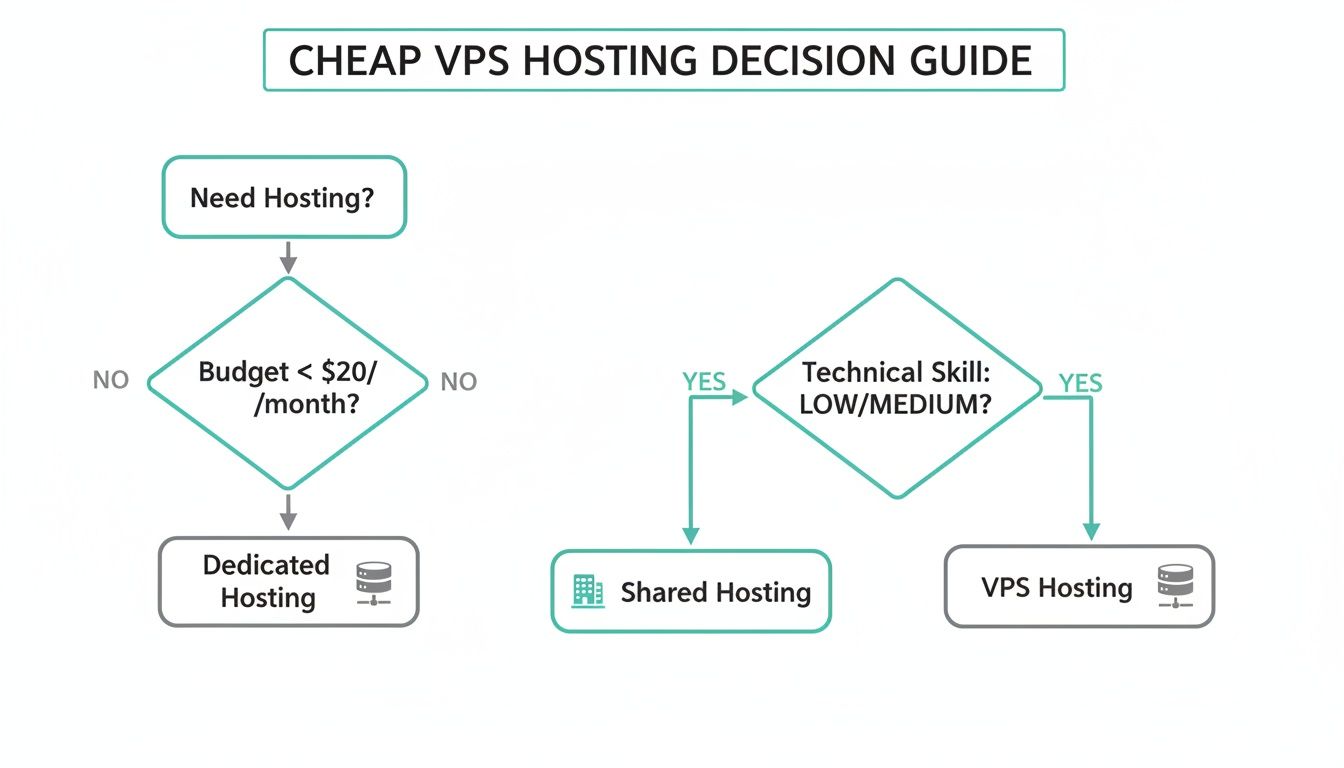
As you can see, a VPS really is that sweet spot. It’s for businesses that have clearly outgrown the limitations of shared hosting but don't quite need the raw power—or the cost—of their own dedicated machine just yet.
Decoding CPU and RAM Requirements
Think of the CPU (or vCPU) as your server's brain and RAM as its short-term memory. More vCPUs mean it can juggle more tasks at once, and more RAM lets it handle bigger tasks and more website visitors without breaking a sweat.
For a typical small business running a standard WordPress site, a plan with 2 vCPUs and 2GB of RAM is usually a great place to start. It's got enough grunt to power your site and its plugins, and it can handle a decent amount of daily traffic without any drama.
But if you’re running something more demanding, like an e-commerce store on a platform like nopCommerce, the game changes. That site is constantly processing transactions, managing customer accounts, and running complex database queries. In that scenario, stepping up to a plan with 4 vCPUs and 4GB of RAM is a much smarter move. It ensures your checkout process stays snappy and responsive, even when you're slammed with orders.
One of the most common mistakes I see is businesses under-provisioning RAM just to save a few dollars a month. This almost always backfires, leading to painfully slow page loads and a terrible user experience. In the end, that costs you far more in lost sales and customer trust than you ever saved on hosting.
The Critical Role of Storage Speed
When you're comparing cheap VPS hosting, you have to realise that not all storage is created equal. The type of drive your provider uses has a massive, direct impact on your site's loading speed. This is especially true for websites that hit the database hard, like membership sites or online stores.
Here’s a quick rundown:
- Standard SSD (Solid State Drive): This is a huge leap forward from old-school spinning hard drives (HDDs). It offers much faster read/write speeds and should be considered the absolute baseline for any serious website.
- NVMe SSD (Non-Volatile Memory Express Solid State Drive): This is the top of the line. NVMe drives connect directly to the server's motherboard, cutting out older, slower data transfer protocols. The result? Performance that's up to 6x faster than standard SSDs, leading to lightning-quick database queries and almost instant page loads.
For any Aussie business where speed is a competitive edge—and let's be honest, that's pretty much all of them—choosing a provider like UpTime Web Hosting that includes NVMe SSD storage as standard is a no-brainer. It's a direct investment in your website's performance.
Assessing Network Performance and Data Centre Location
Network performance is about more than just bandwidth—it's about latency. In simple terms, latency is the time it takes for data to travel from your server to your visitor's web browser. For an Australian business serving a local audience, having your VPS hosted in an Australian data centre is non-negotiable.
A server located in Sydney will deliver your website to a user in Melbourne dramatically faster than one sitting in Los Angeles. This lower latency not only improves the user experience but can also give you a nice little boost in your local SEO rankings. If your budget is particularly tight right now, our guide on web hosting on a budget has some useful tips for making smart choices.
By carefully weighing up these core components—CPU, RAM, storage, and network—you can confidently pick a cheap VPS hosting plan that doesn't just fit your budget, but also gives your business the reliable power it needs to grow.

Performance you can feel, backed by clients who depend on it. Read how our support and uptime create long‑term customer success.Power Your Business with Better Hosting
Managed vs Unmanaged VPS: A Total Cost Analysis
Choosing between a managed and unmanaged VPS can feel like a simple price comparison. But the sticker price is just the tip of the iceberg. The real cost isn't just the monthly fee—it’s the total investment of your time, technical skills, and potential business risk. A "cheap" unmanaged VPS can become incredibly expensive if it demands constant attention you can't afford to give.
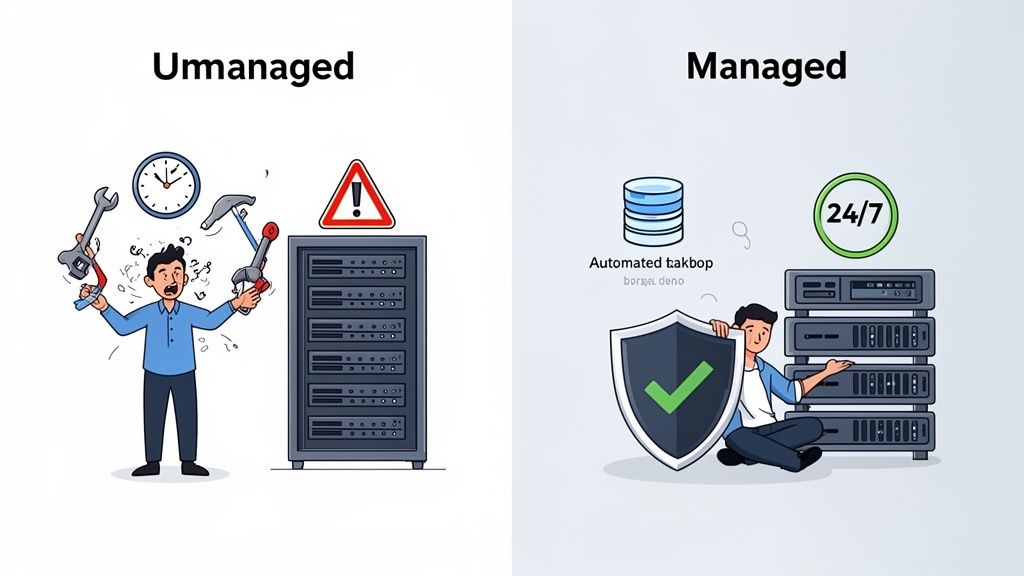
When you opt for an unmanaged VPS, you're essentially renting a vacant digital space. You get the server, an operating system, and a network connection. After that, you're on your own. Every single task—from the initial server setup and security hardening to installing software, running updates, and fixing things when they break late at night—lands squarely on your shoulders.
Uncovering the Hidden Costs of Unmanaged VPS
The biggest hidden cost of going unmanaged is your own time. Think about the hours needed just for routine server maintenance. Even if you value your time at a modest rate, the hours spent digging through forums for command-line fixes, patching security holes, and setting up backups add up fast. More often than not, this "cost" completely wipes out the savings from the lower monthly fee.
Let’s put this into a real-world context.
Scenario A: The Solo Developer
- Chloe, a freelance developer in Brisbane, grabs a $10/month unmanaged VPS from a big international provider for her client projects. She’s tech-savvy and knows her way around a server, so she can set up cPanel, lock down security, and write her own backup scripts.
- The Reality: Chloe ends up spending about four hours every month on server admin—applying patches, checking logs, and sorting out minor glitches. When a critical software vulnerability is announced, she has to drop everything and patch the server immediately, losing billable client hours. The direct cost is low, but the opportunity cost of her lost time is huge.
Scenario B: The Small Business Owner
- David, who runs a growing e-commerce store in Perth, chooses a $40/month managed VPS from a local provider like UpTime Web Hosting. His tech skills are limited because his time is better spent on marketing and managing inventory.
- The Reality: David’s server arrives ready to go—pre-configured, secured, and optimised. His provider handles all security updates, monitors for threats, and runs automated nightly backups. If he ever needs help, he just calls a local support number. The total time he spends on server management? Pretty much zero.
In this comparison, David’s extra $30 a month buys him complete peace of mind and frees him up to actually grow his business. For Chloe, the unmanaged path works because she's a tech expert, but for David, it would have been a massive, costly distraction.
The choice between managed and unmanaged hosting is a classic "time vs. money" dilemma. For most business owners, paying a bit more for a managed service is a direct investment in focus and productivity. It prevents costly downtime and lets you work on your business, not in your server.
What You're Really Paying for with a Managed VPS
A managed VPS isn't just a server; it's a complete service that bundles in all the essentials you'd otherwise have to handle yourself. It turns a piece of raw infrastructure into a genuine, ready-to-use business platform.
With a managed provider like UpTime Web Hosting, these features are part of the deal:
- 24/7 Expert Support: You get access to a local Australian support team that knows how to fix server-level problems, saving you from hours of frustrating troubleshooting.
- Proactive Security: This isn't just an afterthought. It includes proper firewall configuration, regular malware scanning, and DDoS protection—all crucial for protecting your data and your reputation. If you want to go deeper, our knowledge base explains how we protect your VPS from DDoS attacks.
- Automated Backups: Daily or weekly off-site backups are usually standard. This means you can recover from a disaster in minutes, without ever having to configure or manage a complex backup system yourself.
- Performance Optimisation: The server comes pre-tuned with tools like LiteSpeed and AccelerateWP, making sure your website is as fast as possible right out of the box.
When you look at the total cost of ownership, it becomes clear that for most Australian businesses, a managed plan delivers far more value. It shifts the heavy lifting of server management to the experts, giving you a stable, secure, and high-performance foundation to build on.
Comparing Top Cheap VPS Plans for Australian Businesses
Picking a cheap VPS hosting plan shouldn't feel like a lottery. Instead of getting lost in endless lists of technical specs, it’s much more useful to look at how these plans perform in the real world. A server that’s perfect for a creative agency might be a terrible fit for an e-commerce startup or a specialist developer.
To make things clearer, let's explore three common Aussie business scenarios. We’ll compare how their needs are met by two very different options: a typical international unmanaged VPS and a local, value-focused managed provider like UpTime Web Hosting. This approach cuts through the noise and shows you what really matters.
The Growing WordPress Agency
First up, a small WordPress agency in Melbourne managing a dozen websites for local clients. Their top priorities are rock-solid reliability, easy management for multiple sites, and great performance to keep their clients happy.
- International Unmanaged VPS: The agency could grab a server with 4 vCPUs and 8GB RAM for a tempting low monthly price. But here's the catch: they're on the hook for everything else. That means installing and licensing cPanel, building server security from the ground up, and figuring out their own backup system. When a client's site inevitably goes down, the agency's team has to drop billable work to play tech support, often without an expert to call.
- UpTime Web Hosting Managed VPS: For a straightforward, GST-inclusive price, the agency gets a server with similar specs. The difference? It arrives pre-configured with cPanel, automated nightly backups, and serious security tools like a DDoS-protected firewall. If a site starts lagging, they can get a local Australian support team on the line for expert help, saving hours of frustration.
Key Differentiator: For an agency, time is money. A managed VPS from a local provider like UpTime Web Hosting essentially outsources the entire server admin role. This frees up the team to focus on what they do best—client work and growth—instead of getting bogged down in technical firefighting.
The E-commerce Startup
Next, we have a Sydney-based e-commerce startup shipping products across the country. Their business lives or dies on a fast, secure, and always-online website. Slow load times or a security breach could be absolutely devastating.
- International Unmanaged VPS: The startup signs up for a cheap VPS plan, only to realise the data centre is in Singapore. This adds precious milliseconds of latency to every single page load for their Aussie customers. The included SSL certificate is a basic, do-it-yourself version, and they have to implement their own malware scanning and firewall rules, leaving dangerous security gaps.
- UpTime Web Hosting Managed VPS: The startup’s website is hosted in a Sydney data centre, guaranteeing the fastest possible speeds for local shoppers. A premium SSL certificate is included and managed for them. More importantly, powerful tools like LiteSpeed and AccelerateWP are already installed, giving their WooCommerce store a massive speed boost and helping to improve conversion rates right out of the box.
The market for cheap VPS hosting in Australia has evolved to support exactly these kinds of businesses. It's a huge part of the Australian web hosting industry, valued at AUD 3.67 billion in 2024 and projected to hit AUD 11.56 billion by 2035. This boom is fueled by plans that strike a balance between cost and performance, allowing businesses to scale up or down easily while cutting costs by up to 50% compared to a dedicated server. You can read more about the VPS market's impact in Australia.
The ASP.NET Application Developer
Finally, let's look at a freelance developer in Perth who builds custom ASP.NET applications. They need a specific Windows Server environment with MSSQL support and the freedom to configure it for development, but they also need the core infrastructure to just work.
- International Unmanaged VPS: The developer can find a cheap Windows VPS without much trouble. The problem is, they are now responsible for every Windows update, security patch, and the licensing and maintenance of the MSSQL server. If the server’s network connection gets shaky, they’re left dealing with slow, impersonal support from an overseas call centre.
- UpTime Web Hosting Managed VPS: Here, the developer gets a fully managed Windows VPS environment. They still have total control over their application code, but UpTime's team handles all the tedious OS updates, security monitoring, and infrastructure headaches. Better yet, they have direct access to a local Australian support team that actually understands the nuances of Windows hosting, providing a reliable safety net.
Real-World VPS Provider Comparison for Australian Use Cases
This table breaks down how a typical international unmanaged VPS and UpTime's managed VPS serve different business needs, focusing on total value.
| Feature / Scenario | Typical International Unmanaged VPS | UpTime Web Hosting Managed VPS | Key Takeaway for Australian Businesses |
|---|---|---|---|
| Initial Setup Time | High: Manual OS install, cPanel setup, security configuration, and backup scripting can take hours or days. | Low: Pre-configured with cPanel, security, and backups. Ready to go in under an hour. | Managed hosting saves significant initial setup time, letting you focus on your business, not server administration. |
| Ongoing Maintenance | High: You are responsible for all OS updates, security patching, and troubleshooting server errors. | Low: Core OS, security, and network are fully managed by experts, freeing up your internal resources. | The "total cost" of an unmanaged VPS includes your time. Managed services reduce this hidden operational cost. |
| Performance for Aussie Audience | Variable: Often hosted in the US or Singapore, adding latency that slows down your site for local visitors. | Excellent: Hosted in Australian data centres (Sydney/Melbourne) for the lowest possible latency and fastest speeds. | Local hosting is a non-negotiable for any business targeting Australian customers. Speed directly impacts SEO and sales. |
| Emergency Support | Slow & Impersonal: Ticket-based support from an international team with potential time zone delays. | Fast & Local: Direct access to an Australian-based expert support team that understands your setup. | When your site is down, you need fast, expert help. Local support provides peace of mind and quicker resolutions. |
| Security Included | Minimal: Basic firewall at best. You must source, install, and configure your own malware scanning and DDoS protection. | Comprehensive: Includes managed firewall, DDoS protection, malware scanning, and proactive security monitoring. | A managed VPS provides enterprise-grade security out of the box, protecting your data and your customers' trust. |
Walking through these scenarios makes it obvious that the "best" VPS isn't just about the lowest price tag. For a deeper look at specific providers, check out our complete guide on the best VPS hosting Australia. The real value comes from how well the service matches your business needs, your team's technical skills, and what you want to be spending your time on.
Host your website with our 5-star rated, cPanel website hosting plans.
Super fast servers, with security included and hosted in your choice of Australian Data Center.
View cPanel Plans
Your VPS Setup and Migration Checklist
Moving to a VPS is a great step up, but a smooth switch really comes down to good planning. Think of this checklist as your practical roadmap—it's here to guide you through the setup and migration so you can get your new server running securely and efficiently from day one, without the overwhelm.
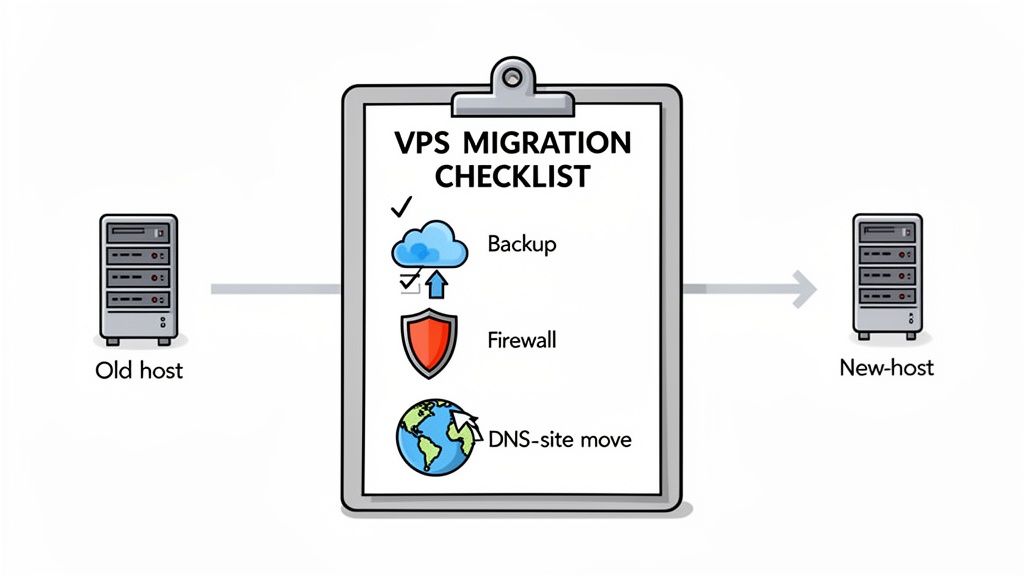
Pre-Migration Preparation
Before you even think about moving a single file, a little groundwork will save you from major headaches down the line. This is your chance to do a bit of digital house-cleaning and make sure everything is primed for its new home.
- Full Website Backup: The first rule of any migration is to take a complete backup of your website files and databases from your current host. Download a copy and keep it somewhere safe on your local computer. This is your non-negotiable safety net.
- Audit Your Current Site: Take stock of all your plugins, themes, and any custom scripts you're running. Now’s the time to deactivate and delete anything you no longer need. This not only cuts down the amount of data you have to move but also shrinks the potential security attack surface on your new server.
- Note Key Configurations: Jot down important settings from your old host. Think specific PHP versions, memory limits, or any custom server rules you've put in place. You'll thank yourself for this later.
Thorough preparation is easily the most critical part of a successful move. To help you sidestep common traps, our team put together a detailed guide on the common website migration mistakes you should avoid.
Executing The Migration
Once your new managed VPS from UpTime Web Hosting is ready to go, the actual move can begin. Your control panel is going to be your best friend here, as it simplifies a lot of the heavy lifting.
If you’re using cPanel, for example, you can often generate a full backup from your old host and have us restore it directly. This is the cleanest method, as it brings over your files, databases, and even email accounts in one fell swoop. If a direct restore isn’t an option, you’ll need to upload your files via FTP and import your database with a tool like phpMyAdmin—both of which are standard in your control panel.
Post-Migration Security And Setup
With your site’s files now on the new VPS, don't rush to flip the switch just yet. Taking the time to secure and test your new environment is crucial before you point your domain to it. This is where a managed service really proves its worth, as many of these steps are already handled for you.
- Configure Your Firewall: A managed VPS usually comes with a pre-configured firewall, but it’s always smart to review the rules. You can find straightforward guides on this in the UpTime Web Hosting knowledge base.
- Schedule Automated Backups: Your managed plan should include automated, off-site backups. Log into your control panel and double-check that the backup schedule is active. A good starting point is setting daily backups with a retention period of at least seven days.
- Test Everything Thoroughly: Before you touch your DNS, use your server's temporary URL or modify your local hosts file to browse your site on the new VPS. Click through everything—check your contact forms, run a test transaction through your checkout process, and try logging in as a user to make sure everything works just as it should.
Once you've confirmed your site is fully functional and secure on its new server, you're ready to update your domain's DNS records to point to your new VPS IP address. Congratulations on a successful migration
Frequently Asked Questions About Cheap VPS Hosting
Jumping into the world of cheap VPS hosting can bring up a lot of questions. We get it. To help you make a confident decision, here are some straightforward answers to the most common queries we hear from Australian business owners.
Is A Cheap VPS Powerful Enough For My E-commerce Store?
Absolutely. A well-configured, modern VPS is more than capable of handling the vast majority of e-commerce stores, even demanding ones built on platforms like WooCommerce or nopCommerce. The secret isn't just about raw power, but choosing the right resources.
For most online stores, a managed VPS with 2 to 4 vCPUs and 4 to 8GB of RAM provides fantastic performance. The real game-changer, though, is the storage. When a provider like UpTime Web Hosting uses NVMe SSD storage as standard, it drastically speeds up database queries—the engine that runs your product catalogues, customer accounts, and order processing.
A cheap VPS isn't just about throwing hardware at a problem; it's about smart optimisation. When your provider bundles in performance tools like LiteSpeed and AccelerateWP, your site can handle massive traffic surges during a sale, ensuring every customer gets a fast, smooth checkout.
What Is The Real Difference Between A $10 Unmanaged And A $40 Managed VPS?
That price difference represents a massive gap in service, security, and overall value. It's a classic apples-and-oranges comparison where the upfront cost only tells a fraction of the story.
A $10 unmanaged VPS is basically an empty digital garage. You get the space, but you're responsible for everything else: server setup, security patches, software updates, backups, and fixing anything that breaks. It’s a blank slate that demands a lot of technical skill and, more importantly, your time.
On the other hand, a $40 managed VPS from a local provider like UpTime Web Hosting wraps the cost of an expert team into your plan. That includes:
- 24/7 Server Monitoring: An expert team watches over your server’s health so you can sleep at night.
- Automated Security: Proactive malware scanning, DDoS protection, and managed firewalls are all part of the deal.
- Off-site Backups: Your data is automatically and safely stored in a separate location, ready for disaster recovery.
- Crucial Australian-based Support: You get to speak with a local team in your timezone who actually understands your business.
Once you factor in the hours saved and the prevention of a single costly security breach or period of downtime, the managed option almost always works out to be the smarter financial choice for most businesses. If you want to dive deeper, our knowledge base has a great guide on how to protect your VPS from DDoS attacks.
How Easy Is It To Scale My VPS Plan As My Business Grows?
One of the biggest advantages of a VPS is how easily it can grow with you. With a quality managed provider, upgrading your plan is a simple, painless process designed to match your success.
At UpTime Web Hosting, for instance, scaling resources like CPU, RAM, and storage can usually be done with little to no downtime. Often, it's as simple as putting in a request through your client portal or having a quick chat with the support team.
This flexibility means your hosting can adapt on the fly. Whether you're launching a big marketing campaign or just experiencing steady growth, you can quickly add more power to handle the load. You only pay for what you need, when you need it, making a VPS a truly future-proof investment.
Can I Host Multiple Websites On One Cheap VPS Plan?
Yes, and this is one of the most common reasons people upgrade from shared hosting. Running multiple websites on a single VPS is a highly cost-effective strategy.
Control panels like cPanel make managing multiple domains, email accounts, and databases from a single dashboard incredibly straightforward. You can create separate, secure accounts for each website, keeping everything neat and organised.
The only thing to keep in mind is making sure your VPS plan has enough resources—especially RAM and CPU—to comfortably handle the combined traffic of all your sites. A good managed provider can help you choose the right plan for your portfolio and will often have generous terms for add-on domains. This makes it a perfect setup for agencies, developers, or any business managing a few different online properties.
Ready to feel the difference a truly local, managed VPS solution can make? The expert team at UpTime Web Hosting is here to give your business the fast, secure, and reliable foundation it deserves. Explore our plans and see what proper Australian-based support is all about at https://uptimewebhosting.com.au.