
Your WordPress site probably didn’t start with big ambitions. It began as a clean brochure site, a booking page, a small online shop, or a business blog that loaded quickly and did the job.
Then the business grew.
You added forms, plugins, marketing tools, product pages, maybe WooCommerce, maybe a few staff logins, maybe a staging copy. Suddenly the site that once felt simple now drags during busy periods, throws the odd timeout, or slows down right when customers are trying to buy, book, or enquire.
That’s usually the point where Australian business owners start hearing the term wordpress vps hosting. Not because they want to become server admins, but because shared hosting has stopped matching what the site now needs.
Is Your WordPress Site Hitting a Wall
A common pattern looks like this. A local business launches on shared hosting, everything works, and the costs stay low. Over time, the site becomes more important. It starts bringing in leads, processing orders, syncing with third-party tools, and carrying more of the business load than anyone planned for.
Then the warning signs show up.
Pages take too long to load during the workday. The admin area feels sluggish. Plugin updates become nerve-racking. A sale, campaign, or seasonal spike sends the site wobbling. Staff blame WordPress, but often the underlying problem is the hosting environment underneath it.
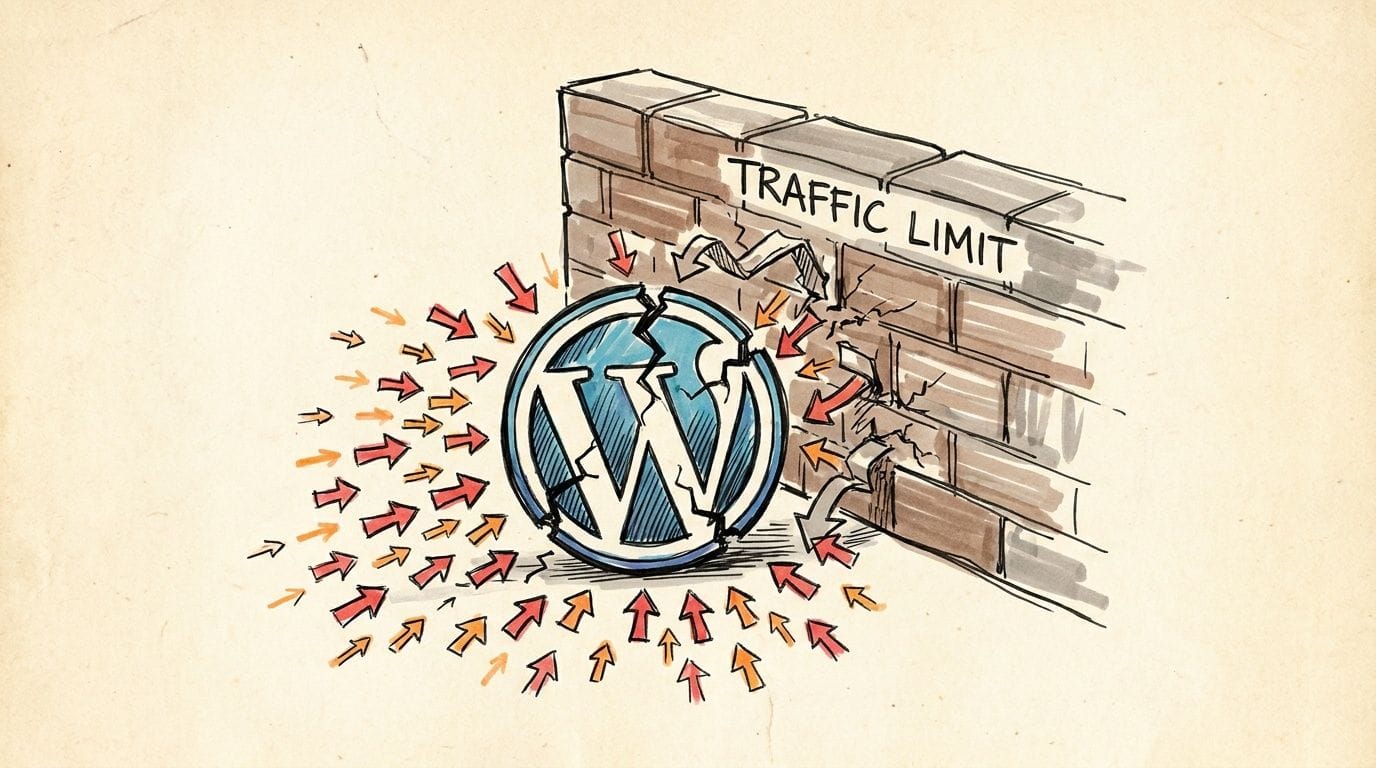
In Australia, that matters more than many owners realise. WordPress powers approximately 43.5% of websites in Australia as of 2026, and 53% of mobile users abandon sites that take longer than 3 seconds to load, according to Wise Guy Reports' WordPress hosting market data.
What this feels like in real life
If you run a growing business site, the symptoms are usually practical rather than technical:
- Customers leave early because product pages or service pages don’t load quickly enough on mobile.
- Your team wastes time waiting for the dashboard to save changes, update plugins, or process orders.
- Marketing becomes harder because every campaign creates anxiety about whether the site can handle the traffic.
- Support issues pile up when forms fail, checkout feels inconsistent, or pages half-load.
A slow site doesn’t just feel annoying. It interrupts enquiries, sales, and trust.
Why shared hosting starts to struggle
Shared hosting is fine for small, low-demand websites. The problem starts when your site becomes dynamic and busy. WordPress doesn’t just serve a static page. It often needs PHP processing, database queries, plugin calls, and media delivery, all at once.
On shared hosting, those resources are spread across many accounts. If one site on the server gets noisy, nearby sites can feel it. That’s why your website might seem fine one hour and frustrating the next.
VPS becomes the next logical step. Not because it sounds more advanced, but because your website has outgrown the entry-level setup that got you started.

Performance you can feel, backed by clients who depend on it. Read how our support and uptime create long‑term customer success.Power Your Business with Better Hosting
What Exactly Is WordPress VPS Hosting
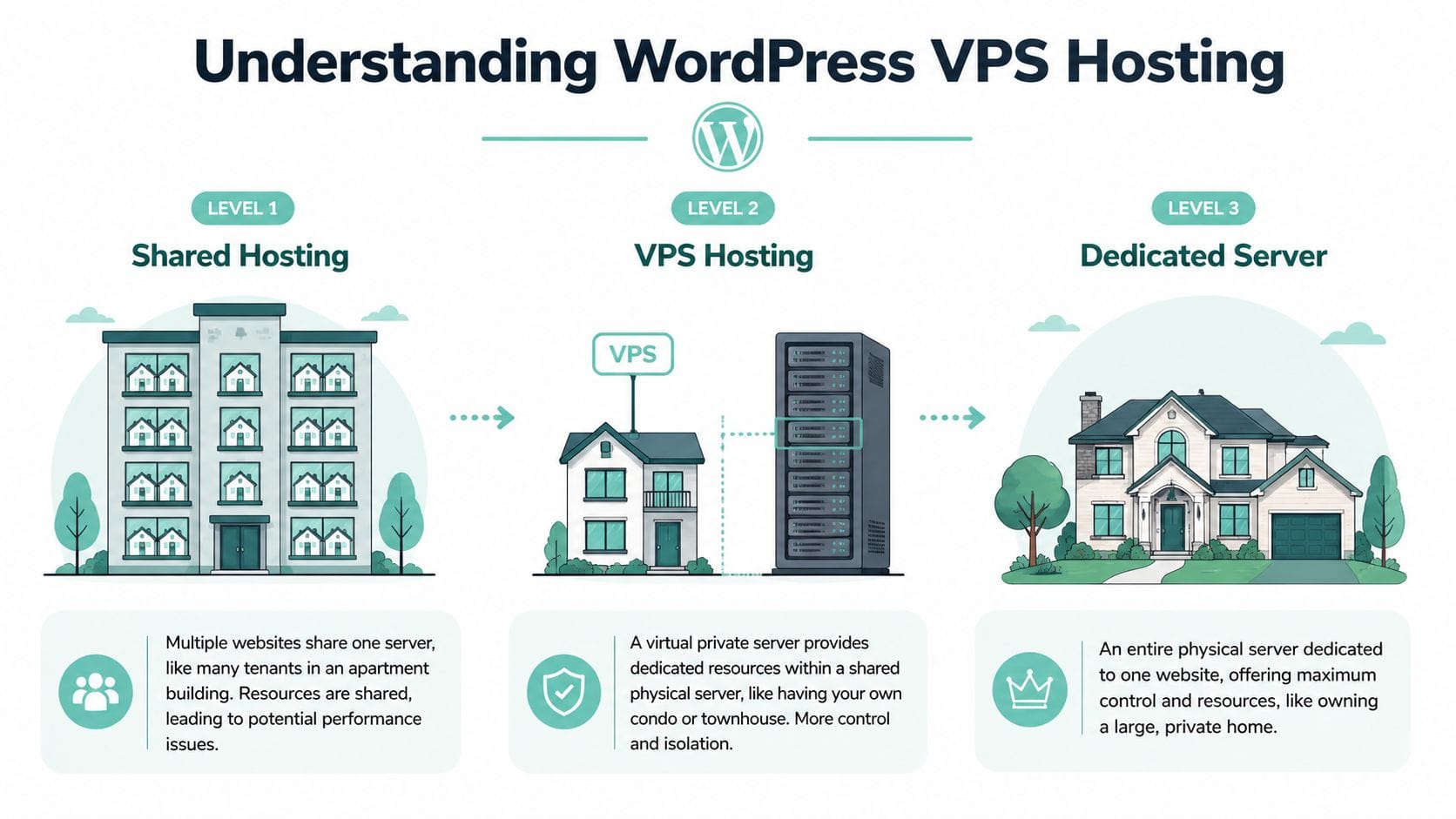
WordPress VPS hosting gives your site its own allocated share of server resources inside a larger physical server. In plain English, your website gets its own room to work, instead of competing for space and attention with a long list of neighbouring sites.
That difference matters more than it sounds.
On standard shared hosting, many websites pull from the same pool of CPU, memory, and storage performance. On a VPS, those resources are set aside for your account. Your site still sits on a powerful server with other customers, but it runs in a more isolated environment with clearer limits and more predictable performance.
A dedicated server goes further again by giving you the whole machine. A VPS sits in the middle. It offers much more breathing room than shared hosting without the cost and maintenance that usually come with dedicated infrastructure.
What you’re actually paying for
With a VPS plan, you’re paying for reserved computing resources. That usually means a set number of vCPU cores, a defined amount of RAM, SSD storage, and a virtual environment separated from other accounts.
For WordPress, that extra space helps with the jobs happening behind the scenes. Loading a page often means running PHP, querying the database, checking plugins, serving images, and sometimes handling cart activity or form submissions at the same time. If your site gets regular traffic, or uses WooCommerce, page builders, membership tools, or booking plugins, those jobs add up quickly.
Many business WordPress sites start to feel more comfortable on VPS plans with at least modest dedicated resources, and providers such as Amazon Lightsail outline common VPS resource tiers for growing website workloads in their virtual private server documentation.
Why WordPress usually performs more consistently on VPS
The biggest win is consistency.
Your site is less exposed to the random slowdowns that can happen when too many accounts share the same environment. Admin pages often respond faster. Plugin updates are less frustrating. Busy periods are easier to handle without the whole site feeling shaky.
For Australian business owners, there’s another layer to this. WordPress VPS hosting is not only about server specs. It is also about where the server sits and how the service is billed. A VPS hosted in an Australian data centre can reduce delay for local visitors, help with data sovereignty requirements, and make billing simpler when pricing is shown clearly in AUD with GST included. Generic overseas hosting advice often skips those practical details, even though they matter day to day.
A VPS also gives you more room to tune the setup for WordPress. That can include newer PHP versions, better caching, more suitable database settings, and cleaner separation between websites if you run more than one.
If you want a local comparison of plan types, this guide to VPS hosting in Australia explains the options in plain language.
If your website now supports enquiries, bookings, online sales, or client communication every day, VPS hosting usually matches the job better than entry-level shared hosting.
Managed vs Unmanaged VPS Which Is Right for You
Once you’ve decided a VPS makes sense, the next question is more important than many people expect. Do you want managed or unmanaged?
This isn’t really a technical choice. It’s a time-and-responsibility choice.
An unmanaged VPS gives you the server and the keys. You decide how it’s configured, secured, updated, and repaired. That suits developers, agencies with in-house technical capability, and businesses that want full control.
A managed VPS is closer to a service package. The provider looks after the server layer so you can focus on WordPress, content, products, and customers.
The townhouse analogy still works
An unmanaged VPS is like moving into an empty townhouse where you’re responsible for the locks, plumbing, maintenance, and every future repair. That flexibility is great if you know what you’re doing.
A managed VPS is the same townhouse, but with building support included. If security patches, server tuning, and routine maintenance aren’t your thing, that support changes everything.
Managed vs Unmanaged WordPress VPS
| Responsibility | Managed VPS (UpTime) | Unmanaged VPS |
|---|---|---|
| Server setup | Provider handles the base environment | You handle setup yourself |
| Security updates | Provider manages routine server-side updates | You monitor and apply updates |
| Performance tuning | Provider assists with server optimisation | You tune services and resources |
| Troubleshooting | Provider helps at the hosting layer | You diagnose server issues |
| Best fit | Business owners, agencies, teams without sysadmin time | Developers and experienced server users |
A quick way to choose
If these statements sound like you, managed is usually the better fit:
- You run the business first and don’t want late-night server tasks.
- Your website earns money or leads and downtime would be costly.
- You want support in plain language rather than server-only responses.
If these sound familiar, unmanaged may suit you:
- You’re comfortable in the server layer and want control over configuration.
- You already manage Linux hosting environments for multiple projects.
- You prefer flexibility over convenience.
Managed hosting costs more than unmanaged hosting, but it can save far more in time, stress, and avoidable mistakes.
For owners who want WordPress hosting with the hosting layer looked after, UpTime’s managed web hosting in Australia shows the service-led option more clearly than a specs sheet ever will.
Host your website with our 5-star rated, cPanel website hosting plans.
Super fast servers, with security included and hosted in your choice of Australian Data Center.
View cPanel Plans
The Australian Advantage Choosing a Local VPS Provider
A lot of hosting advice online is written for the US market. That’s fine if your customers are in Texas or California. It’s not enough if your customers are in Sydney, Melbourne, Brisbane, Perth, or regional Australia.
For an Australian business, hosting location affects speed, support, compliance, and billing clarity. That’s why wordpress vps hosting should be assessed locally, not through a generic overseas checklist.

Local data centres mean less distance
When most of your visitors are in Australia, local hosting usually gives them a shorter path to your website. Less distance often means a quicker response, especially for dynamic WordPress pages that can’t rely on cached assets alone.
That’s one reason local VPS plans stand out for business sites, booking systems, and WooCommerce stores. If you’re comparing local hosting decisions more broadly, Wise Web's 2025 Australian WordPress hosting guide is a helpful companion read because it keeps the focus on Australian use cases rather than US-first assumptions.
Data sovereignty isn’t optional for many businesses
Performance gets the attention, but compliance often carries the bigger business risk. If your site collects customer records, financial details, member data, or sensitive enquiries, where that data sits matters.
With 68% of data breaches in a recent report involving offshore-hosted data, and potential fines under the Privacy Act up to AUD 50M, using a VPS with local Sydney/Melbourne data centres is a critical compliance and risk mitigation strategy, as noted in BoldGrid’s discussion of WordPress VPS hosting and Australian data sovereignty.
That won’t affect every sole trader in the same way. But for many Australian businesses, especially in regulated or trust-sensitive sectors, local infrastructure is a business decision, not just a hosting preference.
Hosting in Australia can help simplify conversations around customer data, internal policy, and risk management.
Practical things owners care about
The local advantage isn’t only technical or legal. It also shows up in the day-to-day running of a business.
- Support in your time zone helps when something breaks during local trading hours.
- GST-inclusive pricing makes invoices easier to reconcile and compare.
- Local familiarity matters when you’re dealing with .au domains, Australian customers, and domestic expectations around response times.
A local provider can also be easier to assess because the offer is usually clearer. You can read the inclusions, ask direct questions, and understand what’s covered without decoding overseas pricing structures or support windows.
For a business owner weighing those trade-offs, this article on why switching to local Australian hosting matters is worth reading before you compare plans purely on headline cost.
Unlocking Peak Performance on Your WordPress VPS
Moving to a VPS gives your site a stronger foundation. It doesn’t automatically make every WordPress installation fast.
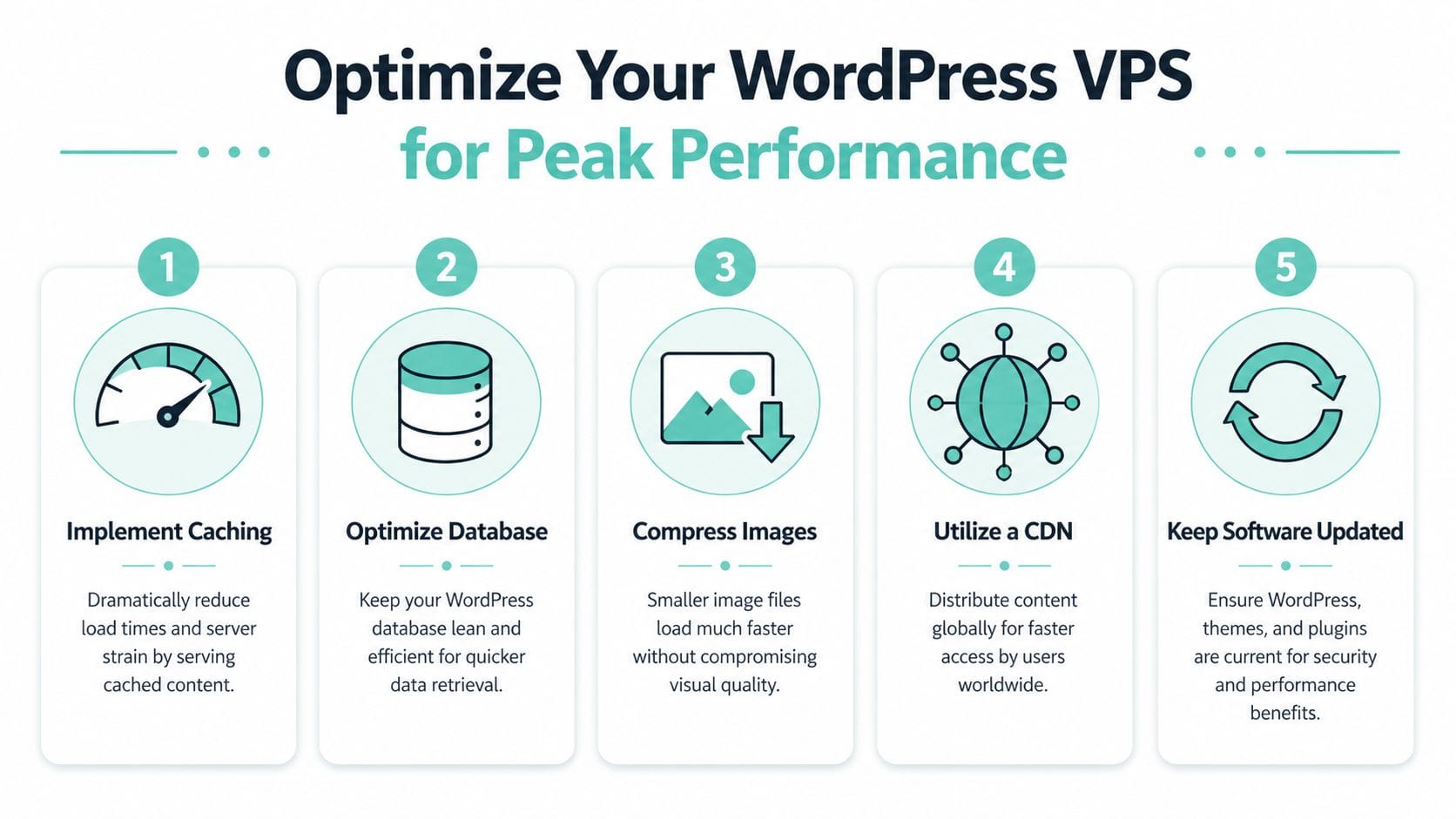
The gains come from the stack you run and how it’s tuned. That includes the web server, caching method, database behaviour, plugin choices, and how much CPU and RAM the site has available.
Start with the server layer
For Australian WordPress sites, the web server choice has a direct effect on how quickly dynamic pages are processed. AU-specific benchmarks show local data centres with LiteSpeed Enterprise on a VPS can deliver 5-7x faster PHP execution than standard Apache setups, directly causing up to a 45% lower bounce rate for Australian eCommerce stores and achieving page load times under 800ms from Melbourne to Perth, according to VM6’s WordPress VPS optimisation guide.
That sounds technical, but the practical takeaway is simple. When WordPress has to build a page on the fly, a faster server stack can reduce the waiting time your visitor experiences.
What actually helps most
Here are the performance levers that usually matter first:
- Caching at the server level reduces repeat work. Instead of rebuilding the same page again and again, the server can deliver a ready-to-go version much faster.
- Enough RAM and CPU gives WordPress room during plugin activity, admin tasks, and traffic spikes.
- A tuned database keeps dynamic features like search, carts, and account pages from dragging.
- Fewer bloated plugins often helps more than installing another optimisation add-on.
Why LiteSpeed and cache settings matter
A lot of owners try to solve speed with plugin stacking. They install a cache plugin, then an image optimiser, then a database cleaner, then another plugin to manage the first plugin.
That can backfire.
A cleaner approach is to use hosting that supports LiteSpeed and then configure the cache properly inside cPanel. If you need a practical reference, UpTime’s guide to LiteSpeed Cache settings for cPanel shows the sort of settings WordPress owners commonly adjust.
One hosting stack that fits this model is UpTime Web Hosting, which provides CloudLinux, LiteSpeed, AccelerateWP, local data centres, and managed VPS options for Australian WordPress workloads.
Practical rule: speed problems often come from the combination of hosting limits, heavy plugins, and poor cache setup. Fixing only one layer rarely solves the whole issue.
Plugin choices affect hosting results
Even a strong VPS can feel slow if the site itself is messy. Form builders are a good example. Some are lean and simple. Others add weight to every page and admin screen.
If you’re reviewing that part of your stack, Orbit AI's best form builder comparison is useful because forms are one of those small choices that affect site speed, editor experience, and maintenance load.
A well-tuned VPS doesn’t remove the need for smart WordPress decisions. It gives those decisions a better platform to work on.
Migrating Your WordPress Site to VPS Without the Headache
Plenty of business owners know they should upgrade, but they put it off because the migration sounds risky. That concern is fair.
A WordPress move can fail in annoying ways. Plugins may behave differently, databases may not import cleanly, and old settings can follow the site to the new server. For an online shop or lead-gen site, even a short disruption can feel expensive.
For Australian businesses, migration isn't trivial. 37% of DIY migrations from shared hosting fail due to incompatibilities, costing an average of AUD 2,500-5,000 in downtime and developer fees, according to Pantheon’s managed hosting migration overview.
A safer migration approach
You don’t need to treat migration as a blind leap. The cleanest moves usually follow a simple order:
- Take a full backup of files, database, and any important settings.
- Choose a quieter window so fewer customers are affected if something needs extra time.
- Test the copy first before making the new environment live.
- Check forms, checkout, logins, and email-related site functions before signing off.
- Keep rollback options ready until everything is stable.
Why managed migration is often worth it
The biggest value in a managed migration isn’t convenience alone. It’s risk reduction. Someone who moves WordPress sites regularly knows where conflicts usually appear and what to test before the switch.
If you want a plain-English checklist before the move, UpTime’s website migration checklist is a sensible place to start. For a broader walkthrough of the process itself, Exclusive Addons' migration blueprint also gives a useful step-by-step view of how WordPress transfers are typically handled.
Most migration disasters happen when owners rush the cutover, skip testing, or assume all plugins will behave exactly the same on the new server.
Register your new domain name at competitive market prices including free domain add-ons like privacy, DNS Hosting, Custom Nameservers and Forwarding.
Always the best price and no nasty renewal price hikes.
Register A Domain Name
Your Next Steps with UpTime Web Hosting
A lot of Australian business owners reach this point after the same pattern. The site used to feel fine on shared hosting, then traffic picked up, plugin demands grew, and small problems started showing up more often. Pages slow down at busy times. Admin tasks feel sluggish. Updates feel riskier than they should.
WordPress VPS hosting is often the next sensible step because it gives your site its own room to operate. Shared hosting works like renting a room in a busy house. A VPS is closer to having your own apartment in the same building. You still share the wider property, but your website gets its own allocated resources and a more predictable environment.
For a growing Australian site, the shortlist should stay practical. Start with local data centres for faster delivery to Australian visitors. Check where customer data is stored if data sovereignty or compliance matters to your business. Confirm whether pricing is shown clearly with GST, so the monthly cost does not shift when you reach the checkout.
It also helps to choose a plan with enough headroom for WordPress to run comfortably, especially if you use WooCommerce, page builders, or several active plugins. Buying too little usually creates the same headaches again a few months later.
If you are ready to move beyond shared hosting, UpTime Web Hosting is a local Australian option to review for managed VPS, WordPress-focused performance features, local support, and migration assistance.