A WooCommerce theme isn't just a skin for your online store; it’s the entire framework that dictates how your customers interact with your products. It controls everything from the homepage layout to the nitty-gritty of the product pages and the final checkout process, shaping the entire user experience.
How to Find the Right WooCommerce Theme for Your Store
Picking a WooCommerce theme is one of the most critical decisions you'll make for your online business. This goes way beyond just finding a pretty design. The theme is the very foundation of your store's performance, customer journey, and how easily you can grow in the future.
Get it right, and your store feels professional, trustworthy, and a breeze to use. Get it wrong, and you're stuck with slow load times, frustrated shoppers, and a leaky sales funnel.
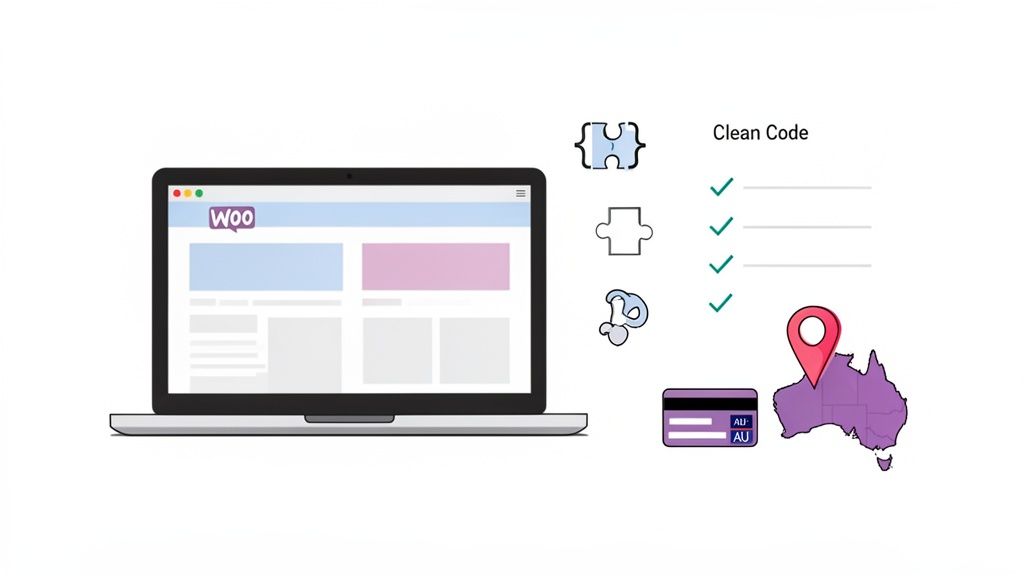
For any Australian business, the right theme has to tick some very specific boxes. It’s a classic case of function over form (though ideally, you get both).
Think about it: a Melbourne-based cafe selling coffee beans has completely different needs than a Perth digital agency using a versatile theme like Divi for its portfolio. The cafe needs robust product filtering and quick-view options. The agency, on the other hand, needs a theme that's a master of visual storytelling and case study layouts.
Key Evaluation Criteria for Australian Stores
Before you lose an afternoon scrolling through flashy theme demos, you need a checklist. This simple step stops you from getting wooed by a design that hides a clunky back-end or lacks the features you actually need.
Here are the non-negotiables for any Aussie e-commerce store:
- Performance and Speed: Your theme is a huge player in how fast your site loads. Hunt for themes advertised as "lightweight" or "performance-optimised". Every extra second a customer waits is a potential sale walking out the door.
- Mobile Responsiveness: A massive chunk of online shopping happens on phones. Your theme must look and work flawlessly on smartphones and tablets. We're talking 'mobile-first' design, not just 'mobile-friendly' as an afterthought.
- Plugin Compatibility: The theme has to play nice with your essential plugins, especially those vital for the Australian market. This means seamless integration with local payment gateways like Afterpay, Zip, and eWay, plus shipping providers like Australia Post.
- Developer Support and Updates: A premium theme is an investment, and that should include reliable support and a solid history of updates. An outdated theme is a security risk waiting to happen and can easily break when WordPress or WooCommerce updates.
If you're starting your search, having a look at curated lists of the best WooCommerce themes can be a massive help. These collections often showcase themes that are already vetted for performance and design, giving you a solid shortlist to start with.
WooCommerce Theme Selection Checklist
To make this even easier, use this quick checklist when you're sizing up a potential theme. It'll help you cut through the marketing noise and focus on what truly matters for an Australian online store.
| Feature to Check | Why It Matters | What to Look For |
|---|---|---|
| Mobile-First Design | The majority of your customers will likely shop on their phones. A poor mobile experience is a guaranteed sale-killer. | Test the demo on your own phone. Is the navigation intuitive? Is the checkout process smooth? |
| Page Speed Score | Slow sites kill conversions and hurt your SEO rankings. Your theme is the biggest factor here. | Look for themes that mention "performance-optimised" or "lightweight." Check their demo sites with GTmetrix. |
| Plugin Compatibility | Ensures your essential tools (payment gateways, shipping) work without causing conflicts or errors. | Check the theme's documentation for a list of supported plugins. Look for mentions of major Aussie providers. |
| Regular Updates | An outdated theme is a security risk and can break with new WordPress/WooCommerce versions. | Look at the theme’s changelog. Was the last update recent? Are they keeping up with core platform changes? |
| Quality Support | When something goes wrong, you need fast, reliable help from the people who built the theme. | Check reviews for mentions of support quality. Do they offer a support forum, ticketing system, or live chat? |
| Clean Code & SEO | A well-coded theme helps search engines understand your site, leading to better rankings and more organic traffic. | The theme description should mention "SEO-friendly" or "schema markup." Clean code often correlates with speed. |
This checklist isn't exhaustive, but it covers the big-ticket items that can make or break your online store's success. Ticking these boxes puts you on the right path from day one.
Where to Find Your Perfect Theme
You've got a few different avenues for finding a quality WooCommerce theme, and each has its own set of pros and cons. It’s smart to check them all out.
- WordPress.org Theme Repository: The official home for free themes. They are all security-vetted, which is great, but they often lack the advanced e-commerce features and dedicated support you get with a premium option.
- Marketplaces like ThemeForest: These sites are massive, offering thousands of premium themes at good prices. The catch? Quality can be all over the place. You have to be diligent and check reviews, sales numbers, and the "last updated" date.
- Independent Theme Developers: Companies like Astra, GeneratePress, and the team behind Divi build highly optimised, flexible themes backed by excellent support. Their products often serve as powerful frameworks, making them a top choice for agencies and businesses with plans to scale.
The Australian e-commerce scene is absolutely booming. There are currently 30,411 WooCommerce stores running in Australia, which is a huge testament to its flexibility for businesses that want deep customisation. While Shopify might have more sites overall, WooCommerce’s tight integration with WordPress lets everyone from Melbourne cafes to Perth boutiques create unique brand experiences that really connect with local shoppers. This thriving ecosystem proves the demand for powerful, adaptable themes that can meet a massive range of business needs.
Ultimately, choosing the right theme is a long-term investment in your business. It pays to be thorough now so you can select a theme that not only looks great today but can also grow with you for years to come. For a broader look at this topic, check out our deep-dive into selecting the right WordPress theme.
Right, you've picked out the perfect WooCommerce theme. Now it's time to get it set up on your website.
Getting this part right from the get-go saves a world of headaches later, especially when you're working within a local Australian hosting environment. A clean, proper installation is the foundation of a stable and secure online store.
There are a few ways to tackle this, and the best one for you usually comes down to your own comfort level with the tools involved. If you're new to this whole process, there are some great guides on how to install WordPress themes that can give you a solid overview before you dive in.
Common Installation Methods
For most people, installing a theme straight from the WordPress dashboard is the easiest path. But it’s good to know the other options, just in case you hit a snag like an upload size limit—a surprisingly common issue on some hosting plans.
Here are the three main ways to get your theme live:
Through the WordPress Dashboard: This is the go-to method. You just navigate to
Appearance > Themes > Add New > Upload Theme, choose your theme’s .zip file, and hit "Install Now". It’s fast, simple, and you don’t need to be a tech wizard to do it.Using cPanel's File Manager: What if your theme file is too big for the standard WordPress uploader? No worries. You can upload it directly via your hosting control panel. Just log into cPanel, open the
File Manager, find your/wp-content/themes/folder, and upload the .zip file there. After it's uploaded, extract it, and the theme will pop up in your WordPress dashboard, ready to be activated.Via FTP (File Transfer Protocol): This one's more for developers or the technically inclined. Using a client like FileZilla, you connect to your server, browse to the
/wp-content/themes/directory, and upload the unzipped theme folder. It's a rock-solid method for direct file management.
Whichever path you take, the final step is always the same: head over to the Appearance > Themes section in your WordPress admin area and click "Activate".
Why You Must Create a Child Theme
Now for a piece of advice that is absolutely non-negotiable: always create and use a child theme.
A child theme is essentially a sub-theme that inherits all the good looks and functionality from its "parent" theme. Any customisations you make—whether it's a bit of CSS, a tweaked template file, or a new function—live inside this child theme.
Why is this so important? Because when the parent theme gets an update (for crucial security patches or cool new features), you can install it without losing all your custom work. If you modify the parent theme directly, those changes will be completely erased the next time you update.
Think of it this way: the parent theme is the factory model of a car. Your child theme is where you add the custom paint job, upgrade the stereo, and put in slick seat covers. When the manufacturer issues a recall to fix the engine (the parent theme update), you can get the fix without them stripping out all your personal touches.
Making a child theme is simpler than it sounds. You just need to create a new folder inside /wp-content/themes/ (something like yourtheme-child) and add two small files: style.css and functions.php.
Of course, managing files and ensuring your site runs smoothly is much easier with the right hosting setup. If you're looking for an environment built for this, exploring the best Australian hosting for WordPress is a great next step.

Performance you can feel, backed by clients who depend on it. Read how our support and uptime create long‑term customer success.Power Your Business with Better Hosting
Customizing Your Theme to Reflect Your Australian Brand
With your WooCommerce theme installed and your child theme ready to go, this is where the fun really starts. You're about to transform a generic template into an online storefront that genuinely reflects your Australian brand. It's about much more than just slapping on a logo and picking a few colours.
Proper customisation builds trust and creates a seamless, familiar experience for your Aussie customers. It’s those small, thoughtful details that show you understand the local market, turning casual browsers into loyal shoppers.
This process breaks down the essential steps for customising your theme, from the initial setup to fine-tuning the design.
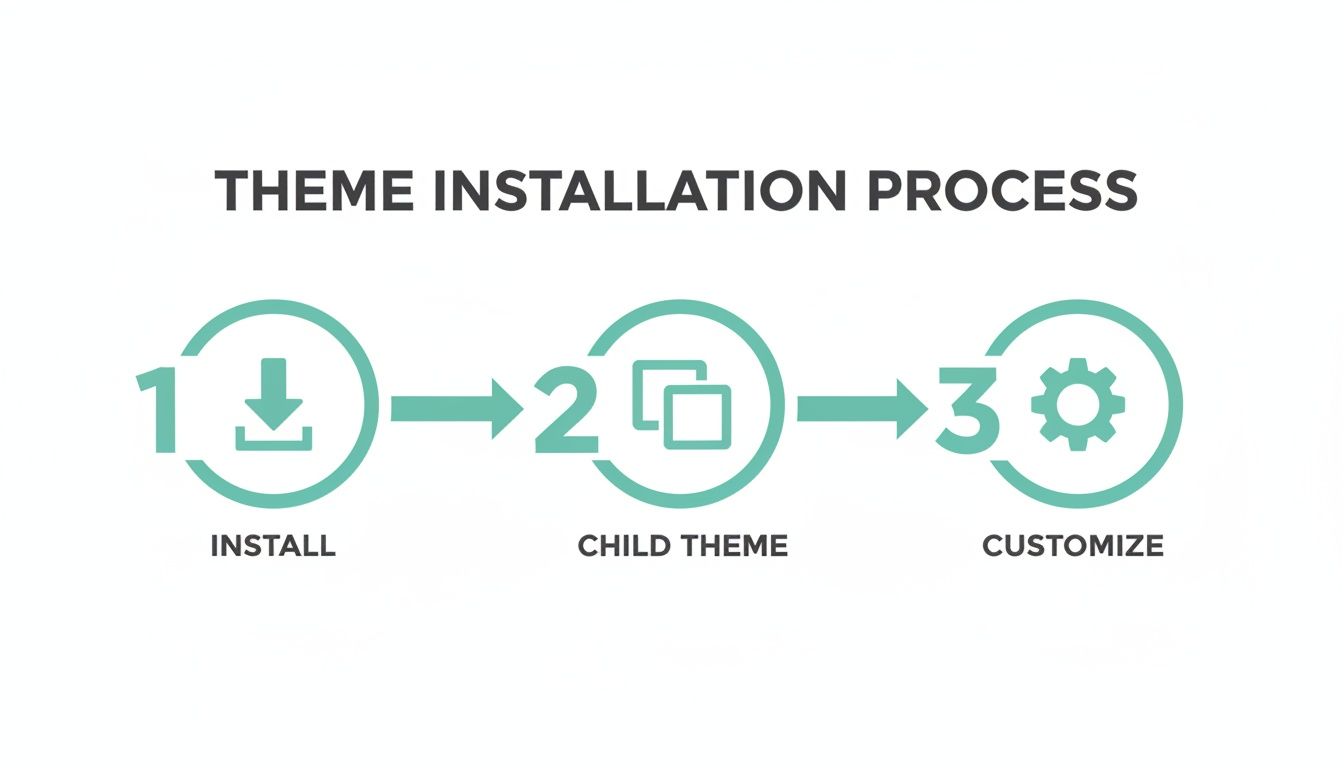
This simple flow—installing the parent theme, creating a child theme, and then customising—is a non-negotiable best practice. It protects all your hard work and keeps your store secure down the line.
Mastering the WordPress Customiser
The WordPress Customiser is your primary tool for making these changes. You'll find it under Appearance > Customize in your dashboard. The best part is its live preview, which lets you see adjustments in real-time without touching what your live visitors see.
Most quality themes offer an impressive set of options here. You can typically control:
- Site Identity: Upload your logo, set your site title, and add a favicon.
- Colours & Typography: Define your brand's colour palette and choose fonts that match your style.
- Layouts: Tweak header and footer designs, blog archives, and even single product page layouts.
- Menus & Widgets: Assign your navigation menus and manage content in widget areas like the sidebar or footer.
Take some time to click through every single panel. You’ll probably be surprised by how much control your theme gives you straight out of the box.
Tailoring Your Store for an Aussie Audience
To truly connect with local customers, your store needs to speak their language—both literally and figuratively. This means adding features that Australian shoppers just expect to see.
A perfect example is pricing. In Australia, it's standard practice to show prices with the Goods and Services Tax (GST) already included. You can set this up in WooCommerce > Settings > Tax by selecting the option to display prices inclusive of tax. It’s a simple change, but it removes any confusion at checkout and builds immediate trust.
Building a brand that resonates locally goes beyond technical settings. It’s about creating an experience that feels familiar and trustworthy. Adding an "Australian Made" badge to your products, showcasing testimonials from customers in Sydney or Brisbane, or featuring local imagery can significantly boost your credibility and connection with the home-grown market.
Another smart move is integrating local payment options. While your theme doesn't handle this directly, ensuring it provides clean, simple layouts for the checkout page is vital. This allows plugins for Afterpay or Zip to display correctly and not look out of place.
Advanced Customisation with Page Builders and CSS
For those who want to push the design even further, page builders and custom CSS are your next steps. Many themes, like those recommended in the UpTime Web Hosting knowledge base, are built to integrate perfectly with tools like Elementor.
Page builders offer drag-and-drop control, letting you create unique, complex page layouts without writing a single line of code. They're ideal for crafting a standout homepage, a detailed "About Us" page, or high-converting landing pages.
For those final, pixel-perfect tweaks that a theme's options or a page builder can't quite reach, you can add your own custom CSS. This is where your child theme proves its worth. Just add your custom styles to the style.css file in your child theme's folder.
Practical CSS Example
Let's say you want to change the colour of your "Add to Cart" button to a specific shade of green to match your branding. You could add a simple CSS rule like this to your child theme's stylesheet:
.woocommerce a.button.add_to_cart_button {
    background-color: #009246 !important;
    color: #ffffff !important;
}
This snippet targets that specific button and overrides the default theme styles. It gives you precise control over your store's most important call-to-action. By combining the Customiser, Australian-centric features, and these advanced tools, you can build an online store that is truly unique and effective.
Optimising Your WooCommerce Theme for Speed
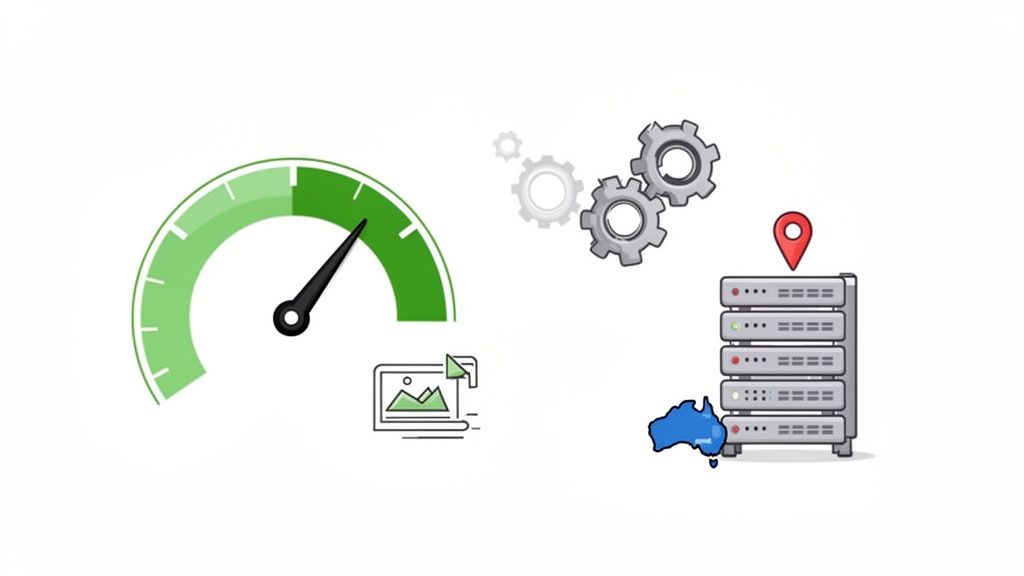
In the cut-throat world of Australian eCommerce, speed isn't just a nice-to-have; it's the very foundation of a good user experience and, ultimately, your sales. A slow website is a conversion killer. We've all been there—clicking on a link, waiting, and then giving up. In fact, just a one-second delay in page load time can slash your conversions by a staggering 7%.
The WooCommerce theme you pick is a huge piece of this performance puzzle. A bloated theme, bogged down with clunky code and too many scripts, can slow your online store to a crawl. This doesn't just frustrate potential customers from Sydney to Perth; it also tells Google your site isn't up to scratch, hurting your SEO rankings.
Foundational Speed Optimisation Techniques
Before we get into the heavy-lifting server tools, let's get the basics right. Nailing these fundamentals will solve most of the common performance issues that stem from your theme's assets and media files.
Smart Image Compression: Gorgeous, high-res product photos are non-negotiable, but they are often the number one cause of slow load times. Get a plugin like Smush or ShortPixel to automatically compress your images as you upload them, without any noticeable drop in quality. For a product gallery with ten large images, this simple step can shrink the page size by several megabytes.
Minify CSS and JavaScript: Your theme and plugins load a whole heap of CSS and JavaScript files to make your site look and work the way it does. Minification strips out all the unnecessary characters—think whitespace, comments, and line breaks—from these files, making them much smaller and faster for your customers' browsers to download.
Leverage Browser Caching: This is a clever trick that stores the static parts of your website (like your logo, CSS, and some scripts) in a visitor's browser. The next time they visit, their browser just loads those files from its local memory instead of downloading them all over again. It’s a simple change that makes a huge difference for return customers.
Supercharge Your Store with Server-Side Caching
While those foundational tweaks are important, the most dramatic speed improvements come from optimisations at the server level. This is where your choice of an Australian web host really shows its worth.
Hosting providers like UpTime Web Hosting give you access to powerful tools built specifically to make WordPress and WooCommerce fly. Because these solutions operate directly on the server, they're far more efficient than relying on plugins alone.
Harnessing LiteSpeed Cache and AccelerateWP
If your store is hosted on a LiteSpeed server, the LiteSpeed Cache plugin is an absolute game-changer. It works hand-in-glove with the server to deliver your site's content much faster than old-school caching methods. It's smart enough to cache dynamic product pages, manage private content for logged-in customers, and even optimise your database—all crucial for a responsive WooCommerce experience.
Taking it a step further, AccelerateWP is another powerful tool available on select hosting plans. It analyses your site at the server level and applies targeted performance boosts, like object caching and critical CSS generation, to trim load times even more. Setting these up through your cPanel can genuinely cut your loading times by more than half. To see how it works, check out our guide on how to improve WordPress speed with a cache plugin.
For Aussie store owners, the winning formula is a lightweight theme paired with powerful, local hosting. WooCommerce is booming among SMBs, and for UpTime users, that means leveraging Sydney-based servers for sub-50ms latency. Combining this with LiteSpeed caching and AccelerateWP is the key to handling traffic spikes during a big sale or holiday promotion.
The Role of Hosting Infrastructure
At the end of the day, your theme can only perform as well as the server it's running on. Choosing a hosting plan with plenty of resources and a local Australian data centre is absolutely critical.
It’s simple physics: a server in Sydney will always deliver your website to a customer in Melbourne faster than one in Dallas, purely due to lower latency. Make sure your hosting plan has enough CPU and RAM to handle the inevitable traffic surges without breaking a sweat. A well-optimised WooCommerce theme on a robust, local hosting platform isn't just a technical detail—it's an unbeatable recipe for speed, reliability, and sales growth.
Host your website with our 5-star rated, cPanel website hosting plans.
Super fast servers, with security included and hosted in your choice of Australian Data Center.
View cPanel Plans
Keeping Your Store Safe and Sound: Key Security and Maintenance Practices
Getting your WooCommerce theme chosen and customised is a huge milestone, but the work doesn't stop there. Think of it as building a fantastic brick-and-mortar shop—now you need to keep it clean, secure, and running smoothly.
To protect your investment and earn that all-important customer trust, a solid security and maintenance routine is non-negotiable. An unmaintained store is like leaving the back door unlocked; it’s an open invitation for security problems that can lead to downtime, lost sales, and a tarnished reputation. A well-cared-for site, on the other hand, runs like a dream and gives customers the confidence they need to buy from you.
The Non-Negotiables of Ongoing Maintenance
Your website is a bit like your car—it needs regular servicing to stay reliable on the road. For a WooCommerce store, that "servicing" is all about keeping everything up to date.
- WordPress Core Updates: This is the engine of your site. Always run the latest version of WordPress to get critical security patches and performance boosts.
- WooCommerce Theme Updates: Good theme developers are constantly releasing updates to fix bugs, patch security holes, and make sure their themes play nicely with new versions of WordPress and WooCommerce.
- Plugin Updates: Every single plugin is a potential way in for attackers. Keep them updated religiously, and just as importantly, delete any plugins you aren't actually using.
Letting these updates slide is one of the most common ways websites get into trouble. Just set aside a bit of time each week to check and apply anything that's pending.
Fortifying Your Store's Defences
Beyond the updates, there are a few fundamental security practices that will drastically lower your risk. These are simple to put in place and should be part of how you operate from day one.
A great place to start is with strong password policies for everyone who has access. Pair this with two-factor authentication (2FA), which adds a second layer of security by requiring a code from a mobile app to log in. It’s a powerful and easy way to stop unauthorised access in its tracks.
It's also smart to limit what people can do on your site through user role management. An employee who just needs to manage orders doesn't need full administrator access. Assign them a role like 'Shop Manager' that gives them just enough permission to do their job—and nothing more.
In Australia, WooCommerce is a powerhouse, running over 76,020 live stores. This is a massive slice of our national eCommerce sector, which is projected to hit a staggering USD 108.16 billion by 2030. For the thousands of agencies and SMBs behind these sites, rock-solid security and maintenance are everything. A secure platform allows for seamless integration with Aussie essentials like Australia Post and various CRMs, which can automate operations and boost efficiency by up to 50%. For more on this, you can explore the latest WooCommerce trends in Australia.
Leveraging Your Host for Ultimate Peace of Mind
Your hosting provider is your most important partner in security. A quality Australian host like UpTime Web Hosting will have critical security features working behind the scenes 24/7 to protect your store.
Look for services like these:
- Free SSL Certificates: This encrypts the data flowing between your store and your customers, keeping it private.
- Automated Malware Scanning: Proactively finds and quarantines any malicious code before it can cause damage.
- DDoS-Protected Firewalls: Shields your site from attacks designed to knock it offline with overwhelming traffic.
But the single most important maintenance practice? A reliable backup strategy. Your host should provide automated, off-site nightly backups. This means if the worst should happen, you can restore a clean, recent version of your site with minimal fuss.
Finally, always use a staging environment to test updates before they go live. A staging site is basically a private clone of your store. You can apply all your theme, plugin, and core updates there first to see if anything breaks. Once you've confirmed everything is working perfectly, you can confidently push those changes to your live site. This simple step can save you from a faulty update taking your whole business offline.
If this sounds like a lot to handle, our team offers comprehensive web maintenance and support services to take care of it all for you.
Common WooCommerce Theme Questions Answered
When you're diving into the world of WooCommerce, a few questions tend to pop up time and time again. This is especially true for Australian business owners and developers who want to get their online store right from the very beginning. Getting straight answers can save a heap of time and let you move forward with confidence.
Here are some of the most common questions we get asked.
Can I Change My WooCommerce Theme Without Losing My Products?
Yes, absolutely. Your products, orders, and customer details are all safely tucked away in the WordPress database. They're completely separate from your theme files.
Switching your WooCommerce theme won't touch that critical data. What it will do is completely change how your site looks and feels. All the custom tweaks, widget placements, and specific settings from your old theme will disappear. This is exactly why testing a new theme on a staging site first isn't just a good idea—it's non-negotiable.
Pro Tip: Always take a full backup of your website before making a change this big on your live site. Think of it as your ultimate undo button, letting you restore your store in a flash if things don't go to plan.
Are Free WooCommerce Themes Good Enough for a Professional Store?
Free themes, especially those from the official WordPress.org repository, can be a brilliant starting point. They have to pass strict coding standards, which means you're generally getting something that's secure and built on a solid foundation.
The trade-off, however, is what you don't get. They often lack the sophisticated features, dedicated support, and deep customisation options you'll find in paid themes. For a professional Aussie business trying to build a unique brand and needing specific functionality, investing in a premium theme almost always pays off in the long run. It often means you won't need as many extra plugins or have to pay for custom development work down the track.
How Can I Tell if a WooCommerce Theme Is Fast and SEO-Friendly?
First, look for themes that are marketed as "lightweight" or "performance-optimised." A great real-world test is to grab the URL of the theme's live demo and run it through Google PageSpeed Insights. That'll give you a real score, not just marketing fluff.
When it comes to SEO, keep an eye out for these features mentioned in the theme's description:
- Schema Markup: This helps Google and other search engines properly understand your product pages and other content.
- Mobile-First Design: It’s crucial that the theme looks and works flawlessly on a smartphone.
- Proper Heading Structures: It should use H1, H2, and other heading tags correctly to create a logical content hierarchy.
Don't underestimate the power of recent user reviews, either. They're often the most honest source of feedback on a theme's real-world speed and quality.
What Is the Difference Between a Theme and a Page Builder?
This is a really common point of confusion, so let's break it down with an analogy. Think of it like building a house:
- The Theme: This is your architectural blueprint. It sets the overall structure—the foundation, the style of the header and footer, the layout of your product pages, and the general look and feel.
- The Page Builder: This is your interior designer. A tool like Elementor is a plugin that gives you drag-and-drop control to furnish and decorate the inside of the rooms. It lets you create completely custom layouts for specific pages, all within the framework the theme provides.
Many of the best modern themes are built to integrate seamlessly with page builders. This gives you the best of both worlds: a solid, well-coded foundation with the creative freedom to design your most important pages exactly the way you envision them. If you're weighing up different ways to build a site, you might find our guide comparing the pros and cons of Wix vs WordPress useful.
Ready to give your WooCommerce store the fast, secure, and reliable foundation it deserves? UpTime Web Hosting offers 100% Australian hosting with local servers, powerful performance tools like LiteSpeed and AccelerateWP, and expert local support to help you succeed.
Explore Our Hosting Plans