Choosing the right WooCommerce theme for WordPress is a bit like picking the architectural plans for your dream retail store. It's so much more than just a lick of paint or a fancy layout; it's the very foundation that your entire customer experience is built on. It dictates everything from how fast your pages load to how easily a shopper can click that "buy now" button.
Your Store's Foundation: Why a WooCommerce Theme Matters
Think of your theme as one of the most critical assets your online business will ever have. It's not just another expense on the list. It's a fundamental investment that has a direct line to your sales figures, customer trust, and your ability to even show up on search engines.
Making a poor choice here can quietly bleed revenue and leave customers frustrated. On the flip side, a great theme becomes your silent sales partner, working around the clock to turn casual visitors into loyal fans.
The gravity of this decision is clear when you look at the sheer scale of the platform. WooCommerce has grown to become the powerhouse of ecommerce for WordPress. We're talking about over 4.23 million live stores globally, with more than 76,020 of those active right here in Australia. That's a staggering 300% growth since early 2020, which shows just how many businesses are staking their success on this ecosystem.
Key Pillars of a High-Performing WooCommerce Theme
So, what separates a workhorse theme from a dud? It really comes down to a few core pillars that have to work in harmony. If you neglect one, the whole structure feels a bit wobbly. These are the non-negotiables to look for when you're evaluating your options.
Here's a quick summary of what you need to focus on:
| Pillar | Why It Matters for Your Business |
|---|---|
| Speed & Performance | A theme with clean, efficient code ensures your pages load in a snap. A fast site keeps customers happy and stops them from bouncing to a competitor. |
| Sales & Conversions | An intuitive design, clear navigation, and a frictionless checkout process guide shoppers from "just browsing" to making a purchase, directly boosting your revenue. |
| SEO & Visibility | A theme built with proper structure helps search engines like Google understand and rank your product pages, which is your ticket to attracting new customers organically. |
Each of these pillars is essential for building a store that not only looks good but also performs brilliantly as a business tool.
This diagram really brings it home, showing how your WooCommerce theme sits at the very centre, propping up these three critical outcomes.
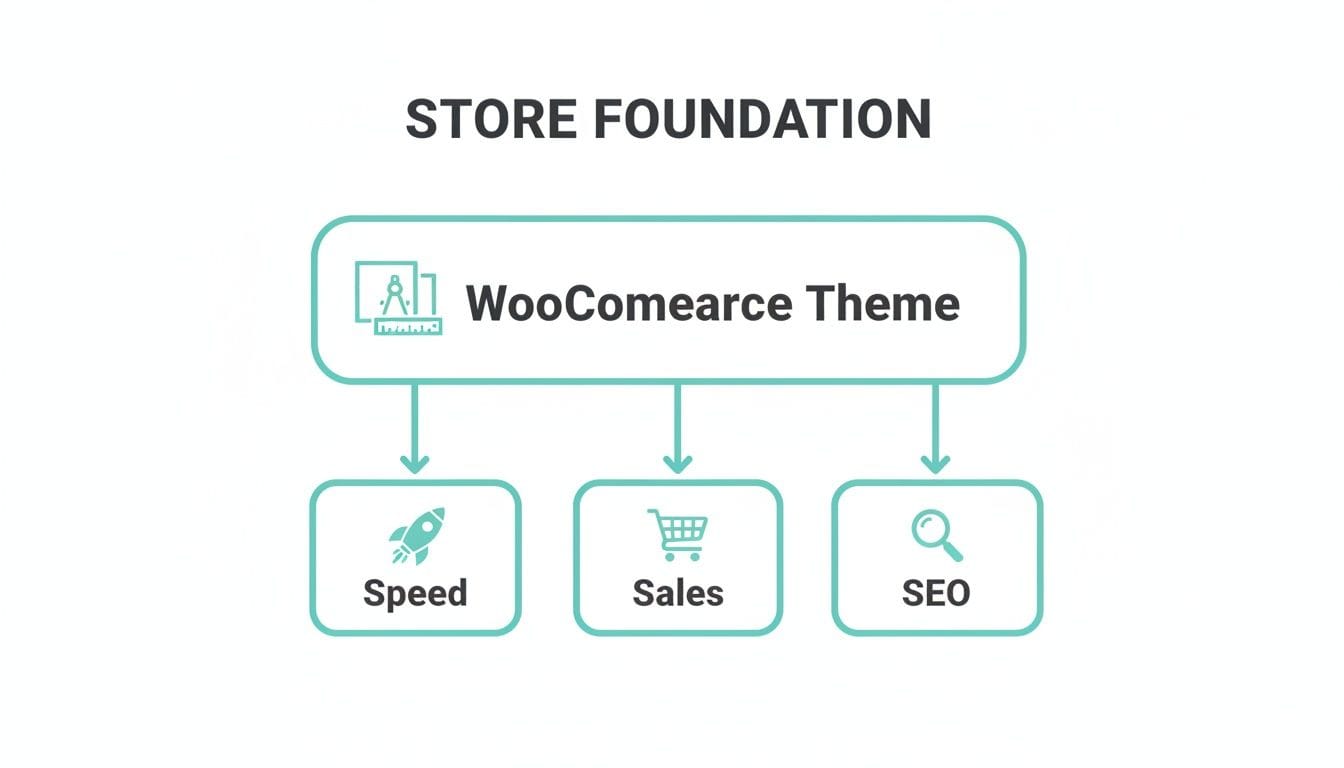
As you can see, your theme isn’t just one small piece of the puzzle—it's the board itself, connecting your performance, sales, and marketing into one cohesive machine.
Of course, a fantastic theme is only half the battle. Pairing it with powerful hosting is what really brings it to life. A fast, secure server environment is what allows your theme to perform at its peak. This is why our optimised WordPress theme solutions are designed to create that unbeatable combination for any Aussie ecommerce business.

Performance you can feel, backed by clients who depend on it. Read how our support and uptime create long‑term customer success.Power Your Business with Better Hosting
Anatomy of a High-Converting WooCommerce Theme
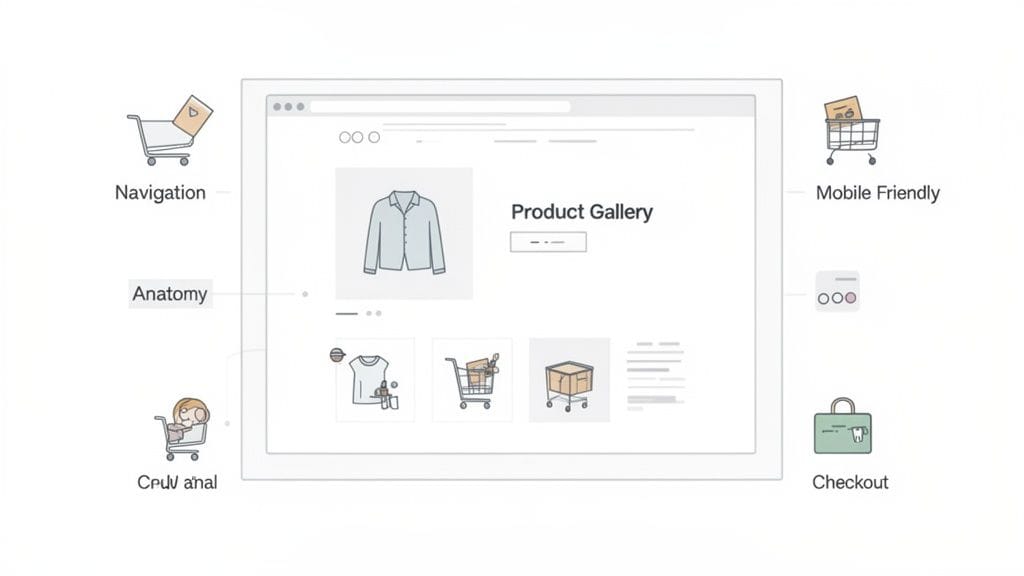
To build a store that actually sells, we need to think beyond pretty pictures and dig into the features that turn a WooCommerce theme for WordPress into a sales workhorse. Think of it like a well-designed physical shop. The layout isn't random; it's carefully planned to guide you, show off the products, and make buying an absolute breeze.
Your website's theme is the digital version of that blueprint. Clear navigation acts as aisle signage, stunning product galleries are your well-lit displays, and a simple checkout process is the fast, friendly cashier. A theme built for commerce prioritises this customer journey above everything else, transforming a clunky online experience into a smooth, enjoyable one.
Flawless Mobile Responsiveness
These days, mobile shopping isn't a trend; it's the default. With more than 50% of all online traffic now coming from mobile devices, a theme that doesn't work perfectly on a phone is basically showing customers the door. A great WooCommerce theme doesn’t just shrink to fit a smaller screen. It intelligently adapts its layout, buttons, and menus so they’re easy to use on a phone or tablet.
This means big, tappable buttons, text you can read without pinching and zooming, and product galleries you can easily swipe through. While a generic theme might look "okay" on mobile, a theme built for e-commerce ensures the entire path—from finding a product to final payment—is optimised for a small touchscreen.
Deep WooCommerce Integration
You'll see a lot of themes claiming to be "WooCommerce compatible," but what you really need is deep integration. This is a huge difference. It means the theme is specifically designed to work hand-in-glove with all of WooCommerce's core functions, from product variations and "On Sale" badges to the customer account pages and checkout fields.
A poorly integrated theme is a recipe for headaches, often leading to visual glitches, broken layouts on your shop pages, or frustrating conflicts with essential WooCommerce extensions.
A truly integrated WooCommerce theme feels like an extension of the plugin itself, not a separate layer awkwardly placed on top. It respects WooCommerce development standards, ensuring that when you update the plugin, your theme doesn't break.
A well-coded theme will also offer custom styling for all those little WooCommerce details, like "add to cart" buttons and sale banners, which creates a consistent brand experience across your entire site. This attention to detail is what stops your store from looking like a messy patchwork of different designs. You can find more tips on extending your store's functionality in our guide to the top plugins for every WordPress website.
Intuitive Customisation Options
Your store needs to look and feel like your brand, and a quality theme makes this simple. The best themes give you customisation options right within the native WordPress Customizer, which lets you see your changes happen in a live preview as you make them.
This gets rid of the frustrating cycle of changing a setting, saving, and reloading your site just to see what it did. You'll want to look for themes that give you easy control over these key areas:
- Header and Footer Layouts: The power to change your logo's position, navigation menu style, and footer widgets without needing to write a single line of code.
- Colour and Typography: Simple controls to set global colour palettes and fonts that match your brand identity perfectly.
- Product and Shop Page Settings: Options to control how many products show up per row, the style of the product grid, and the layout of individual product pages.
Beyond the basics, think about themes that support or integrate with advanced features like AI virtual try-on. Especially if you're in an industry like fashion, tools like this can seriously boost customer engagement and cut down on returns. It's a clear sign that a theme is built for the future of e-commerce.
How Theme Performance and Speed Impact Your Sales
A slow website is the quickest way to kill a sale. In the world of e-commerce, speed isn't just a nice-to-have technical perk; it's what keeps customers on your site and moves them toward the checkout. And your choice of a WooCommerce theme for WordPress is one of the biggest things that will either make your store fly or grind it to a halt.
Think of your theme as the chassis and engine of a car. A lightweight, well-engineered theme is like a sleek race car, built for pure speed and efficiency. But a poorly coded or bloated theme is more like an old, heavy family wagon overloaded with junk, struggling to get up to speed while your customers—and your sales—race off to a competitor.
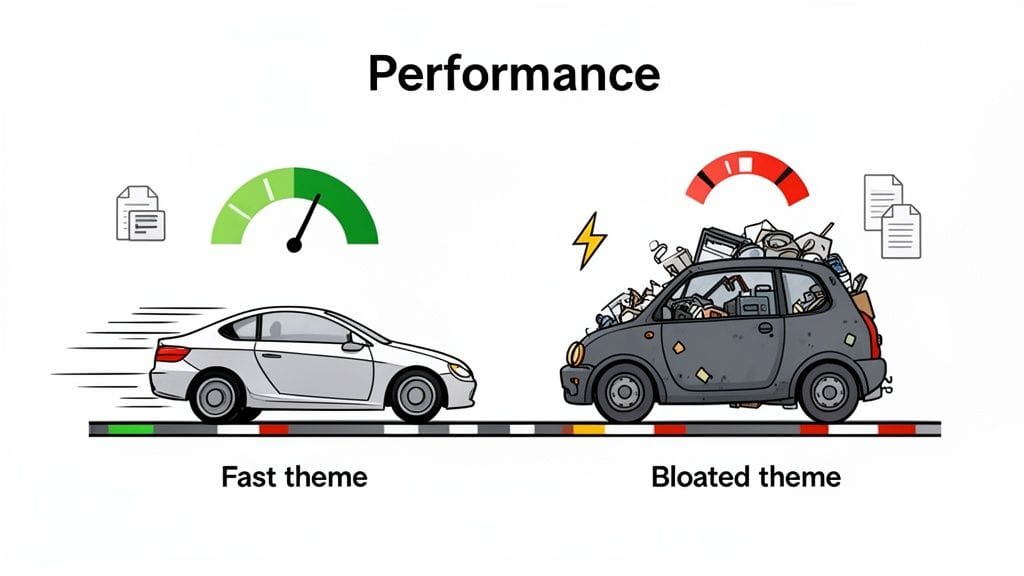
This isn't just an analogy. The data is clear: study after study shows that even a one-second delay in page load time can cause a massive drop in conversions. For your online store, that means lost sales and a reputation for being slow.
Demystifying Code Bloat and Clean Coding
You'll often hear developers talk about "code bloat" and "clean coding." These might sound like complex, technical terms, but the ideas behind them are actually quite simple and directly impact how your site feels to a customer.
Code bloat is what happens when a theme is crammed full of features, scripts, and styling files you'll probably never use. Those huge, all-in-one "multipurpose" themes are often the worst offenders. They might promise endless flexibility, but they load all that code for every single visitor, whether you've enabled the features or not. This is the "unnecessary junk" weighing down your car, forcing your customers' browsers to download and process files that do absolutely nothing for your store.
On the other hand, clean coding means a theme is built for one purpose: to be efficient. The code is tidy, concise, and only loads what's needed for the page a customer is actually looking at. A cleanly coded theme is not only faster but also more stable and far less likely to cause conflicts with other plugins.
A well-coded theme focuses on doing one thing exceptionally well: running a fast and efficient WooCommerce store. It prioritises performance over a massive list of barely-used features, understanding that speed is the ultimate feature for any ecommerce business.
This focus on efficiency doesn't just make for a better user experience. It also means your site is easier for developers to work with and much less likely to break when you update WordPress or WooCommerce.
How to Evaluate a Theme's Performance
The good news is you don't need to be a developer to get a feel for a theme's performance before you buy it. One of the simplest and most effective things you can do is test the theme's own demo site. This gives you a great baseline measurement of how fast it is right out of the box.
A fantastic free tool for this is Google PageSpeed Insights. Just pop in the URL of the theme's demo, and it will analyse the page and give you a performance score along with suggestions for improvement.
When you run a theme's demo through the tool, pay close attention to the "Performance" score for both mobile and desktop. A high score (look for something in the 90-100 range) is a very strong sign that the theme has been built with speed in mind.
The Critical Role of Hosting in Performance
While a lightweight theme gives you a fast car, your web hosting is the high-octane fuel and expert pit crew needed to win the race. Even the fastest theme in the world will feel sluggish on a slow, overloaded server. This is where choosing the right hosting infrastructure makes all the difference.
At UpTime Web Hosting, for example, we use LiteSpeed Web Servers. These are a massive step up from older Apache servers and have powerful caching technology built right in. When you pair a high-performance theme with a LiteSpeed server, the results are incredible.
- Server-Level Caching: LiteSpeed handles caching at the server level, which is far more efficient than relying only on a plugin. This server-level caching works in tandem with plugins to provide a superior performance boost. To understand the different layers, see how to improve WordPress speed with a cache plugin.
- Resource Optimisation: Our plans include technologies like AccelerateWP, which automatically optimises your site's code and images on the fly, shaving even more time off your page loads.
- Australian-Based Servers: Hosting your site on local servers in Sydney, Melbourne, Brisbane, or Perth dramatically reduces latency for your Australian customers, making their shopping experience feel instant.
Choosing a fast WooCommerce theme is a brilliant first step. But pairing it with a hosting environment that's engineered for speed is how you deliver the kind of experience that keeps customers coming back.
Host your website with our 5-star rated, cPanel website hosting plans.
Super fast servers, with security included and hosted in your choice of Australian Data Center.
View cPanel Plans
Getting Your Products Found with SEO and Marketing
A stunning store is great, but if customers can't find it, it's like setting up a beautiful boutique down a hidden alley with no sign. Your choice of a WooCommerce theme for WordPress is one of your most powerful tools for getting found in search engines and driving real traffic to your products.
Think of an SEO-friendly theme as giving Google a crystal-clear map to your store. It uses specific signals to tell search engines exactly what your pages are about, helping them show your products to the right people. When a theme gets this right, you start attracting customers who are already looking for what you sell.
The SEO Foundation of a Great Theme
A theme built for visibility doesn't just look good on the surface; it has a smart, logical structure under the hood. Search engines depend on this structure to make sense of your content. Key features act as signposts, guiding both Google and your users through your online shop.
These are the non-negotiable SEO elements you should be looking for:
- Proper Heading Structure: Your theme has to use headings (H1, H2, H3) correctly. On a product page, the product title should always be the one and only
<h1>. Other sections should then use<h2>and<h3>in a logical order. This hierarchy tells Google what the most important content on the page is. - Built-in Schema Markup: Schema is like a secret language for search engines. It’s special code that helps Google understand you’re selling a product, not just writing a blog post about one. A good theme automatically adds this for product names, prices, reviews, and stock levels, which can earn you those eye-catching "rich snippets" in search results.
- Breadcrumb Navigation: These are the little "Home > Category > Product" links you often see at the top of a page. They're fantastic for SEO because they show Google how your content is structured and make it incredibly easy for users to navigate back to previous categories.
Practical Example: A generic theme might just use bold text for a product name, but a great e-commerce theme will wrap it in an <h1> tag and include schema markup for Product, Offer, and AggregateRating. This small difference can have a massive impact on your product's visibility, helping it stand out in search results. To really get ahead, understanding dedicated Ecommerce SEO services can give your store a significant advantage.
Streamlining Your Marketing Efforts
Beyond just getting found on Google, your theme should make it easy to market your store and track what’s working. A well-designed theme provides simple ways to connect with your marketing tools, without you needing to hire a developer for every little change.
This includes having designated areas in the theme options to add tracking codes. Whether it’s a Facebook Pixel for running ad campaigns or a Google Analytics script to monitor traffic, a good theme gives you a simple copy-and-paste field. This completely avoids the risky business of editing core theme files.
A theme that integrates with marketing tools respects your time and your budget. It empowers you to implement data-driven strategies quickly, turning insights into action without technical roadblocks.
The data shows that Australian businesses rely heavily on these integrations. For instance, across WooCommerce stores in Australia, 37.1% use Google Tag Manager to manage their tracking scripts, while 35.7% implement the Yoast SEO plugin to fine-tune their on-page optimisation. These numbers show just how critical data and SEO are in the local e-commerce market. You can read more about these Australian e-commerce trends to see how top stores are using technology to grow.
The right theme simplifies this entire process. It ensures seamless compatibility with essential plugins like Yoast SEO, which is a must-have for any serious online store. If you're looking for broader strategies to improve your site's ranking, you can explore our comprehensive guide on search engine optimisation services for more tips.
Your Step-by-Step Theme Evaluation Checklist
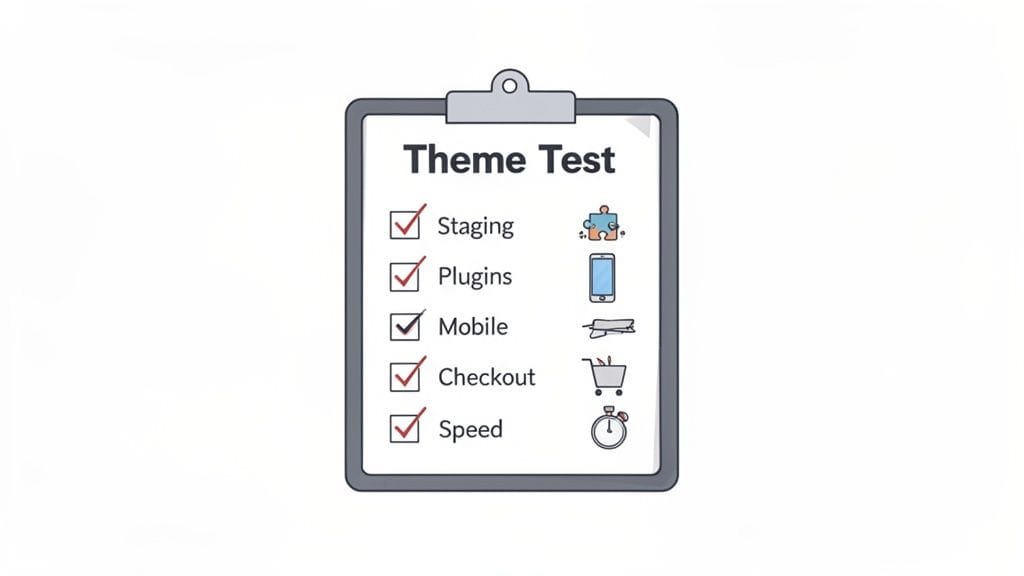
Alright, enough theory. It's time to get your hands dirty. Choosing a WooCommerce theme for WordPress isn't something you should do on a whim; it’s a decision that needs a proper road test. This checklist will walk you through exactly how to put a theme through its paces, making sure the one you choose is solid, reliable, and ready for your customers.
The first rule of web development is simple: never, ever experiment on your live website. That’s where a staging site comes in. Think of it as a private clone of your store—a perfect sandbox where you can install new themes, test plugins, and generally try to break things without risking a single sale on your actual site.
Any good hosting provider will make this a piece of cake. Here at UpTime Web Hosting, for example, spinning up a safe testing environment is straightforward. If you need a bit of a guide, you can learn how to create a staging site for your WordPress website right from our knowledge base.
The Core Testing Process
Once your staging site is ready, go ahead and install the theme you're thinking of using. Don’t just activate it and call it a day. You need to put yourself in your customers’ shoes and simulate how they’d actually use your store to spot any problems before they do.
To really kick the tyres, follow these crucial steps:
Plugin Compatibility Check: First up, install and activate all the plugins you absolutely can't live without. We’re talking about your payment gateways like Stripe or PayPal, your shipping extensions, SEO tools like Yoast SEO, and anything else vital to your store. Click through everything to make sure there are no weird visual glitches or error messages.
Full Checkout Simulation: This one’s non-negotiable. Add a few products to your cart, try applying a dummy coupon code, and proceed all the way through the checkout. Fill out every field and complete a test transaction to confirm the entire process is seamless from start to finish.
Mobile Responsiveness Verification: Don’t just shrink your browser window and hope for the best. Grab your phone and tablet to test it on real devices. If you can’t, use the developer tools in your browser (usually pressing F12 will get you there) to see how it looks on different screen sizes. Tap every button, open every menu, and try to navigate your store just as a mobile shopper would.
Advanced Evaluation and Tools
Going a step further will give you total peace of mind. These checks dive into the nitty-gritty of performance and user experience—the small details that can make a huge difference to your store’s bottom line.
A theme might look fantastic at first glance, but its real quality shows under pressure. Rigorous testing is the only way to be sure it can handle the demands of a growing online business.
This checklist will help you dig deeper into your evaluation, using a few handy tools to get some hard data on how the theme really performs.
Theme Evaluation Checklist
Here’s a quick-reference table to guide your testing process. Use it to make sure you've covered all your bases.
| Test Area | What to Check | Tools to Use |
|---|---|---|
| Plugin Compatibility | Check for conflicts with key plugins like payment gateways, shipping extensions, and SEO tools. | Your essential plugin list, WordPress debug log. |
| Checkout Flow | Simulate a complete purchase from adding a product to the cart to the final "thank you" page. | A test product, test coupon, and a test payment gateway. |
| Mobile Experience | Test navigation, buttons, and product galleries on various mobile device screen sizes. | Chrome/Firefox Developer Tools, real mobile devices, or services like BrowserStack. |
| Speed & Performance | Analyse the theme's loading speed and identify any performance bottlenecks. | Google PageSpeed Insights, GTmetrix, Pingdom. |
By working through this checklist, you’re replacing guesswork with a decision backed by real-world testing. This hands-on approach is the best way to choose a WooCommerce theme for WordPress that doesn’t just look the part, but acts as a reliable foundation for your business as it grows.
Diving into the world of WooCommerce themes can feel a bit overwhelming, with so many options and features to consider. To cut through the noise and help you choose with confidence, we’ve put together answers to the questions we hear most often from fellow store owners.
Free vs. Premium Themes: What’s the Real Difference?
The first hurdle for many is the price tag. Is a free theme good enough, or is a premium one worth the money?
Think of a free theme as a great starting point if you're launching a new store on a shoestring budget. It gets you online and selling, but that’s often where the benefits stop. You’ll likely miss out on advanced sales features, dedicated support when you’re in a jam, and crucial security updates.
On the other hand, a premium theme is a direct investment in your business’s stability and growth. You’re not just buying a design; you're paying for ongoing support from the developers, regular updates to keep your site secure and compatible, and a much richer set of features. It’s less of an expense and more like insurance for your online storefront.
Can I Change My WooCommerce Theme Later On?
Absolutely, you can switch themes even after your store is live. But, and this is a big but, it's not a simple click-and-done process. Changing your theme is a major project that can completely change your site's layout, break custom features, and mess with how your plugins work.
Crucial Tip: Before you even think about switching, always test the new theme on a staging site. A staging site is a private clone of your live store where you can safely see what breaks. This lets you fix layout problems, plugin conflicts, and other gremlins before they can impact your customers and cost you sales.
This step is non-negotiable for a smooth transition and prevents the nightmare of a broken website. You can learn exactly how to do this in our guide on creating a WordPress staging site.
What’s the Deal With "Multipurpose" Themes?
A "multipurpose" theme is designed to be a jack-of-all-trades – it can be a blog, a portfolio, a corporate site, or an online store. While that flexibility sounds great on paper, it often comes with a hidden cost: performance.
These themes are packed with code for every imaginable feature, a problem known as 'code bloat'. Your store ends up loading a ton of scripts and styles for things you'll never even use, which slows everything down. For an e-commerce business, a theme built specifically for WooCommerce is nearly always the better choice. They’re leaner, faster, and built from the ground up to support the sales features you actually need.
Just How Important Are Theme Updates and Support?
Honestly? They’re everything. Think of updates and support as non-negotiable, foundational elements of a healthy online store.
Regular updates are your first line of defence for two critical reasons:
- Security: They patch security holes that hackers are actively looking to exploit.
- Compatibility: They make sure your theme doesn’t break when WordPress and WooCommerce release their own updates.
And when something does go wrong (and eventually, it will), dedicated support is your lifeline. Being able to contact the theme's developers directly can turn hours of panicked troubleshooting into a quick fix, saving you from lost sales and a whole lot of stress. Picking a theme from a developer with a solid reputation for support is one of the smartest moves you can make.
Ready to pair your perfect WooCommerce theme with hosting that’s just as fast and reliable? UpTime Web Hosting provides an optimised Australian hosting environment designed to make your store fly. Explore our secure and speedy hosting plans today!