If you are still running an older Windows server for your website, accounting app, shared files, or internal database, you are probably feeling it already. Pages take longer to load. Remote access feels clunky. Security warnings are harder to ignore. And every time something breaks, the fix seems to take longer than it should.
For many Australian small businesses, the problem is not just age. It is mismatch. Older server platforms were built for a different way of working. Today, your team might need to access files from home, your website may need to handle more traffic, and your business may need stronger protection for customer data.
That is where windows server 2022 matters. It is the operating system that sits underneath many Windows-based business systems, from ASP.NET sites and MSSQL databases to file sharing and remote application hosting. When you understand what it does, it becomes easier to choose the right hosting setup, budget properly, and avoid paying for the wrong thing.
Is Your Old Server Holding Your Business Back
Monday morning often exposes the problem. Your team logs in, the shared drive crawls, the accounting system hesitates, and your website feels slow right when customers are trying to contact you. The server has not failed outright, but it is starting to behave like an old ute that still starts each day while costing more time and money every month.

That matters for Australian small businesses because delays rarely stay in the server room. They show up as slower quotes, frustrated staff, missed enquiries, and more hours billed by your IT provider to keep aging systems going.
Windows server 2022 is worth assessing as a business platform, not only as an IT refresh. Microsoft released it on 18 August 2021. Mainstream support is scheduled to continue through 13 October 2026, with extended support scheduled through 14 October 2031. For an SMB planning hosting, budgeting, or a migration in Australia, that points to a platform with a clearer support path than an older server that is already becoming awkward to maintain.
Why older platforms become expensive
The largest costs are often the ones that do not appear neatly on a monthly invoice.
- Downtime risk increases when updates, replacement parts, and software compatibility become harder to sort out.
- Staff lose time when opening files, running reports, or connecting remotely takes longer than it should.
- Security gaps widen because older platforms were built before current ransomware and credential theft tactics became so common.
- Hosting waste grows when a low-cost plan looks cheap upfront but adds fees or limitations around support, backups, storage, or performance. A practical example is the hidden costs of budget web hosts.
If you are still running a 2012-era setup, Windows Server 2012 R2 End of Life Solutions gives useful context for the risks and upgrade paths.
A server upgrade usually pays for itself in fewer interruptions, fewer support headaches, and less time spent waiting.
What windows server 2022 changes
The server operating system works like the concrete slab under your office. If the base is uneven, every desk and doorway above it becomes harder to use. Windows server 2022 gives you a newer base for file sharing, databases, remote access, and Windows-based business applications.
For Australian SMBs, the practical question is not “Do I need every new Microsoft feature?” It is “Will this reduce risk and fit the way my business runs?” In many cases, the answer comes down to hosting choices. A newer server can make more sense on refreshed on-prem hardware, in a private cloud, or on managed Windows hosting, depending on whether you need low latency for local staff, room for growth, or tighter control over costs.

Performance you can feel, backed by clients who depend on it. Read how our support and uptime create long‑term customer success.Power Your Business with Better Hosting
Understanding Windows Server 2022 Editions
Windows Server 2022 comes in several editions, and the right one depends less on the Microsoft label and more on how your business runs day to day.

For an Australian small business, the edition choice affects three practical things. How much you spend on licensing, how easily you can separate workloads into virtual machines, and whether your hosting setup will still suit you in two or three years.
Microsoft offers Essentials, Standard, and Datacenter. They all run the same family of server operating system, but they are aimed at different business sizes and infrastructure patterns.
Essentials for very small businesses
Essentials is the entry point for businesses with a small team and simple IT needs.
It usually suits organisations that want one server to handle the basics, such as:
- file sharing
- printer sharing
- light internal applications
- a single office or straightforward network setup
A small accounting firm in Adelaide or a local trade business in regional NSW may find Essentials enough if staff mostly need shared folders, routine admin tools, and a stable Windows environment without much complexity.
Some owners get caught here. A business can have a small headcount and still need more than Essentials. If your software relies on separate servers, testing environments, or multiple virtual machines, the cheaper edition can become restrictive quite quickly.
If security planning is part of that decision, it helps to review small business network security basics before you lock in an edition.
Standard for most SMB workloads
Standard is the edition many Australian SMBs end up choosing because it gives a better balance between cost and flexibility.
It fits businesses running a mix of services, such as:
- ASP.NET websites
- MSSQL-backed business software
- Remote Desktop services
- a small number of virtual machines to keep roles separate
That separation matters. Putting your website, database, and file storage on isolated virtual machines is a bit like keeping stock, accounts, and customer service in separate rooms instead of piling everything onto one desk. Problems are easier to contain, maintenance is simpler, and future upgrades cause less disruption.
For example, a Brisbane retailer with an online store, point-of-sale backend, and office file server will often be well served by Standard. It leaves room to grow without pushing you into enterprise-level licensing.
Datacenter for heavy virtualisation
Datacenter is designed for organisations running large numbers of virtual machines or building a more cloud-style environment.
This edition starts to make sense when you are:
- hosting many separate workloads
- isolating systems for compliance or operational reasons
- supporting multiple sites with more complex infrastructure
- running an environment that behaves more like a private cloud
For a typical suburban law firm, medical clinic, or wholesaler, Datacenter is usually more than the business needs. For a software provider, larger multi-site company, or IT-heavy operation using Windows hosting at scale, it can be the more economical long-term option because the virtualisation rights are far broader.
A simple way to decide
Start with the workload, not the business label.
| Business situation | Likely fit |
|---|---|
| One small office, light IT needs | Essentials |
| Website, database, business apps, a few virtual workloads | Standard |
| Many virtual machines, complex infrastructure, cloud-style setup | Datacenter |
A good rule for Australian SMBs is to choose the edition that matches how you plan to host and separate workloads. If you expect to stay simple, keep costs down. If you expect growth, remote staff, or several business applications, buying the right edition early can save a migration bill later.
New Security and Performance Features That Matter
A lot of Australian small businesses only notice their server when something goes wrong. Staff cannot open files from home. An accounting app slows to a crawl at month end. A ransomware scare turns into a week of panic. This part of Windows Server 2022 matters because it reduces those risks in practical ways, especially if you are deciding whether to keep workloads on-site, move them into local hosting, or split them across both.
Security that starts before Windows loads
One of the biggest changes is Secured-core OS. It protects the server at a lower level, before Windows is fully up and running.
That matters because some attacks do not try the front door. They aim underneath the operating system, at firmware and startup components, where ordinary antivirus may never see them. Microsoft’s secured-core approach uses hardware and boot protections such as TPM 2.0 and System Guard to make that harder, as outlined in the HPE secured-core overview.
A simple way to picture it is building security. Antivirus is the alarm on the door. Secured-core adds protection into the slab and frame of the building. For an Australian medical clinic, law firm, or retailer holding customer records, payroll data, or financial documents, that lower-level protection can mean less chance of a quiet compromise that becomes an expensive recovery job later.
If you are reviewing the wider picture, not just the server itself, this guide to small business network security helps connect endpoint, firewall, and server decisions.
Better networking for remote staff and hosted apps
Windows Server 2022 also improves the way it handles network traffic. The technical names include TCP HyStart++, RACK, UDP Receive Side Coalescing, and UDP Segmentation Offload. The names are not the point.
The business effect is the point.
These features help the server recover from packet loss more efficiently and reduce some of the processing overhead tied to busy network activity, according to the Windows Server 2022 feature summary. In plain English, that can mean smoother file transfers, more reliable remote access, and less wasted CPU effort when staff are working from home, connecting between office locations, or using hosted applications over the internet.
That has a real AU angle. If your team is spread across Brisbane, Sydney, regional NSW, or mining and agricultural areas where internet quality can vary, smarter traffic handling helps the server cope better with less-than-perfect links.
Windows Server 2022 also adds SMB over QUIC support. For some businesses, that opens the door to remote file access without relying on an older VPN setup. If your current remote access feels fiddly, fragile, or expensive to maintain, this is one of the features worth asking your IT provider or hosting company about.
Faster containers and cleaner app delivery
If your software vendor talks about containers, Windows Server 2022 is a better fit than older releases. Microsoft reduced Windows container image sizes, which improves startup speed and cuts some of the storage and transfer overhead.
Smaller container images work like lighter freight loads. They are quicker to move, quicker to unpack, and easier on the infrastructure underneath. For a small business, that can translate into faster deployment of line-of-business apps, less waiting during updates, and lower hosting friction if your provider is running modern application stacks in an Australian data centre.
You will feel this most if your business depends on custom software, web applications, or vendor-managed systems that are updated regularly.
Less downtime during patching
Another feature that stands out is hotpatching in Datacenter Azure Edition. It allows some updates to be applied without the usual reboot cycle.
That is not relevant to every SMB. It is relevant if downtime costs you money.
A booking platform, customer portal, warehouse system, or internal app used all day becomes harder to maintain when every patch window means disruption. In those cases, hotpatching can support higher availability and reduce after-hours maintenance pressure. For Australian businesses comparing on-prem hardware with hosted Windows environments, this is also a useful reminder that the edition and hosting model affect what features you can use, not just what appears on a Microsoft feature list.
Good performance is not only about speed. It is also about staying available, staying secure, and avoiding costs that come from outages, rework, and emergency fixes.
Host your website with our 5-star rated, cPanel website hosting plans.
Super fast servers, with security included and hosted in your choice of Australian Data Center.
View cPanel Plans
Matching Hardware Resources to Your Workload
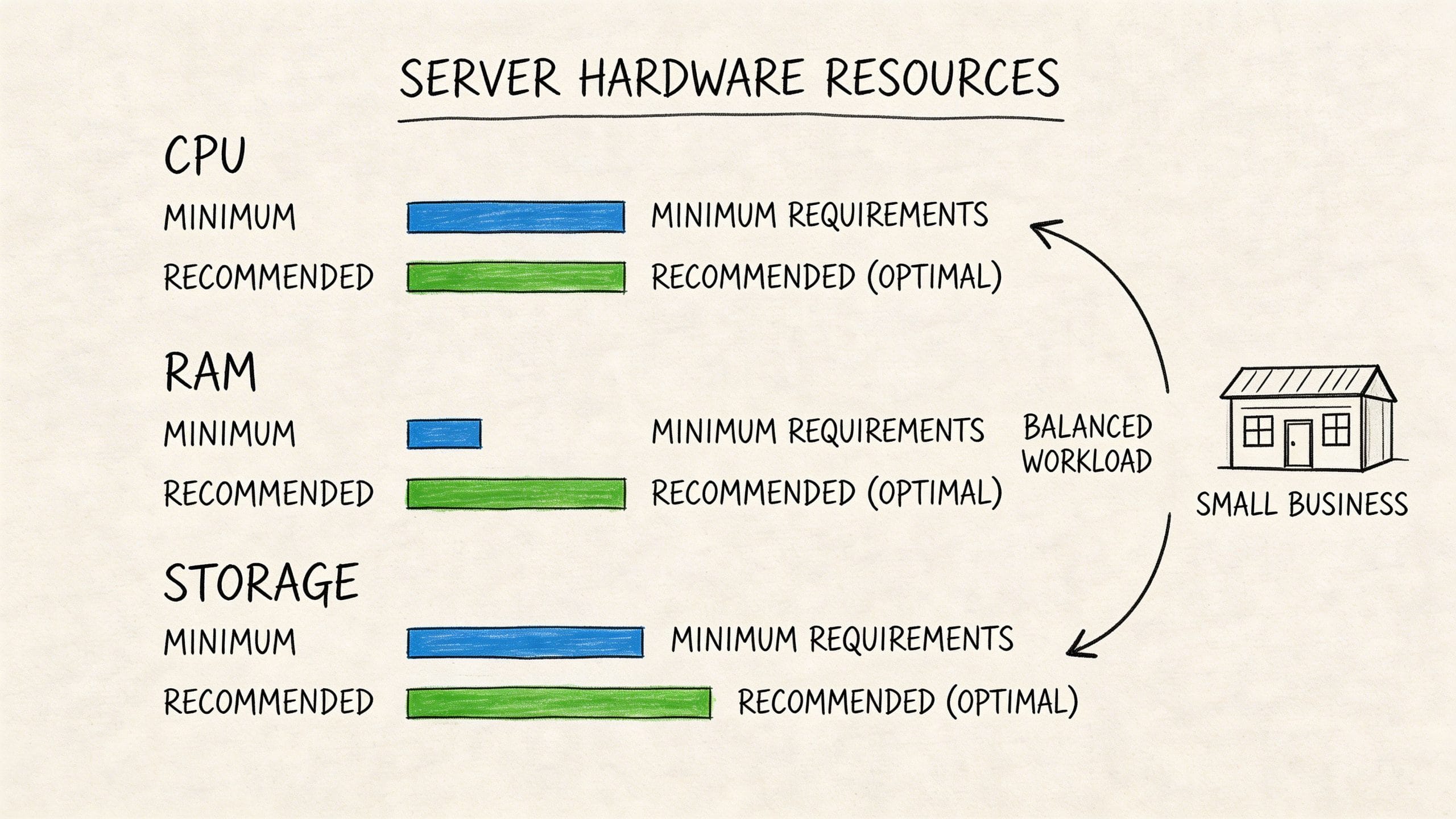
A lot of businesses make the same mistake when they move to windows server 2022. They focus on the software version and ignore the hardware balance underneath it.
That is like fitting a new engine management system to a ute with bald tyres and a tired gearbox. The badge changes. The experience does not.
Minimum is not the same as suitable
Windows server 2022 supports enormous scale. It can handle up to 48TB of RAM and 2,048 logical processors, according to this Windows Server 2022 scalability overview. That does not mean your small business needs anything close to that. It does show that the platform itself is not going to be the bottleneck as your environment grows.
What catches people out is the difference between “can run” and “runs well”.
A small internal app server has very different needs from:
- A busy MSSQL-backed website
- An eCommerce application with regular database writes
- A remote desktop environment
- A file server handling many simultaneous users
Where to spend first
If you have a limited budget, put the money where users feel the difference.
RAM affects responsiveness
When a Windows server runs short on memory, everything starts to feel sticky. Apps pause, disk activity jumps, and users experience random slowdowns that are hard to describe but easy to notice.
Fast storage changes day-to-day performance
SSD or NVMe storage matters because servers constantly read and write small chunks of data. Databases, logs, session files, and application assets all depend on quick storage access.
CPU matters when multiple tasks collide
A quiet file server and a busy application server can have similar CPU specs on paper, but the second one usually needs more headroom. If your server handles web traffic, database activity, scheduled jobs, and background security tools at the same time, CPU contention shows up fast.
A practical SMB view
For many Australian businesses, a well-balanced virtual environment is more practical than buying physical hardware outright. The point is not owning the metal. The point is getting consistent access to enough compute, memory, and storage for your actual workload.
That is where managed infrastructure can be easier to size and adjust over time. If you are comparing hosting models, this overview of cloud computing is a good primer on how flexible infrastructure changes the way businesses plan server capacity.
Buy hardware capacity for your busiest normal day, not your quietest one. That is how you avoid the “it only slows down when we need it most” problem.
Your Migration Checklist from an Older Server
The hardest part of moving to windows server 2022 is usually not the install. It is the uncertainty around everything attached to the install. Files, user permissions, applications, integrations, backups, and the fear of breaking a system that “mostly works”.
A checklist reduces that stress because it turns a vague technical project into a series of clear decisions.
Start with an inventory
Before you migrate anything, write down what is on the current server.
Use plain categories:
- Applications such as accounting software, ERP tools, internal portals, or ASP.NET apps
- Data locations including file shares, database files, archived records, and report exports
- User dependencies such as mapped drives, scheduled tasks, and service accounts
- External connections like payment gateways, scanners, email relays, or supplier integrations
This step often reveals surprises. Businesses sometimes discover an old scheduled process that still produces a critical report every Friday, or a forgotten app that one staff member depends on for payroll.
Prepare before you move
A migration goes more smoothly when the destination is ready before the first file moves.
That preparation usually includes:
- Confirming compatibility for your applications and databases
- Choosing the target environment and how much CPU, RAM, and storage it needs
- Taking full backups before any change begins
- Documenting rollback options in case you need to pause or reverse
If backup coverage needs attention first, review your current approach against a service like business backup so you know your recovery options are in place before migration day.
Test the awkward parts, not just the easy parts
Many migrations look fine until users try real tasks. Logging in, searching shared folders, opening attachments from within an app, or running reports can expose issues that a simple file copy test misses.
One issue worth checking early is file search behaviour. Microsoft’s release health notes indicate that some businesses have reported unresolved file search performance issues after migrating to Windows Server 2022 from older versions, as noted in the Windows Server 2022 release health status.
That does not mean your migration will hit the same problem. It does mean file search should be part of your test plan if staff rely on it heavily.
Test with real users doing real tasks. A technical pass is not the same as a business pass.
Go live with a controlled cutover
A neat migration is usually a controlled cutover, not a dramatic overnight leap.
Use a short run sheet:
- Freeze non-essential changes before the cutover window
- Move final data deltas after the main sync
- Switch users in stages where possible
- Check business-critical functions first such as logins, database access, printing, and shared folders
- Monitor closely after launch and keep rollback notes handy
For businesses moving from very old environments, support from a hosting or infrastructure team can save a lot of time during this stage. Even when the technical work is straightforward, coordination is what keeps the disruption low.
Choosing the Right Windows Server 2022 Hosting
It often plays out like this. A business upgrades to Windows Server 2022 expecting smoother performance and better security, then finds the key pressure point is the hosting setup around it. The server software may be sound, but if the hosting model is too small, too rigid, or too hands-on for your team, you still end up with slow apps, patching headaches, and costs that creep up.
For Australian SMBs, the practical question is simple. Do you need a low-cost place to run a basic Windows website, a flexible environment for line-of-business apps and databases, or full control of the machine because the workload is heavy or unusual?
What each option means
Shared Windows hosting works like renting a shop in a busy centre. The space is affordable, but the building rules are fixed and the shared facilities affect everyone. It suits straightforward websites and lighter applications, though it usually falls short if you need custom Windows roles, stronger isolation, or room to tune performance.
A managed VPS is closer to leasing your own office suite inside a larger building. You get your own allocated resources, more control over the setup, and less day-to-day infrastructure work than managing physical hardware yourself. For many small and mid-sized Australian businesses, this is the balance point between cost and flexibility.
A dedicated server is the whole building. You control the hardware, the configuration, and the workload placement. That is useful for specialised applications, stricter performance requirements, or cases where noisy neighbours are not acceptable. It also means more planning around capacity, backups, patching, and recovery.
Windows Server 2022 Hosting Options Compared
| Feature | Shared Windows Hosting | Managed VPS | Dedicated Server |
|---|---|---|---|
| Control level | Limited | Moderate to high | High |
| Best for | Simple websites and light apps | SMB apps, databases, growing websites | Complex or heavy workloads |
| Resource isolation | Shared | Dedicated virtual allocation | Fully dedicated hardware |
| Management effort | Lower | Lower to moderate, depending on service scope | Higher |
| Scalability | Limited | Flexible | Strong, but less nimble |
| Typical SMB fit | Entry-level | Often the practical middle ground | Usually for larger or specialised needs |
If your workload clearly needs full hardware control, a dedicated server hosting service may be the right fit. For many SMBs, though, buying that much infrastructure too early is like paying for a warehouse when you only need a well-organised office.
Why local hosting matters in Australia
Location affects more than map pins. It affects responsiveness for staff, how you handle customer data, and who helps when something breaks at 4 pm on a business day in Sydney or Melbourne.
That matters for Australian businesses using Windows Server 2022 for file access, internal apps, remote desktop workloads, or databases. Local infrastructure can reduce latency for local users, and local support can shorten the gap between spotting a problem and getting it fixed. If your business has privacy obligations or client contracts that care about where data is stored, local hosting also makes those conversations easier.
Cloud services still have a place. Hybrid designs can work well, especially if you need elasticity or integration with Microsoft services. But many SMBs do better when they start with a simple question. Where will this server run, who will support it, and what will that cost us each month in Australian dollars?
Which model fits most SMBs
Managed VPS often suits the broad middle of the market. If you are running ASP.NET applications, Microsoft SQL Server, remote file access, or an internal business system, it usually provides enough control to configure Windows properly without turning your staff into full-time infrastructure managers.
The business benefits are fairly direct:
- Better separation from other tenants than shared hosting
- More consistent performance for business applications
- A simpler upgrade path as staff, storage, or traffic grows
- Less operational load than managing a full dedicated server
- Support for custom Windows workloads and administration needs
The right choice depends on your workload, your in-house skills, and how much downtime your business can tolerate. A small accounting firm, medical practice, or trades business with a custom app will usually value stability and support more than raw hardware control.
If your internal team is weighing hosted Windows environments against hybrid Azure options, the Microsoft Azure Administrator certification is a useful reference point for understanding how Microsoft infrastructure is managed in practice.
Hosting decisions shape your monthly costs, your security posture, and how quickly your team can recover when something goes wrong.
Register your new domain name at competitive market prices including free domain add-ons like privacy, DNS Hosting, Custom Nameservers and Forwarding.
Always the best price and no nasty renewal price hikes.
Register A Domain Name
Licensing Costs for Australian Small Businesses
Microsoft licensing can feel harder to understand than the server itself. Most business owners do not want to study licensing rules. They just want to know what they are paying for and whether they are compliant.
Why licensing feels confusing
Part of the confusion comes from the gap between software thinking and business thinking.
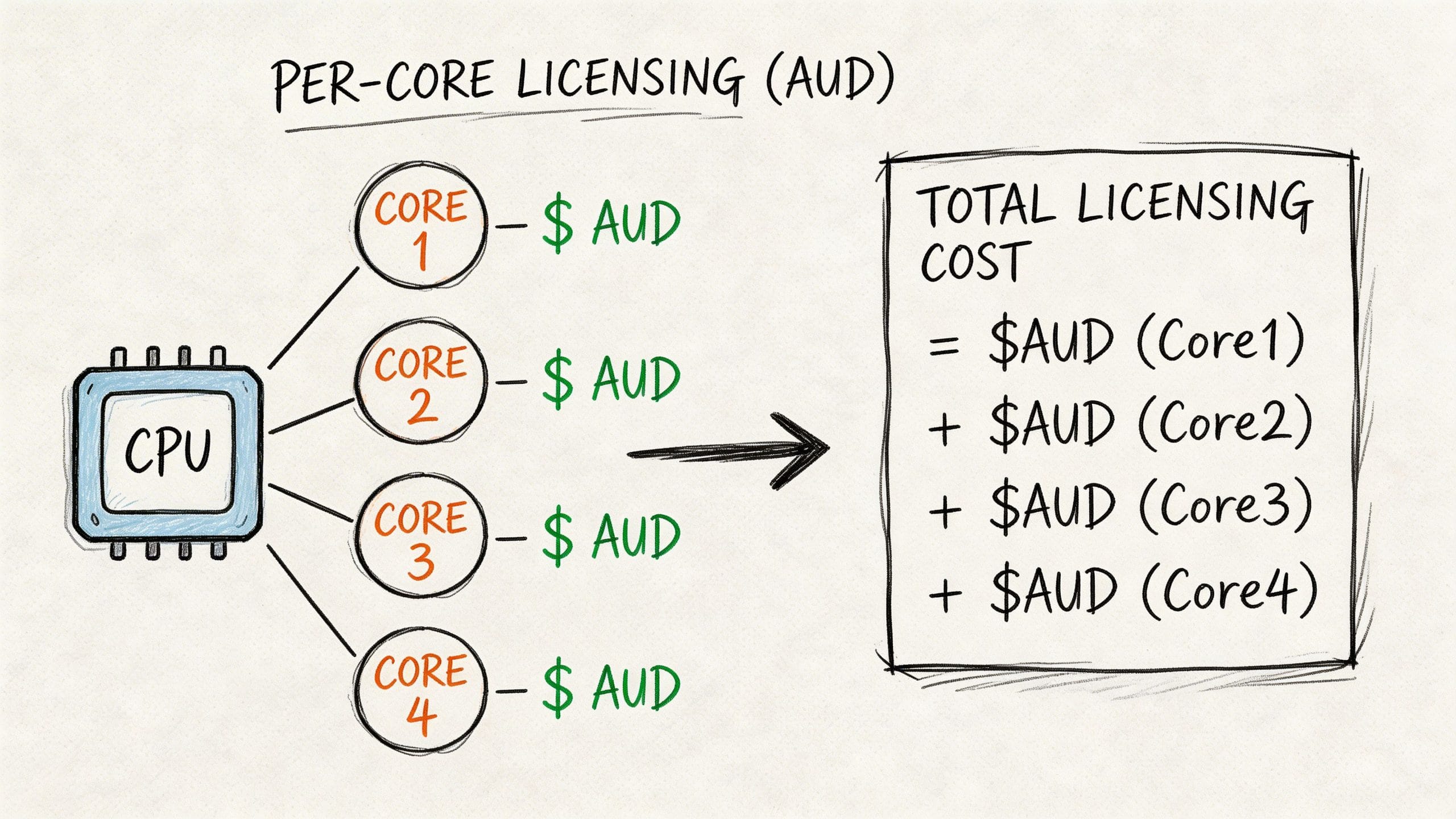
Microsoft talks in terms of editions, cores, rights, and virtualisation allowances. A small business owner thinks in terms of one website, one database, five staff, and one monthly invoice.
Those are not the same language.
A simpler way to think about it
If you are buying and managing your own Windows server environment directly, licensing usually becomes a planning task. You need to match your intended use with the correct edition and rights.
If you are using hosted infrastructure, the process is often simpler because the licensing can be bundled into the service rather than purchased and managed separately by you.
That matters because the hidden cost is often not only the licence itself. It is the admin time spent understanding what you need, checking whether it still fits, and sorting out changes later if your environment grows.
What Australian SMBs should look for
When comparing plans, ask practical questions:
- Is the Windows Server licence included?
- Are backups separate or bundled?
- Is GST already included in the listed price?
- Are there extra charges for support, setup, or migrations?
The clearer the answers, the easier it is to budget properly.
For many small businesses, the smartest licensing strategy is not “learn every Microsoft rule”. It is “choose a hosting arrangement where the licensing side is already handled cleanly and transparently”.
Frequently Asked Questions
Do I need windows server 2022 if I only run a small business website
Not always. If your site is simple and does not rely on Windows-specific features, another hosting model may be enough. Windows server 2022 becomes relevant when you need ASP.NET, MSSQL, Windows-based application compatibility, or stronger control over server roles.
Is windows server 2022 too advanced for a small business
No. The platform itself supports very large workloads, but that does not mean it is only for large organisations. Small businesses use it when they need Windows compatibility, modern security features, and room to grow without changing platforms again soon.
Should I move straight from an older server, or wait
If your current environment is causing reliability, support, or security concerns, waiting usually increases risk. The better approach is to assess your applications, test the migration properly, and move in a controlled way rather than leave the decision until a failure forces it.
Can I keep using my existing applications after migrating
Often yes, but you should never assume. Check each application, especially older line-of-business tools, printer integrations, and anything tied to older frameworks or search behaviour. Test business processes, not just logins.
Is local Australian hosting better than an overseas cloud setup
For some SMBs, yes. Local hosting can make compliance, support access, and performance easier to manage. The right answer depends on your workload, your risk profile, and whether your team wants more control or less operational burden.
If you are planning a move to windows server 2022 and want an Australian-based hosting setup that fits your workload, UpTime Web Hosting is a practical place to start comparing options for Windows hosting, managed VPS, backups, and local support.