A lot of Australian business owners land on the same problem from different directions.
One runs a local service business and notices the website feels slow on mobile. Another sells online and wakes up worried that a plugin update might break checkout. Another manages a handful of client sites and keeps getting dragged into after-hours fixes that were supposed to be “just hosting issues”.
The pattern is familiar. Your WordPress site is meant to help the business run better, but it starts acting like another staff member who needs constant supervision. That’s where managed wordpress hosting australia becomes less of a technical upgrade and more of a practical business decision.
Is Your WordPress Site Working For You or Against You
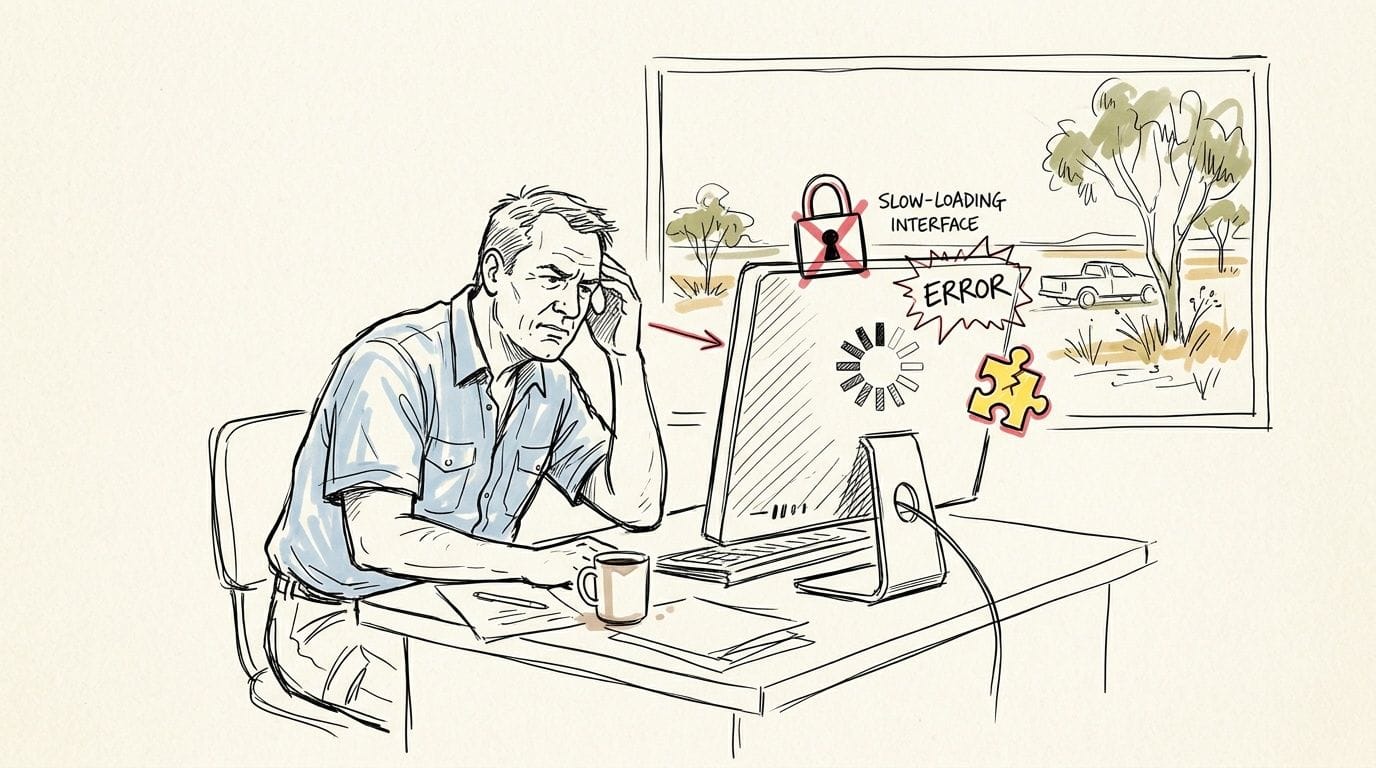
Take a simple example. A Brisbane business owner has a WordPress website built a few years ago. It looks fine, but pages take too long to load, updates keep piling up, and every plugin change feels risky. Instead of using the site to win new leads, the owner spends time checking forms, testing pages, and wondering whether the next issue will happen during business hours or on a weekend.
That stress is common because WordPress is flexible, but flexibility comes with upkeep. If nobody is actively looking after the hosting environment, performance, backups, and security, the site can shift from asset to liability.
When the website becomes another job
For a small business, a WordPress site usually needs to do a few basic things well:
- Load quickly: People shouldn’t wait around for service pages or product listings.
- Stay available: Enquiry forms, bookings, and sales need to work when customers are ready.
- Stay secure: Customer trust drops fast when a site throws warnings or acts strangely.
- Need less babysitting: Owners should focus on sales, operations, and customers, not server tasks.
If your site misses on any of those, the hidden cost isn’t just technical frustration. It’s lost time, interrupted workflows, and hesitation every time you need to make a change.
Practical rule: If you delay updates because you’re worried something will break, your current hosting setup probably isn’t giving you enough support.
Why this problem keeps growing in Australia
Australian demand for dependable hosting keeps rising. The Australia web hosting services market reached AUD 4.07 billion in 2025 and is projected to grow at a CAGR of 11.00% from 2026 to 2035, reaching approximately AUD 11.56 billion by 2035. That tells you something useful. More local businesses now treat hosting as core infrastructure, not a background utility.
That shift matters because websites now sit closer to revenue, customer service, and reputation than they used to. If your site brings enquiries, bookings, sales, or client trust, then “good enough” hosting usually stops being good enough.
Managed WordPress hosting is built for that reality. It takes the routine technical load off your plate so the website behaves more like a business tool and less like an ongoing repair project.

Performance you can feel, backed by clients who depend on it. Read how our support and uptime create long‑term customer success.Power Your Business with Better Hosting
What Managed WordPress Hosting Really Means
The simplest way to understand managed hosting is to compare it with property.
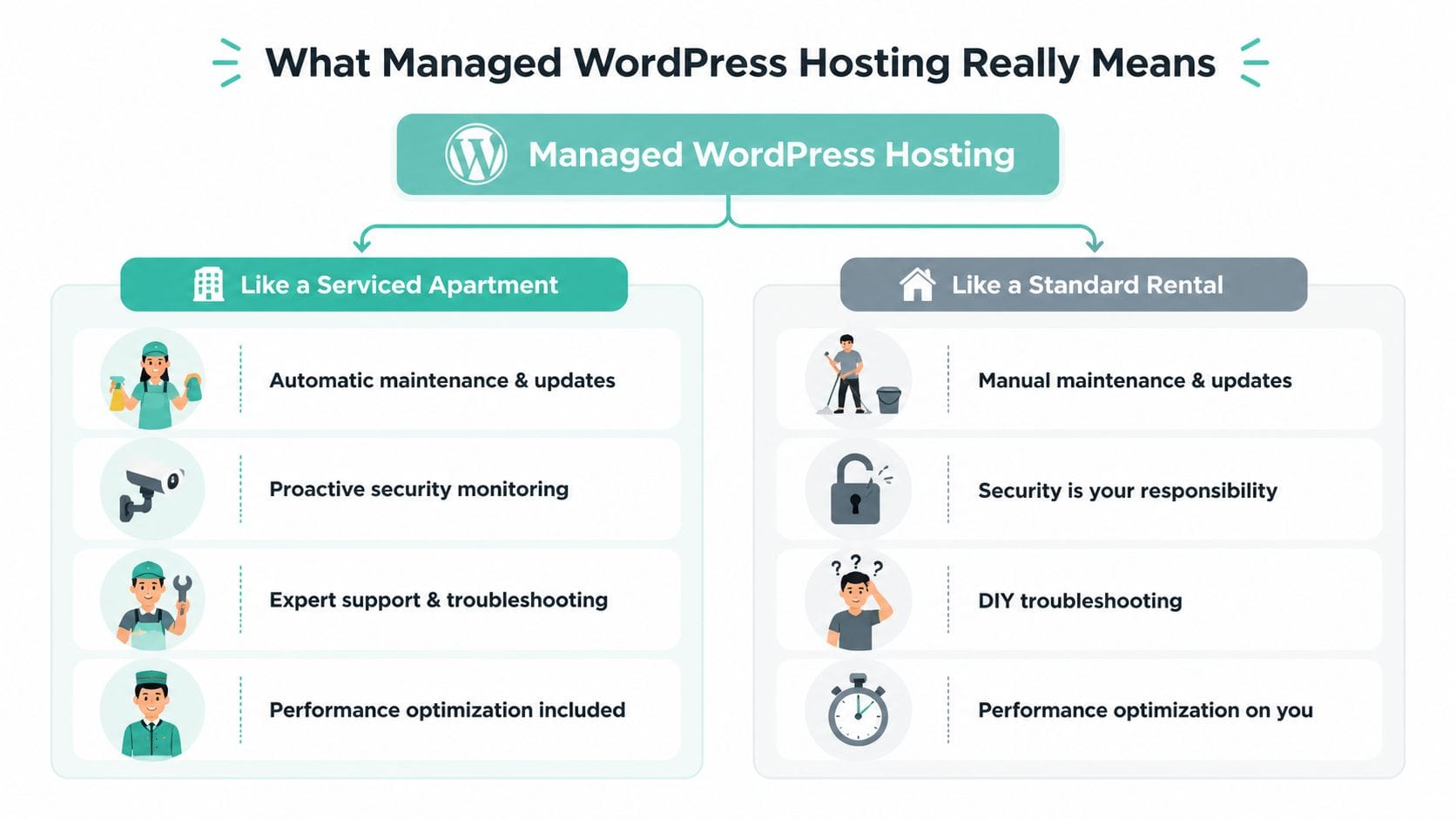
A standard hosting plan is like renting an empty unit. You get the space, but you’re responsible for a lot of the practical work. If something goes wrong, you either fix it yourself or scramble to find help.
Managed WordPress hosting is more like a serviced apartment. The space is still yours. Your furniture is still yours. Your business still runs there. But the maintenance, the behind-the-scenes checks, and much of the technical housekeeping are handled for you.
The managed part is the whole point
People often get stuck on the word “hosting” and assume every plan is roughly the same. It isn’t.
With WordPress powering 43.5% of all websites globally and 62.7% of CMS-built sites, a generic hosting environment often means you’re using a broad setup for a platform that has very specific needs. Managed hosting changes that by tuning the environment around WordPress itself.
In plain English, that usually means:
- The server is configured for WordPress: It’s set up to run WordPress efficiently rather than trying to be all things to all applications.
- Routine maintenance is handled: Updates, monitoring, and performance checks don’t sit entirely with you.
- Security is proactive: The host is looking for trouble before you notice a problem on the front end.
- Support is more specialised: You’re dealing with people who understand WordPress issues, not just general server tickets.
A small business owner doesn’t need to know every technical detail behind caching, PHP settings, or plugin conflicts. You just need to know who owns those problems when they appear.
What it feels like day to day
The best test is practical. Ask yourself what happens after you install a plugin, update WordPress, or publish a busy sales page.
On standard hosting, you might need to watch for breakages, chase backups, and troubleshoot performance yourself. On a managed setup, those risks are reduced because the platform is designed for exactly that type of site behaviour.
Here’s the difference in business terms:
| Situation | Standard hosting experience | Managed hosting experience |
|---|---|---|
| Updating WordPress | You handle timing and risk | The host helps handle the technical side |
| Performance issue | You investigate or hire help | The platform is built to reduce those issues |
| Security concern | You piece together plugins and fixes | Protection is built into the service |
| Support request | General hosting response | WordPress-aware support is more likely |
You’re not paying only for server space. You’re paying for fewer surprises.
If you already rely on outside IT support for devices, networks, or staff systems, the logic is similar to using local managed IT support. You’re choosing a setup where experts handle the background work so your team can stay focused on the business.
For a closer example of how that hosting model is structured in an Australian context, it helps to look at managed web hosting in Australia, especially if you want the service layer included rather than bolted on later.
Key Benefits for Australian Businesses and Agencies
Once you strip away the jargon, the key benefits fall into three areas. Your website feels faster for local visitors, it becomes harder to break or compromise, and your team spends less time dealing with technical noise.
Those gains matter whether you run one business site or manage a portfolio of client sites.
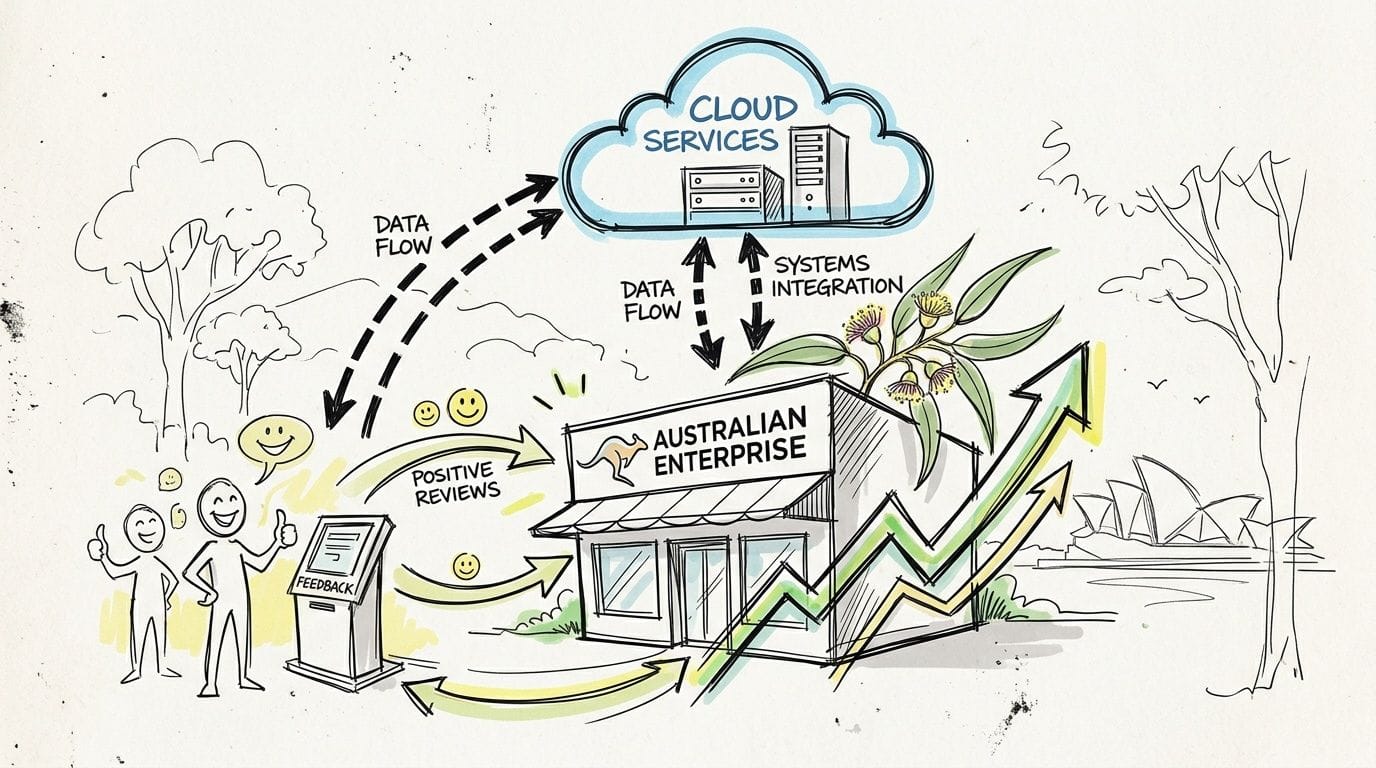
Faster for Australian visitors
Location still matters on the internet. If your customers are in Australia, your hosting should serve them from Australia whenever possible.
Hosting on local Australian servers can reduce website load times by 50-70% for domestic visitors, with round-trip time dropping to under 20ms for east coast users compared with over 200ms from US or EU data centres. You don’t need to be technical to understand that. The closer the server is to your customer, the less distance the request has to travel.
For a business site, that can mean:
- Service pages load more smoothly for people searching on mobile
- Online stores feel more responsive during browsing and checkout
- Lead forms feel more dependable because the whole site is less sluggish
A website designer can make a site look polished, but hosting still affects how that design performs in practice. If you’re reworking the front end at the same time, a team focused on Boocoo website design can help with presentation, while local hosting supports the speed and stability underneath it.
Better protection without DIY patchwork
Many businesses run security the hard way. They install a few plugins, hope they don’t clash, and assume that’s enough. It often isn’t.
A managed setup usually approaches security as a system. That means monitoring, isolation, scanning, and preventative controls working together. You’re not relying on one plugin to save the day after something has already gone wrong.
That’s especially useful for sites that process enquiries, store customer details, or support eCommerce. Even a modest business website can become a target if it uses common plugins or outdated software.
A secure website isn’t the one with the most security plugins. It’s the one with fewer gaps to begin with.
More time back for owners and agencies
Time is the benefit that people underestimate. A slow, fragile site steals time in small amounts. A backup check here. A plugin conflict there. A support email after dinner. A nervous test after every update.
For a business owner, that time should go into quoting, customer service, operations, or marketing. For an agency, it should go into strategy, design, and billable work, not acting as unpaid hosting support.
Here’s how the difference usually shows up:
| Business type | Common pain on basic hosting | Benefit of managed hosting |
|---|---|---|
| Local SMB | Site maintenance interrupts owner time | Less hands-on admin |
| eCommerce store | Worry about outages and update conflicts | More stable store operations |
| Agency | Client hosting issues chew through margins | Easier site portfolio management |
| Blogger or publisher | Technical chores distract from publishing | More focus on content |
Why local ownership matters too
There’s a practical difference between a company that’s merely present in Australia and one that’s truly built around Australian customers.
A host that’s Australian-owned and operated is more likely to align with local billing expectations, support hours, and business habits. That sounds small until you need help quickly, want clearer invoicing, or don’t want your hosting relationship shaped by offshore systems first and Australian needs second.
If you’re weighing local infrastructure more seriously, this guide on why switching to local Australian hosting matters is worth reading. It helps translate “local hosting” from a vague idea into something measurable for speed, convenience, and day-to-day support.
Host your website with our 5-star rated, cPanel website hosting plans.
Super fast servers, with security included and hosted in your choice of Australian Data Center.
View cPanel Plans
The Core Features Your Managed Host Must Have
Not every provider using the word “managed” means the same thing. Some plans are just standard hosting with a few extra settings and a nicer label.
A proper managed WordPress service should remove risk, save time, and improve site performance in ways you can feel. If it doesn’t do that, it’s probably not managed in the way most business owners expect.
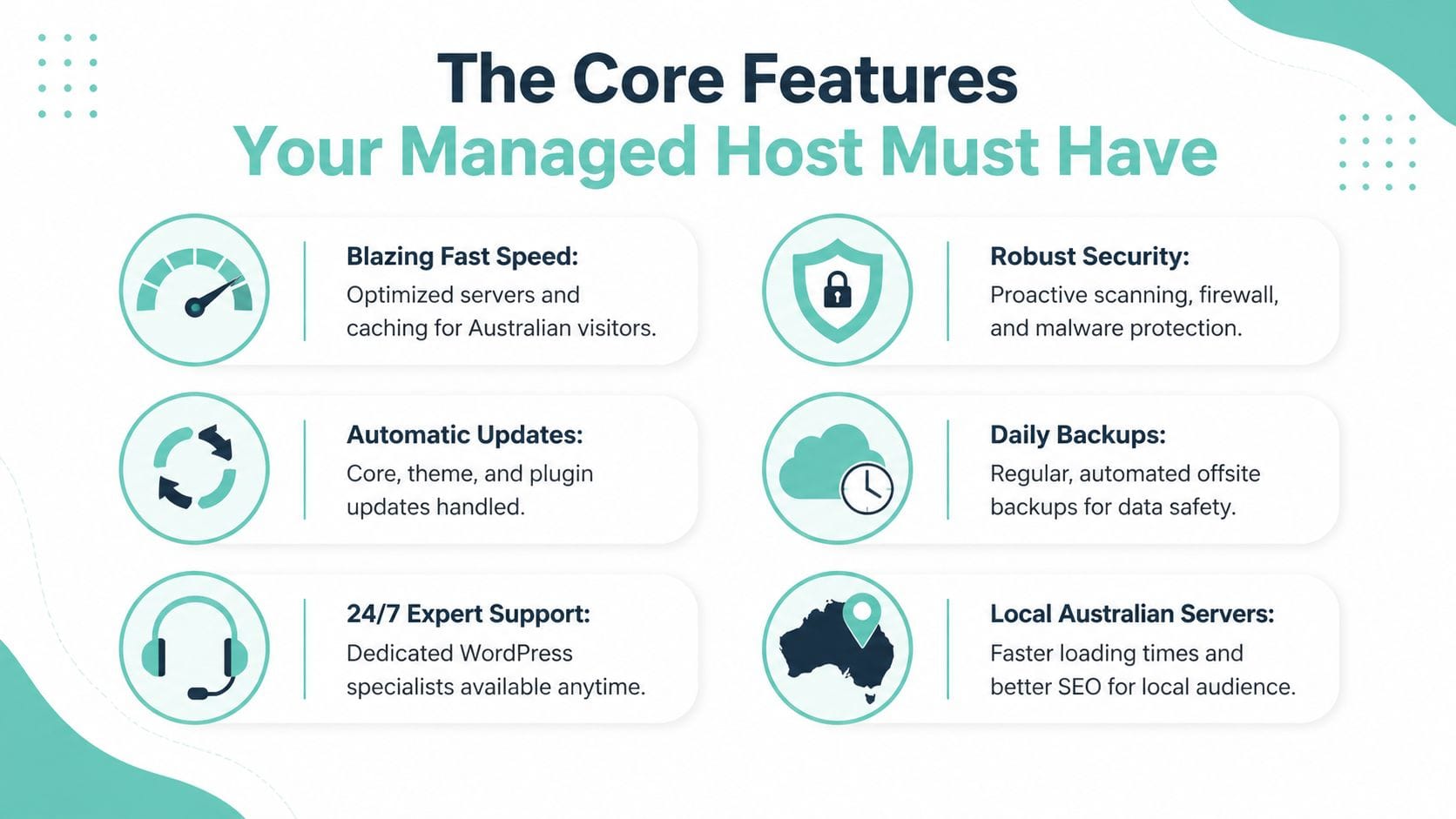
Speed tools built for WordPress
“Fast hosting” is easy to say and hard to verify, so it helps to look for the actual stack behind the promise.
For Australian WordPress sites, strong providers often include tools such as LiteSpeed and AccelerateWP, because they help the server deliver WordPress pages more efficiently. In practical terms, that can improve how quickly your site responds, especially when traffic rises or your site includes heavier themes, builders, or image-rich pages.
This matters most when you don’t want to spend your own time piecing together speed fixes from multiple plugins.
Look for:
- Server-level optimisation: Better than relying only on front-end plugins
- Caching built into the platform: Reduces repeated work on the server
- Room to grow: A site shouldn’t crawl the moment your campaign works
Security that starts before the breach
Australian site owners need to think harder about security and data handling than they used to. In response to a 25% rise in cyber attacks on Australian WordPress sites in the last year, newer Australian regulatory pressures, including enhanced Privacy Act amendments, have increased the importance of local data residency and security features such as DDoS firewalls and CloudLinux isolation.
That sounds technical, but the business meaning is simple. You want a host that reduces exposure before a plugin exploit, bot attack, or account compromise turns into downtime.
A solid managed host should include:
- Malware scanning: So suspicious files are detected early
- DDoS-protected firewall layers: To help absorb or block hostile traffic
- CloudLinux isolation: To reduce the chance that another account on the same environment affects yours
- Continuous monitoring: Because attacks don’t keep office hours
A simple test: Ask the host what happens if your site is compromised at 11 pm on a Sunday. If the answer is vague, keep looking.
Backups that are actually useful
Nearly every host says it offers backups. That doesn’t mean the backups are frequent, encrypted, off-site, or easy to restore.
A useful backup setup should act like a safety net, not a marketing line item. If an update breaks the site, a plugin corrupts the database, or someone deletes the wrong thing, recovery should be straightforward.
The words to listen for are:
| Backup feature | Why it matters |
|---|---|
| Encrypted off-site backups | Protects your data and keeps a clean copy away from the live environment |
| Nightly backups | Reduces the amount of work you lose if something breaks |
| Easy restores | Recovery shouldn’t require a developer every time |
| Monitoring around backups | Helps confirm the safety net is actually working |
A staging area for safe changes
A staging environment is one of the most underrated managed features. Think of it as a dress rehearsal version of your website.
You can test plugin updates, design changes, or new functions there before touching the live site. That matters because many WordPress problems don’t come from one bad tool. They come from conflicts between perfectly normal tools.
If your business site handles enquiries, bookings, or sales, staging helps you avoid experimenting in public.
Migrations done for you
Switching hosts sounds harder than it usually is. Many business owners stay with weak hosting because they assume migration will be messy, risky, or disruptive.
A quality managed provider should handle migration for you. That includes moving files, databases, and the WordPress setup cleanly, with as little interruption as possible. If a host charges ahead for basic migration help or leaves most of the work to you, that’s a warning sign.
Real support in Australian time
Support quality is where many plans reveal what they really are.
Good managed hosting support should mean you can contact a real person who understands WordPress and responds in your timezone. For Australian businesses, local 1300 phone support, tickets, and call-backs are often more useful than a generic offshore queue that treats WordPress issues like any other server matter.
That kind of support becomes even more valuable when your site is tied to active leads or online revenue. You don’t want to explain your issue three times to someone reading a script.
If you’re comparing hosting with broader maintenance coverage, a website care plan can also help clarify what belongs to the host and what belongs to ongoing site management.
Pricing and Migration What to Expect in Australia
Managed hosting usually costs more than bare-bones shared hosting. That part is true. The mistake is treating the monthly fee as if you’re only buying disk space and bandwidth.
You’re also paying for labour, monitoring, security layers, backup systems, and specialist support that you’d otherwise need to assemble yourself.

The real pricing question
For Australian small businesses, the better question isn’t “What’s the cheapest plan?” It’s “What will this cost me over time once support, GST, currency conversion, downtime risk, and admin effort are included?”
That’s where local ownership often has a practical edge. According to this Australian comparison of managed WordPress hosting value, choosing a 100% Australian-owned host with included GST, no forex fees, and local 1300 phone support can be 20-40% more cost-effective long-term for SMBs than international providers, even when those providers offer an Australian data centre.
That’s a useful reminder that a host with an Australian server isn’t automatically the same as an Australian hosting business.
What should be included
When you compare plans, look beyond the headline price and check whether these basics are already included:
- GST-inclusive pricing: Easier for budgeting and cleaner on invoices
- No lock-in contracts: More flexibility if your needs change
- Free SSL and security tools: These shouldn’t feel like surprise add-ons
- Backups and monitoring: Core operational features, not premium extras
- Migration help: A quality host should reduce switching friction
If those items are all extra, the cheap plan often stops looking cheap.
Hosting value is usually found in the things you don’t have to chase, configure, or pay for later.
What migration is usually like
Business owners often expect a migration to mean hours of downtime and a stressful cutover. A well-managed move is usually much calmer than that.
The normal process looks something like this:
- Your existing site is reviewed
- Files and database are copied across
- The site is tested on the new environment
- Final switch-over happens once everything looks right
The important part isn’t memorising the steps. It’s knowing that a good provider should guide them for you. If you want to prepare properly before making the move, a website migration checklist helps you gather the right details and avoid last-minute surprises.
Actionable Checklist for Choosing Your Provider
If you’re comparing managed wordpress hosting australia options, don’t start with brand names. Start with a checklist. That keeps you focused on what your business needs instead of getting distracted by flashy dashboards or introductory offers.
Use the table below to evaluate any provider you’re considering.
Managed WordPress Hosting Evaluation Checklist
| Feature Category | What to Look For | Why It Matters for Your Business |
|---|---|---|
| Australian presence | Australian-owned operation, local support team, Australian billing | Makes support, invoicing, and communication more practical for local businesses |
| Server location | Hosting infrastructure in Australia | Helps local visitors get a faster, more consistent experience |
| WordPress optimisation | LiteSpeed, caching tools, WordPress-tuned environment | Reduces the need for DIY performance fixes |
| Security | Malware scanning, firewall protection, account isolation, monitoring | Lowers the risk of avoidable downtime and security incidents |
| Backups | Encrypted off-site nightly backups and clear restore process | Gives you a workable recovery option when something goes wrong |
| Support access | 24/7 help through channels you’ll actually use | Matters when the site breaks outside standard office hours |
| Migration help | Assisted or fully handled migrations | Removes a major barrier to switching from poor hosting |
| Transparent pricing | GST included, no hidden fees, no confusing extras | Makes cost planning easier and reduces surprise charges |
| Business flexibility | No contracts and room to scale | Lets your hosting change with your business |
| WordPress workflow tools | Staging, updates, performance features | Helps you make changes safely without risking the live site |
A quick way to score a shortlist
You don’t need a complex scoring model. Just ask each provider a few direct questions and note how clearly they answer.
- Can they explain their security setup plainly
- Do they include backups and restores without fuss
- Is support local and reachable
- Do they help migrate your WordPress site
- Is the quoted price the complete price for an Australian business
If a provider gives vague answers, buries key features in fine print, or makes you work too hard to understand what’s included, that usually tells you enough.
For a broader buyer’s checklist, this guide covering factors to consider when choosing web hosting services is a useful companion when you want to compare providers more methodically.
Register your new domain name at competitive market prices including free domain add-ons like privacy, DNS Hosting, Custom Nameservers and Forwarding.
Always the best price and no nasty renewal price hikes.
Register A Domain Name
FAQs for Australian WordPress Site Owners
Is managed WordPress hosting overkill for a small business website
Usually, no. Small sites still face the same update issues, security risks, and performance problems as larger ones. In many cases, the owner of a small business has less spare time to deal with those problems, which makes managed hosting more useful, not less.
If your website only exists as an online brochure and you rarely touch it, you might get by with a simpler setup. But if the site brings enquiries, supports bookings, or represents your business professionally, reliability matters regardless of size.
What’s the difference between managed hosting and website maintenance
Managed hosting looks after the platform side of your website. That usually includes server optimisation, security layers, backups, monitoring, and hosting-related support.
Website maintenance is broader. It can include plugin reviews, content edits, broken link fixes, design tweaks, form testing, and ongoing site improvements. Some businesses need both. Others only need a strong hosting foundation and handle the rest in-house.
Should I keep email and website hosting together
Not always. Many businesses get better deliverability, security, and flexibility by separating email from website hosting.
That said, some Australian businesses prefer the convenience of keeping services under one provider, especially when they want one support team to speak with. The key is to decide based on reliability and support, not habit.
If email downtime would hurt your business more than website downtime, treat email as its own decision instead of an afterthought.
Will managed hosting make my website faster automatically
It can improve the foundation dramatically, but it won’t magically fix every front-end issue on a poorly built site.
For example, if your website uses oversized images, too many heavy plugins, or a bloated theme, hosting alone won’t solve all of that. What managed hosting does do is remove many common bottlenecks at the server level and make it easier to keep the site healthy over time.
Can I still use my existing WordPress theme and plugins
Usually yes, provided they’re well-built and actively maintained. A managed host doesn’t usually force you into a single design system.
The practical benefit is that you’re running those tools on a more stable platform, often with better support if updates or compatibility issues cause trouble. It’s still wise to keep your plugin stack lean and avoid installing tools you don’t really need.
What if I’m moving from a cheap host and I’m worried about downtime
That concern is normal, but a proper migration process should reduce risk significantly. Good providers plan the move, test the site, and help handle the cutover rather than leaving you to guess.
If your current host has been unreliable, the bigger risk is often staying put because migration feels inconvenient.
Does managed hosting help agencies too
Very much so. Agencies often lose time when they become the default support desk for hosting issues that sit outside their real scope. A better managed hosting environment can reduce that drag and make client site support easier to handle.
It also gives agencies a cleaner story for clients. Instead of saying “we’ll try to sort it out,” they can work with a more dependable hosting base from the start.
Will the host handle my content, SEO, or design
Usually not as part of hosting itself. Managed hosting looks after the technical environment your website runs on.
You still need someone to write content, improve design, manage SEO, and shape the customer journey. Think of hosting as the foundation. It keeps the site online, fast, safer, and easier to manage. It doesn’t replace strategy or creative work.
If you want a hosting setup built for Australian businesses rather than adapted for them later, UpTime Web Hosting is a practical place to start. It offers 100% Australian hosting with servers in Sydney, Melbourne, Brisbane and Perth, plus local support, transparent pricing with GST included, strong security, encrypted off-site nightly backups, and performance tools designed to keep WordPress sites fast and stable without the usual fuss.