Your checkout slows to a crawl right when your EOFY campaign goes live. A customer adds products, clicks through to pay, then waits. Another shopper hits refresh. Someone else gives up and buys elsewhere. For a lot of Australian businesses, that's the moment hosting stops being a background line item and becomes a revenue decision.
That's also why so many local merchants end up on WordPress with WooCommerce. It's familiar, flexible, and backed by a huge ecosystem. A 2026 WordPress statistics roundup puts WordPress at roughly 43% of all websites globally in this ecommerce hosting overview from Easy Digital Downloads. For Australian stores, that matters because you're not choosing inside a niche platform market. You're choosing inside a mature WordPress hosting market where performance tuning, staging, security controls, and WooCommerce support are available if you know what to look for.
The problem is that generic advice about the best WordPress hosting for ecommerce usually reads like a brand list. That's not enough if your customers are in Sydney, Melbourne, Brisbane, Perth, or regional Australia and you need local speed, practical support, and pricing that makes sense for an Australian business.
Table of Contents
- Your Australian Store Deserves a Powerful Start
- The Four Pillars of High-Performance Ecommerce Hosting
- Essential Technical Features Your Store Needs
- Matching Your Business Size to the Right Hosting Plan
- Your Post-Launch Optimisation Checklist
- The Undeniable Advantage of Local Australian Hosting

Performance you can feel, backed by clients who depend on it. Read how our support and uptime create long‑term customer success.Power Your Business with Better Hosting
Your Australian Store Deserves a Powerful Start
For Australian retailers, hosting problems show up fast during sales, product drops, and email campaigns. The pressure usually hits WooCommerce first. Add-to-cart requests slow down, stock updates lag, the admin feels heavy, and checkout stops feeling trustworthy.
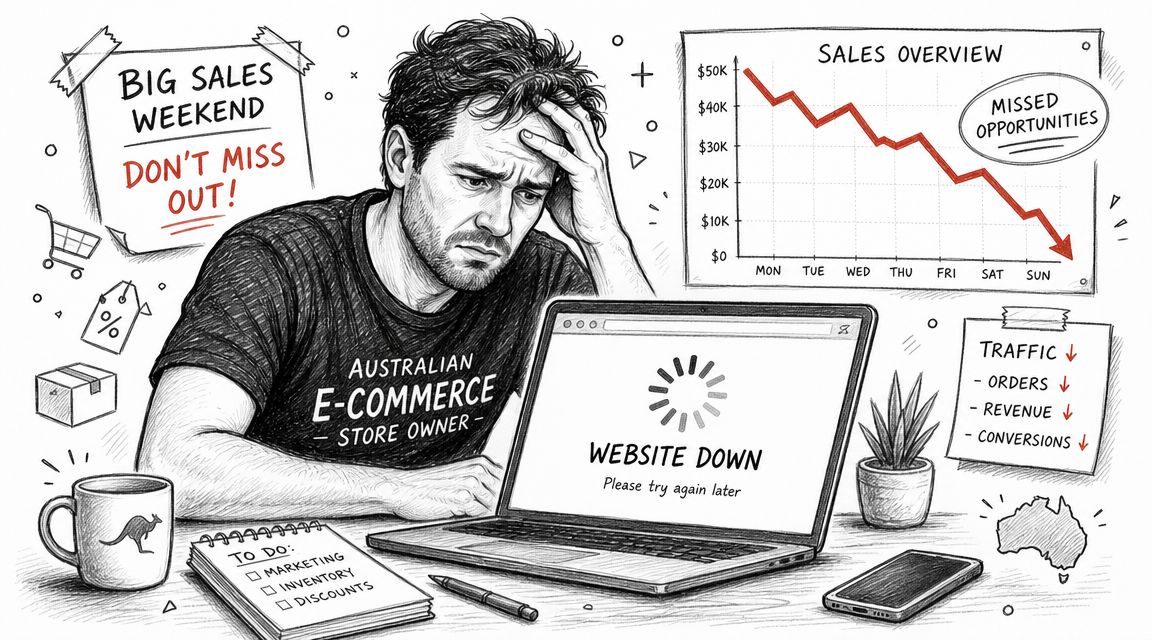
That happens because a WordPress ecommerce store is doing far more work than a standard business site. WooCommerce has to manage sessions, query the database for prices and variations, process logged-in traffic, run plugin code, deliver media, and keep payment steps stable under load. A host that is fine for brochure pages can struggle once a store starts handling real transactions.
Australian businesses also have a narrower set of priorities than generic global guides admit. Local shoppers expect pages to feel quick from Sydney, Melbourne, Brisbane, Perth, and regional areas. Business owners need support that works on Australian time, invoices that make sense locally, and security controls that are already in place before the first campaign goes live.
The starting point is simple. Choose hosting built for WordPress and tested against ecommerce behaviour, not just advertised with big storage numbers. A useful benchmark is what providers include as standard on fast WordPress hosting for Australian stores, such as local infrastructure, daily backups, free SSL, malware scanning, and staging for safe store changes.
Cheap plans often have hidden costs elsewhere. You save a little on the first invoice, then lose time dealing with slow admin screens, plugin conflicts that are harder to diagnose, and support teams that do not understand WooCommerce. If you're comparing introductory offers, tools like Get Godlike Host cashback can reduce upfront spend, but the better decision is still the host that keeps checkout stable and recovery straightforward.
A slow WooCommerce store rarely fails in one dramatic moment. It fails in small delays that stack up until customers hesitate, carts get abandoned, and staff stop trusting the backend during busy periods.
A strong start means the store behaves properly from day one. Product pages load cleanly for Australian visitors, cart and checkout actions stay consistent, backups are easy to restore, and support can handle WordPress issues without reading from a script. UpTime is a good example of that baseline. Local hosting, included security features, and WordPress-aware support are the standard Australian stores should expect.
The Four Pillars of High-Performance Ecommerce Hosting
Australian ecommerce stores get tested at the worst possible times. A promotion goes out at 9 am, staff jump into WooCommerce to process orders, customers start hitting checkout, and weak hosting shows its hand within minutes. The providers worth considering hold up under that pressure because they get four things right: performance, security, reliability, and scalability.
Price still matters, especially for smaller stores watching setup costs. If you want to compare introductory spend, Get Godlike Host cashback can help reduce the first payment. It should stay separate from the technical decision. Cashback does not fix a slow checkout, poor backup recovery, or support that disappears during Australian business hours.
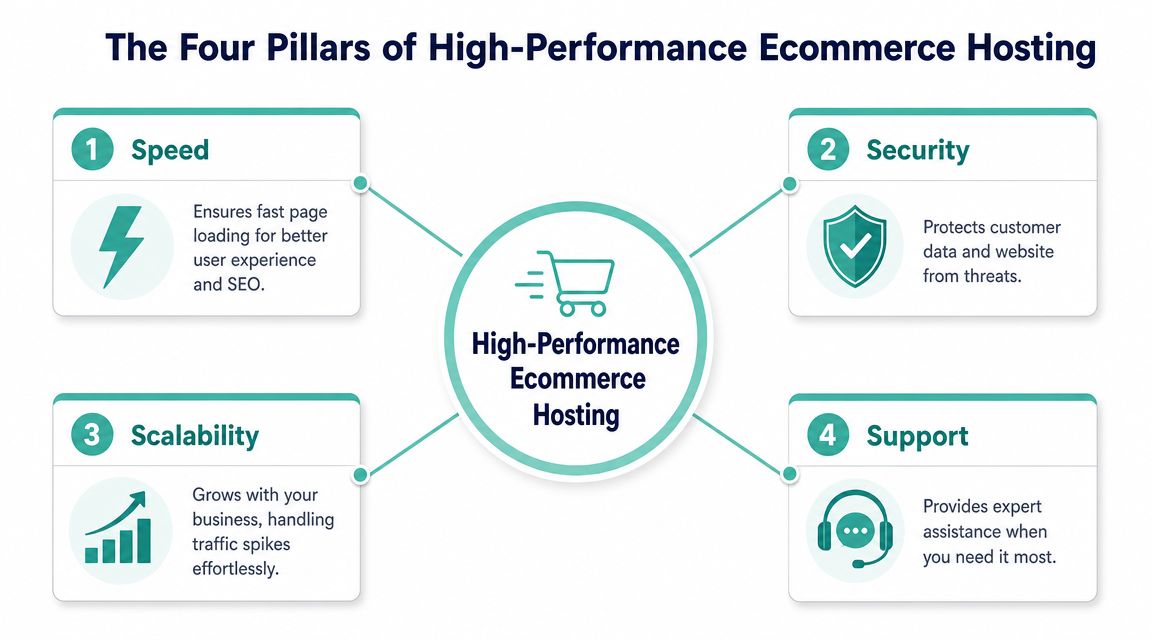
| Pillar | What it means for an ecommerce store | What good looks like |
|---|---|---|
| Performance | Fast page delivery and steady checkout behaviour | Server-side caching, tuned PHP, local delivery paths |
| Security | Protection for customer sessions, admin access, and store data | SSL, malware scanning, firewalls, hardened WordPress setup |
| Reliability | Consistent uptime and recoverability | Monitoring, backups, stable infrastructure, support that acts quickly |
| Scalability | Capacity to handle campaign traffic and catalogue growth | More CPU and memory, room for higher WooCommerce load, easier plan upgrades |
For Australian merchants, fast WordPress hosting built for local stores is a sensible starting point. Speed matters, but only if the same host also keeps the store secure, recoverable, and stable under load.
Performance means the store stays responsive when WooCommerce gets busy
Homepage speed is the easy part. WooCommerce stress usually comes from dynamic actions like product filtering, cart updates, logged-in sessions, payment requests, and shipping calculations. That is where cheap shared hosting often falls over.
Good performance shows up in practical places:
- Product and category pages stay responsive, even with large images, search plugins, and variation-heavy catalogues.
- Cart and checkout actions complete quickly instead of pausing while the server catches up.
- Admin screens load fast enough for staff to process orders without fighting the backend.
This is also where local infrastructure helps Australian stores. If most of your buyers are here, the store should feel quick for Australian visitors first, not just score well on a generic overseas test.
Security protects revenue and operating time
A compromised ecommerce store is not just an IT problem. It can interrupt orders, expose customer data, poison search visibility, and burn hours while your team cleans up spam or restores the site.
The hosting layer should already include the basics. SSL, malware scanning, firewalls, account isolation, and sensible WordPress hardening should be part of the platform. UpTime is a useful benchmark here because those protections are treated as part of the hosting foundation, not as extras you discover after signup.
If security is sold as an optional add-on, the store is carrying more risk than it needs to.
Reliability is backup quality, uptime, and support that responds properly
Reliability sounds boring until something breaks. Then it becomes the only thing that matters.
For a live WordPress store, reliability means consistent uptime, backups that restore cleanly, and monitoring that catches problems before they drag on for hours. It also means support that understands WooCommerce behaviour, plugin conflicts, and the difference between a slow admin issue and a front-end caching issue. Australian businesses should be especially picky here. Local support hours and staff who understand how local stores operate make incident handling much easier.
Managed hosting earns its keep in this area. The value is fewer surprises and faster recovery when something does go wrong.
Scalability is what keeps sale periods from turning into outages
Major Australian sale events like EOFY and Black Friday create traffic spikes that punish slow hosting. Stores also hit pressure during product launches, email campaigns, and paid ad bursts that work better than expected.
The limiting factors are rarely the broad marketing promises on the pricing page. They are usually CPU, memory, PHP workers, database performance, and how well the server handles concurrent WooCommerce sessions. A host can advertise generous storage and still struggle the moment real shoppers start adding products to cart at the same time.
A scalable setup gives you room to grow without rebuilding the store around hosting problems. That usually means clear upgrade paths, enough headroom for campaign traffic, and an environment that does not become unstable as the catalogue, plugin stack, and order volume increase.
Get these four pillars right and the store feels calm, even when trading gets busy. That is the standard Australian ecommerce businesses should expect from their hosting.
Host your website with our 5-star rated, cPanel website hosting plans.
Super fast servers, with security included and hosted in your choice of Australian Data Center.
View cPanel Plans
Essential Technical Features Your Store Needs
A WooCommerce store can look fast on a homepage test and still feel sluggish where it counts. The test is what happens when an Australian customer updates the cart, checks shipping, logs into an account, or hits checkout at 8:30 pm AEST. Hosting quality shows up in those moments.
Local infrastructure changes the feel of the store
If your customers are in Australia, the server should be in Australia too. That cuts delay between the browser and the application, which matters most on dynamic requests that cannot be fully cached.
You see it in cart refreshes, postcode-based shipping estimates, account dashboards, and stock checks. Staff notice it in wp-admin as well, especially when processing orders, updating products, or searching customer records during business hours. A local hosting environment also makes day-to-day operations easier because support hours, routing, backup location, and default assumptions are built around Australian businesses.
Caching and PHP capacity matter more than headline bandwidth
Storage and bandwidth are easy to compare, but they do not tell you whether a WooCommerce store will hold up under load. For ecommerce, server resources and application behaviour matter more.
These are the features that usually make the difference:
- Server-side caching: speeds up category pages, product pages, and content pages that do not need to rebuild on every request.
- Object caching support: reduces repeated database work for products, sessions, and WooCommerce queries.
- Enough PHP workers: prevents requests from queueing when multiple shoppers browse and buy at the same time.
- Fast database performance: keeps carts, checkout, search, and customer accounts responsive.
A plan can advertise unlimited bandwidth and still struggle during a campaign. If PHP capacity is thin or the database is slow, the bottleneck appears long before bandwidth becomes a problem.
Ecommerce slowdowns usually come from constrained PHP, database load, or poor cache behaviour, not from raw traffic numbers alone.
Security basics should already be included
An online store handles customer data, payment workflows, and admin logins every day. Basic protection should already be part of the hosting plan, not bolted on later.
Look for free SSL, malware scanning, firewall protection, account isolation, patching at the server level, and backups stored off the server. WordPress stores also need a host that understands plugin-related risk, suspicious login behaviour, and the difference between a bad update and a compromised site. UpTime Web Hosting is a practical benchmark here for Australian stores, with local hosting, LiteSpeed, CloudLinux, malware scanning, DDoS-protected firewalls, free SSL, encrypted off-site nightly backups, and 24x7 monitoring. Their guide to WordPress security for hosted sites is a useful checklist for reviewing what your current provider includes.
Staging, backups and restore speed are operational features
Launch speed gets attention. Recovery speed matters just as much.
A plugin update, checkout customisation, or theme change can break tax calculations, payment gateways, or cart behaviour without warning. On a live store, that means lost orders until someone finds the issue. On a properly set up hosting platform, you test the change in staging first, roll it out carefully, and restore quickly if needed.
A store-ready hosting environment should include:
- A staging site for testing plugin, theme, and checkout changes safely.
- Automated backups that run without staff remembering to trigger them.
- Fast restores so a bad deployment does not turn into a full-day incident.
- Monitoring and alerts so your team hears about problems before customers do.
For Australian businesses, this is not a nice extra. It is part of keeping trade online during sale periods, after-hours orders, and busy support windows.
Matching Your Business Size to the Right Hosting Plan
The right hosting plan depends less on your ambition and more on your current load profile. A small catalogue with occasional orders can run well on a standard cPanel plan. A growing WooCommerce store with frequent promotions, heavy plugin usage, and staff in the admin all day often can't.
That's particularly relevant in Australia because online shopping is broad and seasonal pressure is real. Australia Post's 2024 ecommerce reporting, as cited in this discussion of WordPress hosting for ecommerce growth, found that 9.8 million households shopped online and the sector generated about $69 billion in annual spend. The useful takeaway isn't just market size. It's that even smaller stores can hit sharp spikes during sales events, EOFY promotions, and holiday periods.
A quick comparison of hosting fit
| Feature | Startup Plan (cPanel Standard) | Growing Business Plan (cPanel Business) | Established Store Plan (Managed VPS) |
|---|---|---|---|
| Best fit | New stores, lean catalogues, lower order volume | Active WooCommerce stores with more products and regular campaigns | Busy stores that need stronger isolation and dedicated resources |
| Resource style | Shared environment | Higher-capacity shared or business-grade environment | Dedicated virtual resources |
| Typical strength | Low overhead and simple management | Better room for plugins, admin work, and busier traffic patterns | More control over CPU, memory, and sustained load handling |
| Good for | MVP launches, niche products, local test markets | Established marketing calendars, larger catalogues, repeat customers | High-frequency campaigns, larger operational teams, heavier integrations |
| Main trade-off | Lower headroom during spikes | Still shared at the underlying level | More cost and more planning, but stronger performance consistency |
If you want a managed WordPress path rather than a general hosting plan, managed WordPress hosting in Australia is the category to compare against your current setup.
Startup stores
A startup store usually has a modest catalogue, a limited plugin stack, and traffic that's uneven rather than constant. In that phase, cPanel Standard often makes sense because it keeps costs under control and doesn't overload the business with server management.
This tier works when:
- The catalogue is still compact: not too many products, variations, or search/filter demands.
- Traffic is campaign-light: no major paid media pushes yet.
- The team is small: usually one owner or a couple of staff handling fulfilment and support.
- The store design is relatively clean: not overloaded with animation, builders, or heavyweight addons.
What doesn't work is putting a startup plan under a store that already behaves like a growth-stage business. If your site relies on many dynamic plugins, custom checkout rules, aggressive email automations, or lots of concurrent admin activity, you'll feel the ceiling early.
Growing businesses
This is the category where many Australian stores sit for longer than expected. The business is established enough to have recurring customers and marketing campaigns, but not large enough to justify a fully managed server by default.
A cPanel Business-style plan is usually the practical middle ground when the store needs more breathing room for:
- Heavier WooCommerce use
- Larger product ranges
- Frequent discount events
- Staff accessing orders, stock, and customer records during the day
- A broader plugin stack for shipping, payments, email, SEO, and reporting
At this level, the right host should make the store feel less brittle. You want stronger processing headroom, more predictable performance under moderate spikes, and enough account resources that a busy afternoon doesn't degrade checkout.
If the storefront feels fine but the admin drags, you're already seeing a hosting capacity signal.
Established stores
A managed VPS is the usual move when the store has outgrown the compromises of shared infrastructure. You're paying for more than a bigger plan name. You're paying for dedicated virtual resources, better isolation, and more stable behaviour under sustained load.
This is the right fit when the business has one or more of these traits:
- Sales periods regularly stress the site
- The catalogue is large or highly variable
- Custom functionality adds processing overhead
- Multiple staff members use WooCommerce simultaneously
- The store can't afford checkout uncertainty during promotions
Managed VPS also makes sense if the business doesn't want to run system administration internally. You get stronger capacity without taking on the full burden of managing server operations alone.
When to move up a tier
A lot of owners wait too long because the store is “still working”. The better question is whether the site is still working comfortably.
Move up when you notice patterns like these:
- Checkout slows during promotions. Even if the site stays online, friction at the payment stage costs sales.
- The admin area becomes sluggish. Staff productivity drops when orders, products, and reports take too long to load.
- Plugin updates feel risky. Tight resource limits make conflicts and recovery more painful.
- Customer reports increase during busy periods. Cart errors, timeouts, and delayed emails usually point to capacity pressure.
- You're adding operational complexity. More products, more automations, more integrations, more staff.
A store with a few hundred products can outgrow basic shared hosting when checkout traffic, email sends, and browsing rise together during EOFY or holiday campaigns. That's the practical threshold many Australian businesses hit before they expected to.
Your Post-Launch Optimisation Checklist
Switching to better hosting helps, but it doesn't automatically provide every performance gain. After launch, a few checks make a noticeable difference to how stable the store feels over the following months.
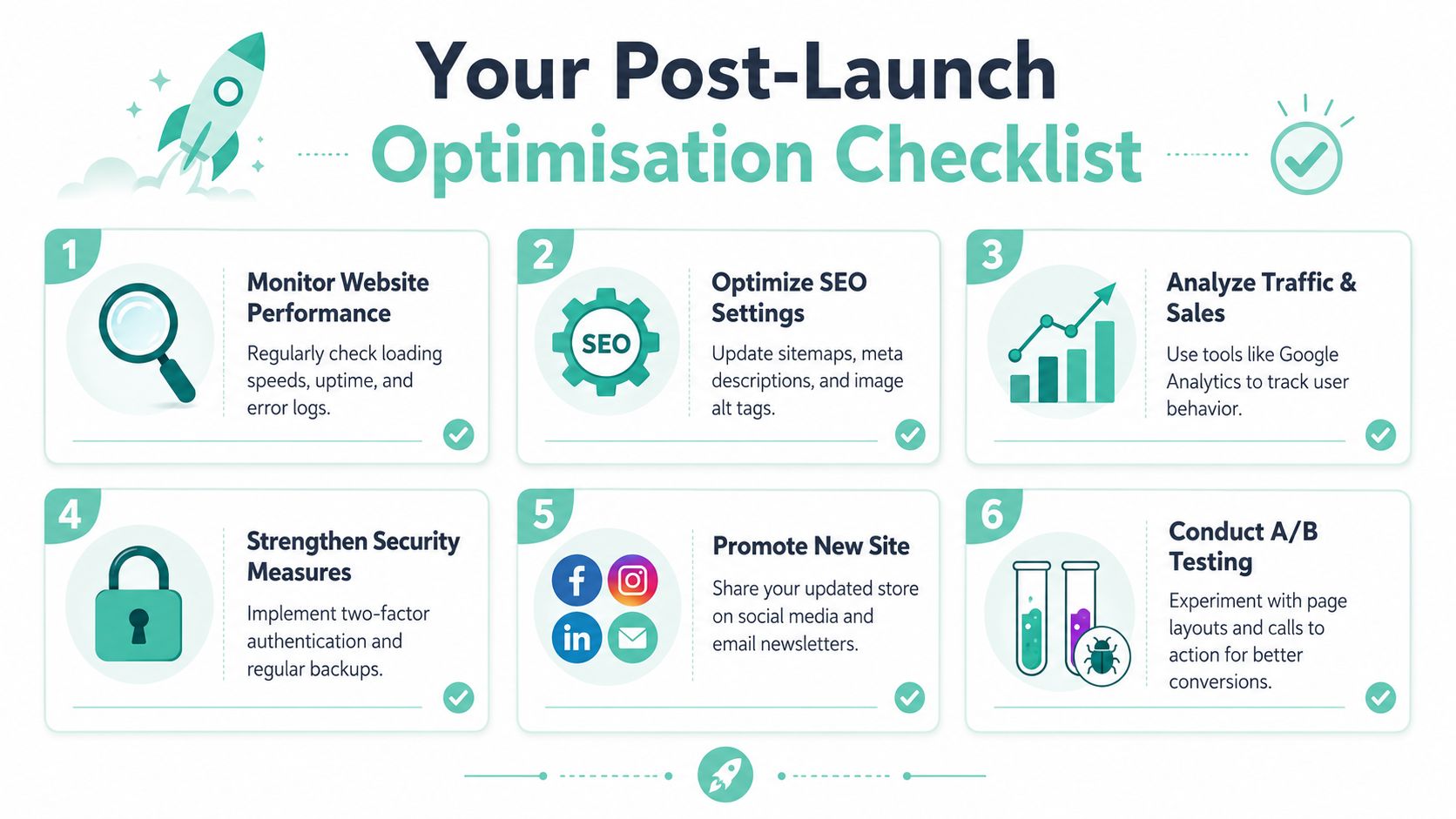
The first checks to make after launch
Use this as a practical first-week list:
- Confirm SSL is active: every page, not just checkout, should load securely.
- Verify backup jobs are running: don't assume they are. Check the schedule and the restore path.
- Enable server-side caching carefully: cache content and catalogue pages, but make sure cart, checkout, and account pages are excluded correctly.
- Test forms and transactional email: order confirmations, contact forms, password resets, and customer notifications should all be checked manually.
- Review staging access: if the host provides staging, make sure the team knows how to use it before the next plugin update.
If your stack includes LiteSpeed, review practical settings rather than enabling everything blindly. This guide to LiteSpeed Cache settings for cPanel is a useful reference point for tuning without breaking dynamic WooCommerce behaviour.
The ongoing habits that keep stores fast
Launch-day checks are only half the job. Ecommerce stores drift over time because plugins get added, banners pile up, images get heavier, and admin workflows become more complex.
Keep these habits in place:
- Watch the checkout path: test it after plugin updates, coupon changes, or payment gateway edits.
- Use staging before major changes: theme updates, WooCommerce releases, and shipping logic changes shouldn't go straight to production.
- Trim what you don't need: inactive plugins, duplicate page builders, and bloated analytics scripts all add overhead.
- Optimise product media: resize oversized images before upload and keep file handling sensible.
- Check cache exclusions: every major store feature should still behave correctly after tuning.
Stores usually lose speed gradually. A monthly review catches the small regressions before customers feel them.
A good host gives you the platform. A well-run store uses it properly.
Register your new domain name at competitive market prices including free domain add-ons like privacy, DNS Hosting, Custom Nameservers and Forwarding.
Always the best price and no nasty renewal price hikes.
Register A Domain Name
The Undeniable Advantage of Local Australian Hosting
There's a point where global hosting advice stops helping Australian businesses. The broad principles still apply, but the details change. Your customers are local. Your business hours are local. Your sale periods, support expectations, and tax reality are local too.

Local support solves the right problems faster
When a store has an issue, support quality is measured by relevance. You don't need generic hosting advice meant for a blog in another market. You need someone who understands WordPress, WooCommerce, and the practical reality of an Australian business trying to keep sales flowing.
That usually shows up in small but important ways:
- Support hours line up with your working day
- The team understands local traffic patterns and campaign timing
- There's less back-and-forth explaining the basics
- Billing and plan language are easier to interpret
For many businesses, that support context matters just as much as the server itself.
Local hosting fits local business realities
Australian hosting is also simpler commercially when it's sold for Australian customers. Clear invoices, GST-inclusive pricing, no hidden fees, and no awkward currency surprises make budgeting easier. That's not a technical feature, but it is part of choosing a stable operating base for a store.
Performance also becomes easier to reason about when the infrastructure is built around Australian delivery. If your buyers are mostly here, your hosting should reflect that. If you're weighing whether that change is worth making, this explanation of why switching to local Australian hosting can improve website operations is a useful way to frame the decision.
The best WordPress hosting for ecommerce isn't the host with the loudest list of promises. It's the one that gives your Australian store consistent local speed, proper security, stable scaling, and support that understands the business context when something goes wrong.
If your store has outgrown generic hosting and you want a local platform built around Australian performance, transparent pricing, and practical support, take a close look at UpTime Web Hosting. Review the hosting options against your current WooCommerce load, check the included security and backup features, and choose the plan that fits how your store operates today, not how it looked six months ago.