You can manage multiple websites for a while with memory, browser tabs, and a rough to-do list. Then the cracks show. One client wants a plugin updated before lunch, another site throws a security alert, a renewal notice lands in the wrong inbox, and suddenly you're checking backups at 10 pm because you can't remember whether that last change was tested properly.
That's the point where most Australian freelancers and small agencies stop running a tidy service operation and start reacting to noise. The problem usually isn't effort. It's the lack of a system. If you're serious about learning how to manage multiple websites without burning time on repeat admin, you need a workflow that covers hosting, updates, deployments, domains, billing, and client communication as one operating model.
Table of Contents
- From Chaos to Control When Managing Multiple Websites
- Build Your Foundation with a Smart Hosting Strategy
- Create a Central Command Centre for Your Sites
- Implement Scalable Deployment and Update Processes
- Organise Your Domains Billing and Client Services
- Your Reusable Checklists for Efficiency and Growth

Performance you can feel, backed by clients who depend on it. Read how our support and uptime create long‑term customer success.Power Your Business with Better Hosting
From Chaos to Control When Managing Multiple Websites
It often starts innocently. A developer builds one WordPress site for a local tradie, then keeps an eye on it. A second client asks for the same help. Then a third wants hosting, maintenance, and email sorted as well. By the time there are eight or ten sites in the mix, the workday gets chopped into tiny, expensive interruptions.
One common pattern looks like this. Passwords are stored in too many places. Updates are run directly on live sites because there's no staging routine. Backups exist, but nobody has checked whether they restore cleanly. The agency owner spends more time moving between logins than doing billable work.
That's where good operators separate themselves from busy ones.
Practical rule: If each site has its own ad hoc process, you're not managing a portfolio. You're repeating a rescue job.
The fix isn't a bigger plugin stack. It's an operating system for your web business. That means choosing fewer platforms, standardising maintenance, keeping site structures organised, and deciding upfront how each new website enters your environment.
For smaller brochure sites, consistency matters more than novelty. Keep navigation simple. PixelFish recommends limiting website navigation to a maximum of three levels for Australian small business websites, which helps users avoid confusion and keeps the structure easier to manage across a portfolio of client sites (PixelFish guidance on small business website structure). That same discipline makes your admin work lighter too.
Before any build starts, map the structure. The Australian Government's guidance recommends creating a sitemap before content creation so the site is logically organised and accessible (Business.gov.au website setup guidance). Agencies that skip this usually end up rebuilding menus, templates, and page hierarchies later.
A calm multi-site operation doesn't happen by accident. It comes from deciding that every new client site must fit your process, not the other way around.
Build Your Foundation with a Smart Hosting Strategy
The fastest way to make multi-site management harder is to spread client websites across random low-cost hosts. One uses a dated control panel, another has patchy support hours, another handles backups differently, and none of them match. Every exception creates more admin.
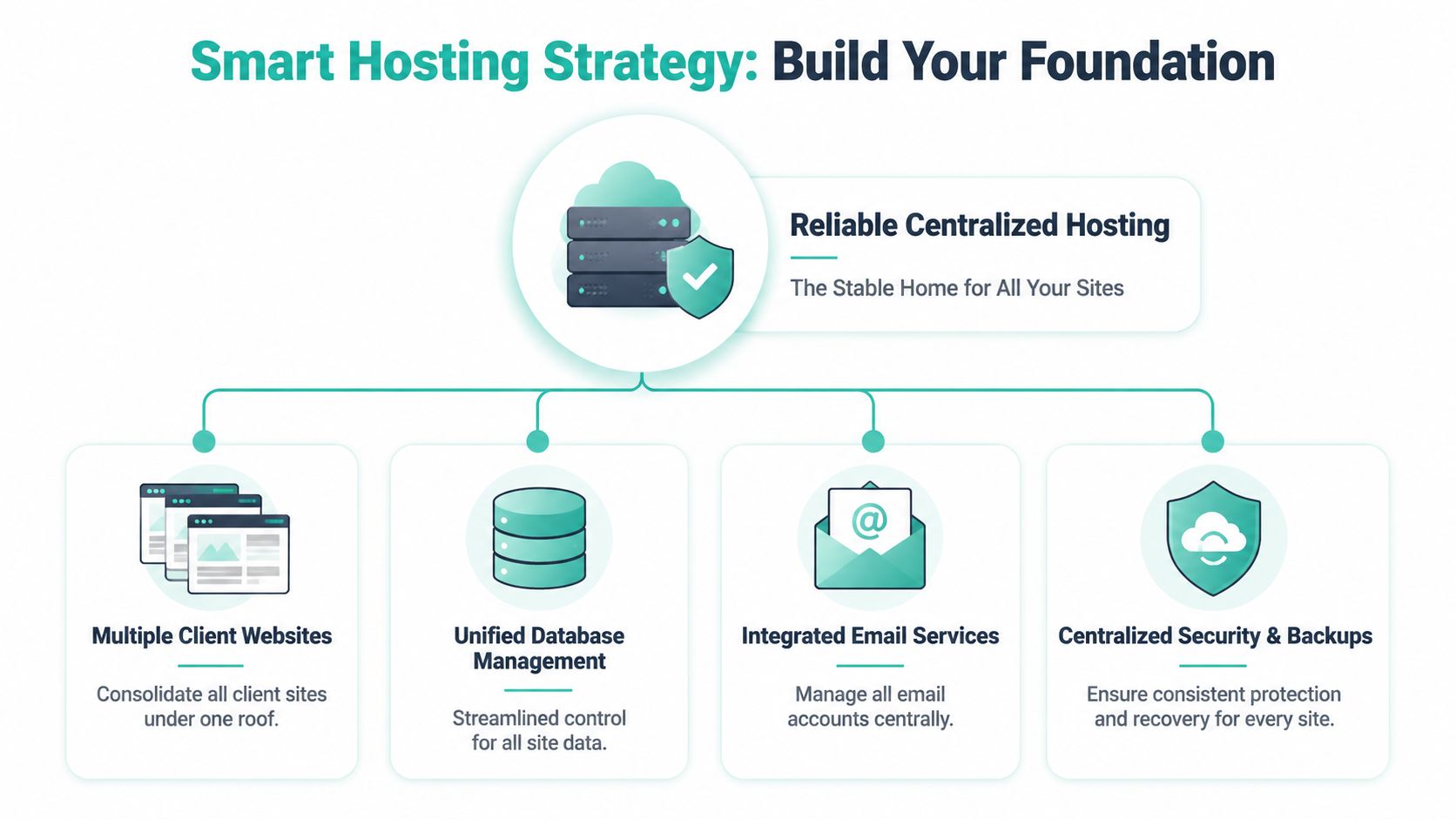
A better approach is to consolidate as much of your portfolio as possible on one reliable Australian hosting platform. That gives you one support relationship, one standards baseline, and one place to scale from when the site count grows.
Stop scattering sites across cheap hosts
Consolidation solves practical problems that don't show up in sales pages. Your team learns one environment. Provisioning becomes repeatable. Support tickets are easier because you're not relearning a different platform every week.
For Australian agencies, local infrastructure matters as well. Local servers help keep service delivery aligned with local clients, local support expectations, and the day-to-day reality of managing sites for businesses in cities such as Sydney, Melbourne, Brisbane, and Perth. It also keeps your workflow cleaner when you're packaging hosting, maintenance, and email into a single service.
Here's the decision logic I use:
| Client type | Best fit | Why it works |
|---|---|---|
| Small brochure site | Quality cPanel hosting | Easy to manage, lower overhead, suitable for stable low-change sites |
| Content-heavy WordPress site | Managed WordPress environment | Better admin tooling and a cleaner maintenance process |
| Busy ecommerce or custom app | Managed VPS | More control, better resource isolation, stronger fit for demanding workloads |
If you support online stores, the hosting choice gets more strategic. Platform fit affects maintenance load, extension handling, and growth planning. If you're weighing store platforms for clients with bigger catalogue or workflow needs, this guide to scalable ecommerce solutions is a useful read because it frames the trade-offs in operational terms, not just design features.
Choose the right environment for each client type
A smart foundation doesn't mean putting every client on the same plan. It means choosing one provider and using the right tier within that environment.
Small business sites usually need predictable hosting, email, SSL, backups, and room to grow without a migration six months later. Larger WordPress installs or busy client portfolios often benefit from a managed setup with stronger oversight and less manual maintenance. For agencies that want a stable base for multiple WordPress projects, a managed platform such as Australian managed web hosting gives you a cleaner starting point than juggling mixed environments.
A hosting platform should remove exceptions, not create them.
Standardise your baseline as early as possible. Pick one stack for brochure sites, one for heavier WordPress jobs, and one for resource-intensive builds. Write that policy down. If a new client wants something outside it, price the exception properly or decline it.
That's how hosting becomes part of your system instead of another source of chaos.
Host your website with our 5-star rated, cPanel website hosting plans.
Super fast servers, with security included and hosted in your choice of Australian Data Center.
View cPanel Plans
Create a Central Command Centre for Your Sites
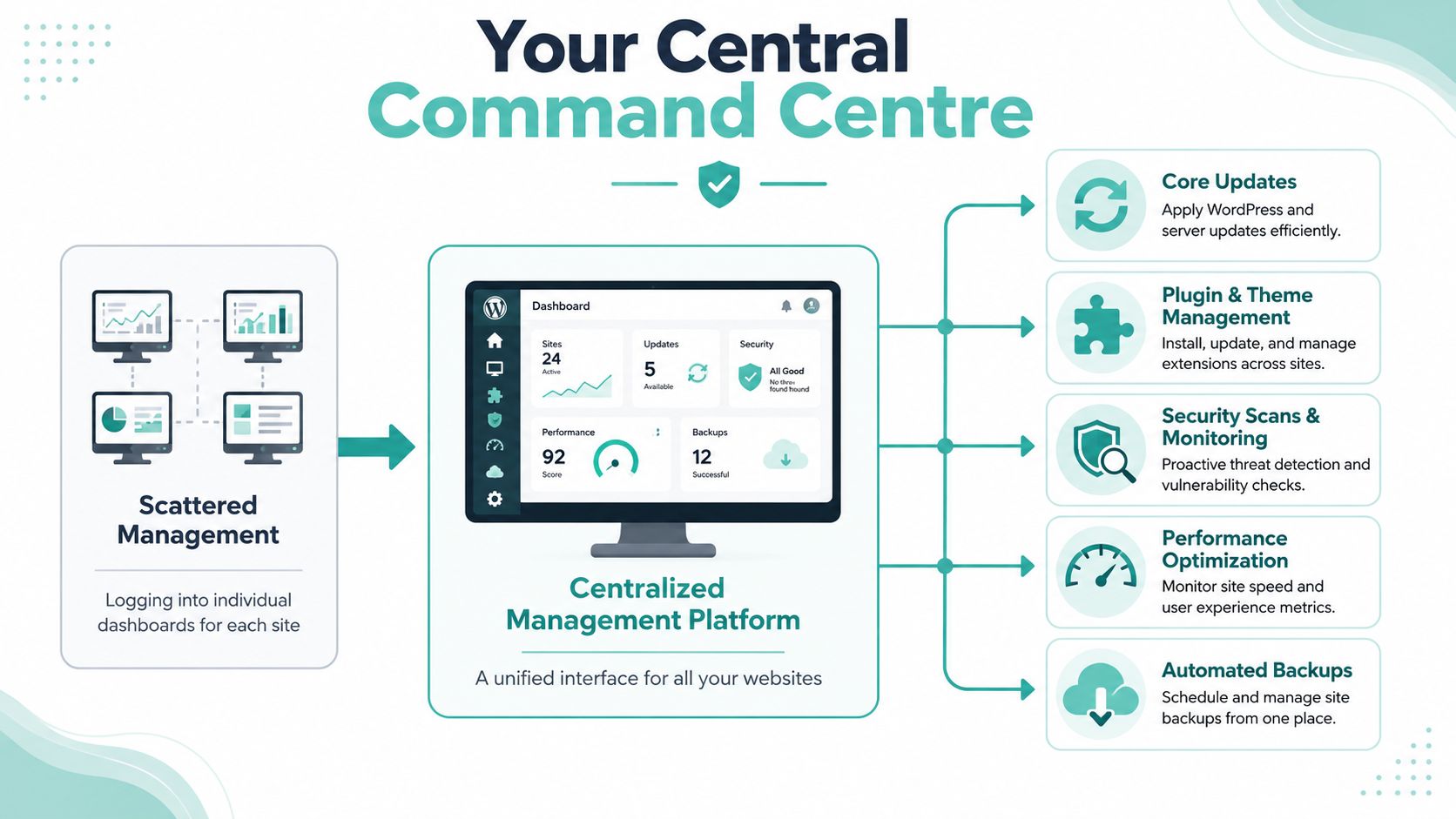
Once the hosting layer is stable, the next job is visibility. You need one place to check backups, uptime, malware status, update queues, and site health. Without that, every maintenance cycle turns into a scavenger hunt through individual dashboards.
The command centre should give you a single operating view. Not every site has the same needs, but every site should flow through the same monitoring and maintenance process.
Set up one place to watch everything
At minimum, your command centre should track these items across the portfolio:
- Backups: Confirm off-site backups are running and restorable.
- Security status: Check malware scans, firewall events, and unusual file changes.
- Update queues: See which core, theme, and plugin updates are pending.
- Performance flags: Watch for sudden slowdowns, heavy plugins, or failing cron tasks.
- Ownership records: Keep domain, hosting, and admin access tied to the correct client entity.
Australian agencies that implement a centralised management architecture can reduce update latency by 40% and minimise security breach risks by 65% through bulk plugin testing in a controlled sandbox environment, while also preventing the common pitfall of 30% site downtime caused by untested plugin conflicts (WPMU DEV on managing multiple client sites). Those gains come from process discipline, not from clicking faster.
If you run WordPress across multiple related sites, a setup like WordPress Multisite hosting can help centralise admin where the site model is a good fit. It isn't right for every portfolio, but it's useful when sites share users, plugins, governance, or brand assets.
Use a testing layer before touching live sites
This is the part many teams skip when they're busy. Don't update live sites first. Build a local MultiSite sandbox or equivalent controlled test environment where you can trial plugin and theme changes in bulk before rollout.
A practical workflow looks like this:
- Clone representative sites locally so you're testing against real plugin combinations and not an empty install.
- Group updates by type. Security updates first. Feature plugins separately. Theme changes on their own.
- Run bulk tests in the sandbox and log conflicts immediately.
- Approve only validated updates for production deployment.
- Verify live sites after rollout with a short functional checklist.
Treat every plugin update as a change request, not a housekeeping task.
The benefit isn't just fewer breakages. It's consistency. A central command centre gives your team a shared rhythm. Monday might be update review. Tuesday might be testing. Wednesday might be production rollout and post-checks. That cadence removes decision fatigue and makes multi-site work manageable at scale.
Implement Scalable Deployment and Update Processes
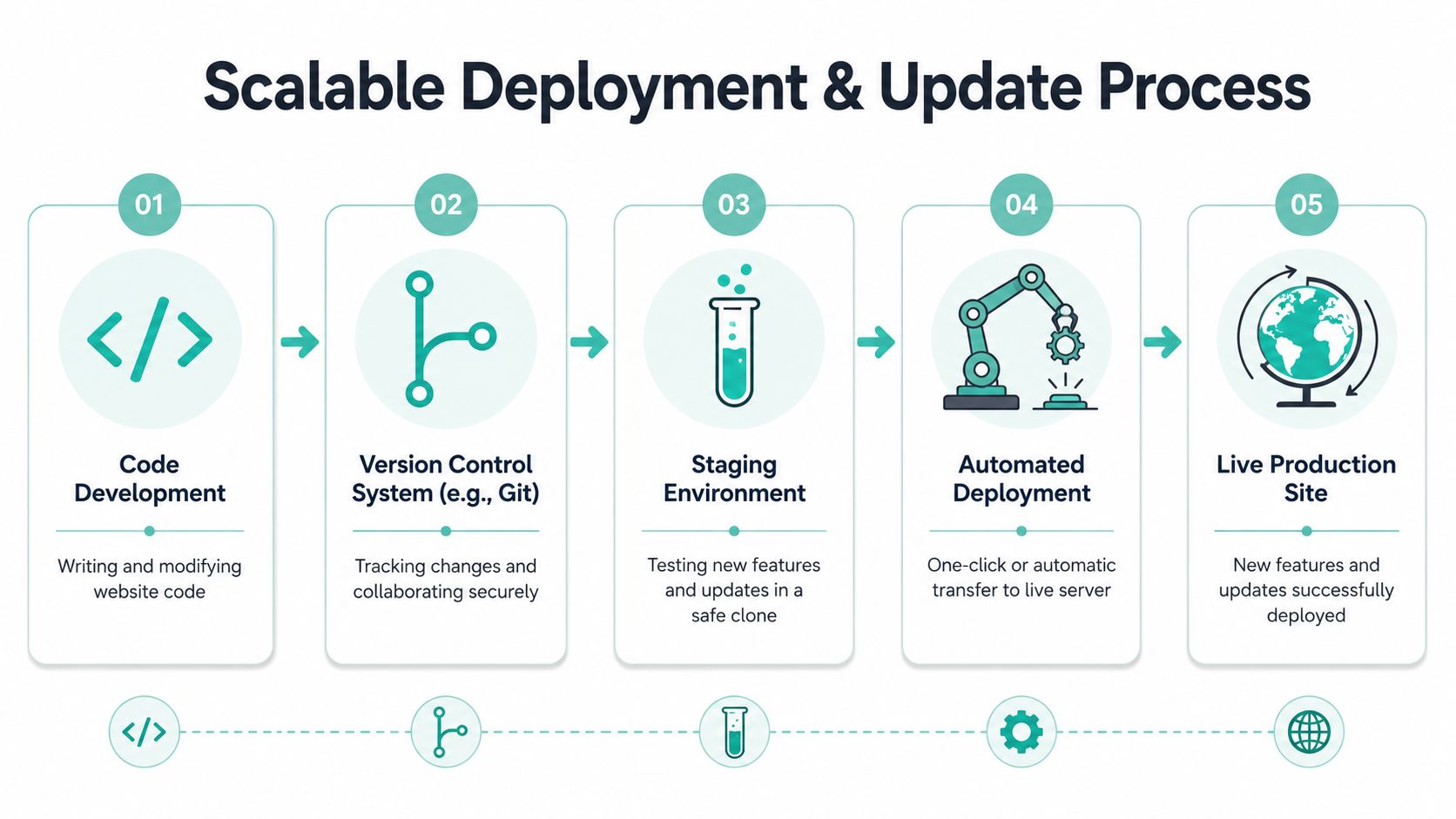
Manual uploads over FTP still exist in plenty of agencies. They also create avoidable mistakes. Files get overwritten, edits go undocumented, and when something breaks, nobody knows exactly what changed. If you want a professional answer to how to manage multiple websites, deployments need to be repeatable.
The goal isn't enterprise complexity. It's a simple pipeline that your team can follow without improvising.
Replace manual uploads with a repeatable workflow
A practical deployment process for a small Australian agency usually needs four parts:
| Step | Tool or method | What it prevents |
|---|---|---|
| Version control | Git | Mystery edits and lost file history |
| Safe testing | Staging environment | Breaking live sites during development |
| Change review | Internal checklist or ticket approval | Untracked rushed updates |
| Deployment | Controlled push to production | Inconsistent live environments |
A DevOps-driven multi-site strategy allows Australian businesses to cut deployment time by 50% and achieve 95% success rates in bulk security scans, with pre-deployment testing on a local copy directly addressing the 45% of site failures that stem from untested changes (Concrete CMS guide to multi-site management). That's the clearest case for building a process instead of relying on memory.
When junior staff are involved, formal change discipline matters even more. IT service teams have used structured approval and rollback thinking for years, and the same approach works well in web ops. This overview of ITIL change management in 2026 is worth reading if you want a practical way to classify routine, standard, and higher-risk changes.
Keep changes small visible and reversible
A deployment workflow fails when it's too heavy to use. Keep it lean.
- Commit small changes often: Smaller batches are easier to test and easier to roll back.
- Use staging for anything client-facing: Design edits, plugin updates, form changes, and checkout tweaks should be reviewed before they go live.
- Record what changed: A plain-language change log in your ticketing system is enough.
- Have a rollback path: If the release fails, your team should know how to revert immediately.
For WordPress maintenance, even routine updates deserve a checklist. A documented process such as this WordPress update knowledge base guide helps standardise the sequence for core, plugins, and themes so the team isn't reinventing the order each time.
Good deployment habits don't slow agencies down. They stop one rushed change from wrecking the afternoon.
If you build this well, updates stop feeling dangerous. They become scheduled operational work, which is where they belong.
Organise Your Domains Billing and Client Services
A lot of agencies tighten their technical process and still lose time on admin mess. The usual culprits are domain renewals managed through old client accounts, scattered billing arrangements, and email setup handled only when someone complains it isn't working.
The fix is to treat service administration as part of site management, not an afterthought.

Bring domain control into one process
Every client should have a clean record showing:
- Legal domain owner
- Renewal contact
- Hosting account location
- Primary admin email
- Billing responsibility
- Emergency approval contact
If .au domains are spread across different registrars and legacy logins, renewals become risky. Centralising domain oversight reduces the chance of missed notices and makes ownership changes easier when a business restructures or sells. A resource like domain name ownership in Australia is useful when you need to document who owns what and how your agency should manage access.
For local businesses, domain and email work also affects credibility. Clients usually value simple wins like having branded email addresses on their own domain and knowing renewals won't disappear into an old inbox.
Package the admin work clients actually value
Most clients don't care how elegant your internal stack is. They care that the website stays online, invoices are clear, and local search details are accurate.
That means your service package should include a routine admin layer:
- Renewal tracking for domains, hosting, SSL, and premium extensions.
- Professional email account setup tied to the client domain.
- Simple billing terms with GST included and no vague extras.
- Access records for approved staff on both the client and agency side.
- Local SEO housekeeping for clients serving specific suburbs or regions.
For Australian businesses targeting local areas, local SEO work starts with their Google Business Profile. Accurate NAP details (name, address, phone number) and customer reviews directly affect local search visibility in 2026 according to Birdeye's Australian small business SEO guidance (Birdeye on local SEO for Australian businesses). If you manage websites for plumbers, clinics, builders, lawyers, or restaurants, this should be part of your maintenance conversation.
Clients stay longer when billing is predictable and ownership is clear.
That sentence sounds obvious, but plenty of agencies still lose accounts over admin confusion rather than technical quality. A clean service model fixes that.
Register your new domain name at competitive market prices including free domain add-ons like privacy, DNS Hosting, Custom Nameservers and Forwarding.
Always the best price and no nasty renewal price hikes.
Register A Domain Name
Your Reusable Checklists for Efficiency and Growth
The easiest way to keep multi-site management profitable is to stop relying on memory. Checklists turn good instincts into repeatable operations. They also make delegation safer, because junior staff can follow a standard without guessing what matters.
The system begins its practical operation. Every site enters the same workflow. Every monthly review follows the same order. Every deployment gets checked before and after release.
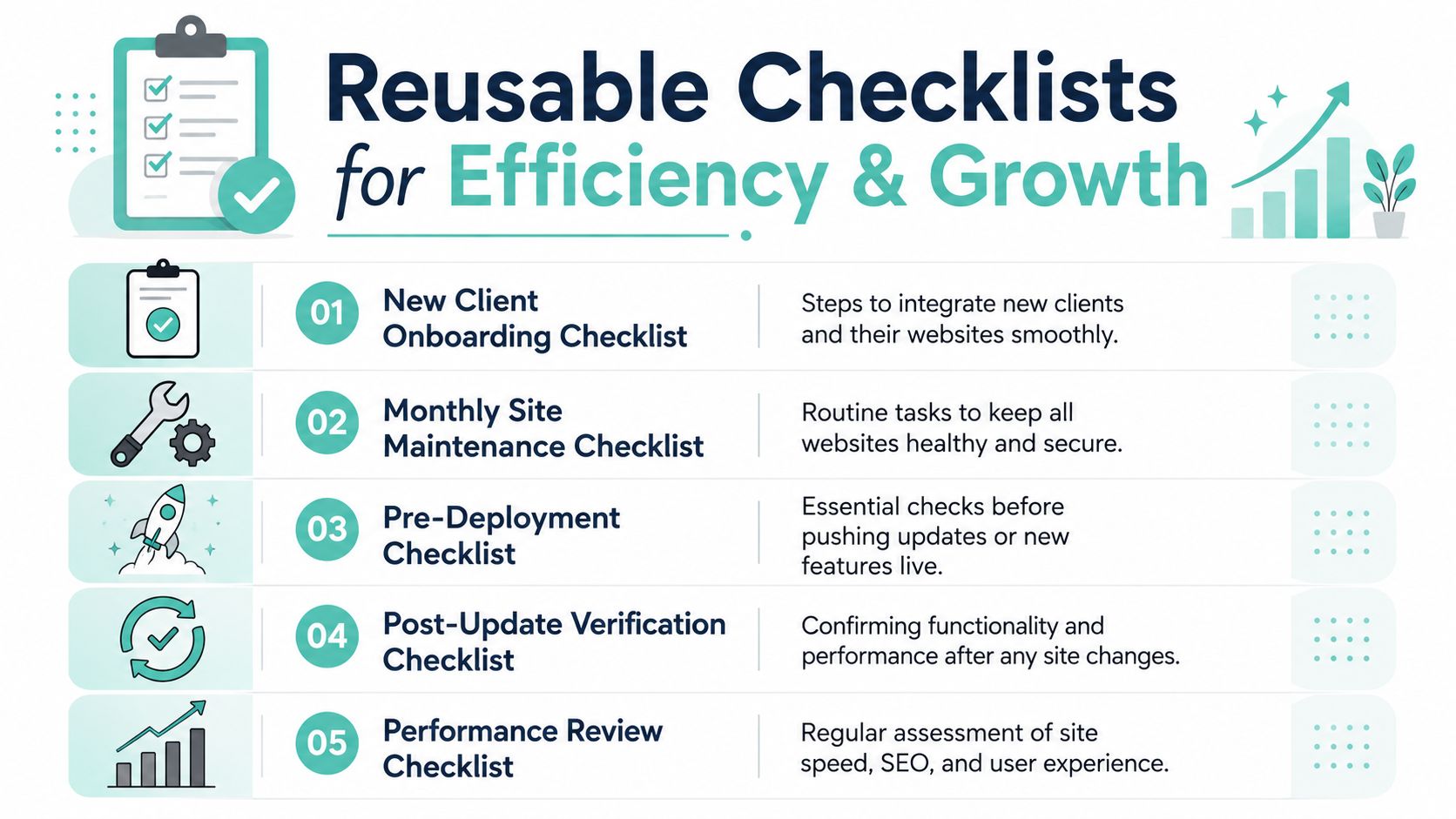
New client onboarding checklist
A proper onboarding checklist should cover technical control, service records, and structure.
- Confirm ownership details: Record the legal entity, domain owner, hosting contact, and billing contact.
- Map the site structure: Create or confirm the sitemap before content changes begin.
- Audit plugins and themes: Remove abandoned components and note anything custom.
- Set backup and monitoring standards: Make sure the site enters your normal maintenance cycle immediately.
- Document local business details: Capture the client's official name, address, phone number, service areas, and review process.
For teams that want a ready-made starting point, these website management checklist templates are handy because they reduce setup friction and make delegation easier.
Monthly maintenance checklist
Your monthly routine doesn't need to be long. It needs to be consistent.
Review the same things in the same order every month, and problem sites stand out quickly.
A strong monthly checklist usually includes:
| Task | What to look for |
|---|---|
| Backup review | Recent off-site backups completed and restoration process documented |
| Security check | Malware scans, outdated plugins, suspicious admin activity |
| Update review | Core, plugin, and theme updates waiting for approval |
| Performance pass | Caching issues, image bloat, failed forms, heavy scripts |
| Domain and billing check | Upcoming renewals, payment issues, account changes |
If you want to tighten internal operations further, it helps to study what other dev teams use every day. This roundup of top developer productivity tools is useful for refining the support layer around your process, especially documentation, task management, and collaboration habits.
Performance and ecommerce workflow checklist
Ecommerce portfolios need one extra layer. Catalogue, inventory, and content consistency can drift fast when multiple storefronts are involved.
For Australian retailers, using automated inventory and content synchronisation across multiple ecommerce sites can improve real-time data integrity by 75% and reduce human resource errors by 60%, which helps maintain brand consistency and profitability (Gelato on multisite management for ecommerce). That's a strong argument for automating stock and content updates instead of handling them manually across stores.
Use a checklist like this for multi-store ecommerce work:
- Inventory sync check: Confirm stock data updates correctly across storefronts.
- Product content review: Make sure descriptions, images, and pricing rules stay consistent.
- Template consistency check: Compare category, product, and checkout templates across stores.
- Performance review: Watch page speed, caching behaviour, and script conflicts after merchandising changes.
- Post-change validation: Test carts, contact forms, and transactional emails after every significant update.
The broader lesson is simple. Scale doesn't come from working faster in the browser. It comes from reducing exceptions, documenting decisions, and building repeatable routines your team can trust.
If you want a cleaner platform for running client sites in one Australian environment, UpTime Web Hosting is worth a look for hosting, domains, email, managed WordPress, and VPS services backed by local support.