You've probably had this experience already. You launch a WordPress site, the design looks good on your laptop, then customers on mobile start waiting for pages to load, plugin updates make you nervous, and every pricing page leaves you wondering what's hidden in the fine print. For Australian small businesses, wordpress hosting features aren't decoration, they're the plumbing, locks, and road access that keep the site usable when real people arrive from phones, local search, and busy shopping hours.
Table of Contents
- Why Hosting Features Matter for WordPress
- Understanding WordPress Hosting Features
- Essential Performance and Security Features
- Advanced Manageability and SEO Features
- Common Hosting Red Flags to Avoid
- Practical Checklist for Choosing a Host
- Real Examples from UpTime Web Hosting
- Conclusion and Next Steps

Performance you can feel, backed by clients who depend on it. Read how our support and uptime create long‑term customer success.Power Your Business with Better Hosting
Why Hosting Features Matter for WordPress
A lot of Australian business owners start with the same assumption, that any host will do as long as the site goes live. Then the first real week begins. A café site gets a surge of mobile visitors after a local campaign, a boutique store adds new plugins, and suddenly pages feel sluggish, checkout feels fragile, and the owner is refreshing the dashboard like it owes them an explanation.
That's where hosting features stop being technical extras. At least 60% of traffic in Australia is mobile according to Wolfiq's guidance, so speed, caching, and uptime monitoring become core infrastructure, not premium luxuries. You can read the local hosting case for yourself in UpTime Web Hosting's explanation of why local Australian hosting matters, especially if most of your customers browse on phones.
Security matters just as much. Australian hosting guidance treats firewalls, malware scanning, SSL, and backups as essential for business sites that can't afford downtime or data loss, and that lines up with the way WordPress sites are attacked in practice. If a plugin breaks or a login gets compromised, recovery speed becomes a business issue, not an IT issue.
Practical rule: if a host can't explain speed, security, and recovery in plain language, keep looking.
Understanding WordPress Hosting Features
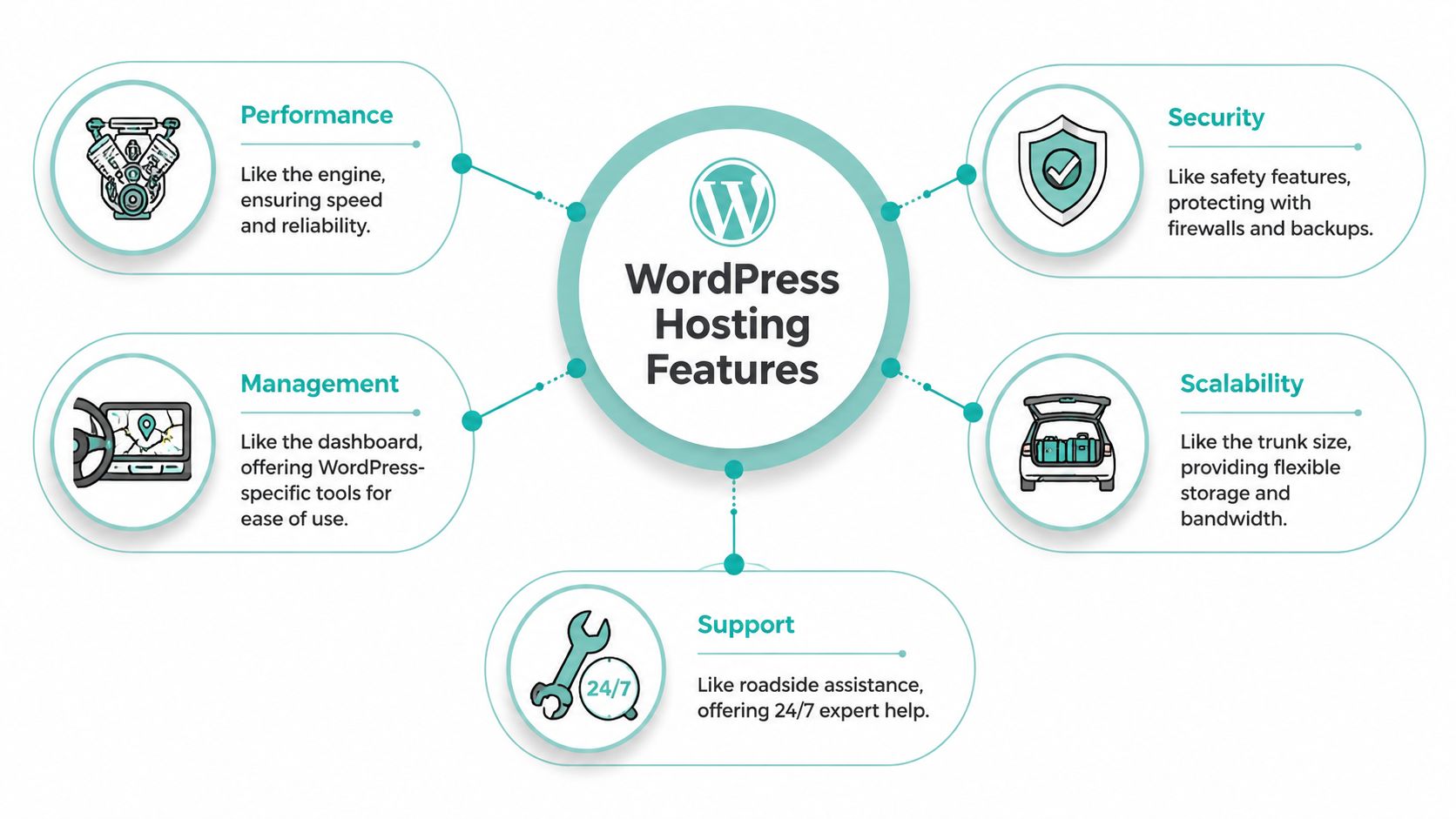
Think of hosting like a car. The engine moves you, the brakes keep you safe, the dashboard helps you steer, and the boot gives you room to grow. Performance features are the engine, security features are the safety systems, manageability tools are the dashboard, scalability is the storage and load space, and support is the roadside assistance you hope you never need, but really want when something goes wrong.
That analogy helps because hosting marketing often mashes everything together. A plan may mention “fast” or “secure”, but those words don't tell you whether the speed comes from NVMe storage, caching, or a better server stack, or whether the security includes firewalls, malware scanning, SSL, and backups. If you separate the categories, you can judge each one on its own merits instead of buying a bundle that sounds impressive but doesn't solve your real problem.
A useful way to test any plan is to ask four questions. Does it make pages load quickly on mobile networks, does it protect the site if something breaks, does it make daily work easier, and can it handle growth without forcing a rebuild? Those questions cut through glossy headlines and take you back to what the site has to do for customers.
UpTime Web Hosting's managed WordPress hosting overview is a good example of how these categories are often bundled together for Australian users, because the point isn't just to host WordPress, it's to reduce friction across the whole stack.
Host your website with our 5-star rated, cPanel website hosting plans.
Super fast servers, with security included and hosted in your choice of Australian Data Center.
View cPanel Plans
Essential Performance and Security Features
The first layer to get right is the one your visitors feel immediately. If a page takes too long to render, people do not wait around to admire the layout. They leave, tap back, and choose another result.
Performance features that actually affect load time
For WordPress, NVMe storage and LiteSpeed web servers matter because they reduce I/O bottlenecks and improve dynamic page delivery on plugin-heavy sites. That matters most when your site has WooCommerce products, bookings, forms, or multiple plugins pulling data at once. CPU alone does not solve that problem if the storage layer keeps slowing the stack down.
A simple way to think about it is this. If your host is the kitchen, NVMe is how quickly staff can reach ingredients, and LiteSpeed is how efficiently the kitchen handles multiple orders at once. You can have a talented chef, but if the pantry is slow and the pass gets clogged, meals still go out late.
Practical rule: do not judge speed features by labels alone. Ask what sits underneath them. Storage, web server, caching, and the PHP version all affect real-world behaviour.
Security features that protect business continuity
Australian guidance highlights firewall protection, automated malware scanning, free SSL, and daily backups as hosting features business sites need when downtime or data loss is not an option. Those features work together. A firewall helps block hostile traffic, malware scanning catches suspicious changes, SSL protects data in transit, and backups give you a clean way back if the worst happens.
That combination matters because WordPress sites are often affected through plugins, weak credentials, or exposed admin areas. A recovery plan only works if it is simple enough to use under pressure. Daily backups with easy restore options are far more useful than backup files sitting somewhere nobody can reach quickly.
For businesses comparing providers, the question is not whether security sounds included. It is whether the host makes security visible, automatic, and easy to recover from. If a provider hides restore steps, charges awkward extra fees for backups, or treats SSL as an upgrade, that is a warning sign.
UpTime Web Hosting's secure web hosting overview is the kind of reference Australian business owners can use when they want to compare security features without translating marketing language into plain English first.
Advanced Manageability and SEO Features
A bakery can have a safe kitchen and still waste time if every recipe change has to happen during the lunch rush. WordPress hosting works the same way. A site can be secure and fast, yet still be hard to manage if updates are risky, testing is clumsy, or search performance is left to chance. Manageability features reduce that pressure, while SEO-oriented features help the site do its job in search.
Tools that make updates less risky
Staging environments are one of the clearest examples. You copy the live site, test a plugin update there first, check that forms and checkout still work, then push the change only after you are satisfied. That matters for agencies, online stores with several plugins, and any business that cannot afford a broken page during trading hours.
One-click updates for core files and plugins help too, but they make sense only when backups and staging sit beside them. Updates without rollback are like changing tyres on a busy road with no shoulder. The work may need doing, but the site owner carries the risk if the process is messy.
Why the stack affects SEO and day-to-day work
Performance and SEO are closely linked. Google has said page speed is a ranking signal for mobile search, and Australian hosting choices also affect latency because local data centres shorten the round trip between the visitor and the server. That is why the location and the stack both matter for a business trying to reach customers on phones first.
Australian hosting examples increasingly focus on the infrastructure under the hood. Features like NVMe storage and LiteSpeed reduce I/O bottlenecks and improve dynamic page delivery for plugin-heavy sites, according to Web Hosting Centre. The result is easier to picture in practical terms. Files are reached faster, requests are handled with less waiting, and busy pages are less likely to feel heavy when several plugins are working at once. It is a bit like a well-organised workshop. Tools are easier to reach, jobs finish faster, and problems are easier to spot before they spread.
UpTime Web Hosting's search engine optimisation page is a useful companion if you want to connect hosting decisions with on-site visibility without mixing them up with content strategy.
Common Hosting Red Flags to Avoid
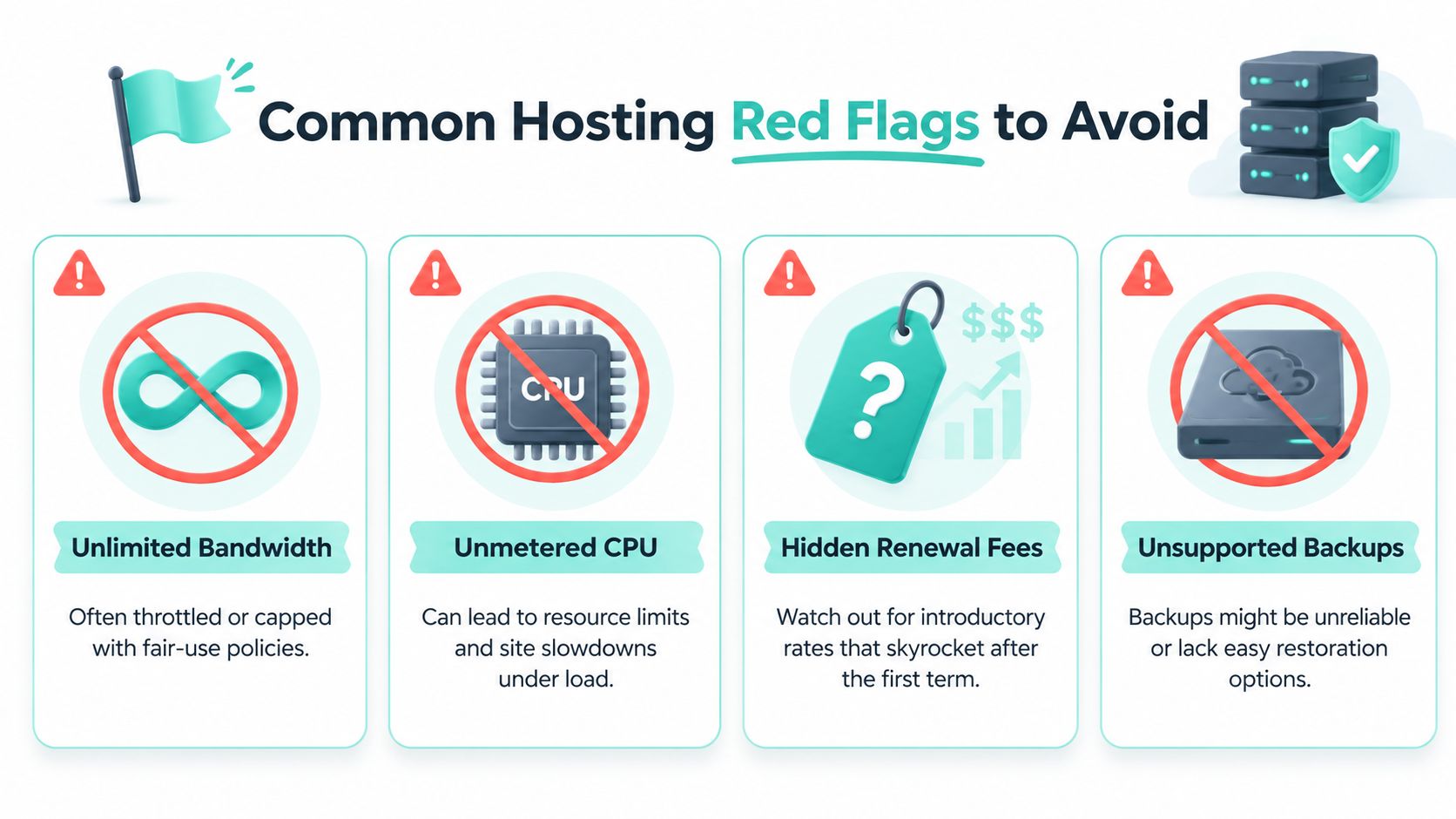
The most confusing hosting offers are the ones that sound generous. “Unlimited”, “unmetered”, “no hidden catches”, those phrases feel reassuring until you read the fine print and realise the limits were moved somewhere harder to see.
What unlimited usually means in practice
Australian comparison content warns that unmetered resources on shared hosting often come with fair-use CPU and I/O limits that can throttle growing sites during traffic spikes, as noted by Max Jacobs. That's the problem with vague generosity. A plan can look roomy on paper and still slow down when a campaign works too well.
A key challenge for growing stores often emerges. A site that handles normal traffic fine can start timing out once visitors arrive in bursts, especially if WooCommerce, page builders, or several plugins are competing for the same shared resources. The issue isn't just storage or bandwidth, it's whether the host limits the resources that run WordPress.
Pricing and support need the same scrutiny
Hidden renewal fees are another trap. Australian business sellers must follow the ACCC's guidance on pricing transparency, so unavoidable fees should be clear before checkout, not buried late in the purchase flow. That matters for hosting pages too, especially if the first invoice is discounted and the renewal jumps without clear disclosure.
Support terms deserve a close look as well. If a host promises help but doesn't say when, how, or under what conditions, the service can be hard to rely on when the site is down. A good plan should tell you what happens after hours, how restores are handled, and what's included without making you chase answers.
A simple test helps here, if the offer sounds generous but the operational limits are vague, assume the actual constraint is hidden somewhere.
Register your new domain name at competitive market prices including free domain add-ons like privacy, DNS Hosting, Custom Nameservers and Forwarding.
Always the best price and no nasty renewal price hikes.
Register A Domain Name
Practical Checklist for Choosing a Host
A practical checklist works better than a glossy shortlist. Once you ask a host to answer specific questions, the marketing language gets thinner and the service itself becomes easier to judge. For Australian small businesses, that matters because a site that looks fine on paper can still struggle once visitors start arriving on phones, in bursts, or from different parts of the country.
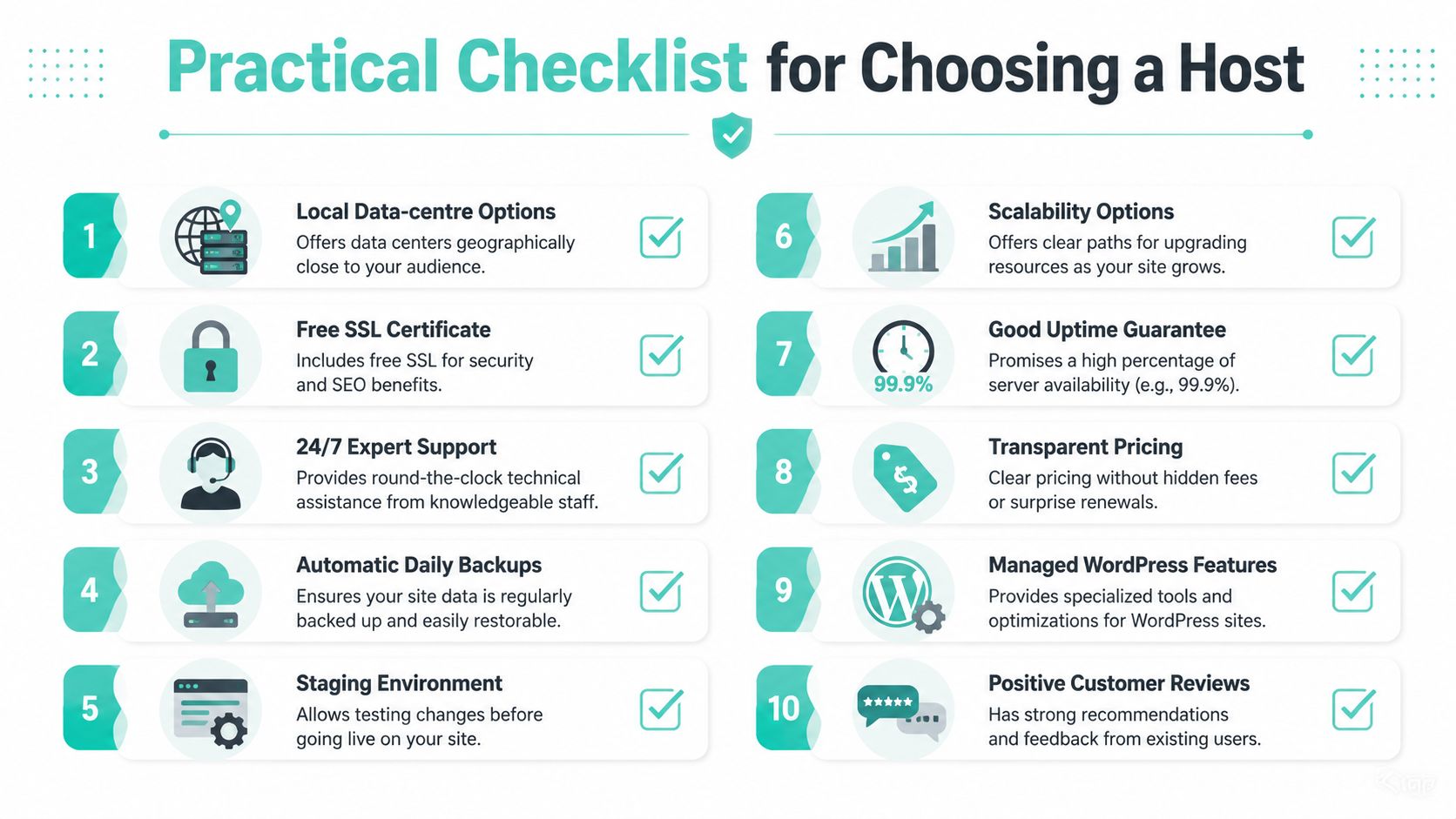
The checklist to use before you buy
- Local data-centre options. Ask whether the host has servers in Australia. Local hosting helps reduce latency for Australian audiences and supports local data handling and support needs.
- Free SSL certificate. Check that SSL is included without extra steps or add-on fees.
- 24/7 expert support. Confirm that help is available after hours, not only during the workday.
- Automatic daily backups. Make sure backups are included and can be restored without a long wait.
- Staging environment. A staging site lets you test changes before they reach live visitors.
- Scalability options. Look for a clear path to more resources before traffic starts causing slowdowns.
- Good uptime guarantee. Read the SLA carefully, not just the headline figure.
- Transparent pricing. Renewal pricing, setup fees, and any add-ons should be obvious before checkout.
- Managed WordPress features. One-click installs, update tools, and WordPress-specific optimisation save time for busy owners.
- Positive customer reviews. Look for repeated patterns in feedback, not a single glowing comment.
A useful test is to ask the host to show you where each item appears in the control panel or knowledge base. If they cannot point to it quickly, your team may not be able to use it quickly either. That usually signals extra friction for a business that needs predictable site operations.
For Australian buyers, the checklist becomes even more practical when you compare it with the host's actual footprint. A Sydney, Melbourne, Brisbane, or Perth data centre is not just a label on a sales page if it reduces delays for mobile visitors and makes local management easier. You can see that kind of setup on the managed WordPress hosting page from UpTime Web Hosting, where local location and WordPress-specific management sit in the same plan details.
Real Examples from UpTime Web Hosting
A practical way to judge WordPress hosting is to look at how a provider handles real business needs, not just the sales copy. UpTime Web Hosting gives a clear example of an Australian setup that brings local infrastructure, protection, and WordPress tools together in one place, with servers in Sydney, Melbourne, Brisbane and Perth, plus managed options for owners who want local control and support. The structure is laid out on the managed WordPress hosting page, where local location, support, and WordPress-specific management sit side by side.
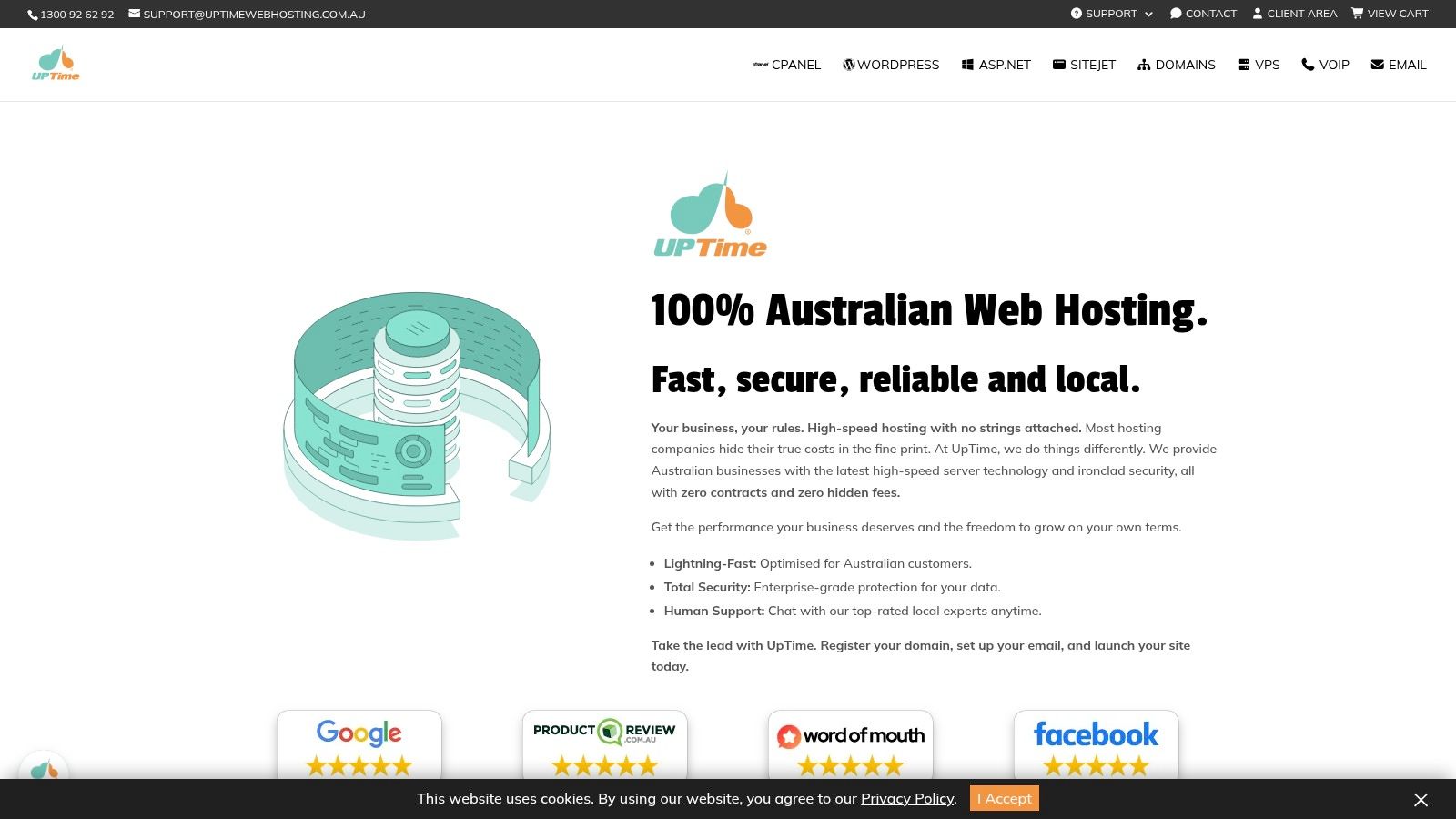
What the infrastructure tells you
Local data centres matter because they shorten the path between a visitor and the site. For Australian audiences, that can mean quicker page loads and a better fit for local data residency needs. A business serving NSW or Queensland customers can keep the same WordPress stack and choose a data centre that better matches where its visitors are coming from, which is a practical advantage rather than a technical slogan.
UpTime's published service details also point to features many owners look for in day-to-day hosting, including free SSL, malware scanning, DDoS-protected firewalls, CloudLinux, LiteSpeed, AccelerateWP, encrypted off-site nightly backups, and 24×7 monitoring. Each one plays a different role. SSL helps protect data in transit, scanning looks for threats, the firewall filters hostile traffic, and backups give you a recovery path if something goes wrong. Together, they turn hosting from a basic server space into a managed environment that is easier to keep under control.
Why this matters for Australian small businesses
The billing model matters too. Australian buyers are usually careful about surprise invoices, so clear GST-inclusive pricing and no-contract terms can reduce friction when budgets are tight or plans change. For a small business, the hosting decision is not only about server performance, it is also about whether the plan terms stay understandable after signup.
A host earns trust when the technical stack and the billing model both make sense.
For a small business owner, that might mean choosing a local server, checking that backups can be successfully restored, and confirming that support is there when the site stops cooperating. For an agency, it may mean looking for tools that make updates safer across multiple client sites. For a store owner, it usually means judging the host by how well it handles the quiet moments, because those are the moments that keep sales steady.
Experience Microsoft 365 Business Standard for free for 30 days.
Up to 25 users with full access to email, OneDrive and Teams. Includes full versions of desktop apps of Outlook, Word, Excel, PowerPoint and more.
Try Microsoft 365
Conclusion and Next Steps
The strongest wordpress hosting features do more than tick a technical box. They help a site stay fast on mobile, keep customer data safer, and give owners clearer control when something needs attention. For Australian businesses, that also means looking for local data-centre benefits and reading the fine print on “unlimited” claims, because those limits often matter only after traffic starts to grow.
A useful way to choose is to work from the site's daily job. A local cafe site needs pages that load quickly on phones. An online shop needs steady performance and a clear path back if a plugin update causes trouble. An agency managing several sites needs tools that make routine checks less stressful. Use the checklist, compare the stack, and read the pricing terms before you commit.
If you want a local Australian option that brings those features together, explore UpTime Web Hosting and choose the plan that matches how your site works.
A CTA for UpTime Web Hosting.