A sitemap is a roadmap for search engines, and an XML sitemap can list up to 50,000 URLs or 50 MB per file, with each subdomain needing its own file. A visual site map is for people, while an XML sitemap is for Google and other crawlers.
If you've launched a website and it still feels hard to find in search, you're not alone. A lot of Australian business owners put real effort into pages, products, and service descriptions, then discover that search engines haven't understood the site as clearly as they expected.
That's where a sitemap earns its keep. It's like giving a first-time visitor a clear city map instead of asking them to wander around blind, trying to guess which streets matter most. For a local tradie, a dentist with multiple locations, or an online store shipping across Australia, that simple map helps search engines find the right pages without wasting time.

A visual planning diagram and an XML file can sound like the same thing, but they serve different audiences. One helps humans understand the shape of a website, the other helps crawlers understand what to read first.
Table of Contents
- Introduction Why Your Website Needs a Map
- The Core Concept What Is a Sitemap Really
- XML vs HTML Sitemaps Understanding the Difference
- Why Your Australian Business Website Needs a Sitemap
- How to Create and Host Your Sitemap
- Submitting Your Sitemap to Search Engines
- Sitemap Best Practices and Troubleshooting

Performance you can feel, backed by clients who depend on it. Read how our support and uptime create long‑term customer success.Power Your Business with Better Hosting
Introduction Why Your Website Needs a Map
A Brisbane café might have a polished homepage, a menu page, and a booking form, yet still stay hard to find if search engines cannot connect those pages cleanly. A sitemap helps fix that. It gives crawlers a direct route through the site, instead of leaving them to discover pages one link at a time.
Search engines do not read a site the way a person does. They follow links, read page structure, and use files like an XML sitemap to work out what exists and what should be checked first. Google describes a sitemap as a file that shares information about pages, videos, and other assets, and helps search engines crawl more efficiently, especially on larger or more complex sites, Google Search Central.
Practical rule: if a page matters to your business, make it easy for search engines to find and understand.
For Australian businesses, that often means location pages, service pages for different suburbs or states, product categories, and booking pages that all need clear visibility. A Melbourne dental clinic, for example, may have separate pages for general check-ups, cosmetic dentistry, and each practice location. A sitemap helps point search engines to those pages so they are easier to crawl and index, which matters if you want nearby patients or customers to find the right page without friction.
For local SEO context, a good starting point is this guide on Australian local search visibility. It connects the sitemap idea to the wider job of helping your business appear when nearby customers search.
The Core Concept What Is a Sitemap Really
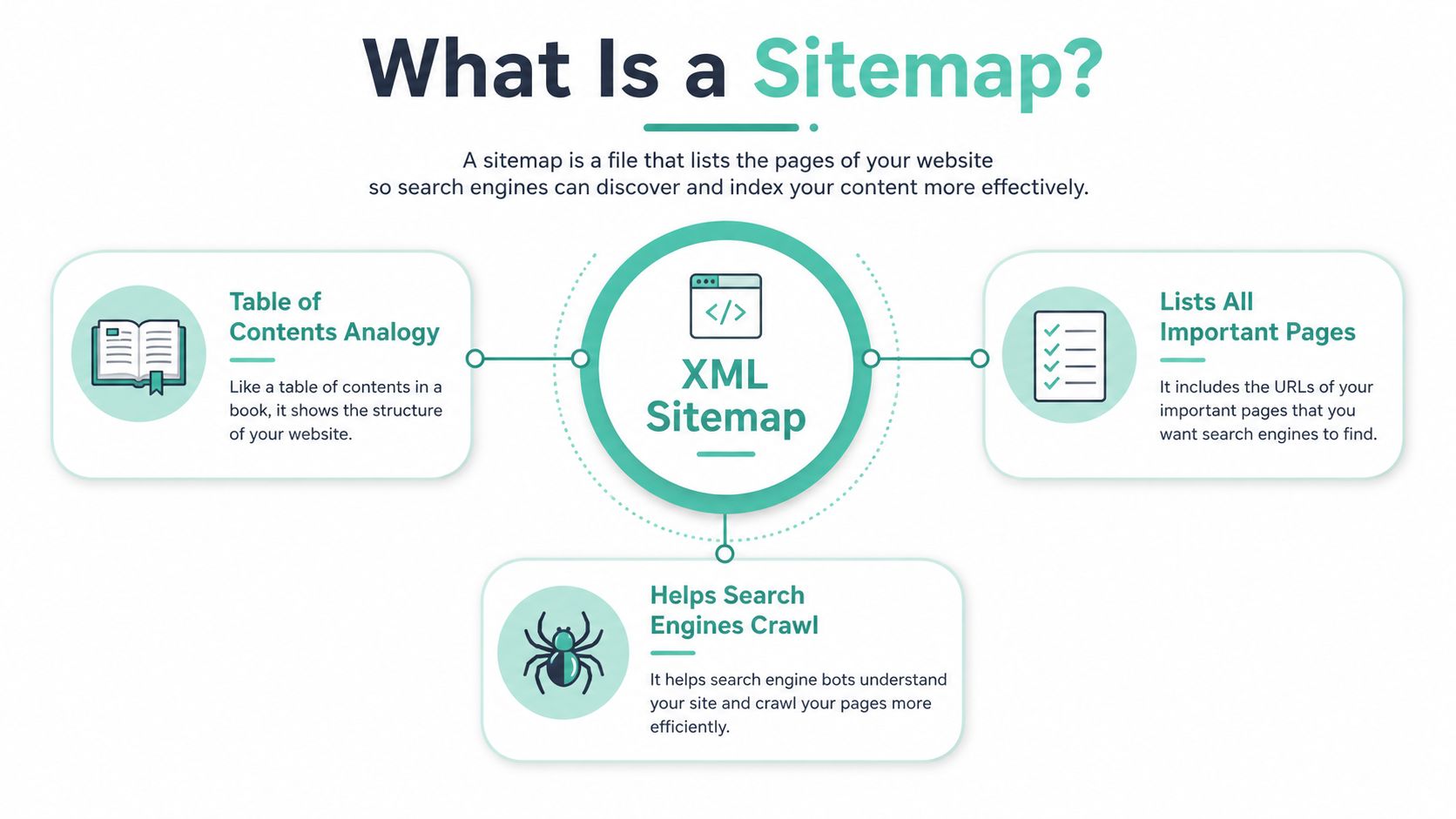
An XML sitemap is a structured file that lists the pages and other resources on a website, usually in XML, and includes metadata such as the last update time, change frequency, and relative importance. In plain English, it is a communication file, not just a list. It tells crawlers what exists, what changed, and what deserves attention first, Google Search Central.
An XML sitemap works like a warehouse inventory sheet
A warehouse inventory sheet does not hold the stock itself. It shows what is on hand, where it sits, and which items should be checked first. An XML sitemap does the same job for search engines. It points to your pages, blog posts, product pages, and other content so crawlers can work through the site with less guesswork.
The official sitemap protocol from sitemaps.org formalised this idea. It sets out how webmasters tell search engines about crawlable pages and uses fields for URL metadata rather than a simple page list. That is why a sitemap is active, not passive. It is a signal that helps search engines interpret the site more clearly.
The technical limits matter too. Google documents that an XML sitemap should not exceed 50,000 URLs or 50 MB per file, and that each subdomain needs its own sitemap file. For a growing Australian site, that is not a problem. It is a useful boundary that keeps things tidy as a service business, ecommerce catalogue, or multi-location brand expands.
A sitemap is most useful when a site has pages that matter, but are not all equally easy to discover through navigation alone.
That is why the file includes metadata. A last-modified date helps search engines see what changed. Priority and change frequency help them interpret how to approach the site. The point is not to force rankings. The point is to help crawlers spend time more intelligently.
Host your website with our 5-star rated, cPanel website hosting plans.
Super fast servers, with security included and hosted in your choice of Australian Data Center.
View cPanel Plans
XML vs HTML Sitemaps Understanding the Difference
A lot of confusion starts here because both versions use the same word. One is for machines. The other is for people. Mixing them up leads to bad decisions, especially for small business websites that need a practical setup, not extra complexity.
XML sitemap for crawlers, HTML sitemap for visitors
An XML sitemap lives behind the scenes. Search engines read it to crawl and index pages more efficiently. An HTML sitemap is a visible page on your website that helps visitors find content by category, section, or page name.
| Feature | XML Sitemap | HTML Sitemap |
|---|---|---|
| Audience | Search engines | Human visitors |
| Format | XML file | Web page |
| Placement | Usually at the site root or a sitemap path | Linked in the site navigation or footer |
| Main purpose | Help crawlers discover and prioritise pages | Help users navigate the site |
| Best use | Larger, complex, or frequently updated sites | Sites that want an extra navigation aid |
The distinction matters because a visual site map and an XML sitemap solve different problems. A site map can be a hierarchy diagram or outline of pages, while XML sitemaps are files that list URLs for search engines, site map overview. That difference often gets blurred in beginner content, but it's useful to keep the lines clean.
For most Australian SMBs, the first choice is usually the XML sitemap. It helps Google and other search engines understand the content that should be crawled. An HTML sitemap is useful if your website has lots of categories or if visitors need a backup path to important pages, but it's not a substitute for the crawl file.
Simple test: if the file helps a bot crawl, it's XML. If the page helps a person find things, it's HTML.
That's the practical split. One file speaks to indexing systems, the other supports user navigation.
Why Your Australian Business Website Needs a Sitemap
A sitemap becomes useful as soon as your site moves beyond a handful of pages. A plumbing company with suburb pages, a retailer with product categories, or an agency with service pages and case studies all benefits from a file that points crawlers to the pages that matter, instead of leaving discovery to chance.
Discovery is the main payoff
Search engines can find pages through links, but they do not always give every page the same level of attention. A sitemap helps when content sits deeper in the site structure, when pages are newly published, or when sections change often. Google's guidance explains that a sitemap tells search engines which pages and files you want noticed, which is why it is useful for multi-location websites and ecommerce catalogues, Google Search Central.
For a growing business, that has a practical side. New service pages do not stay buried for long. Updated product collections are easier to revisit. Location pages spread across different parts of the site are easier for crawlers to connect with the rest of the domain. That matters when your website structure grows faster than your homepage menu can comfortably show it.
Complex sites need clearer guidance
A sitemap also gives structure. When content spreads across folders or subdomains, a crawler may not read the hierarchy clearly on its own. Official guidance notes that each subdomain needs its own sitemap file, and that setup helps keep larger sites organised, Google Search Central. Neutral implementation guidance also says sitemaps belong at the domain root, which makes them easy to find and standard for most setups, Digital.gov XML sitemap guidance.
For Australian businesses, that distinction matters. A site that is live is not always a site that is easy to understand. Search engines need access and context, and a sitemap gives them both in one place. That is especially helpful if you are working with common Australian hosting setups such as WordPress on cPanel or a Sitejet build on a .au domain, where the sitemap should be checked after publishing so the live site matches the structure you expect.
If you are also tightening up the rest of your visibility setup, search engine optimisation guidance for hosting customers shows how sitemap work fits into the wider job of helping search engines read your site correctly. The core point stays simple. Give crawlers a clear map, and they can understand your site faster and with less guesswork.
How to Create and Host Your Sitemap
A sitemap works best when your platform creates and publishes it for you. For an Australian business website, that usually means checking the sitemap in the place your hosting setup already uses, then making sure search engines can reach it at a clean, public URL. If you are still deciding how your site is being built, how to build a website with cPanel and WordPress is a useful starting point because it shows how those pieces fit together.
WordPress
Most WordPress sites rely on an SEO plugin to create the sitemap. Tools such as Yoast SEO and Rank Math can generate and refresh an XML sitemap as you publish new pages or remove old ones. The practical move is simple, install the plugin you trust, turn on its sitemap feature, and open the sitemap URL in your browser to confirm it loads.
For many WordPress sites, that address is /sitemap.xml. Some setups use /sitemap_index.xml instead, especially when the plugin splits content into separate sitemap files. If you run a blog, an online store, or a service website, make sure the sitemap reflects only the pages you want search engines to read. The plugin builds the file, but your visibility settings decide what goes into it.
Sitejet
Sitejet usually gives you a more guided publishing flow, which helps keep the sitemap tied to the live site structure. Check the publishing or SEO settings, then confirm that the sitemap is enabled and visible on the live domain after the site goes live. A common path to test is /sitemap.xml, although some Sitejet builds may surface the file through the platform's own published structure, so it is worth checking the live URL rather than assuming it is in place.
For a small business site, that check is like confirming the street sign is up before you expect visitors to arrive. The site may look finished in the builder, but the sitemap still needs to be reachable on the public domain.
cPanel
With cPanel hosting, the sitemap may come from a CMS, an SEO plugin, or a site builder attached to the account. The main job in cPanel is to confirm the file sits at the site root and can be opened by anyone who knows the address. The usual path is /sitemap.xml, and some platforms also publish /sitemap_index.xml when they split larger sites into multiple files.
If your site is built on WordPress inside cPanel, the sitemap may be generated by the plugin inside the CMS, then served through the hosting account. That makes the hosting side worth checking after launch, because the file needs to exist on the live domain, not just inside the editor.
Manual creation
Developers can still build an XML sitemap by hand when they need full control. The structure is straightforward, but the file has to stay valid, stay updated, and remain within the published size limits. That approach can suit smaller custom builds, but automatic generation is usually easier to maintain for a busy business site.
A manual file is like a printed directory. It works well if the list is short and changes rarely, but it becomes harder to keep accurate when pages are added, removed, or renamed.
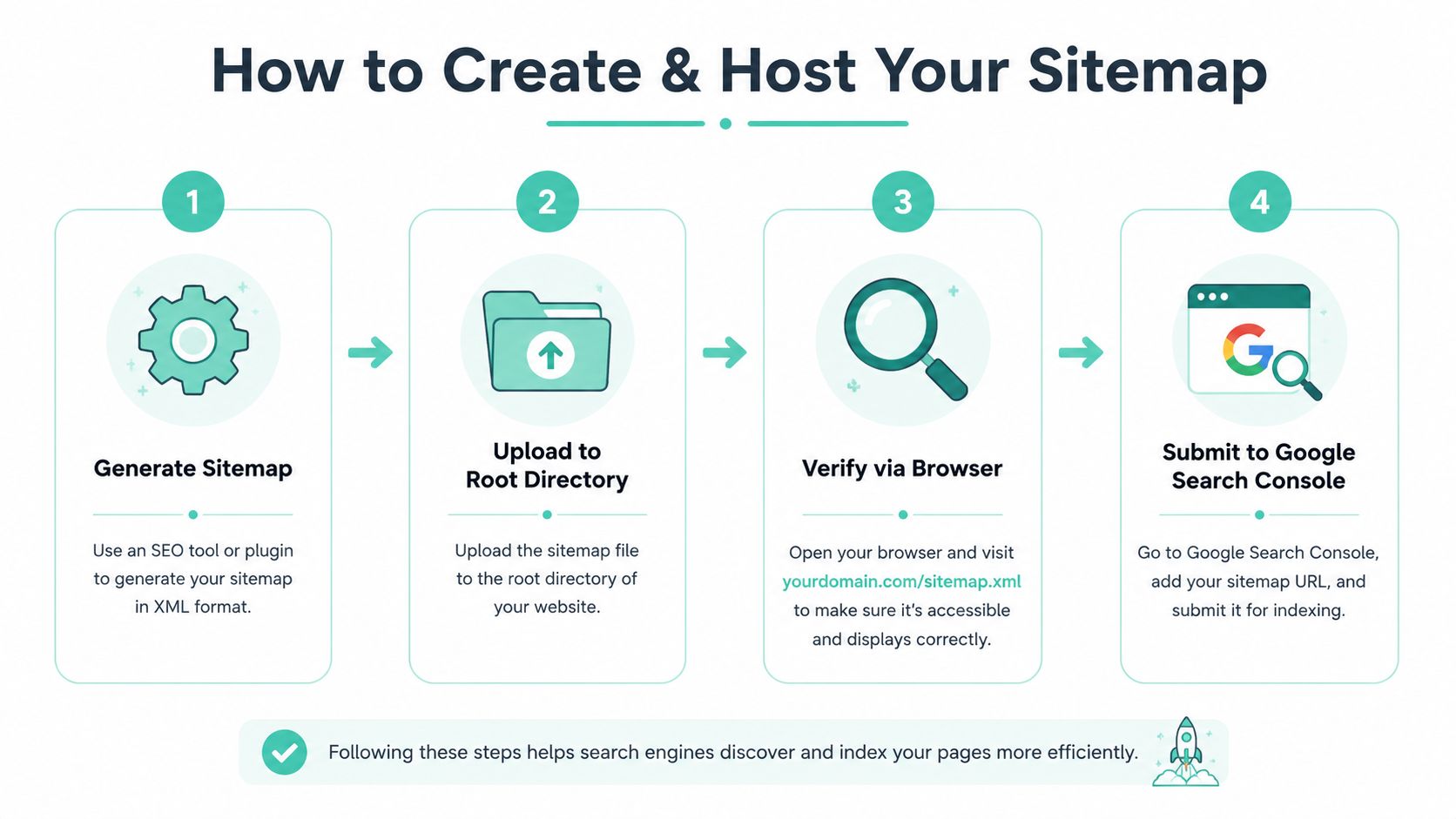
A quick check can save time later. Open the sitemap URL in your browser, confirm it loads, then make sure the path matches the platform you are using. If the file is missing, the next step is usually inside the CMS, plugin, or publishing settings rather than in the search engine itself.
Register your new domain name at competitive market prices including free domain add-ons like privacy, DNS Hosting, Custom Nameservers and Forwarding.
Always the best price and no nasty renewal price hikes.
Register A Domain Name
Submitting Your Sitemap to Search Engines
Creating the file is only part of the job. Search engines still need to know where to find it, and the easiest way to do that is through their own webmaster tools.
Google Search Console first
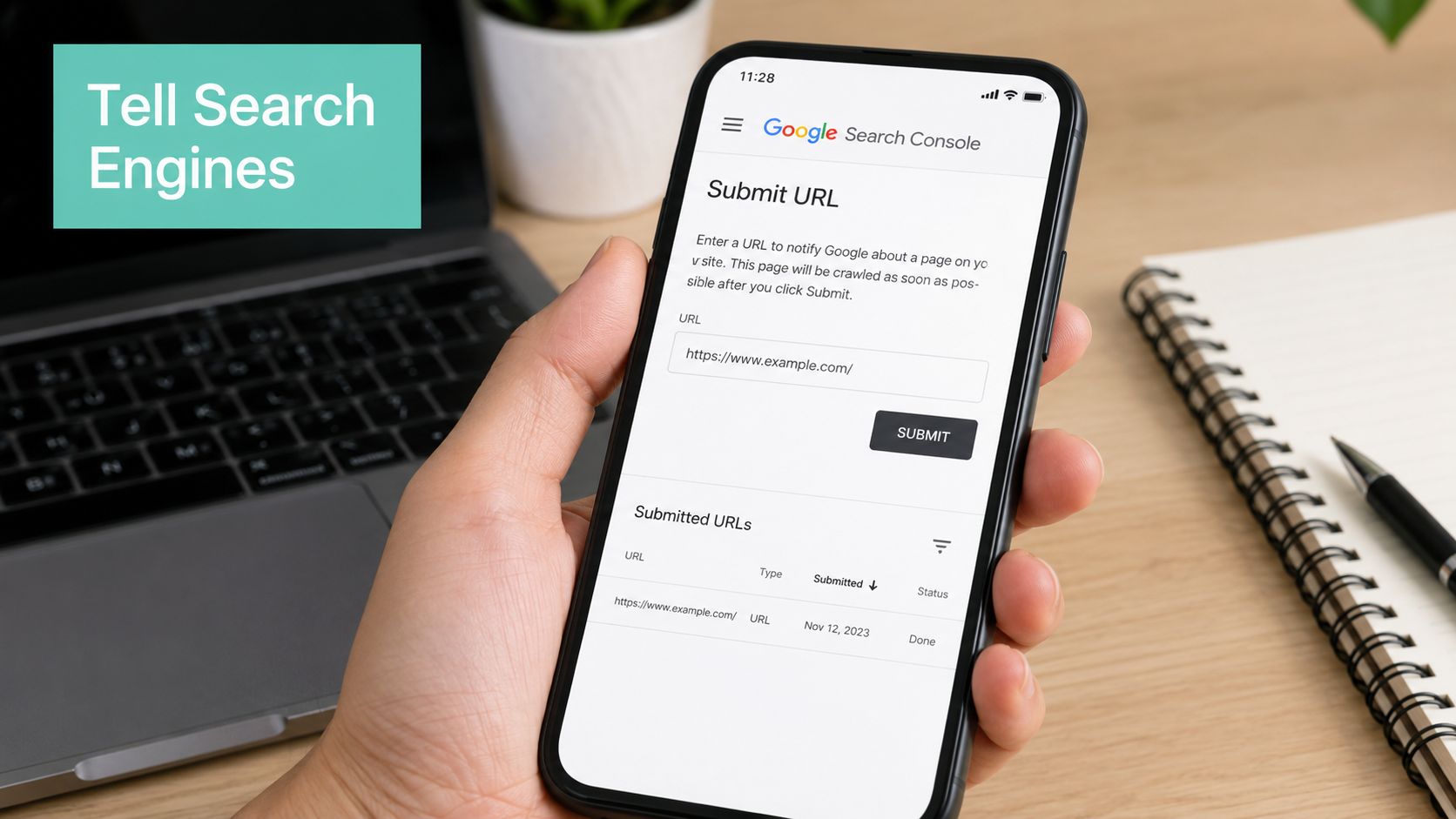
If you use Google Search Console, look for Sitemaps in the left-hand menu. The usual path is Search Console > Indexing > Sitemaps > Add new sitemap. Enter the sitemap URL there, then submit it so Google can crawl and monitor it. For many Australian business sites, the address will be /sitemap.xml or /sitemap_index.xml, so that is the first place to check when you test the file.
The process is simple. Sign in, open the property for your domain, paste the sitemap path, and submit it. If the file is valid and reachable, Google can process it and show whether it is being read correctly.
Bing Webmaster Tools too
Bing also accepts sitemap submission through its own webmaster tools. For Australian businesses, that is still worth doing because it gives another search engine a clean feed of your URLs. The steps are very similar. Find the sitemap area, enter the full sitemap URL, and submit it.
Don't skip the robots file check
Your sitemap and robots rules should work together, not against each other. If your robots settings block important pages or the sitemap points to URLs you do not want indexed, the signal becomes messy. A quick check of robots.txt basics helps confirm that crawlers can reach the pages your sitemap lists.
If a search engine can't reach the sitemap, or the sitemap points to blocked pages, the file stops being useful.
Once you submit it, look for confirmation in the tool. A valid sitemap is the start of cleaner crawling, not the end of the job.
Sitemap Best Practices and Troubleshooting
A sitemap works best when it stays tidy, current, and limited to the pages that matter. That sounds simple, yet older sites often collect duplicates, draft URLs, test pages, or old service pages that no longer match the business.
Keep the file tidy
Only include canonical, indexable URLs. If your site has more than one version of the same page, the sitemap should point to the preferred version, so search engines do not waste time sorting through near-identical addresses.
Automatic updates help here. If your WordPress blog, Sitejet site, or cPanel-hosted store publishes new articles, products, or service pages, the sitemap should reflect those changes without someone manually editing the file after every update.
Watch the size and structure
Large sites need a bit more care. A single XML sitemap has published limits, so bigger Australian sites often do better with a sitemap index file, which groups several sitemap files under one parent reference. Google Search Central explains the basic format and limits.
That matters for ecommerce stores and multi-location businesses. A flat file gets harder to manage as the site grows, while a sitemap index keeps the structure clearer for both the site owner and the search engine.
Check Search Console errors
If Google Search Console reports crawl issues, read the message first and fix the source problem before submitting the sitemap again. Common causes include broken URLs, pages blocked from indexing, or entries that point to outdated content. If Search Console shows 500 sitemap entries with 404 status, remove those URLs from the sitemap and fix the broken links on the site so the same problem does not return.
A quick review of server response time guidance also helps, because slow or unstable hosting can make it harder for crawlers to reach your pages reliably.
The goal is simple. Your sitemap should match the site you want search engines to see, not the old paths, test pages, or temporary content that built up over time.
For Australian businesses, that often means checking the sitemap after a hosting change, a site rebuild, or a batch of content updates. A quick review in cPanel, WordPress, or Sitejet can catch stale URLs before they become crawl errors.