In short
A spam email attack should be treated as a security incident, not just an inbox nuisance. Alert the person who manages email, search for buried password, payment and login warnings, verify critical accounts through trusted apps or typed web addresses, check mailbox activity and rules, then contain the flood without deleting possible evidence.
Key takeaways
- A sudden flood of apparently legitimate subscriptions can hide a real password, purchase, payment or login alert.
- Do not trust links inside the flood; open important services from a known bookmark, trusted app or manually typed address.
- Spam filtering reduces risk, but legitimate subscription confirmations may pass normal reputation and authentication checks.
- Unknown sign-ins, forwarding rules, connected applications or sent messages are stronger signs of mailbox compromise than message volume alone.
- Australian businesses should contact their financial institution and use official reporting channels when money, identity or sensitive information may be at risk.
On this page
- What should you do in the first 30 minutes?
- How can you tell spam, phishing, email bombing and account compromise apart?
- What should you search for in a flooded inbox?
- How do you contain the flood without hiding legitimate mail?
- When is the mailbox itself compromised?
- What should an Australian business report, and to whom?
- How can you reduce the chance and impact of another attack?
- What else do businesses ask about spam email attacks?
Email flooding sits between a nuisance and a possible incident. A 2026 research paper on subscription bombing analysed 24 real campaigns involving 46,970 unwanted emails and documented motives including disruption, concealed password resets, hidden financial activity and preparation for impersonation attacks. That does not mean every flood conceals fraud, but it explains why a business should investigate before cleaning the inbox. (hexhive.epfl.ch)
What should you do in the first 30 minutes?
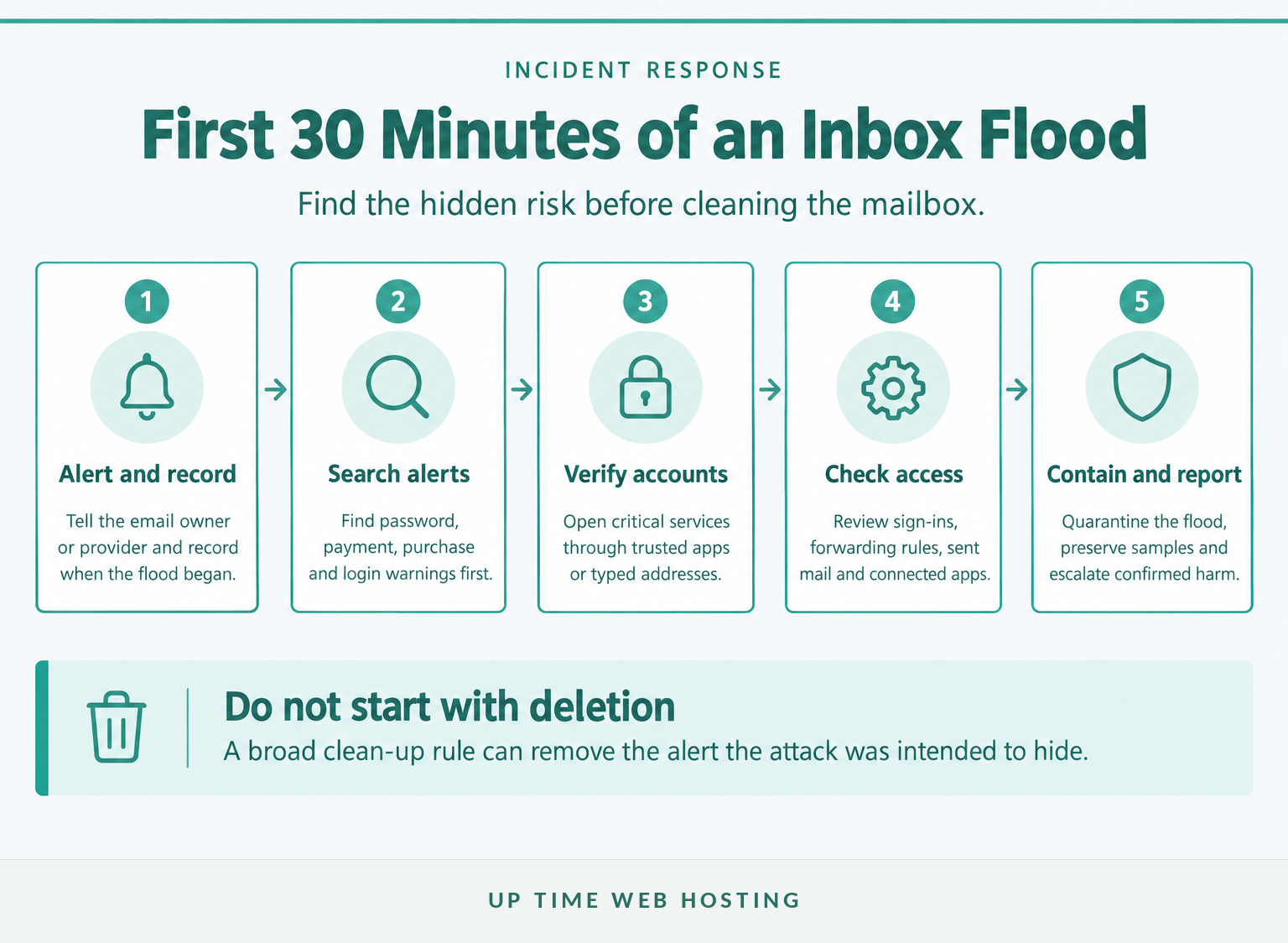
Use the first 30 minutes to find hidden risk, secure important accounts and preserve useful evidence. Do not begin by deleting everything or clicking unsubscribe links across hundreds of unfamiliar messages.
- Alert the right person. Tell the employee responsible for IT, the email administrator or the hosting provider. Record when the flood began, which mailboxes are affected and whether the volume is increasing. Preserve several complete messages, including their headers.
- Search for the message that matters. Look from shortly before the flood began through the present. Search for password resets, verification codes, new sign-ins, purchases, transfers, invoices, refunds, orders, changed bank details and new forwarding rules.
- Verify critical services directly. Open banking, payment, payroll, domain, hosting, backup and administrator services through known apps, saved bookmarks or manually typed addresses. Do not use links from messages received during the incident.
- Review mailbox security. Check recent sign-ins, recovery details, connected applications, forwarding rules, filters, sent items and deleted items. If anything is unfamiliar, move immediately to the account-compromise steps below.
- Contain and escalate. Ask the provider to quarantine or group the flood, preserve relevant logs and apply temporary controls. Contact the bank immediately if a payment, card or account may be affected.
If several staff members are affected, treat the event as an organisation-level incident rather than asking each person to clean their inbox separately. A coordinated response prevents conflicting rules and makes it easier to identify a common target or buried alert.
The first task is to find the real alert the flood may be trying to hide, not to make the inbox look tidy.

Performance you can feel, backed by clients who depend on it. Read how our support and uptime create long‑term customer success.Power Your Business with Better Hosting
How can you tell spam, phishing, email bombing and account compromise apart?
Spam, phishing, email bombing and account compromise can overlap, but they describe different problems. The message pattern tells the business what to investigate first.
| What is happening? | Typical pattern | Main risk | Best first action |
|---|---|---|---|
| Ordinary spam | Unwanted advertising, scams or recurring bulk messages | Lost time, unsafe links and malware exposure | Mark or quarantine the mail and review common spam email examples |
| Phishing | One or more deceptive messages requesting a login, payment, code or download | Credential theft, fraud or malware | Do not interact with the message; follow the checks for how to identify phishing emails |
| Email bombing or subscription bombing | A sudden surge of messages, often from many unrelated but legitimate services | Inbox disruption and concealed alerts | Search for hidden alerts, preserve samples and ask the provider to contain the volume |
| Account compromise | Unknown sign-ins, rules, connected apps, sent mail or changed recovery details | Data exposure, impersonation and fraud | Secure the account and investigate possible business email compromise |
The Australian Cyber Security Centre describes phishing as fraudulent email or text designed to obtain information, account access or money. Phishing may consist of one convincing message, while an email bomb uses volume as the main weapon. Cyber.gov.au phishing guidance also advises contacting the provider, securing affected accounts and reporting incidents when information, malware or money is involved. (cyber.gov.au)
Subscription bombing is harder to filter than ordinary spam because the messages may be genuine confirmations sent by reputable third parties. The 2026 study found that these messages can pass SPF, DKIM and DMARC checks because the third-party sender is authorised and the message itself is not necessarily malicious. (hexhive.epfl.ch)
An inbox flood is therefore not proof that the mailbox password has been stolen. It is a reason to check for compromise promptly.
Volume suggests an email bomb; deception suggests phishing; unknown mailbox activity suggests compromise.
What should you search for in a flooded inbox?
Search for events that could cost money, expose an account or interrupt the business. Use sender names and several related terms because legitimate alerts may not use the wording an attacker expects.
Prioritise these groups:
- Account security: password reset, recovery, verification code, security code, new sign-in, new device, multi-factor authentication, email changed, phone number changed and suspicious activity.
- Money and orders: payment, transfer, invoice, card, bank details, purchase, order, receipt, refund, shipment, subscription and withdrawal.
- Business administration: domain, DNS, hosting, administrator, payroll, backup, remote access, mailbox rule, forwarding and account owner.
- Messages sent in the business's name: replies from customers, suppliers or staff about an unexpected attachment, changed payment details or an unusual request.
Sort the results by time and compare them with the start of the flood. Also check spam, quarantine, deleted items and any security portal maintained by the provider. A legitimate alert may have been moved by an existing rule or by a new rule created through unauthorised access.
Do not respond to a suspicious alert from inside the email. Open the relevant service separately, check its activity page and contact the organisation through an independently verified number if the warning cannot be confirmed online.
Search for financial and account changes first, because those are the alerts an attacker gains most by hiding.
Host your website with our 5-star rated, cPanel website hosting plans.
Super fast servers, with security included and hosted in your choice of Australian Data Center.
View cPanel Plans
How do you contain the flood without hiding legitimate mail?
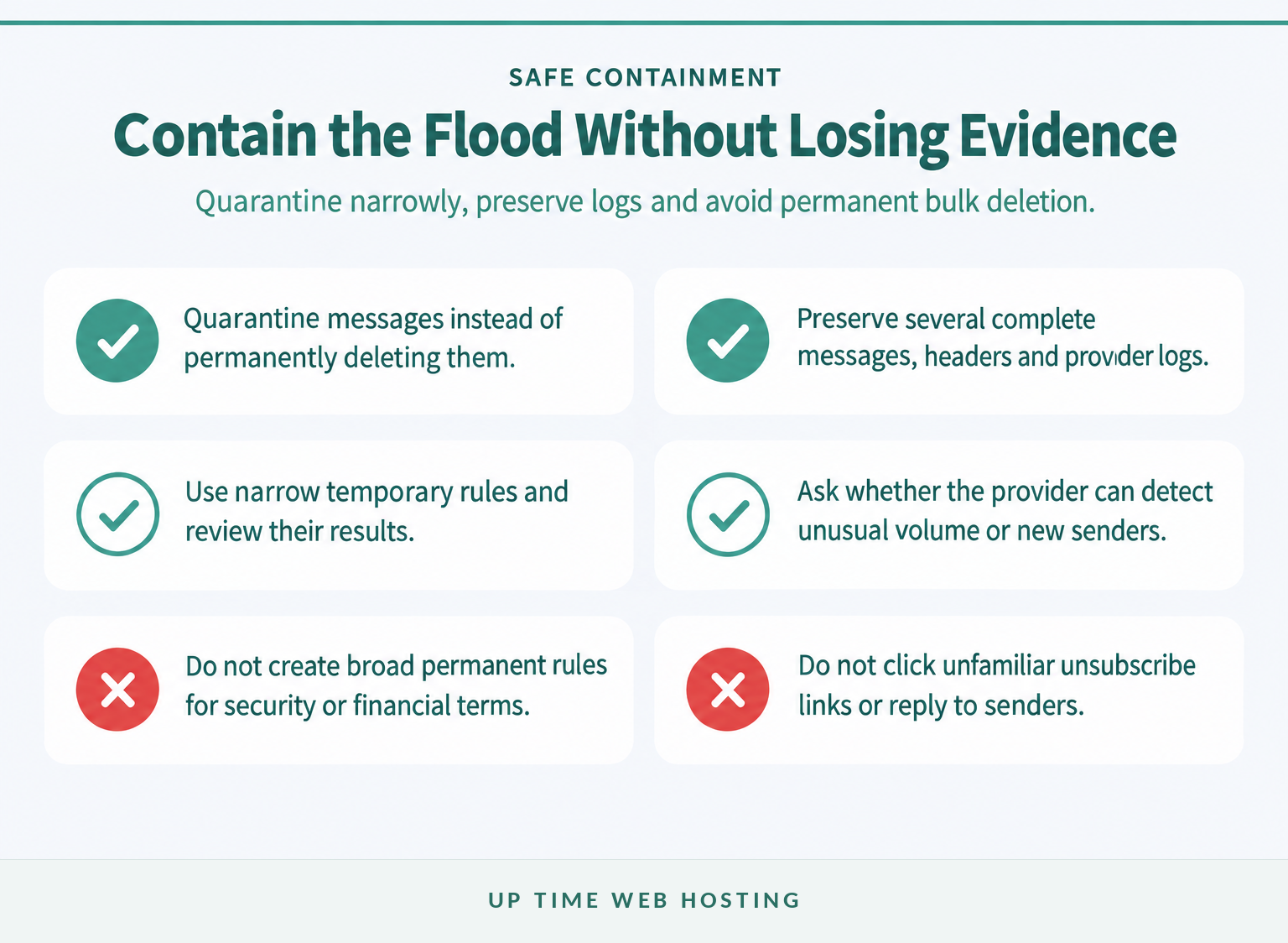
Containment should reduce noise while retaining the messages and logs needed for investigation. Narrow quarantine and grouping rules are safer than a broad rule that permanently deletes anything containing words such as confirm, order or password.
Ask the email administrator or provider whether it can:
- quarantine messages instead of permanently deleting them
- detect unusual message volume or large numbers of previously unseen senders
- group similar subscription and account-registration messages
- export message logs and headers for the affected period
- apply temporary controls to the affected mailbox without disrupting the entire domain
Avoid these shortcuts:
- Do not create a permanent delete rule for broad security or financial terms.
- Do not click unsubscribe links in unfamiliar messages merely to slow the flood.
- Do not reply to senders or confirm that the mailbox is actively monitored.
- Do not block a whole domain or large sender category without checking for legitimate business mail.
The 2026 subscription-bombing research recommends layered provider controls such as volume thresholds, grouping, alerting and automated unsubscription where supported. It also states that multi-factor authentication is valuable for account security but does not stop an attacker from submitting a public email address to subscription forms. (hexhive.epfl.ch)
Filtering reduces the impact of an inbox flood, but safe containment keeps legitimate warnings visible and recoverable.
When is the mailbox itself compromised?
A mailbox is probably compromised when there is evidence of unauthorised access or activity, not simply because it receives a large number of messages. Check the account even if the spam flood appears to be the only symptom.
Warning signs include:
- sign-ins from unfamiliar devices, times or locations
- recovery addresses, phone numbers or authentication methods that staff do not recognise
- new forwarding rules, filters, delegates or automatic replies
- unknown applications with mailbox access
- messages in sent or deleted folders that the user did not create
- customers or suppliers reporting unusual messages from the real address
If any sign appears, use a device believed to be free from malware and open the provider's account page directly. Change the passphrase, correct the recovery information, sign out other sessions, remove unknown rules and applications, and enable multi-factor authentication. Do not use a reset link from within the flood.
The ACSC email-compromise recovery guidance specifically recommends reviewing recovery details, signing out other sessions, enabling multi-factor authentication, checking forwarding rules and connected applications, and inspecting login, sent and deleted activity. It also advises notifying contacts if fraudulent messages were sent. (cyber.gov.au)
If the user opened an attachment, installed software or entered credentials through a suspicious message, involve an IT or security professional and check the device as well as the mailbox. Changing a password on an infected device may expose the new password too. (cyber.gov.au)
A flood alone is not proof of compromise, but an unknown session, rule, application or sent message is evidence that needs action.
What should an Australian business report, and to whom?
Report the incident when it involves suspected cybercrime, financial risk, identity misuse, malware, account compromise or unauthorised access to information. Ordinary nuisance spam may use a different reporting path, but a targeted flood with other warning signs deserves escalation.
- Contact the financial institution immediately if a transfer, payment, card or bank account may be affected. Use the number on the institution's official website or app, not a number in an email.
- Use ReportCyber for cybercrime or a cyber security incident. As of October 2026, the Australian Cyber Security Centre also lists the 24-hour Australian Cyber Security Hotline as 1300 CYBER1, or 1300 292 371. (cyber.gov.au)
- Report relevant scams through the National Anti-Scam Centre and contact IDCARE if personal or business identity information is at risk. The ACSC also recommends retaining the report reference number for banks, insurers or other organisations. (cyber.gov.au)
- Follow contractual and industry obligations. A cyber incident may require notification to an insurer, managed service provider, client, regulator or industry body under existing agreements.
As of October 2026, organisations covered by Australia's Notifiable Data Breaches scheme must assess a suspected eligible breach reasonably and expeditiously, taking all reasonable steps to complete the assessment within 30 calendar days. If there are reasonable grounds to believe an eligible breach occurred, affected individuals and the Office of the Australian Information Commissioner must be notified promptly, subject to the scheme's requirements and exceptions. OAIC Notifiable Data Breaches guidance should be checked alongside appropriate legal advice. (oaic.gov.au)
Reporting decisions should follow the harm and evidence involved, not the number of unwanted messages alone.
Register your new domain name at competitive market prices including free domain add-ons like privacy, DNS Hosting, Custom Nameservers and Forwarding.
Always the best price and no nasty renewal price hikes.
Register A Domain Name
How can you reduce the chance and impact of another attack?
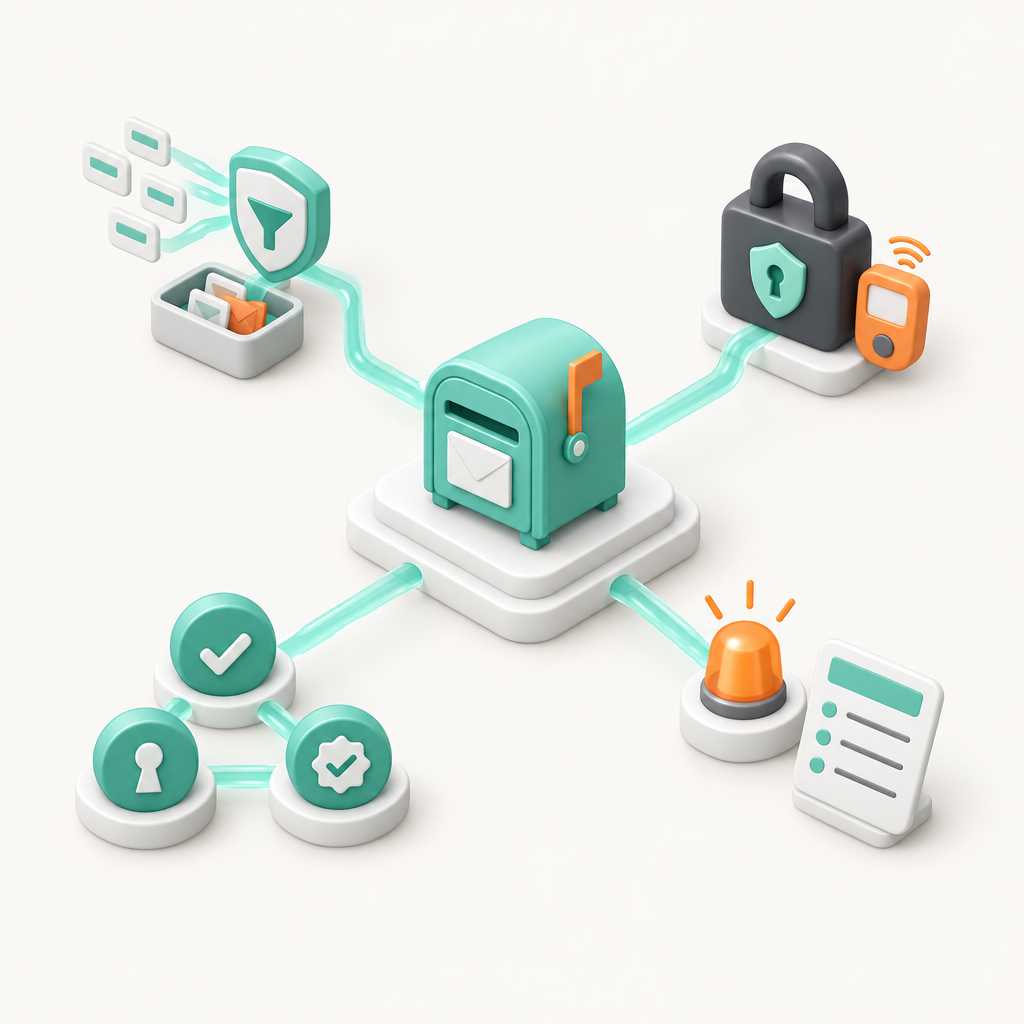
No single control prevents every spam email attack, subscription bomb or phishing message. The strongest approach combines filtering, secure accounts, domain authentication, monitoring and a rehearsed response process.
- Use inbound filtering with quarantine and logs. The system should help staff find held mail, inspect delivery activity and recover legitimate messages. Ask how the provider handles sudden volume from many new but reputable senders.
- Protect every mailbox account. Require unique passphrases and multi-factor authentication, remove dormant accounts, review administrator access and keep recovery details current.
- Configure sender authentication correctly. SPF identifies authorised sending infrastructure, DKIM signs outgoing mail and DMARC tells receiving systems how to handle messages that fail alignment checks. The ASD gateway email security guidance says these controls make impersonation more difficult but cannot entirely prevent spam or malicious email. They also do not prevent legitimate third parties from sending subscription confirmations to a targeted employee. (cyber.gov.au)
- Give staff a reporting route outside email. Employees need a known phone, service desk or messaging channel for reporting a flood when their inbox is unusable. Payment-detail changes should be confirmed through a second trusted channel.
- Write a short incident runbook. Record who checks financial systems, who contacts the provider, who preserves logs and who assesses privacy or customer notification. Broader email security best practices should be reviewed before the next incident.
For compatible cPanel-hosted business email, Premium Email Spam Protection adds inbound filtering, quarantine, log search and quarantine digests across mailboxes on the protected domain. It can reduce spam, phishing and malware reaching users, but it should be treated as one risk-reduction layer rather than a guarantee against every subscription bomb or social-engineering attack.
Filtering lowers exposure; account security, authentication and an incident process limit the damage when filtering is not enough.
What else do businesses ask about spam email attacks?
The same questions appear whenever an inbox suddenly becomes unusable. The answers depend on evidence of fraud or compromise, not simply the amount of mail received.
Why am I suddenly getting hundreds or thousands of emails?
A sudden flood often means an attacker has submitted the address to many subscription, account-registration or password-reset forms. The messages may come from legitimate services, so ordinary spam checks can miss them. The aim may be disruption, harassment or hiding a genuine security, purchase or payment alert.
Is a spam email attack a sign that my account has been hacked?
No. An inbox flood can be launched without knowing the mailbox password because the attacker may only need the email address. However, the flood can accompany account fraud or a separate compromise, so check sign-in history, forwarding rules, sent mail, connected applications and critical accounts before assuming the mailbox is safe.
Can spam filters stop an email bombing attack?
Filters can reduce malicious spam, phishing and malware, and provider-level surge controls may contain unusual volume. Subscription bombs are harder because many messages come from legitimate senders and pass authentication checks. Filtering should be combined with account monitoring, quarantine, incident procedures and rapid searches for buried alerts.
Should I delete all the emails during an inbox flood?
Do not delete everything immediately. First preserve a few samples and headers, note when the flood started, search for genuine security and financial alerts, and ask the email administrator to retain relevant logs. After triage, quarantine or bulk-clean messages using narrow rules that do not hide legitimate warnings.
When should an Australian business report the incident?
Report when the attack involves suspected account compromise, financial loss, identity risk, malware or unauthorised access to sensitive information. Contact the bank immediately for payment risk, use ReportCyber for cybercrime or security incidents, and assess privacy obligations if personal information may have been exposed. Ordinary nuisance spam alone may follow a different reporting path.
A spam flood is not proof of compromise, but it is enough reason to check for one immediately.
Experience Microsoft 365 Business Standard for free for 30 days.
Up to 25 users with full access to email, OneDrive and Teams. Includes full versions of desktop apps of Outlook, Word, Excel, PowerPoint and more.
Try Microsoft 365
What should you do next?
Assign one person to run the mailbox checks and another to verify critical accounts through trusted channels. Do not let bulk clean-up begin until the business has searched for buried alerts, checked for unauthorised mailbox activity and ruled out immediate financial risk.
Start with the hidden-alert search, because a tidy inbox can wait and a fraudulent transfer cannot.