
A web hosting control panel is the browser dashboard used to manage a site's files, databases, email, DNS and SSL without server commands.
You might be trying to replace a menu, recover a missing enquiry or work out why your developer's login is the only one that works. For an Australian business owner, the useful question isn't how many buttons the dashboard has. It's whether you can keep your domain, website and email running, and recover them when something goes wrong.
Table of Contents
- What a Web Hosting Control Panel Is
- Core Jobs Inside the Panel
- cPanel Plesk and Custom Panels Compared
- Check .au Eligibility Before the Site Goes Live
- Security Settings to Prove First
- Local Servers DNS and Real Speed
- Choose a Panel for Your Australian Site

Performance you can feel, backed by clients who depend on it. Read how our support and uptime create long‑term customer success.Power Your Business with Better Hosting
What a Web Hosting Control Panel Is
A Melbourne café has a new takeaway menu ready, but the former developer holds the only server login. The owner needs a safe way to reach the hosting account and update the site without relying on that old access.
A web hosting control panel is the browser-based working space for authorised users. It provides tools to manage a hosting account without typing server commands. The server and data centre still do the underlying work.
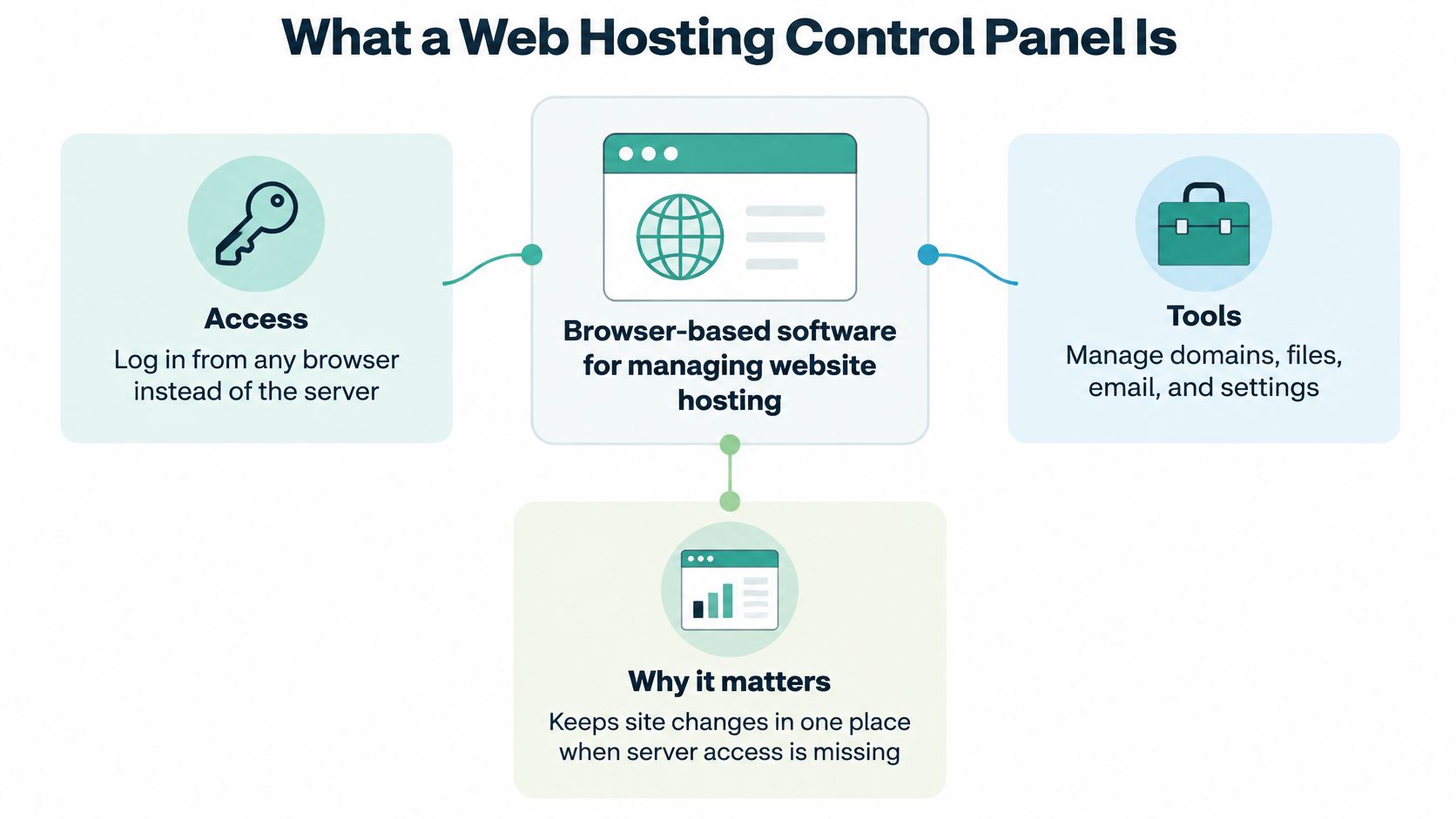
The panel works like a shop counter behind the website. Customers see the storefront, while authorised staff use the counter to handle the business behind it. That analogy has a limit: the panel helps you manage hosting, but it does not operate the server itself.
The Australian operating desk
For an Australian business, the panel is also a practical place to manage the settings that connect a .au domain to its hosting. auDA's 2023–24 annual reporting on the .au namespace reports more than 4.2 million .au domain names under management and 100% .au DNS availability. These figures describe the national namespace, not the uptime of an individual hosting account.
A domain's DNS helps direct visitors to a website, but it does not determine how quickly the site loads from every location. For example, a Sydney customer and a Perth customer may connect to a site hosted in different locations with different network paths. The panel can help manage domain and hosting settings; it cannot make a distant server local or guarantee fast loading.
Practical distinction: Hosting provides somewhere for your website to run. The control panel gives authorised people a way to manage that hosting.
If the difference is unclear, this explanation of web hosting separates the hosting service from the website itself. A local hosting service may provide the panel, but the panel is not the data centre and does not establish eligibility for a .au domain.
The useful test is what the operating desk lets your team do, and whether you can recover access when needed. Its value is in making routine hosting work understandable, not in the number of buttons on screen.
Core Jobs Inside the Panel
What each control-panel job changes
| Job | What you change | Australian example | If it is wrong |
|---|---|---|---|
| File manager | Upload, edit, permissions, zip backups | Café menu PDF and a WordPress theme file | The public page shows the old file or a broken layout |
| Databases | Create MySQL or MSSQL, users and imports | WordPress tables or an ASP.NET booking database | The site loads a database connection error |
| Mailboxes, spam filter and webmail | staff@ the .com.au domain | Enquiries bounce or land in junk | |
| DNS | A, CNAME, MX, TXT and TTL | Point the name at a Sydney server and publish SPF | Visitors or mail reach the wrong place |
| SSL | Install and renew the certificate | HTTPS on a checkout or contact form | Browsers warn that the site is not secure |
| Users and apps | Separate logins and one-click installs | Owner versus agency developer on WordPress | The business loses access when a contractor leaves |
Files and databases are separate drawers
The file manager handles documents, images and application files. For the Melbourne café, that means uploading the replacement menu to the correct public folder and checking the link customers use.
Before changing a WordPress theme file, download a copy or create a zip archive of the relevant folder. Prefer a child theme or staging environment for code changes. A zip file stored beside the live site is a convenient rollback copy, not a substitute for an independent backup.
The database drawer stores structured information, such as WordPress content or booking records. WordPress commonly uses MySQL-compatible databases; an ASP.NET booking application may require MSSQL on a suitable Windows plan.
Create a database user with only the permissions the application needs. When importing a database dump, confirm the destination first: importing into the live booking database can overwrite current information.
Email and DNS need different checks
A mailbox gives a staff member somewhere to receive messages. Spam filtering helps manage unwanted mail, while webmail provides browser access when a desktop email application stops connecting.
DNS determines where services are found. An A record points a name towards a server, a CNAME provides an alias, MX directs incoming mail, and TXT can publish SPF information identifying authorised sending services.
Don't assume a working website proves email is working. A Sydney shop can load normally while an incorrect MX record sends customer enquiries elsewhere. SPF also isn't a guarantee of inbox delivery; it's part of an email-authentication setup.
Certificates and access finish the job
The SSL certificate supports HTTPS connections. Install it for the names customers use, check automatic renewal and test the public checkout or contact form rather than relying solely on a green panel status.
Keep the owner's account separate from an agency's file-transfer access. Use application-level publishing roles where possible, and remember that a one-click WordPress installation still needs updates and ongoing care.
For a separate campaign area, the cPanel subdomain walkthrough explains that workflow. For the account's cPanel, email, domain and SSL inclusions, use the hosting service descriptions and ask support for the DNS knowledge-base instructions that match your plan.
Host your website with our 5-star rated, cPanel website hosting plans.
Super fast servers, with security included and hosted in your choice of Australian Data Center.
View cPanel Plans
cPanel Plesk and Custom Panels Compared
Which panel fits an Australian site
| Panel | Best fit | Strength | Watch-out |
|---|---|---|---|
| cPanel | WordPress and PHP on Linux shared or VPS | Familiar tools for files, MySQL, mail and SSL | Must stay patched; don't leave WHM open to the world |
| Plesk | ASP.NET, IIS and MSSQL, or mixed Windows and Linux requirements | A consistent panel approach across supported Windows and Linux plans | Windows workloads need appropriate resources; menus differ from cPanel |
| Custom or builder panel | Brochure sites and non-technical owners | Fewer buttons and a fast templated launch | May hide DNS, mail authentication or database restore |
| SSH only, no panel | Developers on a VPS with clearly agreed management responsibilities | Direct control of services | Easy to break DNS or mail with no visual undo |
There's no universal best panel. Start with the software your website needs, then check whether the owner can carry out ordinary tasks without a developer translating the menus.
For a WordPress shop, cPanel provides a familiar Linux-based workspace for files, MySQL, email, and certificates. Certificate automation may be available through AutoSSL or the host's configuration, but confirm what your plan includes.
A commercial panel also has a licensing cost, whether it appears separately or is built into the hosting price. Don't compare a bare server price with a managed hosting account as though they cover the same work.
Match the application before the interface
Plesk supports Linux and Windows deployments. If your application needs ASP.NET, IIS and MSSQL, check the Windows plan's supported versions and database arrangements before choosing it.
Plesk on Linux doesn't turn that server into Windows. Likewise, installing WordPress beside a Windows application still requires the host to support the necessary components and allocate suitable memory.
A custom panel or Sitejet-style website builder can suit a straightforward brochure site. The trade-off is visibility: a simplified interface may not expose detailed DNS controls, mail authentication or database recovery.
SSH-only administration gives developers direct access to services and configuration files. Even on a managed VPS, agree who handles application changes, operating-system updates and recovery. “Managed” doesn't automatically mean every command a developer runs is covered.
Use these verdicts as a starting point
- WordPress shop: Choose a supported Linux plan with cPanel when its database, email and recovery tools fit your workflow.
- Windows business application: Choose Windows hosting with a compatible panel and the required ASP.NET, IIS and MSSQL support.
- Non-technical owner: Choose the simplest interface that still exposes ownership, security and recovery tasks.
Ask the Australian hosting team to identify its cPanel, WordPress and ASP.NET Windows options and the knowledge-base note showing which panel each plan includes.
Then run a usability test. The owner should find mailboxes, certificate renewal status and a file restore under understandable labels; a marketer should publish without full hosting administration rights.
If the owner can't find the recovery tools, a technically compatible panel can still be the wrong working desk.
Check .au Eligibility Before the Site Goes Live
The panel's domain tools are the last operational step, not the eligibility test. An available name isn't automatically a name your business is entitled to register.
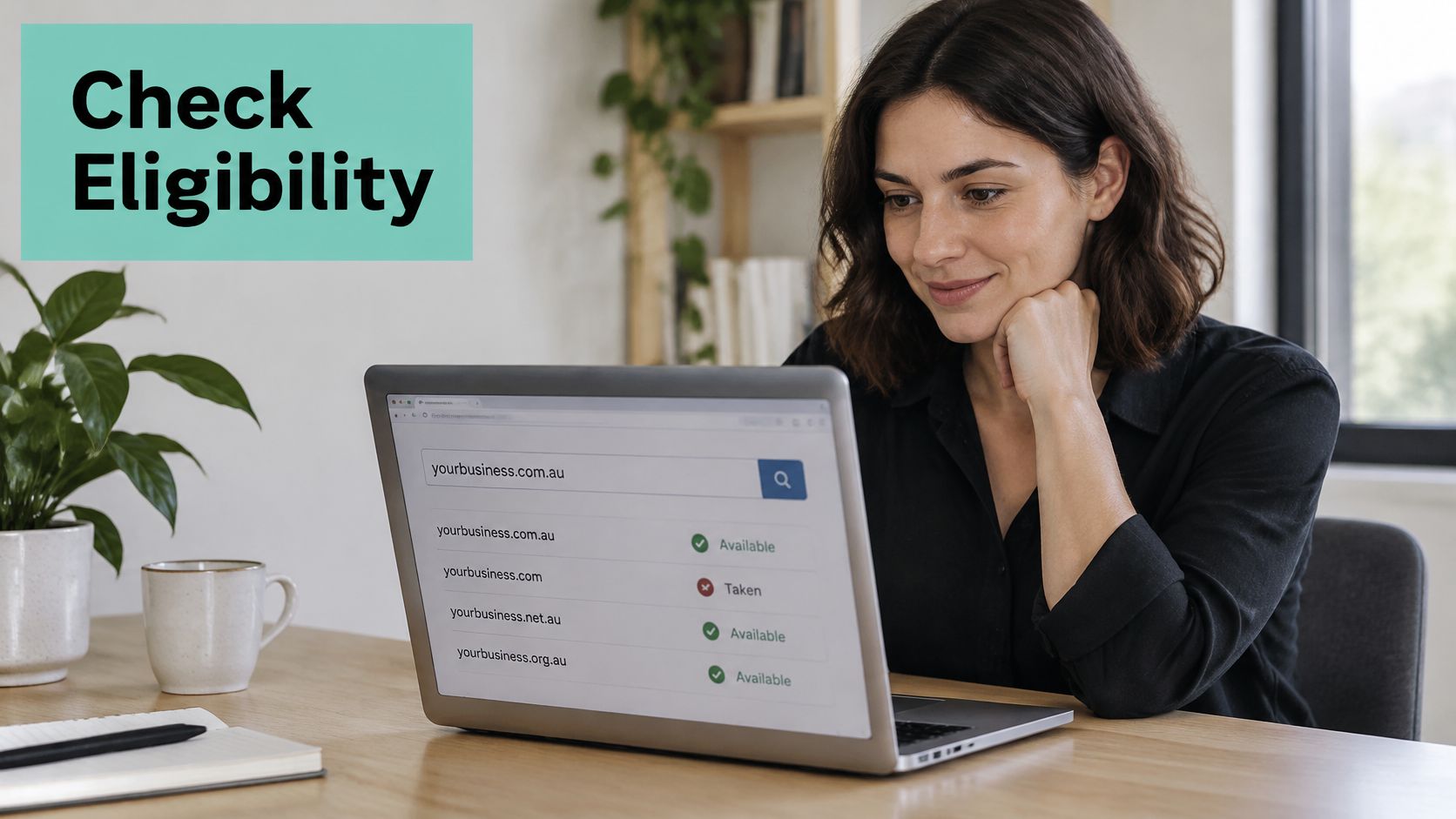
Establish the registrant first
Under auDA's product guidance, .au direct requires an Australian connection, such as Australian citizenship, permanent residency or an organisation registered in Australia; .com.au and .net.au serve eligible commercial entities or Australian trade mark holders; and .org.au is for eligible Australian not-for-profit entities.
An eligible Brisbane café might seek a .com.au name. An incorporated community association should check .org.au eligibility rather than choosing a commercial extension just because someone recognises it.
Record the correct eligible business or organisation as registrant, not the developer who happens to complete the order. Keep the registrant contact address accessible to the owner, especially if renewal notices currently go to an agency.
Australia's domain-name governance guidance explains registrar validation at registration, renewal and transfer, possible suspension or cancellation for false information, and the auDRP dispute process.
Connect the name after validation
Use this sequence before announcing the website:
- Confirm eligibility and ownership. Gather the required business or personal details and check them against the intended extension.
- Identify the authoritative DNS service. Your registrar and hosting provider may be different organisations. Edit records where the active nameservers are managed.
- Connect the website and email. Check the required address, alias, mail-routing and authentication records without replacing unrelated entries.
- Ask about DNSSEC support. Where supported, coordinate the DNS provider and registrar configuration so resolvers can validate signed DNS information.
- Test the public result. Open the website, send a message to the business mailbox and confirm the owner can still sign in after temporary agency access is removed.
DNSSEC helps authenticate DNS information; it doesn't encrypt your website or establish domain eligibility. A DNS change also cannot override registrant validation.
Use the domain registration requirements guide before ordering. For the account-specific clicks, ask the host for its domain, WordPress and email knowledge-base instructions rather than following screenshots from an unrelated dashboard.
Security Settings to Prove First
An exposed, unpatched panel can put far more than the homepage at risk. The Australian Signals Directorate's ACSC alert about active cPanel/WHM exploitation describes an authentication-bypass vulnerability allowing unauthenticated access and remote code execution, with a CVSS 4.0 base score of 9.3.
That's why security starts with patching and administrative exposure, not a longer collection of enabled switches. Inventory every panel instance, restrict public administrative access where the hosting arrangement allows, and establish who applies platform updates.
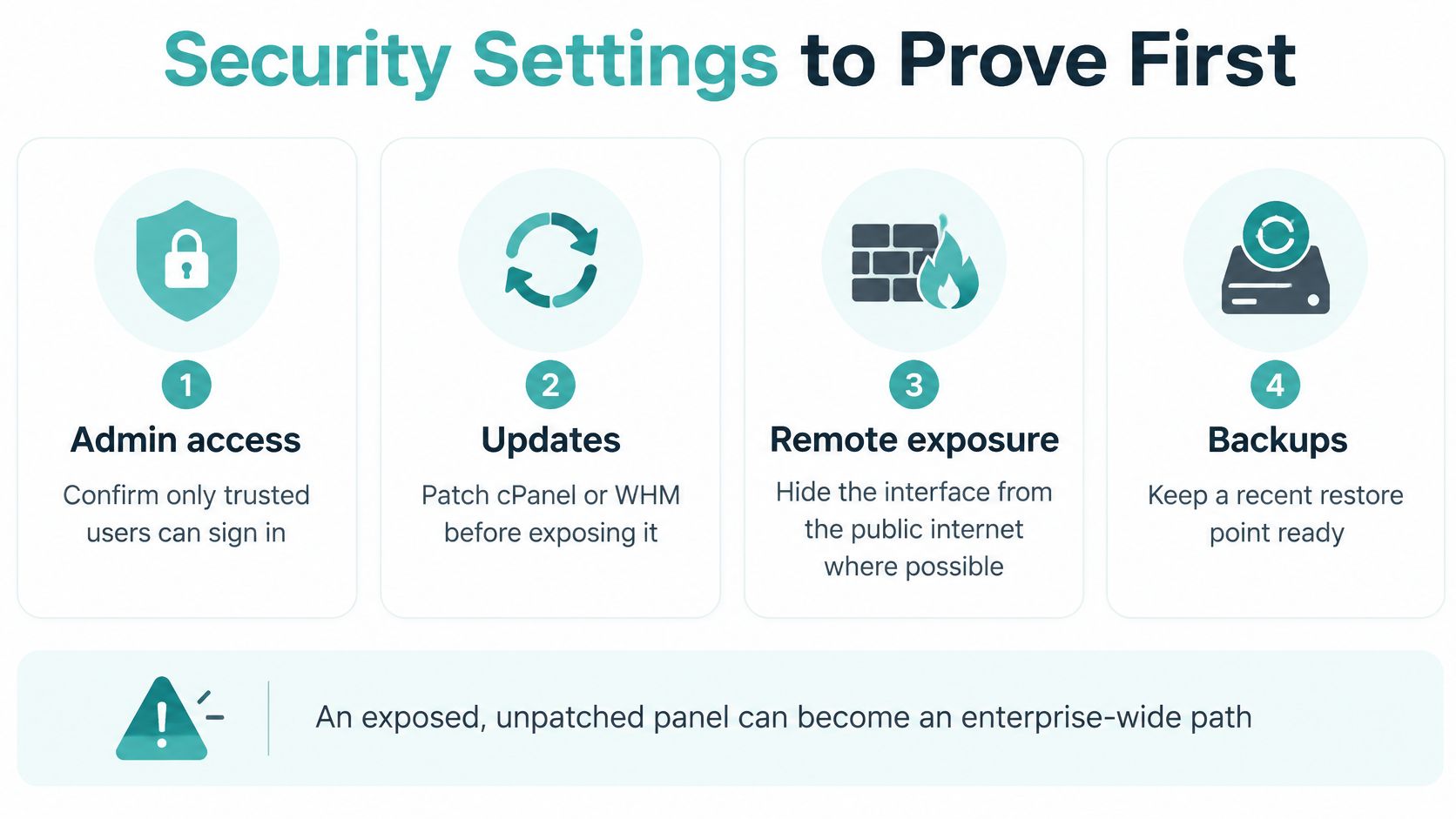
Match each control to a business failure
Use unique passwords and multi-factor authentication, keep audit logs and remove departing contractors promptly. A marketer needs publishing access, not permission to change mail routing or delete databases.
| Business failure | Control to establish | Proof to request |
|---|---|---|
| Account takeover | MFA, named accounts and offboarding | Former users can no longer sign in |
| Website defacement | Malware scanning and appropriate file permissions | Recent scan results and an escalation process |
| Fraudulent email | SPF, appropriate authentication and restricted mailbox access | Authorised sending services are documented |
| Lost orders | Encrypted off-site backups | A successful application-consistent restore test |
For microbusinesses, the budget context is sobering: the 2025 Digital Lives of Australians report found 20% of small businesses had a cybersecurity policy, 18% regularly audited their practices, median annual cybersecurity spending was $300, and 21% spent nothing.
With limited time and money, prioritise controls you can verify. Restoring a file proves more than merely seeing “backup enabled”, although a shop also needs a recovery plan that keeps its database and order records consistent.
Keep a monthly proof list
- Login list: Check named users, privileges and whether departing staff have been removed.
- Certificate expiry: Confirm renewal status and inspect the public website for certificate warnings.
- Backup recovery: Restore a selected file into a safe location and open it.
- Malware status: Review the latest scan, unresolved findings and who receives alerts.
- Software updates: Check the application, plugins and the host's responsibility for panel updates.
The cPanel SSL installation guide helps with certificate setup. Ask support to identify the matching notes for malware scanning, firewalls and encrypted off-site backups, including what customers must do when an alert appears.
Recovery test: Restore into a separate location first. Don't overwrite a working shop just to discover whether a backup opens.
Security also needs to protect the website's business purpose. Transactional LLC's resource on how to manage your website for more calls provides a useful companion perspective: include enquiry paths and contact forms in your maintenance checks, rather than treating a successful login as proof everything works.
Register your new domain name at competitive market prices including free domain add-ons like privacy, DNS Hosting, Custom Nameservers and Forwarding.
Always the best price and no nasty renewal price hikes.
Register A Domain Name
Local Servers DNS and Real Speed
A panel cannot invent a faster path across the ocean. It can help you identify where services run and separate a network problem from an overloaded application.
The ACCC's Measuring Broadband Australia report recorded average urban NBN fixed-line latency of 10.3 ms during all hours in September 2023, and found international website loading was predominantly constrained by long-link latency, while Australian-site loading was more influenced by throughput.
That broadband measurement isn't a promised website response time. A Perth customer visiting a Sydney origin still encounters network distance, and neither city guarantees a quick checkout if the application is slow.
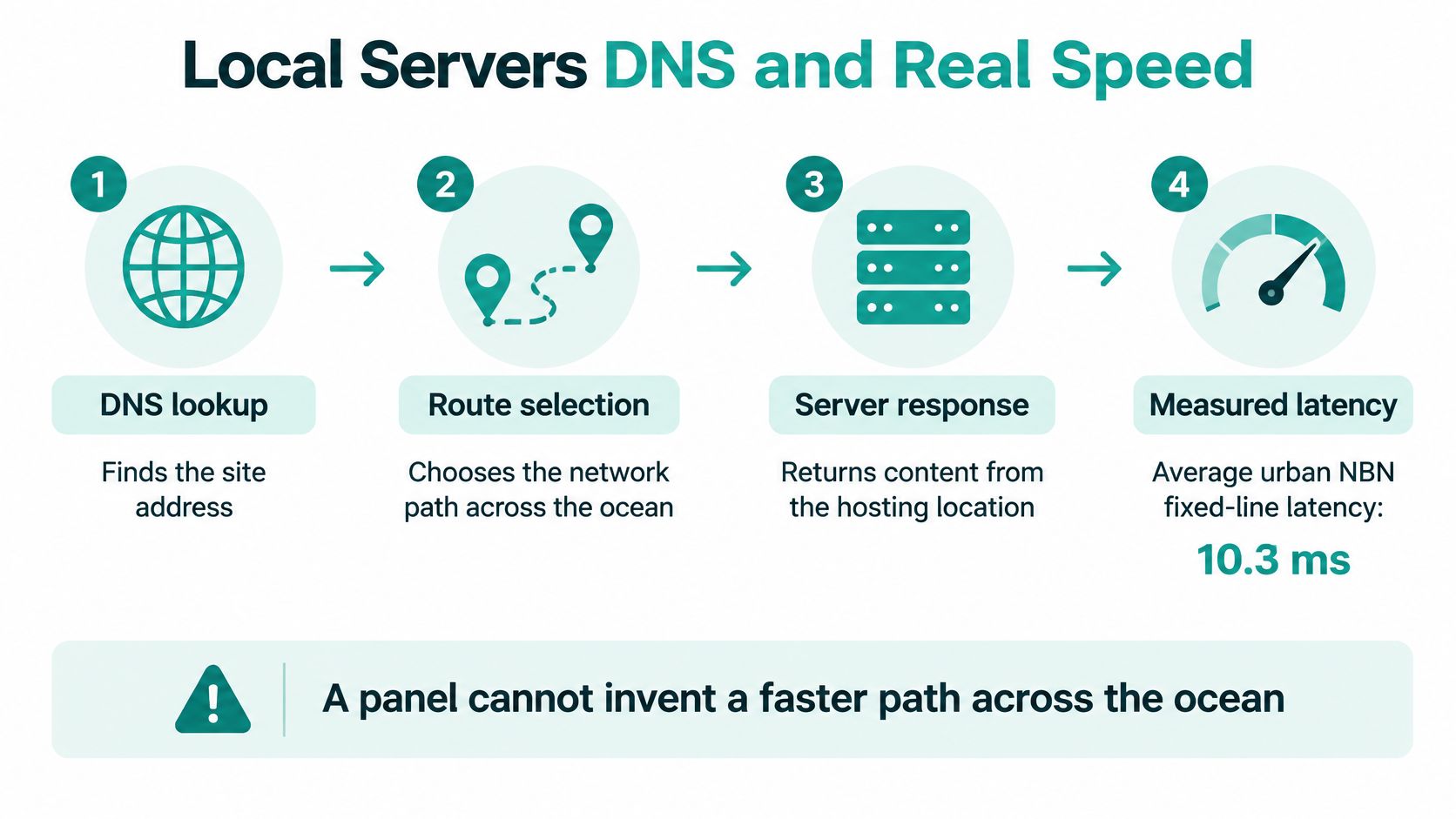
Measure the delay in separate stages
Use browser developer tools or a suitable website timing tool to inspect:
- DNS response: How long the lookup takes and whether it returns the intended destination.
- Connection and TLS: Time spent establishing the connection and encrypted session.
- Time to first byte: How long the origin takes to begin responding.
- Full page load: The remaining cost of images, scripts and other page resources.
Inspect A and AAAA destinations, TTL, certificate status, caching controls and resource graphs. DNS, mail and the website may use different infrastructure; the panel's own location doesn't establish where any of them run.
Changing PHP settings won't fix a stale destination overseas. Likewise, a local origin won't compensate for oversized product images or uncached database-heavy pages.
Local isn't automatically greener
The CSIRO submission on data-centre demand reports approximately 3.9 TWh of Australian data-centre electricity use in FY2025, about 2% of National Electricity Market consumption, with use forecast to approach 12 TWh by FY2030.
Those demand figures don't establish an individual host's emissions. Ask for meaningful electricity information, then improve what you control: caching, image weight, database housekeeping and appropriately sized resources.
Compare origin response from Australian states and confirm backup geography. Use the Australian low-latency hosting guide to frame questions about Sydney, Melbourne, Brisbane and Perth locations. Before blaming the theme, confirm the server city and DNS TTL.
Choose a Panel for Your Australian Site
Choose the panel that fits the application and passes an ownership-and-recovery check. For WordPress or PHP, start with suitable Linux hosting; for ASP.NET, IIS and MSSQL, confirm Windows compatibility; for a short brochure site, consider a builder without surrendering essential account controls.
The ACSC small business cyber security handbook recommends checking backup frequency, off-site storage, malware detection, firewalls, encryption, MFA, denial-of-service protection and provider location. Turn those questions into evidence rather than accepting a feature badge.
Choice checks for an Australian panel host
| Check | Pass looks like | Owner |
|---|---|---|
| Backups | Schedule stated in the knowledge base | Host |
| Off-site copy | Backup stored away from the live server | Host |
| Malware detection | Scan or antivirus status visible in the panel | Host |
| Firewalls and encryption | Preventative controls named on the plan | Host |
| Multi-factor authentication | Second factor on the panel login | Owner |
| Denial-of-service protection | DDoS control included | Host |
| Location | Server city in Australia | Owner verifies |
| HTTPS | Certificate on passwords and payments | Owner |
| Registrant | Business, not the developer | Owner |
| Support | Contact channel and escalation process confirmed | Owner |
| Price | GST shown and no lock-in surprise | Owner |
Assign responsibility before opening the account
Walk through the table with the business owner and mark each row pass or fail. If a control isn't visible in the panel, ask the host how it operates and what evidence customers can obtain.
The host should explain its platform patching, monitoring and backup responsibilities. The owner should retain domain and billing access, while the developer receives the permissions needed for the agreed work.
Don't assume a support team will update your WordPress plugins or reconcile lost orders unless that work is included. Write down who responds when the website fails and who authorises a restore.
Once the checks pass, confirm the Australian server city, establish owner-controlled access and complete a safe file restoration before announcing the site. That practical handover is more valuable than choosing a dashboard with extra buttons nobody understands.
UpTime Web Hosting offers Australian cPanel, WordPress and ASP.NET Windows hosting, with local server options and tools for managing domains, email, certificates and backups. Visit UpTime Web Hosting to match a plan to your application, confirm the server city and ask for the knowledge-base steps to complete your first safe restore.