A Melbourne café owner can easily end up managing a WordPress website, a booking form and three staff email addresses before breakfast. None of those tasks should require a developer every time a menu PDF changes or a new mailbox is needed. That's where cPanel hosting fits. It combines server space with a graphical control panel that lets you manage common website tasks through buttons, forms and menus instead of command-line instructions.
cPanel has been part of the hosting industry since 21 March 1996, and WHM was added in 1999, helping the platform develop from a straightforward Linux hosting panel into a broader server-management system. Its long history still matters in Australia, where technology tracking shows a substantial cPanel footprint among local websites and hosting accounts. Taskade's history of cPanel provides the platform's historical background, while TechnologyChecker's Australian cPanel data offers country-level market context.
Table of Contents
- What cPanel Hosting Means for Your Website
- Core Features Inside a cPanel Control Panel
- Who cPanel Hosting Suits in Australia
- Logging In and Using cPanel Day to Day
- Alternatives Worth Comparing to cPanel
- Choosing an Australian cPanel Host Wisely
- Migrating to or Away From cPanel
- Quick Answers and a Final Decision Checklist

Performance you can feel, backed by clients who depend on it. Read how our support and uptime create long‑term customer success.Power Your Business with Better Hosting
What cPanel Hosting Means for Your Website
For an Australian small-business owner, cPanel hosting means buying web hosting with cPanel included as the management interface. The provider supplies server space, connects it to the internet and gives you a dashboard for common tasks such as managing files, domains, email, databases, security settings and backups.
The server is the engine room. cPanel is the dashboard with the controls you use. Rather than working through command-line instructions, you can upload a file, create a mailbox or install WordPress through labelled menus and forms.
cPanel manages the environment
cPanel is not the website server itself. The hosting environment may run Apache or LiteSpeed with a Linux distribution such as CentOS, AlmaLinux or CloudLinux. Those underlying components deliver pages, allocate resources and isolate hosting accounts. cPanel manages the environment, while the web server and operating system perform the underlying work.
That distinction helps when comparing Australian plans. A business might use File Manager to replace a menu PDF, Email Accounts to create info@ addresses and a one-click installer to set up WordPress. The server processes visitor requests in the background, and cPanel gives the owner practical controls for routine changes.
The hosting plan still determines several buying details that cPanel does not. Check whether the price includes GST, whether the server is located in Australia and whether support operates during Australian business hours. If you plan to use a .au domain, confirm that your business or registrant meets the relevant eligibility rules. cPanel can help manage a domain, but it does not decide whether that domain registration qualifies.
Australian usage remains significant. BuiltWith-based tracking cited in The Australian cPanel market overview records about 35,493 Australian sites using cPanel, while another country-level dataset places Australia at 7.3% of global cPanel-using sites. These figures show why the interface remains familiar to Australian small businesses, agencies and developers choosing Linux hosting.
Why the dashboard matters
Without a control panel, routine changes may require terminal access, configuration files or a support ticket. cPanel gathers many of those controls in one place, so an owner can handle a small website update without waiting for a developer.
The dashboard does not guarantee faster hosting, Australian support or suitable domain terms. Those come from the provider and plan. Treat cPanel as the control layer, then assess the host's location, pricing, support hours and .au requirements before buying.
Core Features Inside a cPanel Control Panel
A cPanel dashboard can look busy at first, but each group has a clear purpose. Start by treating it as a digital filing cabinet, post office, database room and security desk in one interface.
Files and websites
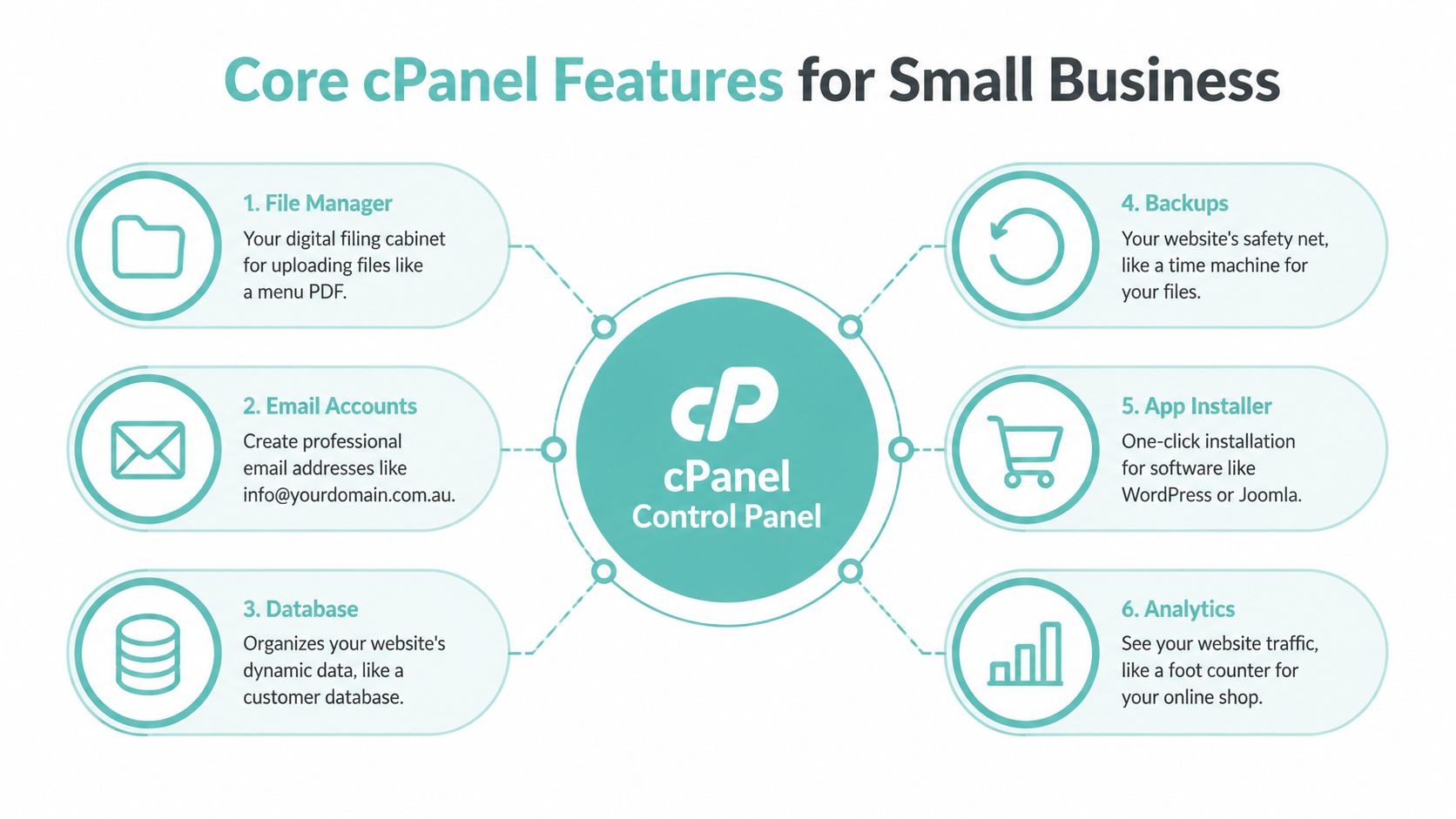
File Manager is the digital filing cabinet. If you need to upload a café menu PDF, replace a logo or download a website file, you can usually do it from this screen. It's more approachable than using a separate FTP application for simple changes. For a closer walkthrough, see this cPanel File Manager guide.
FTP Accounts create separate file-transfer logins. That lets a developer or agency work on website files without handing over the main cPanel password.
Email and databases
Email Accounts acts like a post office for your domain. You can create addresses such as info@yourbusiness.com.au, set mailbox passwords and configure access through webmail or email applications using POP or IMAP.
phpMyAdmin, reached through the database tools, is the database room. WordPress, WooCommerce and other content systems store posts, settings, products and customer information in databases. You usually won't edit those tables during everyday work, but the tool matters for maintenance and troubleshooting.
DNS and protection
The DNS Zone Editor is like a street directory. It helps connect your domain name with the services that should receive website and email traffic. Because small errors can interrupt a site or mailbox, change DNS settings only when you understand what the hosting provider or email service requires.
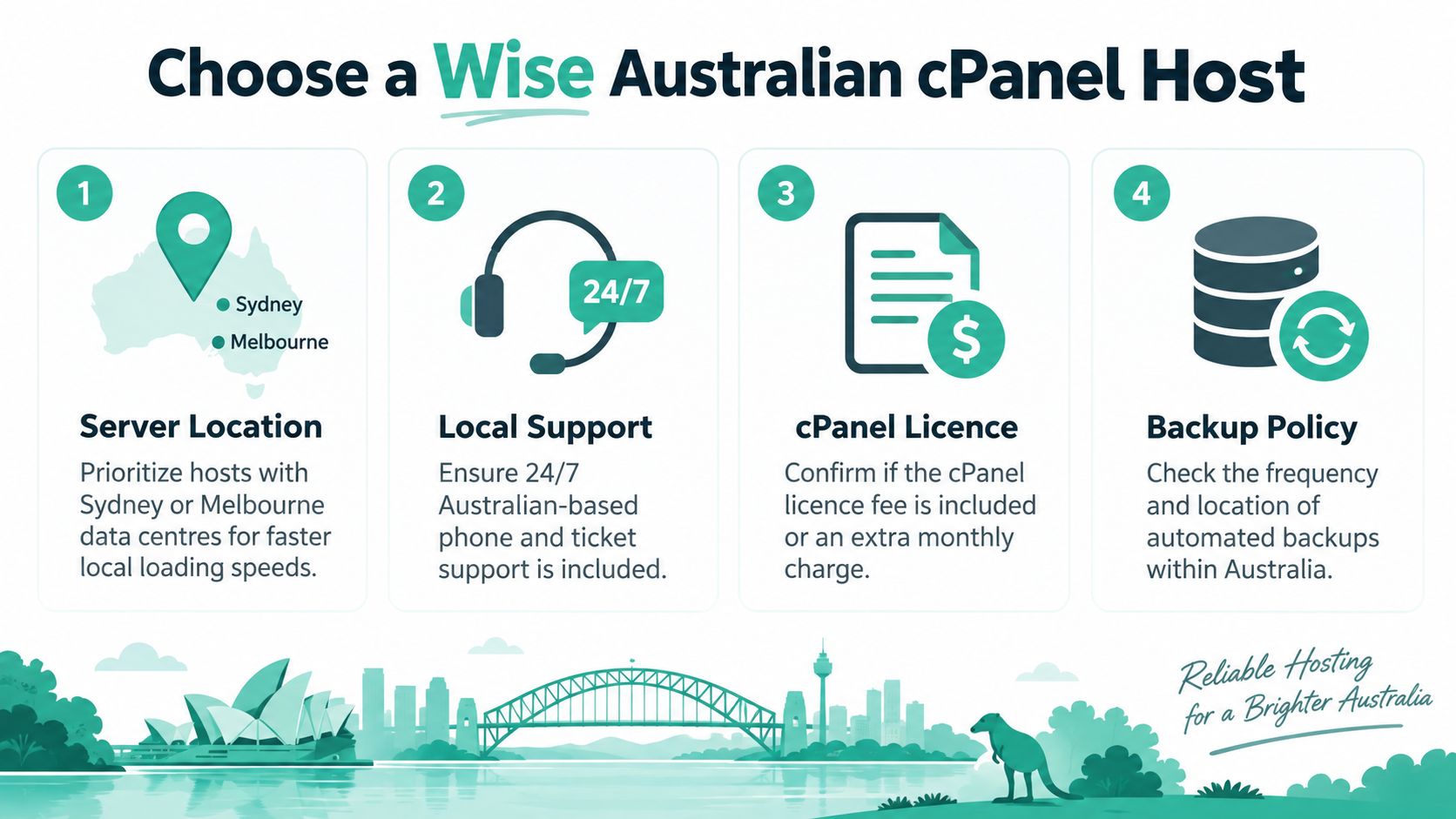
Backups and JetBackup provide a safety net. They can help you restore files or databases after a failed update, accidental deletion or website problem. Check the plan's actual backup frequency, retention and storage location, because the presence of a backup button doesn't automatically tell you how the provider operates it.
Applications and maintenance
Softaculous and Installatron provide one-click installers for applications such as WordPress, Joomla and PrestaShop. They reduce the setup work, although you'll still need to choose themes, configure security and keep the application updated.
Other useful tiles include:
- SSL/TLS Status: Check whether your domains have valid HTTPS certificates.
- MultiPHP Manager: Select supported PHP versions for domains or applications.
- Cron Jobs: Schedule recurring tasks, such as an application's maintenance process.
- Metrics and analytics: Review available resource or visitor information supplied by the host.
Practical rule: Use cPanel for routine administration, but ask your host before changing settings that affect DNS, PHP versions, databases or backups.
Host your website with our 5-star rated, cPanel website hosting plans.
Super fast servers, with security included and hosted in your choice of Australian Data Center.
View cPanel Plans
Who cPanel Hosting Suits in Australia
cPanel is a strong match when a business wants ordinary website and email administration without running a server. A Melbourne tradie, Brisbane café or boutique retailer can use it for a brochure website, contact form, branded email and occasional content updates. The owner gets practical controls without needing to learn Linux administration first.
Agencies and freelancers often value the WHM layer above individual cPanel accounts. WHM lets an operator manage hosting accounts from a broader administrative interface, which can make it easier to separate client websites, allocate services and maintain a repeatable setup. That arrangement is different from giving every client access to the whole server.
Where it fits well
A small organisation might use one account for a main website and additional sites for a campaign, community project or secondary brand. Whether add-on domains are unlimited or capped depends on the plan, so read the inclusions rather than assuming every cPanel package works the same way.
Developers can also choose cPanel when they want access to tools such as SSH, Git and cron jobs without taking on the full responsibility of a VPS. Education groups, clubs and community organisations may prefer the familiar interface and shared-hosting model when their websites have modest operational demands.
For a broader explanation of hosting categories, compare the options in this guide to common types of web hosting.
When another model may be better
cPanel becomes less attractive when the application needs highly specialised infrastructure, strict operational controls or extensive server-level customisation. A busy online store may need a more carefully engineered environment. A finance or health platform may need compliance and security processes that a standard shared plan doesn't provide by itself. A team already committed to managed WordPress or another panel may gain little from switching.
Cost should be assessed in Australian dollars and with GST included. Starter plans are often marketed in a low monthly range, but the exact price, resource limits and included features vary by provider. Don't judge the plan by cPanel alone. Compare storage, CPU access, email capacity, backup policy, support and the upgrade route.
Logging In and Using cPanel Day to Day
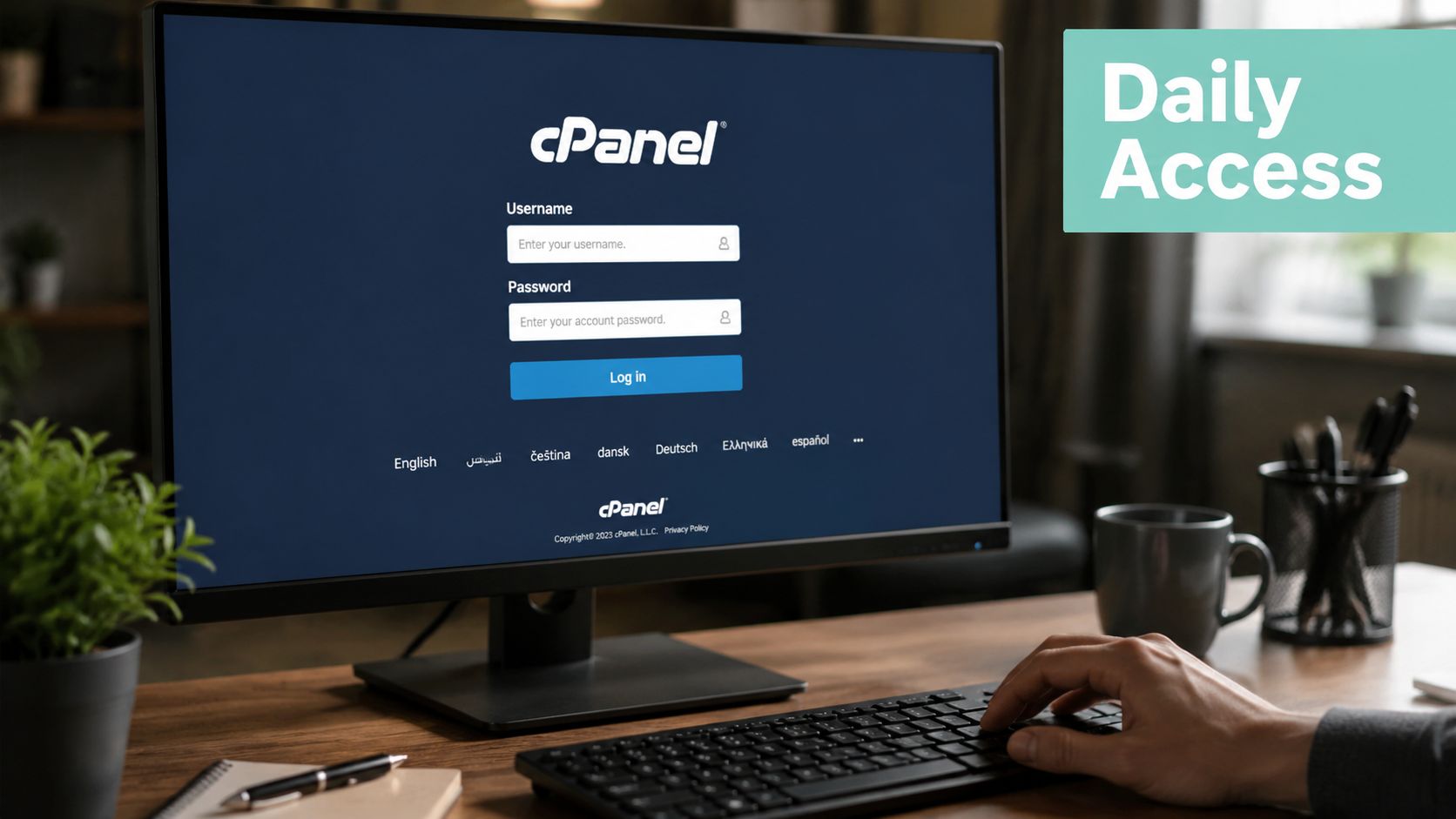
For most site owners, cPanel becomes a reception desk for the website. You arrive, choose the department you need, complete one task and leave. The dashboard may include groups such as Files, Databases, Email and Security, with a statistics panel showing information about the account.
Australian providers commonly offer more than one route into the panel. You may use a provider-specific login address, the client area or a secure port. A documented UpTime Web Hosting workflow lets customers access cPanel through the domain on secure port 2083, or through the client area by selecting Services, My Services, the hosting plan and Log in to cPanel. The Getting Started with cPanel knowledge base article records that process.
Four common jobs
- Upload a file: Open File Manager, select the correct website folder and upload the replacement document or image. Use FTP when you're transferring many files or working regularly with a developer.
- Create a mailbox: Open Email Accounts, choose the domain, create an address such as
info@yourbusiness.com.auand set a strong password. Then configure webmail or an email application. - Prepare WordPress: Use the database tools when a manual installation requires a MySQL database, or use Softaculous or Installatron to simplify the installation.
- Check HTTPS: Open SSL/TLS Status and confirm that the domain has a certificate. Many hosts provide AutoSSL, which can automate certificate installation and renewal.
The using cPanel guide covers the everyday navigation and tasks in more detail.
If something looks wrong, first check whether the change has had time to appear, clear the relevant browser or application cache and verify the login details. Don't repeatedly alter settings when you're unsure what changed. Contact support during Australian business hours if the issue affects email, domain resolution, security or access to the account.
Alternatives Worth Comparing to cPanel
cPanel is familiar, but familiarity isn't the same as suitability. Compare the management model, application stack and total monthly cost before choosing a plan.
| Feature | cPanel | Plesk | Managed WordPress | Self-managed VPS |
|---|---|---|---|---|
| Main audience | Small businesses, agencies and Linux hosting users | Linux and Windows hosting users | WordPress site owners wanting hands-off administration | Technical users needing server control |
| Server management | Graphical account management, with WHM for broader administration | Graphical management across supported platforms | Provider handles most server administration | Customer handles operating system and server configuration |
| Application fit | Broad PHP and Linux application support | Broad support, including Windows-oriented stacks | WordPress-centred | Depends on the software and skills of the operator |
| Technical responsibility | Shared between host and customer | Shared between host and customer | Mostly handled by the provider | Primarily handled by the customer |
| Flexibility | Strong for domains, email and common web applications | Useful for mixed environments | More limited outside the managed WordPress model | Highest flexibility, with higher operational effort |
| Budget question | Check whether licence costs are included | Check panel and hosting inclusions | Usually reflects the managed service | Includes server and administration responsibilities |
The alternatives in plain English
Plesk can suit a business that needs a panel supporting both Linux and Windows environments, particularly where a .NET application or hybrid stack matters. The cPanel versus Plesk comparison helps identify differences in interface and platform fit.
Managed WordPress hosting removes much of the server administration. That convenience can be valuable, but the service may cost more and impose tighter limits on plugins, server settings and non-WordPress applications.
A self-managed VPS offers more control over the operating system, web server and installed software. It also expects you to manage updates, security, backups and troubleshooting. Licensing changes in 2023 pushed cPanel costs higher, and that shift has encouraged some Australian providers to examine Plesk or custom panels. Treat the panel licence as part of the total hosting price, not as an invisible detail.
Ask yourself three questions: How much hands-on management do you want? What stack does the site run on? What monthly AUD budget remains sustainable after GST and essential add-ons?
Register your new domain name at competitive market prices including free domain add-ons like privacy, DNS Hosting, Custom Nameservers and Forwarding.
Always the best price and no nasty renewal price hikes.
Register A Domain Name
Choosing an Australian cPanel Host Wisely
A generic hosting review can tell you whether a panel has File Manager or email tools. It may not tell you whether the plan suits an Australian business that uses a .com.au domain, needs local support and wants pricing that makes sense at checkout.
Start with server location. Providers may offer infrastructure in Sydney, Melbourne, Brisbane or Perth, while others place accounts offshore. A local data centre can be relevant to visitor experience, support coordination and the expectations of a locally focused business. Ask the provider where the account will run, rather than relying on an Australian sales page.
Four buying checks
- Pricing: Confirm that the displayed amount is in AUD and includes GST. Check renewal pricing, cPanel licence treatment, backups and email add-ons before comparing plans.
- Support: Look for a support channel that works during Australian business hours. Phone, ticket and chat availability can matter when a booking form or business mailbox stops working.
- Domains: auDA says .au licences are allocated on a first-come, first-served basis, cannot be pre-registered or reserved, may only be allocated to an Australian registrant under the relevant eligibility rules and have a licence period of 1 to 5 years. Review the auDA domain eligibility and allocation rules before registering a .com.au or .net.au name.
- Data responsibilities: The Australian Government identifies auDA as the not-for-profit body endorsed to administer the .au country-code top-level domain and notes that it has been the endorsed manager since 2000. Its Australian internet governance information is useful context for domain administration.
Read beyond “unlimited”
Check whether the plan includes SSL, off-site backups, spam protection and a clear resource policy. “Unlimited” storage, domains or bandwidth can still sit alongside CPU, memory, inode or visitor limits. If the business handles customer information, ask how the provider approaches the Notifiable Data Breaches scheme and whether its controls support the organisation's security obligations. The ACSC Essential Eight can provide useful maturity guidance, but hosting alone doesn't make a business compliant.
Finally, look for a sensible upgrade path from shared hosting to a VPS or dedicated environment without forcing a rushed migration.
Migrating to or Away From cPanel
A migration is easier when you treat it as a controlled handover rather than a last-minute move. Keep the existing account active while the new environment is prepared, tested and connected to the domain.
Prepare the transfer
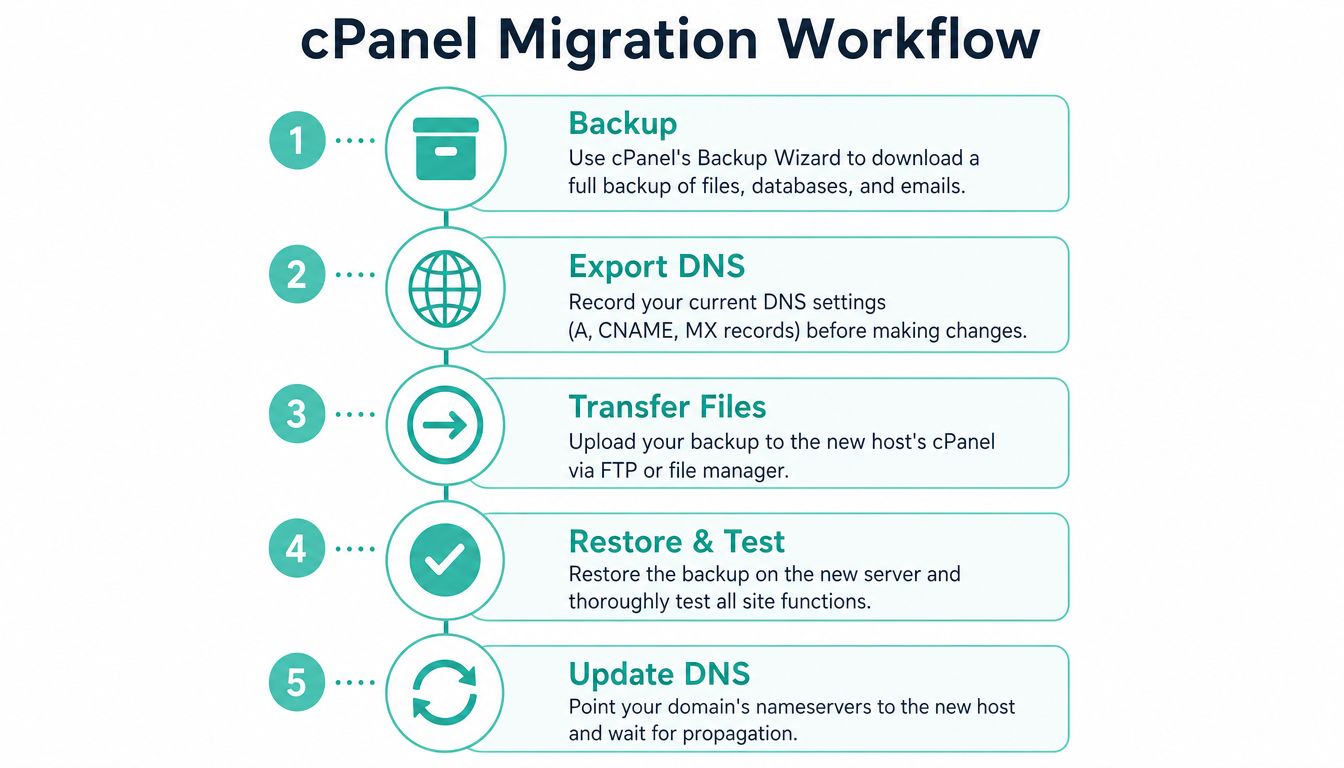
Use cPanel's Backup Wizard to collect website files, databases and email where the provider supports full account backups. Export or record the DNS settings before changing nameservers, and make a list of mailboxes, forwarders, scheduled jobs, SSL requirements and add-on domains.
Ask the new Australian host whether it offers assisted migration. Some providers transfer common cPanel accounts as part of onboarding. The exact timing depends on the site, mailbox size and provider workflow. A small business website may be transferred within a short window, but never promise an exact schedule until the host has reviewed the account.
Test before changing the domain
Upload or restore the files and databases on the new server. Test the homepage, contact forms, booking system, administration login, images, payment flow and every important mailbox. If the site uses cron jobs, recreate and verify them rather than assuming they transfer automatically.
Then coordinate the DNS change with the new provider. DNS propagation can delay the point at which every visitor or mail system reaches the new account, so keep both environments available while the change settles. Don't cancel the old plan immediately.
The website migration guide from UpTime Web Hosting provides a practical Australian reference for planning the transfer.
Protect the .au identity
The domain registration and the hosting account are separate services. Preserve the .au registration, eligibility details, nameserver information and renewal access during the move. Reissue or verify SSL certificates on the new host, then confirm that email delivery works from external addresses.
After the switch, inspect logs, test forms and confirm that the new backup process has completed before closing the previous account.
Experience Microsoft 365 Business Standard for free for 30 days.
Up to 25 users with full access to email, OneDrive and Teams. Includes full versions of desktop apps of Outlook, Word, Excel, PowerPoint and more.
Try Microsoft 365
Quick Answers and a Final Decision Checklist
Common questions
Is cPanel free with hosting?
Sometimes the provider includes the licence in the advertised hosting price. Other plans pass through a separate licence charge or place cPanel in a higher tier, so read the inclusions and renewal terms.
What does a cPanel licence cost the customer?
There isn't one universal retail amount for Australian customers. The cost depends on the provider, account type, server arrangement and whether the host absorbs or passes on the licence. Ask for the total GST-inclusive monthly and renewal price.
What's the difference between cPanel and WHM?
cPanel is generally the account-level interface used to manage a website, domains, email and databases. WHM is the broader administrative layer used to manage hosting accounts and server-level settings. A reseller or administrator may use WHM while an individual business owner works inside cPanel.
Does cPanel work on Windows servers?
cPanel is associated with Linux hosting. If your application needs Windows, ASP.NET or Microsoft-specific services, compare a Windows-compatible panel or hosting environment instead of assuming cPanel will support it.
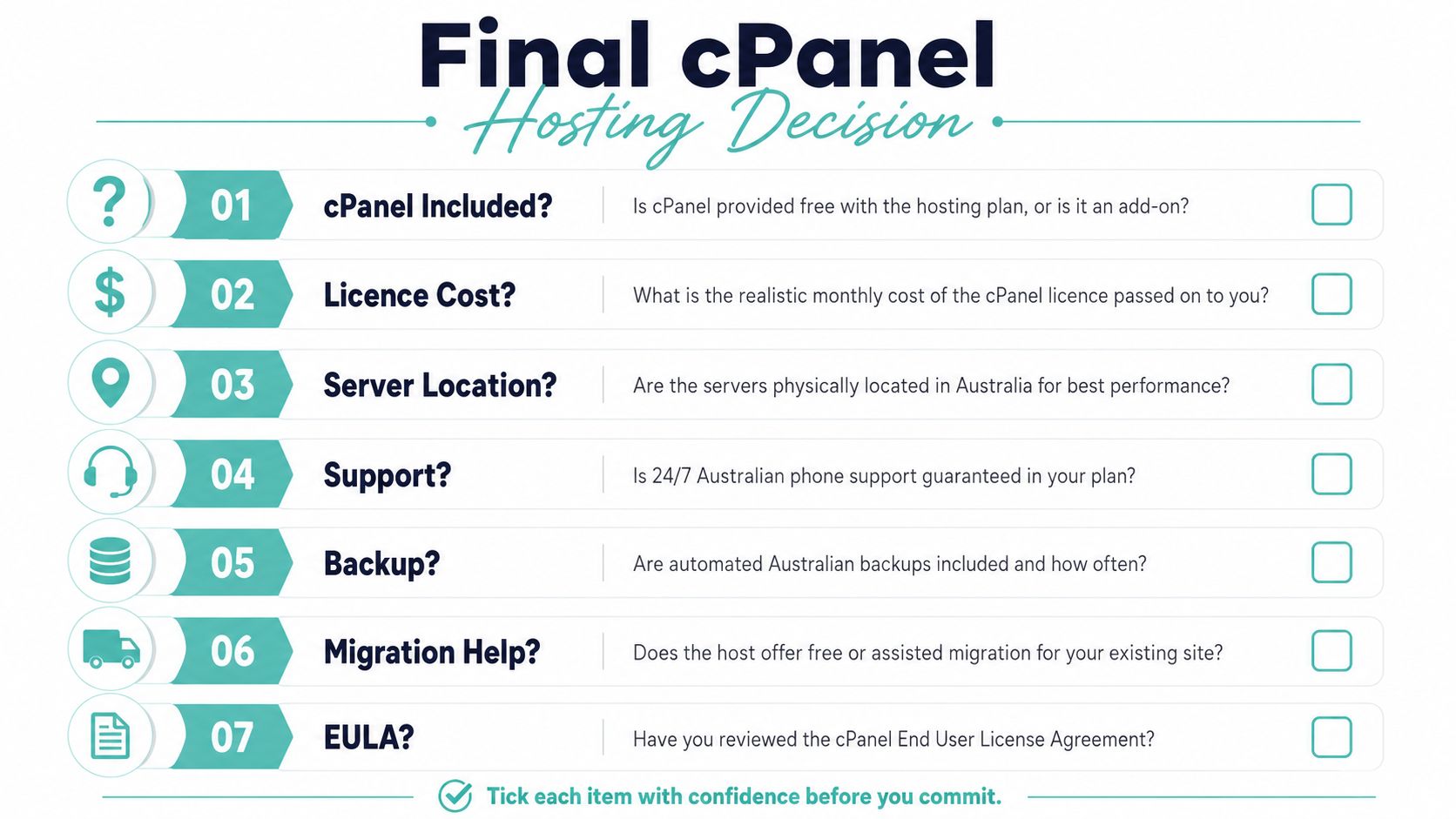
The final buying checklist
Before signing up, confirm each point in writing:
- Local infrastructure: Where is the server physically located?
- Australian support: Can you reach the support team during Australian business hours?
- GST-inclusive pricing: Are setup, renewal, licence and add-on costs clear in AUD?
- Email capacity: How many mailboxes, domains and spam-protection features are included?
- Backups: How often do automated backups run, how long are they retained and where are they stored?
- .au handling: Can the provider help with the registration and eligibility process without replacing your domain ownership?
- SSL and security: Is SSL included, and what security monitoring or malware controls are provided?
- Resources and upgrades: What CPU, memory, storage and database limits apply, and can you move to a VPS without rebuilding the site?
cPanel is usually a sensible starting point for an Australian small business that needs a website, branded email and straightforward administration. It's less important to find the most feature-heavy panel than to match the plan's server location, support model, resource limits, backup policy and domain requirements to the way your business operates.
UpTime Web Hosting offers Australian cPanel hosting with local infrastructure, cPanel-based website management and hosting services designed for business websites and email. Review your domain, mailbox and resource needs, then visit UpTime Web Hosting to compare a plan and ask the support team which setup fits your site.