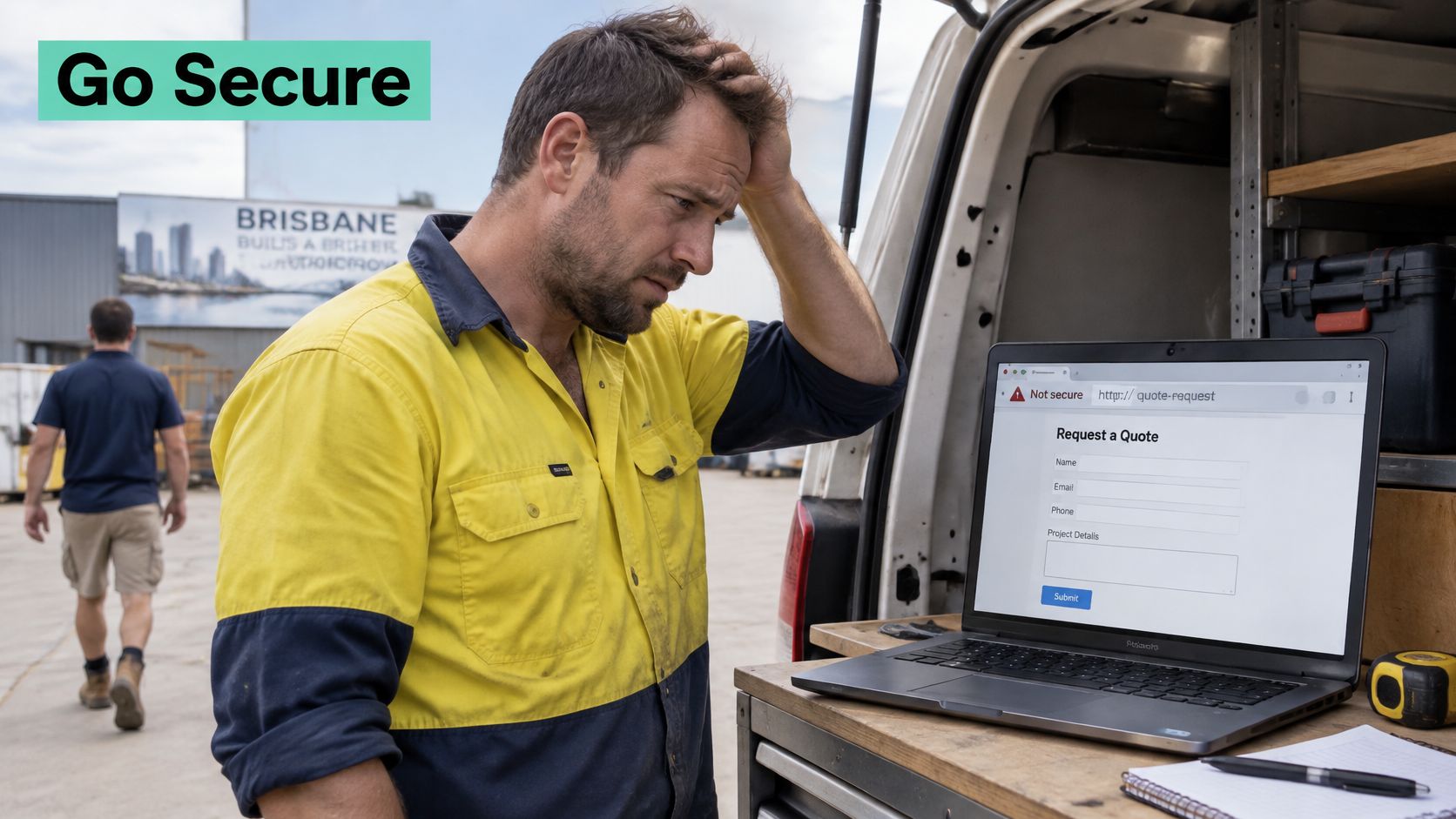
You updated your prices, checked your contact details and shared your website on Facebook. Then a customer messages you to say their browser called the site Not secure. You don't take card payments online, so you wonder if it matters. It does, because that warning appears before a visitor reads a word about your work.
Table of Contents
- Why Your Website Needs an SSL Certificate Today
- Which SSL Certificate Type Fits Your Website
- How an SSL Certificate Works Behind the Padlock
- Free and Paid SSL Certificates Compared
- How to Install and Renew SSL on cPanel and WordPress
- What SSL Does Not Protect and How to Close the Gaps
- Choose and Set Up Your SSL Certificate This Week

Performance you can feel, backed by clients who depend on it. Read how our support and uptime create long‑term customer success.Power Your Business with Better Hosting
Why Your Website Needs an SSL Certificate Today
A customer in Geelong fills in a quote request on a plumber's site while sitting in a café. The form asks for a name, a street address and a description of the leak. If that page still runs on HTTP, every character they type crosses the café's Wi-Fi as readable text. Anyone on the same network with basic tools can watch it go past.
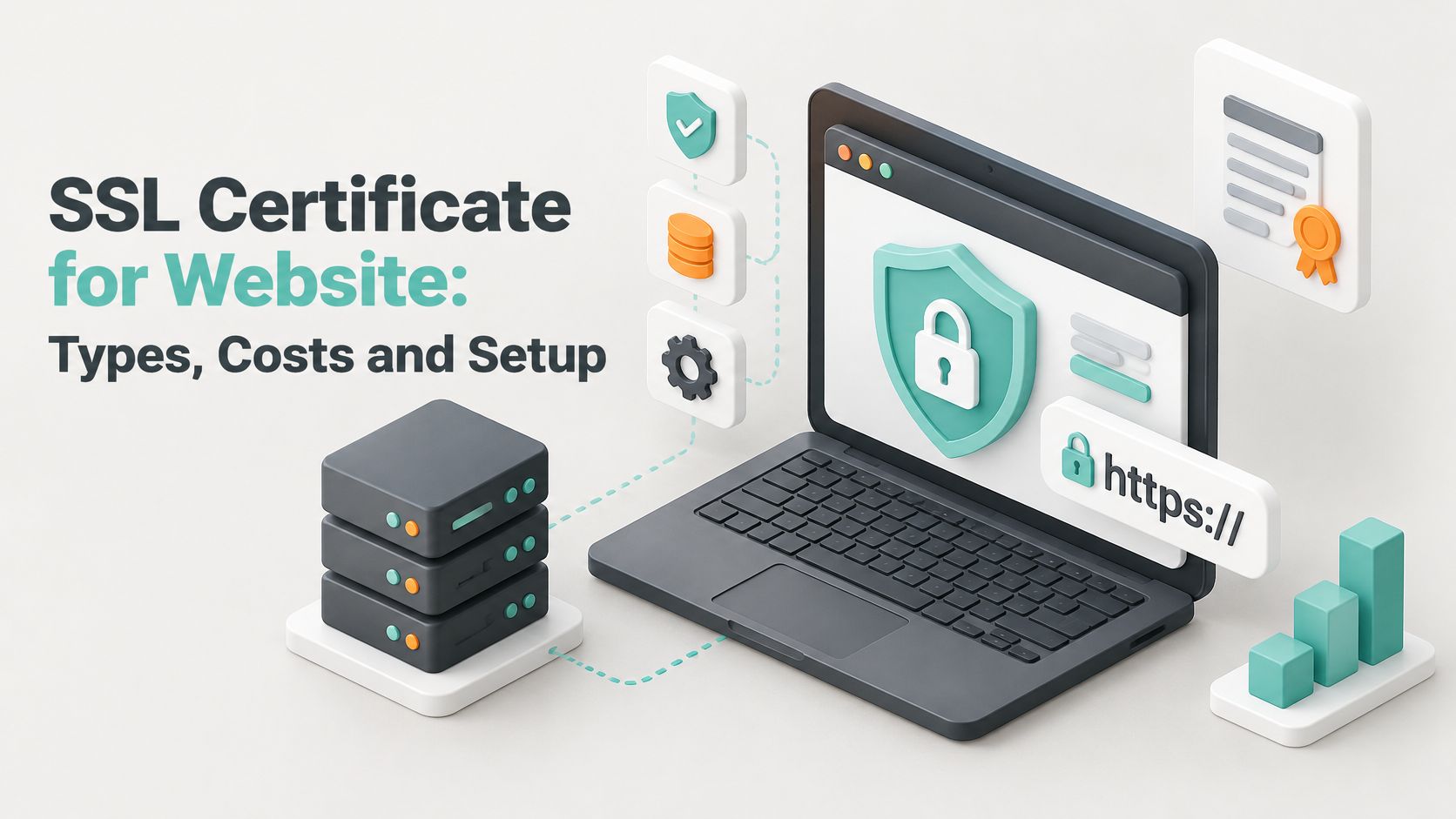
An HTTP page works like a postcard. It arrives, but everyone who handles it along the way can read it. HTTPS is the sealed envelope, and the SSL certificate for website use is the file that makes the envelope possible. It carries the key material your visitor's browser uses to scramble what they send, and it binds that scrambling to your domain name.
What the certificate proves is narrower than many owners assume. It shows that whoever holds the certificate controls the domain it names, because the issuer checked that control before issuing it. The browser confirms the certificate matches the address in the bar. It does not confirm that a business trading under that name owns the site. Only higher validation levels, such as OV, add a check of the registered business name.
Why HTTP Now Stands Out in Australia
HTTPS is no longer a specialist extra. Mozilla Research reported that by the end of 2024, more than 80% of web pages globally were loaded over HTTPS, almost three times the level recorded in 2014, and measured Australia at 95.2% HTTPS adoption. Oceania overall reached 96.2%.
Your visitors meet the padlock almost everywhere else. An unencrypted page therefore looks unfinished, even if you only collect enquiries and never process a payment.
Where Encryption Matters on a Small Site
Every place someone types, logs in or clicks submit is a place where data leaves your visitor's device.
- Contact and quote forms: names, phone numbers, addresses and job details
- Customer logins and bookings: passwords, appointment details and account information
- Email portals and admin dashboards: credentials you and your staff use to run the site
Without HTTPS, that information can be read or altered while it travels. With HTTPS, the certificate authenticates the domain and lets the browser and server encrypt the exchange.
A certificate doesn't fix a poorly maintained website. It secures the connection to that website, which is a narrower job than "secure site" suggests, and still a necessary one.
The padlock answers one question: is this connection private, and is it pointed at the domain named on the certificate? It says nothing about who runs the business behind it, or what happens to your data once it lands on the server.
Which SSL Certificate Type Fits Your Website
Most Australian small business sites need a DV certificate. It encrypts traffic and proves you control the domain. Paying for a higher validation level doesn't make the encryption stronger, so start with your domain setup and only add identity checks when customers need them.
| Type | What It Validates | Typical Issuance | What It Covers | Best For |
|---|---|---|---|---|
| DV | Control of the domain | Minutes | One domain and its www version | Most small business sites |
| OV | Domain plus registered business name | 1-3 business days | One domain and its www version | Businesses wanting a verified name |
| EV | Domain plus legal entity and operating status | Several business days | One domain | Large retailers and banks; rarely needed now |
| Wildcard DV | Control of the domain | Minutes | One domain and all subdomains at one level | Sites with many subdomains |
| SAN (multi-domain) | Control of each listed name | Minutes | Several different domain names in one certificate | Businesses running several domains |
Decision One Is Validation Level
DV means Domain Validation. The issuer checks control of the domain by email, a DNS record or a file upload. Because no business paperwork is reviewed, issuance usually takes minutes.
OV means Organisation Validation. The issuer also checks the registered business name, such as the ABN or ACN record held by ASIC. Expect one to three business days, and expect to supply accurate details that match the official record. A name mismatch slows approval.
EV means Extended Validation. It applies the strictest identity checks, including legal entity and operating status. Major browsers no longer show the old green company name bar, so most visitors see no extra signal for the extra cost and effort.
If you're comparing certificate features with wider protection, website security from Wistec is useful context for how SSL sits alongside other controls. Keep your own decision grounded in validation and coverage, not in promises that one certificate makes a whole site safe.
Decision Two Is Coverage Shape
A wildcard covers one domain and every subdomain at the same level. For example, ***.yourbusiness.com.au** can cover shop.yourbusiness.com.au and bookings.yourbusiness.com.au. It doesn't cover a different domain, and it doesn't automatically cover deeper levels such as pay.shop.yourbusiness.com.au.
A SAN or multi-domain certificate lists several different names in one certificate. That suits a business running yourbusiness.com.au, yourbusiness.net.au and a separate shop domain, and our guide to SAN SSL certificate coverage for multiple domains explains that structure. You renew one certificate, but you must keep its list current when domains change.
Say a Perth plumber has a main site, a booking subdomain and a .net.au redirect. He doesn't need EV. He needs coverage that matches those names, which points to a wildcard, a SAN certificate, or separate DV certificates if his hosting issues them automatically.
Practical rule: choose DV by default, choose OV only for a verified business name, and choose wildcard or SAN only because your domain list requires it.
Write down every hostname customers use before you order. Include the bare domain, www, booking, shop, mail or portal subdomains, and any second domain that serves real content rather than just redirecting. That list prevents the common error of securing the main address while leaving the address in an advertisement unprotected.
Host your website with our 5-star rated, cPanel website hosting plans.
Super fast servers, with security included and hosted in your choice of Australian Data Center.
View cPanel Plans
How an SSL Certificate Works Behind the Padlock
A padlock in the address bar is the visible end of a short, automated conversation. The certificate does its main work before the page appears, and it leaves some things outside its scope. That gap is why the checks after installation matter.
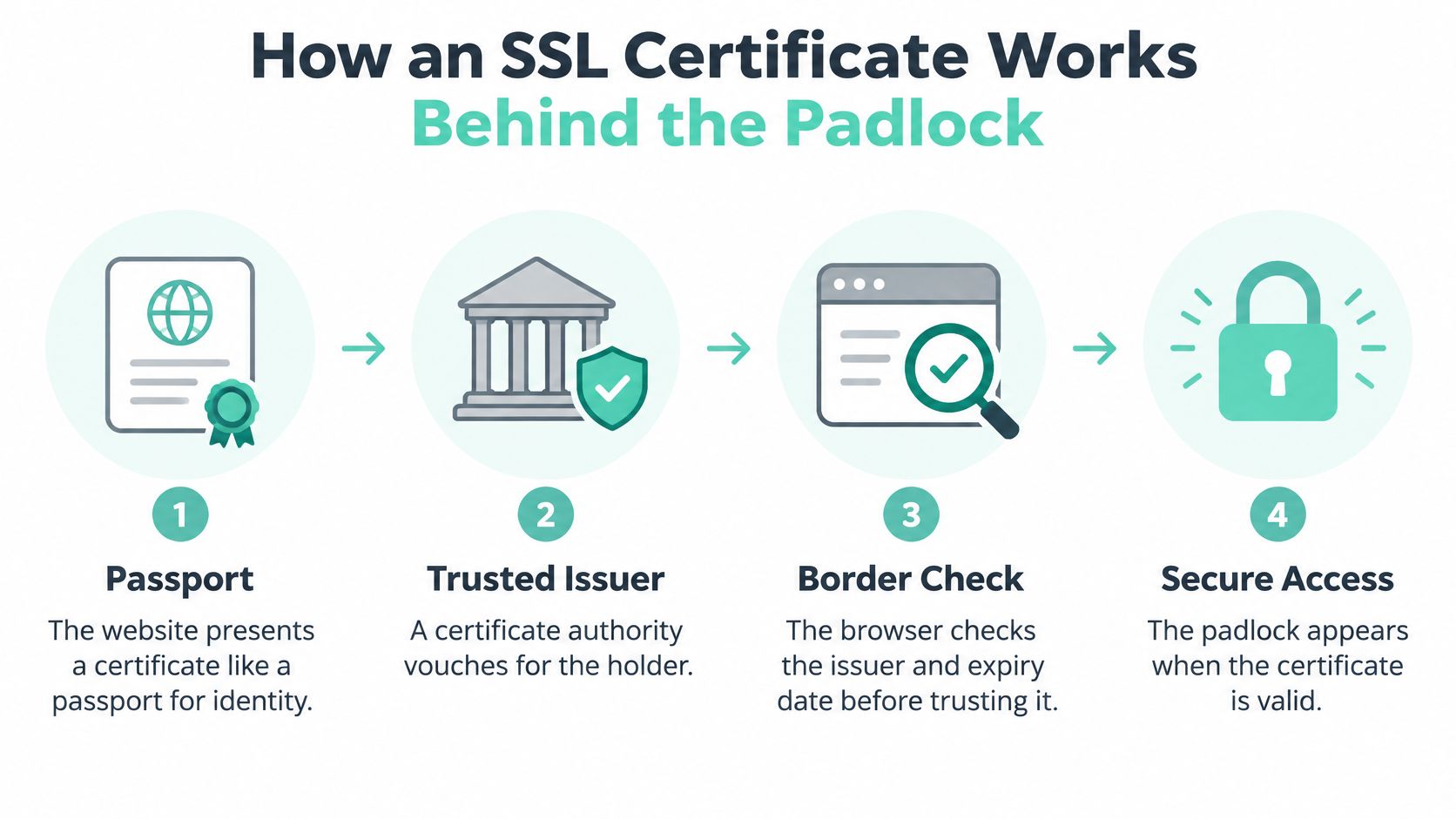
A certificate works like a passport. A government vouches for the holder, and a border officer checks the issuer and expiry date before trusting it. A certificate authority is the trusted issuer for websites, and browsers keep a list of authorities they trust.
The Handshake in Five Steps
This check happens quickly when a visit begins. It is often called the TLS handshake, and TLS is the modern protocol behind the older SSL name.
- The browser asks for identification: a visitor opens https://www.yourbusiness.com.au and the browser asks the server to identify itself.
- The server presents its certificate: it contains the domain name, public key, issuer and expiry date. The certificate is public, so it does not carry passwords or payment details.
- The browser checks trust: the domain must match, the date must be valid, and the browser must be able to follow the chain from the server certificate through intermediate certificates to a trusted issuer.
- Both sides agree a session key: they use the public key to create a temporary key for this visit, like a shared password that lasts only for this session.
- The visit stays encrypted: pages, passwords and form entries are encrypted with that session key until the visit ends.
The handshake confirms a domain and encrypts the trip between browser and server. It does not audit the business, inspect the code on the page or control what happens to data after it reaches the server. Our explainer on HTTP compared with HTTPS shows what changes in the address bar. For day to day browser settings that affect how these checks appear, F1Group's guide to securing Chrome gives a helpful companion view.
How to Check a Certificate Yourself
The useful checks start after the padlock appears. Click the padlock or tune icon beside the address, open the connection details, then view the certificate. Read the issuer, the domain names covered and the expiry date. If the name in the address bar is not listed, the browser will warn the visitor.
For example, a certificate issued only for www.yourbusiness.com.au can trigger a name mismatch on yourbusiness.com.au. The fix is to reissue the certificate with every name the site uses.
Three common errors explain many padlock warnings.
- Expired certificate: renew it, then confirm the new expiry date in the padlock details.
- Name mismatch: reissue it with the bare domain, www and any subdomains customers open.
- Incomplete chain: install the intermediate certificate on the server so the browser can trace trust to a root issuer.
The padlock proves the connection is encrypted to the named domain. It does not prove the business behind that domain is honest, competent or well maintained.
That distinction matters when you assess other sites too. A scam site can obtain DV for a domain it controls, so check the spelling of the domain and the business details elsewhere before you pay or enter credentials.
Free and Paid SSL Certificates Compared
Paid doesn't mean more strongly encrypted. A correctly installed free certificate and a paid certificate can support the same modern encrypted connection. You're paying for validation, support, warranty terms and management features, not for a secret stronger padlock.
| Option | Cost Model | Validity | Renewal | Best For |
|---|---|---|---|---|
| Let's Encrypt DV | Free | 90 days | Automatic | Most small business sites |
| Host-included free SSL | Included in hosting plan | 90 days for Let's Encrypt | Automatic in control panel | cPanel and WordPress hosting |
| Let's Encrypt wildcard | Free | 90 days | Automatic with DNS access | Sites with many subdomains |
| Paid DV | Annual vendor fee | Up to 200 days | Manual or ACME automation | Vendor support or warranty |
| Paid OV | Annual vendor fee | Up to 200 days | Manual or ACME automation | Verified business name |
| Paid EV | Annual vendor fee | Up to 200 days | Manual | Rarely needed; small visible benefit |
What Free Certificates Require From You
Free Let's Encrypt certificates last 90 days. That short life is manageable when renewal is automated and risky when renewal depends on someone remembering a calendar note. Automation must keep working after DNS changes, hosting moves and control panel updates.
Hosting that includes a free certificate usually requests, installs and renews it in the control panel. That's the simplest route for a standard cPanel or WordPress site because the certificate stays tied to the hosting account.
Say a Sydney cafe runs its menu on the main domain and ordering on a shop subdomain. It can use a free wildcard if it has DNS access for validation. If staff can't manage DNS validation reliably, separate automated DV certificates for each hostname may be easier to maintain.
When Paying Makes Sense
Pay when you need an OV verified organisation name, direct vendor support, a warranty stated in the certificate terms, or a specific compliance requirement from a client or platform. Those are service and assurance reasons. They aren't encryption upgrades.
Paid certificates can last up to 200 days, so they still need renewing at least once a year. A longer validity period reduces frequency, but it doesn't remove the need for expiry monitoring.
Check quarterly: open your certificate details, confirm the expiry date, and confirm who receives renewal failure alerts. Do this for free and paid certificates alike.
Don't pay for validation you won't use. If customers book through a trusted third party, contact you by form and never inspect certificate organisation details, DV covers the connection. Spend the saved money and time on updates, backups and account security, where the remaining risk is higher.
Before you buy, ask what's included. Confirm the covered names, renewal method, support channel, reissue process and warranty conditions in writing. A cheap paid certificate with manual renewal can create more work than a free certificate your hosting renews automatically.
How to Install and Renew SSL on cPanel and WordPress
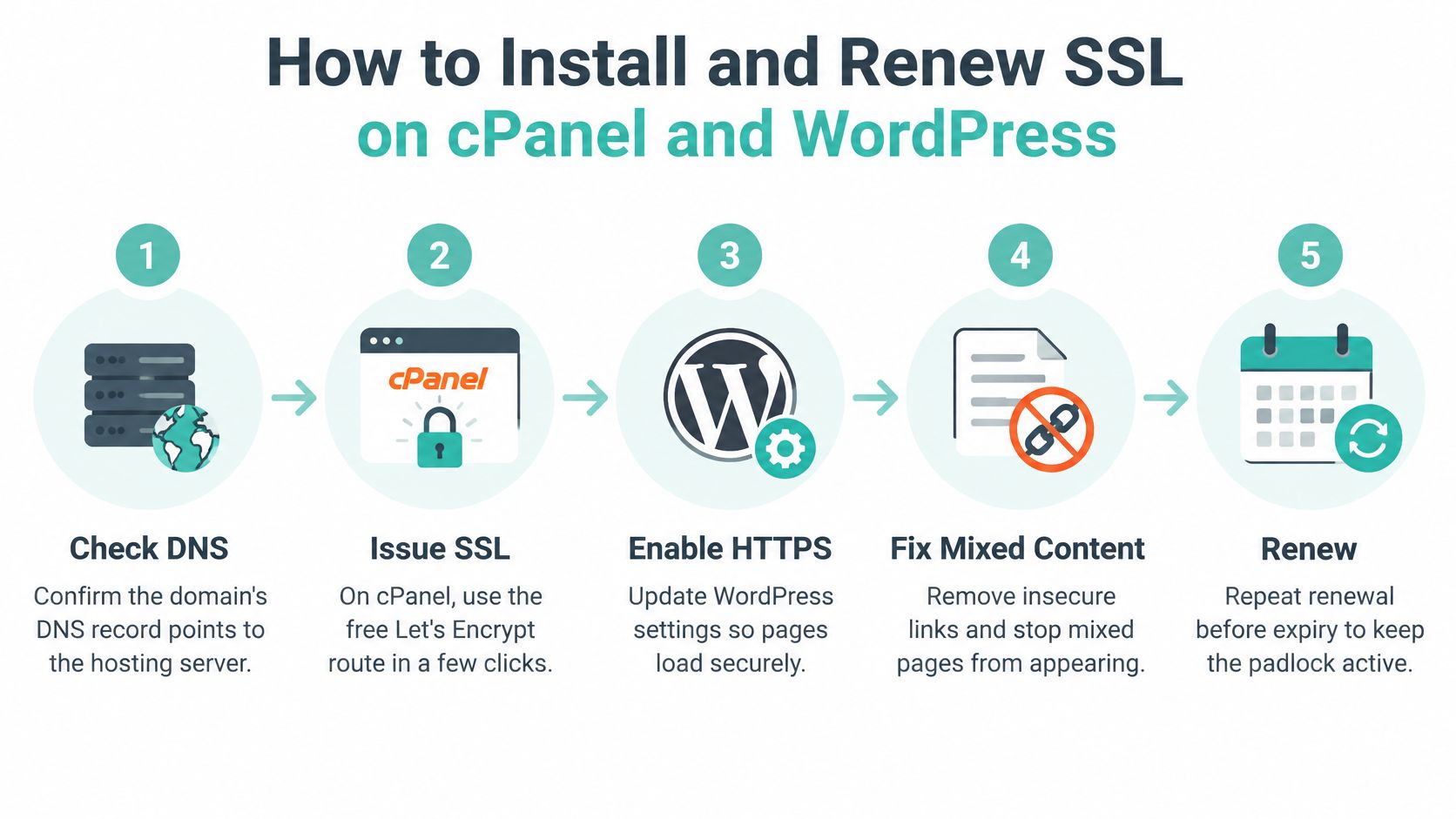
A cafe owner installs a certificate, sees the padlock on the home page and assumes the job is done. Then a customer opens the menu page and gets a security warning because an old image link still loads over HTTP. The padlock was real. The coverage was not. On cPanel hosting, issuing a free certificate takes a few clicks, but WordPress also needs its addresses, redirects and old internal links corrected, or secure and insecure content load together.
The Australian Cyber Security Centre guidance on securing your website says all public-facing websites and HTTP-enabled APIs should use HTTPS to protect the confidentiality and integrity of communications. It recommends delivering all website content through HTTPS, automatically redirecting every HTTP request to the equivalent HTTPS address, and enforcing HTTPS with HSTS.
Install, Redirect and Clean Up Mixed Content
Our step by step guide to installing an SSL certificate on cPanel matches the control panel screens. Work through the checks in this order.
- Confirm DNS first: the domain must point to your hosting account so the certificate authority can validate control. Don't issue a certificate during a half finished domain transfer.
- Issue in cPanel: open Security, then SSL/TLS Status or Let's Encrypt SSL, tick every domain including www, and run the issue or AutoSSL action. The common slip is forgetting the www version.
- Test both addresses: open https://yourdomain.com.au and https://www.yourdomain.com.au in a private browser window, substituting your own domain. Check the padlock and certificate expiry on each.
- Update WordPress addresses: in Settings, General, change both WordPress Address and Site Address to your full HTTPS URL, for example https://www.yourdomain.com.au. Keep another admin tab open until you confirm you can still log in.
- Redirect HTTP in one hop: send every http:// request to its https:// equivalent in the server configuration or with a trusted plugin. Redirect both http://yourdomain.com.au and http://www.yourdomain.com.au to the same HTTPS version, such as https://www.yourdomain.com.au, so visitors and search engines always land on one canonical address.
- Remove mixed content: search the database for old http:// links in content, menus and theme settings, then replace them carefully after a backup. Hard coded image links in a theme are a frequent leftover.
- Confirm renewal: check auto-renewal in cPanel and set your own reminder 14 days before expiry. An automated system still needs an alert recipient who reads the message.
- Enable HSTS last: after every subdomain and resource loads over HTTPS, enable HTTP Strict Transport Security so compatible browsers use HTTPS on future visits without being redirected first. Don't switch it on while a subdomain still needs HTTP.
Mixed content can leave parts of a page exposed even when the browser displays an HTTPS address. A certificate is like a sealed courier satchel: it protects what travels inside it, but anything sent outside the satchel arrives open. Test images, scripts, forms and APIs, not just the home page. For a broader installation walkthrough with a small business focus, SSL guidance for UK business websites covers similar setup checks, while Australian operators should keep the ACSC requirements above as the local reference.
What Good Looks Like After Setup
Clear your site and browser cache before judging the result. A cache plugin can serve old pages and make a successful installation look broken, or hide a broken page from you while new visitors see warnings.
- Padlock on every page: test the home page, contact form, login, booking page and checkout entry point.
- One redirect hop: the old HTTP address lands directly on the final HTTPS address.
- No mixed content warnings: browser developer tools show no insecure images, scripts or fonts.
- Forms still work: send a test enquiry and confirm it arrives.
If a page fails one of these checks, the cause is usually a leftover http:// resource or a hostname missing from the certificate rather than the certificate itself. Fix the resource or reissue the certificate with the missing name ticked, then retest in a private window.
Hosting Configuration support with us covers email tasks, domain and DNS changes, PHP configuration, SSL certificate installation and renewal, database administration, and storage clean up. If you'd rather not handle redirects and database replacements yourself, ask our support team to help before you enable HSTS.
Recheck the site after theme changes, a new booking plugin or a domain change. New tools can introduce insecure resources or a new subdomain that isn't on the certificate. Treat each major website change as a reason to repeat the padlock, redirect and form tests.
Register your new domain name at competitive market prices including free domain add-ons like privacy, DNS Hosting, Custom Nameservers and Forwarding.
Always the best price and no nasty renewal price hikes.
Register A Domain Name
What SSL Does Not Protect and How to Close the Gaps
A padlock on a contact page can sit above a site that was broken into last week. Encryption travels with the visitor's data and confirms the padlock belongs to that domain. It keeps no watch on the files behind it.
Picture a shop with a strong lock on the front door and a back window propped open. The lock does its job. It just doesn't cover the whole building. That is the honest framing: an SSL certificate protects the tunnel, not the premises.
The Australian Cyber Security Centre guidance on implementing certificates, TLS and HTTPS.pdf) sets the baseline most Australian sites should meet: all public-facing websites and HTTP-enabled APIs should use HTTPS, free domain-validation certificates are reasonable where higher assurance is unnecessary, and automated certificate management through ACME-compatible providers is supported. None of that keeps a plugin patched, a password unique or a backup restorable.
| Risk | Does SSL Cover It? | Control to Add |
|---|---|---|
| Data intercepted on public Wi-Fi | Yes | HTTPS with redirects and HSTS |
| Weak or reused admin password | No | Unique passwords and multi-factor authentication |
| Vulnerable WordPress plugin or theme | No | Monthly updates and removing unused extensions |
| Malware injected into site files | No | Malware scanning and file change alerts |
| Expired certificate | Only if renewed | Auto-renewal and expiry alerts |
| Site lost after an attack | No | Off-site backups, tested by restoring |
| Insecure business email | Partly | TLS for mail clients plus SPF, DKIM and DMARC |
The Gaps That Cause Real Damage
A lapsed certificate produces an embarrassing browser warning and costs you a booking or two until someone renews it. A weak admin password is worse. An attacker logs in over a perfectly valid HTTPS connection and rewrites the site, and the padlock keeps appearing on the compromised pages. Visitors see nothing wrong because, from the browser's point of view, nothing is.
The same logic applies to email. An SSL certificate on the website does not stop someone sending forged messages that appear to come from your domain. SPF, DKIM and DMARC records are what tell a receiving mail server whether a message came from you.
Close these gaps around the certificate rather than instead of it. Turn on multi-factor authentication, update plugins and themes monthly, remove extensions no longer in use, run malware scanning with file change alerts, keep secure cookies enabled and protect exposed APIs. If your business takes card payments through its own systems, HTTPS is one requirement among several; the wider obligations are set out in our PCI compliance hosting guide.
An expired certificate fails loudly in a day. A stolen password fails quietly for months.
Then schedule the work so it happens. Once a quarter, confirm the renewal date, test one backup restore, update plugins, review the list of admin users and confirm who you will call if the site breaks. Keep that incident contact somewhere staff can reach it without the website, because the website may be the thing that is down.
Choose and Set Up Your SSL Certificate This Week
Use this default unless your domain list proves otherwise. Choose a free DV certificate delivered through your hosting control panel, then complete the HTTPS redirect, mixed content and renewal checks. SSL certificates are included on all plans with us, and our cPanel hosting includes a free SSL certificate from Let's Encrypt.
Choose OV only when customers need a verified business name. Choose a wildcard only when you run many subdomains, and choose SAN when several distinct domains must sit on one certificate. If your website targets anyone in Australia, Sydney is the best server location option with us.
Your Next Six Steps
- Confirm inclusion and renewal: check that your plan includes SSL and that renewal is automatic.
- Match the type to your names: use your written list of domains and subdomains.
- Install or delegate it: follow the cPanel and WordPress process, or ask our support team for help.
- Run post-install checks: padlock on every key page, one redirect hop from HTTP, and no mixed content.
- Set two reminders: one 14 days before expiry and one recheck after 60 days.
- Book the quarterly review: updates, backups, admin users and certificate status in one sitting.
Start today by opening your current certificate details and reading the expiry date. Our guide on how to check if an SSL certificate is valid walks you through that check. If the date is close, the domain name is wrong or there's no certificate at all, fix that before your next promotion sends more visitors to the site.
Secure your SSL certificate for website traffic without adding another manual renewal chore to your week. Visit UpTime Web Hosting to choose Australian hosting with SSL included, follow the cPanel setup, or ask our local support team to handle installation and renewal for you.