In short
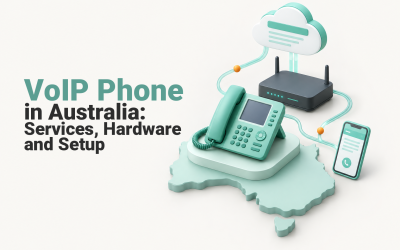
Cloud PBX and VoIP are not competing technologies. VoIP carries voice over an IP network; a cloud PBX is the hosted call-control system that manages business numbers, extensions, routing, voicemail and users. Most Australian small businesses replacing an office phone system need cloud PBX delivered over VoIP, plus internet and power-failure planning.
Key takeaways
- VoIP is the transport technology, while a cloud PBX controls how business calls are answered and routed.
- A basic VoIP line may suit one or two people, but cloud PBX is usually a better fit for multiple users, remote staff or several locations.
- Public phone numbers, internal extensions, users and physical devices are different parts of the system and should be mapped separately.
- Keep existing numbers active until porting is complete, because disconnected Australian numbers cannot normally be ported.
- Treat internet failure, power loss and emergency calling as design requirements rather than problems to consider after installation.
Table of contents
- What's the difference between PBX and VoIP?
- Which setup fits your business?
- What should the system do with numbers, extensions and calls?
- Can you keep your existing business phone numbers?
- What makes cloud PBX calls reliable and secure?
- What happens when the internet or power goes down?
- How much does cloud PBX cost?
- How do you migrate without disrupting customers?
- What should you ask a provider before signing?
- What else do Australian buyers ask?
- What should you do next?
The confusing part is that providers often use cloud PBX, hosted PBX, business VoIP and cloud phone system as overlapping sales labels. The useful question is not which label sounds newer. It is where call control runs, which functions are included and what happens when part of the system becomes unavailable.
What's the difference between PBX and VoIP?

VoIP carries voice as network traffic. A PBX, or Private Branch Exchange, manages the business logic around that traffic, including numbers, extensions, transfers, call queues and routing rules.
The US National Institute of Standards and Technology defines VoIP as packetised voice transmitted using Internet Protocol, with separate signalling and media protocols. In plain English, VoIP provides the path that establishes a call and carries the conversation.
The PBX is the decision-maker. The IETF's SIP-PBX specification describes a PBX receiving requests addressed to assigned telephone numbers and routing them to the appropriate users. A cloud PBX moves that call-control function from equipment at the business premises to hosted infrastructure operated by a provider.
A normal business call therefore involves several layers:
- The public number gives customers a destination to dial.
- The VoIP service carries call signalling and voice media across IP networks.
- The cloud PBX applies opening hours, extension, ring-group, transfer and voicemail rules.
- The endpoint lets a person answer through a desk phone, computer application or mobile device.
This distinction explains why buying VoIP can mean very different things. One quote may provide a single internet phone line and voicemail. Another may include a hosted PBX with dozens of users, an auto attendant, central administration and routing between several locations.
Businesses still weighing IP calling against older infrastructure can use the separate guide to VoIP and traditional phone systems for the broader technology comparison.
VoIP carries the voice; cloud PBX decides what the business does with the call.

Performance you can feel, backed by clients who depend on it. Read how our support and uptime create long‑term customer success.Power Your Business with Better Hosting
Which setup fits your business?
Most small businesses replacing a complete office phone system should compare cloud PBX services, not isolated VoIP lines. A SIP trunk or on-premises IP PBX can still make sense when the business has useful existing equipment, specialist integrations or staff capable of managing the platform.
| Setup | Best fit | What it provides | Main trade-off |
|---|---|---|---|
| Basic VoIP line | Sole trader or very small team with simple calling needs | A public number, calling service and usually basic voicemail | Limited call routing, administration and shared-team features |
| Cloud PBX | Growing, hybrid or multi-site business | Hosted users, extensions, routing, ring groups, auto attendant and central administration | Depends on local connectivity, power and provider operation |
| SIP trunk with an existing PBX | Business with a serviceable PBX it wants to retain | IP connectivity between the current PBX and public phone networks | Existing hardware, configuration and maintenance remain |
| On-premises IP PBX | Organisation with specialist control requirements and internal technical skills | Local ownership of call control and custom integrations | The business owns patching, backups, capacity and local failure risks |
A basic VoIP line is often enough when one person answers one number and calls can fall back to a mobile. It becomes restrictive when several people need to share reception duties, transfer calls, use short extensions or apply different rules during business hours and after hours.
Cloud PBX is the usual middle ground. The provider hosts the call-control platform, while the business manages users and routing through an administration portal or support process. This arrangement suits remote employees because a user can be associated with the business number and extension rather than a particular desk.
A SIP trunk preserves more of an existing system. It can reduce the scope of an initial change, but it does not remove the need to maintain the PBX, secure it and plan for its failure. Keeping old equipment is valuable only when that equipment still serves a documented purpose.
A practical overview of VoIP phone systems for small business can help identify the user and device questions that belong in the first quote.
Choose cloud PBX for managed business call control, not merely because the quote says VoIP.
What should the system do with numbers, extensions and calls?
The phone design should separate public numbers, internal extensions, users, devices and routing rules. Mapping those elements before requesting prices prevents a low quote from hiding missing call capacity or administration work.
A public number is what a customer dials. An extension is an internal destination. A user is a person or role with permissions, voicemail and caller identity. A device is the desk phone, computer application or mobile endpoint through which that user makes and receives calls.
Start with a one-page call map that answers these questions:
- Which existing numbers must remain customer-facing?
- Does each number ring a person, team, branch or recorded menu?
- Who answers reception calls during business hours?
- What should happen after hours, when a call is unanswered or when every user is busy?
- Which employees work from home, travel or move between locations?
- Which roles need personal voicemail, shared voicemail or permission to make particular call types?
- Which outgoing number should appear when each user calls a customer?
User count and simultaneous call capacity are not necessarily the same thing. A business may have 20 users but only a few concurrent external calls, or a smaller support team may need many callers to enter a queue at once. Ask the provider to state both limits and explain how additional capacity is charged.
Remote work also changes the meaning of a phone extension. The extension should follow the authorised user across supported devices, while the business retains control of the public number and call history. Personal mobile numbers should not become the permanent routing plan merely because they were the fastest workaround during an earlier disruption.
The guide to VoIP for small business provides further context for matching user types and locations to an IP-based calling setup.
Map numbers, people, devices and routing before comparing plans.
Host your website with our 5-star rated, cPanel website hosting plans.
Super fast servers, with security included and hosted in your choice of Australian Data Center.
View cPanel Plans
Can you keep your existing business phone numbers?
Most Australian local, mobile, freephone and local-rate numbers can usually be ported when the gaining provider accepts the request. The safe rule is to confirm eligibility first and keep every current service active until the port has finished.
As of August 2026, the Australian Communications and Media Authority's current number-porting guidance says customers can usually port local numbers beginning with 02, 03, 07 or 08, mobile numbers, 1800 numbers, and 13 or 1300 services. Only active numbers can be ported.
ACMA says an individual local-number port generally takes 8 to 15 days, while more complex local ports involving several numbers can take up to 30 days. Those are general timeframes, not a promise for a particular migration, so the provider should identify the port type and likely schedule before setting a cutover date.
Prepare the port by:
- listing every public number, including direct-in-dial numbers that rarely appear on bills or websites;
- confirming the account holder, service address, current provider and associated account details;
- identifying number blocks that may need to move together;
- keeping the losing service active and paid until completion;
- agreeing who will test inbound calls, outbound caller ID and each important routing path.
Porting moves public numbers between providers. It does not transfer an old extension plan, voicemail greeting, queue or opening-hours rule. Those elements must be recreated and tested in the new PBX.
Emergency details also belong in the migration record. ACMA's guidance on emergency details says telcos are required by law to provide customer information, including the address, to the Integrated Public Number Database. Ask how the provider records service locations and updates details when users or sites move.
Keep every number active until the port is complete and rebuild extensions separately.
What makes cloud PBX calls reliable and secure?

Reliable cloud PBX calling depends on the local network, internet connection, power, provider platform and routing design working together. Security requires authenticated devices and administrators, maintained infrastructure, protected signalling and controls that stop unauthorised phones from registering.
The Australian Signals Directorate's June 2026 communications systems guidelines recommend physically or logically separating voice traffic where appropriate, authenticating IP phones, disabling uncontrolled auto-registration and protecting signalling and media with secure protocols.
The Information Security Manual is written primarily for government and larger organisations. An Australian small business may not implement every control in the same way, but the guidance provides useful questions for a provider and network administrator.
For the local network, check:
- whether fixed desk phones can use wired Ethernet rather than congested or weak Wi-Fi;
- whether switches provide the required power and network separation for IP phones;
- whether routers and firewalls understand voice traffic and can prioritise it when necessary;
- whether branch and home connections have been tested under realistic load;
- whether the provider monitors call quality and can distinguish a platform problem from a local internet problem.
For security, ask about secure signalling and media, unique administrator accounts, multi-factor authentication where available, role-based access, device authorisation, patching, audit logs and alerts for unusual calling. Default credentials and shared administrator accounts make it harder to prevent misuse or determine what changed after an incident.
A platform uptime commitment does not cover every part of the call path. The written service terms should explain which infrastructure the provider controls, how faults are escalated and what assistance is available when the issue sits in the office network or internet connection.
Cloud PBX is only as dependable as its network, security controls and operational ownership.
What happens when the internet or power goes down?
A cloud PBX may continue applying provider-side routing while an office is unavailable, but local phones, routers and internet equipment still need power and connectivity. Resilience comes from combining remote call routing with independent power and network paths.
As of August 2026, nbn's support guidance says services delivered over the nbn network will not operate when that network is unavailable. That includes telephony services and calls to Triple Zero made through the affected service.
ACMA's emergency-call guidance, last updated March 17, 2025, says Triple Zero can be called from fixed and mobile phones and certain VoIP services. ACMA also says an operator may ask a caller using mobile or VoIP for the town and state, and recommends having another way to contact Triple Zero during a power outage, such as a charged mobile phone.
A practical continuity design may include:
- an uninterruptible power supply for the modem, router, switches and any desk phones expected to remain operational;
- a secondary internet or mobile connection that is independent enough to survive the primary failure;
- provider-side unreachable routing that sends business calls to approved mobiles or another staffed site;
- charged mobile phones that do not rely on the office PBX path;
- a written procedure for changing greetings and routing when a site cannot operate normally.
Do not assume a fax machine, medical alarm, monitored fire alarm or lift emergency phone will work through the new service. nbn advises customers to discuss safety-critical devices with the device supplier, and those systems may require a separate communications path and continuity plan.
Phone resilience should also sit inside wider business continuity planning so staff know who changes the routing, how customers are informed and which fallback method takes priority.
An internet phone system needs a separate plan for power, connectivity and emergency calling.
Register your new domain name at competitive market prices including free domain add-ons like privacy, DNS Hosting, Custom Nameservers and Forwarding.
Always the best price and no nasty renewal price hikes.
Register A Domain Name
How much does cloud PBX cost?
Cloud PBX has no useful single price because the total depends on users, numbers, call capacity, hardware, installation, support and resilience. Compare an itemised one-off cost, normal monthly cost and total contract cost rather than a headline per-user figure.
| Cost area | What to ask the provider to itemise |
|---|---|
| Service licences | Users, extensions, simultaneous calls, administrator access and minimum commitments |
| Numbers and calling | Number rental, call inclusions, usage charges, international access and additional direct numbers |
| Hardware | Desk phones, headsets, adapters, power supplies, switches and replacement arrangements |
| Implementation | Discovery, configuration, number porting, cabling, installation, training and after-hours work |
| Connectivity and resilience | Internet upgrades, secondary connections, mobile failover and battery backup |
| Support and optional functions | Support hours, escalation, call recording, reporting, integrations and future changes |
A free cloud PBX software licence is not the same as free business telephony. The business may still need hosted infrastructure, carrier connectivity, phone numbers, call charges, security maintenance, backups, monitoring, hardware and someone capable of diagnosing faults.
Normalise competing quotes over the same period. A useful comparison shows the total including GST over 12 or 36 months, the cost of adding and removing users, the minimum term, porting charges, support boundaries and any cost to leave while retaining the business numbers.
Also include the overlap period in the migration budget. Keeping the old service active while the new system is configured and numbers are ported may create a temporary double cost, but premature cancellation risks losing a number or interrupting customer calls.
Compare total business cost, not a low per-user figure or a free software label.
How do you migrate without disrupting customers?

Migrate in stages, with a pilot and verified fallback path before the main cutover. The old service should remain active until public numbers have ported, essential routes have passed testing and staff can operate the replacement system.
- Audit the current system. Record every number, user, extension, handset, contract and connected device. Include rarely used direct numbers, fax services and safety-related equipment rather than discovering them during the port.
- Design the new call map. Define opening hours, reception handling, ring groups, overflow, voicemail, outbound caller identity, remote-user access and the route used when a site or user cannot be reached.
- Test the network and a pilot group. Use real office, home and branch connections. Confirm call quality, transfers, voicemail, administration, permissions and failure routing before asking every employee to change at once.
- Schedule and complete the number port. Keep the old service active, confirm who owns the cutover checklist and allow for ACMA's general local-number porting timeframes. Avoid planning a critical launch, campaign or office move for the same day.
- Verify before retiring the old system. Test inbound calls to every important number, outbound caller ID, reception paths, after-hours behaviour, voicemail delivery and remote users. Confirm emergency-calling configuration with the provider, but do not make casual test calls to Triple Zero.
Provide staff with short instructions for answering, transferring, parking and escalating calls. Reception and administrators need additional guidance because they are more likely to notice a missing number, incorrect route or permission problem first.
Record the final extension plan, administrator ownership, support contacts and outage procedure. A migration is not complete if the system works but nobody knows who can change it.
A staged migration protects customer-facing numbers and exposes problems before the final cutover.
Experience Microsoft 365 Business Standard for free for 30 days.
Up to 25 users with full access to email, OneDrive and Teams. Includes full versions of desktop apps of Outlook, Word, Excel, PowerPoint and more.
Try Microsoft 365
What should you ask a provider before signing?
Ask the provider to describe the proposed architecture, responsibilities and failure behaviour in writing. A useful proposal explains what is included, what depends on another supplier and how the business can retain its numbers if it later leaves.
Use these questions during evaluation:
- Is the quote for a basic VoIP service, a complete cloud PBX or connectivity for an existing PBX?
- Who owns the public numbers, and will the provider accept and later release number ports?
- How are users, extensions and simultaneous calls licensed?
- Which numbers, calls, devices, applications and administration functions are included?
- Can desk, computer and mobile endpoints use the same authorised user identity?
- Who builds opening-hours, ring-group, queue, voicemail and failure-routing rules?
- What happens to inbound calls when the office internet, power or provider platform fails?
- How are Triple Zero access and IPND address updates handled?
- Which encryption, authentication, logging and device-registration controls are supported?
- What are the support hours, escalation process, service targets and after-hours charges?
- Who receives administrator access, and what happens to that access when the service ends?
- What is the exit process for configuration records, devices and number porting?
Ask for the answers before choosing handsets or optional integrations. The difficult parts of a business phone system are number ownership, routing, network readiness and failure handling, not the appearance of the desk phone.
A provider should explain failure behaviour, responsibilities and exit arrangements before discussing extras.
What else do Australian buyers ask?
Australian buyers often ask about price and whether the terminology signals old or new technology. The short answers below separate the system function from the sales label.
How much does cloud PBX cost?
Cloud PBX cost depends on the number of users, business numbers, included calls, handsets, installation, porting, support and resilience options. A useful quote separates one-off costs from the normal monthly bill and shows the total over a common term. Free software does not remove carrier, hosting, security or support costs.
Is PBX outdated?
PBX is not outdated because a PBX describes call-control functions such as extensions, transfers and routing, not only an equipment cabinet in an office. The on-premises hardware model may be unsuitable for many smaller businesses, but cloud PBX keeps the same core function and hosts it in a provider-managed platform.
What's the difference between PBX and VoIP?
VoIP is the method used to carry voice as IP packets, while a PBX manages how business calls are answered, transferred and routed. A cloud PBX is therefore a PBX service delivered from hosted infrastructure and normally using VoIP. The terms overlap in sales material, but they describe different layers.
The right answer separates the transport, call-control system and operating costs.
What should you do next?
Start with a one-page call map showing users, public numbers, extensions, routing and the required response to internet or power failure. Use that map to request an itemised proposal instead of allowing the available product bundle to define the business requirements.
To turn those requirements into a scoped VoIP telephony quote, contact Up Time Web Hosting with the current number list, user count, locations and continuity needs.
Start with the call map and failure plan, then ask for the technology.