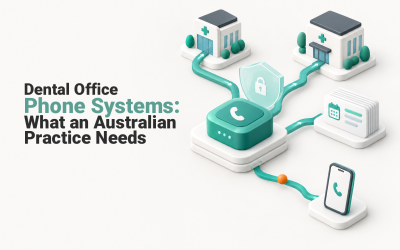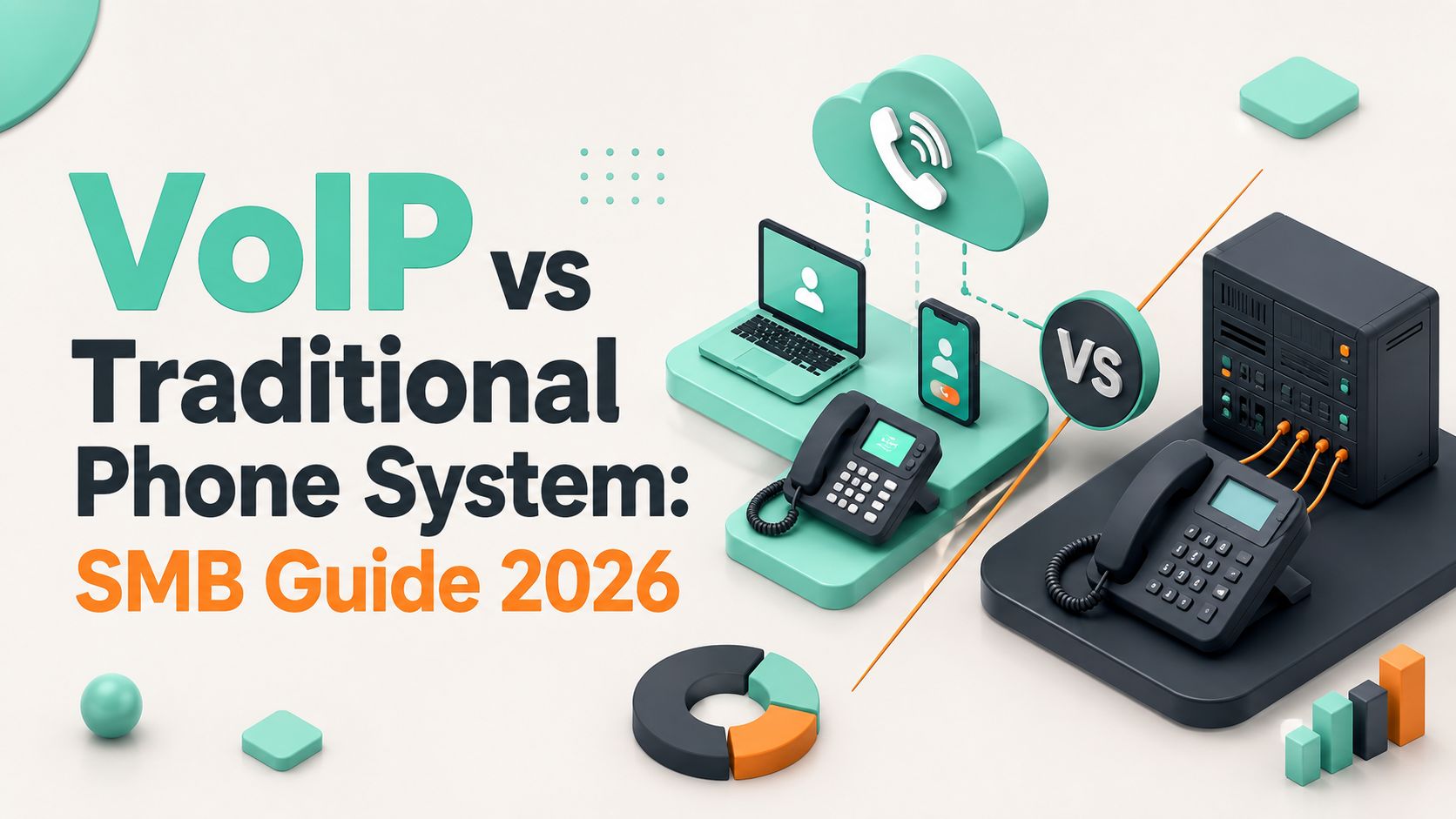
You're probably looking at a copper line bill, an NBN router, and a business full of staff who don't all sit in the same office anymore. That's the voip vs traditional phone system decision in Australia now. It's no longer a neat feature comparison, it's a question of continuity, legacy gear, and whether your phone setup still fits a post-copper market where voice is increasingly carried as an IP service rather than a separate circuit-switched product (Australian business telephony shift).
| Option | What you're really buying | Best fit | Main risk |
|---|---|---|---|
| Traditional PBX | On-site call control, copper or legacy line dependence | Stable single-site setups with old devices that still must stay live | Ongoing maintenance, less flexibility, harder migration later |
| VoIP | Voice over broadband or NBN, cloud call control, app-based calling | SMBs with hybrid staff, multiple sites, or growth plans | Network quality, power dependency, migration planning |
Table of Contents
- Why Australian Businesses Are Rethinking Their Phone System
- How VoIP and Traditional Phone Systems Work in Australia
- Upfront and Ongoing Costs for Australian SMBs
- Call Quality, Reliability and Security Under Real Conditions
- Migrating From Copper to VoIP Without Breaking Your Business
- Which System Fits Your Business Profile and Growth Plans
- A Practical Decision Framework and Next Steps

Performance you can feel, backed by clients who depend on it. Read how our support and uptime create long‑term customer success.Power Your Business with Better Hosting
Why Australian Businesses Are Rethinking Their Phone System
A decent-sized Australian SMB can get stuck in the same ugly middle ground. There's an old copper line still sitting on the books, a live NBN connection in the rack, and staff answering calls from home, the warehouse, or another branch. The owner can see the phone bill, but the concern is harder to price, whether the business will still take calls when the next change lands.
That is why this has become a business continuity issue, not a gadget debate. Copper shutdowns have forced Australian businesses to stop assuming the old line will always be there, and voice is now tied to broadband quality, router setup, and how carefully the migration is handled. If your calling setup depends on legacy copper, you are already dealing with a risk that needs to be removed, not managed around.
For SMB owners, the practical call is blunt. If your phones still support the business, keep them. If they only support the building, they are already the wrong fit.
Practical rule: if your current setup depends on one office, one line, and one old handset chain, you are not buying resilience. You are borrowing it.
The other trap is hidden migration cost. Australian businesses often focus on desk phones and monthly service charges, then discover the friction sits elsewhere. Fax lines, EFTPOS terminals, lift phones, alarms, and other copper-dependent gear can force extra adapters, replacement hardware, or a staged changeover. Those legacy devices are where many VoIP migrations get messy, and they are the reason a clean phone bill can still hide an expensive transition.
VoIP also shifts the responsibility onto the rest of the business stack. Once voice sits alongside email, hosting, remote work, and device management, the phone system is no longer a separate utility. It becomes part of your wider IT setup, so if you are also working through resilience planning, review your business continuity setup before you commit to any phone change.
That is the reason Australian owners are rethinking the old model. Copper is fading, NBN behaviour matters, and every business still has a few devices that were never designed for a clean switch to IP voice.
How VoIP and Traditional Phone Systems Work in Australia
Traditional phone systems were built around dedicated copper lines and circuit-switched calls. The line itself carried the call, and the PBX on site handled extensions, transfers, and basic routing. That model made sense when most staff were in one office and every call came through fixed infrastructure.
VoIP works differently. It sends voice as data over your internet connection, and for many Australian SMBs that means the NBN is carrying the load. The call path shifts from a single physical voice circuit to routers, switches, cloud software, and internet links. Your phone stops being a separate utility and becomes part of the network.
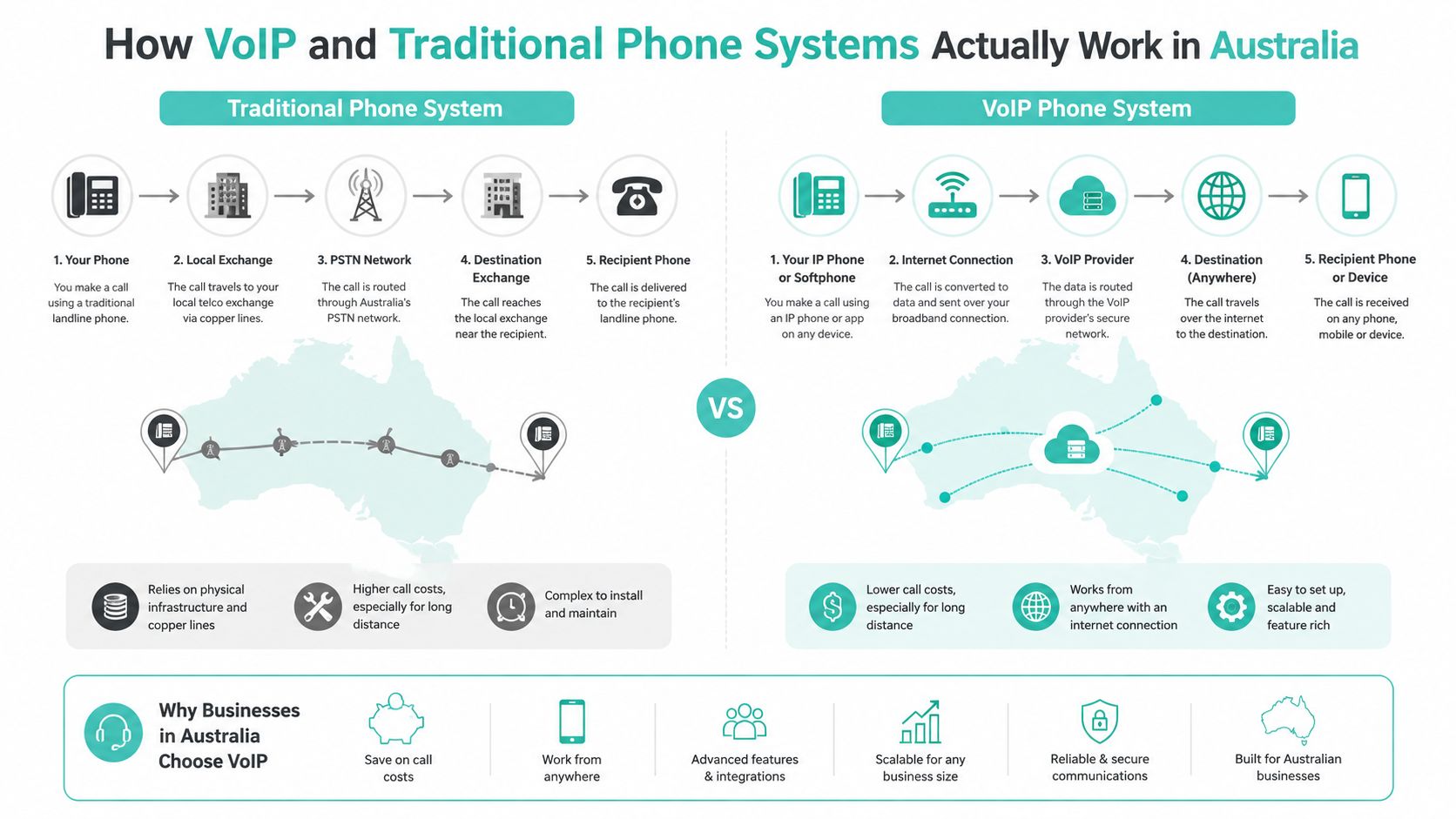
That difference changes how a business is wired and how it can grow. A legacy PBX usually means on-site hardware, fixed cabling, and a single location holding the whole system together. VoIP can be cloud-hosted, software-managed, and used from desk phones, laptops, and mobile apps. For a business with a branch, a home-based owner, and field staff, that flexibility is the main attraction.
The catch is the hardware many Australian businesses forget about. Fax machines, EFTPOS terminals, lift phones, alarms, and other copper-dependent gear can stay tied to the old network long after the desk phones are gone. Those devices can force adapters, replacement gear, or a staged migration. That is where hidden costs sit, and it is why a cheap-looking phone switch can turn into a slow, messy project if you do not map every dependency first. A small business VoIP phone system overview is a useful starting point if you need to see how the pieces fit together.
Copper retirement has made this harder to ignore. Once the old backbone is being withdrawn, PSTN-style voice is no longer the default choice for Australian SMBs, and treating it that way creates avoidable risk. The right question is whether your current phone setup still matches how your business runs, and whether the legacy devices hanging off it can be moved without disruption.
Host your website with our 5-star rated, cPanel website hosting plans.
Super fast servers, with security included and hosted in your choice of Australian Data Center.
View cPanel Plans
Upfront and Ongoing Costs for Australian SMBs
Owners often make the wrong call because they look at the monthly bill and stop there. That misses the hardware, the install work, the migration effort, and the support overhead sitting underneath the headline price. A legacy PBX can still look inexpensive until you add the cabinet, the cabling, the handset swaps, and the labour every time staff move desks or a new site opens.
What the money usually goes towards
A small to mid-sized PBX rollout can require roughly $5,000 to $20,000+ upfront for chassis, cards, phones, wiring, and on-site installation (deployment cost context). Cloud VoIP can be as low as $0 to $3,500 if you can reuse your existing internet and some of your devices. That gap is real. It changes the buying decision, especially for SMBs trying to keep capital tight.
| Cost Category | Traditional PBX | Cloud VoIP |
|---|---|---|
| Upfront deployment | Roughly $5,000 to $20,000+ for hardware, phones, wiring, and installation (deployment cost context) | As low as $0 to $3,500 if existing internet and devices can be reused |
| Monthly user cost | About $30 to $70 (deployment cost context) | About $15 to $40 (deployment cost context) |
| Typical bundle | PBX hardware, maintenance, wiring, line support | Call routing, mobility, recording, CRM integration, analytics |
| Cost pressure | Maintenance, line rental, moves and changes | Broadband quality, support, and device readiness |
The monthly side is just as direct. VoIP is often about $15 to $40 per user, while traditional PBX sits around $30 to $70 per user (deployment cost context). The savings come from removing dedicated line rental, on-site PBX maintenance, and the old-school penalty for every move, add, or change. That is why VoIP has become the standard choice for many Australian SMBs, not a niche upgrade.
Budget rule: if your phone setup still needs regular technician visits just to keep pace with staff changes, you are paying a tax on inflexibility.
The hidden cost is migration. Many Australian businesses still have fax machines, EFTPOS terminals, lift phones, alarms, and other copper-dependent gear tied into the old network. Those devices can force adapters, replacement hardware, or a staged cutover, and that is where budget blowouts happen. A cheap-looking phone swap turns into a slow project if you do not map every dependency first.
There is another layer to this: your voice platform has to sit cleanly beside the rest of your stack. If you are also thinking about cloud services, it helps to understand how a cloud computing environment affects connectivity, support, and where the monthly spend lands.
Copper retirement has made the decision harder to ignore. Once the old backbone is being withdrawn, PSTN-style voice is no longer the default option for Australian SMBs, and pretending otherwise creates avoidable risk. The right question is simple, does your current phone setup still fit the way your business runs, and can the legacy devices hanging off it be moved without disruption?
Call Quality, Reliability and Security Under Real Conditions
VoIP gets judged harshly because people compare one bad call to the myth of “perfect” landlines. In practice, quality is mostly about whether your network behaves properly. The usual thresholds are straightforward, one-way latency should stay below 150 ms, jitter below about 30 ms, and packet loss under 1%. Once packet loss rises above 1%, users start hearing audible degradation, and a MOS of 4.0 or above is generally considered toll-quality (network quality thresholds).
Traditional PBX and landline systems are less sensitive to IP network impairment because they're bandwidth-independent. That's the upside. The downside is that they don't give you the same modern feature stack when the network is healthy, so you're trading flexibility for insulation.
The real-world reliability picture
Australian SMBs also have to deal with NBN realities, not just lab conditions. If your broadband congests, your calls can suffer. If the power goes out, your desk phones, router, and NBN gear can go with it unless you've planned failover. That's where mobile backup, battery backup, and call routing design matter more than brand names.
Security matters just as much. VoIP systems need proper controls because account takeover, weak passwords, and DDoS exposure are real operational risks. Traditional systems are not magically safe either, they just fail in different ways, often through ageing hardware or unsupported infrastructure. The right answer is to secure the phone environment like any other business-critical service, which means access control, strong authentication, and a network designed for voice.
For businesses tightening the whole network posture at the same time, this small business network security guide is the sort of practical reference that belongs on the shortlist.
Migrating From Copper to VoIP Without Breaking Your Business
The migration problem is where most glossy comparisons fall apart. A lot of Australian businesses still have copper, multi-site numbers, and one or two legacy devices that nobody thought to include in the phone review. Then the cutover day arrives, and someone remembers the fax machine, the EFTPOS terminal, the lift phone, or the alarm panel.
Audit the hidden dependencies first
Start with every line that still matters operationally. That includes branch numbers, service numbers, reception lines, fax, alarms, medical devices, lift phones, and any EFTPOS service that still depends on a voice path. Once you list them properly, the migration stops being a simple “replace the phone system” job and becomes an infrastructure project.
The key question isn't just whether VoIP is cheaper. It's how much migration will cost once you include number porting, broadband upgrades, handset replacement, QoS, failover, and support for hybrid staff. That's the detail that gets ignored in generic comparisons, and it's the factor that determines whether the cutover is clean or painful.
Move in sequence, not in hope
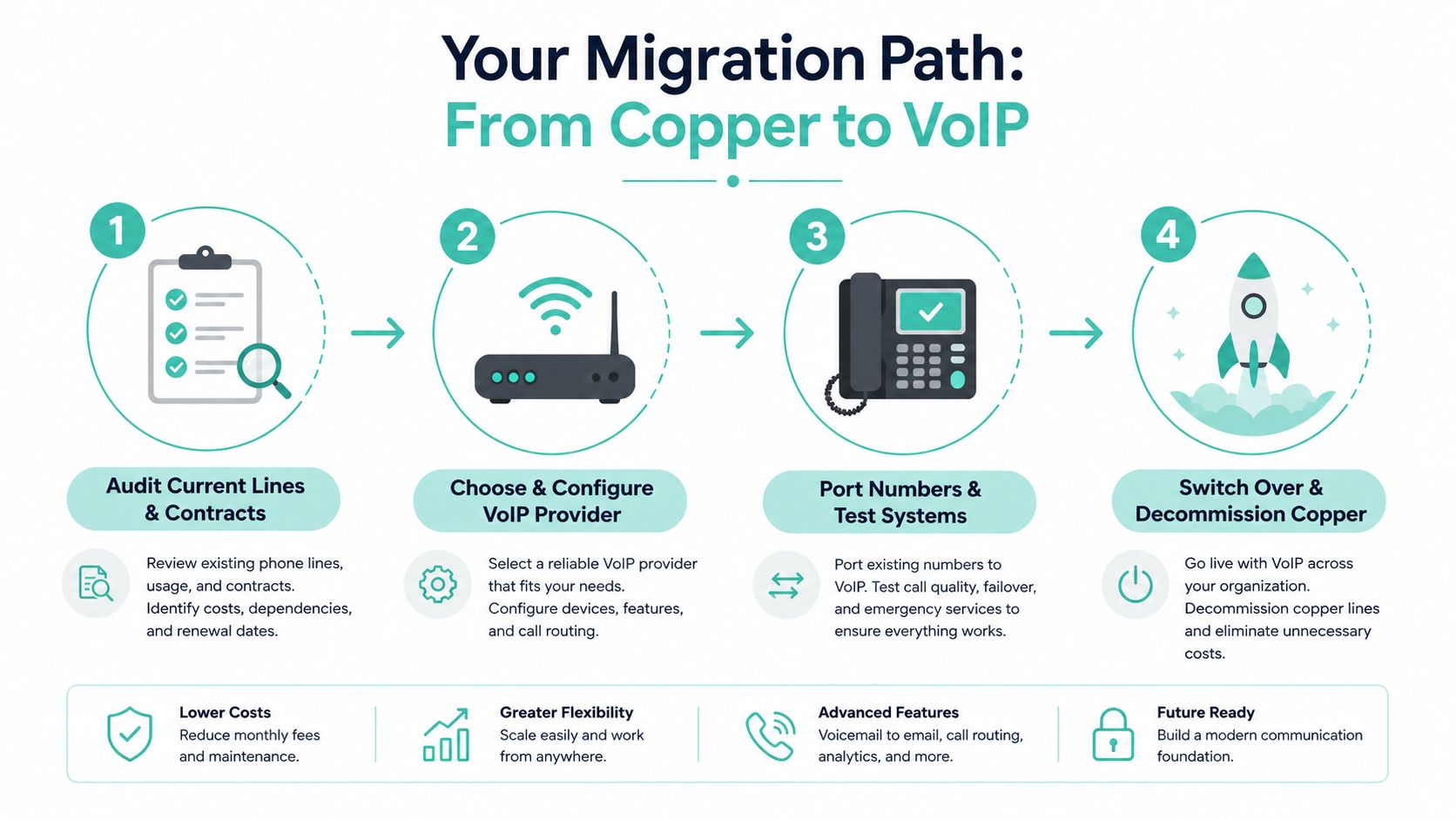
A sensible sequence looks like this:
- Audit current lines and contracts, then find what can be retired and what must stay live.
- Check broadband capacity and failover, because voice sits on the same internet service as the rest of the business.
- Replace only what you need, not every handset just because a vendor says so.
- Port numbers carefully, so reception and customer-facing lines stay stable.
- Test the legacy devices separately, especially anything tied to safety or payments.
- Plan the decommissioning, including secure disposal of old gear.
Keep the old system alive until every critical device has been tested on the new path. That one decision saves a lot of expensive backtracking.
If you're clearing out racks, handsets, and old telecom hardware during the move, secure ITAD for telecom gear is a useful reference point for handling disposal properly. If your migration also touches email, user accounts, or other services, the same logic applies across the stack, and this email migration guide is a good companion resource.
Register your new domain name at competitive market prices including free domain add-ons like privacy, DNS Hosting, Custom Nameservers and Forwarding.
Always the best price and no nasty renewal price hikes.
Register A Domain Name
Which System Fits Your Business Profile and Growth Plans
The right answer depends on the shape of your business, not on a generic sales pitch. A single-site retail shop with a few fixed lines has different priorities from a professional services firm with staff in three states and a manager working from home half the week.
Best fit by business type
Single-site retail or trade businesses. If you've got one location, a handful of staff, and only basic calling needs, a traditional setup can limp along if the hardware is already in place. But if you're adding remote staff, or your customer calls need better routing, VoIP is the better long-term move.
Multi-site professional services firms. VoIP wins here. Centralised call handling, mobility, and analytics matter more when you want the same business number to behave consistently across branches and home offices.
Remote-first teams. Don't waste time defending copper. A traditional system is the wrong tool for a team that works from laptops and mobiles. VoIP gives you the same number, the same routing, and a cleaner way to keep clients out of personal mobile numbers.
Compliance-heavy or safety-critical environments. A hybrid model may be necessary here. Some businesses should keep a limited traditional line, or another dedicated path, for critical devices while moving general voice traffic to VoIP. That's not indecision, it's sensible risk management.
The ROI case should be practical. If your team uses CRM integration, call recording, mobility, and analytics, those features can create value by reducing missed calls and improving follow-up. If you don't need them, don't pretend you do. Buy only the complexity you'll use.

UpTime Web Hosting also offers an Australian business VoIP service that supports replacing landline PSTN numbers with VoIP, which makes sense only if the rest of your infrastructure is ready for the move. It's one option among several, but the rule stays the same, don't migrate voice in isolation from hosting, email, and remote work tools.
A Practical Decision Framework and Next Steps
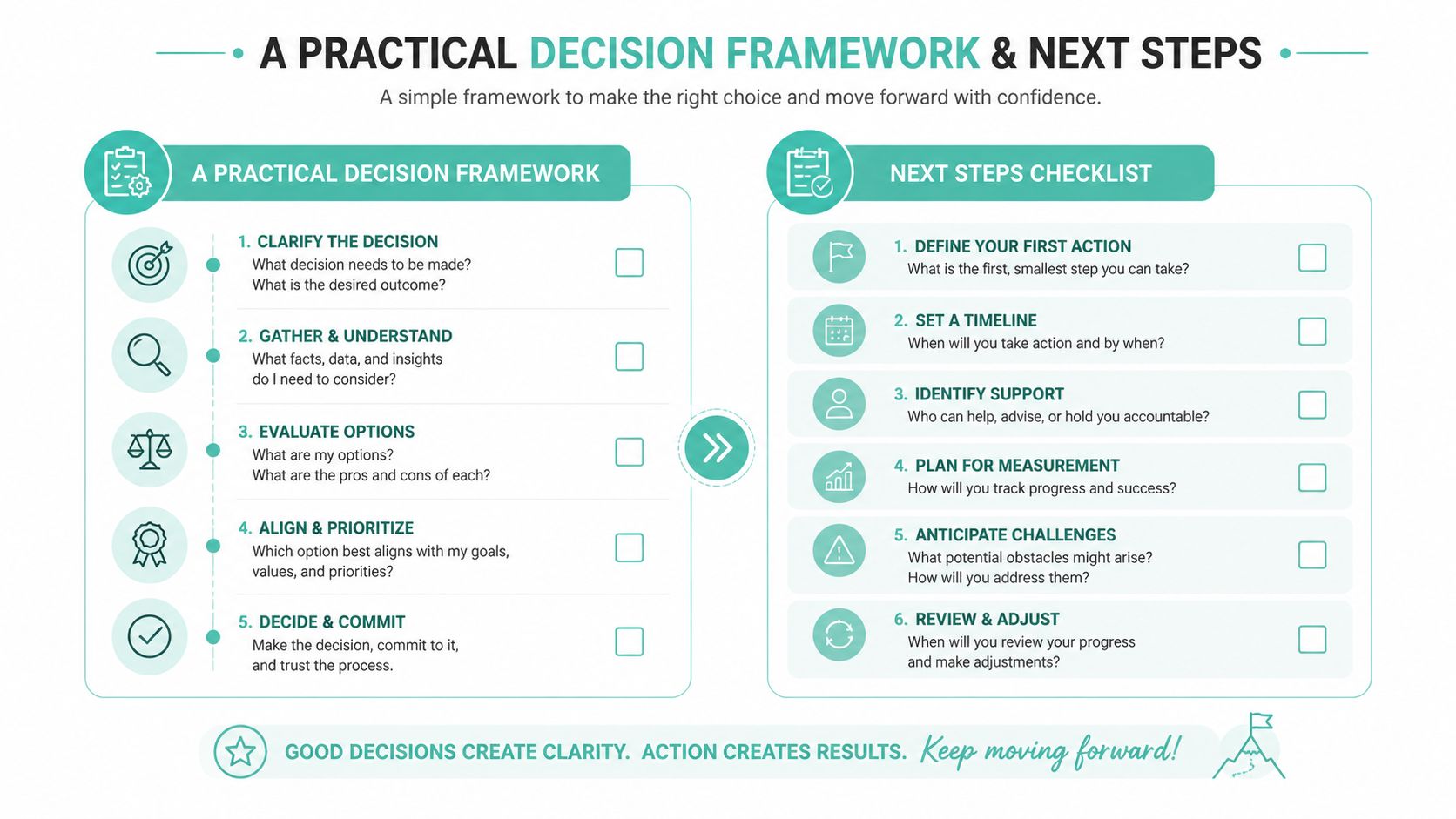
Start with five blunt questions. How much are you really spending now, how many sites need the same number plan, which legacy devices still matter, how good is your broadband, and how much risk can the business tolerate during change? If the answers point to mobility, growth, or multi-site complexity, VoIP is the smarter path.
Use this checklist before talking to any provider:
- List every line and device that still matters, including fax, alarms, lift phones, and EFTPOS.
- Check your internet and failover options before you assume the phone system is the problem.
- Map user types, office, home, field, and branch.
- Ask about porting and hybrid support rather than assuming it's automatic.
- Plan disposal and decommissioning for old gear.
- Match the phone change to your wider IT stack, not just the handsets.
If you want Australian hosting, email, domains, and infrastructure handled by a local team while you modernise the rest of your stack, visit UpTime Web Hosting and review the services that sit alongside your telephony decisions. The right phone system is the one that fits your business today and won't trap you tomorrow.