In short
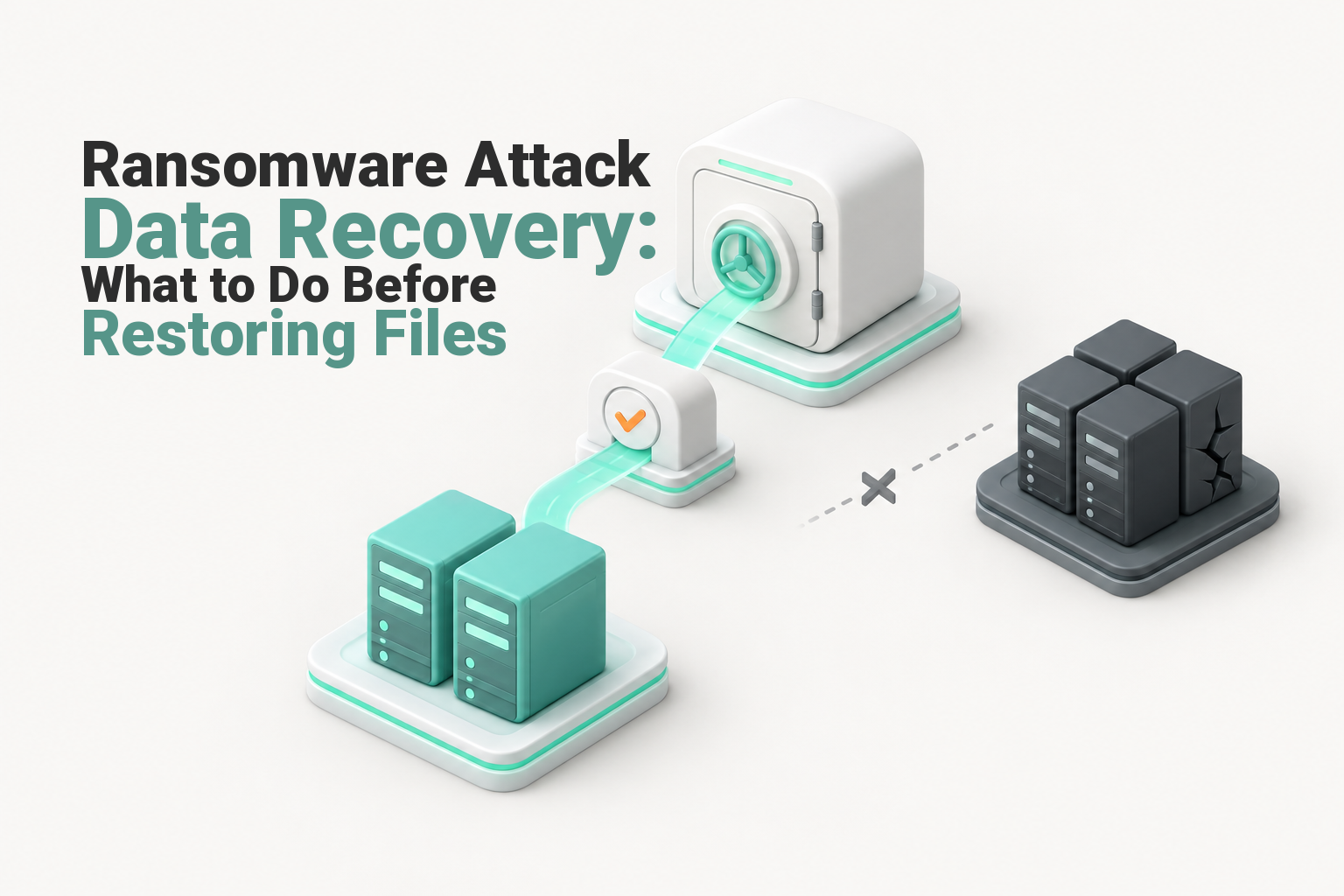
Ransomware attack data recovery should begin only after affected systems are isolated, evidence is preserved and the recovery environment is trusted. Validate backups against the earliest known compromise, restore into a segregated clean network, reset compromised credentials, test critical services and reconnect systems in controlled stages to avoid encrypting restored data again.
Key takeaways
- Do not restore data while attacker access, malware persistence or the boundaries of the incident remain uncertain.
- The preferred recovery point should predate the earliest suspected compromise, not merely the appearance of the ransom note.
- A backup is not trusted until it has been scanned, restored and tested inside an isolated recovery environment.
- Restored systems should return in controlled stages, with technical monitoring and approval from the people who use each service.
- Australian privacy, cyber incident and ransom-payment reporting duties can apply while technical recovery is still under way. (cyber.gov.au)
Contents
- What should you do before touching any backup?
- How do you know a backup is safe to restore?
- What does a clean-room restoration look like?
- How do you avoid reinfecting restored systems?
- Can encrypted files be recovered without paying?
- What must Australian organisations report?
- What else do Australian businesses ask about ransomware recovery?
- What should your business do next?
Ransomware can encrypt files, disable applications and coincide with the theft of business or personal information. A working backup is only one part of recovery because the backup, destination system, administrator accounts and original entry path may all be affected.
This guide concentrates on the point where recoveries often fail: moving data back without proving that the destination can be trusted. The broader ransomware recovery services guide explains the different provider roles that may be needed during a larger incident. (uptimewebhosting.com.au)
What should you do before touching any backup?
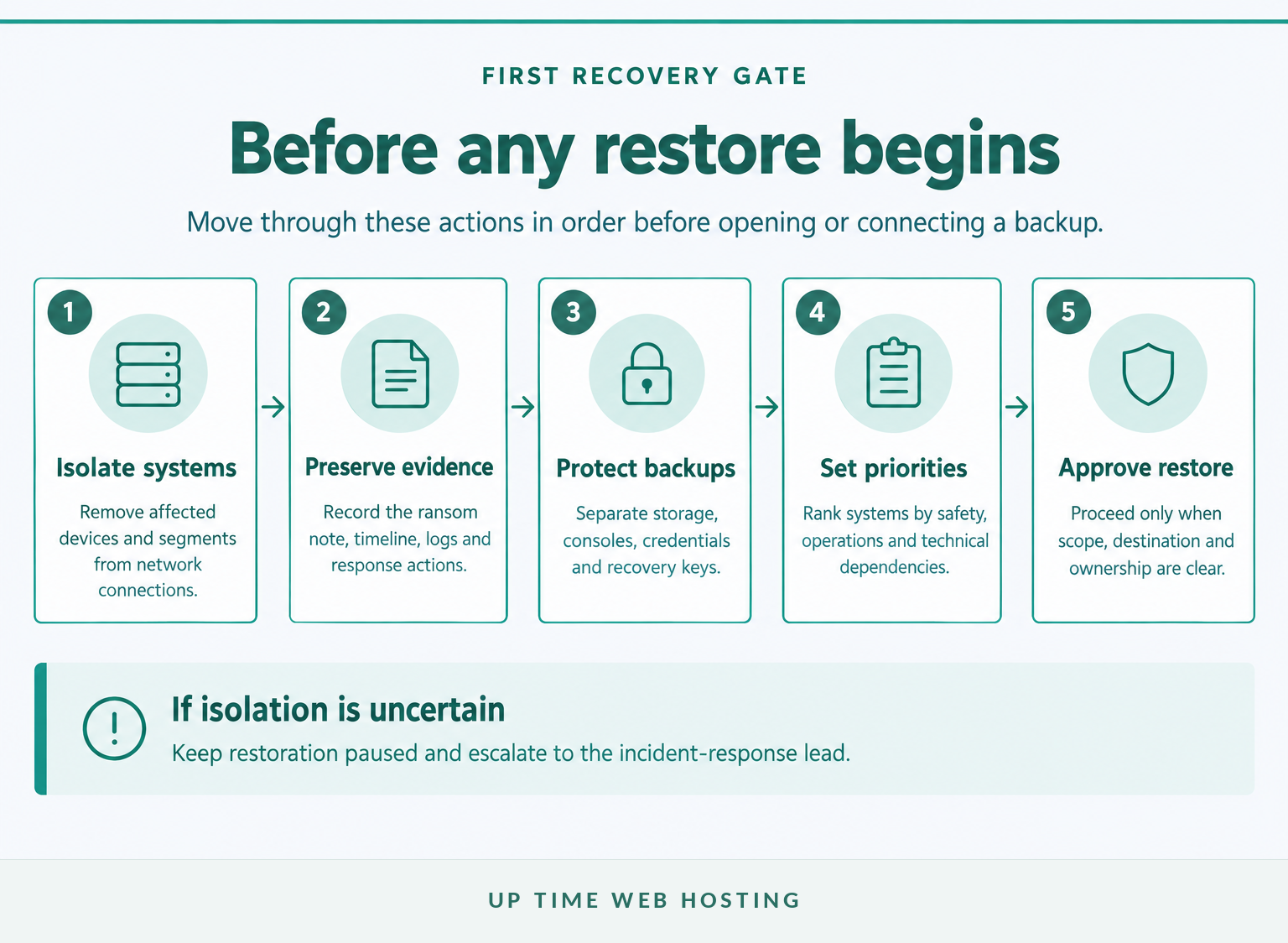
Before touching any backup, stop the spread and protect the evidence needed to understand the incident. Recovery should begin only when an incident lead can identify the isolation boundary, protected backup paths and people authorised to approve restoration.
- Isolate affected technology. Remove compromised devices or network segments from wired, wireless and cloud connections. The CISA ransomware response checklist recommends disconnecting systems before powering them down, where possible, because shutdown can destroy evidence held in memory. If a device cannot be disconnected safely, powering it down may be necessary to limit further spread. (cisa.gov)
- Record what is visible. Capture the ransom note, changed file extensions, affected devices, times, error messages and actions already taken. ASD's ransomware response guidance recommends recording these details and checking urgent reporting obligations before proceeding. (cyber.gov.au)
- Preserve evidence. Save relevant logs, system images, cloud snapshots and samples under the direction of the incident-response team. The ASD's 2026 cyber security incident guidance says investigators should record their actions, maintain chain of custody and follow law-enforcement instructions. (cyber.gov.au)
- Protect recovery assets. Keep backup consoles, storage accounts, recovery keys and administrative devices separated from the affected environment. Do not sign in to a backup platform from a workstation that may be compromised.
- Set the initial scope and priorities. Mark systems as confirmed affected, possibly affected, apparently unaffected or unknown. Identify the services required for safety, revenue, customer communication and essential operations.
Use a clean phone or unaffected device for incident coordination. Attackers may still be monitoring compromised email, messaging accounts or administrator sessions.
Do not start restoring until containment, evidence and recovery ownership are clear.

Performance you can feel, backed by clients who depend on it. Read how our support and uptime create long‑term customer success.Power Your Business with Better Hosting
How do you know a backup is safe to restore?
A completed backup job is not proof that the stored data is safe. A candidate recovery point should be isolated, old enough to sit before malicious access, complete enough to rebuild the service and capable of passing a controlled test restore.
Check each candidate against these conditions:
- Separation: Could an affected user, administrator account or production server modify or delete the backup?
- Age: Does the recovery point predate the earliest suspected intrusion or malicious change, rather than only the encryption event?
- Coverage: Does it include required files, databases, application settings, encryption keys and configuration information?
- Consistency: Were dependent applications and databases captured at compatible points in time?
- Integrity: Can the backup be opened, scanned and restored without unexplained errors or known indicators of compromise?
- Access: Have compromised passwords, service accounts, API keys and backup-management credentials been replaced?
The ASD's system-management guidance says backups should be retained securely and synchronised so related systems can be restored to a common point in time. Recovery procedures should also be tested rather than assumed to work. (cyber.gov.au)
An off-site backup solution reduces dependence on the affected site, but location alone is not enough. A remote or cloud backup can still be exposed if attackers have its administrator credentials or if the storage remains writable from production.
Restore a representative sample into isolation. Open files, start applications, check database consistency and ask the relevant business owner to confirm that the recovered information is usable and current enough for the intended process.
A backup is trustworthy only after its age, isolation, contents and restore behaviour have been checked.
What does a clean-room restoration look like?
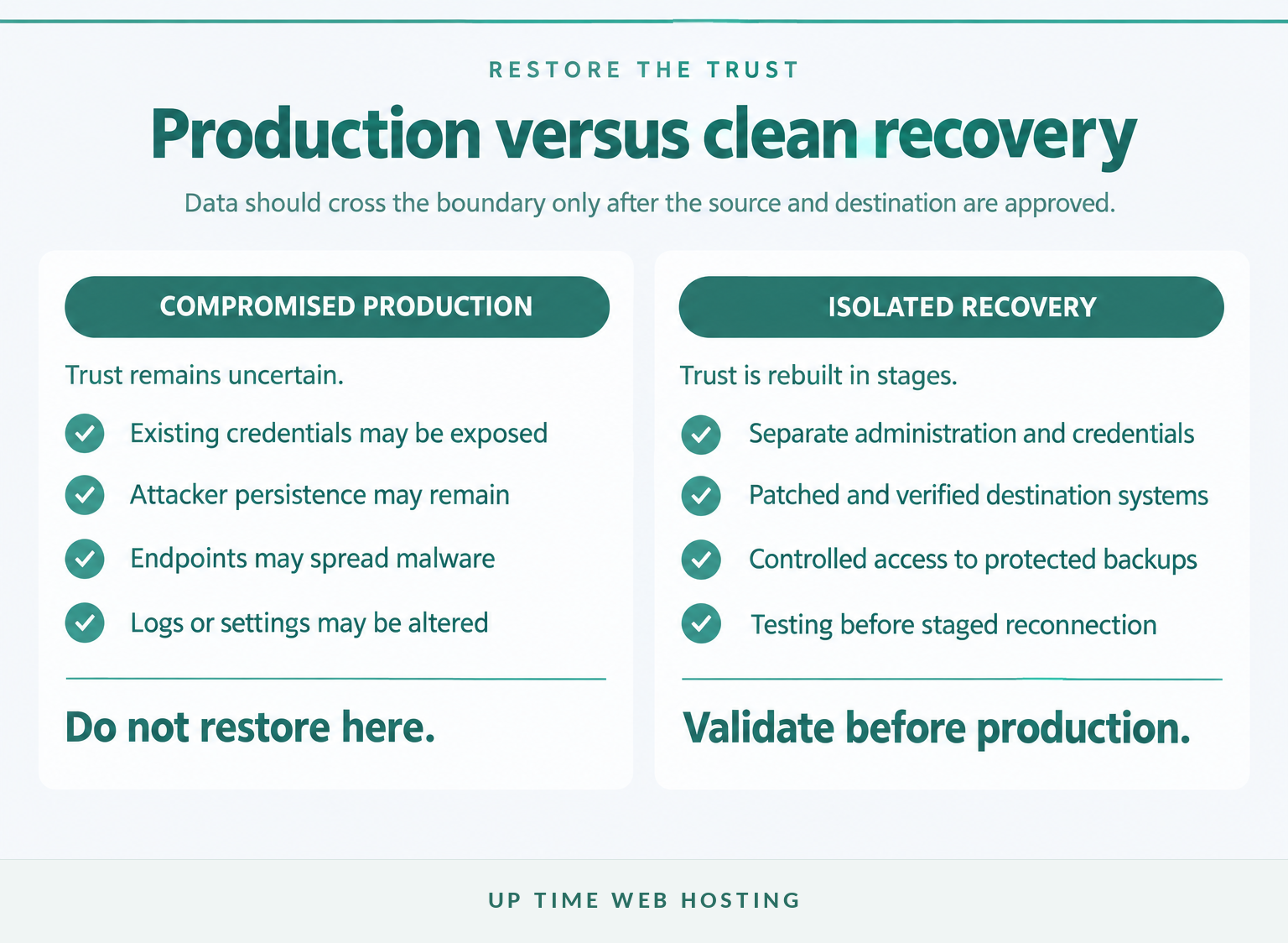
A clean-room restoration uses a segregated environment, separate administration and a controlled path from protected backups. Systems are rebuilt and validated there before any connection to normal production networks is allowed.
A practical restoration order is:
- Clean administration: Prepare trusted administrator devices, secure communication channels and new privileged credentials.
- Identity and security foundations: Rebuild or verify identity services, multi-factor authentication, DNS, firewalls, network segmentation, logging and endpoint detection controls.
- Core business services: Restore the minimum systems needed for critical operations, based on the organisation's disaster recovery plan.
- Applications and data: Restore databases, file services, integrations and application components in dependency order.
- Business validation: Have service owners test complete workflows, not merely whether a server starts or a file opens.
- Staged production return: Reconnect a small group first, watch for abnormal behaviour and continue only when the recovery lead approves the next stage.
The technical order should follow the business continuity plan. Payroll, customer bookings, manufacturing, clinical services and ecommerce may require different priorities even when their infrastructure looks similar.
The ASD's September 2026 guidance says malicious-code analysis should occur in a dedicated, segregated environment. CISA similarly recommends restoring critical systems on a clean network and adding only verified clean systems to a recovery segment. (cyber.gov.au)
A clean-room restore rebuilds trust before it rebuilds normal operations.
Host your website with our 5-star rated, cPanel website hosting plans.
Super fast servers, with security included and hosted in your choice of Australian Data Center.
View cPanel Plans
How do you avoid reinfecting restored systems?
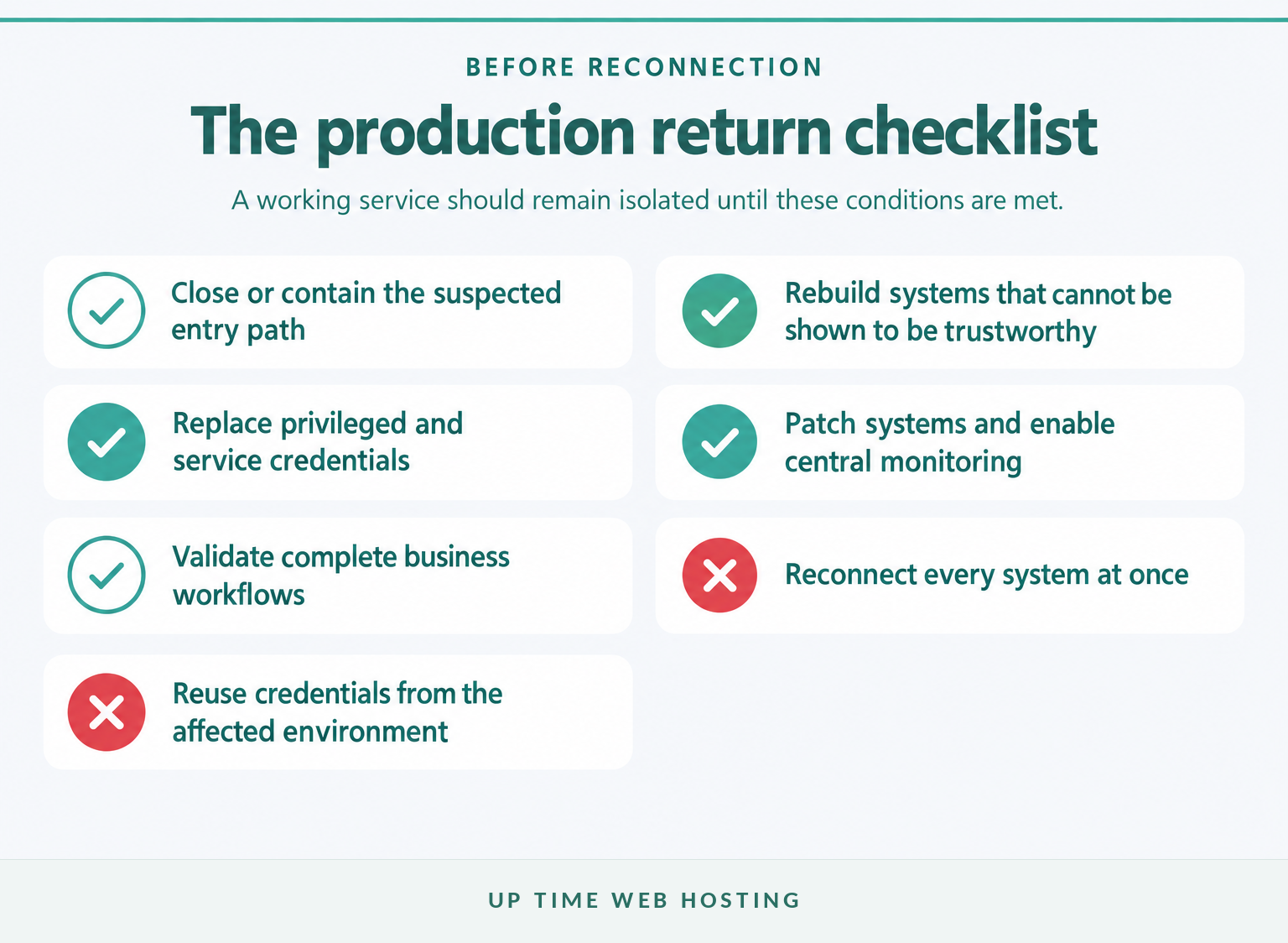
Reinfection can occur when a clean backup is restored onto an untrusted system or reconnected to an environment where attacker access remains. The recovery team must address the initial entry path, persistence mechanisms, compromised identities and unsafe endpoints before normal access resumes.
Before reconnecting a restored system:
- close or contain the suspected entry path, such as an exposed service, unpatched vulnerability or stolen account
- rebuild or reimage systems that cannot be shown to be trustworthy
- reset privileged accounts, service accounts, API keys, certificates and recovery credentials from a clean device
- inspect scheduled tasks, remote-management tools, startup items, identity policies and administrative groups
- patch the operating system, applications, firmware and security tools before production use
- enable central logging, endpoint detection and alerts before users return
- reconnect in small waves rather than attaching the whole environment at once
- monitor network connections, authentication, file changes and security alerts after restoration.
Do not automatically restore an entire virtual machine, domain policy or configuration archive merely because it predates encryption. The backup may contain persistence or unsafe settings created during an earlier phase of the compromise.
ASD recommends enhanced monitoring until there is evidence-based confidence that the entry vector, persistence, compromised credentials and unauthorised access paths have been addressed. (cyber.gov.au)
Reconnection should happen only after the entry path, compromised access and persistence risks have been addressed.
Can encrypted files be recovered without paying?
Encrypted files can sometimes be recovered without paying, but no method works for every ransomware variant or damaged environment. The safest options are a known-good backup, an unaffected snapshot, a verified decryptor or specialist recovery from data that was not fully overwritten.
Possible recovery paths include:
- Protected backups: Restore from an offline, immutable or otherwise isolated recovery point.
- Snapshots and version history: Use only versions confirmed to be outside attacker control and free of malicious changes.
- Verified decryptors: Search the No More Ransom decryption tools for the identified variant. The project warns that malware should be removed before a decryptor is used, or files may be encrypted again. (nomoreransom.org)
- Application-level recovery: Reconstruct information from exports, replicas, transaction logs or unaffected systems where technical specialists confirm that it is safe.
- Specialist file recovery: In some incidents, unaffected, deleted or partially damaged data may be recoverable even when a complete system restoration is not.
Test decryption on copies, not the original evidence or only remaining version of a file. Record the tool, version, source, commands and results so the process can be reviewed or repeated.
ASD advises organisations not to pay because payment does not guarantee file recovery or prevent stolen information from being sold or released. (cyber.gov.au)
Recovery without payment is possible when a clean copy, working decryptor or salvageable data exists, but no method is guaranteed.
What must Australian organisations report?
Australian organisations may have several reporting duties at the same time, depending on the systems, data, industry and actions involved. Reporting should be assigned to legal, privacy and executive owners while the technical team continues containment and recovery.
As of October 2026, the main checks include:
- Cyber security incident reporting: Organisations can use the ASD cyber incident reporting channel to report ransomware and request advice. Critical infrastructure and other regulated entities may have strict incident-reporting timeframes. (cyber.gov.au)
- Personal information: A Privacy Act-regulated entity must assess a suspected eligible data breach if serious harm may be likely. The OAIC Notifiable Data Breaches guidance says all reasonable steps must be taken to complete that assessment within 30 calendar days, with notification as soon as practicable when the breach is eligible. (oaic.gov.au)
- Ransom or extortion payments: Mandatory reporting has applied since 30 May 2025. Businesses above the A$3 million annual-turnover threshold and certain critical infrastructure entities must report a ransomware or cyber extortion payment within 72 hours of making it or becoming aware that it was made on their behalf. Check the Home Affairs mandatory payment reporting guidance for the current scope. (homeaffairs.gov.au)
- Other obligations: Industry regulators, insurers, customers, government contracts and affected partners may impose additional notice or evidence requirements.
A cyber incident report does not replace privacy, payment, insurance or sector-specific notifications. Keep a dated record of decisions, advice received, reports submitted and information supplied.
Australian reporting duties run alongside recovery and should be checked at the start, not after systems return.
Register your new domain name at competitive market prices including free domain add-ons like privacy, DNS Hosting, Custom Nameservers and Forwarding.
Always the best price and no nasty renewal price hikes.
Register A Domain Name
What else do Australian businesses ask about ransomware recovery?
These questions reflect common uncertainty about whether recovery is possible, how long it takes and which technical method applies. The answer depends on the ransomware variant, backup condition, system scope and evidence available.
Is it possible to recover files from ransomware?
Yes. Recovery may come from a known-good backup, an unaffected snapshot, a verified decryptor or specialist file recovery. Success depends on the ransomware variant, whether backups were connected, how long attackers had access and whether systems were rebuilt safely. Accessible files alone do not prove the environment is clean. (cyber.gov.au)
What is the average to make a full recovery from a ransomware attack?
There is no reliable universal average. Full recovery can range from restoring one workstation to rebuilding identity systems, servers, applications and many endpoints. A useful estimate should separate containment, clean-environment build, priority-service restoration, broader restoration and monitoring, with assumptions stated for backup condition, staffing and system dependencies. (uptimewebhosting.com.au)
Can I recover files without paying the ransom?
Yes, and Australian government guidance says not to pay. Recovery options include clean backups, intact snapshots, free decryptors for some variants and specialist recovery from unaffected or partially damaged storage. None is guaranteed, but paying also does not guarantee a working key or prevent stolen data from being released. (cyber.gov.au)
What are the four types of data recovery?
There is no single official four-type model for ransomware recovery. A practical grouping is backup restoration, decryption, system or application reconstruction, and forensic or specialist file recovery. The categories overlap, and each still requires containment, integrity checks and a clean destination before recovered information returns to normal business use. (cyber.gov.au)
Ransomware recovery depends on the state of the environment and backups, not on a single universal promise.
What should your business do next?
If the incident is active, appoint an incident lead and keep restoration paused until containment, evidence and backup decisions are documented. Use official reporting and assistance channels before making changes that may destroy evidence or breach a mandatory deadline.
Create a one-page restore gate listing the approved recovery point, destination environment, credential resets, technical tests, business owner, monitoring plan and person authorised to reconnect the service.
For backup and recovery options covering servers, workstations, databases and email, review UpTime Networks corporate backups and recovery. The service should support the backup and restoration part of the plan, while incident containment, forensics and legal responsibilities remain clearly assigned. (uptimewebhosting.com.au)
The safest next step protects clean data and avoids turning one incident into a second encryption event.