You've got customers asking for your opening hours, a menu, a quote or a way to book, but your business still has no website. You could hire a developer, try to learn code yourself, or use a website builder and put the first version together visually. For a busy Australian small-business owner, the builder can be a practical starting point, as long as you know what it does and what it doesn't take care of for you.
Table of Contents
- What a Website Builder Actually Does
- Hosted, Self-Hosted, Drag-and-Drop and Code-Based Options Compared
- How a Builder Turns Content Into a Live Website
- Key Features Australian Businesses Should Evaluate
- Accessibility, Ownership and Long-Term Trade-offs
- Choosing an Australian Domain and Pairing a Builder With Local Hosting
- Common Misconceptions About Website Builders
- Practical Next Steps for Australian Small Businesses

Performance you can feel, backed by clients who depend on it. Read how our support and uptime create long‑term customer success.Power Your Business with Better Hosting
What a Website Builder Actually Does
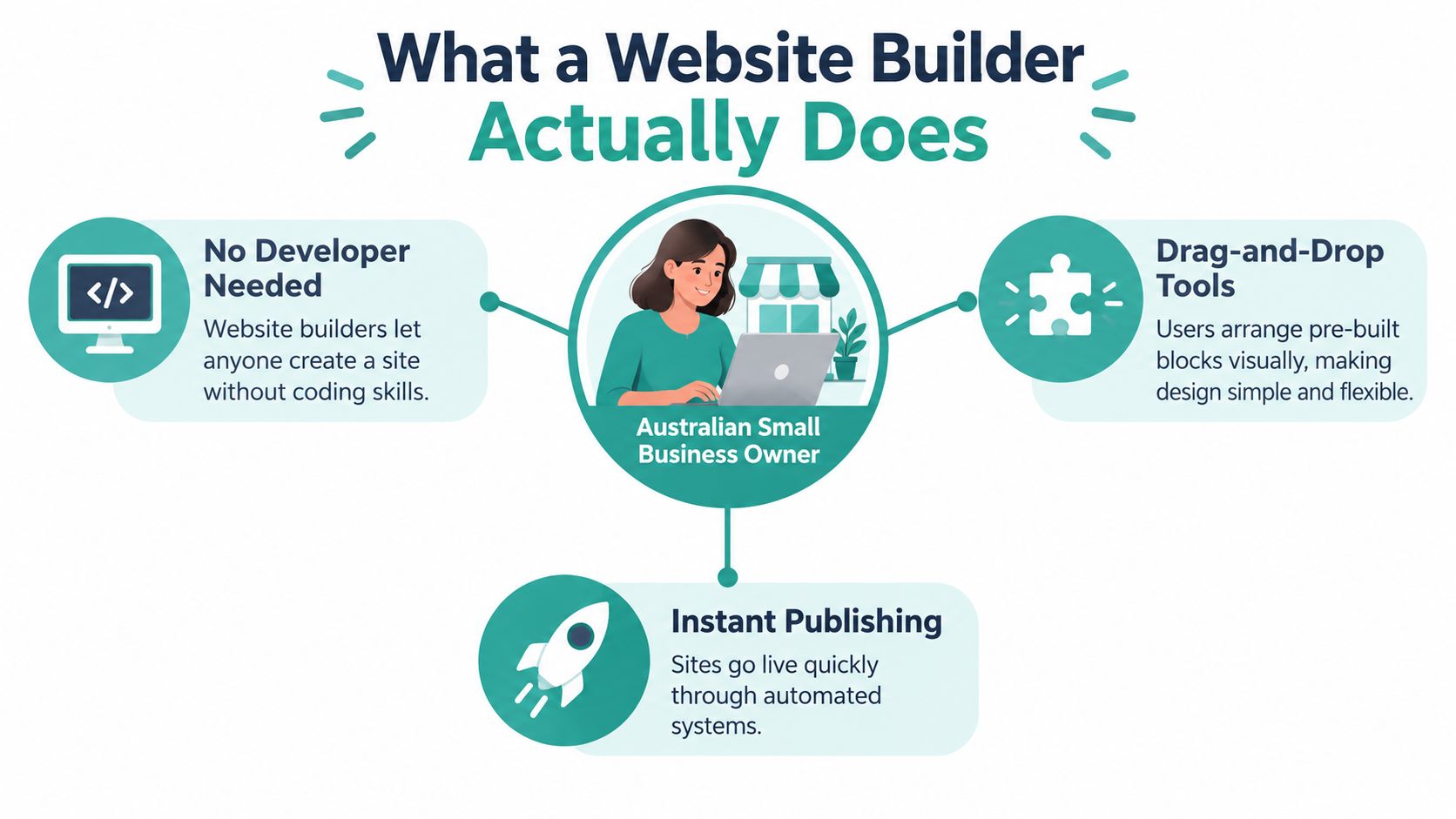
Say you run a plumbing business in Brisbane. You need a home page, a list of services, a contact form and a clear way for customers to call. A website builder gives you pre-designed layouts and visual tools to add that content, arrange sections and publish a site without writing all the underlying code by hand.
The software turns your choices into the files and instructions a browser uses to display the website, including HTML, CSS and JavaScript. Think of it as a set of ready-made building parts: you decide what to put on the page and where, while the builder handles much of the technical assembly and publishing.
A business website can do more than look professional. An ACCC report on a 2016 survey of 5,000 Australian small businesses found that 95% used online tools to provide information, 92% to advertise, 92% to communicate with customers or suppliers, 92% to display products or services, and 82% to sell products or services (ACCC report on small-business use of online tools.pdf?ref=0&download=y)).
A builder also isn't the same thing as hosting. The builder helps you create and publish the site; hosting is the service that stores the website and makes it available online. If you're untangling those terms, this web hosting definition explains the hosting side.
The useful mental shift is from a bespoke technical project to a standardised publishing process. You still make choices about your pages, branding and customer journey, but you don't need to build every component from scratch.
Hosted, Self-Hosted, Drag-and-Drop and Code-Based Options Compared
“Website builder” can describe different kinds of tools, so the right choice depends on how much control you want and who will maintain the site. A hosted platform typically combines the editor, publishing system and hosting in one service. That can simplify setup, but you'll need to check what you can export and how the platform handles future changes.
A self-hosted content management system, or CMS, gives you software to manage your pages and posts while you arrange hosting separately. WordPress is a familiar example. It can offer flexibility, but you or your service provider need to take responsibility for hosting, updates, backups and security. Agencies and businesses may run WordPress in environments such as cPanel or LiteSpeed, depending on their hosting arrangement.
Drag-and-drop describes how you work with the page, not necessarily where it's hosted. You place visual components such as headings, images and buttons into a layout. Sitejet is an example of a drag-and-drop builder offered with hosting plans, while some hosted platforms also use visual editors.
Code-based frameworks are different again. They're designed for people who want to write or manage more of the site's underlying structure. That can suit a developer building a custom experience, but it usually isn't the easiest route for an owner who just needs to update a service page.
| Category | Best for | Trade-off |
|---|---|---|
| Hosted platform | Owners who want an integrated editor and publishing setup | Less control over the platform and its export options |
| Self-hosted CMS | Businesses needing flexible content management | More responsibility for hosting and maintenance |
| Drag-and-drop builder | Owners who want to edit pages visually | Visual freedom can make consistency and accessibility harder to manage |
| Code-based framework | Developers building tailored sites | Requires technical skills or ongoing developer support |
Before choosing, consider who will make routine updates and what happens if your needs change. This comparison of WordPress and Squarespace can help clarify how a self-hosted CMS differs from an all-in-one platform.
Host your website with our 5-star rated, cPanel website hosting plans.
Super fast servers, with security included and hosted in your choice of Australian Data Center.
View cPanel Plans
How a Builder Turns Content Into a Live Website
A builder works more like a kit of pre-cut parts and a recipe than a blank workshop. You choose a layout, add your business information and media, and set up the way pages connect. The software assembles those choices into files a browser can interpret.
The process usually looks like this:
- Choose a template. Start with a layout that suits your type of business and the information customers need.
- Add your content. Insert text, photos, logos, service details and contact information into the page components.
- Set the page details. Add headings, image descriptions and page titles, and check how the layout behaves on smaller screens.
- Publish the site. The builder generates the site files and connects them to a hosting service so visitors can reach the published pages.
Under the visual editor, the software generates HTML, CSS and JavaScript, and may also handle images, metadata and other site details. The quality of that output matters more than how smooth the editor feels. For example, an attractive template can still produce slow pages if it loads excessive scripts or large, unoptimised images. Those resources increase the work needed to transfer and display a page on a real mobile connection.
Performance testing belongs after you've added real content, forms and analytics, not just while previewing a blank template. Core Web Vitals include Largest Contentful Paint, which relates to how quickly the main content appears, and Cumulative Layout Shift, which reflects unexpected movement in the page as it loads. A practical restaurant example is a reservation button: it needs to stay visible and usable on a phone, not just look right in the editor. Owners considering booking tools can also explore this guide for restaurant owners on widgets.
Key Features Australian Businesses Should Evaluate
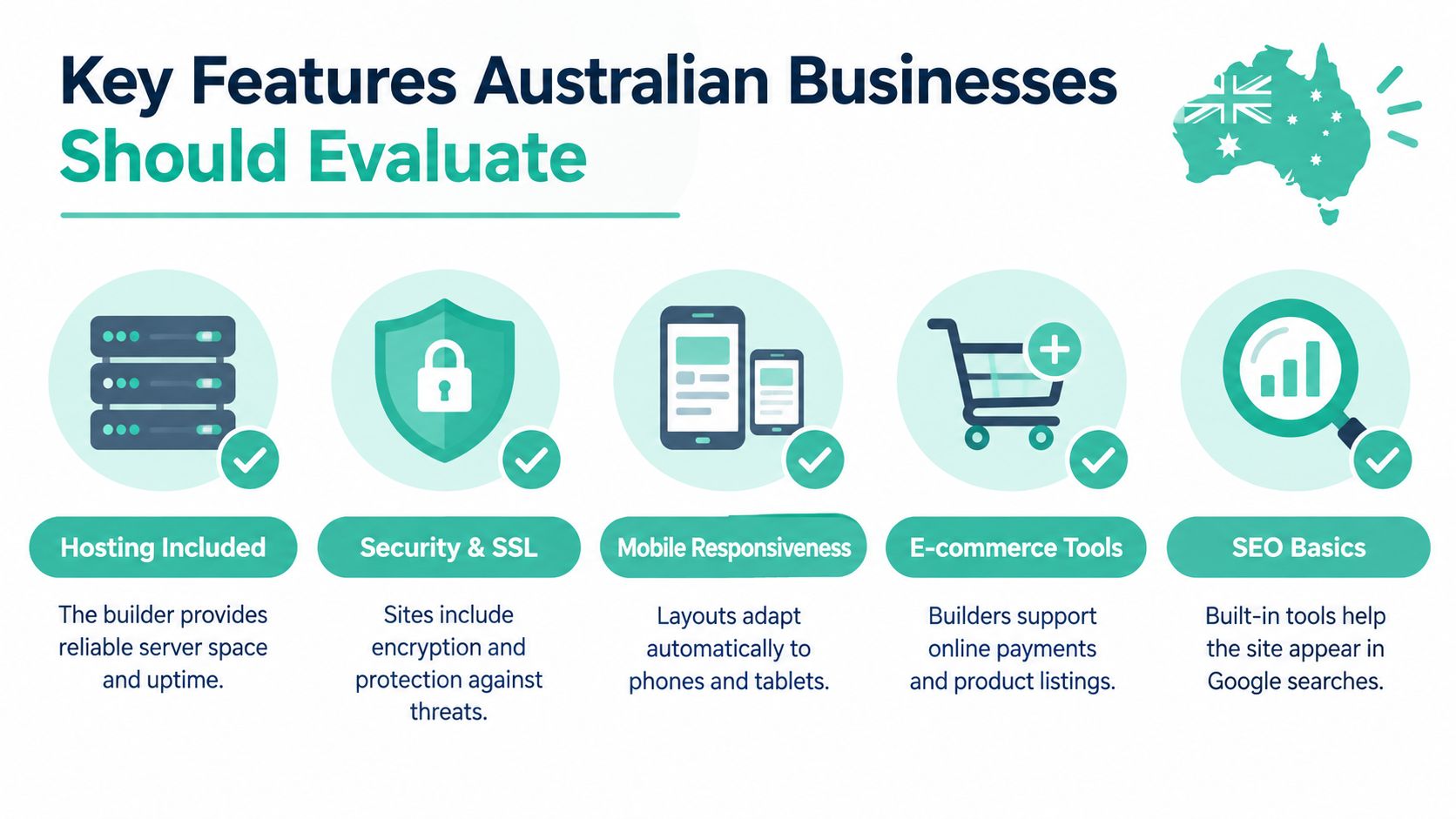
The editor is only one part of a builder. Treat your choice as a decision about how your website will be hosted, found, protected and maintained after launch.
Performance and hosting
Ask where the site will be hosted and what performance tools are available. You don't need to understand every technical setting, but you should be able to check how the published site behaves on a phone and identify oversized images or unnecessary scripts. Features such as image compression, lazy loading and caching can help reduce the amount of work a visitor's device has to do.
If your business serves customers around Australia, test with the content and features you'll use. A service page with a contact form, analytics and high-resolution photos may behave differently from an empty template.
Search visibility and security
Check whether you can edit each page's title and description, create a sitemap, set canonical URLs and redirect old page addresses. These controls help you manage how pages are presented to search engines and what happens when a URL changes.
For security, find out whether the service provides SSL, backups, malware scanning and a way to recover a site after a problem. Also check how forms are protected from spam and where submitted customer details are stored.
Integrations and practical testing
Your builder may need to work with a domain, business email, analytics, booking tools or payments. Before committing, confirm that the connections you need are supported and that you can access performance diagnostics. If your goal is a focused campaign page rather than a full business website, this overview of how to find the right landing page software offers a useful comparison point.
A simple acceptance test is to open the published site on a phone, try the contact form, check every main navigation link and make sure the page text and buttons are easy to use. For Australian businesses, it's also sensible to understand applicable website legal requirements in Australia, especially when collecting customer information or selling online.
Accessibility, Ownership and Long-Term Trade-offs
A polished site isn't automatically accessible, portable or resilient. Those qualities depend on the builder's features, the choices you make and the way the finished site is set up.
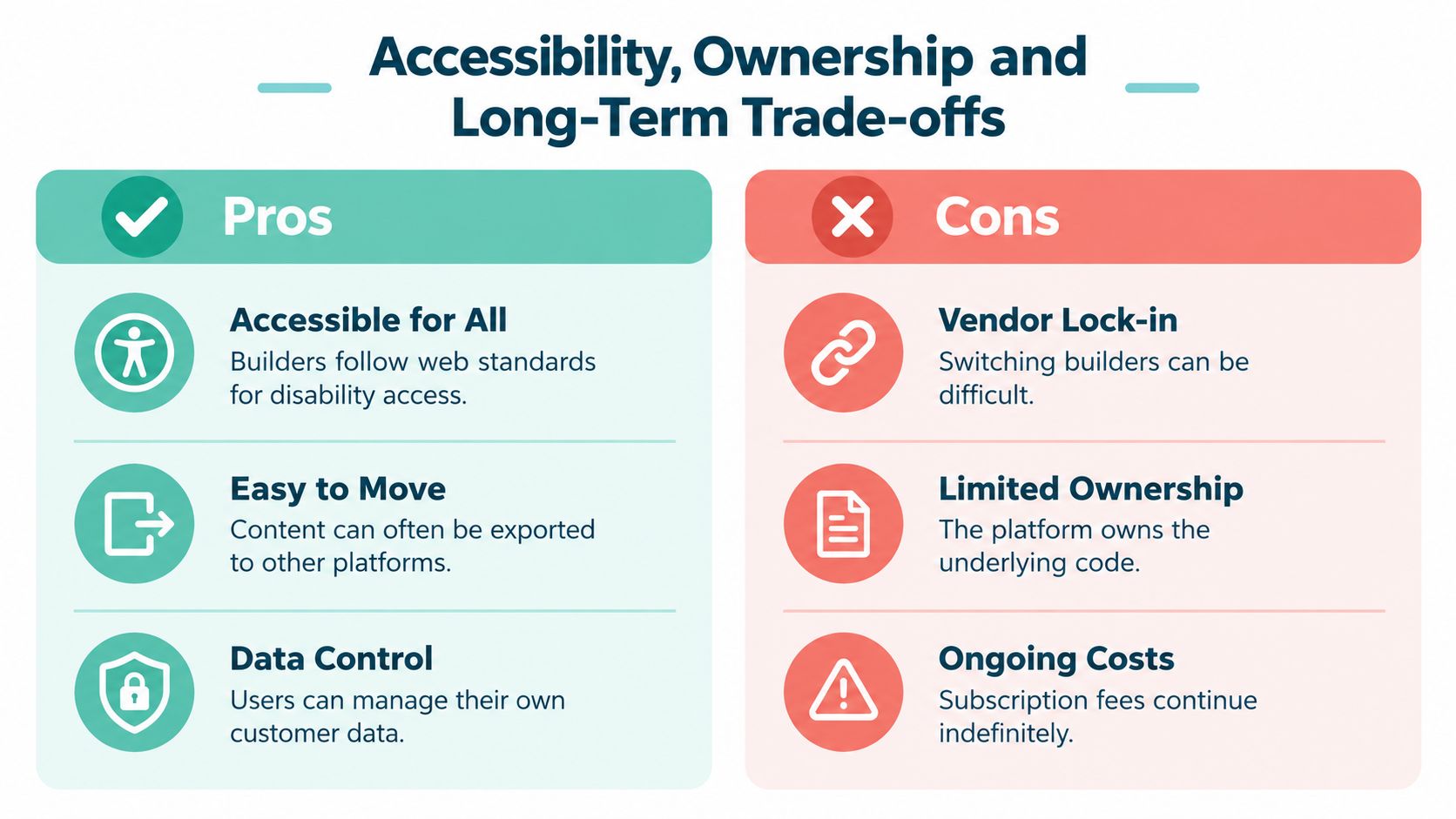
Accessibility deserves attention from the start. Australian research reports that 21.4% of Australians, about 5.5 million people, have a disability, while analysis citing WebAIM Million 2025 data reports WCAG failures on 94.8% of home pages, including missing alternative text, low-contrast text and unlabeled forms (Australian accessibility analysis). A builder may provide semantic templates, keyboard-accessible components, alt-text fields and controls for colour and text. Those features help, but they don't guarantee that your finished site works for everyone.
Test the site with keyboard-only navigation. Check that form fields have clear labels, text remains readable when enlarged and images have useful descriptions where needed. Australian Government accessibility guidance identifies responsive behaviour and WCAG 2.2 Level AA as practical considerations (Australian Government accessibility guidance).
Practical rule: A builder can give you accessible components, but you're still responsible for the content and for checking how the finished pages work.
Ownership is another part of accessibility to your own business assets. Find out whether you can export your pages, images and customer data, download backups and move the site to another host. Check who controls the domain and what happens to forms, analytics and customer records if you leave the platform. These questions matter if subscription terms change or the service no longer suits your needs.
A brochure site can also miss opportunities to build lasting customer relationships if it has no useful way to collect enquiries. Explain clearly what information a form collects and how you use it, and provide links to your privacy information. Before settling on a platform, review what domain name ownership means in Australia and make sure the business, not just the builder account, can retain control of important assets.
Register your new domain name at competitive market prices including free domain add-ons like privacy, DNS Hosting, Custom Nameservers and Forwarding.
Always the best price and no nasty renewal price hikes.
Register A Domain Name
Choosing an Australian Domain and Pairing a Builder With Local Hosting
A Brisbane plumber might choose a business name, print it on a van, then discover its preferred web address is unavailable or ineligible. Check the domain before committing to branding. A website builder can connect an address to a site, but it cannot determine whether you qualify to register it.
For .au domains, registrants need a validated Australian connection, such as an ABN, ACN, Australian citizenship or permanent residency. Registrars check identity and Australian presence before issuing or renewing a domain licence. Review auDA's Australian presence requirement and confirm both eligibility and availability before designing around a name.
Choose a namespace that fits your organisation. A commercial business might look at .com.au, while a non-commercial organisation may consider .org.au. The shorter .au direct option has its own eligibility rules. A sole trader setting up a plumbing site should check that the desired name is available and that the registration details match the eligible person or business.
Once you have a suitable name, work through the setup in order:
- Check the domain. Confirm availability and the requirements for its namespace.
- Choose the builder and hosting arrangement. Sitejet is one visual builder that can be used with hosting. A WordPress site requires a content management system and a hosting setup.
- Build the main pages. Add your services or products, contact details, location and the action you want customers to take.
- Connect the domain and test the site. Check mobile layouts, forms, links, security and accessibility before sending customers to it.
A temporary address can let you work on the site before launch. Confirm how the final domain will connect to the published pages. For the registration process, see Australian domain registration. Local hosting is another part of the setup: UpTime Web Hosting offers Sitejet alongside cPanel, WordPress and ASP.NET Windows hosting, illustrating how a builder can sit within a broader hosting arrangement.
Common Misconceptions About Website Builders
The first misconception is that a fast editor guarantees a fast website. It doesn't. A page can feel instant while you're building it and still load slowly for customers because of large images, unnecessary scripts or other resources. Test the published site after adding the content and tools you'll use.
Another common assumption is that every .au ending works the same way. It doesn't. Different namespaces serve different types of registrants, and eligibility and naming rules still apply. Check the requirements before committing to a domain name.
Accessibility features are not the same as an accessible finished website. A builder might offer alt-text fields and responsive templates, but you still need to write useful image descriptions, check colour contrast and test navigation and forms. Similarly, an easy-to-use platform isn't necessarily the right long-term choice if it limits exports or makes it difficult to move your content.
A custom-coded site can make sense when a business needs specialised functions or precise control that a builder can't provide. But custom development brings its own maintenance needs and usually requires technical support. For a business that mainly needs clear service pages and a reliable way for customers to enquire, a builder may be a more manageable fit.
That trade-off matters across a large local market. Australia had almost 2.6 million small businesses on 30 June 2024, representing about 97% of all businesses (Australian Treasury small-business data). Many owners need a website they can maintain without turning routine edits into a development project.
Experience Microsoft 365 Business Standard for free for 30 days.
Up to 25 users with full access to email, OneDrive and Teams. Includes full versions of desktop apps of Outlook, Word, Excel, PowerPoint and more.
Try Microsoft 365
Practical Next Steps for Australian Small Businesses
A customer searching for a café in Geelong should be able to find its menu, opening hours, location and booking option without hunting through the site. A trades business in Perth may need clear service areas, a contact form and a phone number that works well on mobile. Start with these customer tasks, then choose a builder and page structure that support them.
Use this launch checklist:
- Confirm the domain. Check whether your preferred .au address is available and whether your business is eligible to register it. Decide who will hold the registration.
- Choose the setup. Compare a hosted builder, Sitejet with hosting and a self-hosted CMS such as WordPress. Consider how you will edit the site and handle maintenance.
- Prepare your content. Gather service descriptions, contact details, photos, logos and any policies customers need to see.
- Set up email and security. Confirm how business email, SSL, backups and spam protection will work with your chosen arrangement.
- Test before launch. Open the site on a phone, submit its forms, check page titles, try keyboard navigation and make sure the domain leads to the correct site.
A website builder is one part of the setup, rather than the whole system. Before choosing, ask what happens to your content, backups and customer enquiries if you change platforms. Assign someone to manage routine updates, too. A clear owner helps prevent small maintenance jobs from being forgotten.
UpTime Web Hosting offers Sitejet website builder plans, cPanel hosting, WordPress hosting, ASP.NET Windows hosting, domain registration and business email. Compare these options with your needs for editing, hosting and ongoing control, then choose an arrangement you can maintain with confidence.
Your first version can stay focused. Make it easy for the right customers to understand your services and get in touch.