In short
A virtual office phone system gives a business one or more professional numbers, then routes calls through a hosted VoIP platform to desk phones, computers or mobile apps. The best choice supports number porting, extensions, business-hours routing, voicemail, secure administration, outage fallbacks and Australian support without forcing staff to publish personal mobile numbers.
Key takeaways
- A virtual phone system, simple call forwarding and a live call-answering service are different products, so decide which problem needs solving before comparing quotes.
- Only active numbers can be ported, and individual Australian local-number ports generally take 8 to 15 business days, while complex ports can take up to 30 days. (acma.gov.au)
- Most services connected through the NBN will not work during a power outage, so a charged mobile, power backup or alternate call route is essential. (acma.gov.au)
- A meaningful cost comparison includes users, numbers, calls, devices, setup, porting, network changes, support, optional storage and GST.
- Administrative accounts should support multi-factor authentication, unique credentials, security updates and restricted privileges. (cyber.gov.au)
Contents
- Which type of virtual phone setup do you actually need?
- How does a virtual phone system work?
- Which features matter when your team works from anywhere?
- What should an Australian business check before choosing a provider?
- How much does a virtual office phone system cost?
- Which setup option fits your team?
- How do you move without missing calls?
- What else do Australian businesses ask about virtual phone systems?
- What should you do next?
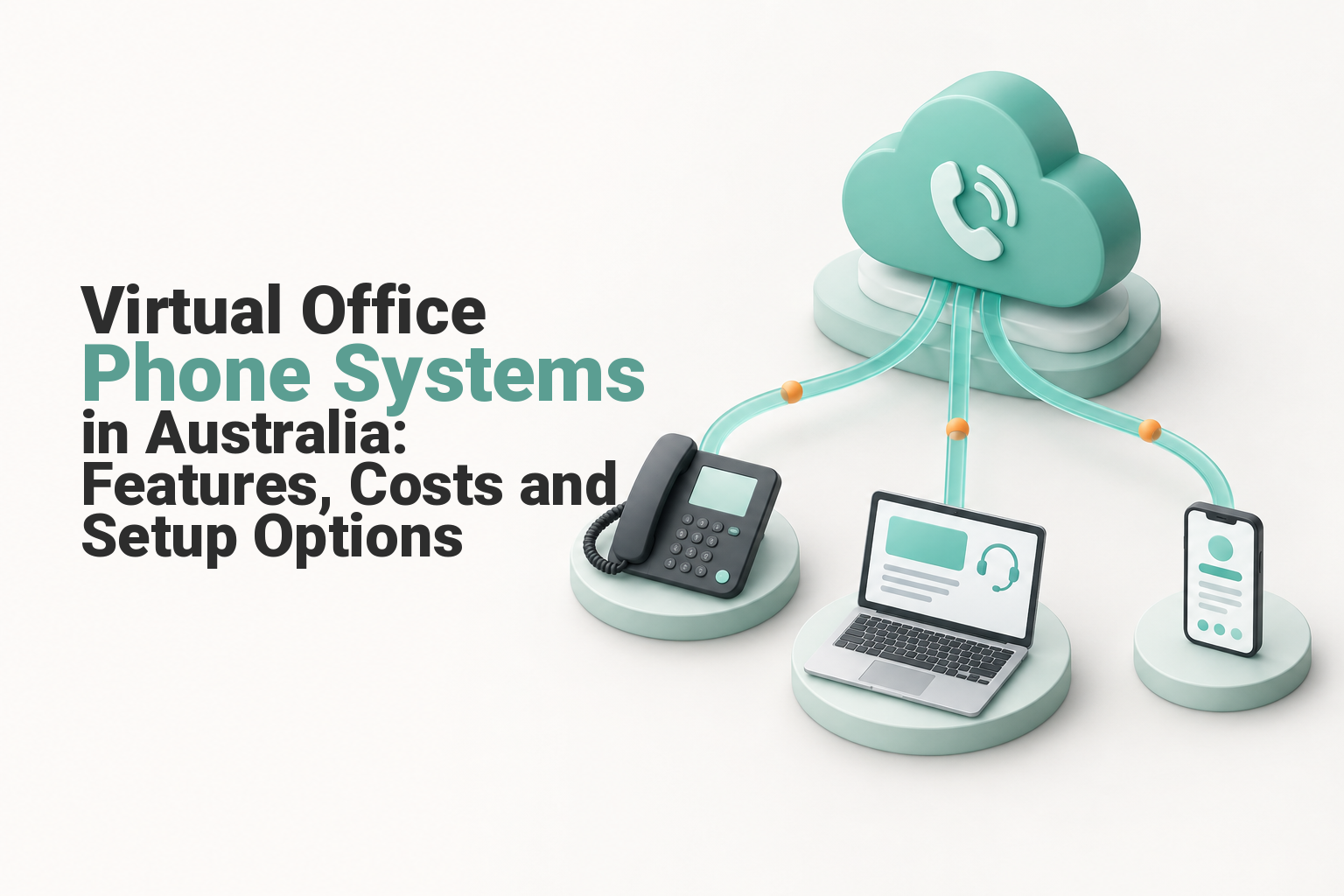
The phrase virtual office phone system is used loosely. Before requesting quotes, work out whether the business needs a complete calling platform, a number that forwards elsewhere or people who answer calls on the business’s behalf.
Which type of virtual phone setup do you actually need?
Choose a hosted virtual phone system when several people need to make, receive, transfer and manage calls under the same business identity. Choose forwarding or a receptionist service only when the narrower function genuinely covers the workflow.
The same search phrase can refer to three different services.
| Option | What happens to a call | Team controls | Best suited to | Main limitation |
|---|---|---|---|---|
| Virtual phone system | A hosted platform applies menus, hours, queues and routing rules | Extensions, apps, transfers, voicemail and administration | Teams replacing office phones or supporting remote staff | Depends on internet, power and correct configuration |
| Simple call forwarding | One number redirects to another phone | Usually limited to basic destination changes | Sole traders or one-person teams with simple needs | Weak separation between personal and business calling |
| Live call answering | A person answers under agreed instructions | Messages, transfers, bookings or escalation depend on the service | Businesses that cannot answer every call internally | It is a staffing service, not the underlying phone platform |
Simple forwarding can make one number ring a mobile, but it may not provide extensions, queues, outbound business caller ID or central administration. It is useful when only one person answers calls and there is no need for a wider phone system.
A live receptionist or answering service can sit on top of a phone system. It may be valuable for overflow or after-hours calls, but it does not replace the need for internal extensions, apps and routing when staff also handle calls.
Businesses replacing fixed office equipment should first compare VoIP and traditional phone systems so hardware, internet dependence and continuity risks are understood before a platform is selected.
Choose the service category before comparing features, because a phone platform and a call-answering service solve different problems.

Performance you can feel, backed by clients who depend on it. Read how our support and uptime create long‑term customer success.Power Your Business with Better Hosting
How does a virtual phone system work?
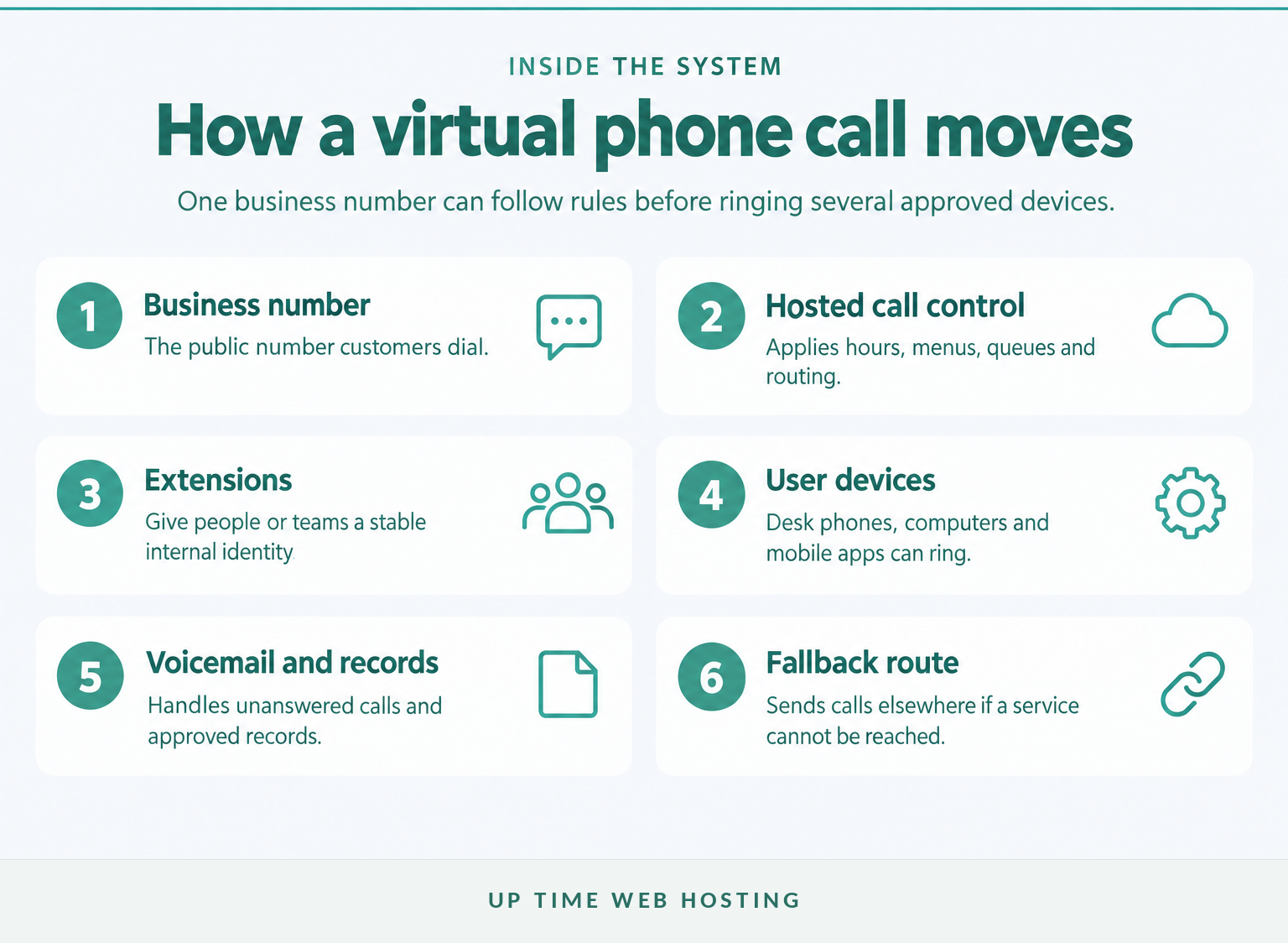
A virtual phone system receives calls through a provider-hosted platform rather than relying on an office PBX cabinet. The platform checks the configured rules, then connects the call to an extension, queue, desk phone, computer, mobile app or external fallback number.
A typical inbound call follows four stages:
- A customer dials a local, mobile, 13, 1300, 1800 or other business number supported by the service.
- The hosted platform checks business hours, caller choices and routing rules.
- The call rings one extension, several people, a queue or a nominated external number.
- If nobody answers, the platform applies the next rule, such as voicemail, another team or an outage destination.
Outbound calls work in reverse. An authorised user signs in through a supported desk phone or app, and the system presents an approved business number instead of the employee’s personal mobile number.
The hosted call-control layer is often called a cloud PBX or hosted PBX. A more detailed guide to cloud PBX in Australia explains how this replaces much of the equipment once kept at the office.
The delivery model has similarities to how cloud hosting works: the provider runs the central platform, while the business manages users, rules and approved devices. Real-time voice still needs careful network and outage planning.
A virtual phone system makes the business number portable across approved devices and locations, while the hosted platform applies the calling rules.
Which features matter when your team works from anywhere?
Start with features that determine whether calls reach the right person and what happens when they do not. Recording, transcription, analytics and integrations can be useful, but they should come after dependable numbers, routing, apps, voicemail and support.
Business numbers and porting: Confirm which existing local, mobile, 13, 1300 or 1800 numbers can move to the service. Also confirm which number appears when each user or team makes an outbound call.
Extensions and shared identities: Give people or departments an extension that remains stable when they change device or work location. A sales queue should not have to be rebuilt because one employee starts working from home.
Mobile and desktop apps: Check supported operating systems, device-management options, headset compatibility, update policies and whether users can switch between devices during a call.
Call routing, hunt groups and queues: Routing sends a call according to a rule. A hunt group rings people in a sequence or pattern. A queue holds callers until an available team member answers. Ask how overflow, maximum wait times and queue announcements are handled.
Auto-attendant and business hours: A menu can direct callers to departments, while schedules apply different rules after hours, on public holidays or during a temporary closure. Keep menus short enough that callers can reach a person without listening to a long directory.
Voicemail handling: Useful options include voicemail-to-email notifications, shared departmental mailboxes and permission controls. Transcription accuracy varies, so important messages should still be checked against the original audio.
Transfers and presence: Staff should be able to see whether a colleague is available and transfer a call without forcing the caller to redial. Confirm what happens if a transfer is not answered.
Failover and alternate destinations: The system should define what happens when an app, office internet service or entire site cannot be reached. A fallback may ring another location, a mobile service or an external answering arrangement.
Administration and reporting: Look for role-based permissions, call-flow change logs, user activity records and reports that answer practical questions such as missed-call volume and queue wait time.
Optional features should be tied to a real task. Call recording may support training or record keeping, but it also creates privacy, access and retention obligations. Integration is useful only when it reduces double handling or gives staff better context during a call.
Prioritise the features that control who answers, what happens when nobody answers and how callers are handled during outages.
Host your website with our 5-star rated, cPanel website hosting plans.
Super fast servers, with security included and hosted in your choice of Australian Data Center.
View cPanel Plans
What should an Australian business check before choosing a provider?
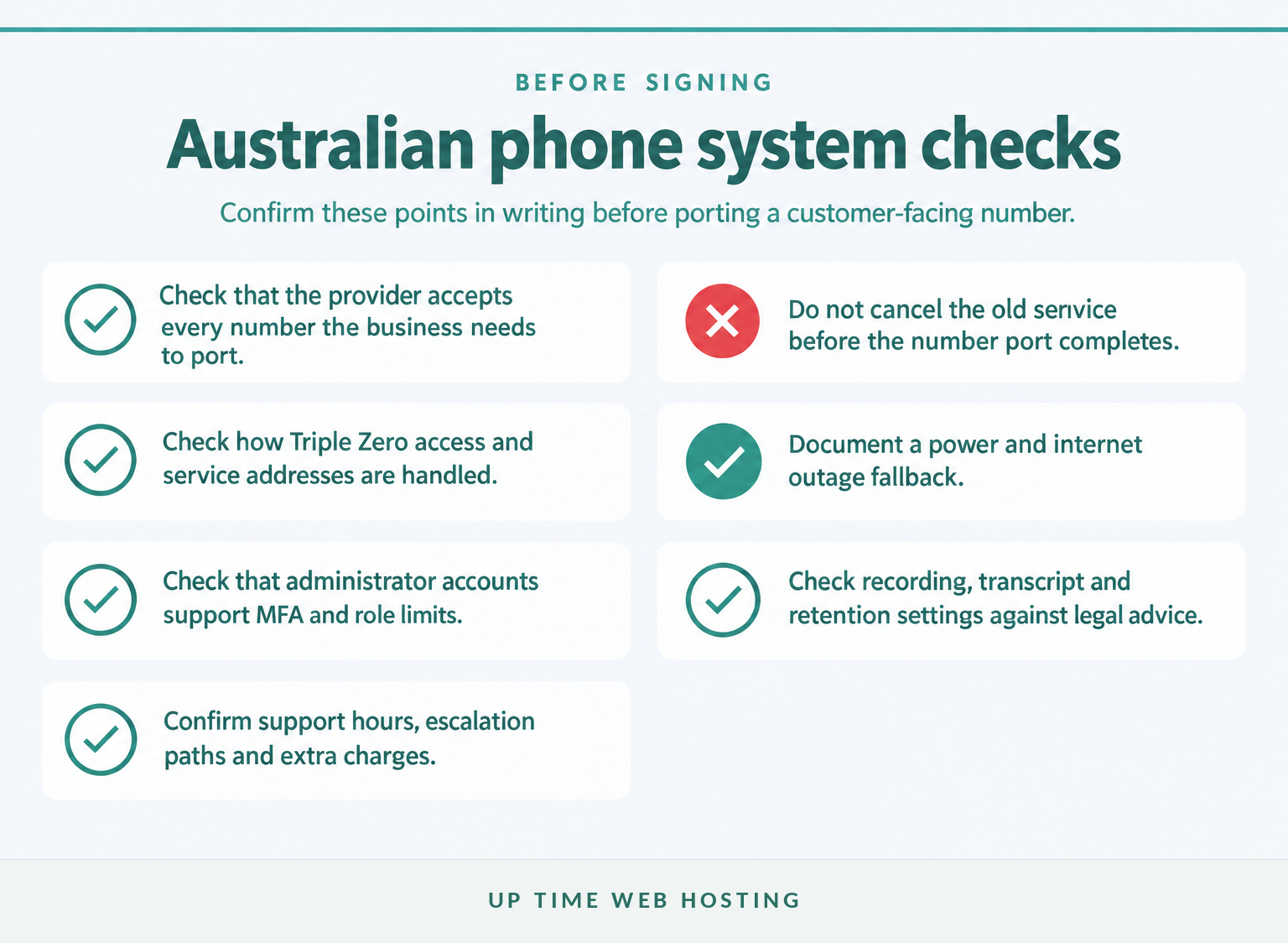
An Australian business should check number portability, Triple Zero access, service-address records, power and internet fallbacks, account security, recording rules and support terms. These points should be confirmed in writing before a customer-facing number is moved.
Can you keep the numbers customers already know?
The ACMA guidance on keeping or porting a phone number says local numbers beginning with 02, 03, 07 or 08, mobile numbers and 13, 1300 or 1800 numbers can usually be ported. Only active numbers can be transferred, and support for an out-of-area local number depends on the new provider. (acma.gov.au)
Ask the provider to list each accepted number and any porting charge or document requirement. Do not cancel the current service first.
How will Triple Zero and location details work?
The ACMA emergency-call guidance says Triple Zero can be called from certain VoIP services. For a mobile or VoIP call, the operator may ask for the caller’s town and state because the caller may not be at the billing or registered address. (acma.gov.au)
A telco is required to provide customer details, including the address, to the Integrated Public Number Database. The ACMA’s emergency details guidance recommends keeping those details accurate and current. (acma.gov.au)
Ask the provider which users can call 000, how service addresses are maintained and what staff working away from their registered location need to know. Do not place a non-emergency test call to 000.
What happens when internet access or power fails?
Most NBN-connected services will not work during a power outage. A virtual phone plan therefore needs another way to reach emergency services and continue receiving important business calls, such as a charged mobile, mobile-network diversion, secondary internet path or suitable power backup. (acma.gov.au)
The phone plan should sit inside broader business continuity planning. Document who changes the call route, which number receives diverted calls and how staff are told that the fallback is active.
How is the administration portal protected?
The Australian Government’s October 2026 small business cyber security handbook recommends multi-factor authentication, strong unique passwords and prompt security patching. Apply those controls to phone-system administrators, apps, desk phones and associated network equipment. (cyber.gov.au)
Ask whether administrator roles can be separated, old sessions can be revoked, login activity is recorded and former employees can be removed immediately. A shared administrator password is not an acceptable operating model.
Are calls recorded or transcribed?
Recording rules can depend on the purpose of the recording and the state or territory involved. The OAIC guidance on workplace monitoring and surveillance notes that relevant Commonwealth, state and territory laws may apply to the monitoring and recording of telephone conversations. Obtain legal advice for the business’s circumstances. (oaic.gov.au)
Also ask where recordings and transcripts are stored, who can access them, how long they are retained and whether they can be exported or deleted under a documented policy.
What support is included after setup?
Compare support hours, escalation paths, response targets, onboarding help and charges for configuration changes. The ACMA’s guidance on choosing a provider and what to ask recommends checking what help is available after purchase and what that help costs. (acma.gov.au)
For an Australian business, emergency calling, number porting, outage planning, security and support terms belong on the shortlist, not in the fine print.
How much does a virtual office phone system cost?
The total cost depends on users, numbers, call patterns, hardware, setup, porting, integrations, storage, network readiness and support. Compare the full first-year cost in Australian dollars with GST clearly identified, rather than comparing one advertised monthly fee.
Ask every provider to quote the same cost categories.
| Cost item | What changes the cost | What to ask |
|---|---|---|
| User or extension subscriptions | Number of users, shared devices and feature tiers | Are shared, casual and reception users charged differently? |
| Number rental | Number type and quantity | Which local, mobile, 13, 1300 or 1800 charges are recurring? |
| Call usage | Included calls, destinations and international use | Which calls are included and how is excess usage billed? |
| Devices | Desk phones, headsets, adapters and conference equipment | Can existing compatible equipment be reused? |
| Setup and configuration | Menus, queues, schedules, permissions and integrations | Is implementation fixed-price or billed by time? |
| Number porting | Number type, quantity and complexity | What are the per-number fees and failed-port charges? |
| Network work | Internet upgrades, cabling, switches, Wi-Fi and power backup | Which changes are required before installation? |
| Recording and storage | Retention period, transcription and export requirements | How is additional storage calculated? |
| Support | Included support level and change requests | Which tasks attract an extra charge? |
| Failover | Secondary connectivity or diversion services | What remains payable when the fallback is used? |
A useful monthly comparison is:
Monthly operating cost = users + numbers + calls + optional features and storage + support + connectivity and failover.
The one-off budget is:
Implementation cost = setup + porting + devices + network changes + training.
Ask for the assumptions behind each quote. A cheap app-only proposal may exclude porting, handsets and configuration, while a managed proposal may bundle those items. Neither model is automatically better unless the scope is clear.
Also ask what happens when staff numbers change. A system that is inexpensive for five identical users may become costly when the business adds a receptionist, shared warehouse phone, call queue or another site.
Compare the full first-year cost, not a single per-user price.
Which setup option fits your team?
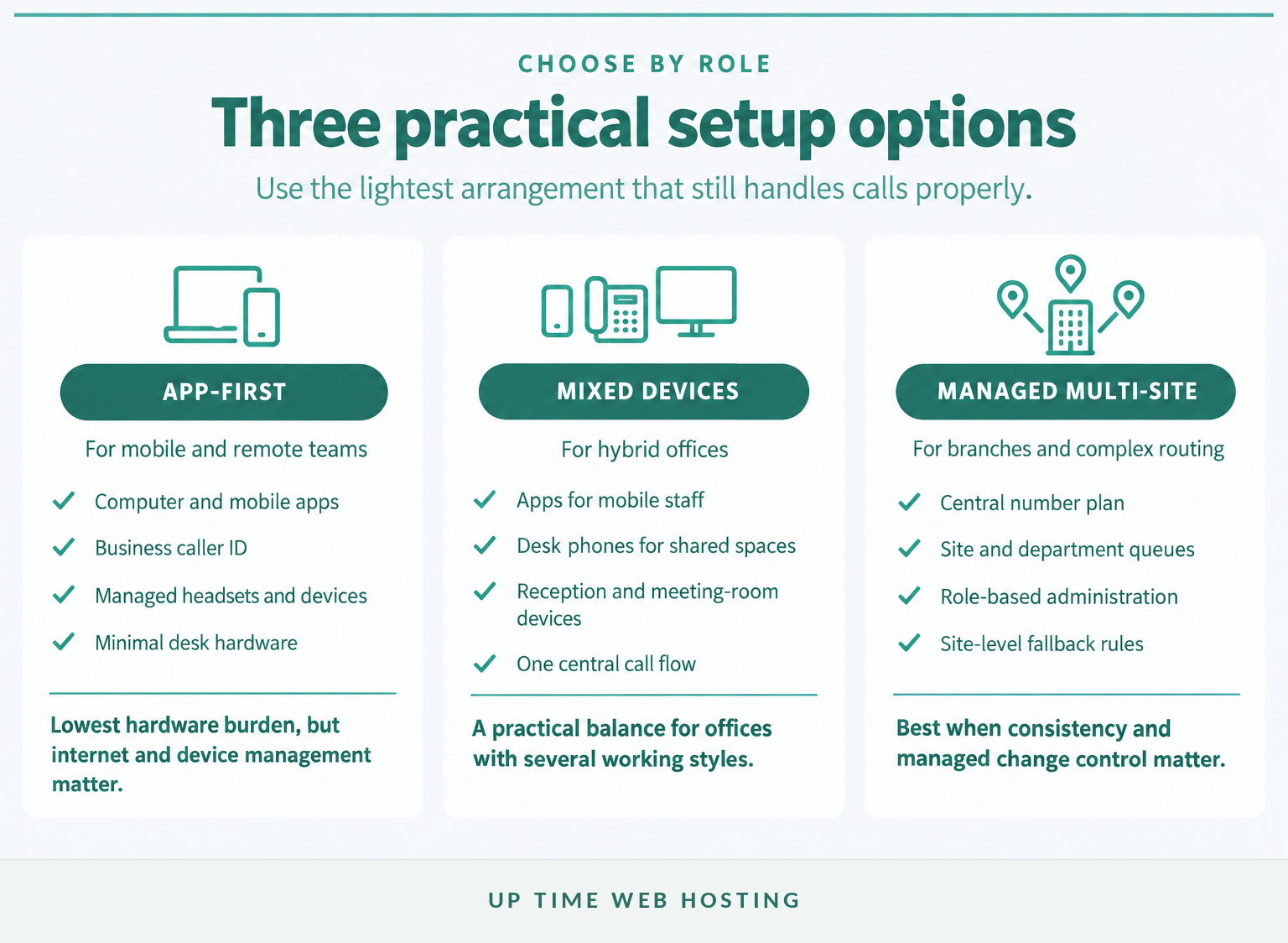
An app-first setup suits mobile teams, a mixed setup suits businesses combining remote staff with shared office spaces, and a managed multi-site setup suits more complex routing and support needs. Assign devices and features by role rather than purchasing the same package for everybody.
App-first: Staff use managed computer and mobile apps with business caller ID. This reduces desk hardware but makes headset quality, device security and internet access especially important.
Mixed devices: Remote staff use apps, while reception, meeting rooms or shared work areas use desk or conference phones. This is often the practical middle ground for a hybrid office.
Managed multi-site: A central number plan and administration layer serves several offices, queues or departments. The design should include site-level failover, permissions and a clear support process for changes.
Some employees may need more than one device, while others need only voicemail or occasional outbound access. Mapping roles first prevents the business from paying for unused hardware and features.
The best setup matches each role, rather than forcing every employee to use the same device.
Register your new domain name at competitive market prices including free domain add-ons like privacy, DNS Hosting, Custom Nameservers and Forwarding.
Always the best price and no nasty renewal price hikes.
Register A Domain Name
How do you move without missing calls?
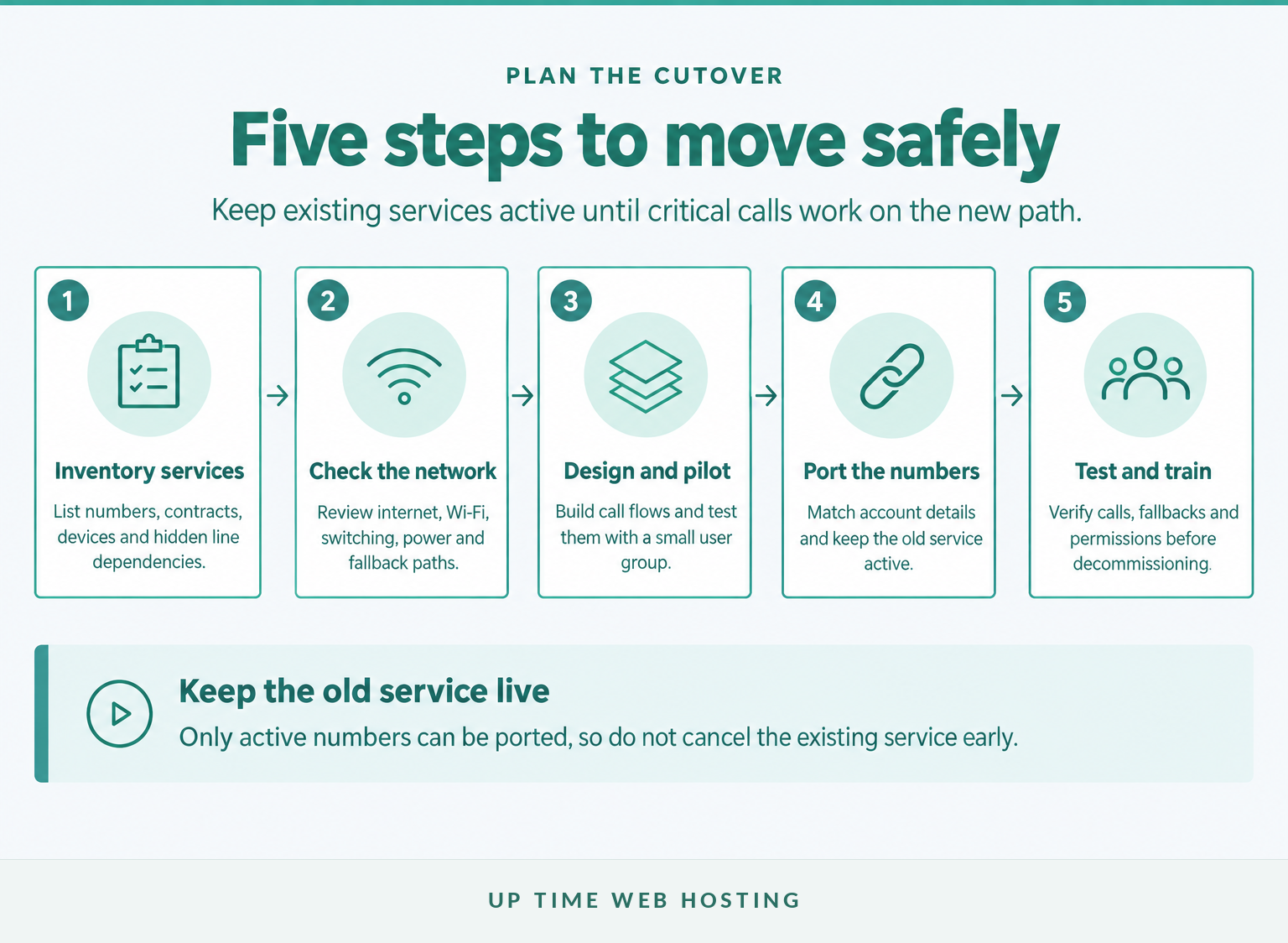
Move in stages: inventory the current service, check the network, design and pilot the call flow, port numbers while the old service remains active, then test and train before decommissioning anything. Treat the migration as a business cutover rather than a handset delivery.
- Inventory numbers, contracts and devices. List reception numbers, direct numbers, 13 or 1300 services, fax lines, alarms, lift phones, EFTPOS connections and any other equipment using the existing phone service. Confirm dependencies with the equipment supplier.
- Check internet, Wi-Fi, switching and power. Identify the locations and home connections that will carry calls. Confirm supported routers, quality-of-service settings, power backup and alternate internet or mobile paths.
- Design and pilot the call flow. Build business hours, menus, queues, voicemail, caller ID, permissions and fallback rules. Test with temporary numbers or a small user group before moving the main number.
- Submit and manage number ports. Match account details carefully, keep the existing service active and agree on the cutover communication plan. Avoid scheduling a critical port immediately before a public holiday or major business event.
- Test, train and decommission. Confirm calls in both directions, transfers, after-hours rules, voicemail, reporting and fallback behaviour. Remove the old service only after every critical function is verified.
As of October 2026, ACMA’s telco codes register lists Local Number Portability C540:2023. The ACMA’s local number portability summary says the code generally targets 80% of single local-number ports within 8 business days, 90% within 10 business days and 98% within 15 business days. (acma.gov.au)
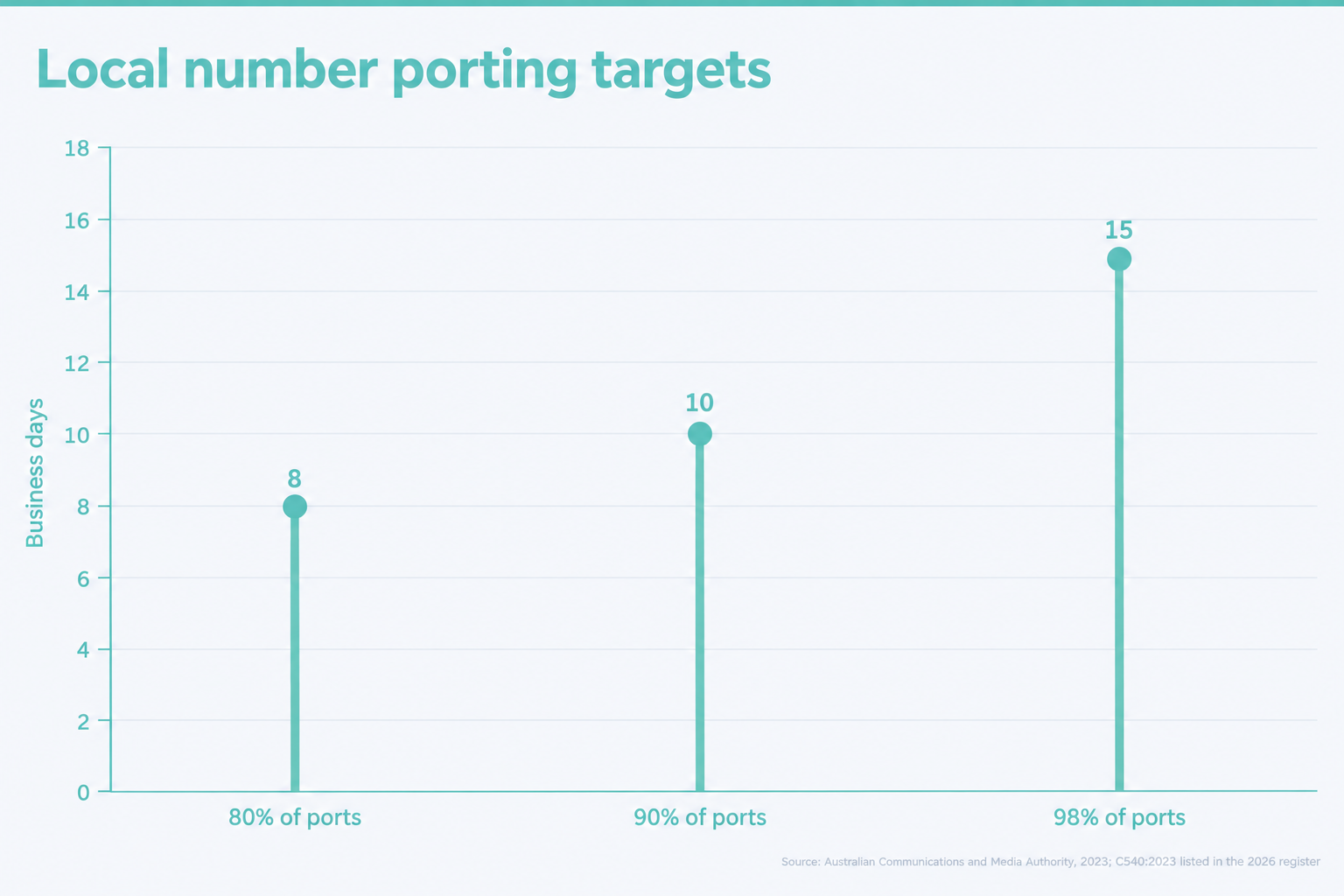
ACMA’s consumer guidance says individual local-number ports generally take 8 to 15 days, while more complex ports involving several numbers may take up to 30 days. The provider should explain the expected category and timing before the migration date is set. (acma.gov.au)
Before closing the project, test:
- inbound calls from more than one network;
- outbound caller ID for each user type;
- attended and unattended transfers;
- queues, overflow and maximum wait rules;
- voicemail delivery and access permissions;
- after-hours and public-holiday schedules;
- the documented internet and power fallback; and
- removal of departed users and administrator access.
A safe migration keeps the old service active, tests the new call flow and treats number porting as a planned cutover.
What else do Australian businesses ask about virtual phone systems?
The best answer depends on the number of users, work locations, call flow and continuity requirements. These short answers address the questions Australian buyers commonly raise before requesting quotes.
What is the best phone system for a small office?
The best phone system for a small office is usually a hosted VoIP service with enough business numbers, extensions, mobile or desktop apps, call routing, voicemail and local support for the actual team. A small fixed office may add desk phones, while hybrid staff usually need apps and a tested internet-outage fallback.
Can I get a free virtual phone number in Australia?
Free virtual phone numbers may be offered with trials or limited apps, but a business-ready Australian service can still charge for the number, users, calls, porting, support or advanced features. Check whether the number is genuinely yours to keep, what happens after the trial and whether emergency calling is supported.
How does a virtual phone system work?
A virtual phone system receives calls through a hosted VoIP platform instead of an on-site PBX. The platform checks business hours and routing rules, then rings the right extension, queue, desk phone, computer or mobile app. Unanswered calls can go to voicemail, another team or an external fallback number.
What is the best VoIP phone in Australia?
The best VoIP phone in Australia is one supported by the chosen service and suited to the user’s role. Check headset quality, speakerphone performance, Power over Ethernet, network compatibility, security updates and local warranty support. Many remote staff need no desk phone at all because a managed mobile or desktop app is enough.
A good virtual phone system answer depends on the business workflow, not on a single universal product or handset.
Experience Microsoft 365 Business Standard for free for 30 days.
Up to 25 users with full access to email, OneDrive and Teams. Includes full versions of desktop apps of Outlook, Word, Excel, PowerPoint and more.
Try Microsoft 365
What should you do next?
List the numbers, users, call flows, devices and fallback paths the business needs, then request one written quote covering setup, porting, monthly charges, support and GST. Review UpTime Networks VoIP against that checklist and request a written scope for the proposed users, numbers and cutover.
Buy the call flow and support model your business needs, not the longest feature list.