In short
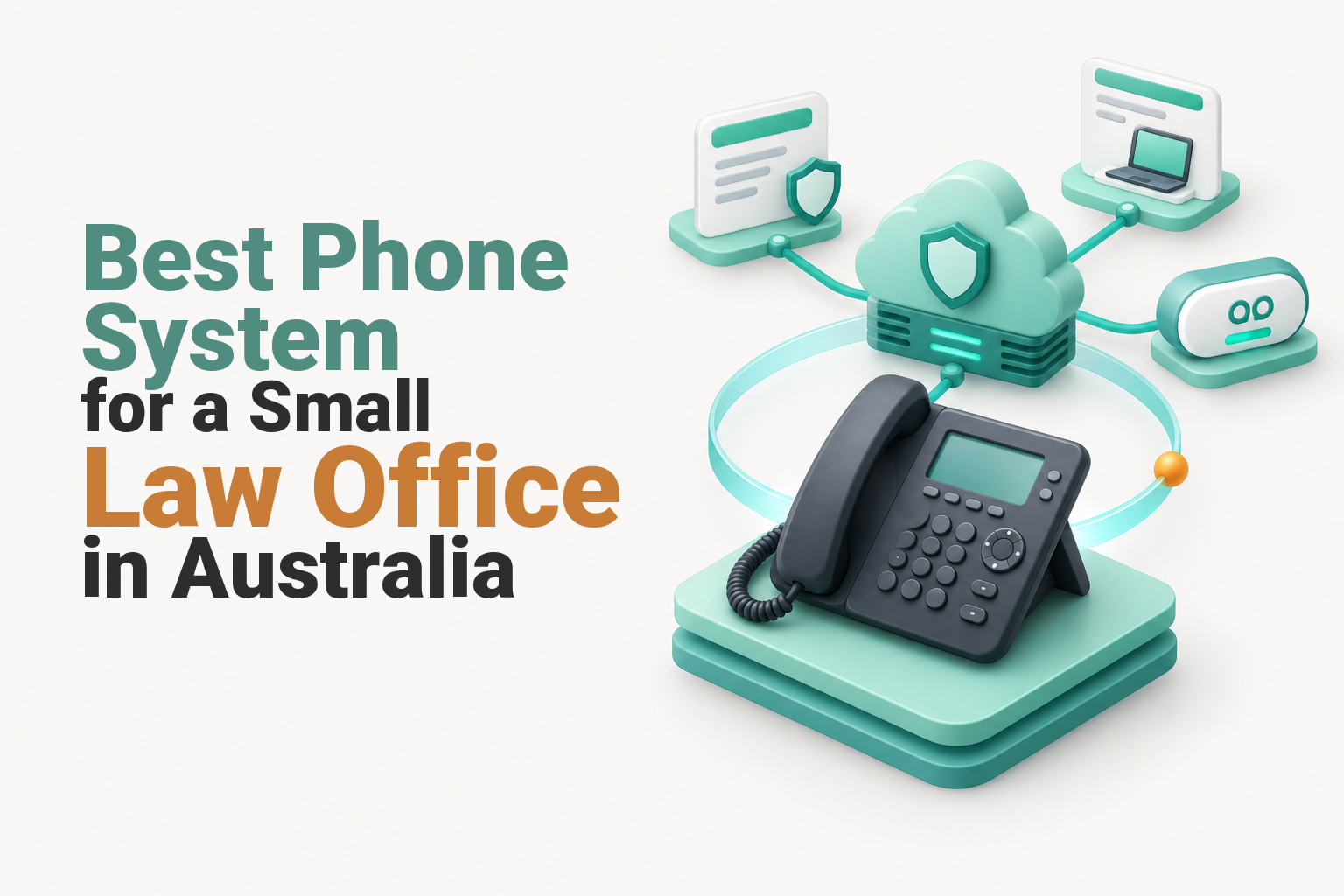
The best phone system for a small Australian law office is usually a cloud-hosted VoIP or PBX service with secure individual voicemail, controlled call recording, simple intake routing, after-hours rules, mobile and desktop apps, number porting and an outage fallback. Choose the provider by configuration, support and data handling, not by its feature count alone.
Key takeaways
- A managed cloud PBX delivered over VoIP is the strongest default for most solo and small legal practices.
- Call recording should remain off until the practice has confirmed its lawful purpose, notices, access rules and retention process.
- Voicemail-to-email and transcription can create extra copies of confidential client information, so distribution should be tightly restricted.
- A short reception flow with overflow and after-hours rules usually serves callers better than a long recorded menu.
- Power, internet and provider outages need separate fallbacks, including charged mobiles and a tested method of reaching Triple Zero.
Table of contents
- Which type of phone system is the best fit?
- What security and privacy controls should a law office require?
- Should a small law office record calls?
- How should calls be routed so potential clients are not lost?
- What happens when staff work from home or the internet fails?
- How do you compare providers without getting distracted by feature lists?
- What else do small Australian offices ask?
- What should your small law office do next?
A law office does not need every available telephony feature. It needs a controlled way to answer, transfer and protect calls during an ordinary day, after hours and when part of the system is unavailable.
Which type of phone system is the best fit?
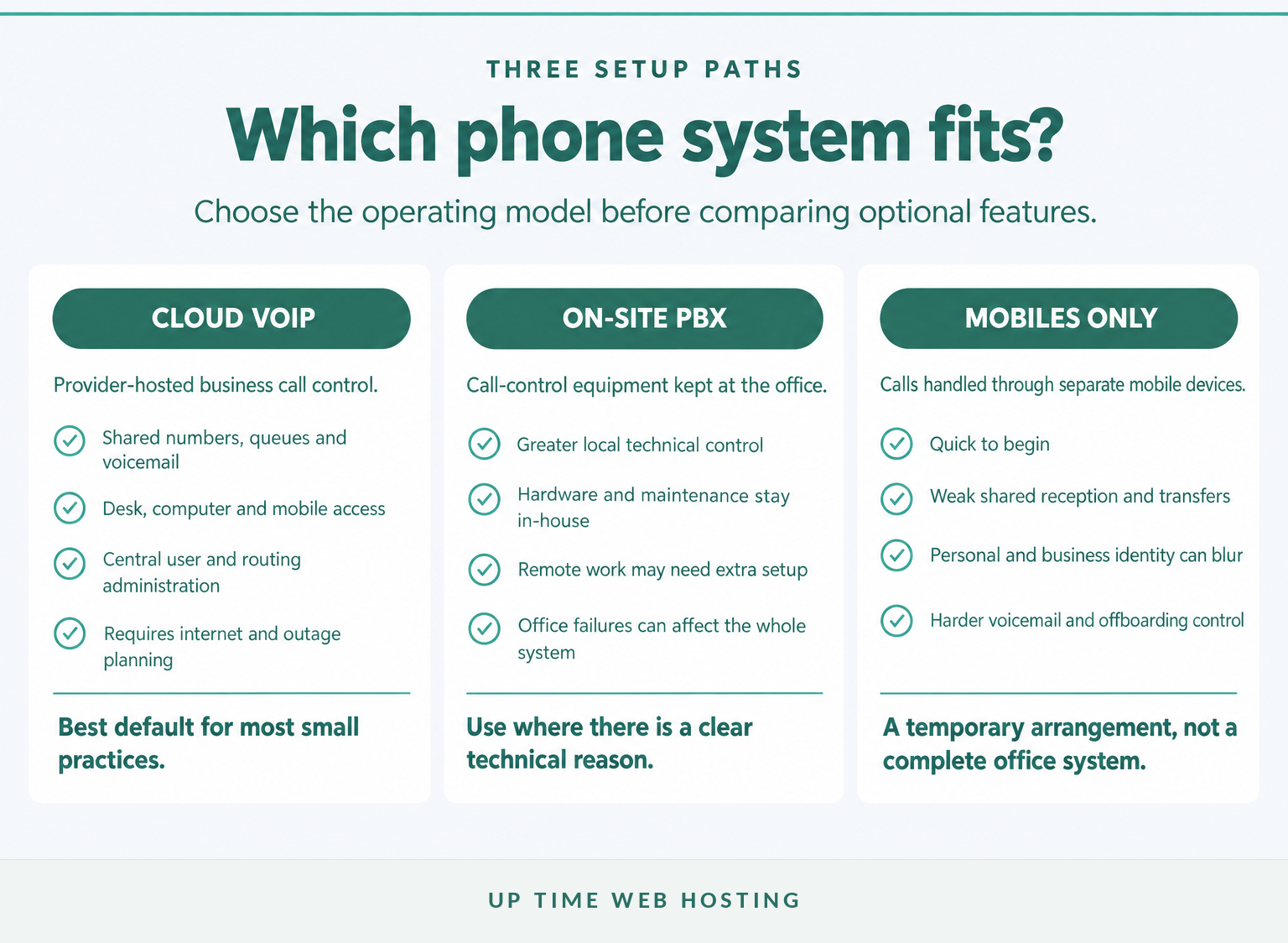
For most solo and small practices, a cloud-hosted VoIP or PBX service is the strongest default because the business number can follow authorised staff across desk phones, computers and mobiles. An on-site PBX may still suit unusual technical requirements, while a mobile-only setup usually makes shared reception, transfers, administration and continuity harder.
VoIP and PBX describe different parts of the system. VoIP carries calls over an IP network, while a PBX controls business numbers, users, extensions, transfers, queues, business hours and voicemail. The practical product a small practice usually needs is a managed cloud PBX delivered over VoIP.
An Australian cloud PBX is generally the best fit when several people answer one number, staff work away from the office or calls need different business-hours and after-hours rules. A basic VoIP line may be enough for a sole practitioner with one number and a simple mobile fallback.
An on-site PBX can provide greater local control, but the practice becomes responsible for more hardware, maintenance, security and local failure planning. A firm retaining useful equipment can also consider a SIP-based migration rather than replacing everything immediately.
A mobile-only arrangement is quick to start but often blurs personal and business calling. It can also make reception coverage, call transfers, shared voicemail, reporting and staff departures difficult to manage. The broader infrastructure differences are covered in this guide to VoIP compared with a traditional phone system.
A small law office generally needs a managed cloud phone system, not a collection of personal mobiles or a complex on-site switchboard.

Performance you can feel, backed by clients who depend on it. Read how our support and uptime create long‑term customer success.Power Your Business with Better Hosting
What security and privacy controls should a law office require?
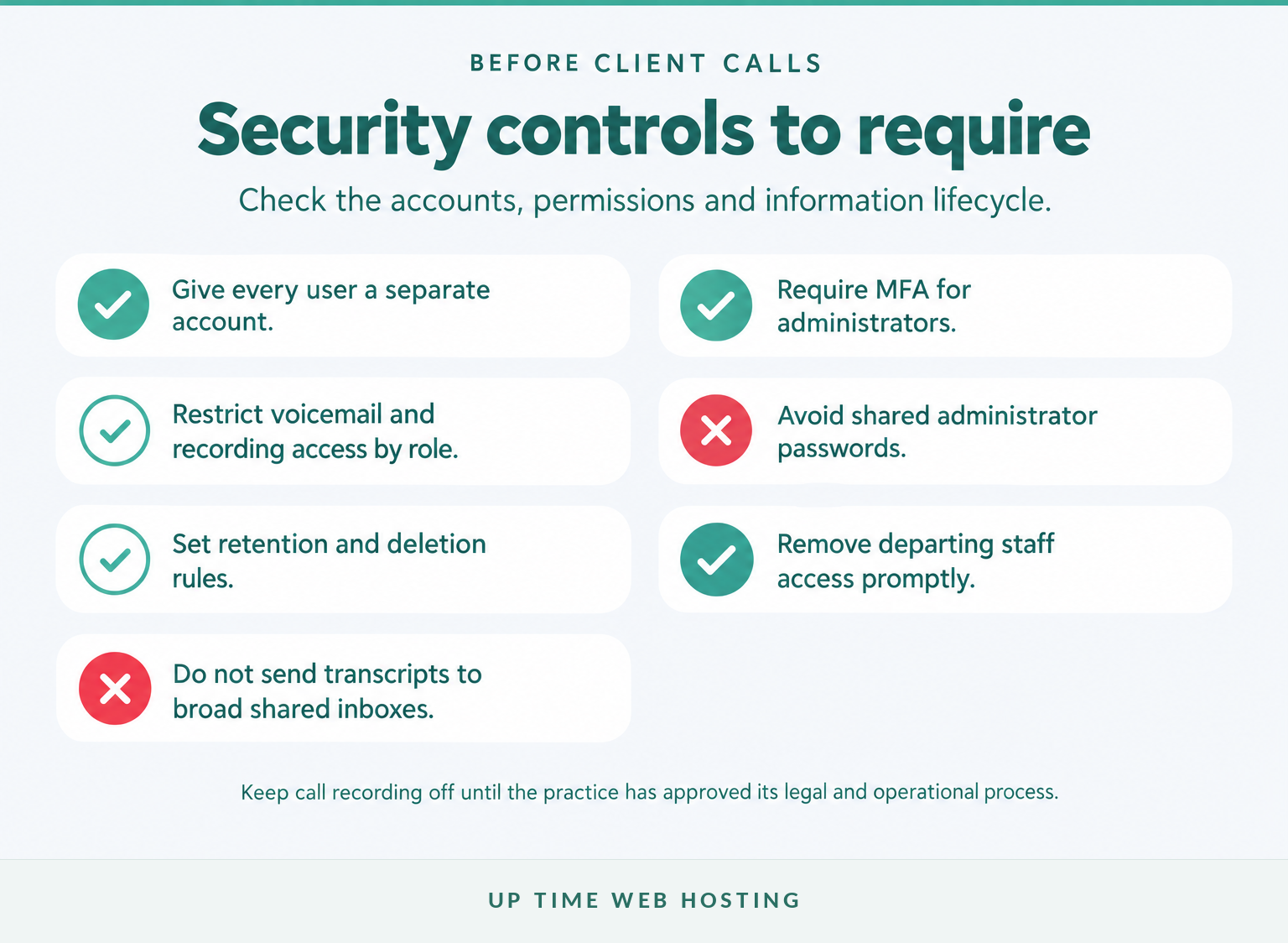
A law office should treat the phone platform as a system that can contain confidential client information, not merely as a way to make calls. The minimum controls are separate user accounts, multi-factor authentication for administrators, restricted access to voicemail and recordings, audit records, retention rules and prompt removal of departing staff.
The Law Council’s current 2026 Australian Solicitors’ Conduct Rules place client confidentiality in Rule 9. Because professional rules are adopted and applied through Australian jurisdictions, each practice should also check the rules and guidance that apply where it operates.
Where the Privacy Act applies, the OAIC’s 2025 APP 11 guidance requires reasonable steps to protect personal information and, subject to legal exceptions, destroy or de-identify information that is no longer needed. A phone provider should therefore be able to explain storage, access, deletion, backups and data export without relying on vague assurances.
The Australian Cyber Security Centre’s October 2026 small-business guidance recommends multi-factor authentication, strong credentials and appropriate access controls. Require MFA for the administration portal and avoid a shared administrator login known by the whole office.
What should secure voicemail look like?
Secure voicemail is mainly a permissions and distribution problem. Check that the system can provide:
- individual mailboxes for solicitors and nominated support staff;
- tightly controlled shared mailboxes for genuine role-based work;
- configurable retention and deletion periods;
- access records or useful audit information;
- secure password-reset and staff offboarding processes; and
- an option to disable transcription or voicemail-to-email where it is unnecessary.
Transcription is convenient, but a transcript can place matter details in an email inbox, notification preview, mobile backup and mail archive. If voicemail must be emailed, send it only to the people responsible for handling it and confirm that their email accounts and devices are appropriately protected.
The safest phone platform is the one whose accounts, recordings and voicemail copies are limited to the people who genuinely need them.
Should a small law office record calls?
Call recording should be optional, tightly controlled and off by default until the practice has confirmed a lawful purpose and process. Australian recording rules can depend on state or territory law, the parties and what happens to the recording, so a generic one-party consent setting is not a safe national policy.
The OAIC’s guidance on workplace monitoring and telephone conversations confirms that Australian, state and territory laws may be relevant. Obtain jurisdiction-specific legal advice before enabling routine recording, particularly where staff and callers may be in different locations.
A suitable phone system should let an administrator control recording by user, number, queue or call type. It should not force an all-calls or no-calls choice. Ask for:
- recording disabled by default;
- configurable notices or announcements;
- pause and resume controls where available;
- permissions separating ordinary users from recording administrators;
- records showing who accessed, exported or deleted a file;
- retention and automatic deletion settings; and
- a documented process for retrieving a recording without emailing it widely.
A caller notice may form part of an approved process, but a notice does not replace legal assessment, staff training or access controls. The firm should also define whether recordings are client records, how they are named, where they are stored and when they are deleted.
Treat call recording as a controlled records process, not as a feature to switch on simply because the platform includes it.
Host your website with our 5-star rated, cPanel website hosting plans.
Super fast servers, with security included and hosted in your choice of Australian Data Center.
View cPanel Plans
How should calls be routed so potential clients are not lost?
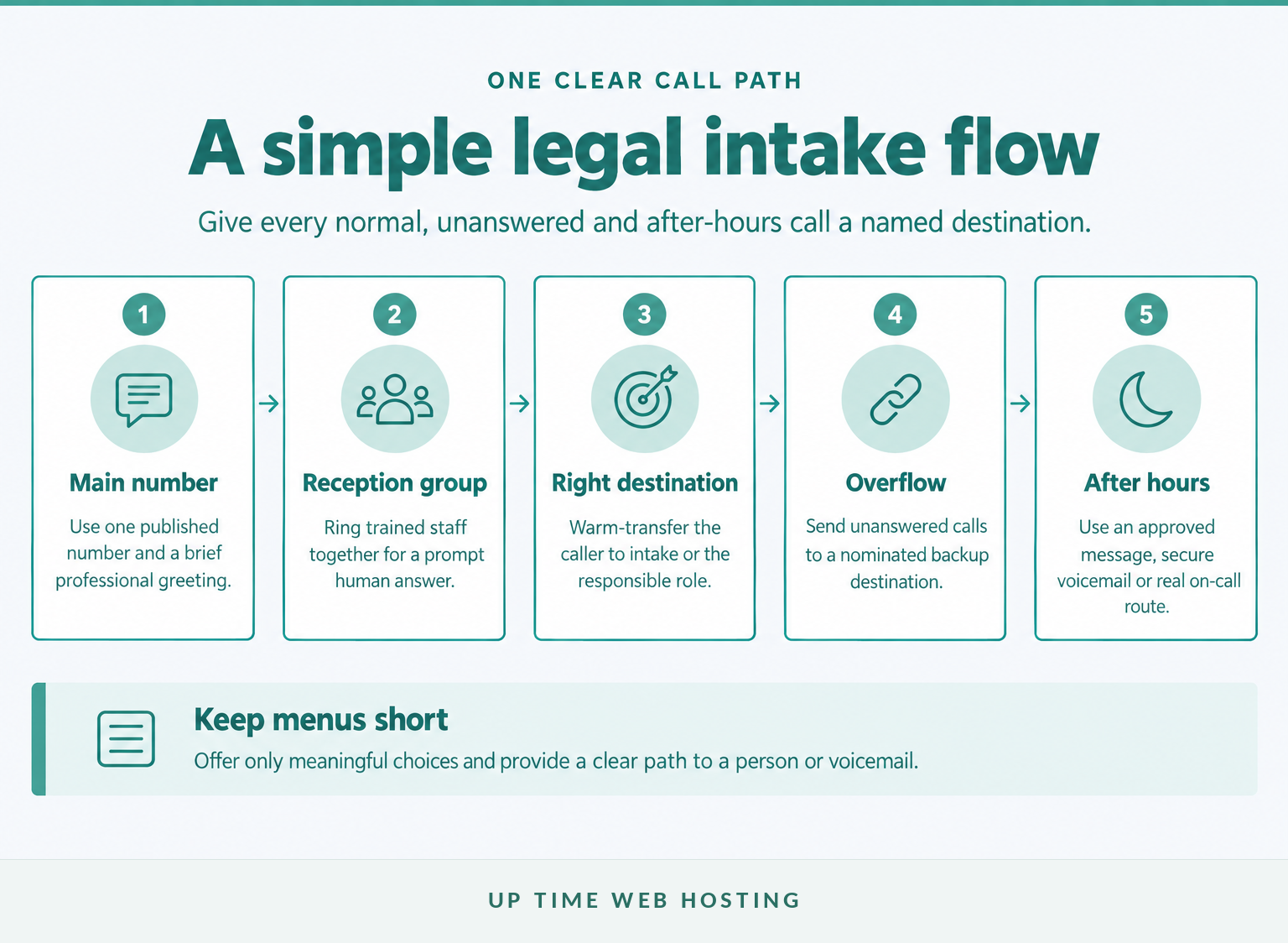
Start with the human outcome: a new enquiry should reach the right person quickly, while an existing client should not have to repeat matter details to several people. A main number with a short greeting, a reception ring group, controlled overflow and clear after-hours rules is usually better than a deep recorded menu.
A practical flow can work as follows:
- The published main number reaches reception or a small trained ring group.
- Reception identifies whether the caller is a new enquiry, an existing client or another contact without requesting unnecessary matter details.
- The call is transferred to the responsible person, intake role or practice group.
- An unanswered call moves to a nominated backup rather than ringing indefinitely.
- The after-hours schedule uses an approved message, secure voicemail or a genuine on-call route.
Keep any automated menu short. Two or three meaningful options are usually enough for a small practice. A caller should also have a clear path to a person or voicemail rather than being sent around a loop.
Separate new-client intake from ordinary transfers. Decide who may conduct a conflict-check intake, what information may be collected by phone and what happens when that person is unavailable. The phone system can route the call, but it cannot replace the practice’s intake procedure.
After-hours messages should state the office hours and the next step without inviting callers to leave extensive confidential details. If the firm advertises an urgent or on-call service, the route must reach someone who is actually responsible for monitoring it.
For a wider explanation of queues, users, apps and routing rules, see the virtual office phone system guide.
The best intake flow is short, owned by named roles and tested for unanswered, busy and after-hours calls.
What happens when staff work from home or the internet fails?
Remote access is useful only when the practice keeps its business identity and security controls consistent outside the office. Plan separately for internet failure, power failure and provider failure because a cloud phone system cannot remove every point of dependency.
Remote staff should be able to make and receive authorised calls through the business number rather than exposing a personal mobile number. Depending on the role, that may involve a desk IP phone, a computer softphone, a mobile app or more than one approved endpoint.
The remote-work setup should also cover:
- device locks, updates and account protection;
- a suitable headset and private place for confidential calls;
- business caller ID on outbound calls;
- rules for saving contacts, voicemail and recordings;
- transfer and presence controls that staff can use reliably; and
- immediate removal of access when a person leaves or changes roles.
As of September 2026, ACMA’s emergency-call guidance says only certain VoIP services can call Triple Zero and that most NBN services will not work during a power outage. ACMA also advises keeping service-address details current and maintaining another way to call Triple Zero, such as a charged mobile phone.
A short power interruption may be covered by an appropriately sized uninterruptible power supply for the router, network switch and desk phones. That will not fix an external NBN, mobile or provider outage. Consider mobile forwarding, a secondary connection or another tested fallback according to the practice’s risk and call volume.
Document who changes call routing during an incident and how staff notify clients. Phone failure should sit inside the firm’s wider business continuity plan, not in a separate folder nobody checks.
Remote calling is useful only when identity, confidentiality, emergency access and outage fallbacks remain controlled.
How do you compare providers without getting distracted by feature lists?
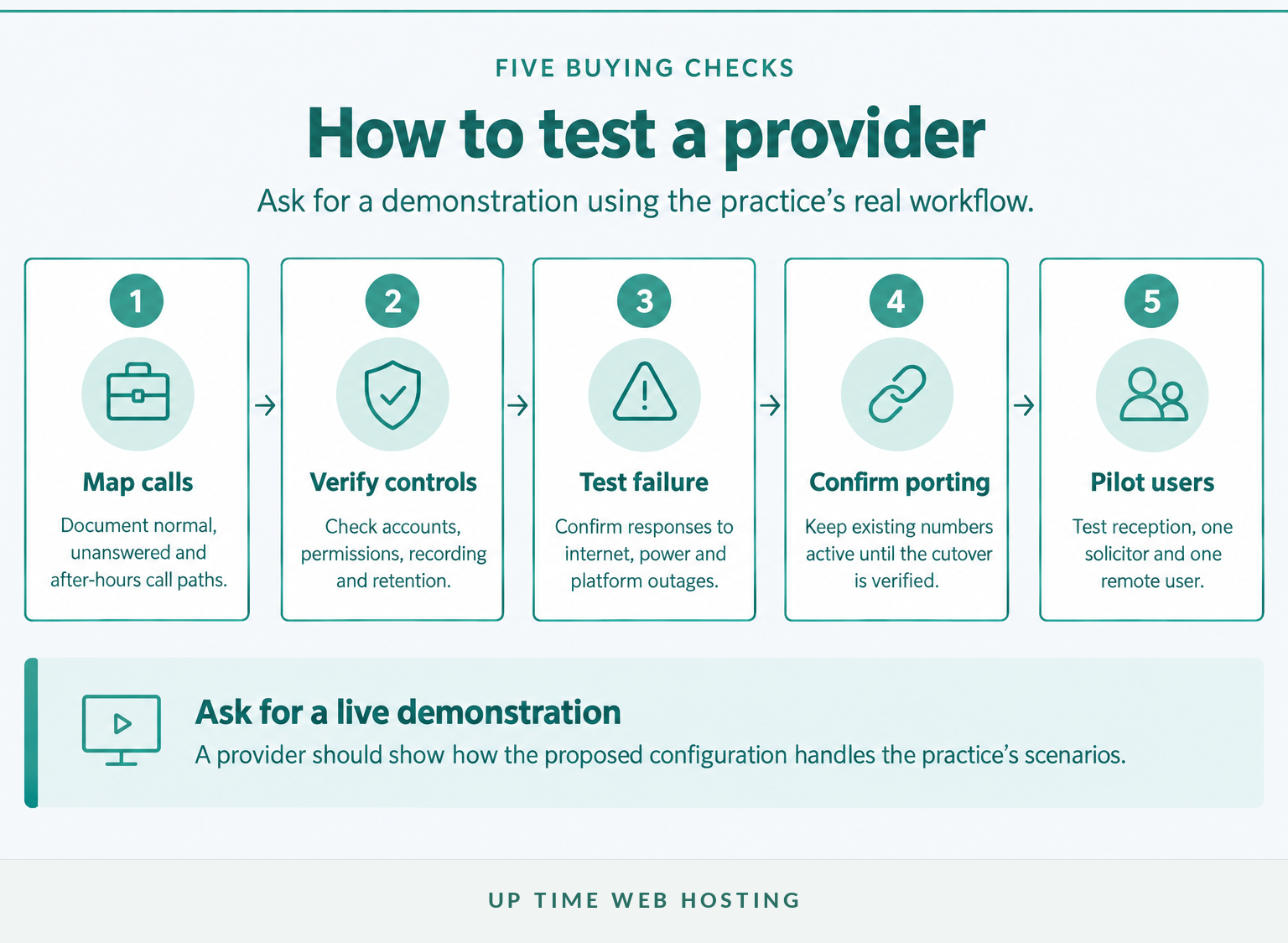
Compare providers with a short scenario test rather than a long list of product labels. Give each provider the same call-flow, security, porting and outage questions, then ask for a demonstration of how the proposed system would be configured for the practice.
Use this shortlist during demonstrations and quote reviews:
- Show the real call flow. Ask the provider to demonstrate reception, transfer, overflow, voicemail and after-hours handling using the proposed configuration.
- Verify information controls. Ask where voicemail, transcripts, call records and recordings are stored, who can access them, how access is logged and how deletion works.
- Test recording restrictions. Confirm that recording can be disabled or limited by user, queue, number and call direction rather than applied to every call.
- Test failure scenarios. Ask what happens when the office internet, office power, user device or hosted platform is unavailable. Confirm who changes the fallback route.
- Confirm support ownership. Identify who handles setup, porting, handset configuration, call-flow changes, faults and after-hours incidents.
- Compare complete costs. Separate user licences, business numbers, call charges, desk phones, headsets, installation, porting, recording storage, transcription, support and contract-exit costs.
Existing numbers should normally remain active until the port and replacement call paths are verified. ACMA’s number-porting rules state that an active service is required for porting and that the gaining provider must tell the customer not to disconnect it prematurely.
Treat integration claims carefully. Ask the provider to demonstrate the exact action the integration performs with the practice-management or client-management system. A product may support click-to-call or basic call logging without automatically linking every conversation to the correct matter.
Finally, run a small pilot with reception, one solicitor and one remote user if the implementation allows it. Test inbound and outbound caller ID, warm transfers, voicemail permissions, after-hours schedules, mobile use and fallback routing before the old service is removed.
The best provider is the one that can demonstrate the practice’s real workflows, controls and failure plan before asking for a commitment.
Register your new domain name at competitive market prices including free domain add-ons like privacy, DNS Hosting, Custom Nameservers and Forwarding.
Always the best price and no nasty renewal price hikes.
Register A Domain Name
What else do small Australian offices ask?
The best choice depends on call flow, confidentiality and support rather than a particular handset or brand. These short answers cover the broader small-office questions people commonly ask.
What is the best phone system for a small office?
A cloud-hosted VoIP or PBX system is usually the best phone system for a small office because it supports a shared business number, transfers, queues, voicemail and remote users without an on-site switchboard. The right choice still depends on internet reliability, support, security controls and the call flow the office actually needs.
What is the best phone for a lawyer?
The best phone for a lawyer is usually a compatible desk IP phone or approved computer or mobile app that uses the firm’s business number and central call rules. Choose the endpoint after the phone system, not before it. A quality headset, clear audio, device security and easy transfer controls matter more than a prestige handset.
What is the best office phone system for a small business?
The best office phone system for a small business is one that handles the normal call path, after-hours calls and outages without manual workarounds. For most small teams, that means a managed cloud PBX over VoIP, with number porting, user permissions, mobile and desktop access, voicemail, queues and dependable support.
What is the best phone system for small businesses in Australia?
For small businesses in Australia, a cloud PBX delivered over VoIP is often the practical default. Confirm that existing numbers can be ported, Triple Zero access is supported, service addresses are current, and there is a charged mobile fallback for power or NBN outages. Compare total costs and Australian support arrangements before signing.
A good small-office phone system is defined by controlled call handling, not by a particular handset or brand.
What should your small law office do next?
Write down one normal client call, one after-hours call and one outage scenario before speaking with a provider. Those three workflows will expose whether a proposed phone system suits the practice faster than a brochure or feature count.
When the call map is ready, review UpTime Networks VoIP and ask how the proposed setup would handle reception, secure voicemail, remote staff, number porting and failure routing.
Map the workflows first, then ask the provider to configure and demonstrate them.