In short
A VoIP phone in Australia needs three things: a suitable internet connection, a VoIP service with a phone number or SIP account, and an endpoint such as an IP desk phone, computer headset or mobile app. A multi-user business also needs call-control features, usually supplied through a hosted PBX, plus plans for porting, security and outages.
Key takeaways
- Buying a VoIP handset alone does not provide a phone number, calling plan or business call-routing system.
- A conservative network allowance is about 0.1 Mbit/s in each direction for every active G.711 call, before allowing extra capacity for other traffic.
- Australian phone numbers generally need to remain active until the new provider confirms that porting is complete.
- Most phone and internet services delivered through the nbn will not work during a power outage unless the required network equipment has backup power.
- A useful provider quote separates users, numbers, simultaneous calls, hardware, setup, support, optional features and GST.
Contents
- What do you actually need for a VoIP phone in Australia?
- Which VoIP hardware should a small business use?
- Can I just plug in a VoIP phone?
- How much internet does a VoIP phone need?
- Is VoIP as good as a landline?
- How do you choose a VoIP provider without comparing the wrong things?
- What should you plan before moving your business number?
- What does a practical small-business setup look like?
- What else do Australian businesses ask about VoIP?
- What should you do next?
Many buyers search for a VoIP phone when they actually need several connected products. Separating the device, service and call-control system first makes hardware comparisons easier and prevents a cheap handset from becoming an expensive compatibility problem.
What do you actually need for a VoIP phone in Australia?
A working VoIP setup needs an endpoint, a calling service and a network connection. A business with several users usually also needs a hosted PBX to manage extensions, opening hours, queues, transfers and voicemail.
How do the three layers fit together?
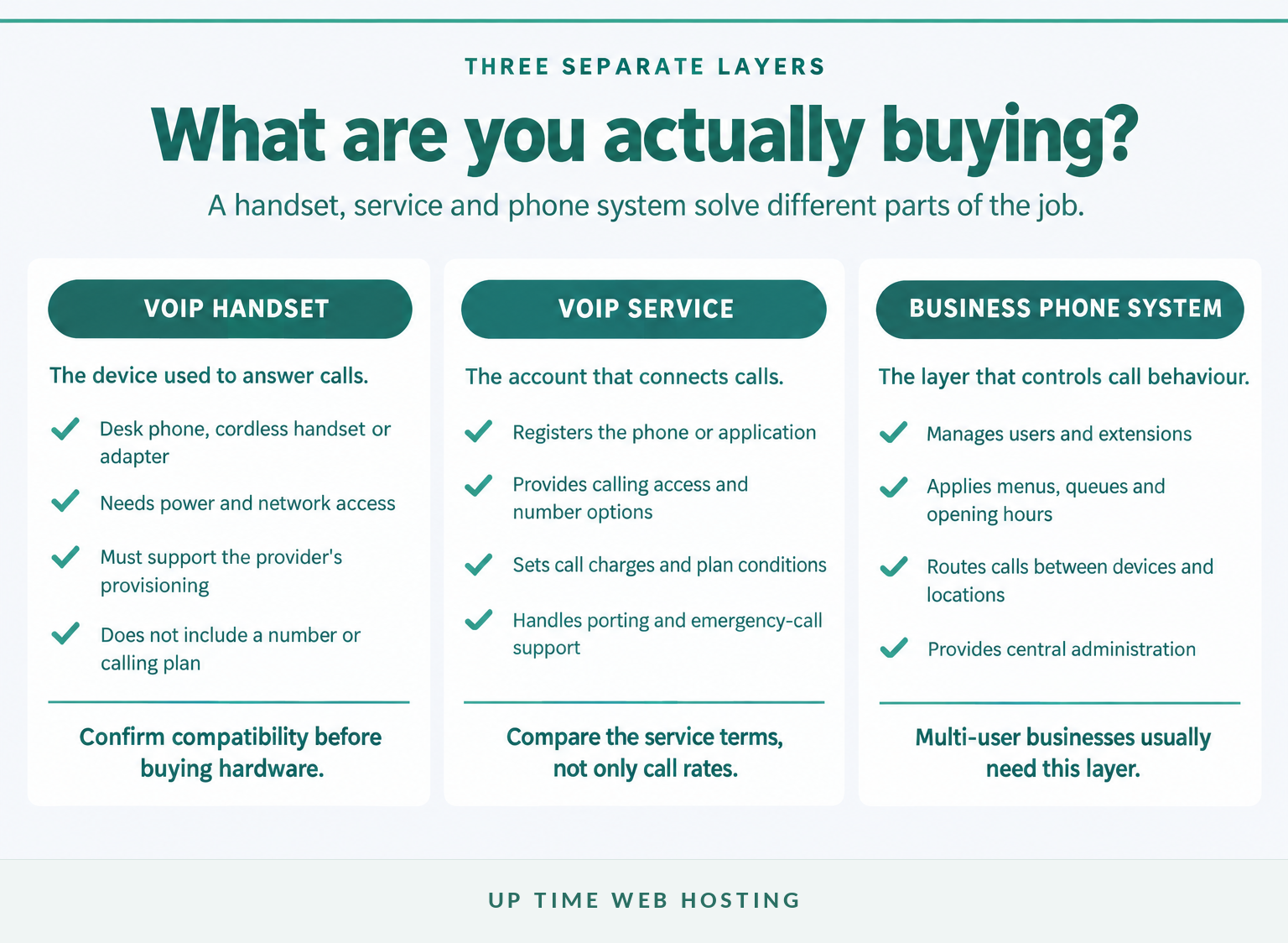
The endpoint is the equipment or application used to answer. It may be an IP desk phone, cordless IP handset, computer softphone, mobile app or an analogue phone connected through an adapter.
The VoIP service provides registration, calling access and usually a public phone number. The IETF's 2002 SIP specification explains how Session Initiation Protocol establishes, manages and ends internet telephone sessions, but support for SIP does not guarantee that every phone can be provisioned by every provider.
The business phone system applies the rules around each call. A hosted PBX can decide which users ring, what happens after hours, when a call goes to voicemail and how callers move through a menu or queue.
A sole trader may need only one number, one user and an app. A team sharing numbers across an office, home workers and mobile staff should normally compare complete hosted systems rather than isolated VoIP lines. The broader distinction is covered in cloud PBX vs VoIP.
A VoIP purchase works only when the handset, service and phone-system layer are chosen as compatible parts.

Performance you can feel, backed by clients who depend on it. Read how our support and uptime create long‑term customer success.Power Your Business with Better Hosting
Which VoIP hardware should a small business use?
Choose hardware around where calls are answered and how staff move during the day. A reception desk, warehouse, home office and travelling employee rarely need the same endpoint.
Which endpoint fits each way of working?
| Endpoint | Best fit | What it needs | Main caution |
|---|---|---|---|
| IP desk phone | Reception, fixed desks and frequent callers | Ethernet, power or PoE, and provider-compatible SIP provisioning | A generic SIP label does not guarantee provider support |
| Computer softphone | Home offices and staff already using a computer headset | Supported application, microphone, speakers or headset | Computer updates and poor audio devices can affect calls |
| Mobile app | Travelling staff and people who need the business number away from a desk | Supported app and reliable Wi-Fi or mobile data | Personal and business calling rules need to be configured clearly |
| IP DECT cordless phone | Warehouses, clinics, retail floors and staff moving around a premises | Compatible base station, coverage planning and power | Large sites may need extra base stations or repeaters |
| Analogue telephone adapter | Reusing a basic analogue phone where replacement is unnecessary | Compatible adapter and service configuration | Fax, alarm, lift and other specialist devices require separate checks |
A provider-managed handset is usually easier to deploy because firmware, accounts and button layouts can be provisioned centrally. A self-purchased phone may still work, but the business should confirm the exact model and firmware before ordering several units.
An analogue telephone adapter can connect some traditional phones, but an adapter should not be assumed to solve every legacy-device problem. The nbn advises customers to check equipment such as alarms, EFTPOS terminals, monitored fire systems and lift phones with the relevant equipment provider.
Choose endpoints around how staff work, not around the most impressive handset.
Can I just plug in a VoIP phone?
No. A VoIP phone needs power, network access, compatible service credentials and successful registration before it can make or receive calls.
What are the five setup stages?
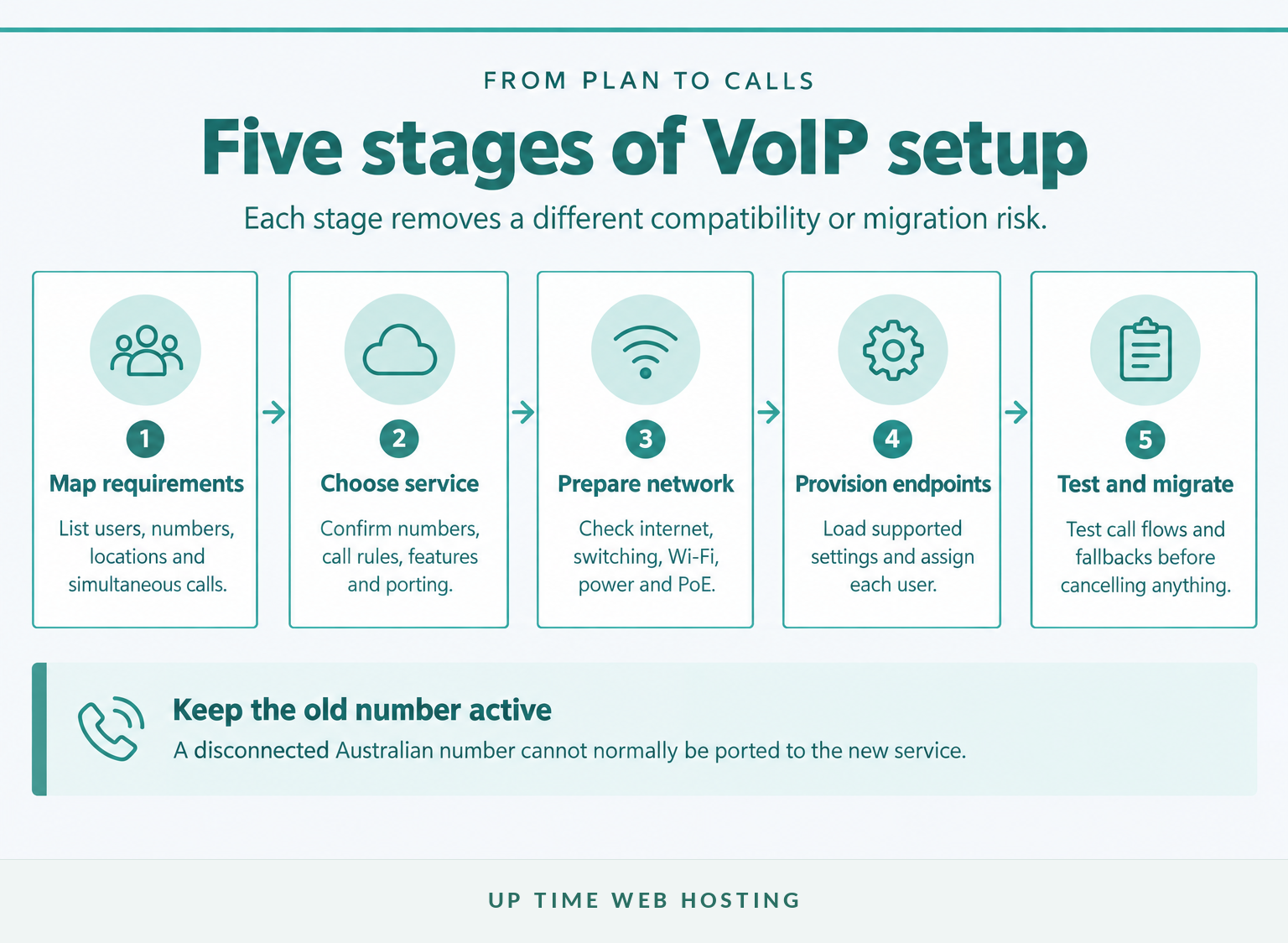
- Map the requirement. Record users, existing numbers, expected simultaneous calls, locations, opening hours and call flows.
- Choose the service. Confirm the number type, included calls, hosted PBX functions, emergency-call support and porting process.
- Prepare the network. Check the internet connection, router, switches, Wi-Fi coverage, power points and any Power over Ethernet requirements.
- Provision each endpoint. Load the provider's settings manually or through its automatic provisioning system, then assign the correct user and outbound caller ID.
- Test before migration. Test inbound and outbound calls, transfers, voicemail, after-hours routing, mobile apps, call quality and failure procedures.
Do not place a non-emergency test call to Triple Zero. Confirm emergency-call support, service-address records and outage procedures through the provider instead.
If an existing number will be transferred, leave the old service active. ACMA's current porting guidance says disconnected numbers cannot be ported because the customer no longer holds rights to them.
A VoIP phone becomes usable only after the service, number, network and device have been configured and tested together.
Host your website with our 5-star rated, cPanel website hosting plans.
Super fast servers, with security included and hosted in your choice of Australian Data Center.
View cPanel Plans
How much internet does a VoIP phone need?
Voice uses relatively little bandwidth, but call quality depends on consistent capacity, low delay and minimal packet loss. Size the connection for the maximum number of simultaneous calls, then leave headroom for video meetings, uploads, cloud backups and normal business traffic.
The 2007 ITU-T J.161 specification shows G.711 traffic using about 75 to 96 kbit/s, depending on packet size. Allowing approximately 0.1 Mbit/s in each direction per active call provides a simple planning figure before VPN, Ethernet and other overheads are considered.
Using that allowance, one active call needs about 0.1 Mbit/s each way, five calls need 0.5 Mbit/s, ten need 1.0 Mbit/s and twenty need 2.0 Mbit/s. These figures are planning estimates, not a guarantee of call quality.
How does bandwidth rise with concurrent calls?
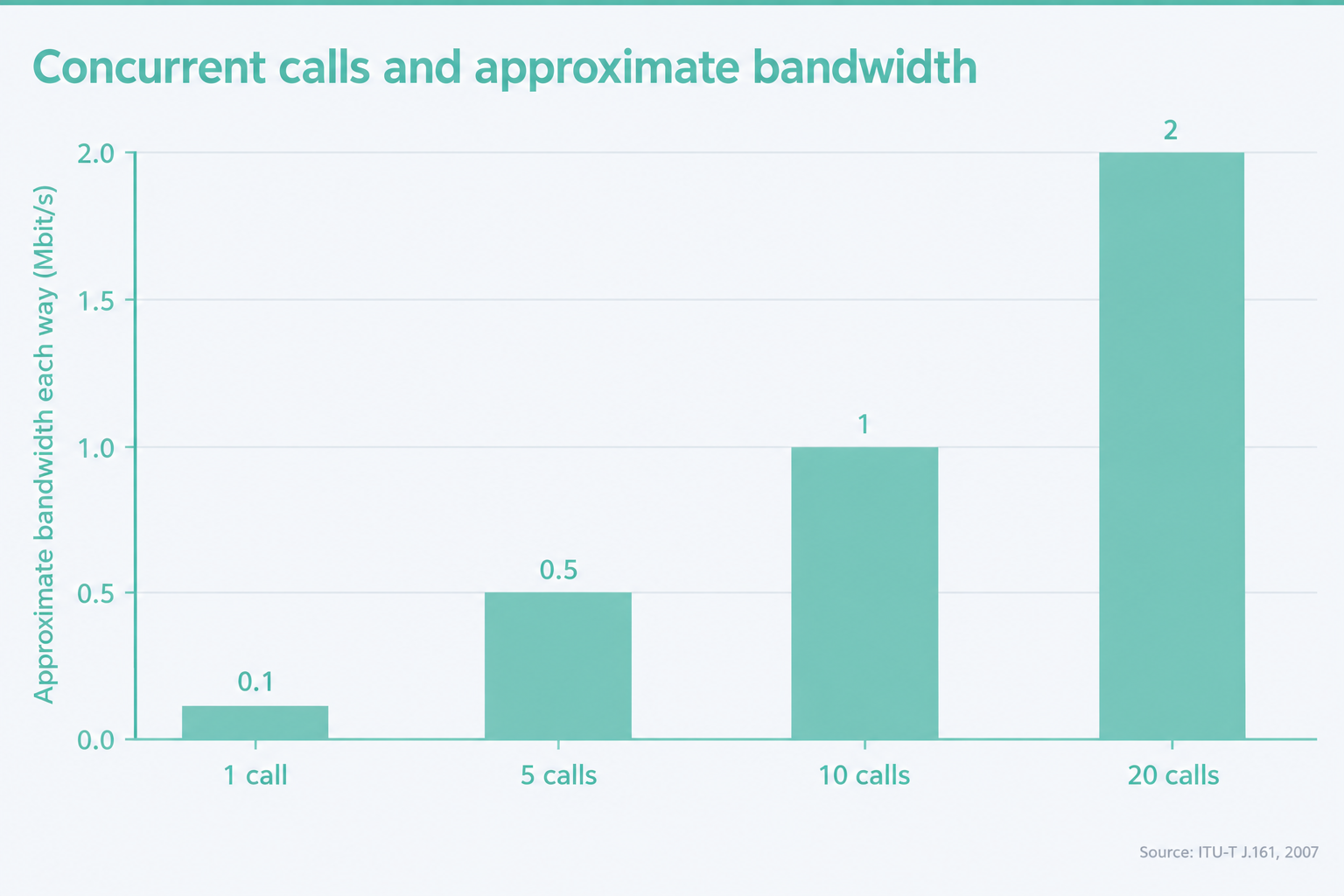
Delay matters as much as capacity. The ITU-T G.114 recommendation uses 150 milliseconds of one-way delay as an important planning threshold for conversational voice, while jitter and packet loss can cause gaps, distortion and awkward pauses even when a speed test looks fast.
Use wired Ethernet for fixed phones where practical. On a busy network, a suitable router or managed switch should be able to prioritise voice traffic, and testing should occur during the business's busiest period rather than on an empty network after hours.
For most small businesses, stable latency and spare upload capacity matter more than headline download speed.
Is VoIP as good as a landline?
VoIP can match or exceed landline call quality when the service and network are designed properly. The trade-off is that most VoIP setups depend on working internet, local network equipment and mains power.
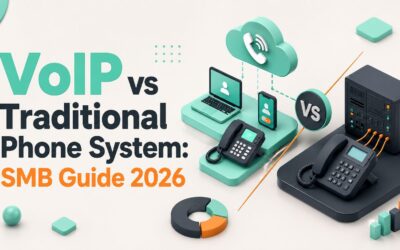
VoIP can provide clear audio, direct numbers, mobile and desktop applications, queues and flexible routing. The separate guide to VoIP compared with traditional phone systems covers the broader technology decision.
Emergency calling needs specific attention. ACMA's emergency-call guidance, current in October 2026, says Triple Zero can be called from certain VoIP services. A provider should confirm whether its service supports 000, how location is handled and what staff should do when using the business number away from its registered address.
Keep the service address accurate. ACMA explains that a telco supplies customer and address information to the Integrated Public Number Database, which emergency services may use when responding to a call.
Power is the other major difference. nbn power-outage guidance says most connected phone and internet services will not work during a blackout. A continuity plan may include a charged mobile, an uninterruptible power supply for the router, switches and phones, and an alternate route for incoming calls.
VoIP can match or exceed landline call quality, but only when power, internet and emergency-call risks are designed into the setup.
How do you choose a VoIP provider without comparing the wrong things?
Compare the complete service, not the lowest advertised monthly price or the handset catalogue. A useful quote explains what happens to every user, number and call during normal operation, migration and an outage.
What should every provider quote answer?
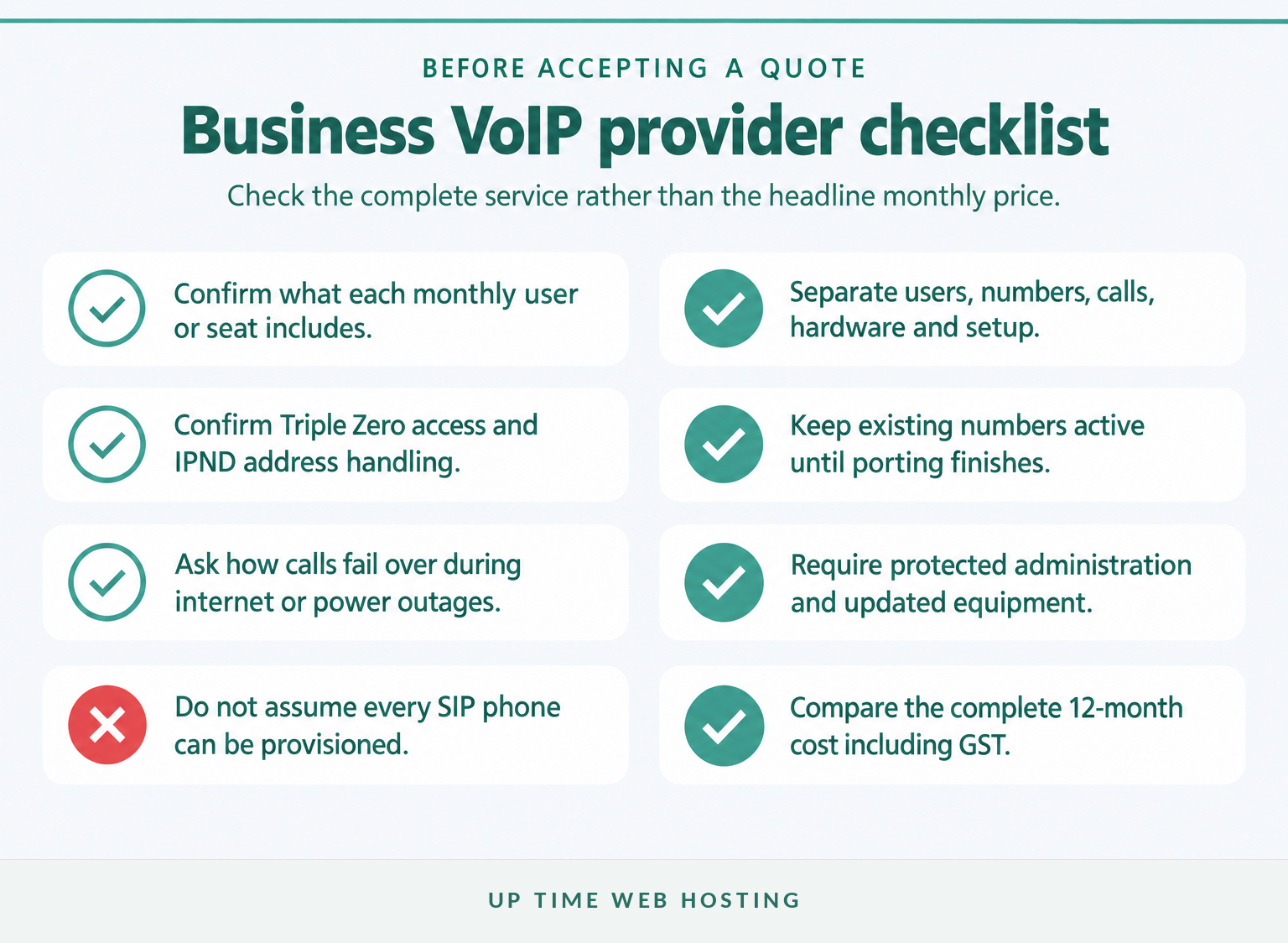
Check the following before accepting a proposal:
- How many users, public numbers and simultaneous calls are included?
- Are local, national, mobile, 13, 1300 and international calls included or charged separately?
- Which desk phones, cordless systems, adapters and applications are supported?
- Are setup, number porting, freight, training and on-site work included?
- Which features cost extra, and do storage or usage limits apply?
- What support hours, response processes and outage communications are provided?
- How do inbound calls fail over if the office internet connection is unavailable?
- Does the service support Triple Zero, accurate IPND records and number porting?
- Are administration accounts protected with multi-factor authentication or strong unique credentials?
- What is the complete 12-month cost, including hardware, optional licences and GST?
ACMA says telcos must provide a Critical Information Summary describing important plan information, fees and complaint processes. Read that document with the provider's contract, fair-use policy, support terms and hardware schedule.
Security also belongs in the buying decision. The Australian Government's 2026 small-business cyber security guidance recommends changing default passwords, keeping router firmware updated, using strong login protection and reviewing what external providers can access.
A cheap service can become expensive when necessary call routing, support, compatible phones, number fees or setup work sit outside the headline price.
The best-value provider is the one whose complete quote matches the business workflow and continuity needs.
Register your new domain name at competitive market prices including free domain add-ons like privacy, DNS Hosting, Custom Nameservers and Forwarding.
Always the best price and no nasty renewal price hikes.
Register A Domain Name
What should you plan before moving your business number?
Treat number porting as a controlled migration rather than an account cancellation. Confirm the details first, keep the existing service active and schedule the change for a period when staff can test incoming and outgoing calls.
Before submitting the port request:
- List every number, including main numbers, direct numbers, fax services, 13, 1300 or 1800 services and numbers used by alarms or other equipment.
- Confirm the exact account holder, account number and service details held by the current provider.
- Ask the new provider which numbers it accepts and whether the request is considered a simple or complex port.
- Document temporary diversions, mobile fallbacks and the person authorised to approve changes.
- Choose a suitable migration window and tell affected staff what to expect.
- Test incoming calls, outgoing caller ID, transfers, voicemail, menus and after-hours rules after the port.
- Cancel the old service only after the new provider confirms that every required number is working.
ACMA says local numbers beginning with 02, 03, 07 or 08, mobile numbers beginning with 04 and inbound numbers beginning with 13, 1300 or 1800 can usually be ported. The new provider should confirm acceptance before any contract or cancellation decision is made.
After migration, ask the provider to verify the business's address information. ACMA's emergency-details guidance explains why accurate records matter when emergency services need to locate or contact a caller.
Keep every existing number active until the new provider confirms the port is complete and tested.
What does a practical small-business setup look like?
The right setup depends on users, simultaneous calls, locations and the way customers reach the business. Start with the workflow, then choose the smallest system that handles it without relying on personal numbers or one physical office.
Common patterns include:
- Sole trader: one business number, a computer or mobile app, voicemail, business-hours routing and a charged mobile as the outage fallback.
- Small office: a hosted PBX, a mix of desk phones and softphones, an automated greeting, ring groups, a PoE switch, backup power and mobile failover.
- Hybrid or multi-site team: central call control, direct numbers or extensions, mixed endpoints, documented administration and an alternate internet connection at sites where missed calls would cause serious disruption.
A business that mainly needs numbers and routing across remote staff may benefit from the broader guide to virtual office phone systems.
Industry workflow also matters. A phone system for a small law office may prioritise confidential transfers, clear ownership of missed calls and reliable after-hours messages. A phone system for a dental practice may place more emphasis on reception queues, appointment calls and overflow handling.
A practical setup maps each user, number, device and fallback before any equipment is ordered.
Experience Microsoft 365 Business Standard for free for 30 days.
Up to 25 users with full access to email, OneDrive and Teams. Includes full versions of desktop apps of Outlook, Word, Excel, PowerPoint and more.
Try Microsoft 365
What else do Australian businesses ask about VoIP?
The most common questions concern quality, cost and whether a new phone works immediately. Each answer depends on the whole setup rather than the handset alone.
Is VoIP as good as a landline?
VoIP can be as good as a landline when the internet connection is stable, the network is configured for real-time traffic and the provider operates reliable call infrastructure. VoIP may also offer wider audio and better routing features. Unlike many old landlines, however, most nbn-based VoIP services depend on mains power.
What are the most affordable VoIP providers in Australia?
The most affordable VoIP provider depends on the number of users, included calls, number fees, hardware, porting, setup, support and GST. Compare the complete 12-month cost rather than the advertised monthly seat price. A cheap plan can cost more if essential routing, support or compatible handsets are charged separately.
Can I just plug in a VoIP phone?
No. A VoIP phone needs power, a network connection and compatible service settings before it can register and make calls. Some providers auto-provision supported handsets; others supply credentials for manual setup. If an existing number is being moved, keep the old service active until the port is confirmed complete.
The common questions all point to the same rule: compare the complete service, not a handset or headline monthly fee.
What should you do next?
Write down the users, numbers, simultaneous calls, locations, devices and outage fallbacks the business needs. Use that map to request a complete proposal rather than shopping for a handset first.
For a managed business setup, ask Up Time Web Hosting to review the current numbers, internet connection, hardware, call flows and continuity requirements before preparing a VoIP telephony proposal.
Map the calls first, then choose the service and hardware that support them.