Your Melbourne trades business already has a WordPress website, staff email and an online booking form running on the same hosting account. Then another quote arrives labelled managed WordPress hosting, and you're left wondering whether you're upgrading the website or accidentally buying a replacement that won't handle your email.
The useful cPanel hosting vs WordPress hosting comparison starts with what you run, who maintains it and what you'll pay at renewal. The product name comes after those decisions.
Table of Contents
- Why These Hosting Labels Are Not Opposites
- cPanel Hosting vs WordPress Hosting Side by Side
- What Actually Changes Australian Page Speed
- Security Depends on Who Does the Work
- Control Email and Apps Beyond WordPress
- Australian Plan Costs Before You Commit
- Match Your Workload to the Right Hosting Model

Performance you can feel, backed by clients who depend on it. Read how our support and uptime create long‑term customer success.Power Your Business with Better Hosting
Why These Hosting Labels Are Not Opposites
For that Melbourne business, the website is only part of the account. Someone also needs to manage mailboxes, renew certificates, maintain the booking integration and recover files if an update goes wrong.
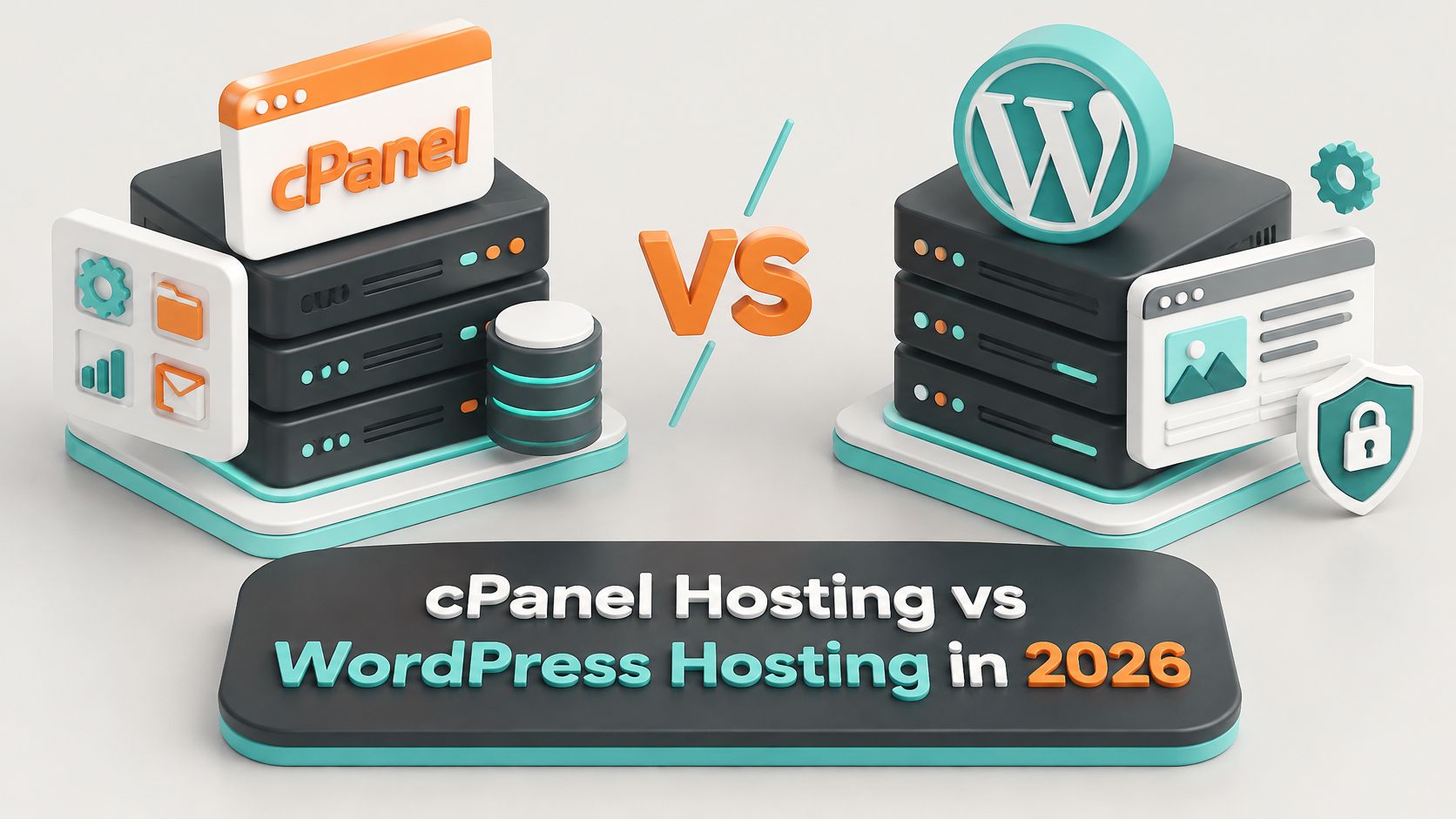
cPanel hosting provides account-level administration for files, databases, email, domains, DNS, SSL, backups and additional applications. Our web hosting control panel guide explains how that dashboard brings those jobs together.
WordPress hosting describes a service focused on running WordPress. Installation, updates, caching, staging and application security take priority over general-purpose account management. It can still use cPanel underneath, so the labels aren't rival technologies.
The distinction: cPanel describes how you administer the account. WordPress hosting describes what the service is designed to operate.
A business might begin with a brochure site, then add quote forms, bookings, ecommerce or another domain. That's when the scope of the hosting account becomes more important than the original website.
WordPress's widespread use explains the demand for specialist services, but RockingWeb's Australian usage analysis notes that there's no definitive official Australian website count. Platform popularity doesn't tell you whether your particular account needs email, custom applications or a developer's access.
Treat the comparison below as a decision aid, not a declaration that either model wins every time.
cPanel Hosting vs WordPress Hosting Side by Side
Choose cPanel for mixed services, WordPress hosting for a WordPress-only site without an in-house updater, and WordPress on cPanel when both requirements apply.
| Criterion | cPanel hosting | WordPress hosting |
|---|---|---|
| Primary job | Account administration for many services | Operations for WordPress sites |
| Typical contents | Files, DNS, email, databases, SSL, backups and extra apps | Installation, updates, cache, staging and WordPress security |
| WordPress support | Manual or toolkit installation on PHP and MySQL | Pre-tuned for WordPress |
| Platform requirements | PHP 8.3+, MySQL 8.0 or MariaDB 10.11+, HTTPS | Same WordPress requirements, often pre-set |
| Speed driver | Server city, web server, cache and PHP limits | Same drivers plus WordPress-specific cache configuration |
| Who maintains WordPress | Mostly the customer or their developer | More tasks included, but verify scope |
| Email and other apps | Usually included | Often limited or outside the product's purpose |
| Portability | Familiar files, database and DNS export | Can be harder when tooling is proprietary |
Choose the row that matches your workload, not the louder product name. Management scope comes first: a general account handles the surrounding services, while a WordPress-focused service concentrates on the content-management system.
Both still need a compatible stack. WordPress's official requirements recommend PHP 8.3 or newer, MySQL 8.0 or MariaDB 10.11 or newer, and HTTPS, with Apache or Nginx recommended as the web server. LiteSpeed is also a practical high-performance option for WordPress deployments.
Read inclusions as responsibilities
The label doesn't guarantee speed. A WordPress product might include useful server-side caching, or it might provide an installer and a different dashboard. Likewise, a cPanel account can run an extensively optimised WordPress installation.
Security needs the same scrutiny. Managed WordPress may include application updates and malware cleanup, but those tasks aren't automatically included whenever WordPress appears in a plan name. A cPanel plan can also provide them through additional tooling.
For control and exit, distinguish access to your content from access to the hosting environment. Standard file and database access makes it easier to package a migration. Proprietary caching rules, staging systems or dashboards may require extra work to reproduce elsewhere.
Check the whole account
Email and non-WordPress applications deserve their own line in the buying decision. A website migration that overlooks staff mailboxes can create more disruption than the website upgrade resolves.
Before choosing, list every service currently running, including staging sites, mailboxes, databases and scheduled tasks. Tick the column that can accommodate the entire list, then identify who'll maintain each component.
Host your website with our 5-star rated, cPanel website hosting plans.
Super fast servers, with security included and hosted in your choice of Australian Data Center.
View cPanel Plans
What Actually Changes Australian Page Speed
A well-configured cPanel site on a Sydney, Melbourne, Brisbane or Perth server can beat a managed WordPress plan hosted offshore. Local server placement reduces the distance requests travel, while effective caching reduces the work needed to generate a response.
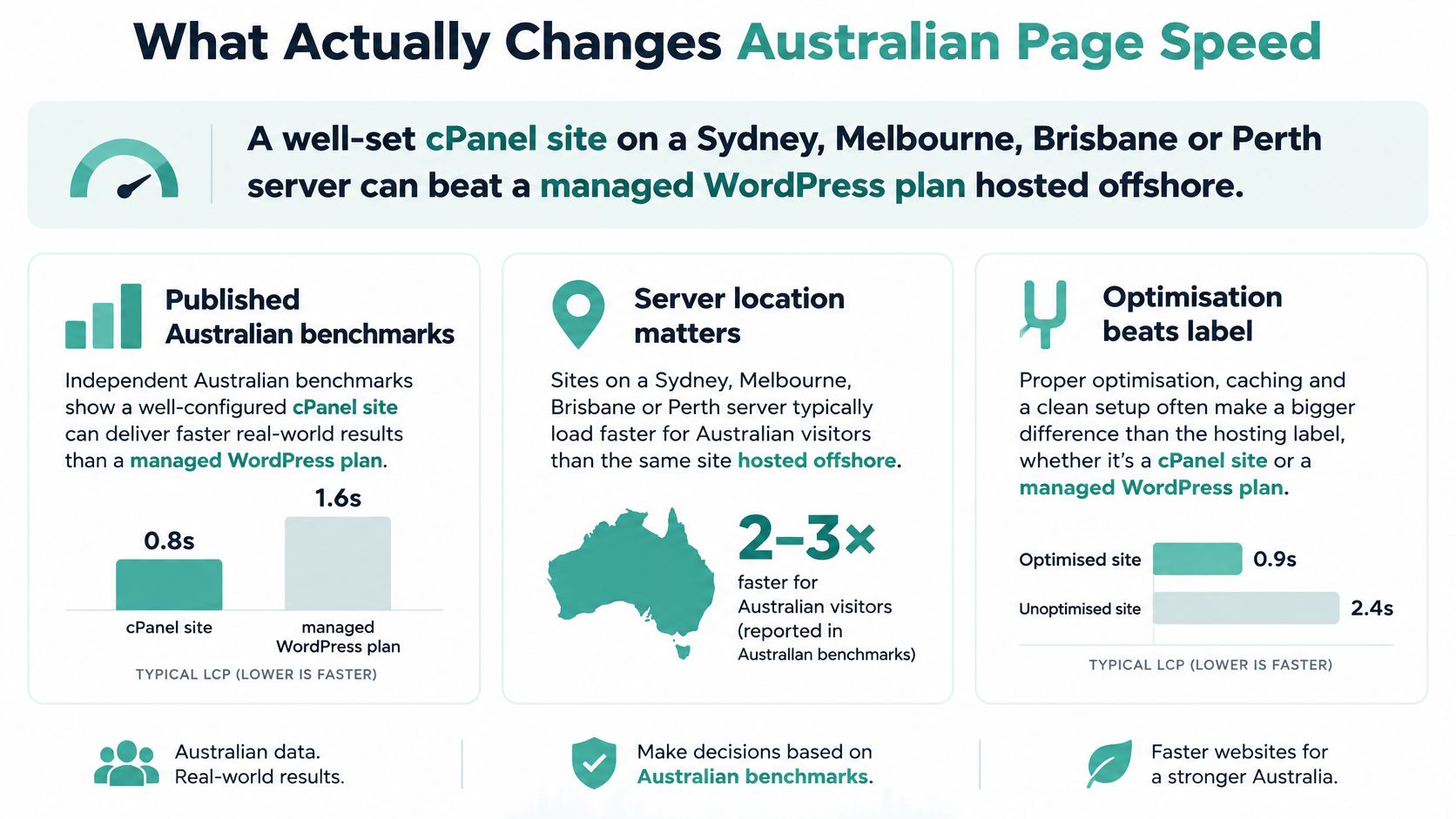
The benchmarks discussed in our Australian WordPress performance guide reported 485 ms average TTFB across 17 hosts, with only three below 400 ms; they also reported approximately 154 ms global TTFB with edge caching versus 478 ms without a CDN, roughly a 3.1-fold difference.
The same guide records Sydney results of 38–78 ms for selected stacks and 117–172 ms for some shared configurations. These are results from particular tests, not promises for every site or proof that a hosting category is faster by nature.
Understand what the server is doing
Time to first byte, or TTFB, measures how long the browser waits for the response to begin. A cached page can bypass much of WordPress's PHP and database work. An uncached checkout can't safely use the same treatment because it contains customer-specific information.
The meaningful levers are:
- Web server and cache: A high cache hit ratio reduces repeated page generation.
- PHP capacity: Worker and execution limits affect how many uncached requests the account can process.
- Database latency: Slow queries and distant database connections delay dynamic pages.
- Server location: Test where Australian customers browse, rather than relying on a global average.
Our cPanel hosting uses LiteSpeed, CloudLinux isolation and SSD storage. Every Australian WordPress Hosting on cPanel plan includes LiteSpeed's built-in server cache. That's an example of WordPress optimisation within cPanel, not evidence that the dashboard itself creates speed.
Product names don't move TTFB. Server city, caching and available execution capacity do.
Commission a fair test
Use the same site, PHP version, theme, plugins, database and cache state on both candidate plans. Follow our website performance testing guide rather than comparing unrelated demonstration sites.
Test from Sydney, Melbourne, Brisbane and Perth. Record median and p95 TTFB, Largest Contentful Paint, errors and throughput while gradually increasing concurrent requests. The p95 result helps expose slow responses hidden by an attractive average.
The performance guide recommends testing towards 50–100 concurrent users and treating origin TTFB below 200 ms for cached Australian requests as a practical target. Keep separate results for carts, logins and checkout, because a fast cached homepage doesn't establish that the transactional parts work well.
Security Depends on Who Does the Work
The Australian Signals Directorate figures reported by business.gov.au's Annual Cyber Threat Report summary include more than 82,000 cybercrime reports in 2025–26 and an average self-reported cost of $55,400 for an affected small business. Neither cPanel nor WordPress branding establishes that someone will prevent, detect or recover from an incident.
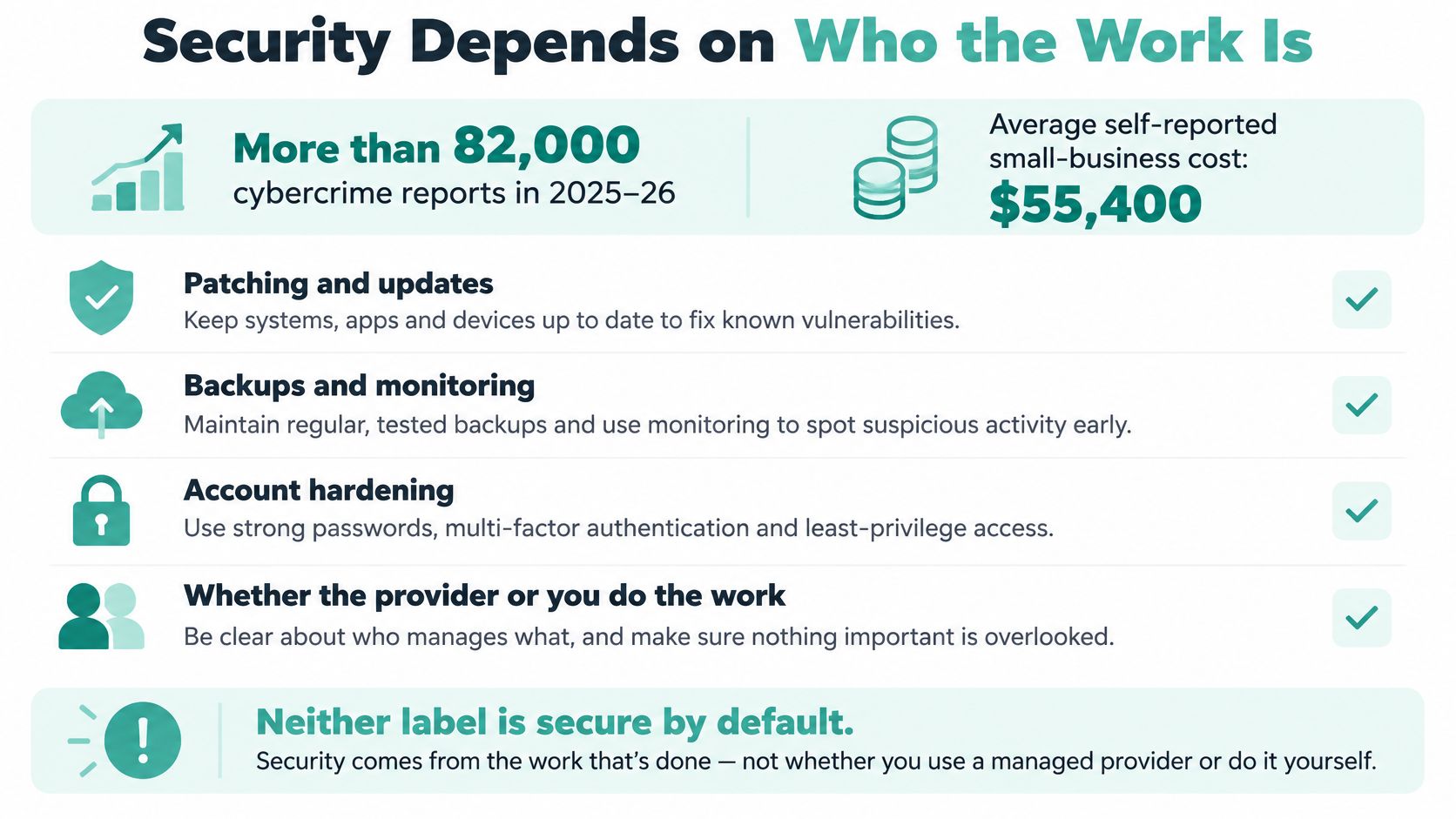
The Australian Cyber Security Centre's small-business handbook recommends multi-factor authentication, current software and regular backups. For websites, that means protecting administrator access, updating the content-management system and plugins, and maintaining recoverable backups with a known off-site location.
Assign ownership before something breaks
WordPress installed inside cPanel doesn't automatically become a managed application. Unless the plan includes the work, the customer or developer remains responsible for application updates, plugin decisions and restore testing.
A WordPress-focused arrangement may absorb more of those jobs, but automatic updates aren't the same as post-update functional testing. Someone must still check that a booking form submits successfully and a payment integration works. Our explanation of managed WordPress hosting helps separate application tooling from the wider maintenance service.
For an Australian retailer, the purchase conversation should cover:
- Backup contents: Include the database, uploaded product images and configuration files, not just the theme.
- Recovery procedure: Establish backup frequency, retention, restoration access and who performs the restore.
- Threat response: Confirm whether malware scanning is automatic and whether cleanup is included.
- Isolation and access: Check account separation, administrator permissions and the process for removing former staff.
Know what remains yours
Our Australian WordPress Hosting on cPanel accounts and websites are protected 24x7 by Proactive Defence. Accounts are scanned for malware with automatic cleanup built in, and our cPanel hosting includes daily backups via cPanel.
Those controls don't remove the business owner's responsibilities. Enable MFA for WordPress administration and cPanel, remove unused plugins, and keep a tested restore procedure. Record who can access the backup if the usual developer is unavailable.
Recovery first: Verify restoration procedures and data location before comparing CPU allocations.
A useful restore test happens in an isolated environment. Open the recovered site, inspect recent content and images, submit a test form, and confirm the application can connect to its database before treating the backup as dependable.
Control Email and Apps Beyond WordPress
Say a Sydney agency needs to update a client's WordPress theme. Rather than edit the live site, the developer uses WP Toolkit to create a staging copy, applies the change there, checks the quote form and mobile layout, then deploys the tested changes.
That workflow is available inside cPanel. Our WordPress Toolkit lets customers install, configure and manage WordPress sites, back up the entire site and create staging sites. Unlimited databases let the developer keep a staging database beside production, although storage and account resource limits still apply.
Build a rollback path first
Customers receive the full cPanel control panel, with all cPanel features enabled for their hosting account. However, WordPress Toolkit isn't available on cpanel-5 plans, so check the plan code if the project relies on toolkit-based staging.
Use a deliberate change process:
- Back up before editing: Take a full backup before changing plugins or themes.
- Protect the staging copy: Restrict access and prevent test orders or emails reaching real customers.
- Test business functions: Check forms, bookings, search and checkout, not just the homepage.
- Deploy carefully: Avoid overwriting new production orders or enquiries with an older staging database.
Staging isn't a reason to push an entire database back to production after every design change. A shop might receive orders while you're testing. Deploy only the files or settings required, and decide how any database changes will be handled before starting.
Keep email in the operational picture
On the same account, business email needs its own controls. Our advanced SpamAssassin settings let customers fine-tune filters, whitelist trusted suppliers and block unwanted mail. Our business email domain hosting guide explains the practical connection between the domain and its mail service.
That matters when the website and staff correspondence live together. Moving only WordPress doesn't automatically move historical mail, forwarding rules or mailbox settings. Treat those as explicit migration tasks.
Custom applications need a compatibility check too. General-purpose cPanel flexibility doesn't mean every runtime belongs on that server. An ASP.NET application should be assessed against a suitable Windows hosting environment rather than assumed to fit a PHP account.
Finally, consider the exit. Familiar file, database and DNS workflows usually make migration easier to plan than a closed dashboard with proprietary deployment tools. Count the time needed to rebuild those workflows as an operational cost, even when it doesn't appear on the invoice.
Register your new domain name at competitive market prices including free domain add-ons like privacy, DNS Hosting, Custom Nameservers and Forwarding.
Always the best price and no nasty renewal price hikes.
Register A Domain Name
Australian Plan Costs Before You Commit
Compare the renewal price, not just the discounted first invoice. A lower introduction price can suit a new site, but it doesn't tell you what the account will cost once the discount ends.
These UpTime Web Hosting cPanel figures provide a concrete Australian comparison without inventing a separate WordPress hosting price.
| Plan detail | First term | After the discount | Resources |
|---|---|---|---|
| Single Domain cPanel | $60 for the first year on a one-year term, 50% off | Auto-renews 31 Oct 2027 at $120 | Single-site cPanel account |
| cPanel plan | $96 for the first year, 50% off, or $8 per month for the first 12 months | $192 annual equivalent at the undiscounted rate | 200% CPU, 30GB storage, 1GB memory |
| Uncapped services on that plan | Included | Included | Unlimited bandwidth, email accounts, addon domains and databases |
| Storage choices | Annual or monthly billing | Price determined by selected size | 5GB, 15GB, 30GB, 60GB or 120GB |
The annual equivalent above is calculated from the published discount, not a separately quoted renewal offer. Confirm the selected plan's checkout total and renewal terms before payment, particularly when changing storage or billing frequency.
Price the account you'll actually operate
Our pricing is GST-inclusive and contract-free. The transparent pricing guide gives context for comparing the ongoing bill rather than treating the introductory discount as the permanent rate.
A solo brochure site may suit a single-domain account. An agency needs to budget for its actual domain requirements, growing mail storage, staging copies and larger media libraries. Unlimited databases or mailboxes don't create unlimited disk capacity or processing resources.
The discount also doesn't establish the maintenance scope. Backups, malware cleanup and Australian support need to be included in the service you select, rather than assumed from the price.
Put maintenance beside the invoice
For a like-for-like WordPress comparison, record:
- Renewal charge: Use the ongoing billing amount and any necessary email service.
- Recovery inclusions: Note backups, retention, restore access and malware cleanup.
- Paid work replaced: Count maintenance only where the included service genuinely replaces developer hours.
A WordPress-focused plan can justify a higher fee when it removes work you'd otherwise pay someone to perform. It's less compelling when your developer must still do the same maintenance and testing while you pay for duplicate tools.
Match Your Workload to the Right Hosting Model
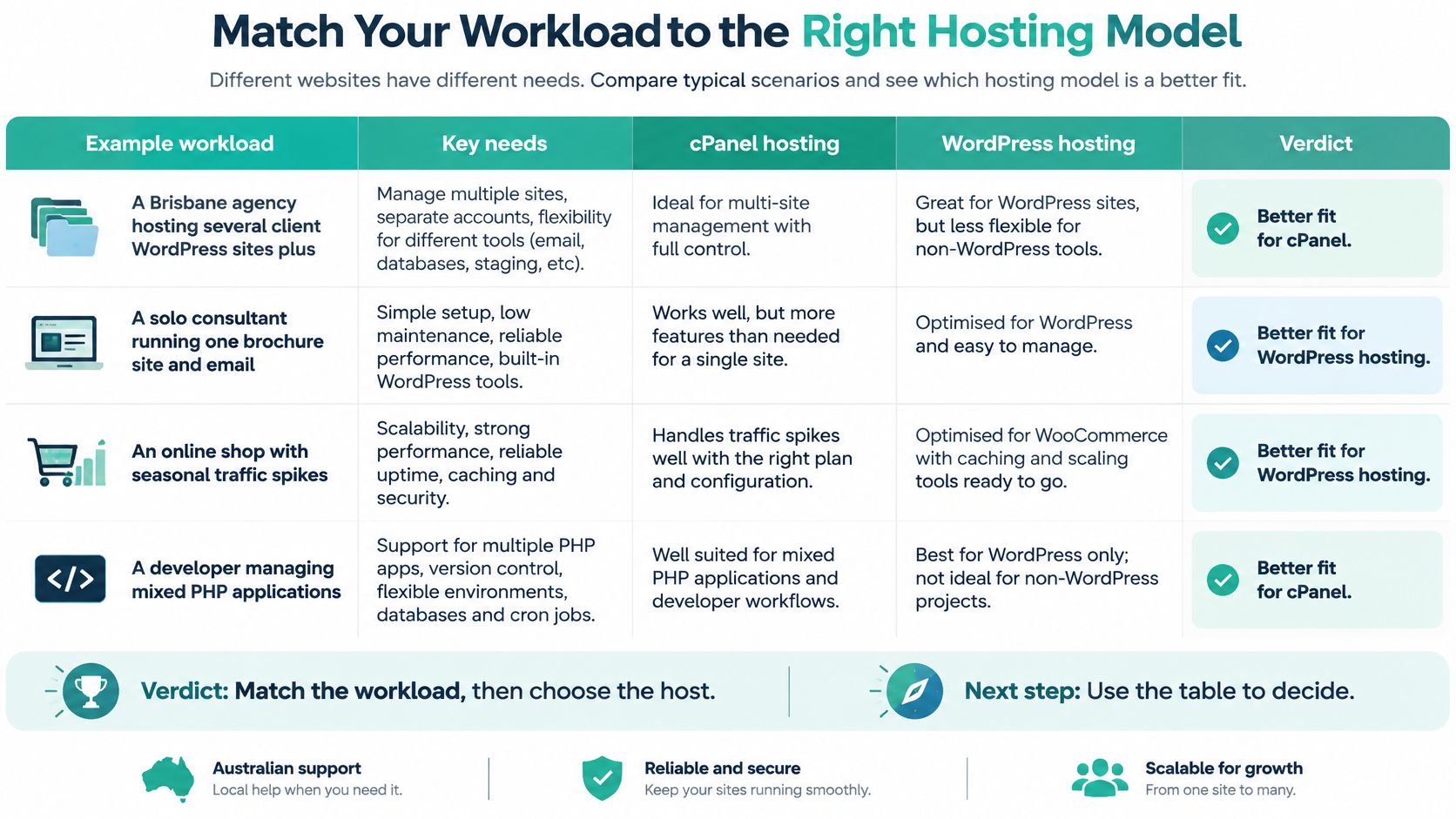
Choose cPanel for mixed workloads, dedicated WordPress hosting for one WordPress site, and WordPress on cPanel when you need both. Match that decision to a named maintenance owner before choosing a plan.
Australia's small-business context helps explain why a website rarely stays isolated from other services. The Australian Small Business and Family Enterprise Ombudsman's data portal uses the ABS definition of fewer than 20 employees, including businesses without employees. Those businesses still need someone to manage their online operations, even when they don't employ an IT specialist.
| Situation | Better fit | Why |
|---|---|---|
| Agency with several client sites, staging and email | cPanel hosting | One account for domains, databases, mail and clones |
| Developer with custom PHP or mixed apps | cPanel hosting | Files, cron, databases and an easier exit remain available |
| Single WordPress brochure site and no updater on staff | WordPress hosting | Updates, cache and staging are the main job |
| WordPress shop that also relies on business email | WordPress on cPanel | The CMS and mailboxes stay together |
| Busy WordPress site limited by PHP or cache | Higher WordPress tier if resources are larger | Resource allocation and cache matter more than the label |
Apply the choice to a real workload
A Brisbane agency hosting client WordPress sites, staging copies and email benefits from cPanel's account-level control. Before consolidating clients, it should also decide whether contractual or security requirements call for separate accounts. For staging approvals, PinDrop's guide to alternatives for visual client feedback can help the agency choose how clients report layout issues without granting production access.
A freelance developer shipping custom PHP or a database-heavy application has a different priority. File access, scheduled tasks, database administration and portability matter more than a simplified WordPress dashboard. Confirm that the required extensions and resource limits fit the application.
A Perth cafe with a WordPress brochure site, no extra applications and nobody assigned to updates is a stronger candidate for WordPress-focused hosting. The value lies in making the routine application work part of the service, rather than leaving it unowned.
A regional retailer using WordPress and staff email shouldn't drop a required service to chase a specialist label. WordPress on cPanel can preserve that combined setup while adding application-focused tooling.
Compare tiers before deciding
Check whether CPU and memory are shared, how process or visitor limits are counted, and whether email is supported. A larger WordPress tier can outperform an entry cPanel tier, and the reverse can also be true. Don't mistake a resource upgrade for proof that one hosting category is universally better.
We recommend our dedicated WordPress plan for running a WordPress website, and offer shared hosting for WordPress on cPanel. Our WordPress hosting is powered by cPanel and WP Toolkit, runs on LiteSpeed and CloudLinux, and includes Imunify360 security, backups and support. Australian WordPress Hosting on cPanel includes automatic updates for WordPress, plugins and themes.
Before paying, write down your sites, mailboxes and update owner. Match them to the workload table and renewal cost, then confirm the current PHP recommendation, restore procedure and selected Australian server city. Workload and maintenance capacity come first; the product name comes second.
UpTime Web Hosting offers dedicated WordPress hosting and shared hosting for WordPress on cPanel, with Australian infrastructure and local support. Visit UpTime Web Hosting with your site, email and maintenance checklist to compare the appropriate plan, renewal price and server location before you commit.