You've probably done this already. Logged into your site, checked the traffic, searched your main service in Google, and found your business buried under directories, bigger brands, and a competitor whose website looks worse than yours.
That's frustrating, but it isn't random.
If you want to know how to increase website ranking in google, the answer is usually less glamorous than most SEO advice makes it sound. It's not one trick, one plugin, or one magical blog post. For Australian small businesses, ranking improves when you get four things working together: a crawlable website, useful content, strong local relevance, and enough authority signals that Google trusts what it's seeing.
The good news is that this is fixable on a sensible budget. You don't need to “do all SEO”. You need to do the right work in the right order.
Table of Contents
- Your Foundation for Ranking Success in Australia
- The Essential Website Audit Your Starting Point
- Mastering On-Page Content and Keywords
- Winning with Local SEO in Australia
- Building Authority with Quality Backlinks
- Leveraging Australian Hosting for a Technical Edge
- Quick Answers to Common SEO Questions

Performance you can feel, backed by clients who depend on it. Read how our support and uptime create long‑term customer success.Power Your Business with Better Hosting
Your Foundation for Ranking Success in Australia
Why Google is the only search engine that really matters here
For most Australian businesses, SEO means Google. In 2024, StatCounter estimated Google's search engine market share in Australia at roughly 94%+, which is why it makes sense to optimise primarily for Google's systems rather than splitting your effort evenly across every engine, as noted in Google's ranking systems guide.
That changes how you should think about ranking. Google says its systems evaluate hundreds of billions of pages using many signals. So if you've been looking for one secret ranking factor, stop there. There isn't one.
Practical rule: Strong rankings usually come from alignment, not hacks. Your content, technical setup, and local relevance need to point in the same direction.
Google's search results also aren't what they were years ago. Big shifts such as Panda, Penguin, and BERT pushed rankings away from thin pages and manipulative tactics, and toward pages that better match search intent. For a local business in Sydney, Melbourne, Brisbane, Perth, or a regional centre, that means useful pages, clean structure, and local trust signals tend to beat clever shortcuts.
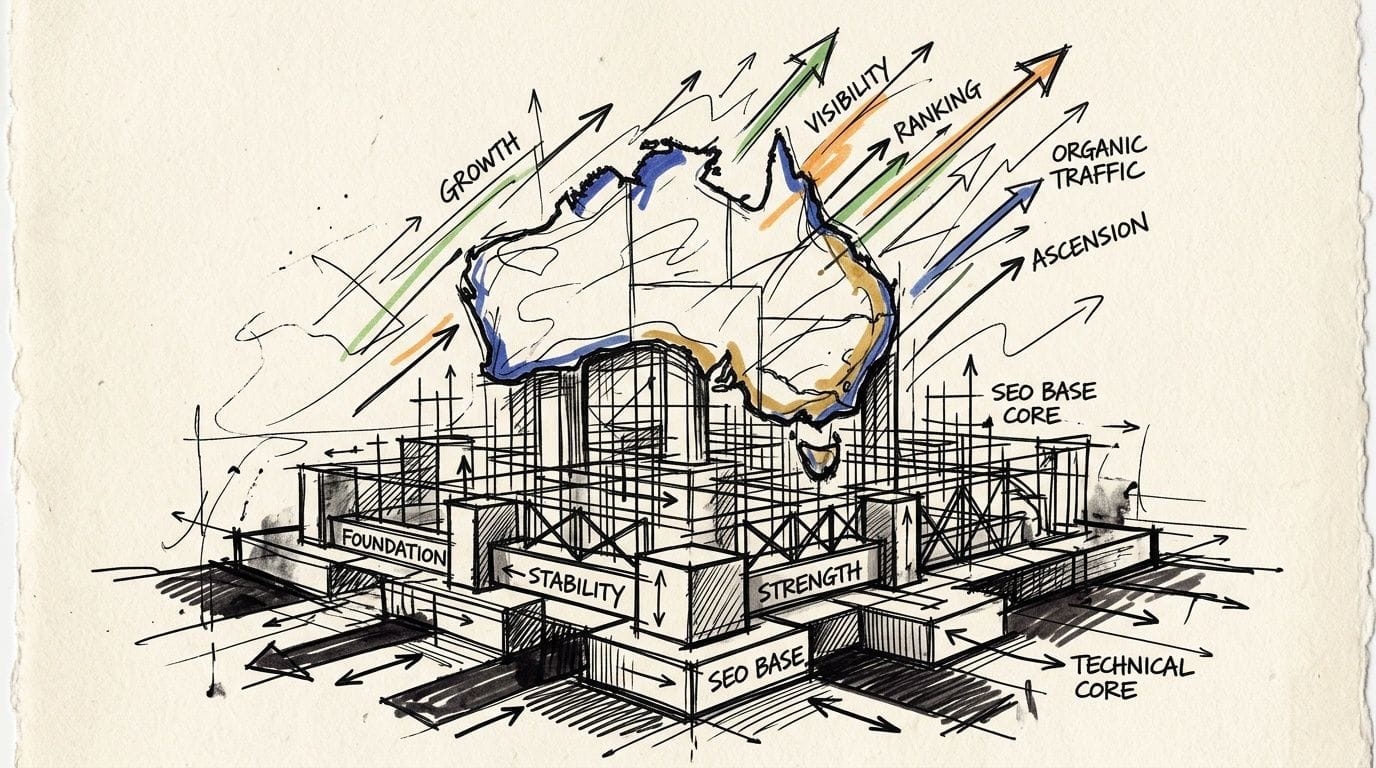
The four pillars that actually move rankings
If I'm reviewing a small business site, I'm usually looking at four areas first:
- Technical foundation. Can Google crawl the site, render it properly, and index the important pages?
- Content quality. Does each page answer a real question or solve a real buying problem?
- Local relevance. Does the business clearly signal where it operates and who it serves?
- Authority. Do other credible websites mention or link to it?
These aren't equal in every situation. If your pages aren't indexed, content writing won't rescue you. If your site is technically sound but every service page says the same generic thing, backlinks won't save that either.
A lot of businesses also underestimate speed. Faster delivery improves the user experience and makes the site easier to use, especially on mobile connections. If your audience is local, this is one reason Australian infrastructure matters. A useful starting point is reviewing website speed optimisation for Australian users.
The Essential Website Audit Your Starting Point
Before touching titles, blogs, or backlinks, do a health check.
A proper audit stops you wasting time on pages Google can't access properly. I've seen businesses spend weeks rewriting service pages when the primary issue was that the wrong pages were indexed, the site was sluggish on mobile, or internal links were broken.
Start with Search Console, not guesses
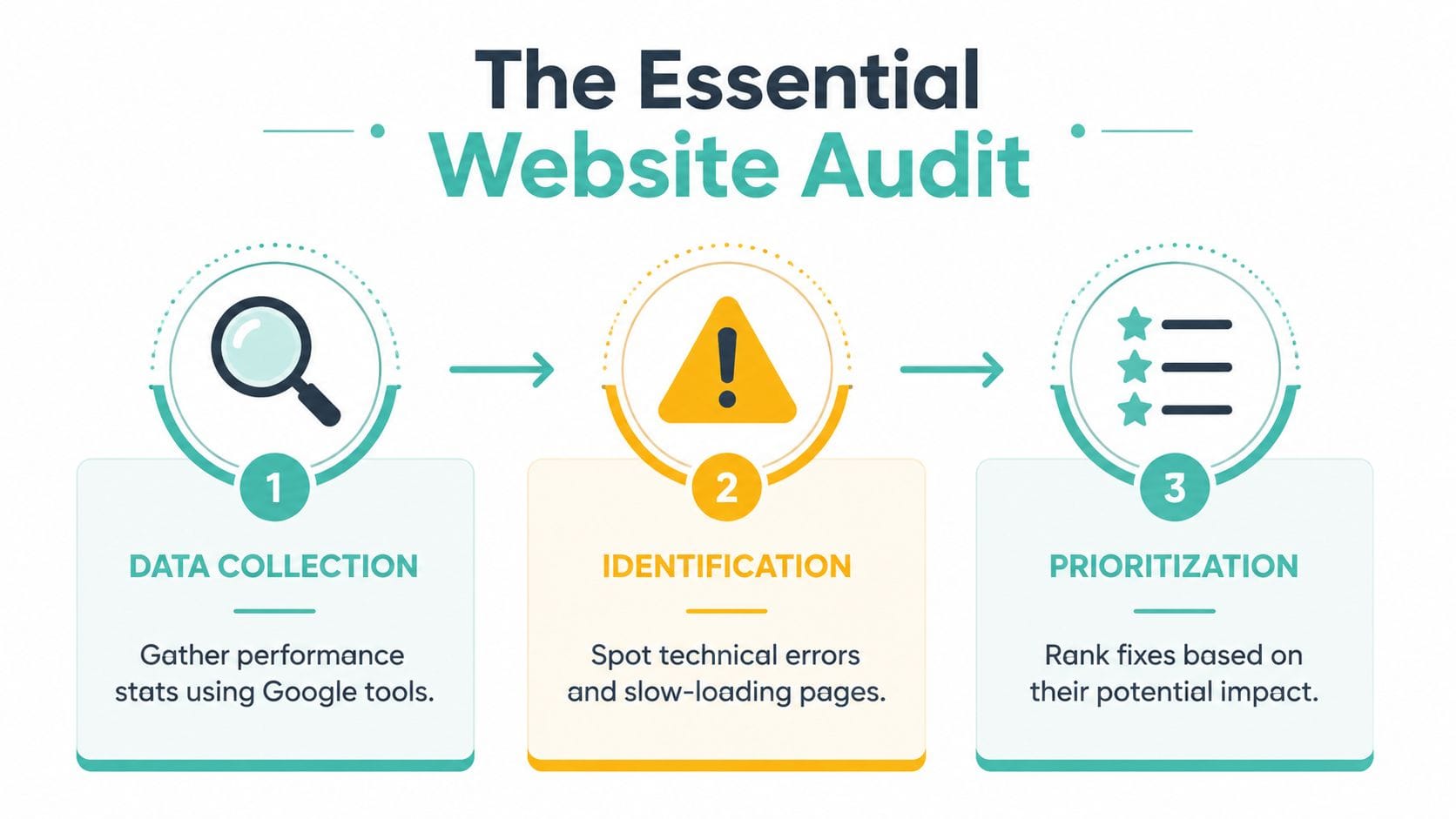
Google's own SEO Starter Guide explicitly recommends setting up Search Console to monitor and optimise search performance, and it notes that the highest-impact technical fixes are often tied to crawlability, indexing, and page speed issues found through Search Console and PageSpeed tools in the SEO Starter Guide.
If you haven't connected Google Search Console yet, make that your first job.
Once it's live, check these areas first:
- Pages or Coverage reports. See which pages are indexed, excluded, or throwing errors.
- URL Inspection. Test an important page and see how Google views it.
- Performance. Look at queries, pages, impressions, and click-through patterns.
- Sitemaps. Make sure your sitemap is submitted and current.
Don't get distracted by every warning. Focus on pages that matter to the business, such as your home page, key service pages, location pages, and strong blog posts.
Use PageSpeed and mobile checks like a mechanic uses a diagnostic tool
Next, run your main pages through PageSpeed Insights and test the site on an actual phone. Not a desktop browser resized to mobile. A real phone on a real connection.
For an Australian business, local test conditions matter. A site can feel acceptable from overseas tools and still feel laggy for local users if hosting or page build quality is poor. Common culprits include oversized images, bloated themes, too many scripts, and plugins doing work your server could handle better.
A simple way to read the results:
| Check | What you're looking for | Why it matters |
|---|---|---|
| Page loading behaviour | Major elements appear quickly and don't jump around | Users stay longer when the page feels stable |
| Mobile usability | Buttons are tappable, text is readable, forms work | Most local service searches happen on phones |
| Indexing status | Important pages are indexable | Google can't rank pages it can't include |
| Internal linking | Key pages are linked from menus and relevant content | Google finds and understands pages more easily |
If a page is slow, hard to use, and thin on useful information, Google isn't seeing a strong candidate. Neither are your customers.
What to fix first
Many marketers mistake the sequence of operations here. They optimise copy before fixing access problems.
Use this priority list instead:
- Fix crawl and indexing blockers. Wrong noindex settings, broken canonicals, duplicate versions, blocked resources.
- Repair broken links and dead pages. Internal link errors damage the user journey.
- Improve important slow pages. Start with your home page and money pages, not every blog post.
- Tighten site structure. If a service page takes too many clicks to reach, simplify.
- Then update content. Once the site is accessible and stable, your copy improvements have a chance to work.
If you don't have in-house help, good web maintenance and support can make this stage far less painful. The main thing is to stop guessing and start from evidence.
Host your website with our 5-star rated, cPanel website hosting plans.
Super fast servers, with security included and hosted in your choice of Australian Data Center.
View cPanel Plans
Mastering On-Page Content and Keywords
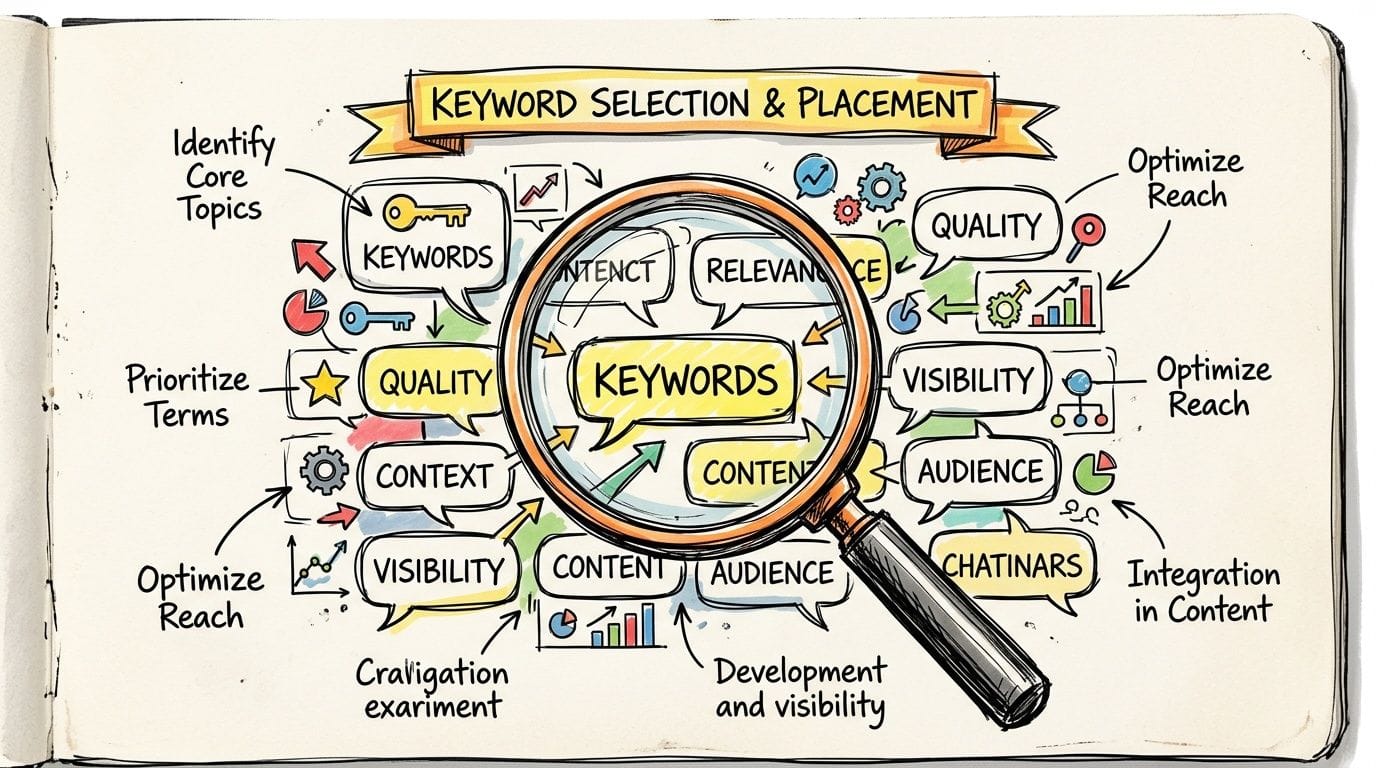
A lot of business owners think keyword work means cramming the same phrase into every paragraph. It doesn't. Good on-page SEO is closer to organised communication. You're helping Google understand what the page is about, while making the page more useful for the person reading it.
Choose keywords with buying intent
Start with the phrases your customers use when they're close to action.
If you're a plumber in Parramatta, “how to fix a leaking tap” is useful for blog content. But “emergency plumber Parramatta” or “hot water system repairs Parramatta” is closer to a service booking. Those are often better targets for service pages.
A simple way to sort keywords:
- Service intent. Searches like “accountant Brisbane”, “managed WordPress hosting Australia”, or “family lawyer Adelaide”.
- Problem intent. Searches like “website keeps timing out” or “why is my site slow in Australia”.
- Comparison intent. Searches where buyers are weighing options.
- Local intent. Searches that include suburbs, cities, or “near me”.
If you sell through marketplaces as well as your own website, the same principle applies. Buyers search differently depending on where they are. Someone who has optimized my listings on Amazon will recognise that product search intent is usually tighter and more transactional than broad web browsing.
Match the page to the reason for the search
Many websites fail at this point.
If someone searches “website designer Geelong”, they usually want to see services, examples, trust signals, and a clear next step. They do not want a vague essay about the history of web design. If someone searches “how to choose a .com.au domain”, they want guidance, not a hard sell.
Before writing or rewriting any page, ask:
- What is the searcher trying to do?
- What would make them trust this page?
- What would make them contact or buy?
- Is this page the best format for that query?
Here's a practical example for a local trades business.
| Search phrase | Best page type | What should be on the page |
|---|---|---|
| blocked drain Parramatta | Service page | Problem signs, service process, suburb mention, contact CTA |
| emergency plumber Parramatta | Service page | Fast contact options, availability details, service area |
| how to stop a leaking tap | Blog post | Step-by-step advice, when to call a plumber, internal link to service page |
| plumber Parramatta reviews | Review or proof page | Testimonials, trust markers, links to booking/contact |
A simple on-page framework that works
When you write or revise a page, keep it straightforward.
Title and heading structure
Your page title should clearly describe the service or topic. Your H1 should reinforce it naturally. Your H2s should break the page into the questions buyers have.
For the Parramatta example:
- Title tag: Emergency Plumber Parramatta
- H1: Emergency Plumbing Services in Parramatta
- H2s: Common Plumbing Emergencies, What We Fix, Areas We Service, When to Call Us
That's better than trying to sound clever.
Body copy and supporting elements
Use the main phrase naturally in the introduction, headings where it fits, image alt text where relevant, and throughout the body without forcing it. Then support it with the related terms customers expect to see.
That may include:
- Specific services like burst pipes, blocked drains, hot water repairs
- Local signals such as Parramatta, Western Sydney, nearby suburbs
- Trust indicators like licences, response process, support hours
- Clear actions such as call, request a quote, book service
Write for the customer who's deciding, not the algorithm you're trying to impress.
Thin pages often fail because they don't answer enough of the actual buying questions. If your site needs examples of clearer article structure and readable layouts, these blog post examples are a useful reference point.
Winning with Local SEO in Australia
If you're a national online brand, broad SEO matters. If you're a service business, clinic, consultant, tradie, agency, retailer, or local provider, local SEO is often where commercial value sits.
People don't just search for “electrician”. They search for “electrician Hobart”, “best cafe near me”, “conveyancer Sunshine Coast”, or “WordPress developer Perth”.
Treat your Google Business Profile like a sales asset
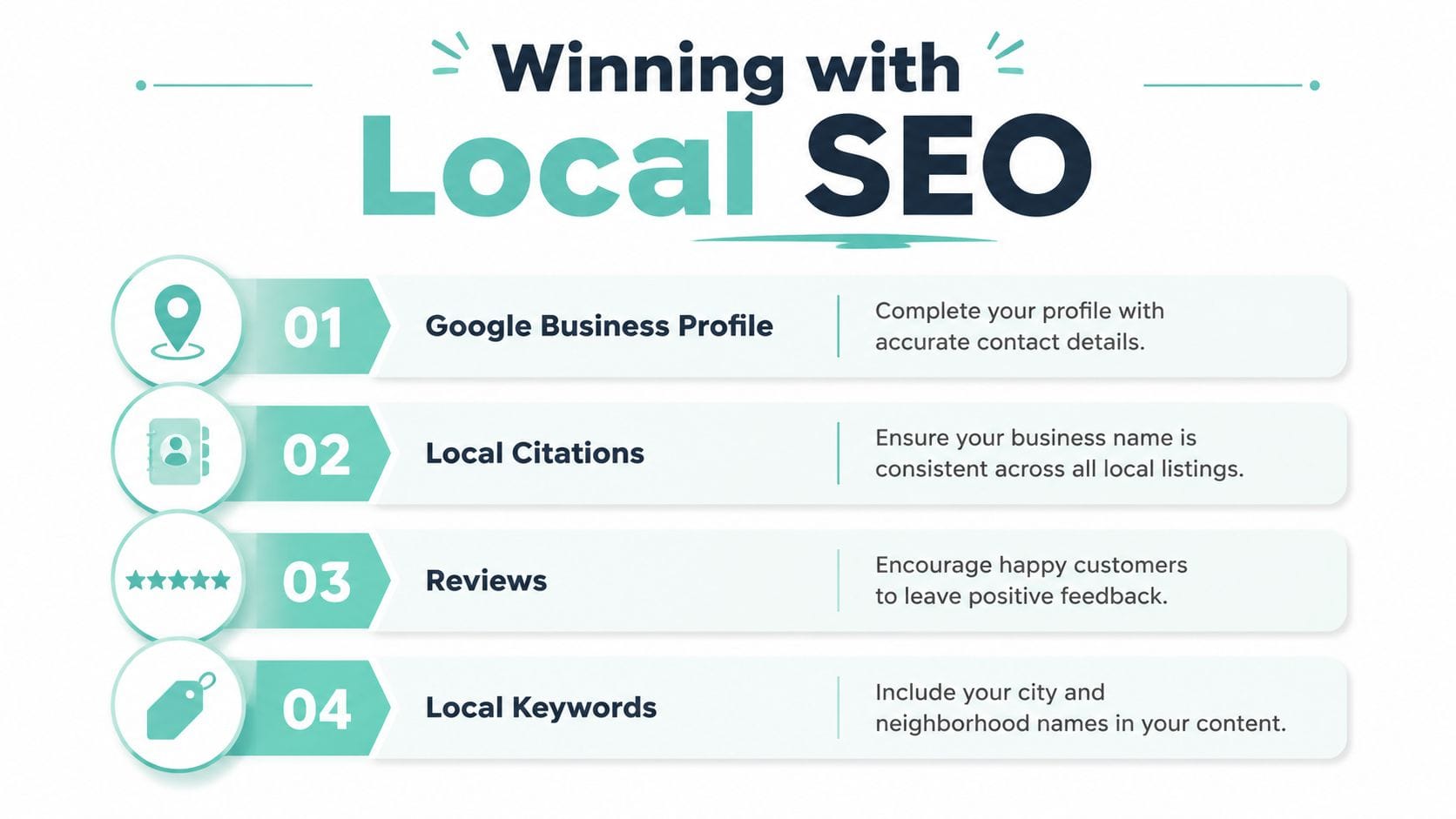
Google explicitly recommends that businesses improve local ranking by completing their Business Profile, verifying locations, keeping hours accurate, responding to reviews, and adding photos, according to Google's local ranking guidance for Business Profile.
That's one of the clearest pieces of SEO advice Google gives local businesses, and it's still underdone.
Your profile should not be half-filled and forgotten. It should be maintained like a storefront. At minimum, make sure your business name, address, phone number, categories, hours, website link, and business description are accurate.
Then keep it active. Add fresh photos. Respond to reviews properly. Update holiday hours before customers discover they're wrong.
The local signals that support your profile
Your Google Business Profile doesn't exist in isolation. Google compares what it sees there with the rest of your web presence.
Useful supporting signals include:
- A clear local contact page with matching business details
- Service area or suburb pages if you work across multiple locations
- A .com.au domain when it suits your business and audience
- Consistent citations in Australian directories and industry listings
- Location references in page copy where they help the reader
This is also where hosting can support local performance and trust. If your audience is here, there's a strong practical case for switching to local Australian hosting, especially when speed and local response times matter to mobile users.
A practical local SEO checklist
This is the sort of checklist I'd use for a suburban service business:
- Verify the profile. If the listing isn't verified, fix that first.
- Complete every core field. Categories, hours, phone, website, service details.
- Upload real photos. Team, premises, vehicles, completed work, signage.
- Reply to reviews. Thank positive reviewers and answer complaints calmly.
- Keep NAP consistency. Your name, address, and phone details should match across the web.
- Build location relevance into your website. Mention cities, suburbs, and service areas where it makes sense.
- Create local landing pages carefully. One page per real area served. Don't clone the same page fifty times.
A poor version of local SEO is a bunch of thin suburb pages with swapped place names. A strong version is a site that clearly shows where the business operates, what it does there, and why locals should trust it.
Local SEO works best when the website and the business profile tell the same story.
Building Authority with Quality Backlinks
Backlinks still matter, but the way many businesses chase them is a mess.
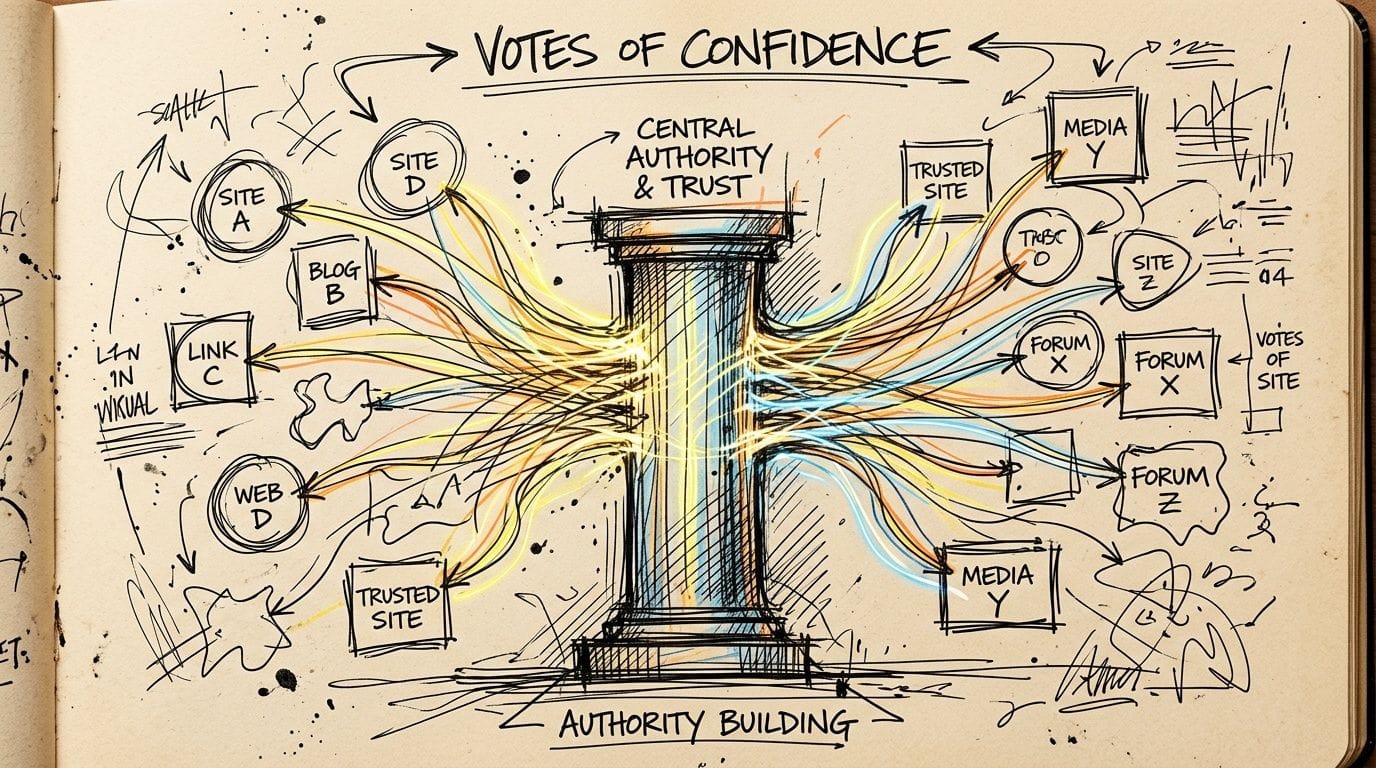
Buying cheap links, stuffing your site into junk directories, or paying for irrelevant guest posts usually creates more risk than value. A good backlink profile should look like digital word-of-mouth. Real organisations, real communities, real industry relationships.
What a good backlink actually looks like
A useful backlink tends to have three qualities:
| Quality | What it means in practice |
|---|---|
| Relevant | The linking site has some connection to your field, place, or audience |
| Credible | It's a legitimate organisation, publication, association, school, club, or business |
| Natural | The link makes sense for readers and wasn't obviously forced |
A link from a local chamber of commerce, industry body, community sponsorship page, or respected supplier can be worth more than a pile of random links from websites you've never heard of.
If you've never seen how gradual authority building can affect visibility over time, this older knowledge base article on guest posts, website upgrades and first-page Google movement is a useful read.
Three Australian ways to earn links without spam
Community involvement
Sponsor a local sports team, school event, fundraiser, or business award. If your business is involved, ask for a mention and a website link on the organiser's site.
That's not a fake SEO tactic. It's a real local signal.
Industry memberships and partnerships
Join Australian industry bodies, chambers of commerce, local business groups, or supplier partner programs where membership includes an online listing. If the listing is relevant and well maintained, that can be a solid authority signal.
This works especially well for accountants, legal firms, trades, health providers, consultants, and B2B service businesses.
Useful local content worth citing
Create something another site would reasonably reference. A venue guide for a local wedding supplier. A council-area service guide for a trades business. A practical compliance checklist for an industry audience.
You don't need viral content. You need useful content with a clear audience.
Cheap link schemes usually fail because they don't build reputation. They just manufacture footprints.
The safest long-term mindset is simple. Earn mentions by being active, useful, and visible in the circles that already matter to your business.
Register your new domain name at competitive market prices including free domain add-ons like privacy, DNS Hosting, Custom Nameservers and Forwarding.
Always the best price and no nasty renewal price hikes.
Register A Domain Name
Leveraging Australian Hosting for a Technical Edge
Hosting is one of those decisions business owners make once, then forget about until something breaks. That's understandable, but it's a mistake if you care about rankings.
The server behind your site affects speed, reliability, security, and how smoothly search engines and users can access your pages. It doesn't replace good SEO. It supports every part of it.
Why server location affects real users
When your customers are in Australia, physical distance still matters. If your website is served from infrastructure closer to your audience, requests generally travel less distance. That can help pages feel more responsive for local users, especially on mobile or slower networks.
This matters most for:
- Service businesses with local audiences
- WordPress sites using heavier themes or plugins
- eCommerce stores with lots of scripts
- Sites with image-rich pages
- Businesses competing in city-based search results
A Sydney customer doesn't care where your server is in theory. They care whether the page loads quickly, the contact form works, and the site feels trustworthy. Google cares about many signals, but user experience still sits underneath the whole thing.
Hosting features that support SEO work
Not all hosting environments help your SEO efforts equally. Here's what I'd pay attention to.
Fast server stack
Look for modern PHP support, effective caching, and web server technologies built for performance. If your platform supports tools such as LiteSpeed or equivalent performance layers, that often helps dynamic sites serve pages more efficiently.
SSL and security basics
HTTPS is standard. If your site still throws browser security warnings, that's a trust issue before it's an SEO issue. Malware scanning, firewall protection, and sane account isolation also matter because hacked or unstable sites don't rank well for long.
Backups and uptime discipline
If you break the site during an update, or the host has repeated outages, your SEO work can unravel quickly. Search visibility depends on consistency. A site that disappears, errors out, or loses content sends the wrong signals.
Support that understands the local environment
This gets overlooked. When something goes wrong, local support can shorten the gap between problem and fix. For a business site, that has real value.
Here's a simple comparison.
| Hosting factor | Better for rankings over time | Usually creates friction |
|---|---|---|
| Server location | Close to your main audience | Far from your audience |
| Performance tools | Caching, modern stack, efficient delivery | Bloated stack, poor tuning |
| Security setup | SSL, scanning, firewall protection | Weak security or neglected updates |
| Operational reliability | Stable uptime, clean backups, responsive support | Frequent outages, slow support, unclear recovery |
What to expect from a hosting move
A hosting change won't magically put you on page one. It can, however, remove drag from the rest of your SEO work.
What hosting can improve:
- Faster page delivery for local users
- Better crawl efficiency on a technically healthy site
- Fewer issues caused by overloaded or poorly configured environments
- More stable performance during traffic spikes or plugin-heavy workloads
What hosting won't fix:
- Thin content
- Weak local signals
- Poor page targeting
- No authority or trust
That's the trade-off. Hosting is foundational, not decorative. If the site is technically sluggish, every improvement above it works harder than it should.
For Australian businesses, the strongest setup is usually simple. Keep the site fast, secure, locally responsive, and easy for Google to crawl. Then support that with pages that deserve to rank.
Quick Answers to Common SEO Questions
How long does SEO take
Longer than most business owners hope, but usually faster than people think once the basics are fixed properly.
If your site has indexing issues, weak content, and no local optimisation, start by cleaning that up. Technical fixes can be reflected relatively quickly in how Google accesses your site. Content and authority improvements usually take longer to settle in. SEO is not an overnight channel. It's a compounding one.
Do you need to hire someone
Not always.
If you can use Search Console, edit your website, write clearly, and follow a plan, you can do a lot in-house. That's especially true for local SEO, core on-page work, and basic technical cleanup. Hire help when you hit one of these points:
- You can't diagnose technical issues confidently
- You don't have time to publish and maintain content
- Your site structure is messy and hard to untangle
- You've done the basics and rankings still won't move
A good consultant should prioritise, not overwhelm you.
What is the biggest mistake to avoid
Doing SEO in the wrong order.
Businesses often chase blogs, backlinks, or home page tweaks while the site still has indexing problems, poor local signals, or weak service pages. That wastes effort. The better sequence is simple: fix access, improve key pages, strengthen local trust, then build authority.
The second biggest mistake is publishing pages for search engines instead of customers. If a page doesn't help a real buyer decide, it probably won't hold rankings well anyway.
If your website is held back by slow load times, unreliable hosting, or offshore infrastructure that doesn't suit an Australian audience, UpTime Web Hosting is worth a look. They provide Australian hosting with local servers, practical support, and the kind of performance foundation that gives your SEO work a fair chance to succeed.