You've launched the site. It looks sharp on desktop, decent on mobile, and the copy finally says what your business does. Then the awkward part starts. You search your service in Google, scroll a bit, scroll more, and your site is nowhere useful.
That's the point where many Australian business owners assume Google ranking is mysterious, expensive, or stacked against smaller operators. It isn't. Most of the time, the problem is simpler. Google can't crawl the site properly, the pages don't match user search queries, the site is slow for local visitors, or the business profile is incomplete.
If you want to know how to increase your website ranking on Google, treat it like a practical business process, not a magic trick. Start with technical health. Improve pages that already have some visibility. Make the site fast for Australian users. Build local trust signals. Then keep measuring what changes.
Table of Contents
- Your Website Is Live But Invisible Here Is Why
- The Foundation Your SEO Audit and Technical Health Check
- Mastering On-Page SEO and Your Content Strategy
- Supercharge Your Site Speed and Hosting Configuration
- Building Authority and Local Trust in Australia
- Measure Iterate and Win the Long Game
- Your Roadmap to a Higher Google Ranking

Performance you can feel, backed by clients who depend on it. Read how our support and uptime create long‑term customer success.Power Your Business with Better Hosting
Your Website Is Live But Invisible Here Is Why
A common small business story goes like this. A plumber in Brisbane, a salon in Newcastle, or a consultant in Melbourne pays for a fresh website, launches it, and expects enquiries to follow. A few weeks later, there's almost nothing. The site exists, but Google doesn't seem to care.
Usually, the site isn't failing because it's ugly or because the business is too small. It's failing because Google needs clearer signals. It needs to crawl the pages, understand what each page is for, see that the mobile experience works, and connect the business to a real local presence.
Another issue shows up early. Owners search only their business name, find the site eventually, and assume ranking is fine. Branded searches don't tell you much. The true test is whether your site appears for service searches like “electrician Adelaide” or “family lawyer Gold Coast”.
Before doing anything else, make sure Google has proper access to the site through domain ownership verification for Google. If Search Console isn't set up, you're working blind.
The good news is that ranking improvements usually come from disciplined fixes, not tricks. A clean audit, stronger page targeting, faster delivery for Australian users, and a complete local profile will move the needle more reliably than stuffing keywords into every paragraph.
The Foundation Your SEO Audit and Technical Health Check
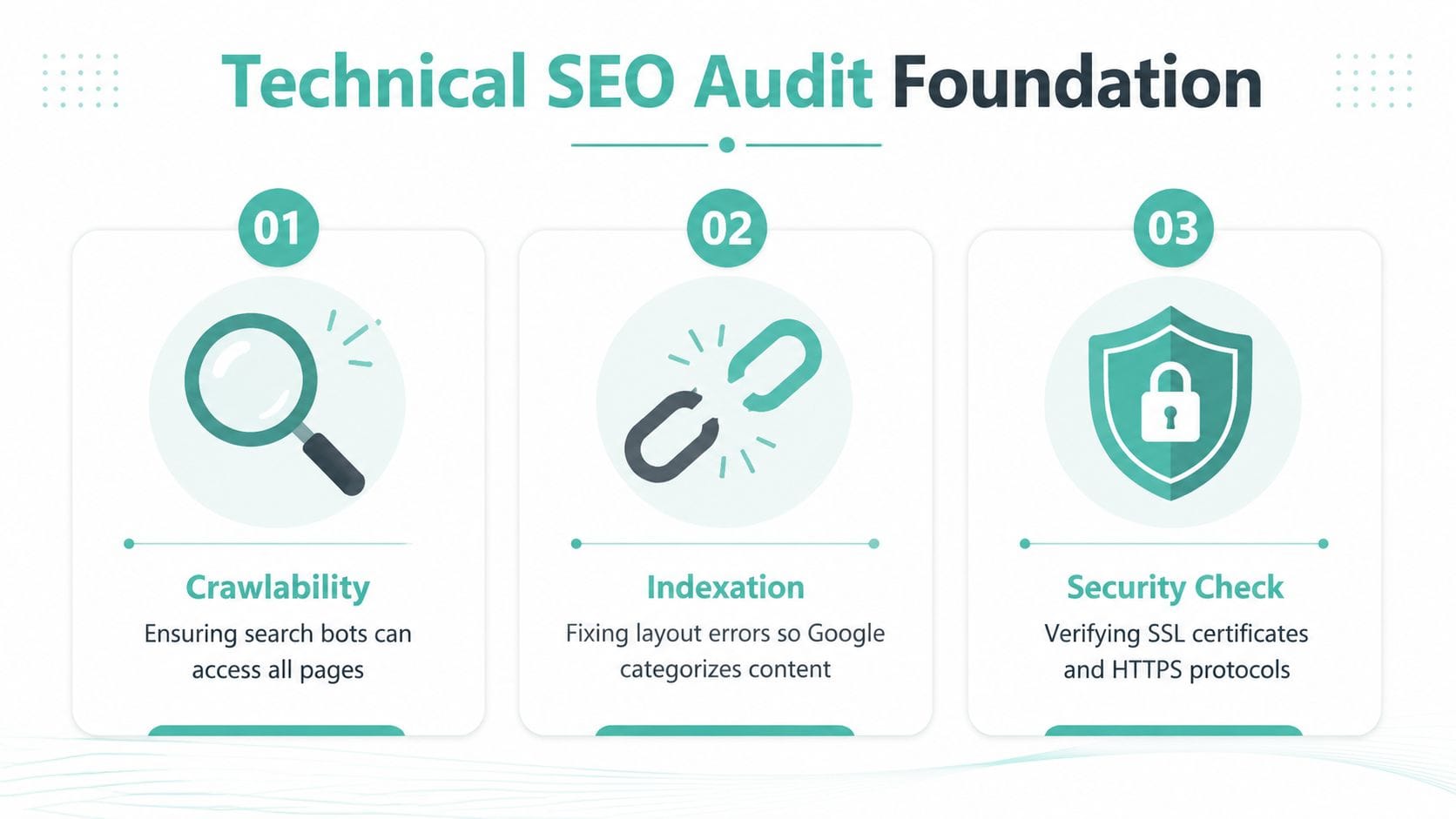
Technical SEO isn't glamorous, but it decides whether Google can even get through the front door. A practical ranking workflow starts with a technical audit that fixes crawlability, duplicate content, mobile usability, and HTTPS issues. Skipping that step is a common mistake because technical problems can hold rankings back no matter how strong the content is, as outlined in this technical SEO guidance.
For many small businesses, significant value leaks away at this point. The homepage works, but key service pages are thin, old URLs still exist, some pages load over HTTP, and Google sees mixed signals.
Start with access and visibility
Open Google Search Console and ask four simple questions:
Can Google crawl the site?
If key pages aren't being discovered, rankings won't improve because Google can't properly assess them.Are the right pages indexed?
You don't want tag pages, duplicate pages, or thin utility pages competing with your main service pages.Does the mobile version work properly?
Australian users have been mobile-heavy for years, so layout problems on phones are not a small issue.Is the site secure with HTTPS?
Security is a baseline trust signal. If browsers warn visitors before the page opens, rankings aren't your only problem.
A sitemap is a map of the important URLs you want search engines to understand. A robots.txt file gives crawl instructions. Neither one needs to be complicated for a small business site, but both need to be correct.
Practical rule: If Google can't crawl it, it can't rank it. If Google crawls the wrong version, it may rank the wrong page.
Check the basics that often get missed
A lot of audit work comes down to unexciting details. Those details matter.
Broken internal links
These waste crawl paths and send visitors into dead ends.Duplicate page versions
This happens when similar pages target the same service or suburb without enough unique value.Mobile usability issues
Buttons too close together, text too small, banners covering content, and awkward forms all create friction.Security gaps
SSL should be active, current, and applied sitewide so every important page resolves over HTTPS.Slow or bloated templates
Heavy themes, oversized images, and too many plugins often create technical drag before content even enters the picture.
A practical self-audit also means checking your CMS setup. In WordPress, for example, index settings, plugin conflicts, and page builder bloat can all interfere with crawlability or performance. If your hosting account includes access to SEO tooling or performance options, use them. UpTime's search engine optimisation hosting resources are one example of the kind of setup support that helps businesses get the basics right.
Know what technical SEO can and cannot do
Technical SEO doesn't automatically put you at the top of Google. It removes blockers so the pages have a fair chance to compete.
Consider this straightforward perspective:
| Issue | What happens in practice |
|---|---|
| Crawl problems | Google misses key pages or revisits them inconsistently |
| Indexation mess | The wrong URLs appear in search, or useful pages stay hidden |
| Poor mobile usability | Visitors bounce early and the page experience suffers |
| No HTTPS | Browsers and users lose trust before content is even read |
A lot of owners jump straight to “we need more blog posts”. That often wastes time. If category pages, service pages, or location pages aren't accessible and healthy, more content just adds to the mess.
Fixing technical issues first doesn't guarantee rankings. It gives every later SEO action a chance to work.
A healthy site is crawlable, indexable, secure, and easy to use on a phone. That's the floor. Without it, the rest of your SEO plan keeps tripping over itself.
Host your website with our 5-star rated, cPanel website hosting plans.
Super fast servers, with security included and hosted in your choice of Australian Data Center.
View cPanel Plans
Mastering On-Page SEO and Your Content Strategy
A common small business SEO problem looks like this. The site is indexed, the phone is quiet, and the owner keeps publishing generic posts because “Google likes fresh content”. Usually the issue is simpler. The wrong page is trying to rank for the wrong search.
Content works better when each page has a clear job.

Match the page to the search
Google rewards pages that fit what the searcher is trying to do. For an Australian SMB, that means mapping keywords to page types before writing anything.
Take these two searches:
- “plumber Sydney”
- “how to fix leaking tap”
The first search usually needs a service page. The second usually needs a how-to article. If both are pushed onto one broad plumbing page, neither result is likely to perform as well as it should.
Google's own advice on creating helpful, reliable, people-first content points in the same direction. Build pages that serve a real purpose for visitors, not pages made just to chase rankings, as explained in Google Search Central's guidance on helpful content.
For a local service business, a strong page often includes the service itself, the suburbs or regions served, pricing context where appropriate, trust signals, FAQs, and a clear next step. That matters commercially. A visitor who lands on the right page is more likely to call, book, or submit an enquiry.
Start with pages that already have traction
I usually look for pages that are already getting impressions or sitting just outside the stronger positions in search. They often respond faster to better copy, clearer headings, stronger internal links, and tighter intent matching than a brand-new page does.
For a small business, that often means:
- a service page that appears for a few useful keywords but does not convert well
- a location page that shows up for nearby suburbs but misses the main target area
- an article that gets visibility in Search Console but earns weak click-through because the title is vague
That is often a better use of time than chasing a broad national keyword you have little chance of winning this year.
Build pages people can understand fast
Good on-page SEO is mostly clear communication. Visitors should know within seconds what the page covers, who it is for, and what to do next.
Focus on these elements:
Title tag
Name the service or topic directly. Include the location if local intent matters.Meta description
Write it like a short pitch for the click. It will not rank the page by itself, but it can improve click-through.H1 and subheadings
Use plain language. Headings should help a busy person scan the page on a phone.Body content
Answer the practical questions a customer has before they contact you. Cost, service area, timelines, inclusions, and common objections all belong here if they are relevant.Internal links
Connect related pages so visitors can move from an article to a service page, or from a suburb page to a contact page without friction.
One detail many businesses miss is content structure on the hosting side. If your host gives you easy access to cPanel, caching controls, and lightweight site tools, updating and expanding content is simpler and less risky. That does not replace good writing, but it does make the work easier to maintain. UpTime customers often use those hosting basics to keep service pages, location pages, and blog content organised instead of letting the site turn into a cluttered mess.
Here is a practical example. A pest control company in Perth should not rely on one page called “Services”. It is usually smarter to publish separate pages for termite treatment, rodent control, and end of lease pest control, assuming those are real offers. Each page can then target a distinct search, answer specific buyer questions, and support a clearer conversion path.
A page tends to perform better when its purpose is obvious straight away.
If you want a practical reference for planning useful articles around real customer questions, these blog post examples for business websites show the kind of structure that keeps content focused.
Plain language wins here. A potential customer rarely wants clever wording. They want to know what you do, where you do it, whether you can solve their problem, and how quickly they can reach you.
Supercharge Your Site Speed and Hosting Configuration
A site can be technically crawlable and still feel slow. That distinction matters. Crawlability gets you into the game. Speed affects how the experience feels once a visitor arrives.
For Australian businesses, local hosting is one of the more practical SEO levers because it affects latency for local users. Google's systems use page experience as part of ranking, and mobile-first emphasis means speed and usability matter directly. Google also says its ranking systems look at many factors and signals, and its local guidance stresses complete business information plus relevance signals, as described in Google's business visibility guidance.
Why hosting affects SEO in Australia
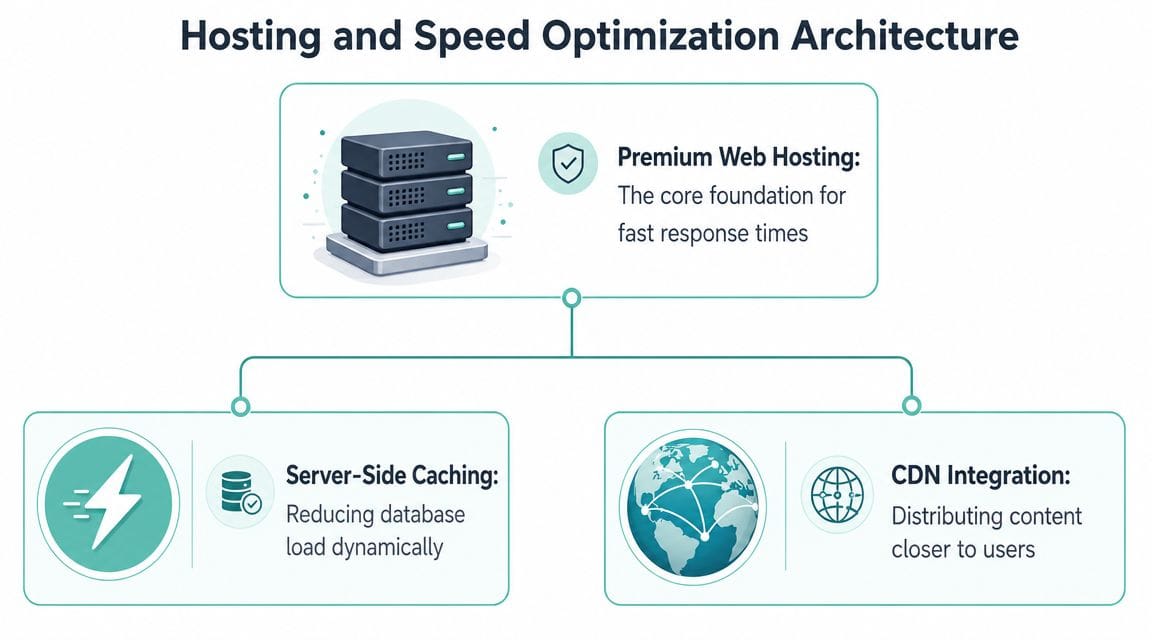
If your customers are in Australia and your site is delivered from infrastructure closer to them, pages generally feel quicker and more responsive. That doesn't mean hosting alone will fix rankings. It means your infrastructure can support the kind of experience Google already says matters.
This is especially relevant for:
- local trades and service businesses
- online stores with mobile-heavy traffic
- WordPress sites using large themes or plugins
- businesses relying on suburb or city-based search traffic
A slow server creates a chain reaction. The page takes longer to respond. Mobile users get impatient. Forms are abandoned. Google sees weaker experience signals over time.
What to change on the hosting side
Most small business sites don't need exotic infrastructure. They need sensible performance settings and fewer bottlenecks.
Look at these areas first:
| Hosting factor | Why it matters |
|---|---|
| Local server location | Reduces latency for Australian visitors |
| LiteSpeed or equivalent | Improves server-side delivery and caching options |
| Caching | Cuts repeat load on pages that don't need rebuilding every visit |
| Free SSL | Supports HTTPS and modern browser trust |
| Resource isolation | Helps stop other accounts from affecting your site performance |
| Backups and security scanning | Reduces downtime risk after malware or breakage |
For WordPress, caching and server-level optimisation often do more than another SEO plugin. If the site rebuilds every page from scratch, relies on oversized images, and runs on underpowered hosting, content edits won't solve the performance problem.
A practical setup for many Australian SMBs includes local hosting, LiteSpeed-style caching, image compression, clean plugins, and ongoing malware scanning. That's not glamorous, but it's usually more useful than endlessly tweaking keywords.
A practical hosting decision for small businesses
Hosting becomes an SEO issue when the infrastructure keeps getting in the way. If updates are slow, admin pages lag, backups are unreliable, or the site struggles on mobile, your ranking work becomes harder to hold.
For businesses wanting local infrastructure and performance tooling in one place, website speed optimisation for Australian users outlines the kind of features worth looking for, including Australian delivery, caching support, SSL, and performance-focused hosting configurations. UpTime Web Hosting is one local option that offers Australian server locations, cPanel, LiteSpeed, AccelerateWP, SSL, malware scanning, and backups, which are all relevant to the speed and stability side of SEO.
Speed is rarely one big fix. It's usually the result of cleaner hosting, lighter pages, fewer conflicts, and better caching.
What doesn't work well is chasing synthetic speed scores while ignoring real user friction. If your homepage score improves but service pages still load badly on a phone in Adelaide or Townsville, the business outcome hasn't changed much. Prioritise pages that drive leads or sales.
Building Authority and Local Trust in Australia
A fast site gets you into the race. Local trust helps you win the click.
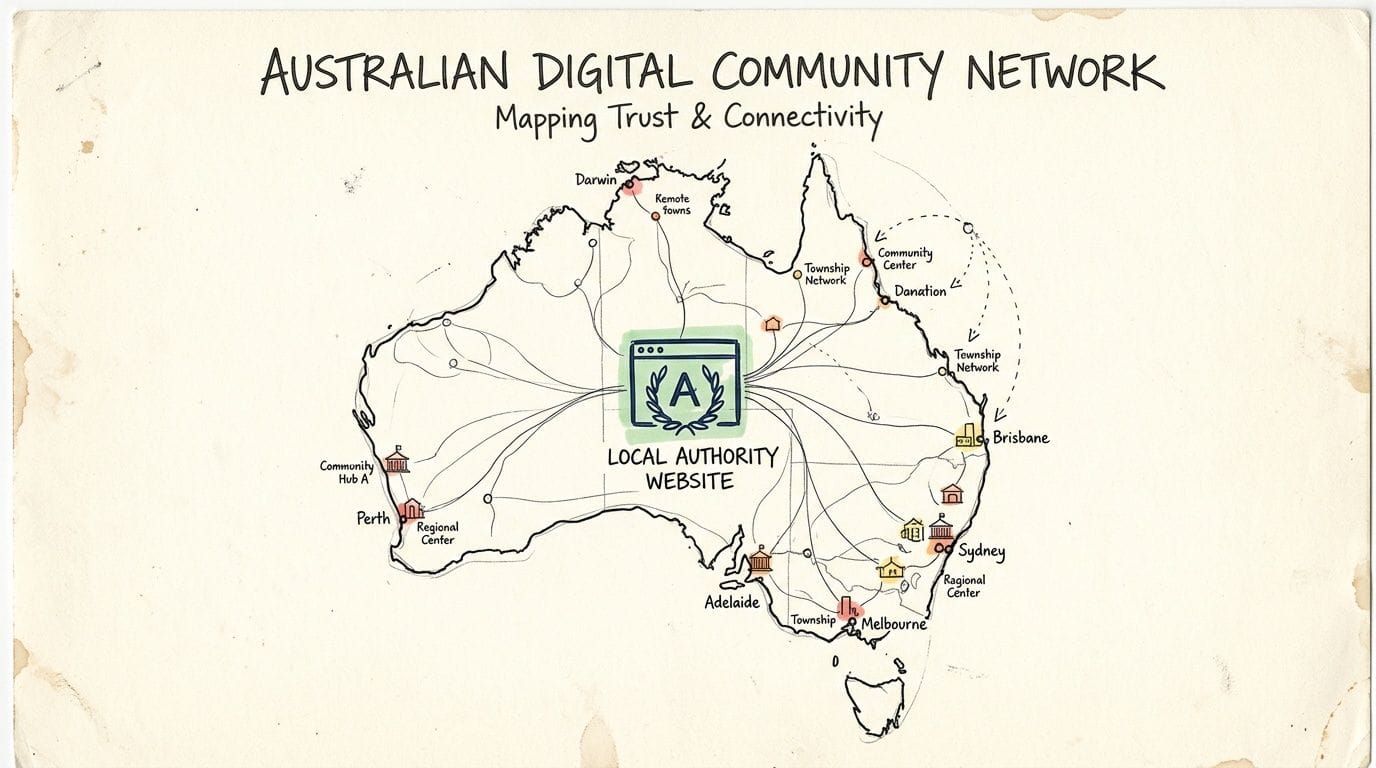
If you run a plumbing business in Brisbane, a clinic in Parramatta, or a mobile locksmith in Geelong, Google needs more than keywords to feel confident showing your business to nearby searchers. It looks for consistent local signals across your website, your business profile, and the wider web. For Australian small businesses, that trust work often has a clear commercial result. More map visibility, better click-through from local searches, and more enquiries from people who are ready to book.
Get your Google Business Profile right
Google Business Profile does a lot of heavy lifting for local SEO. A neglected profile creates doubt. A well-maintained one gives Google clearer evidence about who you serve, where you operate, and whether the business is active.
Focus on the basics first:
Business name and category
Use your real trading name and choose the closest primary category. Adding extra keywords to the name can create consistency problems across listings.Service areas or address Set this up to match how the business operates. A service business should define its service areas clearly. A shopfront should show the correct physical location.
Opening hours
Keep them current, especially around public holidays and seasonal changes.Photos and videos
Use real team, premises, vehicle, or job photos. Local customers can spot stock imagery quickly.Business description Explain your services in plain English and mention the areas you work in.
Website and contact details
Make sure your phone number, website URL, and business details match what appears on your site and other listings.
Reviews matter too, but the trade-off is time. Chasing dozens of low-effort reviews is less useful than steadily collecting genuine feedback that mentions the service provided and the suburb or city. A few detailed reviews often do more for trust than a pile of vague five-star ratings.
Build local relevance on your website
Your website should back up the location signals in your profile. That means giving each key service and area enough detail to stand on its own.
For example, an electrician serving Melbourne's west should not rely on one generic services page and a footer list of suburbs. It usually works better to create useful pages for core jobs and major service areas, then include the kind of details a local customer wants. Response times, service zones, licence information, common callouts, and clear contact options.
This is also where hosting choices support SEO. If a customer in Australia clicks through from your business profile and lands on a slow or flaky page, trust drops fast. Local infrastructure will not create authority by itself, but it supports the same goal. The business feels real, accessible, and established. If you are reviewing that side of the setup, why local Australian hosting matters for local businesses explains the practical case for serving local users from local infrastructure.
Earn relevant mentions that make business sense
Authority grows faster when the mention would still be worth getting even if Google did not exist.
For an Australian SMB, that usually means links and mentions from places tied to the actual business. Local chambers of commerce, industry associations, suppliers, local media, event sponsors, schools, sporting clubs, and community groups are all stronger signals than random directories that list thousands of unrelated sites.
A few examples that hold up well:
- sponsoring a local event and being listed on the organiser's website
- joining a recognised industry body with a member profile
- publishing a suburb guide or service checklist that local sites may reference
- contributing expert commentary to a local publication
- partnering with nearby businesses on a practical resource
I see small businesses waste a lot of energy on low-quality link building because it sounds scalable. In practice, one relevant mention from a local organisation can do more for credibility than a batch of weak directory submissions. It also sends the right kind of traffic. People who already know the area, need the service, and are more likely to convert.
The test is simple. If the mention helps your reputation with real customers, it is usually a better authority play.
Register your new domain name at competitive market prices including free domain add-ons like privacy, DNS Hosting, Custom Nameservers and Forwarding.
Always the best price and no nasty renewal price hikes.
Register A Domain Name
Measure Iterate and Win the Long Game
SEO work pays off when you keep closing the loop. Many businesses make changes, wait, and rely on gut feel. That's risky. You need to see which pages are getting impressions, which searches trigger your pages, and which content leads to enquiries.
Two free tools carry most of that load. Google Search Console shows search visibility. Google Analytics shows what people do after they arrive.

What to watch in Search Console
Search Console is where you spot movement before your phone starts ringing more often.
Pay attention to:
Queries with impressions but low clicks
These often suggest weak titles, mismatched intent, or unclear snippets.Pages that rank but stall
These can become your next optimisation targets.Index coverage issues
If important pages drop out or never get indexed, fix that before publishing more.Mobile usability warnings
If a page is clumsy on mobile, it's easier to lose rankings and conversions together.
What to watch in Analytics
Analytics answers a different question. Once people arrive, what do they do?
A small business should keep an eye on:
| Report area | What it tells you |
|---|---|
| Landing pages | Which pages attract visitors first |
| Engagement | Whether people stay and interact |
| Conversion paths | Which pages assist enquiries or sales |
| Device patterns | Whether mobile users struggle more than desktop users |
The most useful habit is comparing traffic quality page by page. A blog post may bring visits but no enquiries. A location page may attract fewer visits but better leads. That tells you where to invest more time.
Turn reports into action
At this point, SEO stops being abstract.
If Search Console shows impressions rising but clicks staying flat, improve the title and meta description. If a service page gets traffic but no conversions, rewrite the offer, tighten the page structure, or fix the mobile form. If a page performs well after an update, apply the same approach to similar pages.
Keep a short monthly record of changes. What you updated, when you changed it, and what happened afterwards.
That simple discipline helps you avoid random SEO work. It also helps you see whether the problem is visibility, relevance, speed, or conversion. Most ranking gains come from repeated small improvements made on purpose.
Your Roadmap to a Higher Google Ranking
A higher Google ranking usually comes from doing ordinary things properly and in the right order. That's encouraging, because it means you don't need a secret tactic. You need a workable roadmap.
Start with technical health so Google can crawl and trust the site. Tighten your pages so each one matches a real search intent. Improve speed for Australian users through better hosting and leaner delivery. Build local trust with a complete business profile and genuine mentions. Then measure everything and keep refining what already shows promise.
A local business owner doesn't need to master every corner of SEO to make progress. If you run a roofing business in Hobart, a dental clinic in Parramatta, or an online store shipping nationwide, the basics still hold. Make the site accessible, useful, fast, trustworthy, and measurable.
That's how to increase your website ranking on Google without wasting months on tactics that don't fit your business.
If your website is being held back by slow delivery, clunky infrastructure, or hosting that doesn't suit Australian visitors, UpTime Web Hosting provides local hosting, cPanel access, SSL, performance tooling, backups, and Australian-based support that can help you build a stronger SEO foundation before you spend more on content or ads.