Setting up a business Facebook page is straightforward. You head to facebook.com/pages/create, pick a name and category, and plug in your business info. Done.
But the real value isn’t in the how; it’s in understanding why a Facebook page is an absolutely essential asset for your business. It's much more than just another social media profile—it's a dynamic hub for real, tangible growth.
Why Your Business Needs a Facebook Page
Think of a Facebook Business Page as a powerful tool for connecting with customers, building your brand's credibility, and driving actual results. It’s your digital storefront, your customer service desk, and your marketing megaphone, all rolled into one. Instead of just having an online presence, a Page lets you actively engage with your audience right where they’re already spending their time.
For an Australian business like UpTime Web Hosting, having a Facebook page isn't just a nice-to-have; it's a direct line to a massive local audience. The numbers don't lie. By early 2026, Meta’s data showed 17.7 million Facebook users in Australia. That's 65.3% of the entire population and a whopping 77% of everyone over 13.
For a company offering WordPress hosting and Sydney-based servers, this platform gives us immediate access to potential clients, from startups to established eCommerce stores. You can dig deeper into Australia's social media landscape in this 2026 digital report.
Connect Directly With Your Customers
Your page is a two-way street. A local plumber can post service updates, share handy DIY tips, and answer questions in real-time, building the kind of community trust that leads to more service calls. An online shop can use its page to announce a flash sale, show off new products, and get customer feedback straight from the source through comments and Messenger.
This direct line of communication gives you priceless insights into what your customers actually want and need, helping you fine-tune your services or products. Our guide on starting an online business in Australia dives into how you can use this feedback to your advantage.
Build Authority and Social Proof
Your Facebook page quickly becomes a central hub for social proof. Customer reviews, testimonials, and photos shared by happy clients build credibility in a way that traditional advertising just can't match. When potential customers see other people praising your business, it creates a powerful sense of trust.
A well-managed Facebook Page does more than just broadcast your message; it creates a verifiable record of your brand's reliability and customer satisfaction, turning happy clients into your most effective advocates.
By consistently sharing valuable content and engaging with your audience, you establish your business as an authority in your field. In a competitive market, that foundation is absolutely crucial for long-term growth and customer loyalty.
Alright, you've decided to get your business on Facebook. Smart move. Now, let's get into the 'how' and build your Page from the ground up.
Creating the Page is simple enough, but the choices you make right at the start will massively impact how professional you look online. This is where you lay the foundation, turning a blank slate into a digital storefront that builds trust.
It all begins with a few crucial decisions. We'll go through naming your page so people can actually find you, picking the right category to unlock the features you need, and getting your visuals sorted so your brand looks the part from day one.
Choosing a Strategic Page Name and Category
Your Page Name isn't just a label; it’s a massive part of your online identity and a key factor in how easily potential customers can find you. A common mistake is picking a name that’s too vague or creative for its own good. For instance, a page just called "UpTime" could be for anything from a coffee shop to a tech startup.
A name like "UpTime Web Hosting Australia" is infinitely better. It tells people exactly what you do and where you're based, lining up perfectly with what someone would type into a search bar. Weaving in keywords like "Web Hosting" and a location like "Australia" gives you a serious boost in both Facebook and Google search results.
Next up is your category. This isn't just for show; it actually dictates which special features and tabs are available on your page. Think about it:
- A local cafe choosing "Restaurant" gets options for menus, online reservations, and displaying opening hours.
- A retail store picking "Shopping & Retail" can set up a Facebook Shop to sell products directly from the page.
- For a business like UpTime Web Hosting, a category like "Internet Marketing Service" or "Web Designer" makes perfect sense, unlocking relevant call-to-action buttons like 'Contact Us' or 'Learn More'.
Take a minute to put yourself in your customer's shoes. What do they need from your Page? Your category choice should make their life easier, whether that's booking a table, browsing your products, or getting a quick quote.
Crafting Your Profile and Cover Photos
Your profile picture and cover photo are the very first things people see. They have to be sharp, professional, and bang on-brand. A blurry, pixelated, or badly cropped image instantly screams "amateur hour" and undermines your credibility.
Your profile picture should, nine times out of ten, be your business logo. It's the little icon that follows you everywhere – in search results, on your posts, and in comment threads. It needs to be instantly recognisable, even when it’s tiny. A clean, crisp logo builds that all-important brand recall.
The cover photo (or even better, a cover video) gives you a much bigger canvas to tell your brand's story. Don't waste this space with a generic stock photo. A web hosting company could use a slick cover video to show off its server speed, highlight its data centre security, or feature a glowing client testimonial. This is your prime digital real estate – make it count. If you're wondering about the investment needed for professional visuals, you can explore our guide on web page design pricing.
To make sure everything looks polished and professional, it's crucial to get the dimensions right. Pixelated or stretched images just won't cut it.
Here’s a quick reference guide for creating perfectly sized assets for your new Facebook Business Page, ensuring your brand looks sharp on all devices.
Facebook Page Image and Video Dimensions
| Asset Type | Recommended Dimensions (Pixels) | Key Considerations |
|---|---|---|
| Profile Photo | At least 170 x 170 | Facebook displays this as a circle, so make sure your logo isn't getting its corners chopped off. |
| Cover Photo | 851 x 315 | The sides often get cropped on mobile devices. Keep your most important info and visuals smack-bang in the centre. |
| Cover Video | 820 x 462 | Must be 20-90 seconds long. It's a fantastic way to grab attention the moment someone lands on your Page. |
Nailing these sizes means your page will look just as good on a big desktop monitor as it does on a tiny phone screen, which is exactly what you want.

Performance you can feel, backed by clients who depend on it. Read how our support and uptime create long‑term customer success.Power Your Business with Better Hosting
Optimising Your Page for Maximum Impact
You’ve got the basic skeleton of your page. Now it's time to add the muscle that turns it from a simple online listing into a genuine lead-generation machine. These are the small, strategic tweaks that really encourage visitors to take action, get their questions answered instantly, and see the very best of what your business offers.
This initial setup process is straightforward but critical to get right from the start.
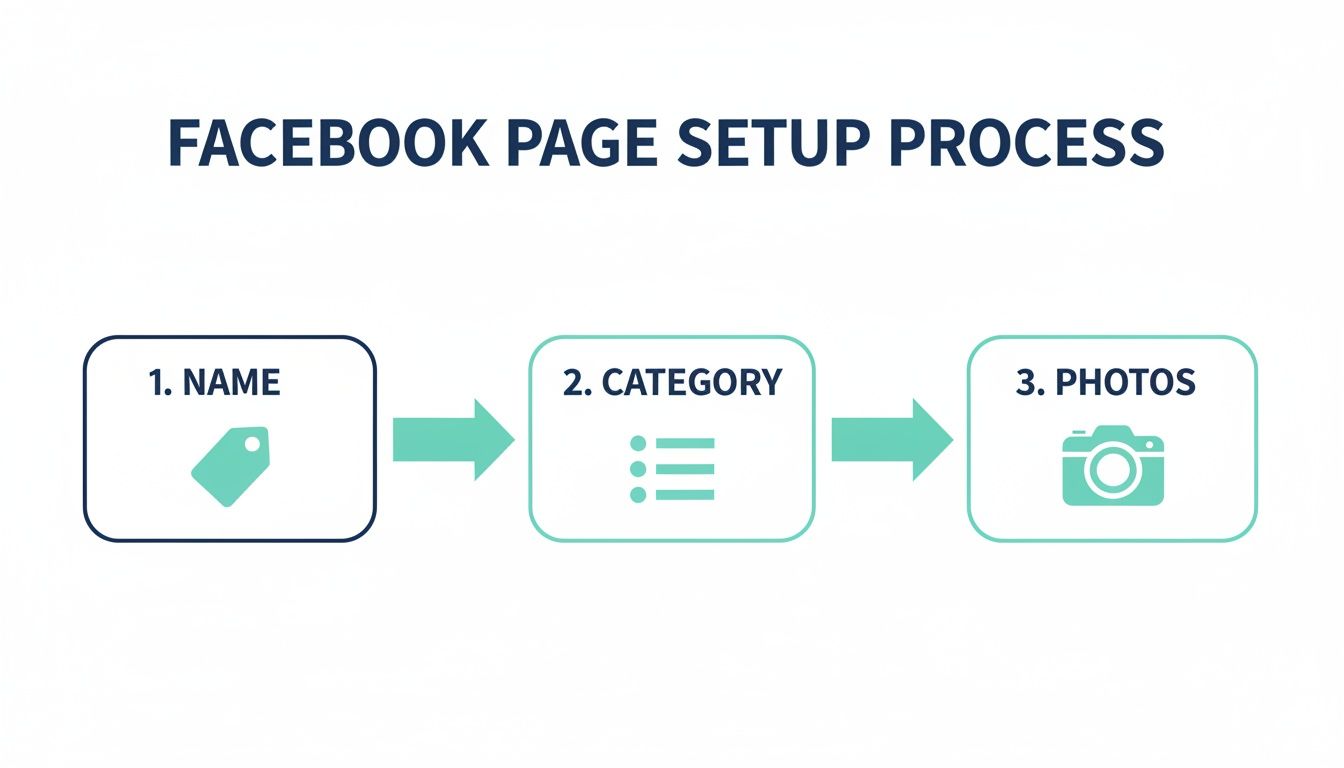
It really boils down to three core steps: choosing a memorable name, selecting the right category, and uploading your branding photos. Nailing these foundational elements ensures your page looks professional and is actually findable from day one.
Crafting a Compelling About Section
Your 'About' section is so much more than a bio; it’s your brand’s story and a massive opportunity to rank higher in search results. Don't just list what you do—tell people why you do it and who you do it for.
Think about a business like ours. A generic description like "We sell web hosting" is a totally missed opportunity. A much more compelling version would be something like this: "UpTime Web Hosting is your 100% Australian partner for fast, secure WordPress hosting. With local servers in Sydney and Perth, we provide reliable cPanel hosting solutions for small businesses and eCommerce stores across Australia."
See the difference? That version naturally weaves in keywords like "WordPress hosting," "cPanel hosting," and "Australian partner," making it far more visible to the right audience.
Selecting the Perfect Call-to-Action
That call-to-action (CTA) button sitting at the top of your page? That's prime real estate. Facebook gives you a whole menu of options, and choosing the right one comes down to one simple question: what is your main business goal?
- For a service-based business, a 'Book Now' or 'Get Quote' button is brilliant for capturing leads directly.
- For an eCommerce store, the 'Shop Now' button is non-negotiable, sending visitors straight to your products.
- For a web host, a 'Sign Up' button could direct users right to your hosting plans, making the journey to purchase completely seamless.
Think carefully about the single most valuable action you want a visitor to take and then make it ridiculously easy for them to do it.
A well-chosen CTA removes friction. It transforms passive page visitors into active leads by giving them a clear, direct path to engage with your business on their terms.
Customising Your Page Tabs and Messaging
By default, Facebook will give you a few standard tabs like 'Home', 'About', and 'Photos'. But you don't have to stick with that. You can customise and reorder them to put what's most important front and centre. Why not drag 'Reviews' or 'Services' right to the top? This gives visitors immediate access to your social proof and offerings.
On top of that, setting up automated messaging is a total game-changer for customer service. You can create a simple instant reply to greet anyone who messages your page, letting them know you've got their query and when they can expect a proper response. This small touch makes your business look professional and responsive, even when you’re not around.
Combining these optimisations with a smart SEO strategy can seriously amplify your results. If you’re curious, you might find our guide on how SEO tools like marketgoo can boost your visibility helpful.
The power of Facebook for Australian businesses is undeniable and it’s only growing. For example, Meta's own data showed that between October 2024 and 2025, Facebook's ad reach in Australia jumped by a massive 750,000 users. Businesses that take the time to optimise their pages now are positioning themselves to capture this expanding audience. To make sure your visual content and ads look professional and perform well, it’s crucial to use the correct Facebook ad sizes.
Crafting Your First Posts and Gaining Followers
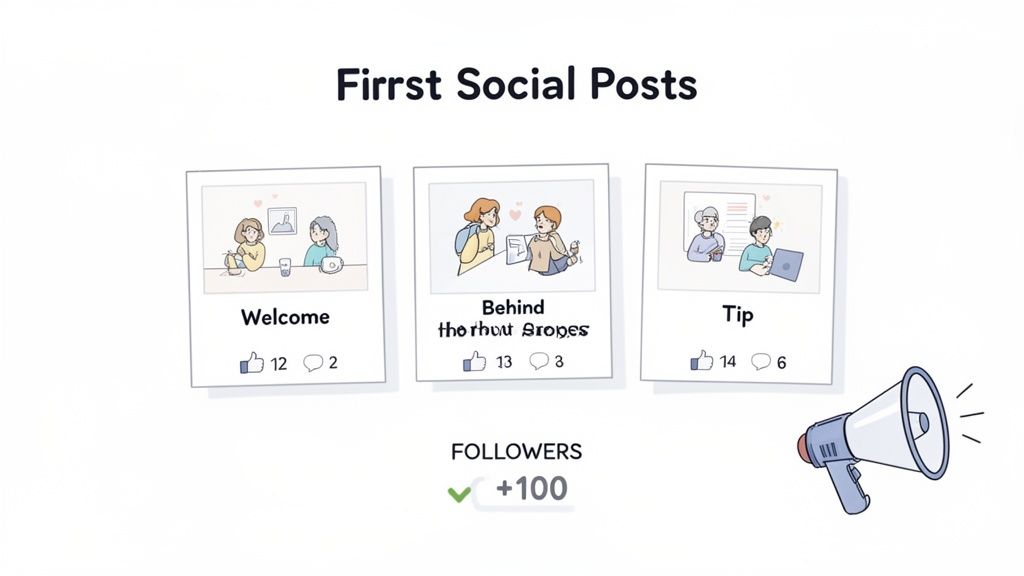
An empty page is like a shop with no stock on the shelves—it just doesn't look inviting. Before you start pulling people in, you need to populate your new page with some great content. This is what sets the tone and shows visitors exactly why they should stick around.
You don't need a month's worth of content ready to go, but aim for at least a handful of live posts before you even think about inviting your first follower. This gives people a taste of the value you'll be offering and a solid reason to hit that ‘Follow’ button. Your first few posts just need to be authentic and give people a glimpse into what you're all about.
Five Essential First Post Ideas
To get the ball rolling, here are five foundational posts that every new business page should have. Think of these as the welcome mat for your digital storefront.
The Welcome Post: This is your grand opening. Introduce your business, share your mission, and tell people what they can expect from following you. A local cafe might post a photo of their team with a caption like, "Welcome to the official page for The Daily Grind! We're thrilled to be your new spot for specialty coffee and homemade treats in Richmond. Follow along for menu updates and daily specials!"
A Value-Packed Tip: Immediately establish your expertise. Share a helpful piece of advice that’s relevant to your industry. For example, a web host could post a quick tip on WordPress security: "Quick Tip: Always update your plugins! It’s one of the simplest ways to keep your WordPress site secure. We handle that for you on our managed plans."
A Behind-the-Scenes Look: People connect with people, not just logos. Building trust is all about transparency. Share a photo of your workspace, a short video of your team in action, or a quick look at how your product is made.
Showcase a Product or Service: This isn't a hard sell. It's about highlighting a specific offering and explaining its core benefit. A mechanic could post a short video explaining the difference a wheel alignment makes, demonstrating their expertise and the tangible value of the service.
Ask a Question: The easiest way to get people talking is to ask them something. Spark a conversation with a simple, relevant question. A local bookshop might ask, "We're planning our next author event! What genre would you love to see featured?"
Getting Your First 100 Followers
Once you have some content up, it's time to build that initial momentum. You don’t need a big advertising budget to attract your first followers; it’s all about tapping into the networks you already have.
The quickest and easiest way to get started is by inviting your personal network of friends and family directly from your personal Facebook account. It's free, fast, and gives your page that initial bit of social proof.
Your first followers are often your biggest advocates. Don't be shy about asking your personal network for support; their initial engagement signals to Facebook's algorithm that your page is active and worth showing to others.
From there, it's time to expand your reach. Add a link to your shiny new Facebook page in your email signature. Cross-promote it on any other social media channels you're on, like Instagram or LinkedIn. These small, consistent actions are the key to building a solid foundation of followers and setting your page up for organic growth. If juggling multiple platforms feels like a chore, tools like SocialBee can streamline your content strategy and save you a ton of time.
Your new Facebook Page shouldn't be an island. To make it a genuine part of your business, you need to plug it into the other digital tools you’re already using. This isn't just about convenience; it's about creating a seamless experience for your customers and gathering powerful data to help you grow.
Think of it as building bridges between your digital properties. When your website, Instagram, and Facebook Page are all talking to each other, you streamline your marketing and make it dead simple for customers to connect with you, no matter where they are.
Connect Your Instagram Profile
If your business is on Instagram, linking it to your Facebook Page is a no-brainer. This simple step lets you manage messages from both platforms in a single inbox and share posts or stories across both profiles at the same time.
- Streamlined Messaging: You can respond to Instagram DMs and Facebook Messenger chats from one spot. This means faster, more organised customer service.
- Unified Content: Save a ton of time by posting to both platforms at once. That new product photo can go live as an Instagram post and a Facebook post in one go.
To really get a grip on managing your connected profiles, you'll want to get familiar with the Meta Business Suite. It's a free tool that acts as the command centre for all your Meta assets.
Add Messenger to Your Website
Imagine a potential customer is browsing your hosting plans and has a quick question. Instead of making them hunt for a contact form, you can offer instant help right then and there. That’s exactly what adding a Facebook Messenger chat widget to your site does.
This feature lets website visitors start a conversation with your Page directly from any page on your website. The chat history is saved, too. So, even if they leave your site and come back to you on Facebook later, the conversation can pick up right where it left off.
Integrating Messenger with your website bridges the gap between passive browsing and active engagement. It gives customers a familiar, easy way to get answers, which can directly boost your conversions.
Implement the Meta Pixel
The Meta Pixel is a small piece of code you install on your website. It might sound a bit technical, but its job is pretty straightforward: it tracks what actions visitors take on your site after they've seen your Facebook content or ads.
This data is gold. It tells you which ads are actually driving sales, which pages customers are visiting, and lets you build custom audiences for retargeting. For instance, you could show a specific ad to people who visited a product page but didn't end up buying anything.
Installing the pixel often involves adding a record to your site's DNS. If you're not sure how that works, you can learn more about how to add a verification record to DNS over in our knowledge base.
Host your website with our 5-star rated, cPanel website hosting plans.
Super fast servers, with security included and hosted in your choice of Australian Data Center.
View cPanel Plans
Got Questions About Your Facebook Business Page?
As you start navigating your new page, you're bound to run into a few questions. It's totally normal. Getting the answers sorted early on can save you a world of headaches and help you manage your page like you've been doing it for years.
Here are some of the most common things we see new page owners asking about.
Do I Have to Link My Personal Facebook Profile?
This is probably the biggest one, and it's a valid concern. Yes, you do need a personal Facebook profile to create and manage a business page.
But here's the crucial part: your personal profile and your business page are completely separate entities. Your friends won't get a notification that you've started a page for "Dave's Plumbing," and none of your personal holiday snaps will ever appear on your business timeline.
Think of your personal account as the master key. It unlocks the door to your business page, but only you (and any other admins you add) can use it. The public only ever sees the business.
How Much Does a Facebook Business Page Cost?
With so many platforms trying to get you to upgrade to a paid plan, it's natural to wonder about the cost.
The good news? Setting up and running a Facebook Business Page is completely free. You can post content, share updates, and chat with your followers without spending a single dollar.
Costs only ever come into play if you decide to dive into paid advertising, like boosting a post to reach more people or running a targeted ad campaign. But for general day-to-day use, it costs nothing.
Can I Just Create a Page Without a Personal Profile?
Nope, you can't. Every single business page needs to be connected to at least one personal profile that acts as the administrator. It's just how Facebook's structure works.
If you're really worried about keeping things separate, a popular workaround is to create a very basic, bare-bones personal profile using your business email address. You can then use this profile exclusively for managing your business assets. It adds an extra layer of separation while still playing by Facebook's rules.
Finally, people often get a bit confused about the terminology.
- Facebook Page: This is the broad term for any public profile that isn't a personal one. It could be for a brand, a charity, a band, or a public figure.
- Business Page: This is a specific type of Facebook Page built for commercial outfits. It unlocks all the business-specific tools like call-to-action buttons, the ability to run ads, and access to Page Insights (your analytics).
So, when you follow the steps to create a page for your business, you're essentially setting up a specialised "Facebook Page" with all the commercial features switched on. For a much deeper look into every setting imaginable, the official Facebook Help Centre is always the best place to get the most current information.
Ready to get your business online with a reliable, secure foundation? UpTime Web Hosting offers 100% Australian web hosting with local servers, 24/7 support, and powerful features to help your website succeed. Explore our hosting plans today!