Your online shop is ready for its busiest promotion, then the shared server slows to a crawl. Product pages take too long to open, checkout fails, and you're left wondering whether the problem is your website or the hosting underneath it. At the same time, moving to a private server can feel excessive if you don't have an IT specialist available to maintain it.
Managed VPS hosting sits between those two extremes. You receive an isolated virtual server with dedicated allocations of resources, while the hosting provider handles much of the operating system maintenance, security work, monitoring and backup administration. You remain responsible for the website, database and application code, but you don't have to become a full-time server administrator.
For Australian businesses, the decision involves more than RAM, storage and a control panel. You need to check which city hosts the server, where backup copies are stored, who can access the infrastructure, and how the provider responds when something breaks.
Table of Contents
- Why Managed VPS Exists and Who It Is Really For
- What a Managed Provider Actually Does Behind the Scenes
- Managed VPS Compared With Shared, Unmanaged and Dedicated Hosting
- Speed, Latency and the Truth About Server Location in Australia
- Understanding Managed VPS Pricing in the Australian Market
- What to Look For in an Australian Managed VPS Provider
- Migrating to a Managed VPS Without Downtime
- Making the Right Call and Frequently Asked Questions

Performance you can feel, backed by clients who depend on it. Read how our support and uptime create long‑term customer success.Power Your Business with Better Hosting
Why Managed VPS Exists and Who It Is Really For
A small Australian retailer may start with shared hosting because it's simple. That arrangement can work while traffic and application demands are modest, but a busy sale can expose its limits. If neighbouring accounts consume shared resources, your WooCommerce store may feel slow even though your own product catalogue hasn't changed.
A developer can face the opposite problem. An unmanaged VPS provides root access and more control, but every kernel update, firewall rule, backup check and security response becomes their responsibility. The server gives them freedom, but it also creates an ongoing operations job.
Managed VPS exists as the middle ground. The provider takes responsibility for the server layer, including setup, maintenance, monitoring, security updates and backup workflows. You control the application layer, including your website files, database, plugins, deployment process and content. The distinction is explained in this practical guide to what VPS web hosting means.
The three layers you should separate
Think of the environment as three levels:
- Infrastructure: The host manages the physical platform, virtualisation environment and storage supporting your VPS.
- Operating system: The managed service commonly covers server setup, operating-system maintenance, security updates, monitoring and related hardening.
- Application: You or your developer manage the CMS, theme, plugins, application code, content and business settings.
That division suits Australian small businesses without internal IT staff, agencies managing several client websites, and developers who want root-level flexibility without spending their week on routine administration. It also gives a business a clearer person to contact when the server itself needs attention.
Managed VPS has become more mainstream in Australia. The broader Australian VPS market is projected at AUD 1.2 billion to AUD 1.6 billion in 2026, compared with about AUD 700 million in 2020, according to IndexBox's Australian VPS market analysis. That context helps explain why buyers are looking beyond a cheap hosting login and asking what the provider operates for them.
What a Managed Provider Actually Does Behind the Scenes
Buying an unmanaged VPS is like leasing an empty workshop. You get the space and equipment, but you organise the tools, inspect the wiring and fix the machinery. A managed VPS is closer to leasing the workshop with a mechanic responsible for routine servicing. You still drive the vehicle, but you're not expected to rebuild the engine.
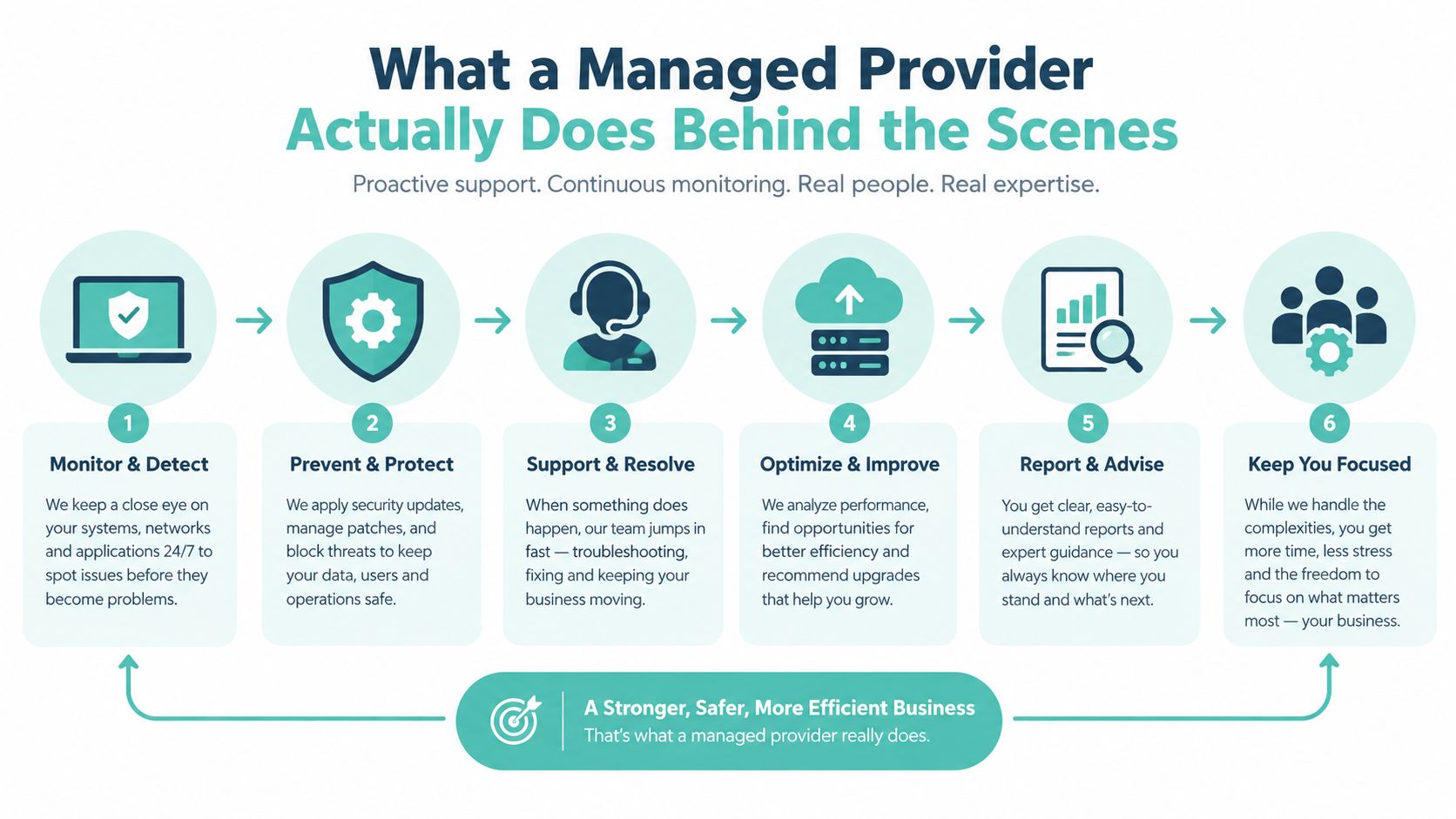
The provider's work usually falls into five operational areas:
- Provisioning and configuration: The host creates the VPS, installs the operating system and applies the initial configuration.
- Patching: The provider applies operating-system and kernel security updates according to its maintenance process.
- Monitoring: Systems watch availability and server health so problems can be identified before you notice them through customer complaints.
- Security and recovery: Firewall configuration, security hardening and backup workflows form part of the server's protection.
- Migration and support: The host may help move files, databases and hosting configurations from an existing platform.
What stays on your side
Managed doesn't mean that every technical task disappears. You'll generally still need to update WordPress, WooCommerce, plugins, themes, application dependencies and website content. If a plugin introduces a conflict, the provider may help investigate the hosting environment, but you or your developer usually owns the application decision.
Ask the provider to define its scope in writing. Look for clear answers about:
- Monitoring: Is the service checking availability only, or also server resources and key services?
- Backups: How often do backups run, how long are they retained, and where are copies stored?
- Security: Does management include firewall administration, malware scanning and patching?
- Migration: Will the host assist with cPanel or Plesk transfers, database movement and testing?
- Support: Can you reach a technical team when the problem is outside your application?
Australian managed VPS offerings commonly include tools such as cPanel or WHM, automatic operating-system and kernel patches, active monitoring and backup workflows, as described in GoDaddy Australia's fully managed VPS service information. The practical value is reduced administrative burden and less chance of configuration drift, provided the boundaries are documented.
A useful comparison is managed web hosting in Australia. It helps separate general website support from the more specific server responsibilities that should come with a managed VPS.
Host your website with our 5-star rated, cPanel website hosting plans.
Super fast servers, with security included and hosted in your choice of Australian Data Center.
View cPanel Plans
Managed VPS Compared With Shared, Unmanaged and Dedicated Hosting
Managed VPS isn't automatically the right upgrade for every website. It's one point on a spectrum that runs from low administration and shared resources to maximum control and maximum responsibility.
| Hosting Type | Control & Root Access | Indicative AUD Price | Performance & Isolation | Admin Effort Required |
|---|---|---|---|---|
| Shared hosting | Limited control, no server root access | Compare current provider quotes | Resources are pooled with other accounts | Low, suitable for owners who want hosting to stay simple |
| Unmanaged VPS | Root access and strong system control | Compare current provider quotes | Virtual resources are isolated, subject to the provider's platform | High, suitable for confident Linux administrators |
| Managed VPS | VPS control, with provider administration above the application layer | Compare current provider quotes | Isolated virtual environment with managed operations | Moderate to low, suitable for SMBs, agencies and supported development teams |
| Dedicated server | Full physical-machine control | Compare current provider quotes | Entire server allocated to one customer | High, because dedicated hardware still needs administration |
The table avoids false precision because Australian prices vary with storage, memory, control-panel licensing, support scope, backup retention and contract terms. A low headline price may exclude the administration work that makes a managed service useful.
How to position your website
Shared hosting is often sensible for a small brochure website with modest demands. It becomes less comfortable when resource contention, limited configuration or application complexity creates recurring problems.
An unmanaged VPS suits someone who can confidently secure Linux, troubleshoot services, test restores and respond to incidents. Root access is valuable only when someone has the time and skills to use it safely.
Managed VPS adds a professional operating layer to that virtual infrastructure. Dedicated hosting gives you the whole physical machine, but it doesn't automatically give you a system administrator. The right choice depends on the balance between control, isolation and the hours your team can realistically spend maintaining the platform.
For a broader explanation of the alternatives, see this overview of common web hosting types.
Speed, Latency and the Truth About Server Location in Australia
The word managed doesn't make a server faster by itself. Management affects maintenance and support. The physical distance between your visitors and the data centre affects network round-trip time.
Australian latency guidance places local round trips at roughly 10 to 30 milliseconds, while connections to Singapore are around 80 to 110 milliseconds and connections to United States origins are about 180 to 300 milliseconds for Australian visitors. These figures are summarised in Australian hosting guidance on local and overseas routing.
| From City | Sydney DC | Melbourne DC | Singapore DC | US West (LA) |
|---|---|---|---|---|
| Sydney | Local Australian routing, typically within the 10 to 30 ms local range | Local Australian routing, typically within the 10 to 30 ms local range | About 80 to 110 ms | About 180 to 300 ms |
| Melbourne | Local Australian routing, typically within the 10 to 30 ms local range | Local Australian routing, typically within the 10 to 30 ms local range | About 80 to 110 ms | About 180 to 300 ms |
| Brisbane | Australian routing, with the exact result depending on the network path | Australian routing, with the exact result depending on the network path | About 80 to 110 ms | About 180 to 300 ms |
| Perth | Australian routing, with the exact result depending on the network path | Australian routing, with the exact result depending on the network path | About 80 to 110 ms | About 180 to 300 ms |
The table shows the useful principle, not a guarantee for every connection. Your customer's ISP, routing path, page design and time to first byte also affect the experience.
When Australian location matters
A Sydney-based retail site serving shoppers in Sydney, Melbourne and Brisbane may benefit from local origin hosting. A managed VPS service tied to Dell servers in Equinix data centres in Sydney and Melbourne, such as the infrastructure described by Crucial's Australian VPS service, is a concrete example of local deployment rather than an offshore server marketed broadly as “Asia Pacific”.
A CDN can reduce the effect of distance for static assets such as images, stylesheets and cached pages. It won't necessarily remove the distance between an Australian visitor and the origin for every dynamic request, particularly checkout, account pages or application actions.
Practical rule: Check the data-centre city and test TTFB from the locations where your customers actually browse. Don't treat “managed” as a speed specification.
You can use a service focused on low-latency hosting in Australia as a starting point, but still ask for the actual facility and measure your own site.
Understanding Managed VPS Pricing in the Australian Market
A four-person Australian agency running a dozen client sites may see an unmanaged VPS as the cheaper option. The invoice is only part of the cost. Someone still needs to monitor the server, maintain its operating system, test backups and respond to incidents.
A managed VPS charges for the virtual machine and for defined operational work around it. That work can include backups, monitoring, firewall changes, patching, migration help, support, and cPanel or Plesk licensing. The provider's responsibilities differ, so confirm the service boundary before comparing monthly prices.
What the monthly line items can include
Check each component separately:
- Compute allocation: vCPU, RAM and storage type indicate which workloads the virtual machine can handle.
- Control panel licensing: cPanel or Plesk may be included or billed separately.
- Backup service: Confirm frequency, retention, replication location and restore assistance.
- Management scope: Ask whether patching, firewall administration and monitoring are included.
- Support access: Establish whether technical help is included or sold as extra hours.
- Growth options: Ask how resources increase and whether changing plans causes downtime.
The practical comparison is between a low monthly sticker price and a predictable operating budget. A managed plan may cost more on the invoice, while reducing the agency's need to schedule routine administration or pay separately for every server task. Unmanaged hosting suits people comfortable with Linux administration, rather than buyers choosing only on the lowest advertised price.
Independent Australian Australian VPS hosting comparisons describe managed options as including administration, backups, monitoring and security work that a small or medium-sized business would otherwise handle itself. Treat that description as a prompt to verify inclusions, not as proof that every provider offers the same service.
For an Australian buyer, price should also be checked against geography and control. Ask where production data is hosted, where backup copies sit, and which provider staff can access the server. A local deployment, such as infrastructure hosted in Equinix facilities in Sydney and Melbourne, gives a concrete location to verify. “Australia” on a plan page may not answer those operational questions.
The Australian managed VPS segment is estimated to represent 55% to 60% of VPS market revenue in 2026, according to 6Wresearch. A separate forecast projects Australian VPS market growth at a 12.4% CAGR from 2025 to 2031. These projections indicate stronger adoption, but they do not show whether a particular plan provides enough management for your workload.
Register your new domain name at competitive market prices including free domain add-ons like privacy, DNS Hosting, Custom Nameservers and Forwarding.
Always the best price and no nasty renewal price hikes.
Register A Domain Name
What to Look For in an Australian Managed VPS Provider
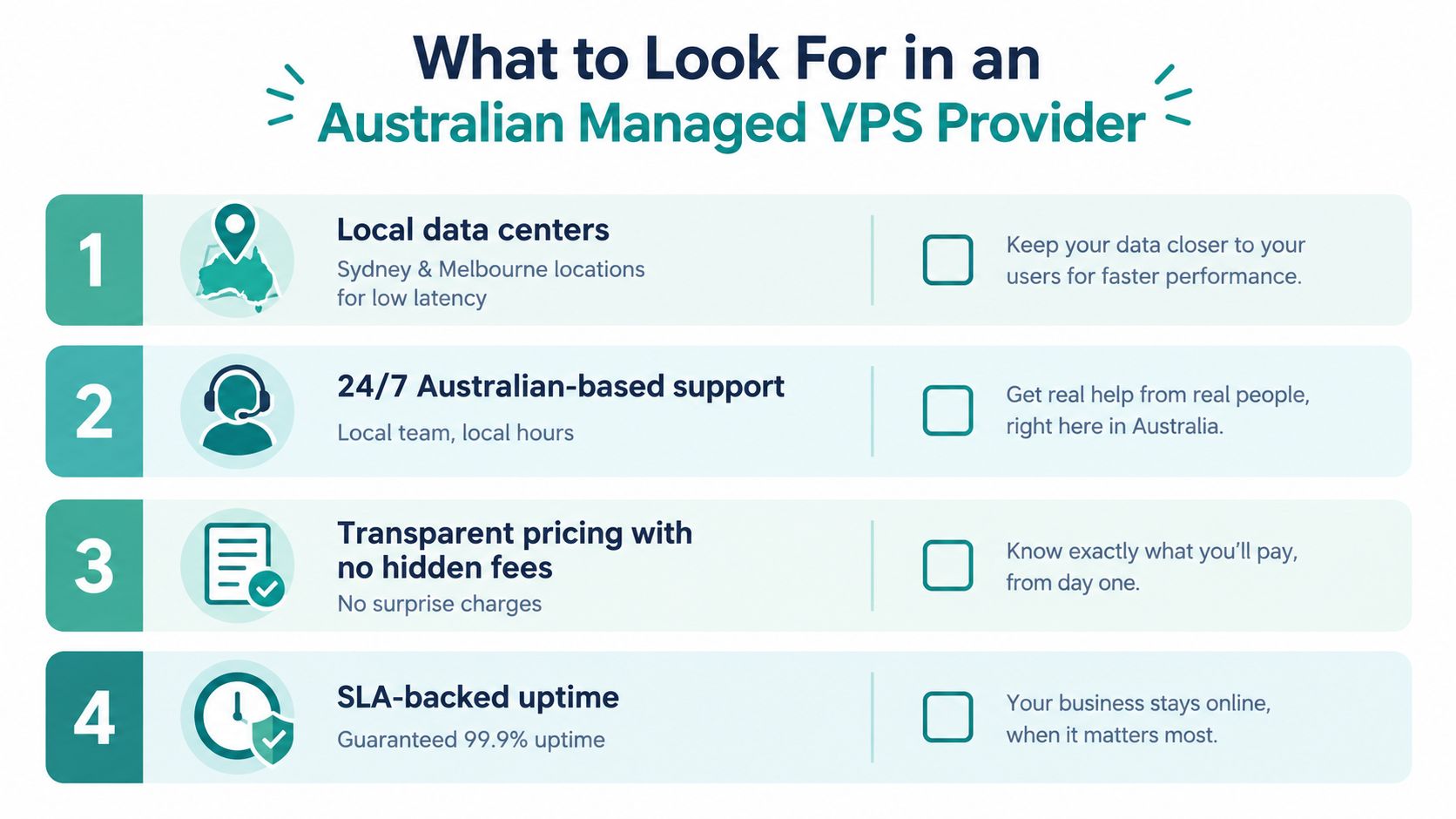
The most important questions for an Australian buyer are operational and geographic. A long feature list won't help if you don't know where the server sits, where recovery copies are kept or which staff can access customer data.
Use this checklist before signing up.
Verify the physical server location
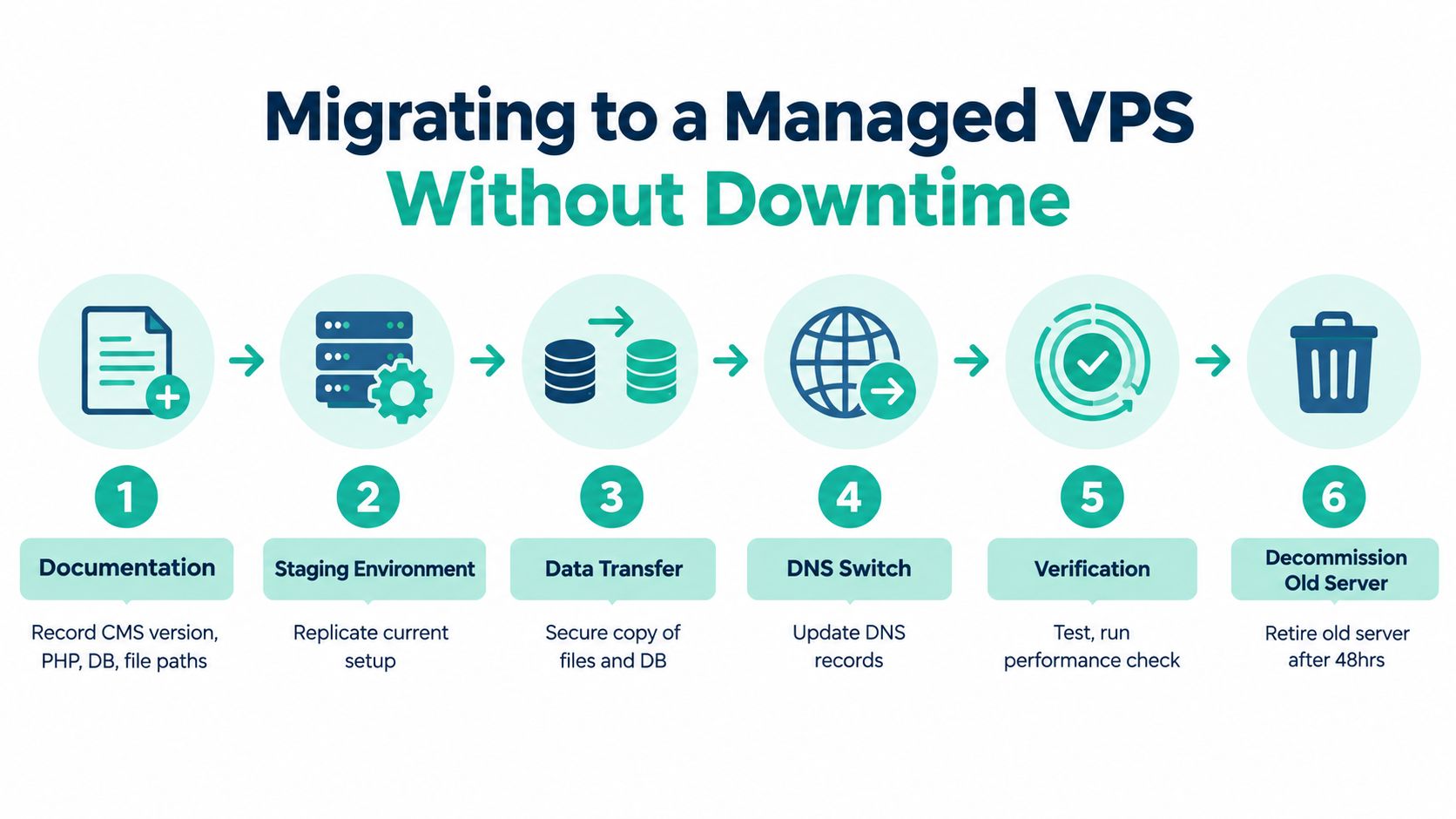
Ask for the exact data-centre city, not only “Australia” or “Asia Pacific”. A Sydney business serving Australian visitors may choose Sydney, while another organisation may prefer Melbourne for its users, operational arrangements or resilience planning.
Ask where backups are stored
A local hosting claim loses some of its value if backup copies are held offshore. Ask whether backups are replicated locally, stored in another Australian facility or transferred overseas. Also confirm the retention policy and whether the provider helps with restoration.
Australian guidance recommends verifying both the data-centre location and backup location, as explained in this managed VPS hosting checklist for Australia. The same source highlights support-access location, which matters if people outside Australia can access customer data or administrative systems.
Establish who can access the server
Ask where the support team is based, how privileged access is controlled and whether access is logged. These questions matter for internal governance, customer commitments and privacy reviews. They also affect how quickly you can speak to someone who understands Australian business hours and local infrastructure.
Request the security baseline
A practical Australian baseline includes a firewall configured during provisioning, fail2ban with SSH protection, and optional GeoIP filtering where a service is intended only for Australia. Guidance for Australian VPS operators also recommends daily automated backups with off-server replication and restore testing quarterly, or more frequently for ecommerce and financial data. These recommendations are detailed in this Australian VPS hosting guide.
Ask for evidence, not adjectives. “Secure” is a description. A patching process, backup schedule, access policy and restore record are operational details.
UpTime Web Hosting is one Australian option whose published services include local infrastructure, managed VPS hosting, monitoring, malware scanning, DDoS-protected firewalls and encrypted off-site nightly backups. Treat those statements as a starting point for verification, then ask how the particular plan handles your data-centre, backup and support-access requirements.
Migrating to a Managed VPS Without Downtime
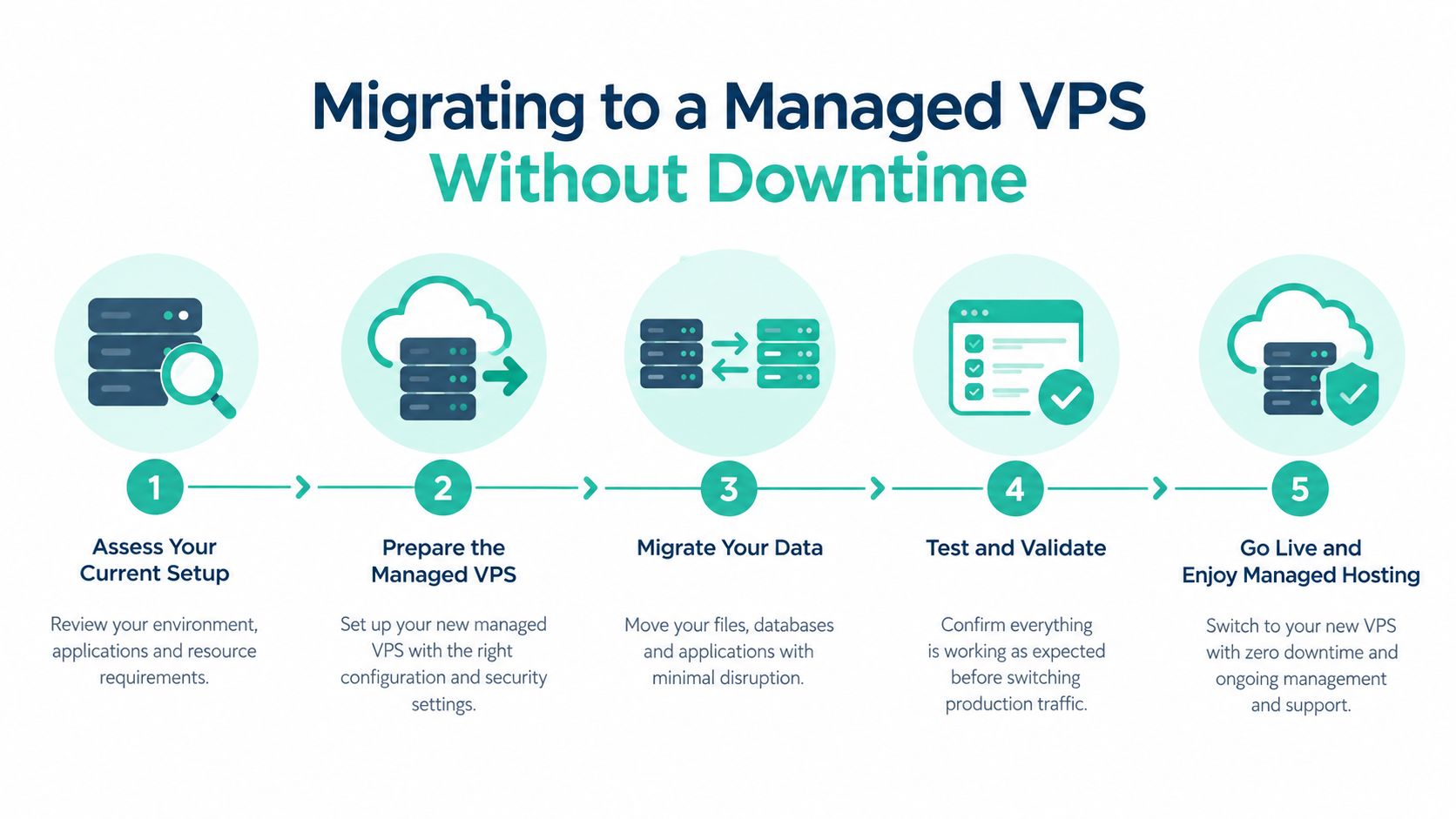
A careful migration is staged rather than rushed. The customer should first document the existing environment, while the provider prepares a matching destination and tests the move before traffic changes.
Start by recording your CMS version, PHP version, database details, mail settings, SSL certificate arrangements, scheduled tasks and any custom paths. Take a full backup before the migration begins. This gives you a reference copy if an application behaves differently after the move.
A practical migration sequence
- Prepare the destination: The provider provisions the VPS in the selected Australian city, installs the operating system and applies its baseline security configuration.
- Replicate the application: Files, databases and supporting settings are copied into a staging environment. Check that the site opens and that application dependencies match.
- Lower DNS TTL: Reduce the DNS time-to-live 48 hours before cutover so resolvers are more likely to refresh the record promptly when the new server becomes active.
- Transfer and test: The provider performs the final file and database synchronisation, then you check the staged site and approve the switch.
- Keep a safety net: Leave the old hosting active for 72 hours after cutover while you monitor the live site and confirm that no overlooked service depends on it.
After the switch, verify HTTPS, forms, checkout, customer logins, scheduled jobs and mail flow. Confirm that the first backup completed successfully and that the provider can explain the restore process. If the site handles orders, compare recent transactions and application logs rather than checking only whether the homepage loads.
Migration assistance can vary considerably. Ask whether the provider offers a staging environment, whether the database is copied during a final synchronisation and who changes the relevant DNS records. This website migration guide provides a useful checklist for discussing the handover with your host.
Experience Microsoft 365 Business Standard for free for 30 days.
Up to 25 users with full access to email, OneDrive and Teams. Includes full versions of desktop apps of Outlook, Word, Excel, PowerPoint and more.
Try Microsoft 365
Making the Right Call and Frequently Asked Questions
Managed VPS is a sensible choice when your Australian business has outgrown shared hosting, doesn't have a dedicated systems administrator and wants a more predictable operational arrangement. It's less suitable when you need unusual system-level customisation and already have someone who can maintain the server confidently.
Is managed VPS excessive for a simple WordPress site? It can be, particularly if the site has modest requirements and shared hosting is reliable. It may still make sense when downtime, security administration or application growth creates a business concern.
How is managed VPS different from cloud hosting? A managed VPS is generally a defined virtual machine with allocated resources. Cloud hosting usually draws from a broader pool of resources and may support more elastic changes. The terms describe different infrastructure models, and either can be managed or unmanaged.
Do Australian data centres matter? They matter when most visitors are in Australia and the application depends on frequent requests to the origin server. They matter less when most users are overseas or a CDN serves much of the site's static content. Check the city rather than relying on a regional label.
What security baseline should I expect? Ask for a patched operating system, managed firewall, malware scanning, access controls, daily automated backups and off-server replication. You should also ask how often restore tests occur and what remains your responsibility at the application layer.
What should an entry-level plan cost? There isn't one universal Australian price because resources, licensing, backups and management scope differ. Compare the total service and the administration you'd otherwise need to provide, rather than choosing from an unexplained headline figure.
If you want an Australian-managed option, visit UpTime Web Hosting to review managed VPS services with local infrastructure, monitoring, security features and backup support. Before ordering, confirm the exact data-centre city, backup location and management scope for the plan that matches your website.