You’ve probably hit that point where the business is real, customers are asking for your web address, and a Facebook page no longer feels like enough. Maybe you’re a tradie who wants quote requests to come through your own site, a consultant who needs a professional home online, or a shop owner ready to sell beyond your local suburb.
That’s where hosting starts to matter.
For many Australian businesses, the first question isn’t “What’s the most powerful server?” It’s “What’s the simplest, safest and most affordable way to get online without creating another headache?” That’s exactly where shared server hosting services fit. They give you a practical starting point without forcing you to pay for server power you won’t use or manage technology you don’t want to touch.
A lot of hosting advice online is written for a global audience and loaded with jargon. Australian businesses usually need something more grounded. You want local support when things go wrong, pricing that makes sense in AUD with GST included, and clear answers about where your website data lives.
Your First Step Online in Australia
If you’re launching your first website, shared hosting is usually the sensible choice.
It suits the kind of sites most small businesses start with. Think a plumbing business with service pages and a contact form. A local accountant with staff profiles and online booking links. A small online store with a manageable product catalogue. These sites need reliability and ease of use more than they need a whole server to themselves.
That’s why shared hosting has become so common for local businesses. In Australia, small and medium enterprises represent over 90% of all businesses, and shared hosting is widely favoured because it’s a cost-effective option with average costs 70 to 80% lower than dedicated alternatives, according to Grand View Research’s web hosting market analysis.
That matters because most businesses don’t start with huge traffic. They start with a need to be found, look credible, and give customers a clean way to get in touch.
Practical rule: If your main goal is to get a professional website live without overspending, shared hosting is usually the right first move.
There’s also a mindset shift here that helps. Choosing shared hosting doesn’t mean you’re choosing a “cheap and nasty” option. It means you’re matching the hosting type to the stage your business is in. For a new or modestly sized Australian site, that’s often the smartest decision you can make.

Performance you can feel, backed by clients who depend on it. Read how our support and uptime create long‑term customer success.Power Your Business with Better Hosting
What Is Shared Hosting and How Does It Work
The easiest way to understand shared hosting is to consider it an apartment building.
Your website has its own private unit. Other websites have their own units too. Everyone lives in the same building and shares the building infrastructure, such as power, water, lifts and the front entrance. In hosting terms, that shared infrastructure is the server’s processing power, memory, storage and bandwidth.
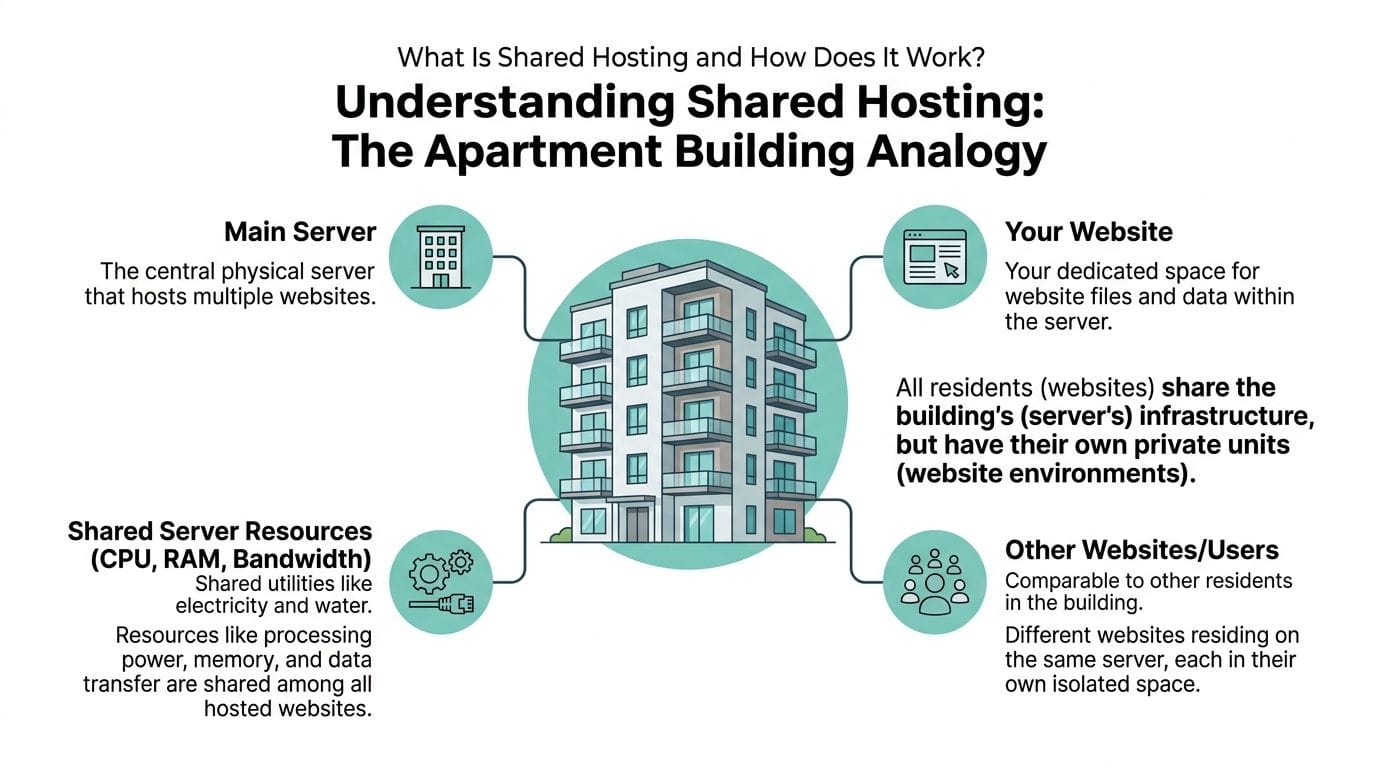
Your website has its own space
Even though multiple sites sit on one server, your files, email accounts, databases and settings are kept in your own hosting account. You’re not poking around in someone else’s site, and they can’t poke around in yours.
For a beginner, that’s useful because you get the bits you care about without having to run the whole machine. You can upload files, install WordPress, create email addresses and manage backups from a control panel such as cPanel.
If you want a plain-English primer before getting too deep, What Is Website Hosting Explained for Beginners gives a good broad overview of how hosting fits into the bigger picture.
The host manages the building
The hosting provider handles the server itself. That includes maintenance, software updates, monitoring, and the behind-the-scenes work needed to keep the service running.
This is one of the biggest reasons small businesses choose shared server hosting services. You don’t need to become a server administrator to run a business website. You focus on your pages, products, bookings or blog posts. The host focuses on the infrastructure.
A useful way to think about it is this:
| Part of the analogy | In real hosting terms | What it means for your business |
|---|---|---|
| Apartment building | Physical server | You share the core infrastructure with other websites |
| Your apartment | Your hosting account | Your website files and settings stay separate |
| Building manager | Hosting provider | They maintain the server and key services |
| Utilities | CPU, RAM, storage, bandwidth | Resources are divided across accounts |
| Your key | cPanel or hosting dashboard | You control your own site without managing the whole server |
Why it’s affordable
Because many websites share one server, the cost of running that server is split across those users. That’s what makes shared hosting much cheaper than renting an entire dedicated server for yourself.
That lower cost doesn’t automatically mean low quality. It just means the hosting model is built for websites that don’t need exclusive access to every server resource.
If you’d like a simple comparison of hosting categories, this guide to common types of web hosting helps put shared hosting next to VPS, cloud and dedicated options in a practical way.
Where people get confused
Many business owners hear “shared” and assume “unsafe” or “slow”. That’s not the full story.
The better question is whether the provider manages the shared environment properly. A well-run shared server can be stable, secure and more than capable for a business website. A poorly managed one can be frustrating. The difference isn’t the label alone. It’s how the hosting stack is built and maintained.
Shared hosting is less about owning the whole building and more about getting a clean, well-managed space that suits the job.
The Benefits and Limitations of Shared Hosting
Shared hosting works well when you know what it’s good at, and equally, what it isn’t.
A lot of disappointment comes from mismatch. Someone buys an entry-level plan for a straightforward business website and gets exactly what they need. Someone else tries to run a heavy custom application with demanding traffic spikes on the same kind of plan and starts blaming the hosting type. The issue is often fit, not failure.
Where shared hosting shines
For most small Australian businesses, the strengths are practical.
- Lower cost of entry means you can launch a proper website without tying up cash in infrastructure.
- Less technical overhead means you’re not patching servers or worrying about system administration.
- Useful bundled tools often include cPanel, email, databases, SSL, app installers and backups.
- Simple upgrades make it easier to move to a larger plan later if your site grows.
There’s also a convenience factor. Many owners don’t want a hobby in server management. They want hosting that stays out of the way so they can get on with quotes, orders and client work.
The main trade-offs
Because resources are shared, your site doesn’t get the full server to itself.
That can create the classic noisy neighbour problem. If one website on the server suddenly starts consuming too many resources, other sites can feel the impact. That’s the downside people are usually talking about when they warn you about shared hosting.
Modern platforms try to reduce that risk. One example is CloudLinux, which is designed to isolate accounts and limit how much of the shared server any one site can consume. If you want a broader look at how hosting environments scale beyond basic shared plans, this overview of the benefit of cloud hosting is a useful next read.
What you give up in control
Shared hosting is made to be easy. The flip side is that you won’t usually get deep server-level control.
That means:
- No full root access for custom server-wide changes
- Less freedom to install whatever low-level software you want
- Provider-set limits around resources and configuration
For many business owners, that’s not a problem at all. In fact, it’s a relief. But developers with unusual server requirements may eventually want VPS or dedicated hosting instead.
A good test is simple. If you need a website, not a custom server project, shared hosting is often enough.
A practical way to decide
Shared hosting is usually a good fit if your site is mainly there to inform, convert, take enquiries, or handle modest online sales. It becomes less suitable when your site has grown into a high-demand application or needs special server control.
The key is to buy with clear expectations. Shared server hosting services are excellent at giving growing businesses a sensible online base. They’re not meant to be every hosting solution for every scenario.
Host your website with our 5-star rated, cPanel website hosting plans.
Super fast servers, with security included and hosted in your choice of Australian Data Center.
View cPanel Plans
Key Features to Compare in Australian Hosting Plans
When you compare hosting plans, the headline price is only part of the story. Two plans can look similar on a pricing table and feel completely different once your site is live.
That’s why it helps to compare features based on what they mean in day-to-day business use. You’re not buying abstract server specs. You’re buying page speed, fewer support dramas, less risk, and a smoother experience for customers.
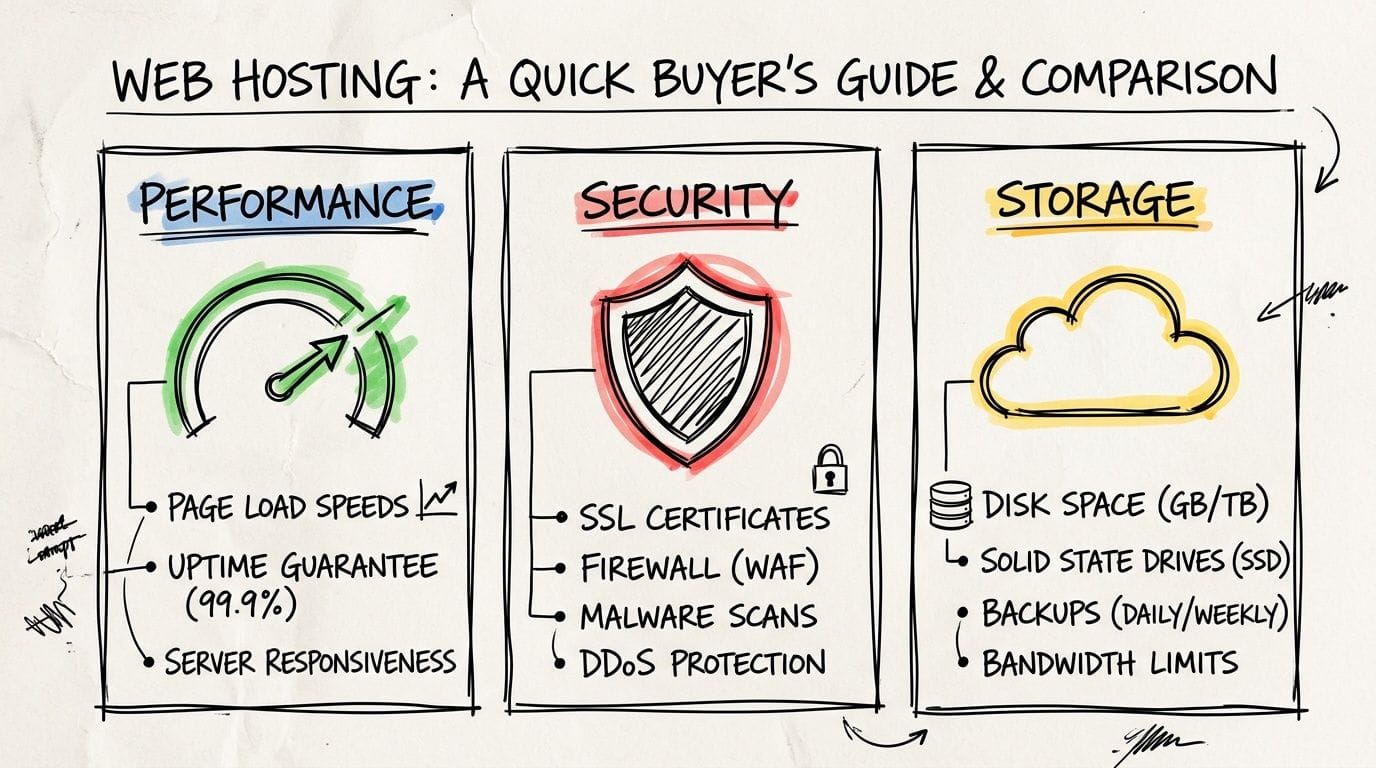
Performance that stays consistent
Performance isn’t just about peak speed. It’s about whether your website stays usable when traffic picks up, plugins get busy, or several people hit your pages at once.
One feature worth checking for is CloudLinux. It uses Lightweight Virtual Environment containers to allocate specific CPU and RAM limits per account. According to the verified benchmark summary, Australian hosting benchmarks show CloudLinux can reduce downtime by up to 40% during peak loads compared to standard setups because it stops one account’s traffic spike from slowing the whole server. That detail is covered in Network Solutions’ explanation of shared hosting and account isolation.
That sounds technical, but the business meaning is straightforward. If another site on the same server gets busy, CloudLinux helps stop that problem from spilling across to your website.
Look for performance language that points to real technology rather than vague promises. Useful signs include:
- CloudLinux support for resource isolation
- LiteSpeed Web Server for better handling of dynamic sites like WordPress
- Australian data centre locations so local visitors aren’t waiting on overseas routes
- Caching tools that reduce repeat load on your site
If you want a structured way to review plans, this checklist of factors to consider when choosing web hosting services gives you a solid comparison framework.
Security that covers real risks
A small business site doesn’t need to be famous to be targeted. Automated bots don’t care whether you’re a local florist, accountant or online parts store. They scan for weak logins, old plugins, vulnerable forms and unprotected websites.
That’s why plan comparisons should include security basics as standard, not as expensive add-ons.
Here’s what to look for:
| Feature | Why it matters | What to ask |
|---|---|---|
| Free SSL certificate | Encrypts traffic between your site and visitors | Is SSL included and easy to activate? |
| Malware scanning | Helps detect compromised files early | Is scanning automatic or manual? |
| Firewall protection | Blocks unwanted or malicious traffic | Is there server-level protection in place? |
| DDoS protection | Helps keep your site online during attack traffic | Is mitigation included on shared plans? |
| ModSecurity support | Adds a rules-based layer against common attacks | Can it be enabled from the control panel? |
One Australian example in the market is UpTime Web Hosting, which offers shared hosting with features such as free SSL, malware scanning, DDoS-protected firewalls, CloudLinux, LiteSpeed and encrypted off-site nightly backups. That combination shows the kind of practical feature set worth comparing when you review local plans.
Worth checking: Security isn’t only about your live website. Ask where backups are stored and whether they stay in Australia too.
Backups you can actually rely on
Most business owners only think about backups after something breaks.
A plugin update fails. A staff member deletes content. Malware gets into a site. An online store page goes missing. In those moments, the quality of your backup system matters more than any marketing slogan on the sales page.
A good shared hosting plan should make backups routine, not optional. You want them to happen automatically and live somewhere separate from your active hosting account.
Look for these signs:
- Nightly backups so you’re not relying on last month’s copy
- Off-site storage in case the live environment has a larger issue
- Simple restoration options so recovery doesn’t turn into a support marathon
- Clear retention details so you know how far back you can roll
If a provider only says “backups available” without explaining how they work, ask more questions.
Support that matches Australian business hours
Support quality is one of those things people underestimate until they need it.
If your contact form stops working on a weekday morning, or your site goes down before a campaign launch, you don’t want to wait around for a response that lands overnight because the support team is working in another time zone. Local support matters because it lines up with your trading hours, your language expectations and your urgency.
A hosting plan becomes easier to live with when support is available through channels you’ll use, such as:
- Phone support for urgent issues
- Ticket support when you need a written record
- Call-backs if you can’t sit on hold
- Knowledge base articles for quick self-service fixes
A helpful support team also explains things in plain English. That matters if you’re not technical and just need to know whether the issue is your website, your email, or the hosting itself.
Pricing and resources without the usual confusion
Here, many buyers get caught.
A plan says unmetered bandwidth, and it sounds like your site can handle anything. In practice, that phrase usually relates to billing rather than a promise of unlimited speed under every condition. If several sites on a shared server are all busy at once, performance can still tighten up. That gap between the sales phrase and the actual experience is one of the most overlooked parts of buying shared hosting in Australia.
So when you compare plans, don’t stop at the words “unmetered” or “unlimited”. Check what’s being allocated and controlled.
A few practical questions help:
- Are CPU and memory limits explained clearly?
- Does the provider mention resource isolation such as CloudLinux?
- Are there hidden setup fees, renewal jumps or exclusions?
- Is the displayed price in AUD and inclusive of GST?
- Does the plan include essentials, or will you be upsold later?
Here’s the plain-English version of common resource terms:
- Storage is how much room your website files, emails and databases can use.
- Bandwidth relates to data transfer between your site and visitors.
- CPU and RAM affect how much work your site can do at once.
- Add-on domains determine whether you can host more than one site in the account.
The safest buying habit is to read the plan page the way you’d read a service quote. Look for what’s included, what’s limited, and what happens at renewal. Transparent hosting is easier to budget and easier to trust.
Why Australian-Based Hosting Is a Smart Move
A local hosting provider isn’t just a patriotic choice. For many businesses, it’s the more practical one.
Global hosts often market heavily, but Australian businesses have local concerns that don’t show up clearly on international comparison pages. The biggest ones are speed for Australian visitors, support in your own time zone, and confidence about where data is stored.
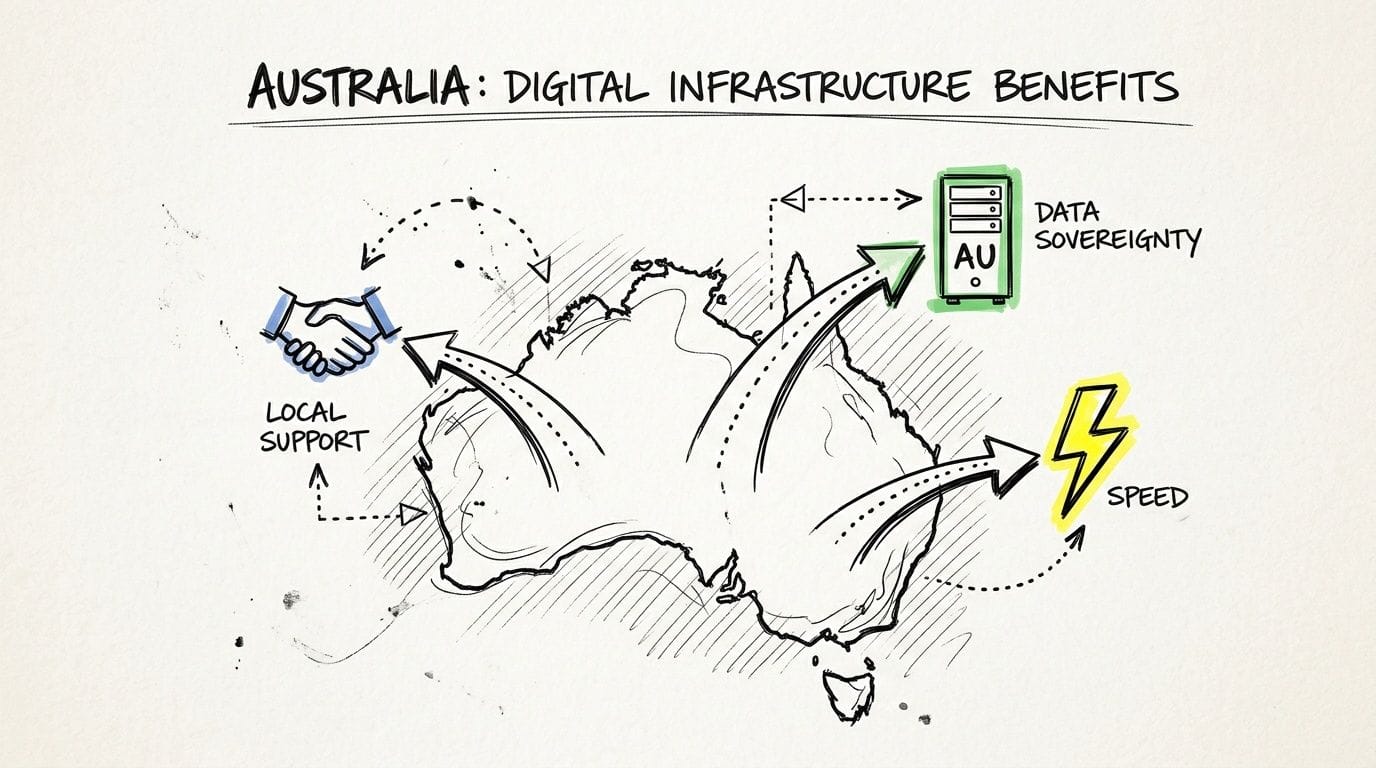
Local servers for local visitors
If most of your customers are in Australia, it makes sense to host closer to them.
A site served from Australian infrastructure usually feels snappier to local users than one served from the other side of the world. That affects first impressions, browsing comfort and the general sense that your business is professional and responsive.
This matters most for businesses whose customers act quickly. A person looking for an emergency electrician, booking a service, or checking product availability doesn’t have much patience for lag.
Data sovereignty is no longer a side issue
One of the most overlooked parts of hosting is data residency.
Verified guidance on Australian hosting points out that mainstream hosting content often ignores the importance of keeping data within Australian borders, even though that’s essential for businesses thinking about compliance under the Privacy Act and checking whether both primary data and backups remain in Australia. That concern is highlighted in TechRadar’s discussion of shared hosting and data residency considerations.
For a small business, that can sound legalistic until you put it into everyday terms. If you collect contact enquiries, customer records, booking details, or payment-related information, you should know where that information sits and where backup copies go.
Hosting in Australia can make compliance conversations simpler because the provider is working within the same regional expectations around data handling.
A good question to ask is not only “Where is my website hosted?” but also “Where are my backups stored?” Both matter.
Support and billing feel simpler when they’re local
There’s also a plain operational advantage to dealing with an Australian provider.
You’re more likely to get support during your working day. You’re less likely to be caught out by currency conversion surprises. And if pricing is shown properly, you can compare plans without wondering whether tax will be tacked on later.
That’s one reason local hosting appeals to businesses that want fewer billing surprises and less back-and-forth when help is needed. If this is a priority for you, this article on why switch to local Australian hosting is worth reading before you choose a provider.
Your Buyer's Checklist for Choosing a Provider
When you’re comparing shared server hosting services, a checklist beats a slick homepage every time. It keeps you focused on what affects your business after sign-up, not just what sounds good in an ad.
The simplest approach is to ask direct questions and tick them off one by one.
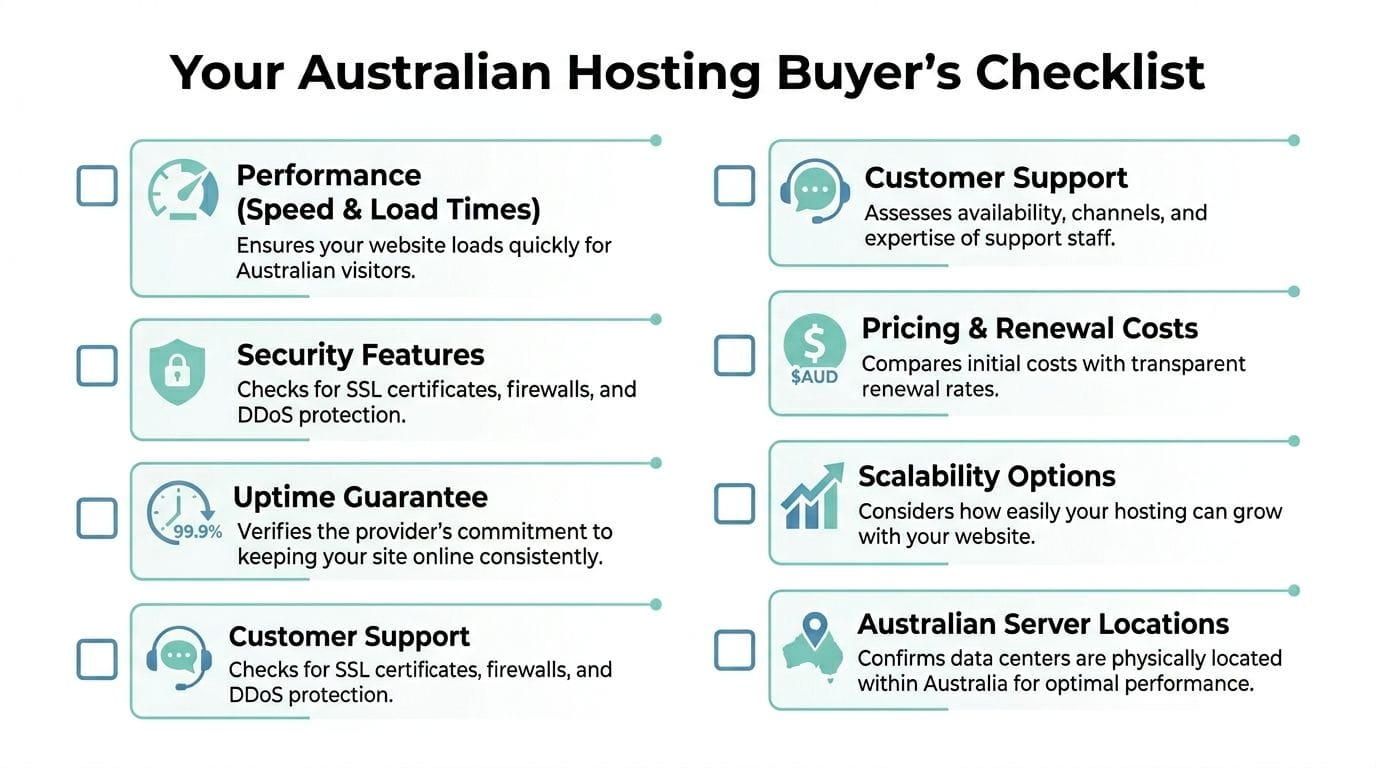
Questions worth asking before you buy
- Are the servers in Australia so local visitors get a better experience and your data location is clear?
- Is the plan suitable for the type of site you’re running such as WordPress, brochure site, small shop or agency client site?
- Does the hosting include performance features like LiteSpeed, caching and account isolation?
- Are SSL and backups included or are they paid extras?
- Can you reach support in Australian business hours through channels you’ll typically use?
- Is the price shown in AUD with GST included and are renewal costs clear?
- Are there hidden restrictions behind terms like unmetered bandwidth or unlimited resources?
- Can you upgrade later without rebuilding the site from scratch?
A fast comparison table
| What to check | Good sign | Red flag |
|---|---|---|
| Server location | Australian data centres clearly stated | No clear server location |
| Pricing | GST-inclusive and transparent | Intro price only, renewal unclear |
| Security | SSL, firewall, malware protection included | Security sold as add-ons only |
| Backups | Automated and off-site | Manual backups only |
| Support | Local contact options | Slow or unclear support pathways |
| Performance | LiteSpeed, caching, isolation tools | Generic “fast hosting” claims only |
If you want another non-salesy reference point while you compare options, this guide on how to choose a web hosting provider is a helpful companion read.
The right provider should make your website easier to run, not give you a new part-time job.
Register your new domain name at competitive market prices including free domain add-ons like privacy, DNS Hosting, Custom Nameservers and Forwarding.
Always the best price and no nasty renewal price hikes.
Register A Domain Name
Getting Started and Moving Your Website
Starting fresh is usually simple. Moving an existing website feels bigger than it really is.
Most migrations come down to a few practical jobs handled in the right order. Once you break it up, it’s much less intimidating.
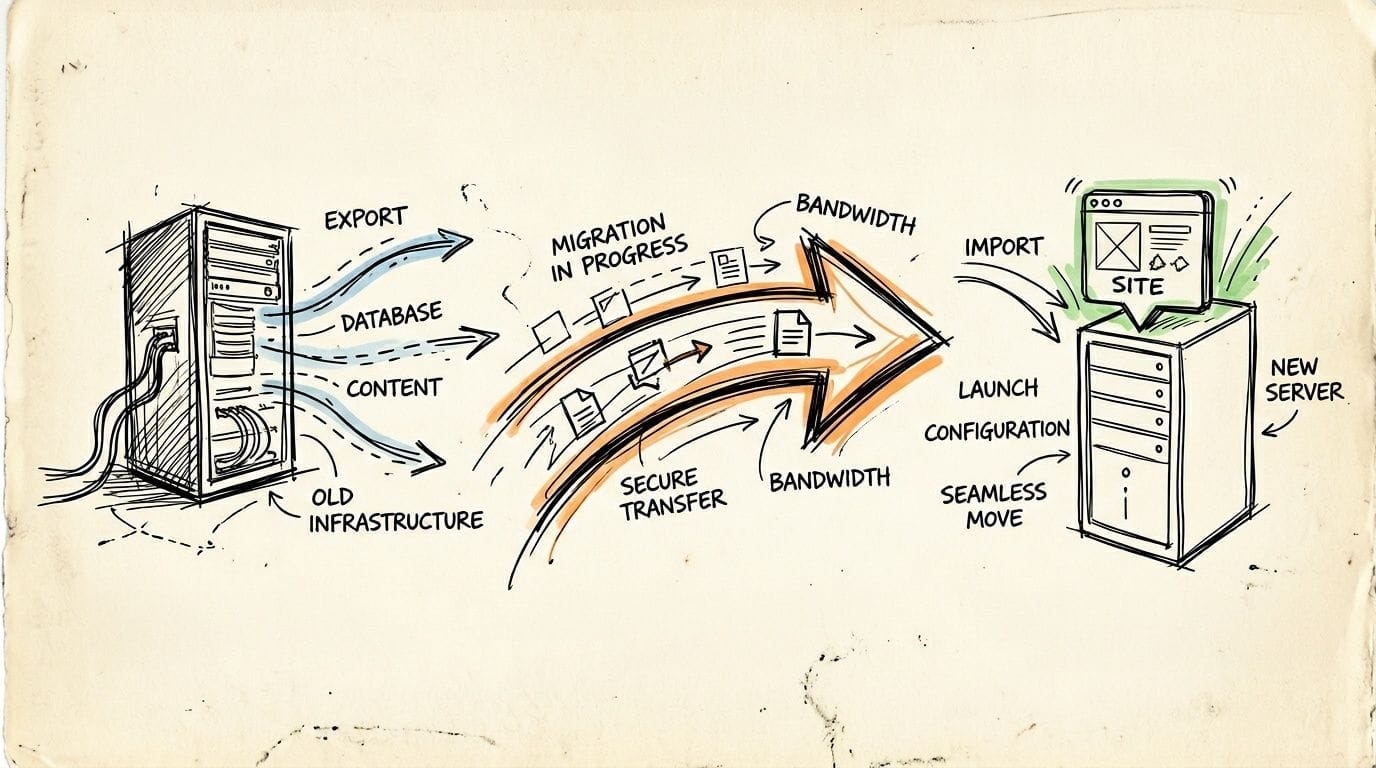
Step one is preparation
Before anything moves, make sure you have a complete copy of what already exists.
That usually means:
- Website files such as themes, uploads and configuration files
- Database backup for content-driven sites like WordPress
- Email account details if your hosting also handles email
- A list of current settings such as forms, redirects or installed plugins
If your current site is old or messy, this is also a good time to trim what you no longer need.
The move itself is mostly orderly
Once the new hosting account is ready, the site files and database are copied across, the new environment is prepared, and the domain is pointed to the new server when everything is ready.
That sounds like a lot, but for most small business websites it’s routine work. Many providers help with migrations or give step-by-step support so you’re not doing it blind.
A practical starting point is this website migration checklist, which covers the pieces people commonly forget.
Check the business-critical bits first
After the site is live on the new hosting, don’t just open the home page and assume you’re done.
Test the things that matter to the business:
- Contact forms so enquiries still arrive
- Online checkout or booking tools if you sell or schedule online
- Business email if it’s tied to the hosting account
- Mobile layout because many customers will see it there first
- SSL and padlock status so visitors don’t see browser warnings
One missed email setting can create more business pain than a design glitch, so check communication tools early.
Moving hosting isn’t usually about rebuilding your website. It’s about relocating it carefully, then testing the parts customers rely on.
Starting from scratch is often even easier
If you don’t have an existing site, the process is lighter. Register the domain, choose the hosting plan, install your website platform, and build from there.
For many Australian businesses, that means launching with WordPress, a simple business site, or a small online shop and adding complexity only when the business needs it.
Is Shared Hosting Right for Your Business in 2026
For most Australian small businesses, the answer is yes.
If you’re running a business website, portfolio, brochure site, blog, startup landing page, or a modest online store, shared hosting is usually the most practical balance of affordability, ease and reliability. It gives you the essentials without forcing you into higher costs or deeper technical work than your site needs.
It’s especially well suited if you want local relevance in the things that matter most. Australian server locations, support you can contact during your day, and pricing that’s easy to understand in local terms.
Shared hosting won’t suit every situation forever. Some websites outgrow it. That’s normal. But for businesses getting online, cleaning up an old setup, or moving away from an unreliable provider, shared server hosting services are often the right foundation.
The smart approach is to choose a provider that’s clear about performance features, honest about resource limits, sensible about backups, and transparent about where your data lives. That combination matters more than flashy marketing.
If you’re ready to launch or move your site, UpTime Web Hosting offers Australian-based hosting with local support, cPanel and WordPress options, and clear pricing with GST included. It’s a practical place to compare plans, check available features, and choose a setup that fits your business without unnecessary complexity.