You can have a nice-looking store, decent products, and steady ad spend, then still wonder why the phones aren't ringing. In Australia, that usually means the site is leaking value somewhere in the journey, maybe the pages are slow, maybe Google can't read the category structure properly, or maybe the checkout feels clunky on mobile. Ecommerce site optimization is what turns that mess into a system that earns its keep, especially in a market where Google dominates discovery and shoppers jump between search, sites, and apps before they buy.
Table of Contents
- Why Optimisation Matters for Aussie Stores
- Building a High-Performance Foundation
- Mastering SEO for Australian Ecommerce
- Converting Visitors into Customers
- Securing Your Store and Protecting Customers
- Measuring What Matters and Testing Changes
- Your Australian Ecommerce Optimisation Checklist

Performance you can feel, backed by clients who depend on it. Read how our support and uptime create long‑term customer success.Power Your Business with Better Hosting
Why Optimisation Matters for Aussie Stores
A lot of Australian owners start in the same spot. The store is live, a few products are getting attention, the ads are running, and the dashboard shows traffic. Then reality hits, visitors browse a bit, add things to cart, and leave before payment. That's not a marketing problem on its own, and it's not just a design problem either.
For Aussie ecommerce, optimisation works because the discovery layer is heavily search-led. The ACCC's 2021 Digital Platform Services Inquiry found Google accounted for 91% of online search queries in Australia, and Google's own 2024 data shows 97% of Australian shoppers used Google Search or Maps to discover local businesses, which makes search visibility a core commercial lever, not a side project. That's why technical SEO, product-page relevance, and clean indexation matter so much for local stores, because buyers often meet your brand through Google long before they meet your checkout.
A practical way to think about it is this, the store has to load quickly, make sense to search engines, and feel trustworthy enough to convert. If any one of those pieces is weak, the others work harder to compensate and usually fail under pressure. A slow site can tank engagement, a messy structure can hide your best products, and a weak checkout can waste every dollar you spent getting people there.
Practical rule: don't treat optimisation as a series of tiny website fixes. Treat it as one connected system where speed, SEO, trust, and measurement all affect the same sale.
For a small Australian business, that's the useful mindset shift. You're not polishing the site for vanity, you're removing friction from the exact path your customer takes from search to purchase. Once that's clear, the next decision gets easier, fix the foundations first, then work up the stack.
Building a High-Performance Foundation
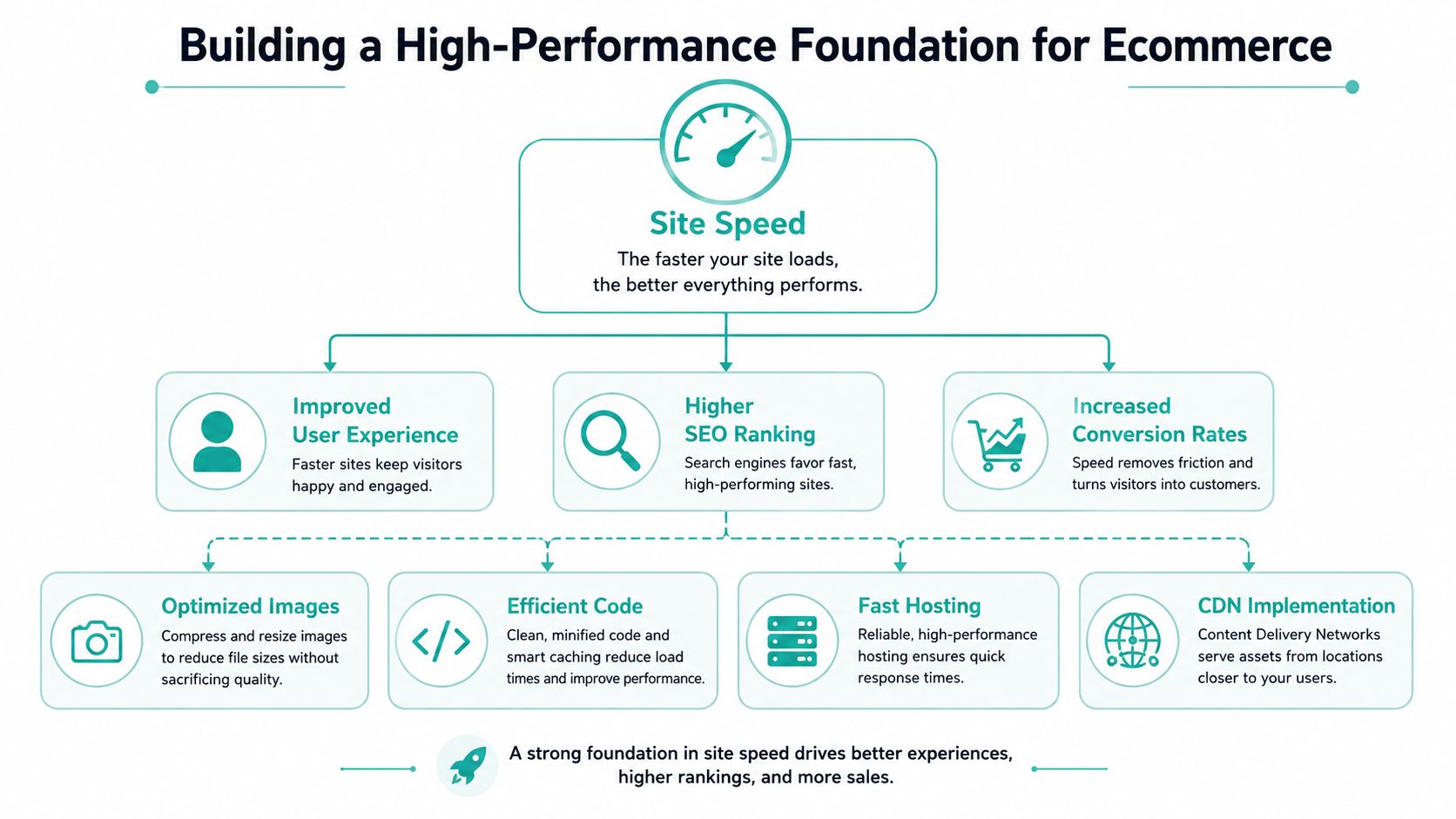
Speed isn't a polish job, it's infrastructure. For Australian stores, the customer might be on mobile, comparing retailers across tabs, and dealing with latency that's worse than a local desktop test suggests. Google reported in 2024 that more than 80% of Australian shoppers used multiple channels while researching purchases, and its Australian retail research showed shoppers switch between sites, apps, and search during the path to purchase, so slow pages don't just annoy users, they interrupt a messy multi-device journey. Google's Australian retail research on multi-channel shopping behaviour
Start with hosting and server response
The first layer is hosting. If your store is sitting on a server that's far from your customer base, every request has extra distance to travel, and that delay shows up as sluggish browsing and slower checkout responses. For an Australian business, local hosting in Sydney, Melbourne, Brisbane, or Perth usually makes more sense than treating offshore hosting as a default.
The hosting stack matters too. LiteSpeed, caching, and a sensible CDN setup are not luxury features, they're the things that keep product grids, cart pages, and image-heavy collections responsive when traffic rises. UpTime Web Hosting's Australian hosting stack includes LiteSpeed, AccelerateWP, free SSL, malware scanning, DDoS-protected firewalls, and encrypted off-site nightly backups, which is the sort of bundle that suits an ecommerce store that wants performance and resilience together.
Keep the first fix boring. Local hosting, caching, and a CDN beat clever front-end tricks when the real issue is server latency.
A practical test is simple, open the homepage, a collection page, a product page, and checkout on mobile data, not just office Wi-Fi. If the site feels sticky before the user even reaches the product, the back end is part of the problem. The hosting layer should be making the rest of the stack easier, not forcing your theme to carry the load.
Then clean up images, scripts, and templates
Once hosting is stable, look at the front end. Large uncompressed images, bloated scripts, and third-party tags often create more drag than the store owner expects. Product galleries, banner images, review widgets, and chat tools can all help conversion, but only if they're loaded with discipline.
The goal is to remove waste, not strip the site bare. Compress images, serve the right image size for mobile, defer non-critical JavaScript, and remove apps or scripts you don't use. If a plugin is adding friction and not adding revenue, it's costing you twice, once in performance and once in lost sales.
A simple checklist helps here:
- Compress product and category images so the browser isn't hauling oversized files.
- Defer non-essential JavaScript so the user can interact sooner.
- Use caching for repeat visits and busy product templates.
- Test real-user performance on your highest-traffic pages first, not every URL in the catalogue.
Google recommends measuring field data rather than relying only on lab tests, and that matters because the homepage might load fine in a development tool while a live product page crawls on a regional mobile connection. One useful internal benchmark is the production readiness checklist, because it forces you to think about the website as a live service, not a design file.
The biggest mistake is trying to optimise the whole site at once. Start with the templates that make money, then validate the change on mobile first, because that's where Australian retail journeys are often won or lost.
Host your website with our 5-star rated, cPanel website hosting plans.
Super fast servers, with security included and hosted in your choice of Australian Data Center.
View cPanel Plans
Mastering SEO for Australian Ecommerce
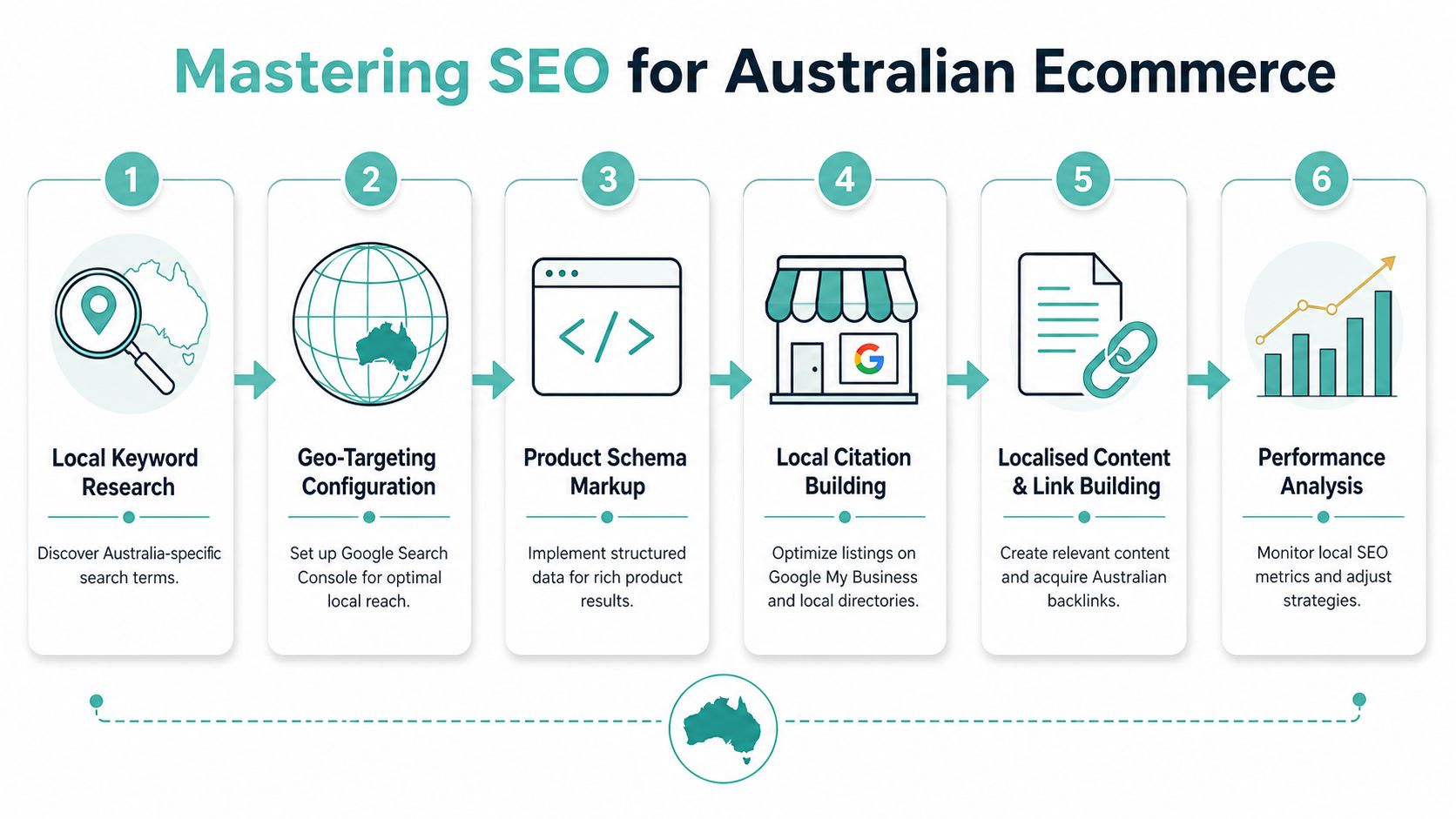
For an Australian store, SEO starts with making Google's job easy. If the search engine can see what you sell, how your catalogue is grouped, and which pages deserve attention, you give your store a fairer shot at showing up where buyers are already looking. Because Google dominates local discovery, messy categories, duplicated filters, and vague product data do more than slow growth, they hide the business from people who are ready to buy.
Build the site around category intent
Category-led architecture is usually the cleanest way to structure an ecommerce store. The right category pages can bring in broader search demand, hold traffic more steadily than single products, and give you a sensible place to target intent that sits above a specific SKU. That approach also fits the way content planning works in practice, which is why a solid SEO content strategy should sit alongside your category planning, not after it.
Your categories need to match how Australians search. That might be by use case, product type, brand, audience, or a practical attribute that matters at the point of purchase. If you sell homewares, a shopper may search for “candles”, but they may also search for “soy candles for gifts” or “unscented candles for weddings”. Your structure should give Google a clear place to send those searches.
A clean navigation setup usually includes:
- Category pages with descriptive names that match search intent.
- Subcategories where product groups are clearly separate.
- Breadcrumbs so users and crawlers can understand the hierarchy.
- Internal links from category copy to product families and supporting guides.
Faceted navigation needs control. Filters help shoppers narrow a range, but if every colour, size, and sort option can be indexed without restraint, the catalogue can fill up with near-duplicate URLs and crawl noise. The question is not whether filters exist, it is which combinations should be discoverable and which should stay out of the index.
Add Product Schema and make the product page legible
Google's ecommerce guidance makes the job of the product page very plain. It should present purchase-critical information in a form search engines can read, including product data, shipping details, return policies, and structured data that can support rich results. The same guidance points site owners to Google Search Console and its rich results tools for validation and testing. Google Search Central's ecommerce guidance
That matters because Product Schema reduces confusion. If you are selling a kitchen appliance, a mattress, or a branded accessory, the page should tell search engines what the item is, what it costs, whether it is available, and what the buyer needs to know before they click. The page should answer the buying question before the customer has to go hunting for it.
A practical page setup looks like this:
- Unique title and description for each indexable product page.
- Clear H1 that matches the product name.
- Product Schema with the fields Google expects.
- Shipping and return details visible on the page, not buried in a footer or policy page.
- Internal links to related categories and comparison content.
If your store also has local intent, such as a showroom, pickup point, or physical presence, the page structure needs to support that too. A simple local content layer, consistent naming, and location pages can help Google connect the ecommerce store with the business behind it.
For Australian merchants, the point is not to chase every keyword. It is to build a catalogue structure that matches how people shop, then make sure search engines can crawl it without friction. That brings in more qualified traffic and gives the content a better chance of holding up over time.
Converting Visitors into Customers
An ecommerce store can rank well and still leak sales if the product page is weak. The page has to do two jobs at once, answer the shopper's questions and remove excuses for leaving. In practice, that means the product page needs clarity, trust, and enough frictionless pathing to get the buyer through checkout without second-guessing themselves.
The speed threshold matters here too. Across thousands of ecommerce sites, 0-2 second loads are associated with optimal conversion, 2-3 seconds with a 10-15% conversion decline, 3-5 seconds with a 30-50% decline, and 5+ seconds with a 50-70% decline versus optimal. Web Tonic's 2026 ecommerce technical SEO analysis also reports that only 39% of ecommerce sites pass all three Core Web Vitals. Rework's site speed and performance benchmark
Make the product page feel complete
A good product page reads like the answer to a buying decision. The title is obvious, the images are clear, the price is visible, and the copy tells the shopper what matters without forcing them to decode marketing fluff. If the product has variants, explain the differences plainly instead of hiding them inside a colour swatch that only makes sense after two clicks.
The best pages give the user enough confidence to act. That usually means a strong opening summary, a few sharp benefit statements, technical details where they matter, and supporting visuals that don't look like they were dragged in from a supplier feed. It also means not wasting the top of the page with clutter that pushes the buy button too far down.
Trust signals do a lot of the heavy lifting in Australia. Displaying an ABN, using local payment options, showing shipping costs early, and surfacing customer reviews all reduce the feeling that the store is vague or hard to verify. If your offer includes delivery timing, return handling, or pickup options, make those details easy to scan.
If a shopper has to hunt for shipping costs, they've already started mentally comparing you with the next tab.
Simplify checkout before you polish anything else
Checkout is where many “good” stores lose money. Every extra field, odd redirect, or unexpected cost creates another chance for the buyer to stop. The aim isn't to make checkout trendy, it's to make it obvious.
That's why cart optimisation is so important for small stores. Keep the path short, avoid unnecessary account creation, and make payment options clear before the final step. If you're reviewing a cart template, the shopping cart optimisation guide is a useful practical reference because it keeps the focus on the friction points that matter most.
A sensible CRO sequence looks like this:
- Check the product page first for trust, clarity, and visible action.
- Review the cart for surprises, dead ends, and distracting links.
- Fix mobile checkout before desktop polish.
- Test one change at a time, so you can tell what improved the flow.
Don't start with cosmetic experiments while the structure is broken. A nicer button colour won't rescue a checkout that asks too much of the user.
Securing Your Store and Protecting Customers
A store can look polished and still feel unsafe. If pages load oddly, browser warnings appear, or checkout behaves in a shaky way, buyers back away and support requests climb. Customers might not say “security” out loud, but they notice straight away when a site feels risky to use for payment details.
Lock down the basics
Every ecommerce store should run on SSL across the whole site, not just on checkout. That gives buyers a clear signal that the session is protected, and it avoids the awkward mismatch between product pages and payment pages. For a small business, this is one of the first technical jobs to sort out before debating design changes.
Backups matter just as much. If a plugin update breaks the cart, a migration goes wrong, or a content edit wipes part of the catalogue, you need a quick way back. Encrypted off-site nightly backups are useful because they keep recovery separate from the live hosting setup, which makes a bad day easier to handle.
A Web Application Firewall belongs in the main stack too. It helps block hostile traffic patterns, common attacks, and malformed requests that can slow the store down or knock it offline. If the site can't stay up, conversion work has no room to do its job. For a plain checklist of the core controls, use the website security checklist and compare it against your current setup.
Treat security as part of trust
Security and trust sit together. A buyer who sees a secure checkout, consistent branding, and stable site behaviour is more likely to finish the purchase than someone who runs into error messages or strange redirects. Security work should sit beside checkout work, not in a separate pile that only the developer sees.
For Australian small businesses, there is also a local operations angle. UpTime Web Hosting includes free SSL, malware scanning, DDoS-protected firewalls, and encrypted off-site nightly backups, which suits ecommerce sites that need protection without the owner managing every layer by hand. The point is not the label, it is reducing avoidable risk while the store is live.
Use a plain checklist for this:
- SSL on every page, not just the payment pages.
- Daily or nightly off-site backups with a tested restore process.
- WAF protection for malicious traffic and abuse.
- Patch discipline for themes, plugins, and platform updates.
- Access control so only the right people can change live settings.
A store cannot really be called optimised if it is fragile. Customers do not care how tidy the homepage looks if the checkout breaks or the site feels unsafe.
Register your new domain name at competitive market prices including free domain add-ons like privacy, DNS Hosting, Custom Nameservers and Forwarding.
Always the best price and no nasty renewal price hikes.
Register A Domain Name
Measuring What Matters and Testing Changes
A store can look busy while its actual commercial performance stays flat. That's why measurement has to move past vanity metrics and into the signals that map to revenue, friction, and reliability. Traffic matters, but traffic alone doesn't tell you whether your changes are helping.
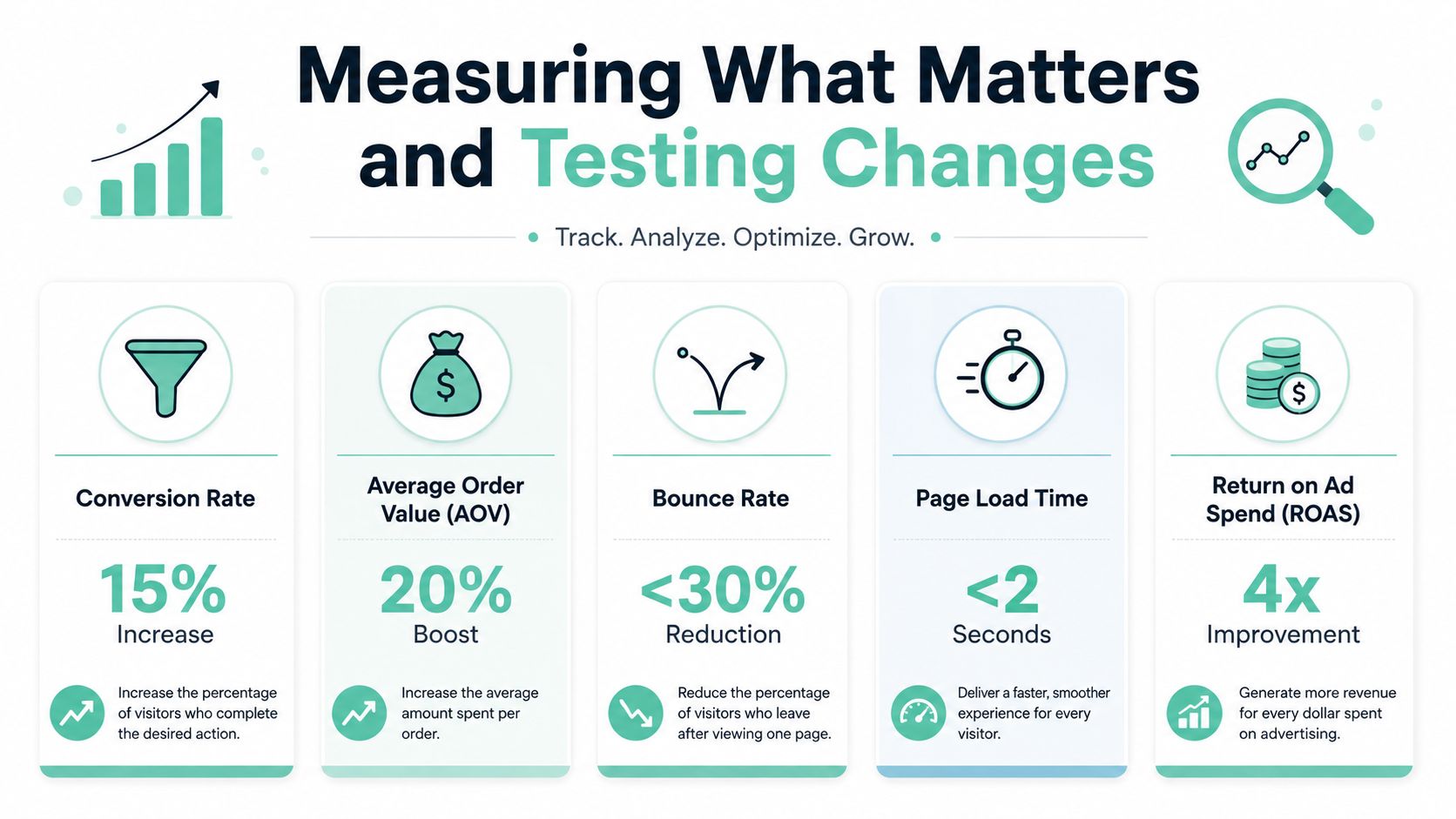
The modern problem is messier than old CRO articles admit. Ecommerce optimisation now includes reliable event measurement, and a lot of teams should fix broken events, unstable templates, and measurement gaps before they start testing cosmetic changes. The practical takeaway is blunt, if the data is shaky, your “winning” experiment might just be the only one that tracked correctly. Elogic's ecommerce optimisation guidance on measurement gaps
Track the numbers that change business decisions
For most stores, the key metrics are straightforward. Conversion rate tells you whether the site turns attention into sales, average order value tells you whether the basket is growing, and cart abandonment tells you where friction is building. If you're running paid traffic as well, revenue by landing page and device often becomes more useful than broad traffic counts.
The right setup starts with clean events. If checkout steps, add-to-cart actions, and purchase completions aren't firing reliably, you're making decisions with partial information. That's a bad place to spend time, especially when a template update or app install can unnoticeably alter how the store reports.
A sensible measurement stack includes:
- GA4 for commerce behaviour and conversion paths.
- Search Console for Google visibility and page-level performance.
- Template-level reporting for homepage, category, product, cart, and checkout.
- Traffic monitoring so you can spot unusual dips before customers do.
The traffic monitoring tools guide is relevant here because it keeps the focus on ongoing visibility, not a one-off report. You want to know when the site starts drifting, not find out after a week of lost sales.
Test changes where they can actually matter
A/B testing should be used to confirm a change you already suspect will help, not to decorate a broken process with random experiments. Product page copy, button placement, shipping message visibility, and checkout field order are all worth testing if the store has enough traffic to make the results meaningful.
Keep the test scope tight. One change, one page type, one outcome. If you change headline, image set, and checkout flow at once, you won't know what caused the shift, and the next decision gets muddy.
Testing rule: fix measurement first, then test the highest-value page templates, then keep the winning version and move on.
That sequencing matters because optimisation is cumulative. You don't need perfect attribution to improve a store, but you do need enough signal to stop guessing. Once the numbers are trustworthy, the work becomes a lot less emotional and a lot more profitable.
Your Australian Ecommerce Optimisation Checklist
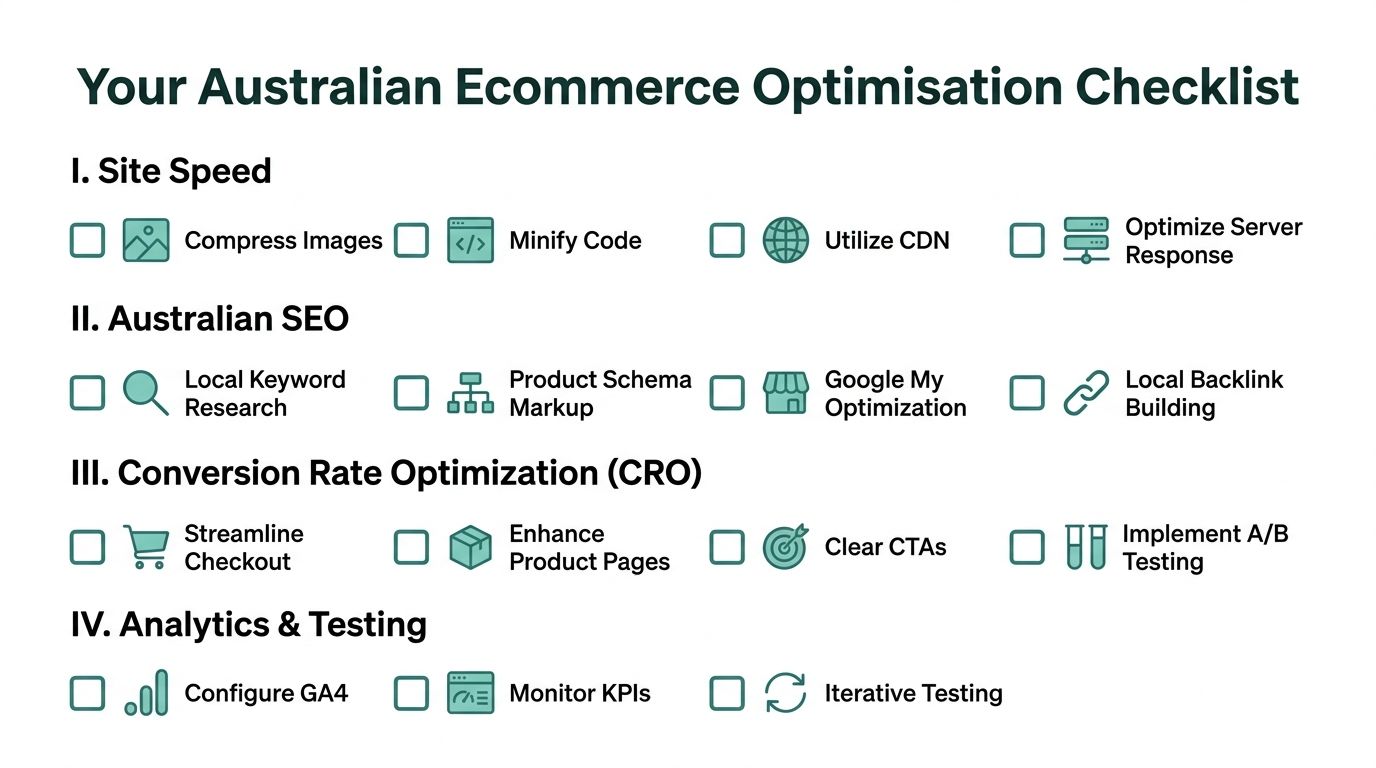
If you want a simple order of operations, use this. Start with the templates that drive revenue, then work outward into the rest of the catalogue. A practical AU-focused sequence is to baseline real-user metrics, then prioritise the highest-traffic templates first, homepage, top paid and organic landing pages, best-selling collections, high-traffic product pages, cart, and checkout. Glued's ecommerce performance optimisation sequence
Performance
- Compress images and use the right size for mobile.
- Minify or remove unused code where it's safe.
- Use a CDN for broader delivery consistency.
- Check server response on the templates that earn revenue.
SEO
- Map categories to real search intent.
- Use Product Schema on indexable product pages.
- Control faceted navigation so filters don't create chaos.
- Strengthen internal linking from categories to products and guides.
CRO
- Make product pages complete and clear.
- Show shipping, returns, and trust details early.
- Simplify checkout and remove unnecessary friction.
- Test one change at a time on the pages that matter most.
Security and Measurement
- Keep SSL, backups, and WAF protection in place.
- Fix event tracking before running experiments.
- Watch revenue by template, not just site-wide totals.
- Review performance regularly, not only after a problem hits.
The important part is sequencing. Don't start with polish while the foundations are still shaky. If the site is fast, findable, secure, and measurable, the conversion work gets much easier and the results are easier to defend.
If you want a faster, safer base for your store, UpTime Web Hosting provides Australian hosting with LiteSpeed, AccelerateWP, free SSL, DDoS-protected firewalls, and encrypted off-site nightly backups, which fits the performance and reliability needs of ecommerce sites discussed above. Visit UpTime Web Hosting to compare hosting options, check the local service details, and see whether your current stack is holding your store back.