Most Australian business owners start in the same place. They know they need a proper website, they know Facebook alone isn't enough, and they know they can't afford to waste months rebuilding something that should've been done properly the first time.
That's where web designing with wordpress makes sense. It gives you room to start lean, grow over time, and avoid being boxed into a platform that can't keep up once you need bookings, eCommerce, lead generation, or ongoing content. In Australia, that matters even more because hosting location, .au domains, and local privacy expectations affect how the site performs and how comfortable customers feel using it.
Your Blueprint for a Successful WordPress Website
WordPress isn't the risky choice. It's the standard. In Australia, 5,612,869 live websites use WordPress, representing over 40% of the local CMS market share, according to BuiltWith WordPress trends. For a small business owner, that matters for one simple reason. You can find support, themes, plugins, developers, and documentation without being tied to a niche system.
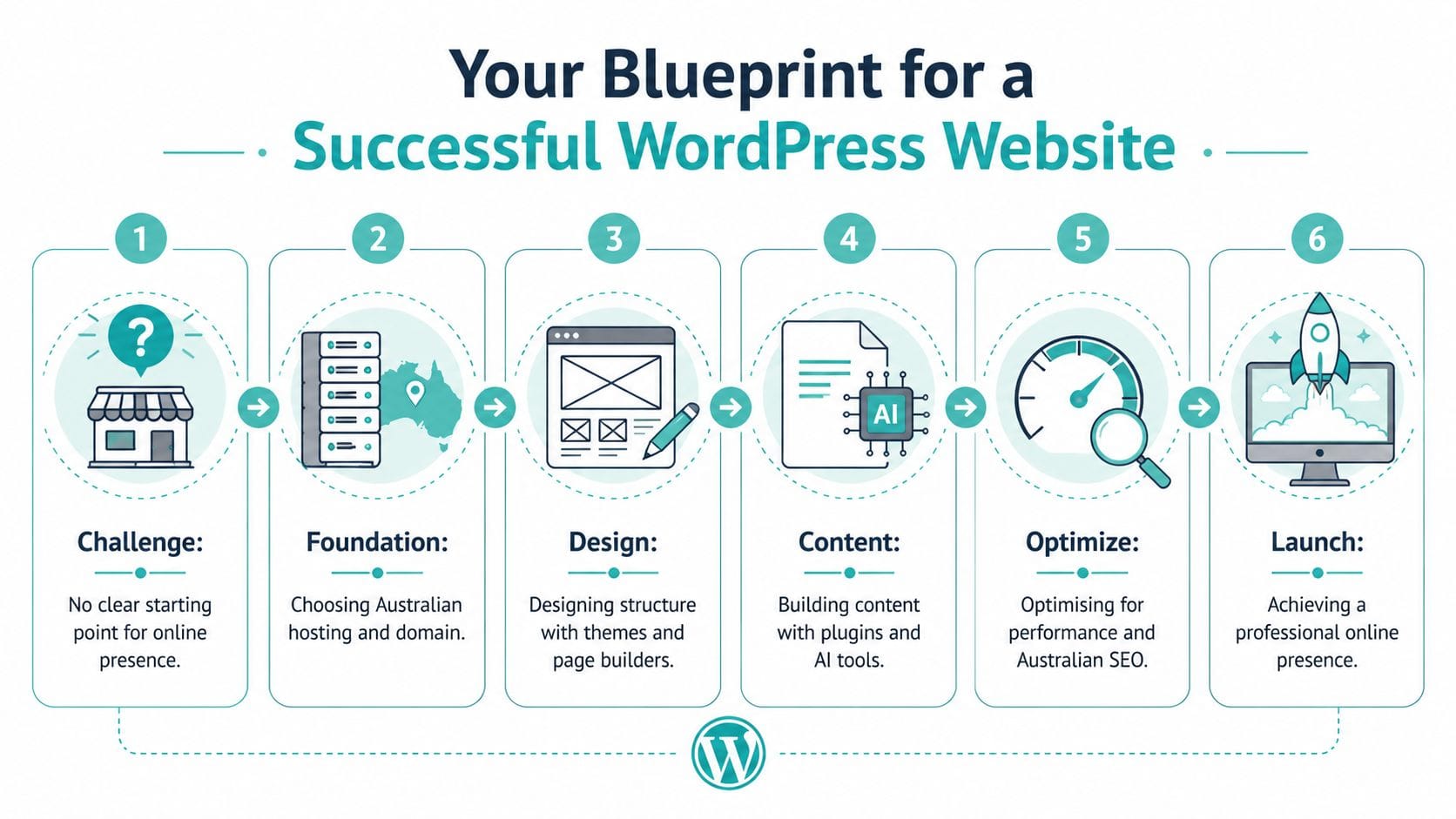
A solid website project usually follows a practical order. Not the exciting order, where you pick colours first and tinker with fonts for a week. The practical one.
Start with business goals
Before you install anything, decide what the site must do. A local electrician needs quote requests and suburb coverage pages. A Brisbane psychologist needs a calm, trustworthy service page structure and a clear enquiry path. A regional retailer may need product pages, shipping information, and a clean checkout flow.
If you skip this part, the site ends up looking finished but working poorly.
A simple brief should answer these questions:
- What is the primary action? Book a call, request a quote, visit the shop, or buy online.
- Who is the main audience? Local homeowners, other businesses, patients, members, or repeat customers.
- What pages are essential? Home, services, about, contact, location, FAQs, policy pages, and blog if you'll use it.
- What can wait? Memberships, gated content, advanced automations, and fancy animations often belong in phase two.
Practical rule: Build the first version around one main conversion action. Everything else should support it.
Use WordPress as a framework, not a toy box
WordPress can do almost anything. That's useful, but it's also where beginners go wrong. They install too many plugins, choose a bloated theme, and treat every feature idea as urgent.
A better approach is to think in layers:
- Foundation with hosting and domain
- Structure with theme, page builder, and page hierarchy
- Content with copy, images, and forms
- Optimisation for speed, mobile usability, and search
- Protection through updates, backups, and security settings
- Ongoing improvement based on real customer behaviour
That last point is easy to miss. Your first site doesn't need to do everything. It needs to launch cleanly, load quickly, and help people trust your business.
If your plan includes a blog or educational content, it helps to think early about how that content might support the business later. This is why resources like Gentle Blog Monetization Strategies can be useful. Not because every small business needs a monetised blog, but because they show how content can become a business asset instead of a neglected menu item.
What a good first WordPress project looks like
A good first project is usually modest and well organised. It has a clear homepage, strong service pages, a contact path that works, and enough flexibility to grow.
A bad first project often has:
- Too many moving parts that no one maintains
- No clear content plan so pages feel thin or repetitive
- A design-first process that ignores speed and usability
- No local considerations around hosting, support hours, or policy pages
If you keep the project grounded in what your customers need, WordPress becomes much easier to manage. The platform isn't the hard part. The hard part is making clear decisions early, then sticking to them.

Performance you can feel, backed by clients who depend on it. Read how our support and uptime create long‑term customer success.Power Your Business with Better Hosting
The Foundation Choosing Your Australian Hosting and Domain
Where your website lives affects how it feels to your customers. That's not abstract technical talk. It's the difference between a site that opens cleanly for an Australian visitor and one that always feels a bit sluggish, a bit delayed, and a bit harder to trust.
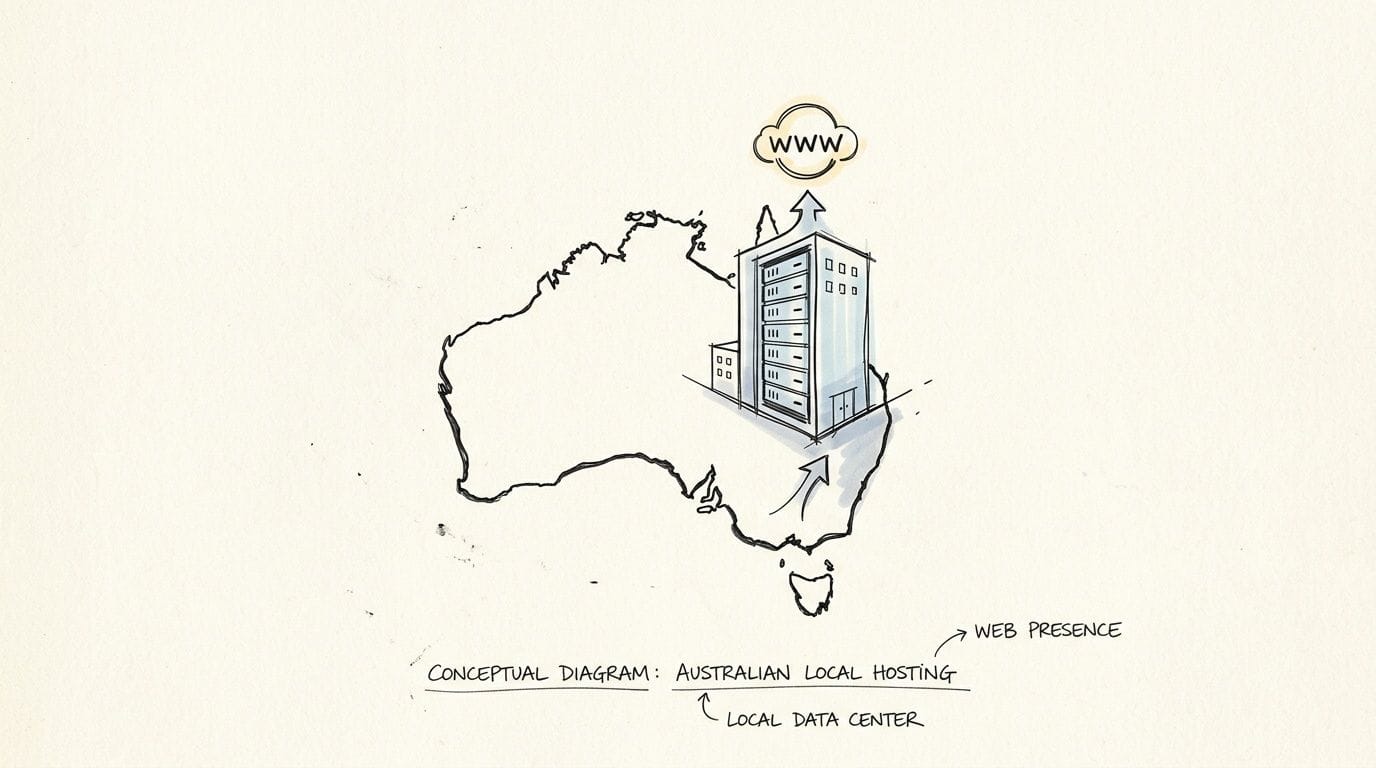
Australian forums and business discussions keep circling back to the same issue. Local hosting matters for latency and compliance, with 78% of businesses prioritising it for Privacy Act 1988 considerations, as noted in this discussion on local Australian hosting needs. Generic overseas tutorials often skip this because they assume every business can host anywhere. Australian businesses don't always have that luxury.
Why local hosting is the sensible default
If your customers are in Sydney, Melbourne, Brisbane, Perth, Adelaide, or regional Australia, local hosting reduces the distance between the visitor and the server. That usually means a snappier first impression and fewer complaints about the site feeling slow.
It also helps in less obvious ways:
- Support happens in your time zone. If the site goes down in the morning, you want help during Australian business hours.
- Local expectations are easier to meet. Businesses handling enquiries, forms, and customer data often prefer infrastructure closer to home.
- .au branding feels more consistent. A local business with a .au domain, Australian contact details, and Australian hosting creates a stronger trust signal.
For small businesses, this is one of the few technical decisions that customers can feel even if they never see it.
What to look for in a WordPress hosting plan
Don't choose hosting based on disk space alone. For WordPress, the better questions are about performance tooling, security basics, and support.
Use this checklist when comparing plans:
| What to check | Why it matters for WordPress |
|---|---|
| LiteSpeed support | Improves caching options and helps WordPress serve pages more efficiently |
| CloudLinux or similar isolation | Helps keep shared hosting stable when neighbouring sites have issues |
| Free SSL | Essential for trust, browser security, and forms |
| Nightly backups | Gives you a recovery point if updates or plugin changes go wrong |
| Malware scanning and firewall protection | Reduces exposure to common attacks |
| cPanel access | Makes routine management easier for business owners and developers |
| Australian server locations | Better fit for local visitors and local business requirements |
If you're comparing Australian hosting options, why switching to local Australian hosting is worth a read because it frames the practical benefits in business terms rather than developer jargon.
Hosting is not where to be clever. Pick something stable, local, and easy to recover if a plugin update breaks the site.
Choosing the right domain name
The domain decision should be boring in the best way. Short, readable, and easy to say on the phone.
For most Australian businesses, a .com.au or .au domain makes sense when:
- You trade mainly in Australia
- You want local trust signals
- Your branding is tied to an Australian market
- You don't want customers second-guessing whether you're local
A few practical examples:
- A Perth plumbing company is usually better with a clean branded .com.au than a novelty domain.
- A local accounting firm should prioritise name clarity over keyword stuffing.
- A regional food business may want a branded domain and use category terms in page titles, not in the domain itself.
Avoid these mistakes:
- Hyphens and awkward spellings that create confusion
- Domains that are too narrow if you might expand your services later
- Over-optimised names that sound dated or spammy
- Choosing the cheapest registrar first without checking support quality and renewal transparency
Foundation decisions that save pain later
The best foundations are quiet. You don't think about them much after setup because they keep doing their job.
That usually means:
- One dependable hosting account
- One primary domain
- Professional email on your domain
- SSL active from day one
- Backups switched on before content work starts
If you get this part right, the rest of the build becomes much easier. If you get it wrong, every later decision becomes harder than it needs to be.
Designing the Structure Themes Page Builders and Layouts
Many business owners jump straight into aesthetics. They install a theme, import a demo, and start replacing placeholder text. It feels productive, but it often creates a site shaped by the demo instead of the business.
The better approach is to sort out structure first. Then pick the tools that support it.
Themes and page builders do different jobs
A theme controls the overall design framework. It affects templates, typography options, blog layouts, archive pages, and how much styling flexibility you get without custom work.
A page builder helps you assemble page content visually. It gives you rows, sections, buttons, spacing controls, columns, and reusable layouts.
People often blur the two together, which leads to bad decisions. A flashy multipurpose theme can look impressive in screenshots and still be a poor fit for a local service site. A page builder can be useful and still become a mess if every page is built from scratch with no pattern.
Here's the practical difference:
| Tool | Best for | Watch out for |
|---|---|---|
| Theme | Site-wide styling, templates, layout defaults | Bloated demos, poor update support, hard-to-edit options |
| Page builder | Custom landing pages, flexible service pages, reusable blocks | Inconsistent spacing, overdesigned pages, extra overhead |
| Block editor | Simple pages, blog posts, lighter builds | Can feel limited if you need advanced layouts fast |
If you're still choosing a design starting point, this guide to a WordPress theme for business websites helps narrow the field.
Pick a lightweight base
For most Australian SMB sites, lightweight beats feature-packed. You want a theme that stays out of the way, works well with the block editor or your chosen builder, and doesn't force you into someone else's idea of a perfect homepage.
Good theme choices usually have these traits:
- Clean default styling
- Regular updates
- Wide plugin compatibility
- Strong mobile behaviour
- Fast admin experience
- Minimal dependency on bundled gimmicks
Page builders are similar. If you need one, use it deliberately. Don't use it on every page just because you can.
A simple planning example
Take a suburban Melbourne café with dine-in trade, catering enquiries, and weekend bookings. The site doesn't need twenty pages. It needs the right six or seven.
A sensible sitemap might look like this:
- Home
- Menu
- Catering
- Functions or bookings
- About
- Contact and location
- News or specials if someone will maintain it
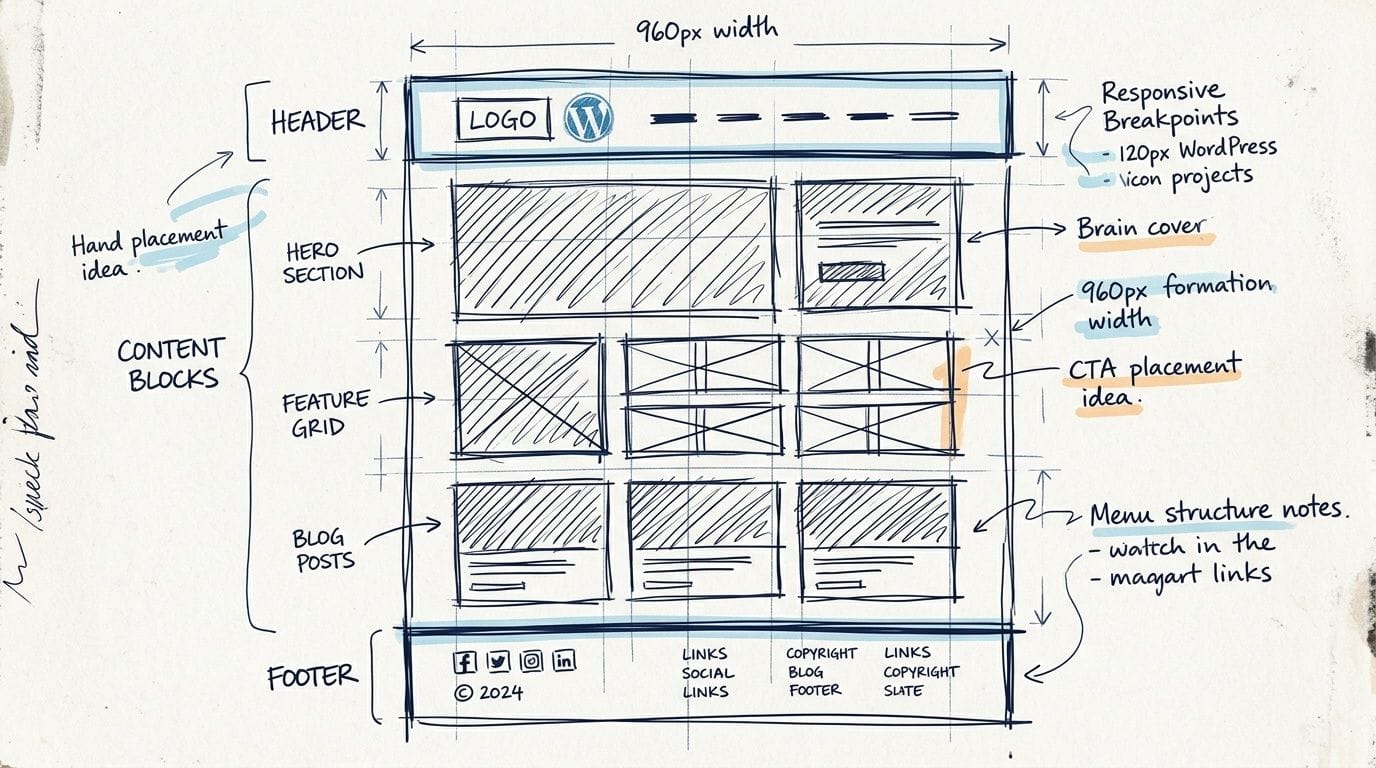
From there, sketch rough wireframes before touching design settings.
Homepage wireframe
The homepage for that café should probably include:
- A clear opening section with what the venue is and where it is
- Primary action buttons for bookings, menu, or catering
- Short trust signals such as opening hours, reviews, or local recognition
- A preview of key offers rather than full explanations
- A footer with contact details, map, and social links
That structure works because it helps the visitor act quickly.
A homepage isn't a brochure. It's a traffic controller.
Layout decisions that work for local service businesses
Service businesses across Australia usually do well with predictable layouts. Not boring layouts. Predictable ones.
For a trade business in Geelong, for example, a strong services page often follows this order:
- What service is offered
- Who it's for
- Common problems solved
- Service areas
- Proof of experience
- Frequently asked questions
- Contact or quote form
That sequence matches how customers think. It also gives you room to add suburb-specific content later without rebuilding the whole site.
What doesn't work
A few patterns regularly cause trouble:
- Demo-content dependence where the site still looks like the imported sample
- Every page designed differently so the site feels inconsistent
- Oversized hero sections that bury the key action below the fold
- Tiny text over busy images that looks stylish but reads badly
- Builder overuse where every paragraph sits inside layers of columns and containers
The goal isn't to impress other designers. It's to make the site easy for a customer to use on a weekday morning, often from a phone, often in a hurry.
When web designing with wordpress, the best layouts usually look obvious in hindsight. That's a good sign. It means the structure is doing its job.
Host your website with our 5-star rated, cPanel website hosting plans.
Super fast servers, with security included and hosted in your choice of Australian Data Center.
View cPanel Plans
Building Your Content Essential Plugins and AI Tools
Once the structure is in place, the site still isn't useful until the words, images, and functionality are handled properly. This is the point where many WordPress builds either become sharp and credible or start drifting into clutter.
The fix is simple. Add only what the site needs.
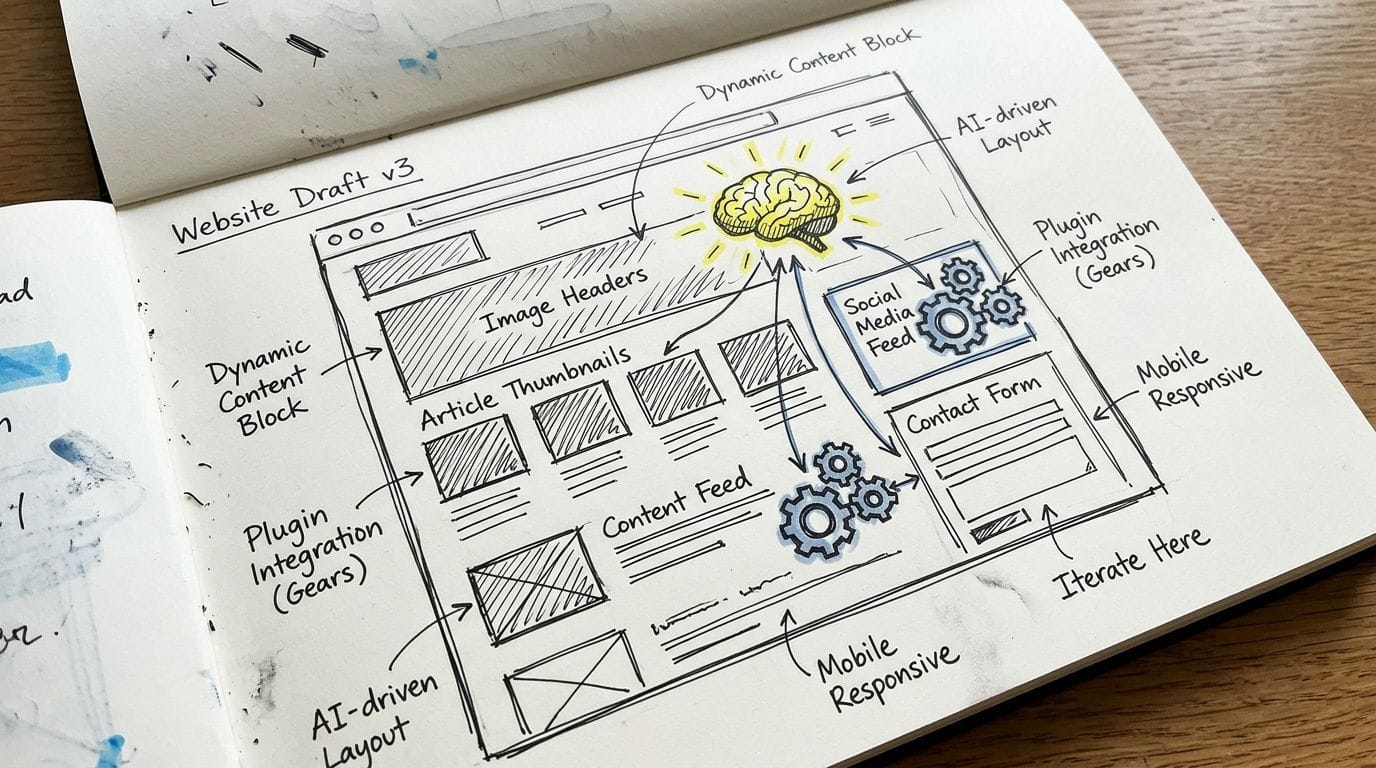
Essential plugin categories
You don't need dozens of plugins. You need a small stack with a clear job for each one.
A practical Australian business site usually needs these categories:
- SEO plugin for titles, meta descriptions, sitemaps, and index controls
- Forms plugin for enquiries, quote requests, and contact pages
- Caching or performance plugin if your host supports it well
- Security plugin to monitor common issues and login activity
- Backup solution if this isn't already handled at hosting level
- Analytics integration so you can see what pages people use
- Image optimisation tool if your workflow involves large media files
This roundup of top plugins for every WordPress website is a good reference point when you're trying to keep the stack lean.
The key is restraint. If a plugin adds a feature you'll never maintain, skip it.
Writing copy that works on the web
Small business owners often write website copy the way they write brochures. Long introductions, broad claims, and too much business history too early.
Web copy needs to be tighter.
Use this sequence on most core pages:
- Say what you do
- Say who you help
- Show how to take the next step
- Answer common objections
- Make contact easy
For example, a Gold Coast bookkeeping page should open with the service and audience, not a paragraph about company values. Values matter, but clarity matters first.
A few practical content rules help immediately:
- Lead with customer language rather than internal jargon
- Keep headings specific so visitors can scan
- Use original photos where possible especially for local service businesses
- Write image alt text sensibly for accessibility and context
- Include policy pages if you're collecting enquiries, taking payments, or using tracking tools
If a visitor has to guess what you want them to do next, the page isn't finished.
Using AI tools without creating compliance problems
AI is now part of the WordPress workflow whether people admit it or not. It can help with outlines, first drafts, image ideas, product descriptions, and repetitive editing. In WordPress, 6.6+ AI blocks introduced in Oct 2025 add auto-SEO and design assistance, and the same source notes 45% growth in AU WordPress eCommerce sites and 62% of SMBs at risk of fines for non-transparent AI use under ACCC reporting, which is outlined in this AI and WordPress compliance discussion.
For Australian businesses, the issue isn't whether to use AI. It's whether you're using it transparently and responsibly.
Good uses of AI include:
- Drafting page outlines before rewriting in your own voice
- Summarising long service information
- Generating FAQ starters based on customer emails
- Helping with product categorisation for online stores
- Cleaning up grammar on pages you've already written
Bad uses include:
- Publishing generic AI copy unchanged
- Creating fake testimonials or invented business history
- Using AI-generated advice in regulated industries without review
- Adding AI chat or content tools that slow the site and confuse users
If you run eCommerce, be especially careful. Product descriptions, support answers, and recommendation widgets still need human oversight. Customers don't mind helpful automation. They do mind being misled.
Content build order that saves time
A practical sequence for first launch looks like this:
| Priority | Content item | Reason |
|---|---|---|
| First | Home, service pages, contact, about | Core trust and conversion pages |
| Second | Policy pages, FAQs, location details | Legal clarity and reduced friction |
| Third | Blog, case studies, resource pages | Useful for growth, not required for day-one launch |
| Later | Lead magnets, advanced automations, AI extras | Better added after core pages are proven |
That order stops the common mistake of spending days on blog categories while the contact page is still unfinished.
Optimising for Australian Performance and SEO
Most WordPress sites don't have a design problem. They have a weight problem. Too many plugins, oversized images, poor caching, and scripts that looked harmless during setup but slow everything down once real visitors arrive.
For Australian businesses, speed work needs to be local in mindset. A site that feels acceptable in a generic test setup can still feel sluggish to customers around the country if the hosting, caching, and media choices aren't aligned properly.
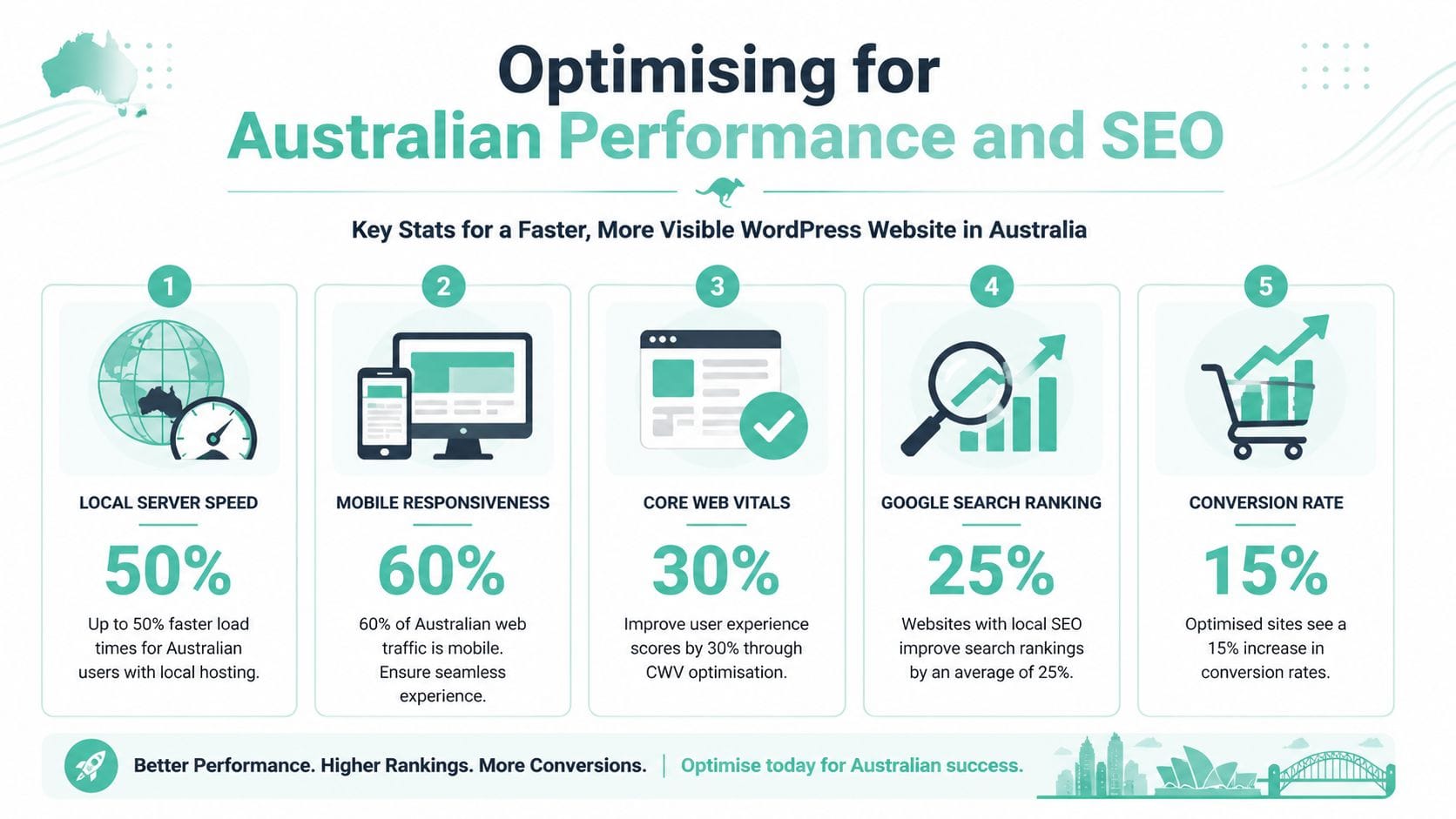
A useful benchmark comes from this summary of WordPress statistics and performance methodology, which notes that unoptimised Australian WordPress sites average a 3.4-second page load time, exceeding Google's 2.5-second threshold and contributing to a 32% bounce rate.
The seven-step performance method
The strongest results usually come from doing a handful of things well, in order.
1. Start with a lightweight theme
Heavy themes make every later fix harder. If the theme ships with animation packs, sliders, and bundled widgets you won't use, you're carrying unnecessary weight from day one.
Lightweight themes keep the front end cleaner and make optimisation tools more effective.
2. Audit plugins hard
Every active plugin should justify its place. If two plugins overlap, keep one. If a plugin adds a small visual flourish but loads scripts across the whole site, remove it.
Here, many slow builds are created. Not from one terrible decision, but from ten small unnecessary ones.
3. Optimise images before upload
Large images are one of the most common reasons business sites feel slow. Resize them to realistic dimensions, compress them, and use modern formats where supported.
A homepage banner doesn't need to be a giant source file straight from a photographer. It needs to look sharp on the web.
4. Use server-side caching properly
Caching reduces repeated processing and helps pages load faster for visitors. If your host supports LiteSpeed or similar tooling, use the matching cache plugin and configure it properly instead of stacking multiple cache tools on top of each other.
One caching system, set up well, is better than three fighting each other.
5. Use Australian delivery paths where possible
For businesses targeting Australian users, local delivery matters. That may mean local hosting, local edge delivery, or both, depending on the setup.
If most of your audience is here, optimise for here.
6. Minify and defer front-end assets
CSS and JavaScript don't need to block every page load. Minification, deferral, and removing unused scripts can trim a lot of waste, especially on mobile.
Fast sites usually aren't built with secret tricks. Someone just removed the unnecessary stuff.
7. Monitor after launch
A fast site at launch can become slow in a month if staff upload huge images, install random plugins, or add widgets without review. Use monitoring tools and spot-check key pages after updates.
Performance and SEO are tied together
Search optimisation starts long before keyword research. A site has to load well, behave well on mobile, and make page meaning obvious.
The foundation is simple:
- Clear page titles
- Useful meta descriptions
- Logical heading structure
- Readable URLs
- Internal links between related pages
- A sitemap submitted through your SEO tooling
- Location signals where local relevance matters
For a Cairns-based service business, local SEO isn't about stuffing city names everywhere. It's about making service areas, contact details, and service pages clear and consistent.
Mobile behaviour matters here as well. Many local business visits happen on a phone while someone is comparing providers or trying to make quick contact. For a practical reminder of why mobile usability affects outcomes, Constructo Marketing on mobile optimization for contractors is worth reading even outside the contractor niche because the principles carry across to most service businesses.
If you're tuning for Australian visitors specifically, website speed optimization for Australian users gives a useful local framing.
A realistic optimisation checklist
Use this after the site is built, not before.
| Area | What to check |
|---|---|
| Theme | Keep it lean and avoid unused bundled features |
| Plugins | Remove overlap and anything non-essential |
| Images | Resize, compress, and avoid oversized uploads |
| Caching | Use one primary system and test it properly |
| Scripts | Disable non-critical assets where possible |
| Mobile | Check tap targets, spacing, and form usability |
| SEO basics | Titles, headings, meta descriptions, sitemap, internal links |
When web designing with wordpress, the biggest gains usually come from discipline, not complexity. A site doesn't need enterprise tooling to perform well for an Australian SMB. It needs clean decisions and regular maintenance.
Securing and Maintaining Your WordPress Site
A WordPress site isn't finished when it launches. That's when it becomes a live business asset that needs attention. If it collects enquiries, processes payments, stores user accounts, or represents your brand, security and maintenance stop being technical extras and become part of normal business hygiene.
The Australian context matters here too. The security baseline for local WordPress sites isn't casual anymore. According to this outline of WordPress security best practices, WordPress security in Australia requires a 6-phase protocol to defend against over 12,000 daily attacks, and plugin vulnerabilities cause 82% of breaches on local sites.
Phase one and two harden the basics
Start with the parts that are easiest to overlook because they sit behind the scenes.
Phase one harden WordPress configuration
A few configuration basics make an immediate difference:
- Turn off debugging on live sites so errors don't expose information publicly
- Keep core updates active, particularly minor releases
- Remove unused themes and plugins rather than leaving them dormant
- Use strong administrator credentials and keep admin accounts limited
If multiple people need access, give each person the lowest role they need. Not everyone needs full admin rights.
Phase two set sensible file permissions
This sounds technical, but the principle is simple. Files and folders should only be writable where necessary. Good hosting environments often help enforce this, but it's still worth confirming.
A lot of avoidable issues come from permission settings that are too loose after migrations or manual changes.
Security usually fails through neglected basics, not movie-style hacking.
Phase three and four control the plugin risk
Because plugins are such a common weak point, they deserve their own maintenance routine.
Phase three install a proper security layer
A business site should have some combination of firewalling, malware scanning, login protection, and alerts. That can come from a security plugin, the hosting layer, or both.
What matters is that someone is watching for trouble and blocking obvious abuse before it becomes a bigger problem.
Phase four audit themes and plugins regularly
Don't treat installed plugins like permanent fixtures. Review them.
Ask these questions:
- Is it still updated regularly?
- Do we still need it?
- Is there a safer or simpler way to do the same job?
- Did it get added for a temporary task and then forgotten?
A practical monthly review catches a lot of issues before they become security incidents or performance drag.
Phase five secure traffic and trust
Every business site should use HTTPS properly. Customers may not inspect certificates or headers, but they do notice browser warnings, mixed-content issues, and forms that feel untrustworthy.
For local businesses, this affects real outcomes. A contact form that looks insecure can diminish enquiries, especially for legal, financial, health, and eCommerce sites.
A few simple checks go a long way:
| Security area | What good practice looks like |
|---|---|
| SSL | Active on the entire site, not just checkout or contact pages |
| Logins | Strong passwords, limited admin users, changed when staff leave |
| Forms | Protected against spam and tested regularly |
| Themes and plugins | Current, necessary, and from reputable sources |
| User roles | Access limited to what each person needs |
| Monitoring | Alerts enabled so problems aren't discovered by customers first |
Phase six backups and recovery
Backups matter because even careful sites break. Updates conflict, content gets deleted, malware appears, and human error happens.
What matters isn't just having a backup. It's having a recovery process you trust.
A decent backup routine should include:
- Automated backups
- Off-site storage
- A known restore process
- Coverage before updates or redesign work
- Enough retention to recover from delayed issues
If you need a practical starting point, how to backup a WordPress site covers the essentials clearly.
A maintenance rhythm that small businesses can keep
Many business owners think maintenance means constant work. It doesn't. It means a repeatable checklist.
A manageable routine looks like this:
Weekly
- Check form submissions to make sure enquiries are arriving
- Review updates for core, theme, and plugins
- Scan the front end on desktop and mobile for obvious issues
Monthly
- Remove anything unused
- Test backups or confirm backup completion
- Review page speed on key pages
- Check security alerts and login activity
- Read a few pages as a customer would, not as the owner
Quarterly
- Refresh service pages
- Update team information, pricing references, and FAQs
- Add new photos or project examples
- Review whether old plugins still serve a purpose
This is also where content work becomes part of maintenance. A stale site isn't always insecure, but it often starts to look neglected. Fresh FAQs, updated service areas, recent work examples, and current contact details all help keep the site useful.
What to do before any update
Updates are necessary, but random updates on a live business site can cause headaches.
Before updating, make sure you have:
- A recent backup
- A quick way to check the homepage, forms, and key pages after changes
- A list of critical functions such as booking forms, checkout, or quote requests
- A quiet time to make changes, not during your busiest trading period
If something breaks after an update, don't keep clicking around hoping it fixes itself. Roll back calmly, identify the plugin or theme involved, and test again.
The long-term view
The best WordPress sites are rarely the fanciest ones. They're the ones someone looks after. They stay updated, they keep loading properly, and they continue answering customer questions clearly.
That's what turns a website from a one-off project into a working business tool.
If you want a local platform for web designing with wordpress that keeps the technical side manageable, UpTime Web Hosting is built for Australian businesses that need fast local servers, dependable backups, security features, and support in the same time zone. Whether you're launching your first site or cleaning up an existing one, it's a practical place to host a WordPress site properly.