You're probably looking at more than one WordPress site already. Maybe it's a head office site plus location pages, a franchise network, a group of brand sites, or an agency portfolio that's getting awkward to manage one install at a time.
That's where WordPress Multisite starts to look attractive. One dashboard for themes, plugins and user management sounds cleaner than juggling separate logins and update cycles across a growing stack of websites. But Multisite isn't just “WordPress for lots of sites”. It changes the architecture, the risk profile, and the hosting requirements.
For Australian businesses, that matters. A setup that looks efficient on paper can become painful if the whole network slows down during a traffic spike, or if a single plugin issue affects every site in the stack. The right answer depends less on whether Multisite is clever, and more on whether it fits the way your business operates.
Table of Contents
- What Is WordPress Multisite Really
- Single Site vs Multisite vs Managed Platforms
- The Pros and Cons of a Multisite Network
- Is Multisite Right for Your Australian Business
- Hosting and Technical Requirements in Australia
- Setup and Management Best Practices
- Troubleshooting Common Multisite Issues

Performance you can feel, backed by clients who depend on it. Read how our support and uptime create long‑term customer success.Power Your Business with Better Hosting
What Is WordPress Multisite Really
One installation, many websites
The simplest way to think about WordPress Multisite is this. A normal WordPress install is one house. Multisite is an apartment building. There's one structure underneath, one shared foundation, and one overall admin layer, but each site inside the network can still have its own content and day-to-day site management.
The official WordPress lesson defines Multisite as a single WordPress installation that can power multiple websites, with network-wide administration handled separately from each site's own content management. It's enabled by adding WP_ALLOW_MULTISITE to wp-config.php, then completing the network setup inside WordPress, as outlined in the official WordPress Learn Multisite lesson.
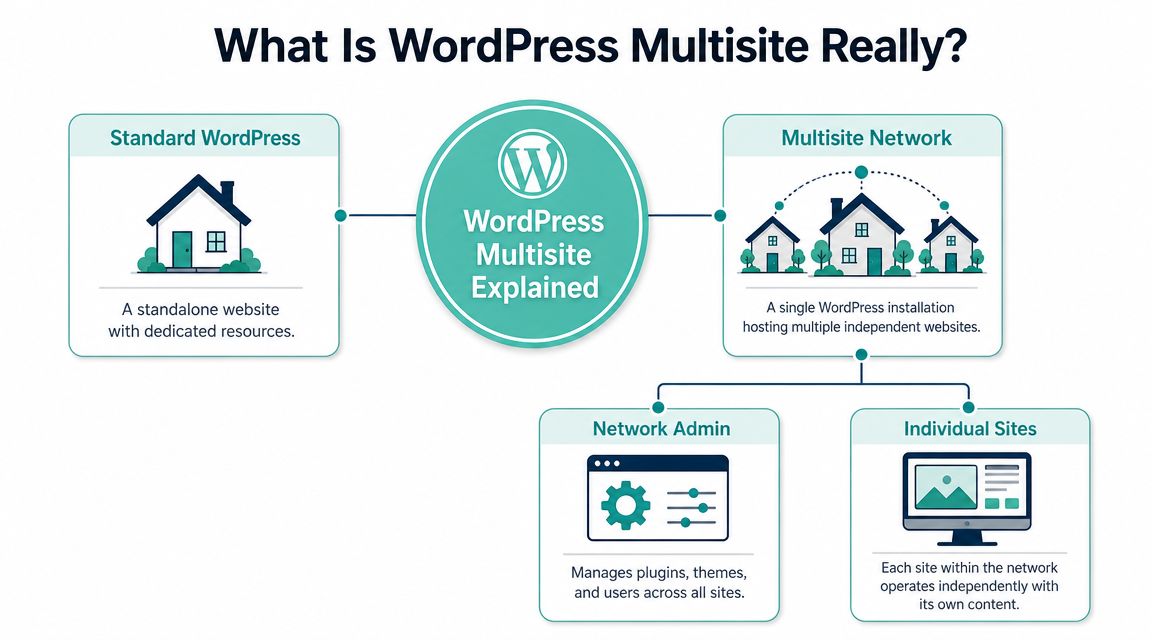
In practice, that means a network administrator controls the shared layer, such as available themes, plugins, and broader user access. Site admins then work within their own site boundaries. For organisations with multiple branches, campaigns, departments, or client templates, that's often the main attraction.
If you're still sorting out the basics of WordPress licensing and ownership, it helps to understand whether WordPress itself is free before deciding how you want to structure multiple sites.
Subdomains or subdirectories
The first architectural choice is how your sites will be addressed.
- Subdomains use formats like
perth.example.com.auorclient1.example.com.au - Subdirectories use formats like
example.com.au/perthorexample.com.au/client1
That choice isn't cosmetic. The same WordPress Learn lesson notes that subdomain networks require a wildcard DNS record, while subdirectory networks do not need that extra DNS step. For an Australian business with multiple locations or brands, this becomes a practical decision early, not a branding tweak later.
Practical rule: Pick the URL structure based on operations first, branding second. Changing network structure after launch is far harder than choosing carefully at the start.
Subdirectories are usually simpler to get running. Subdomains can be cleaner when each site needs a stronger identity, but they add infrastructure requirements and more moving parts. That matters if your internal team is small or if you want to keep support overhead low.
Single Site vs Multisite vs Managed Platforms
How the three models differ
When a business needs several websites, there are usually three realistic paths.
The first is running separate WordPress installs. Each site stands alone, with its own dashboard, plugins, themes and database. This is still the cleanest option when sites need freedom, performance isolation, or different maintenance windows.
The second is WordPress Multisite. You centralise the stack and manage multiple sites inside one WordPress environment. It can reduce repetition, but you're also concentrating responsibility into one system.
The third is using a managed platform that helps you administer multiple sites while keeping those sites logically separate. In agency work, this model often appeals to teams that want central oversight without tying every site to the same shared WordPress core.
For teams evaluating hosting styles as well as architecture, it's worth comparing this with managed WordPress hosting in Australia, especially if support, staging, backups and maintenance workflows matter more than raw DIY control.
Comparison of Website Management Approaches
| Criterion | Separate WordPress Sites | WordPress Multisite | Managed Platforms |
|---|---|---|---|
| Setup complexity | Straightforward per site, but repetitive as site count grows | More complex upfront because the network must be designed correctly | Usually simpler operationally, but depends on the provider's toolset |
| Maintenance effort | Higher over time because updates and admin work repeat across installs | Lower for shared admin tasks because the network is centrally managed | Often moderate, with central tools handling parts of the workload |
| Performance isolation | Strong. One site issue is less likely to affect others | Weaker. Shared stack means one problem can ripple across the network | Usually better than Multisite if sites are isolated behind the platform |
| Flexibility | Highest. Each site can have its own stack and custom rules | Lower. Standardisation is part of the model | Varies. Good for common workflows, less ideal for unusual requirements |
| Agency workflow | Fine for bespoke clients, but admin overhead grows fast | Good for template-driven or tightly governed fleets of sites | Good when clients need separation but the agency wants central visibility |
| Failure domain | Small. One broken site is usually just one broken site | Large. Shared components can create network-wide issues | Depends on how much separation the platform enforces |
A simple way to decide is to ask what you're optimising for.
- Choose separate installs when each site has different business importance, plugin needs, or traffic patterns.
- Choose Multisite when consistency and central control matter more than autonomy.
- Choose a managed platform when your team wants operational convenience without placing every site in one WordPress basket.
If your agency offers a standard site framework to many similar clients, Multisite can feel efficient. If every client wants unique functionality and a different plugin stack, separate installs usually age better.
Host your website with our 5-star rated, cPanel website hosting plans.
Super fast servers, with security included and hosted in your choice of Australian Data Center.
View cPanel Plans
The Pros and Cons of a Multisite Network
Where Multisite works well
The strongest argument for WordPress Multisite is operational efficiency. You maintain one core installation, one shared theme and plugin layer, and one network admin area. For a business with many related sites, that can make governance much easier.
This works especially well when sites are supposed to be similar. A university with department sites, a franchise with local branches, or an agency that deploys the same site model repeatedly can all benefit from that consistency. Branding stays tighter, plugin sprawl is easier to control, and spinning up a new site is usually faster than building a new standalone install from scratch.
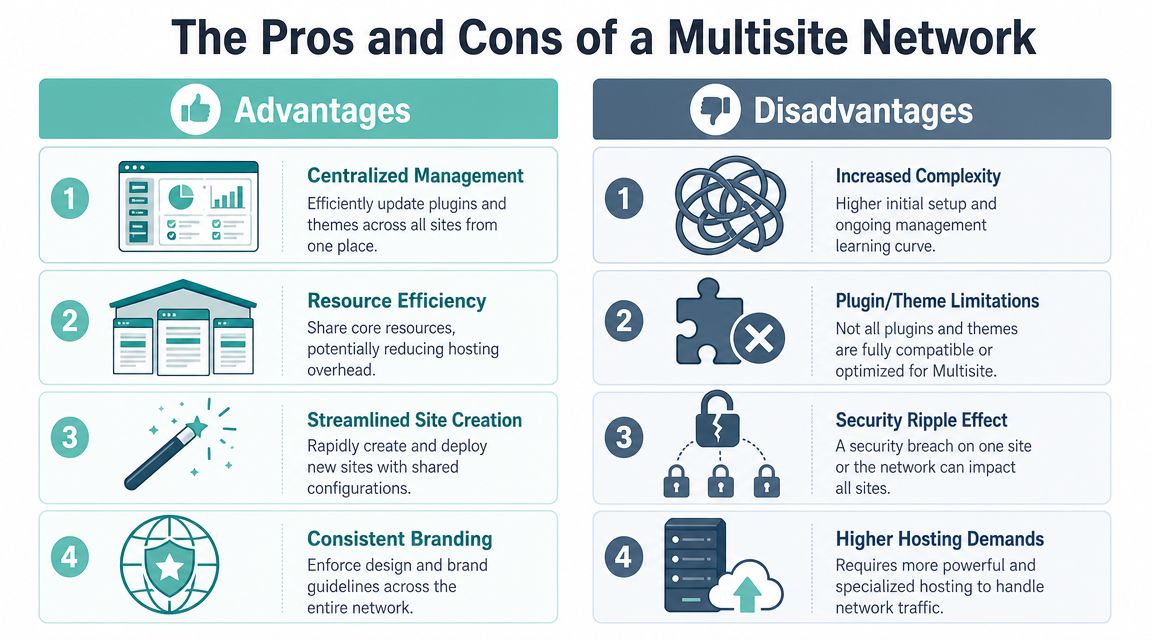
There's also a discipline benefit. Multisite pushes teams toward standard operating procedures. That's useful when too many hands are touching too many sites.
Where it creates real risk
The downside is the blast radius. Multisite shares the same core files, themes, plugins and database across the network, which means a vulnerable plugin or a bad configuration can affect every site at once, as explained in Evolving Web's analysis of WordPress Multisite trade-offs.
That's the part many businesses underestimate. The convenience is real, but so is the concentration of risk.
- Security exposure: One weak point in the shared stack can become a network-wide problem.
- Backup complexity: You can't rely on a crude full-site restore mindset. You need backups and recovery processes that can handle an individual subsite cleanly within the broader network.
- Plugin compatibility: Some plugins behave well in Multisite. Some don't. The ones that assume a standalone site model can create friction fast.
- Troubleshooting pressure: Problems are harder to isolate because network settings, server resources, and plugin interactions all overlap.
A Multisite network rewards standardisation. It punishes casual change management.
In my experience, Multisite works best when the business is willing to treat WordPress as shared infrastructure, not just a collection of websites. If that discipline isn't there, the admin convenience often gets cancelled out by support complexity later.
Is Multisite Right for Your Australian Business
Good fits in the Australian market
For Australian businesses, the best Multisite use cases are usually operational, not purely technical.
A national franchise is a classic example. Head office wants each location to have its own site presence, but not its own design standards, plugin choices, or maintenance habits. A Multisite network lets one central team enforce templates and keep local site admins focused on content.
An agency can also benefit if it offers a repeatable website product. If every client receives a similar setup, with controlled plugin choices and a common support model, Multisite can reduce admin clutter. The same applies to organisations with regional offices, internal divisions, or campaign microsites that share common design and governance.
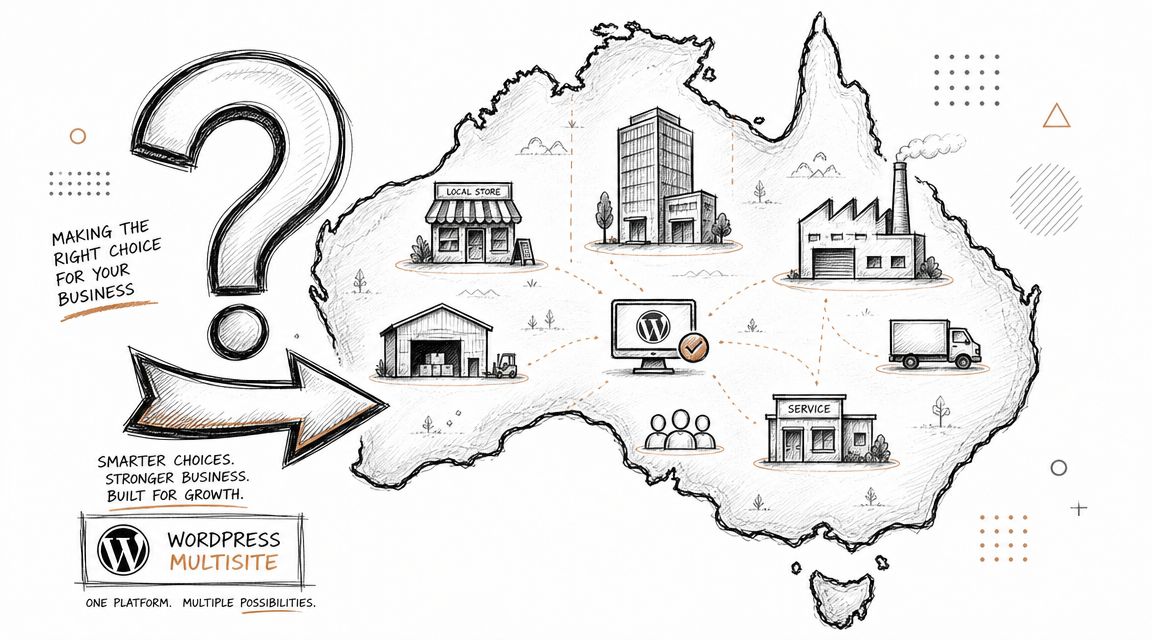
The Australian angle matters because your audience isn't sitting in one city. A Sydney-hosted network may still serve visitors from Perth, Brisbane, Melbourne and regional areas. For agencies and multi-location businesses, the Multisite decision should weigh centralised control against regional latency and performance isolation, as discussed in Smashing Magazine's guide to WordPress Multisite.
When separate installs are the safer call
Multisite is often the wrong fit when sites need different priorities.
A few examples:
- eCommerce portfolios: If one store has heavy traffic or a more sensitive checkout workflow, isolating it is usually the safer choice.
- Diverse client requirements: Agencies managing very different plugins, themes or custom code across accounts will often spend more time working around Multisite than benefiting from it.
- High-risk sites: If downtime on one site can't be allowed to affect another, separate installs give you a cleaner failure boundary.
- Independent ownership models: If each site owner expects full control, a shared network can become a governance argument waiting to happen.
Multisite suits organisations that want controlled sameness. It's less suitable when each site is effectively its own business.
For many Australian SMBs, that's the decision. Not “Can Multisite do this?” but “Do we want these websites to live and fail together?”
Hosting and Technical Requirements in Australia
Baseline platform requirements
A WordPress Multisite network needs stronger foundations than a basic single-site install. The shared architecture concentrates traffic and admin activity into one stack, so hosting needs to be sized around concurrent demand, not just how many sites appear in the network.
According to this Multisite hosting guidance, a stable network requires PHP 8.1+, MySQL 5.7 or MariaDB 10.4+, and Apache or Nginx with mod_rewrite. The same guidance also notes that subdomain networks require both a wildcard DNS record and a wildcard SSL certificate.
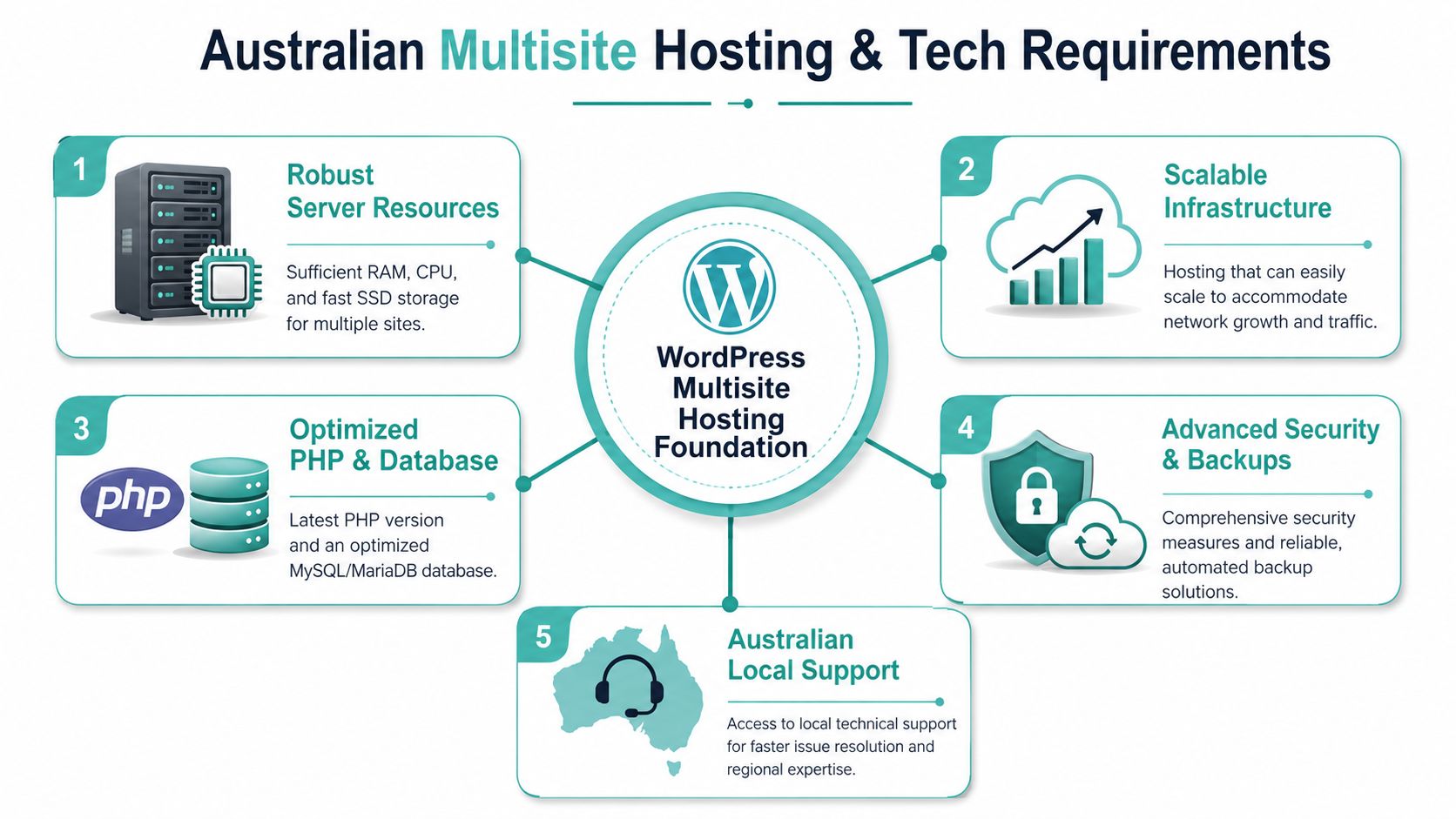
That's the baseline. The practical requirement is bigger than the version list. You need enough PHP workers, database capacity and server headroom to absorb simultaneous requests across the network.
What matters locally
For Australian businesses, local hosting decisions are usually about supportability as much as speed.
- Concurrency planning: Don't assume ten small sites are the same as one bigger site. Shared surges can land at the same time.
- SSL simplicity: If you choose subdomains, make sure wildcard SSL is easy to provision and renew.
- DNS and control panel access: Clean DNS management matters more in Multisite than many teams expect.
- Upgrade path: If the network grows, you want room to move into stronger infrastructure without rebuilding the whole setup.
If you're comparing local environments, a guide to the best Australian WordPress hosting is a useful place to pressure-test whether a host meets Multisite requirements rather than just supporting WordPress in general.
Cheap shared hosting can run a simple WordPress site. A serious Multisite network needs an environment designed for sustained shared load.
Register your new domain name at competitive market prices including free domain add-ons like privacy, DNS Hosting, Custom Nameservers and Forwarding.
Always the best price and no nasty renewal price hikes.
Register A Domain Name
Setup and Management Best Practices
Plan the network before you enable it
The technical act of enabling Multisite is straightforward. Running it well isn't.
Start by defining what belongs in the network and what doesn't. Decide whether sites should share the same theme framework, which plugins are allowed, who gets site-admin rights, and whether subdomains or subdirectories match the organisation's long-term structure. These choices become harder to unwind after launch.
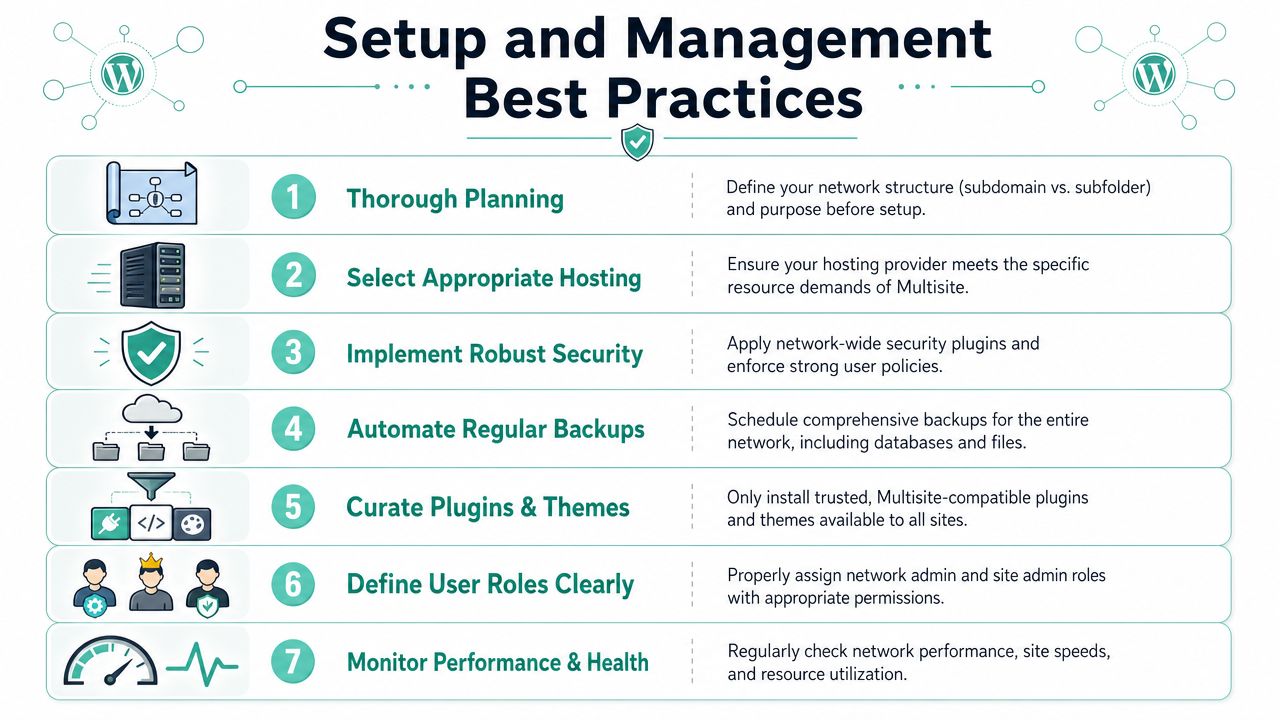
A sound rollout usually includes:
- A staging environment where network-wide updates can be tested before they touch live sites.
- A strict plugin policy so site admins can't install random tools that create security or compatibility issues.
- A role model that clearly separates network admin powers from everyday site editing.
- A restore plan that can recover one affected subsite without turning the whole network into a manual repair job.
If backups are part of your current weak spot, review a practical guide on how to back up a WordPress site and adapt that thinking to the extra complexity of a networked install.
Operate it like shared infrastructure
Good Multisite administration is mostly about change control.
- Test first: Network-wide plugin or theme updates should be treated like platform changes, not casual clicks.
- Keep the stack curated: Fewer plugins usually means fewer edge cases.
- Monitor performance across the network: If one subsite starts consuming disproportionate resources, every other site can feel it.
- Prepare for integrations carefully: If a network includes multiple WooCommerce stores or catalogue sites, external systems need to understand that data may sit across several connected sites. In that kind of workflow, tools like the API2Cart unified eCommerce API can be useful because they're built around cross-store integration problems rather than a single standalone shop model.
Keep your Multisite network boring. Boring is stable, supportable, and easier to secure.
The teams that struggle with Multisite are usually the ones that let every site become a special case. Once that happens, the central architecture stops saving time.
Troubleshooting Common Multisite Issues
Common problems after launch
A few issues come up repeatedly after a network goes live.
Can you map unique domains to different sites in the network?
Yes, but the operational burden goes up. Each mapped domain adds its own DNS, SSL and routing considerations, so domain mapping is worth doing only when there's a clear business reason.
Why does the “cookies are blocked” login error appear?
This usually points to cookie or domain configuration problems, especially in subdomain setups. Start by checking whether the network's domain settings and login behaviour line up with how the sites are being accessed.
Why does a plugin work on one subsite but not another?
The plugin may not be fully Multisite-aware, or it may rely on settings that differ per site. Confirm whether it's network-activated, site-activated, or designed for standalone installs first. Many support tickets start because nobody checks that difference.
A practical support mindset
If the whole network suddenly feels slow after a new site is added, think infrastructure before content. Multisite concentrates demand. One badly optimised subsite, one noisy plugin, or one admin-heavy workflow can affect every other site sharing the stack.
For database-related failures, the symptoms often look broad because the application layer is shared. If you hit connection errors, a general WordPress guide to fixing error establishing a database connection is a useful first checkpoint before diving deeper into network-specific diagnosis.
A simple troubleshooting sequence works well:
- Check scope first: Is it one site, several sites, or the whole network?
- Review recent changes: New plugin, theme tweak, domain change, SSL adjustment, or added subsite.
- Test with defaults where possible: Disable the likely offender in staging before touching production.
- Look for shared bottlenecks: Database strain, PHP worker limits, or cache issues often sit underneath “random” Multisite problems.
When a Multisite issue appears everywhere at once, treat it as a platform problem first and a content problem second.
If you're weighing up WordPress Multisite for a franchise, agency portfolio, or multi-location business, UpTime Web Hosting offers Australian-based hosting, local support, and infrastructure options that make it easier to run WordPress reliably. If you're not sure whether Multisite or separate installs are the better fit, start with the architecture decision first, then choose hosting that matches the risk and workload.