You're wiring redirects for a .com.au site, preparing an XML sitemap, and adding canonical tags to a new template. The code looks reasonable until a crawler reports inconsistent addresses, some redirects target the wrong place, and a hosting panel shows a path where your configuration expects a complete address. The problem often starts with treating URL and URI as interchangeable without knowing what each one identifies.
The distinction is technical, but the decisions are practical. It affects how you document APIs, generate links, configure redirects, publish sitemaps, interpret fragments, and keep Australian-hosted websites consistent. This guide uses concrete examples and Australian government standards to show when the broader term URI is useful and when your browser-facing code needs a URL.
Table of Contents
- Why the URL vs URI Question Still Trips Up Developers
- What URI and URL Actually Mean
- Anatomy of a URL With Annotated Examples
- Common Misconceptions That Lead to Broken Sites
- URL Versus URI Across the Criteria That Matter
- Practical Use Cases for Australian Developers and Site Owners
- When to Use a URL and When to Use a URI
- Recommendations, Hosting Tips and FAQs

Performance you can feel, backed by clients who depend on it. Read how our support and uptime create long‑term customer success.Power Your Business with Better Hosting
Why the URL vs URI Question Still Trips Up Developers
A junior developer might describe /products/coffee as a URL because it appears in a browser address. In a configuration file, however, that same string is a path reference, not a complete web address. A full address such as ` identifies the host, access scheme, and resource path together.
That difference matters during a migration. Suppose a business moves from one .com.au domain to another. A redirect rule works with the incoming request path, but the redirect destination usually needs a fully qualified HTTPS address, depending on the platform and configuration. A sitemap, canonical element, or Open Graph tag also needs a consistent, resolvable address rather than an ambiguous path.
Practical rule: Use the term URI when you mean an identifier in the broad technical sense. Use URL when the value must tell a client where and how to retrieve a resource.
The Australian Government API naming convention makes this distinction especially useful. Its guidance treats URIs as formal web identifiers under RFC 3986 and Australian API naming rules, requiring HTTPS for APIs, lower-case URI paths, hyphens as the only word separator in the base URI, and a total URI length, including path and query, of no more than 2,000 characters. The guidance was published on 20 September 2001 and last updated on 24 August 2026, according to the same document.
On a production site, confusion can produce:
- Broken canonical tags, where several address formats point to different versions of one resource.
- Mismatched sitemap entries, especially when a generator mixes relative paths and absolute addresses.
- Unclear redirect targets, where a path is interpreted against the wrong host or scheme.
- Inconsistent hosting settings, because file managers, rewrite rules, and forwarding tools don't all display addresses in the same form.
A useful first diagnostic is to check whether the value can be resolved independently of the current page or server context. If it can't, you may be looking at a URI reference or path rather than a complete URL. For WordPress owners, a knowledge base guide to 404 errors and broken permalinks is a practical companion when an apparently small path change starts returning missing pages.
What URI and URL Actually Mean
URI means Uniform Resource Identifier. It's the broad category for a character sequence that identifies a resource. A resource might be a web page, an API resource, a dataset identifier, or an email address expressed with an appropriate scheme.
URL, or Uniform Resource Locator, is the familiar web-oriented subset. It identifies a resource and supplies a location or access mechanism, such as https and a host name. This is why ` can be entered into a browser and requested from a particular server.
The relationship is simple:
- Every URL is a URI.
- Not every URI is a URL.
- A URN is another URI form that names a resource without giving its network location.
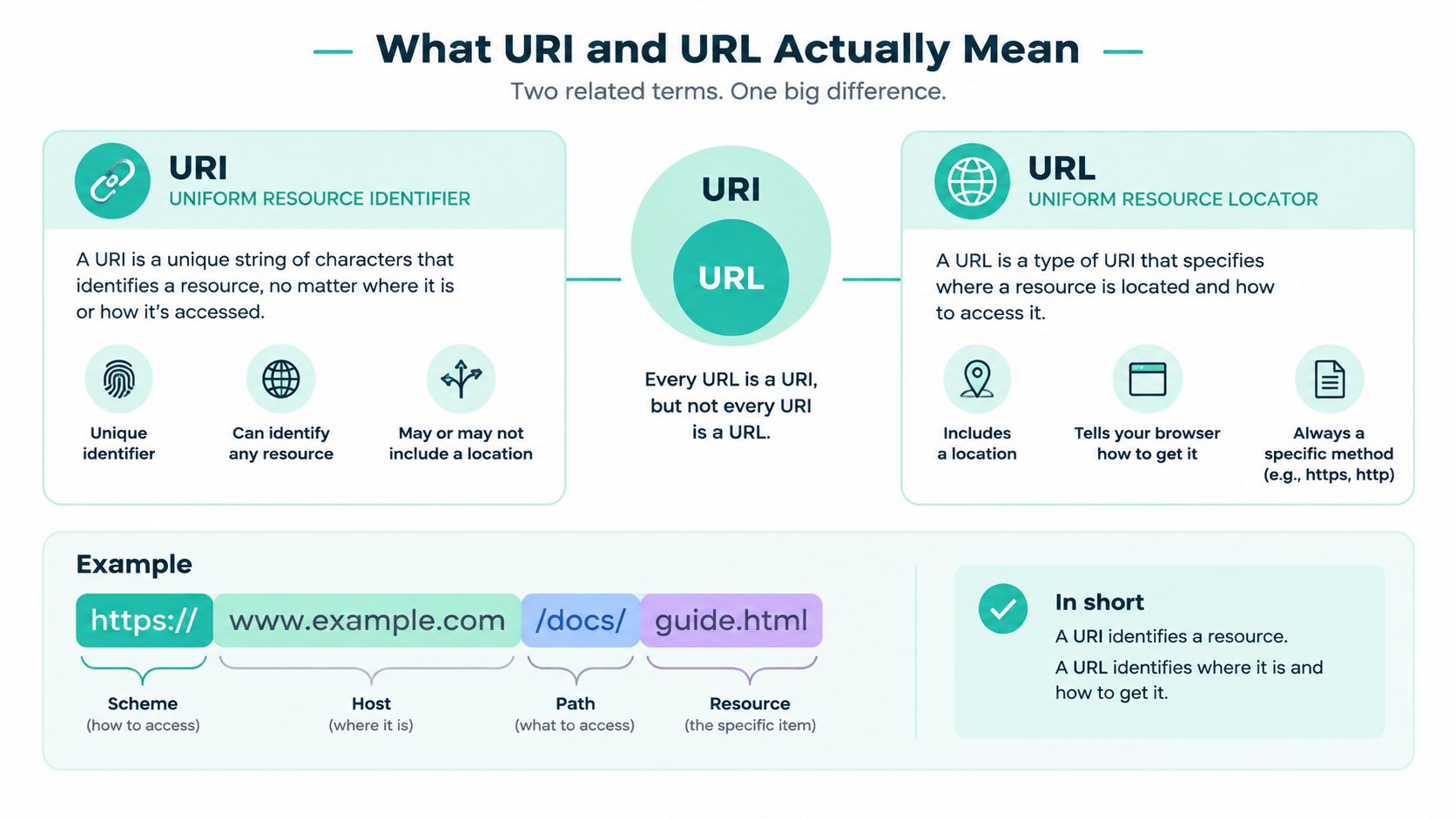
A street-address analogy helps. A URL resembles a complete address with the way to reach the location. A broader URI resembles any reliable identifier for the property, whether that identifier is an address, a registry name, or another formal reference. A URN is closer to a stable name that can continue identifying the thing even if its location changes.
For example, urn:isbn:0451526538 identifies a book through a name-like identifier. It doesn't tell a browser which Australian server to contact. By contrast, ` supplies an HTTP-based access mechanism and a host.
Australian linked-data practice shows why the boundary can blur in deployment. The Australian Government Linked Data Working Group uses the linked.data.gov.au domain for persistent identifiers and expects those identifiers to be resolvable using HTTP, as described in its linked-data implementation guidance. Once an identifier must resolve over HTTP, it functions as a URL in the deployed system, even though the design discussion may call it a URI.
The distinction affects implementation choices. A browser link generator needs to know whether it has a scheme and authority. An API document might intentionally describe an abstract resource identifier without promising that a browser can retrieve it. An SEO directive, by contrast, normally needs a resolvable web address so crawlers can associate the directive with a specific host and resource.
Developers also encounter the term URI in file transfer and server documentation. For example, FTP fundamentals for website owners can help separate a resource path used by a transfer tool from the full web URL visitors use in a browser.
Host your website with our 5-star rated, cPanel website hosting plans.
Super fast servers, with security included and hosted in your choice of Australian Data Center.
View cPanel Plans
Anatomy of a URL With Annotated Examples
Take this address:
`
Read it from left to right. Each component has a separate job, and confusing those jobs can alter redirects, cache keys, or canonicalisation.
| Component | Definition | Example from ` | Affects SEO/Hosting? |
|---|---|---|---|
| Scheme | The access mechanism or protocol | https | Yes. HTTP and HTTPS are different address forms and should be handled consistently. |
| Authority | The network location, including host and optional port | shop.example.com.au:443 | Yes. Host and port determine where the request goes. |
| Subdomain | A host label before the registered domain | shop | Yes. It can represent a separate host or site context. |
| Registered domain | The domain registered by the organisation | example.com.au | Yes. It identifies the domain context for hosting and search signals. |
| Port | The optional service port | 443 | Yes. It can change the destination service. |
| Path | The resource path inside the host | /cart/index.php | Yes. Rewrite rules and application routing use it. |
| Query | Parameters after ? | ref=email&utm=winter | Yes. Parameters can alter content, tracking, caching, and duplicate URL handling. |
| Fragment | A client-side reference after # | shipping | Usually handled by the browser, not the server request. |
The .au ending is a country-code top-level domain. Australian organisations also commonly work with structured second-level domains such as .com.au and .gov.au. Those labels form part of the host in the authority, not part of the path.
Percent-encoding represents characters that can't safely appear in their literal form. A space may be represented as %20, while a slash that belongs inside a single path segment must be encoded rather than interpreted as a separator. Treat encoding as part of URL construction, not as a cosmetic clean-up step.
An IPv6 host uses brackets in the authority, for example ]/status. The brackets distinguish the address from the colon that separates a port. You won't usually type this for a public Australian business site, but the syntax matters when validating infrastructure URLs.
The same anatomy applies to an API:
`
Here, https is the scheme, api.example.com.au is the authority, /v1/employees is the path, and department=finance is a query parameter. The endpoint is machine-facing, but it remains a URL when a client can use it to make an HTTP request.
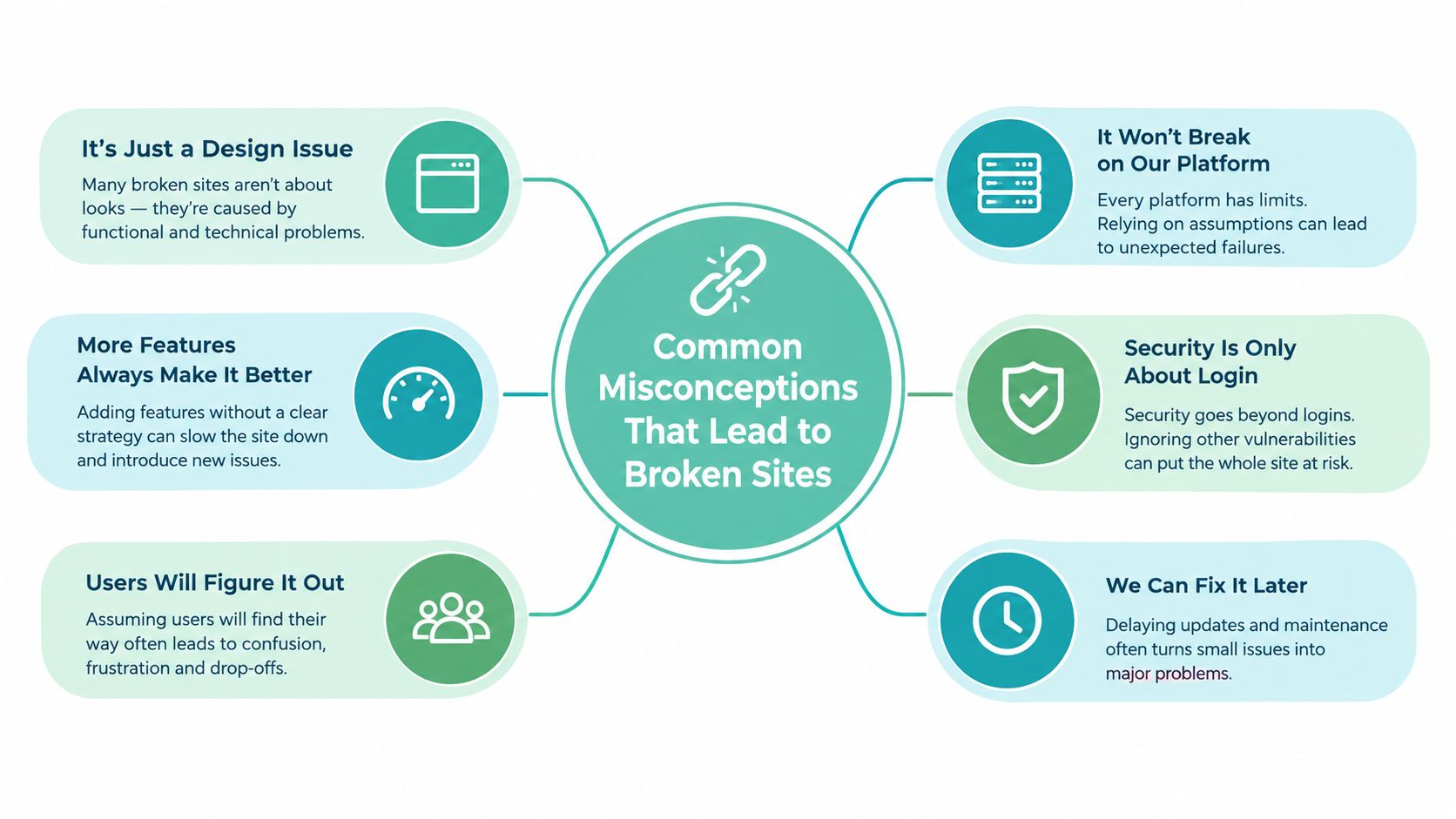
Common Misconceptions That Lead to Broken Sites
The first misconception is that URI is obsolete. It isn't. Australian government standards use URI as a precise identifier term, particularly in API and linked-data contexts. The Australian Government guidance discussed earlier treats URLs as a subset of URIs, so replacing every occurrence of URI with URL can remove an important distinction from technical documentation.
The second misconception is that the two terms can be swapped safely in every configuration. In casual conversation, developers often say URL when they mean a web address. In code, however, /orders/123 and ` don't carry the same information. The first depends on a base context. The second identifies a host and scheme as well as a path.
Percent-encoding is another frequent source of trouble. Spaces, %, #, and ? have reserved or structural meaning, so placing them directly into a URL can change how a server parses the request. A page named annual report.pdf should be represented with an encoded space, such as /files/annual%20report.pdf, or renamed using a safer web naming pattern.
Fragments cause a different misunderstanding. In the browser uses#billing' to find a section after retrieving the page. The fragment isn't sent as part of the HTTP request, so Nginx or Apache logs don't receive it as a server-side path.
A practical review should check each layer separately:
- Markup: Canonical, hreflang, Open Graph, and sitemap values should use the intended address form.
- Routing: The server should receive and match the path without relying on a fragment.
- Encoding: Application code should encode parameter values rather than concatenating unsafe characters.
- Content hygiene: If text has been copied between editors, inspect it with a utility such as clean AI text with Simple Unmark, especially when invisible characters may affect slugs or pasted URLs.
Your robots.txt file also needs careful path thinking. A robots.txt hosting knowledge base article is useful when a path-based rule appears correct but doesn't match the URL patterns you intended to control.
URL Versus URI Across the Criteria That Matter
The most useful comparison concerns what the identifier promises. A URL normally gives a client enough information to attempt retrieval. A URI can identify the same kind of resource without promising a network location.
| Criterion | URL | URI |
|---|---|---|
| Dereferenceability | Designed to identify a location and access mechanism, commonly through HTTP or HTTPS | May identify a resource without providing a retrievable network location |
| Naming scope | A locator within a broader identifier family | The umbrella concept for resource identifiers |
| Persistence | The address can become invalid when hosting or paths change | Can be designed as a stable identifier independent of location |
| SEO use | Appropriate for canonical tags, sitemap entries, and redirect destinations | Useful when discussing the identity of a resource abstractly |
| Hosting relevance | Used by browsers, redirects, routing, and cache layers | Used in documentation, API modelling, and linked-data design |
| Typical example | ` | `urn:isbn:0451526538' or an HTTP-resolvable identifier |
Australian linked-data guidance makes the practical boundary explicit. The Australian Government Linked Data Working Group describes HTTP-resolvable URIs as the preferred pattern for public resources and operates the linked.data.gov.au namespace for persistent identifiers, as explained in its governance guidance. When dereferenceability over HTTP is required, the URI effectively operates as a URL.
Australian government standards also show how naming rules become implementation rules. The Victorian API design standard requires lower-case endpoint URIs, hyphens rather than spaces or underscores in the base URI, and plural nouns for collections. Its example, https://gw.api.vic.gov.au/e09284/v1/employees, demonstrates a complete endpoint, while a query such as ?year=2011&sort=desc adds request parameters. These conventions help developers produce predictable routes for public services.
A Queensland guideline offers a helpful documentation distinction. For http://example.com/path/to/resource.html, it identifies /path/to/resource.html as the URI path inside the domain, while the full formatted string is the URL. The same Queensland URL definitions state that URLs are a subset of URIs.
Apache rewrite rules and Nginx routing directives operate on requests arriving at a host, so they work with the scheme, authority, and path context supplied by the request. SEO directives need the other side of that equation. A canonical value should resolve to the intended public address, not merely name a path without a host.
For Australian site owners, HTTP and HTTPS guidance is relevant because the scheme is part of the URL identity. A secure migration isn't complete if pages, redirects, and metadata continue to disagree about whether the resource lives at HTTP or HTTPS.
Register your new domain name at competitive market prices including free domain add-ons like privacy, DNS Hosting, Custom Nameservers and Forwarding.
Always the best price and no nasty renewal price hikes.
Register A Domain Name
Practical Use Cases for Australian Developers and Site Owners
Sitemaps are the clearest example. An XML sitemap should contain absolute, canonical URLs, such as rather than relying on the search engine to infer the host from/services/accounting'. Keep the scheme, host, casing, and path aligned with the version your site serves.

For a .com.au migration, a redirect rule should distinguish the incoming request path from the destination URL. In Apache-style configuration, the match may operate on /old-service, while the destination should identify the new HTTPS host and path. Test old URLs, trailing-slash variants, mixed-case paths, query parameters, and pages that no longer exist. Don't redirect every missing page to the homepage, because that hides routing errors and weakens the user's path to the intended content.
Canonical tags follow the same principle:
<link rel="canonical" href="https://www.example.com.au/services/accounting">
A WordPress plugin such as Yoast SEO can generate canonical elements from the site's configured primary address. A custom PHP template can output the value directly, but it should normalise the scheme, host, and path before writing the tag. Don't build it from an untrusted request header.
REST APIs add an important nuance. A JSON document may use a URI as the resource identifier, while an HTTP Location header after resource creation should provide a complete URL that the client can request. The identifier describes the resource; the response header tells the client where the newly created resource is available.
Australian government publishing makes this pattern visible. The linked-data guidance provides a real example, http://lab.environment.data.gov.au/id/acorn-system/Adelaide_023090_023000, identifying a measurement station in Adelaide operated by the Bureau of Meteorology. It also states that URL encoding should conform to URI encoding and RFC 3986, as recorded in the Australian metadata profile guidance.
For validation, Node.js can separate a complete URL from a path:
new URL("https://example.com.au/products?sort=price")
This succeeds because the input includes a scheme and host. new URL("/products", "https://example.com.au") also succeeds because the second argument supplies the base. new URL("/products") fails because the path lacks enough information on its own.
Python's urllib.parse helps inspect queries:
parse_qs("tag=one&tag=two") groups repeated values by key, while parse_qsl("tag=one&tag=two") preserves the ordered key-value pairs. Choose the form that matches your application, and encode values before constructing the final URL.
When to Use a URL and When to Use a URI
Use a URL whenever another system must reach a live resource on your Australian-hosted site. That includes canonical tags, hreflang references, Open Graph metadata, sitemap entries, redirect destinations, and CDN cache keys. A browser, crawler, or hosting service needs enough information to identify the intended scheme and host without guessing.
Use the broader URI term when your documentation describes identity rather than retrieval. RDF-style metadata, API resource models, and linked-data specifications may use identifiers that are designed to remain meaningful even if their hosting location changes. A URN can identify a resource without being a browser link, while an HTTP-resolvable identifier can serve both the abstract identity role and the practical URL role.
| Context | Use URL | Use URI |
|---|---|---|
| Canonical tag | Use a complete HTTPS address | Mention URI when discussing the resource identity in documentation |
| XML sitemap | Use an absolute public address | Use URI as the broader standards term |
| Redirect target | Use the destination scheme, host, and path | Describe the incoming path as an identifier when appropriate |
| API design | Return a resolvable address when clients must fetch it | Model resources as identifiers in specifications |
| Linked data | Use HTTP-resolvable identifiers | Use URI for persistent or abstract naming |
| Email reference | Use a web address for a web page | Use mailto: for an email identifier |
| Hosting documentation | Use a complete address for forwarding | Use URI for the general class of references |
mailto:support@example.com.au is a URI that identifies an email destination, but it isn't an HTTP URL for a web page. Likewise, a path such as /contact is useful inside a site's own document context, yet it isn't a self-contained address for a sitemap submitted independently of that context.
Domain forwarding is another place where precision helps. A forwarding service generally needs a full destination including https://, not merely a path. For cPanel users, the HTTP-to-HTTPS redirect instructions show why the scheme and host must be handled deliberately.
The working habit is straightforward. Call browser-facing, dereferenceable values URLs. Call abstract, persistent, or scheme-independent identifiers URIs. That vocabulary keeps code reviews clearer without forcing developers to overcomplicate everyday links.
Experience Microsoft 365 Business Standard for free for 30 days.
Up to 25 users with full access to email, OneDrive and Teams. Includes full versions of desktop apps of Outlook, Word, Excel, PowerPoint and more.
Try Microsoft 365
Recommendations, Hosting Tips and FAQs
Use this checklist when reviewing an Australian site:
- Choose one primary
.auaddress: Redirect alternate host forms to it. - Serve HTTPS consistently: Keep page links, metadata, and sitemap entries on the secure scheme.
- Declare canonical URLs: Use the complete public address in every relevant page head.
- Keep sitemaps absolute: Include the scheme, host, and path rather than relying on a base context.
- Encode query values: Don't place spaces or reserved characters into generated URLs without encoding.
- Avoid session identifiers: Keep session state out of indexable addresses where the application allows it.
- Test hosting layers: Check redirects, application routes, canonical tags, and sitemap output separately.
cPanel, Plesk, and Cloudways interfaces may show a URI path in a file manager or routing field. Domain forwarding and redirect destinations usually require the full URL, including https:// and the host. Treat the display label in a panel as a user-interface convenience, not as proof that two configuration values are interchangeable.

Frequently asked questions
Is every URL a URI? Yes. URL is a subset of the broader URI category.
Can every URI open in a browser? No. A URI may identify a resource without supplying an HTTP location.
Do spaces belong directly in URLs? No. Encode them, commonly as %20, or use a web-safe name.
What is a URN? It's a URI that names a resource without specifying its network location.
Can a search engine treat a URN as a normal web link? Not in the same way as an HTTP or HTTPS URL, because a URN doesn't provide a web location to fetch.
What should developers remember? Choose URLs for anything dereferenceable, and URIs for everything identifier-shaped.
UpTime Web Hosting provides Australian hosting services, including cPanel, WordPress and ASP.NET Windows hosting, domains, email and managed VPS, so your URL structure can be managed alongside the hosting environment. Review your redirects, HTTPS settings and sitemap addresses, then visit UpTime Web Hosting to explore hosting options for your Australian site.