In short
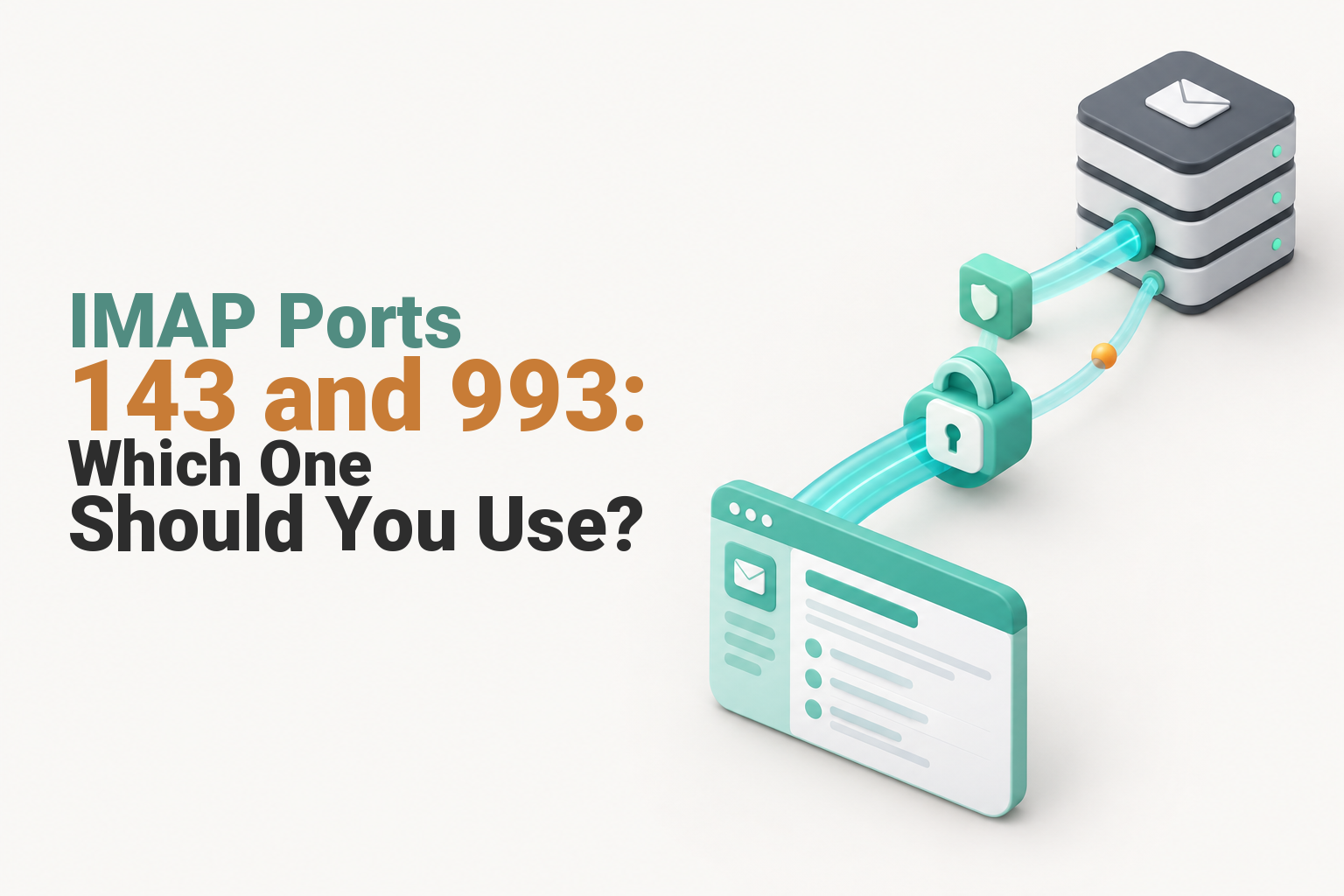
Use IMAP port 993 with SSL/TLS unless your email provider specifically gives you port 143 with STARTTLS. Port 993 starts encryption immediately and is the simplest secure choice for most Outlook, Apple Mail and phone setups. The port alone is not enough: the server name, username, password and encryption option must also match.
Key takeaways
- As of 4 November 2026, the IANA service registry assigns TCP port 143 to IMAP and TCP port 993 to IMAP over TLS. (iana.org)
- Port 993 uses implicit TLS, which means encryption starts as soon as the connection opens.
- Port 143 can be secure when the app successfully uses STARTTLS before authentication, but unencrypted port 143 should not be used for business email.
- IMAP receives and synchronises mail, while SMTP sends mail through a separate server and port.
- A correct port will not fix an incorrect server name, encryption mode, username, password or authentication method.
Table of contents
- Which IMAP port should you use?
- What settings should you enter in Outlook, Apple Mail or a phone?
- Why can port 143 still be secure?
- How do you fix common IMAP setup errors?
- What are the answers to common IMAP port questions?
- What should you do next?
Most email apps can detect mailbox settings automatically. When manual setup appears, treat the server name, port, encryption option and login method as one matched set rather than changing the port on its own. Microsoft's Outlook settings guidance also directs users to obtain these values from their email provider. (support.microsoft.com)
Which IMAP port should you use?
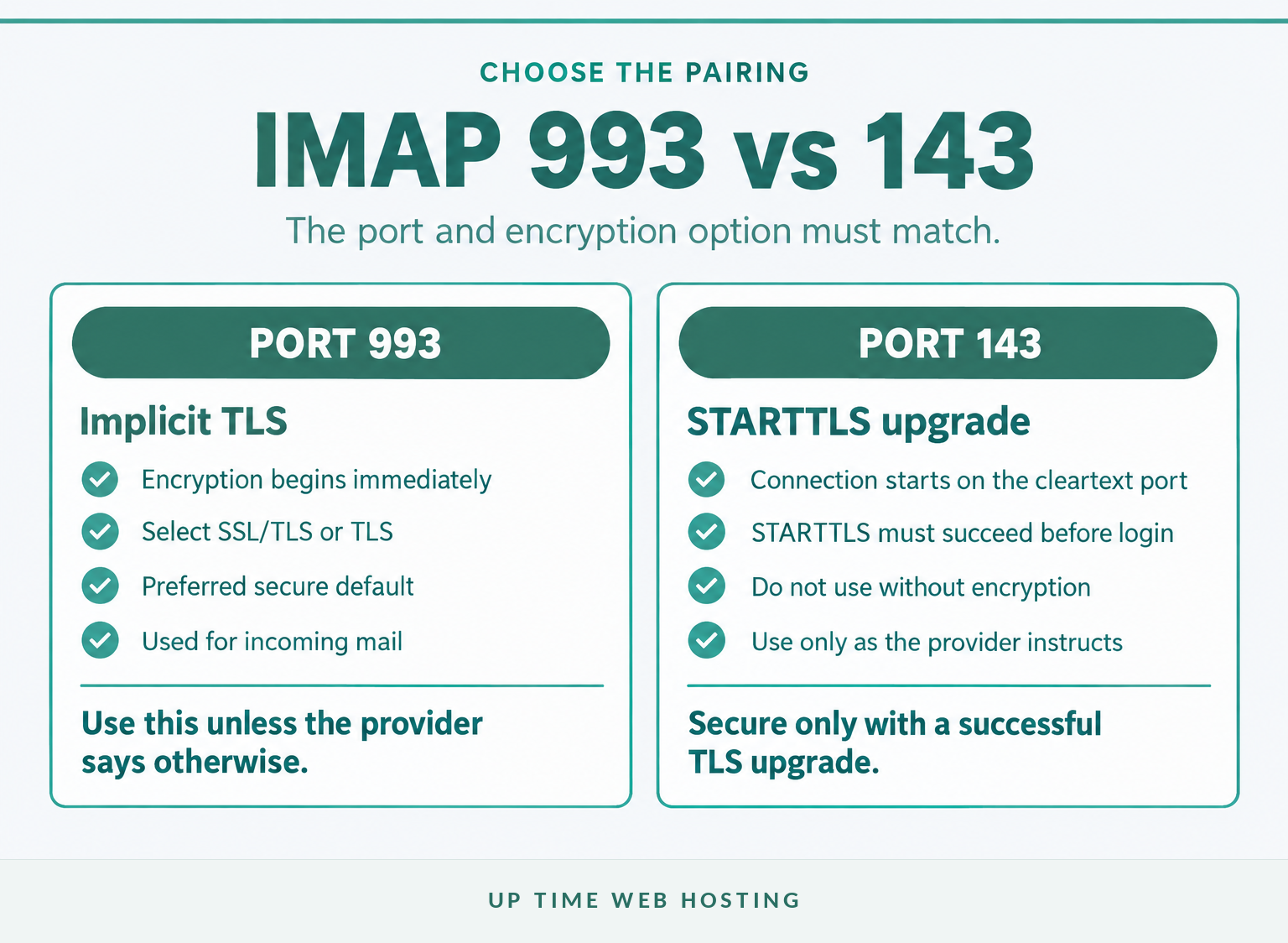
Choose port 993 and set encryption to SSL/TLS or TLS for most manual IMAP setups. Use port 143 only when the email provider specifically instructs the app to use STARTTLS.
| IMAP port | Security option | What happens | When to use it |
|---|---|---|---|
993 | SSL/TLS or TLS | The TLS handshake begins immediately when the connection opens. | Preferred for most secure manual setups. |
143 | STARTTLS | The connection opens on the cleartext IMAP port and upgrades to TLS before login. | Use when the provider explicitly supplies this combination. |
143 | None | The session has no transport encryption. | Do not use for password-based business email. |
The IMAP4rev2 standard identifies port 143 as the cleartext IMAP port and port 993 as the implicit TLS port. It also requires current implementations to support TLS negotiation on the implicit TLS port and STARTTLS on a cleartext IMAP port that is offered. (rfc-editor.org)
The common statement that port 143 is always unencrypted is therefore incomplete. Port 143 starts as a cleartext connection, but STARTTLS can upgrade that connection before the username, password or mailbox data is exchanged.
For most manual setups, port 993 with SSL/TLS is the right IMAP choice.

Performance you can feel, backed by clients who depend on it. Read how our support and uptime create long‑term customer success.Power Your Business with Better Hosting
What settings should you enter in Outlook, Apple Mail or a phone?
Enter the server values supplied by the company or control panel that manages the mailbox. For a typical secure account, select IMAP, port 993 and SSL/TLS, then use the provider-specified username, password and server hostname.
| Setting | Common secure value | What to check |
|---|---|---|
| Account type | IMAP | Do not select POP unless downloading mail is intentional. |
| Incoming server | Provider-specific hostname | Copy it exactly rather than guessing from the email domain. |
| Incoming port | 993 | Pair it with SSL/TLS or TLS. |
| Username | Commonly the full email address | Follow the provider's format exactly. |
| Password | Mailbox password | It may differ from the device, hosting or control-panel password. |
| Authentication | Password, app password or OAuth | Use the method supported by the provider and app. |
| Outgoing server | Provider-specific SMTP hostname | SMTP is separate from IMAP. |
| Outgoing port | Commonly 465 or 587 | Match port 465 with implicit TLS or port 587 with STARTTLS when instructed. |
If the app asks whether to use IMAP or POP, compare IMAP and POP3 for business email before continuing. IMAP is normally chosen when messages, folders and read status must synchronise across multiple devices.
If the incoming hostname is unknown, use the provider's control panel or setup instructions rather than trying values such as imap.yourdomain.com or mail.yourdomain.com. The guide to finding your IMAP server and login settings explains where to locate account-specific details.
cPanel's 2026 mail-client documentation lists port 993 for secure IMAP, uses the mailbox password rather than the computer password and generates the server hostname according to the certificate configuration. (docs.cpanel.net)
The outgoing SMTP port is not determined by the incoming IMAP port. RFC 8314 defines port 465 for message submission with implicit TLS and also recognises STARTTLS on port 587, so the provider's published SMTP setting should decide which one is entered. (rfc-editor.org)
A working IMAP setup requires the server, port, encryption, username and authentication method to match as one set.
Why can port 143 still be secure?

Port 143 can carry an encrypted IMAP session when the client connects and successfully issues STARTTLS before authentication. Port 993 differs because the TLS negotiation begins immediately, without a separate upgrade command.
The distinction is about when encryption begins:
- Port 993 with implicit TLS: the client opens an encrypted connection first, then begins the IMAP session.
- Port 143 with STARTTLS: the client opens the IMAP connection, requests a TLS upgrade and continues only after the upgrade succeeds.
- Port 143 without STARTTLS: the connection remains unencrypted and should not be used to transmit mailbox credentials.
A connection may fail when the correct port is paired with the wrong security option. Port 993 normally needs SSL/TLS or TLS, while port 143 normally needs STARTTLS when encryption is required. An app option labelled automatic may work, but the provider's stated option is safer than relying on detection.
Port 143 is secure only when STARTTLS is required and completes before credentials are sent.
Host your website with our 5-star rated, cPanel website hosting plans.
Super fast servers, with security included and hosted in your choice of Australian Data Center.
View cPanel Plans
How do you fix common IMAP setup errors?
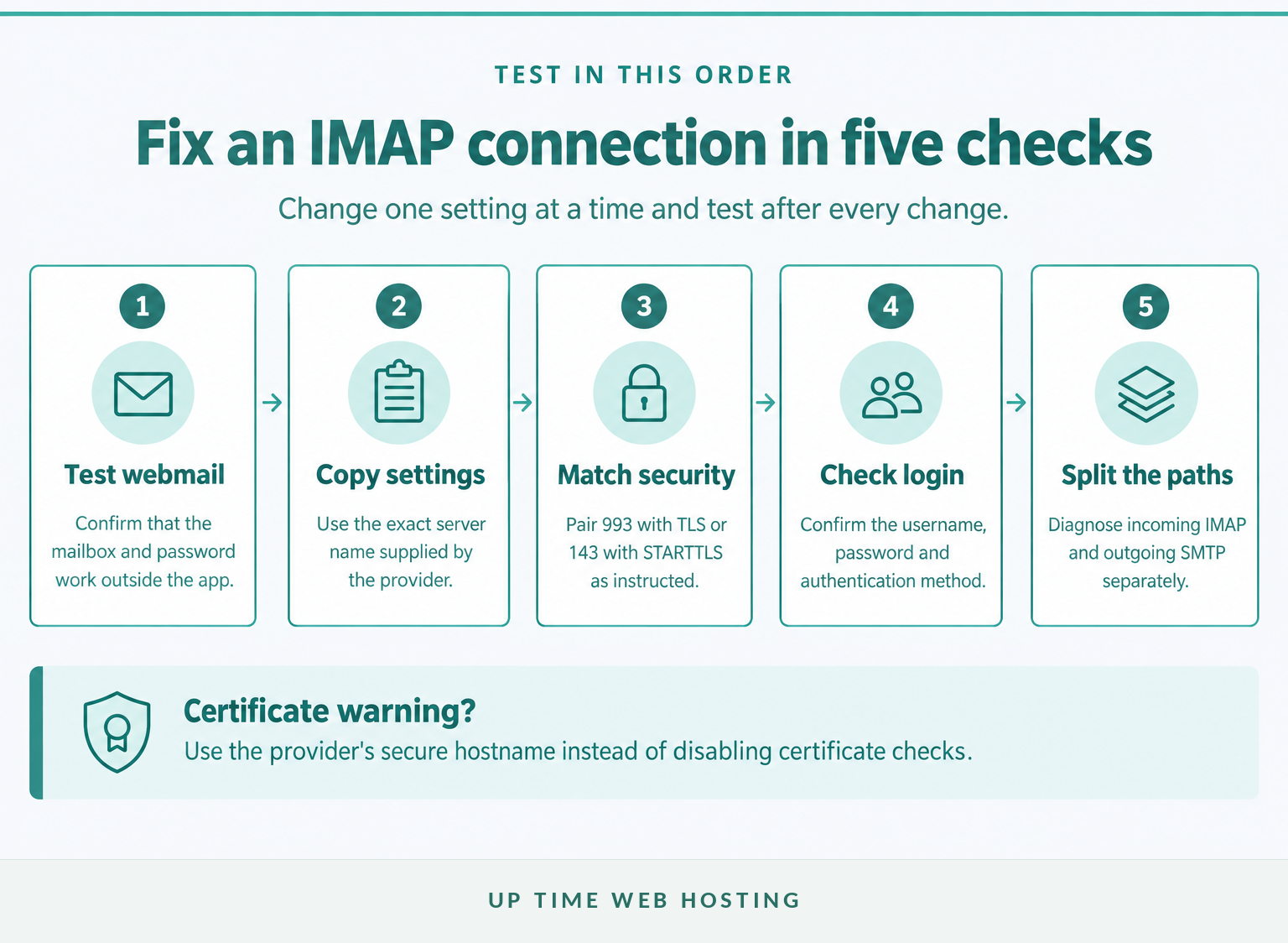
Test the mailbox in webmail first, then compare every incoming setting with the provider's current instructions. A correct port cannot compensate for an incorrect hostname, security mode, username, password or disabled authentication method.
- Test webmail. If the same username and password fail in webmail, changing the IMAP port in the app is unlikely to solve the underlying account problem.
- Copy the exact incoming hostname. A guessed hostname may lead to the wrong server or produce a certificate warning.
- Match the port and encryption option. Start with port 993 and SSL/TLS unless the provider gives port 143 and STARTTLS.
- Re-enter the login details. Check for an old saved password, an incomplete username or a requirement for an app password or OAuth sign-in.
- Read certificate warnings carefully. Do not disable certificate checking merely to make the warning disappear. Confirm that the hostname matches the provider's secure settings.
- Separate receiving from sending. IMAP errors affect incoming mail. If messages arrive but will not send, use the outgoing SMTP checklist. If sending works but messages never arrive, follow the checks for when you can send email but cannot receive it.
| Symptom | Likely area | First action |
|---|---|---|
| Connection times out | Hostname, port, network or server availability | Confirm the hostname and port, then test webmail and another network. |
| Secure connection cannot be established | Port and encryption mismatch | Pair port 993 with SSL/TLS or port 143 with STARTTLS as instructed. |
| Username or password rejected | Login format, old password or authentication method | Try the full email address and confirm whether an app password or OAuth is required. |
| Certificate warning appears | Hostname does not match the certificate | Use the exact secure server hostname supplied by the provider. |
| Mail arrives but will not send | SMTP settings | Check the outgoing hostname, port, encryption and authentication. |
| Mail sends but does not arrive | Incoming settings or server-side delivery | Check webmail, mailbox capacity, routing, filters and forwarding. |
Avoid changing several fields at once. Change one setting, test the account and record the result so the failed combination is not tried again later.
Troubleshooting is fastest when webmail, incoming mail and outgoing mail are tested as separate paths.
What are the answers to common IMAP port questions?
These answers cover the port and server questions that commonly appear during manual email setup. Provider-specific values should always override generic examples.
Is IMAP using port 143 or 993?
IMAP uses both. Port 993 is the normal secure choice because TLS starts as soon as the connection opens. Port 143 is the cleartext IMAP port and can become secure when the client successfully issues STARTTLS before authentication. Use the exact port and encryption pairing supplied by the mailbox provider.
What is the incoming and outgoing mail server for Outlook using IMAP?
Outlook does not have one universal IMAP server for every account. Enter the incoming and outgoing server names supplied by your email provider. For many hosted accounts, incoming IMAP uses port 993 with SSL/TLS; outgoing SMTP commonly uses port 465 with implicit TLS or 587 with STARTTLS, as directed by the provider.
What is the purpose of SMTP port 465?
SMTP port 465 is used for message submission with implicit TLS, so encryption begins when the connection opens. RFC 8314 also recognises STARTTLS on port 587. Port 465 affects outgoing mail, not IMAP reception, and the email provider's published SMTP setting should decide which option is entered.
IMAP port choice is simple once the provider's server name and encryption method are known.
What should you do next?
For an existing mailbox, copy the provider's exact settings and test port 993 with SSL/TLS first. If the business needs professionally hosted mail, Australian support or additional protection from unwanted messages, review Up Time Web Hosting's business email options. (uptimewebhosting.com.au)
Start with the provider's exact settings, then change one field at a time.