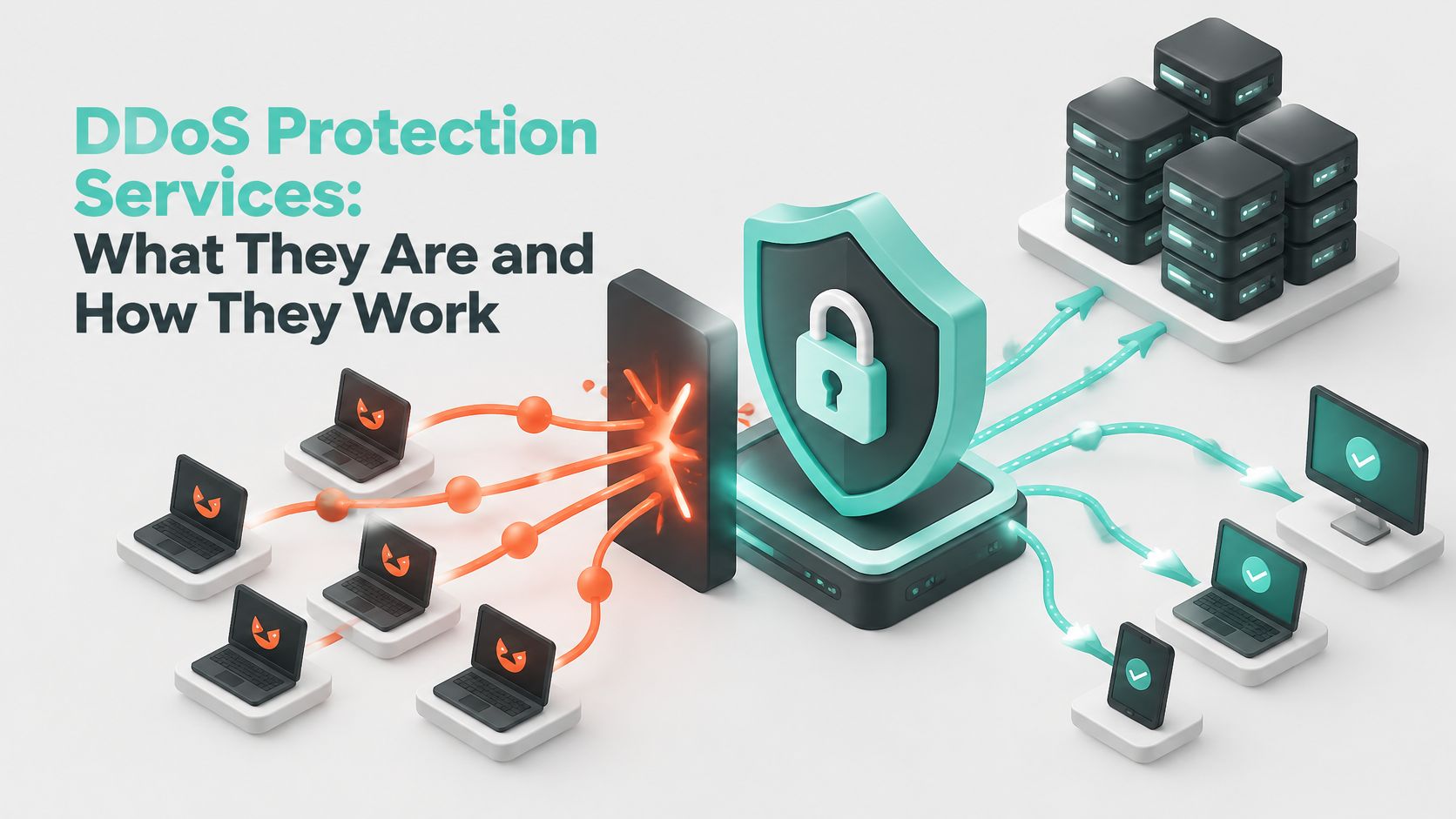
DoS or DDoS activity appeared in 31% of incidents affecting Australian critical-infrastructure entities, compared with 16% of all incidents handled by the ACSC, according to its critical-infrastructure threat factsheet. For a small Australian business, the useful lesson isn't that every website faces the same risk. It's that keeping a service available deserves its own protection, separate from stopping data theft.
A website can become unusable while its bandwidth graph looks surprisingly calm. Choosing DDoS protection services means understanding what can run out, network capacity, connections or application resources, and protecting whichever your business depends on.
Table of Contents
- What a DDoS Protection Service Actually Does
- Three Attack Types and the Mitigation for Each
- How Traffic Is Filtered Before It Reaches Your Server
- When Your Business Needs DDoS Protection
- Features to Check Before You Choose a Provider
- Building In-House Versus Using a Provider
- Confirm Your DDoS Response Plan Before You Need It

Performance you can feel, backed by clients who depend on it. Read how our support and uptime create long‑term customer success.Power Your Business with Better Hosting
What a DDoS Protection Service Actually Does
A doorman at a busy venue lets genuine guests in and turns away people who arrived only to block the entrance. DDoS protection performs the same job for an internet-facing service, with one complication: the unwanted crowd dresses like the customers.
A distributed denial-of-service attack, or DDoS attack, uses traffic from many sources at once to overwhelm or degrade a service. Those sources can include compromised devices and abused internet services. Attackers can target a website, an email server or the DNS service that helps visitors find it, and they can succeed without stealing a single file. Blocking one offending address does little when the next thousand requests arrive from different machines.

Keeping the entrance open
An Australian plumbing business takes bookings through an online form. During an attack, customers cannot load that form, even though every website file is still on the server and the owner can still log in from the office. Nothing is broken, which is what makes this kind of failure confusing. The monitoring dashboard may show little more than a flat line, because an availability failure does not always look like a traffic spike.
A protection provider places a filtering layer in front of the hosting server. That layer watches each incoming request, discards or challenges traffic that matches abusive patterns, and forwards genuine requests onwards. The aim is continued access: keeping the booking form loading for real customers while the attack is underway, rather than recording that the attack happened.
The ACSC responded to more than 200 incidents involving DoS or DDoS attacks in 2024–25, an increase of more than 280% on the previous year, according to the Australian Signals Directorate's Annual Cyber Threat Report 2024–25. That counts only the incidents the ACSC responded to, so it is a measured minimum rather than a complete count of attacks across Australia.
Practical distinction: Backups restore content. Malware scanning finds malicious software. Neither keeps legitimate visitors connected while a flood is underway.
One honest limit deserves attention. Filtering reduces the harm an attack can do; it cannot guarantee a site will never slow down under extreme load, and heavy floods can still cause brief degradation while defences respond. Paying for protection is paying for the service to keep answering, most of the time, under conditions it was not built for.
For broader preparation, DDoS defence strategies for 2026 is a supplementary read to bring to a discussion with your hosting provider. Treat any strategy list as a starting point for checking your actual coverage, not a guarantee that every kind of disruption will be prevented.
Three Attack Types and the Mitigation for Each
The useful distinction between attack families is which resource the attacker exhausts. A full network connection needs a different defence from a web application that has no spare workers to process requests.
DDoS attack types and the mitigation each needs
| Attack type | Layer targeted | Typical example | Mitigation needed |
|---|---|---|---|
| Volumetric flood | Network | UDP or DNS amplification saturating bandwidth | Upstream scrubbing that absorbs traffic before it reaches the server |
| Protocol attack | Transport | SYN flood exhausting the connection table | Protocol validation and SYN cookies at the network edge |
| Application-layer flood | Application | Repeated HTTP requests to a login or search page | Rate limiting, bot challenges and web application firewall rules |
| Slow connection attack | Application | Slowloris holding connections open | Connection timeouts and limits at the reverse proxy |
Volumetric attacks resemble a delivery truck blocking the entire street. DNS or UDP amplification can create enough incoming traffic to fill the available connection. Filtering must take place upstream, where the provider has capacity to receive and discard that traffic.
Protocol attacks target the machinery that establishes and manages connections. A SYN flood, for example, can occupy resources with connection attempts that never complete. Edge validation and SYN cookies help avoid allocating server resources prematurely.
Why a quiet bandwidth graph can mislead
Consider a hypothetical WordPress site receiving thousands of login requests a minute from a botnet. Each request may be small, but processing it can involve PHP execution, authentication checks and database queries.
The hosting server can run out of PHP workers while its network link still has spare capacity. Visitors see timeouts because their requests are waiting for application resources, not because the connection is full.
An application-layer defence therefore needs to understand request behaviour. Rate limits can restrict repeated login attempts, bot challenges can test suspicious browsers, and web application firewall rules can target abusive patterns without blocking the whole website.
Slow connection attacks belong within the application-facing problem, rather than forming an entirely separate network layer. They exploit how long a server or proxy keeps connections open, so sensible timeouts and connection limits matter.
A network traffic allowance doesn't tell you how many expensive searches, logins or checkout requests your application can process.
For a small site, application-layer coverage deserves particular attention. A provider's claim to block large floods doesn't establish that it also protects WordPress login pages, customer portals or application programming interfaces.
Host your website with our 5-star rated, cPanel website hosting plans.
Super fast servers, with security included and hosted in your choice of Australian Data Center.
View cPanel Plans
How Traffic Is Filtered Before It Reaches Your Server
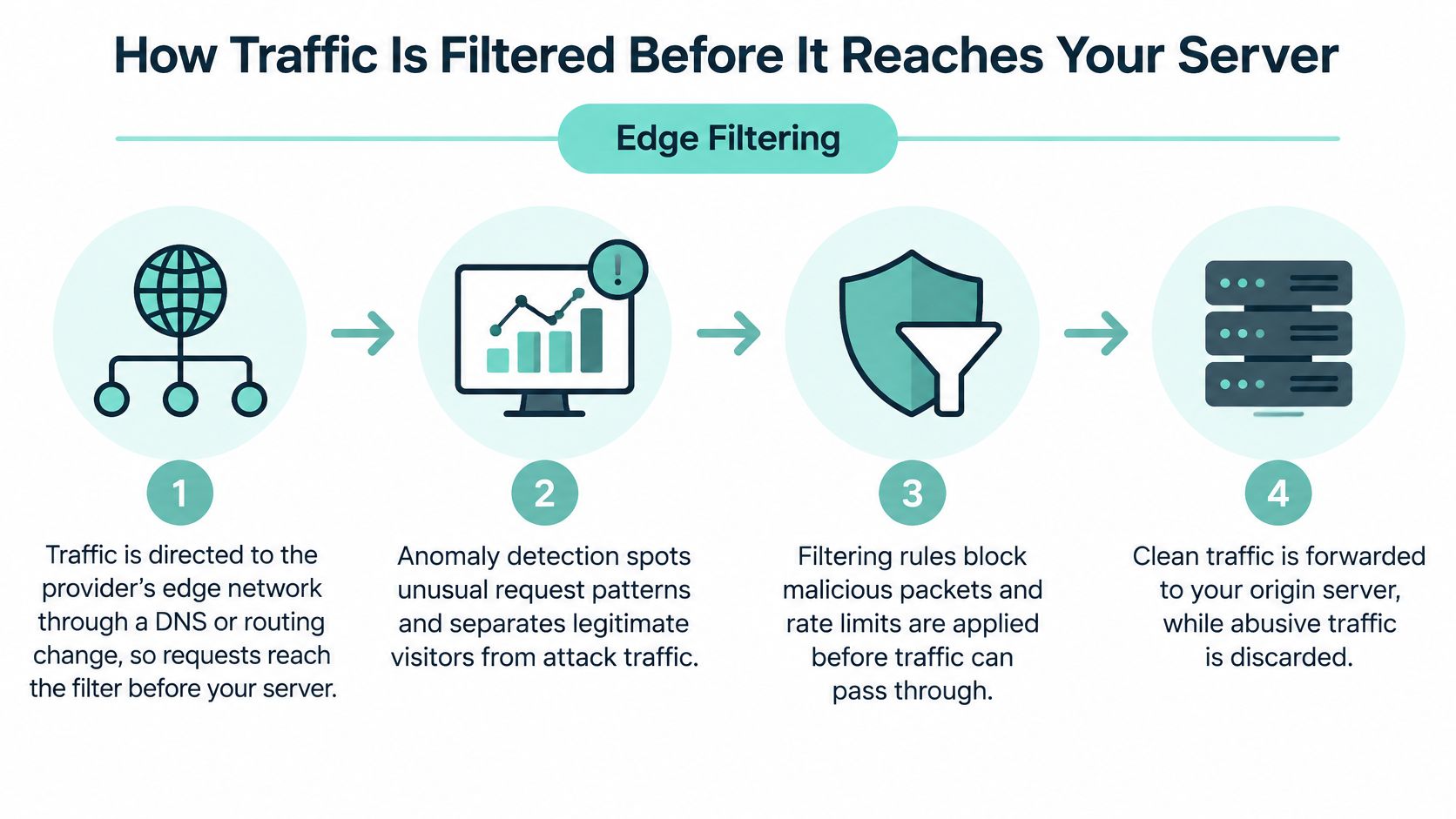
Effective filtering happens before unwanted traffic consumes the origin server's resources. The origin is the server that runs your website or application, rather than the protective service visitors encounter first.
The ASD's ACSC annual threat reporting provides context for treating availability monitoring and layered mitigation as operational concerns. For a hosting deployment, the practical question is where each protective control runs.
The request's journey
Direct traffic to the edge. A DNS or routing change sends incoming traffic to the provider's protective network first. Without this diversion, the filtering service isn't in the path of the attack.
Detect abnormal behaviour. Monitoring compares traffic with an established baseline, including request patterns and connection activity. A sudden change triggers investigation or automatic controls, but a legitimate promotion mustn't be mistaken for an attack.
Discard clearly hostile traffic. Network filters reject traffic matching spoofing checks, blocklists or other abuse rules. Dropping it early reduces the amount that later controls must inspect.
Validate protocol behaviour. Edge systems check connection establishment and relevant packet characteristics. They can reject malformed or suspicious traffic before it occupies the origin's connection table.
Inspect web requests. HTTP controls apply endpoint-specific limits, bot challenges and filtering rules. Our explanation of what a web application firewall does helps distinguish this inspection from ordinary network filtering.
Forward accepted requests securely. The provider passes clean traffic to the origin over the configured route. Restricting direct origin access matters because hiding an address alone won't stop an attacker who already knows it.
Watch the customer experience. Track requests per second, connection rates, bandwidth, HTTP errors, origin latency and database pressure together. Review rules afterwards to identify missed abuse and legitimate visitors who were blocked.
What successful filtering looks like
Visitors should still be able to browse, log in and complete the actions your business needs. Origin CPU usage and connection counts should remain controlled rather than climbing with the incoming attack.
Perfectly flat graphs aren't a promise. Some malicious requests may pass inspection, and aggressive rules can inconvenience real visitors, so health checks, exception handling and a tested failover procedure remain important.
When Your Business Needs DDoS Protection
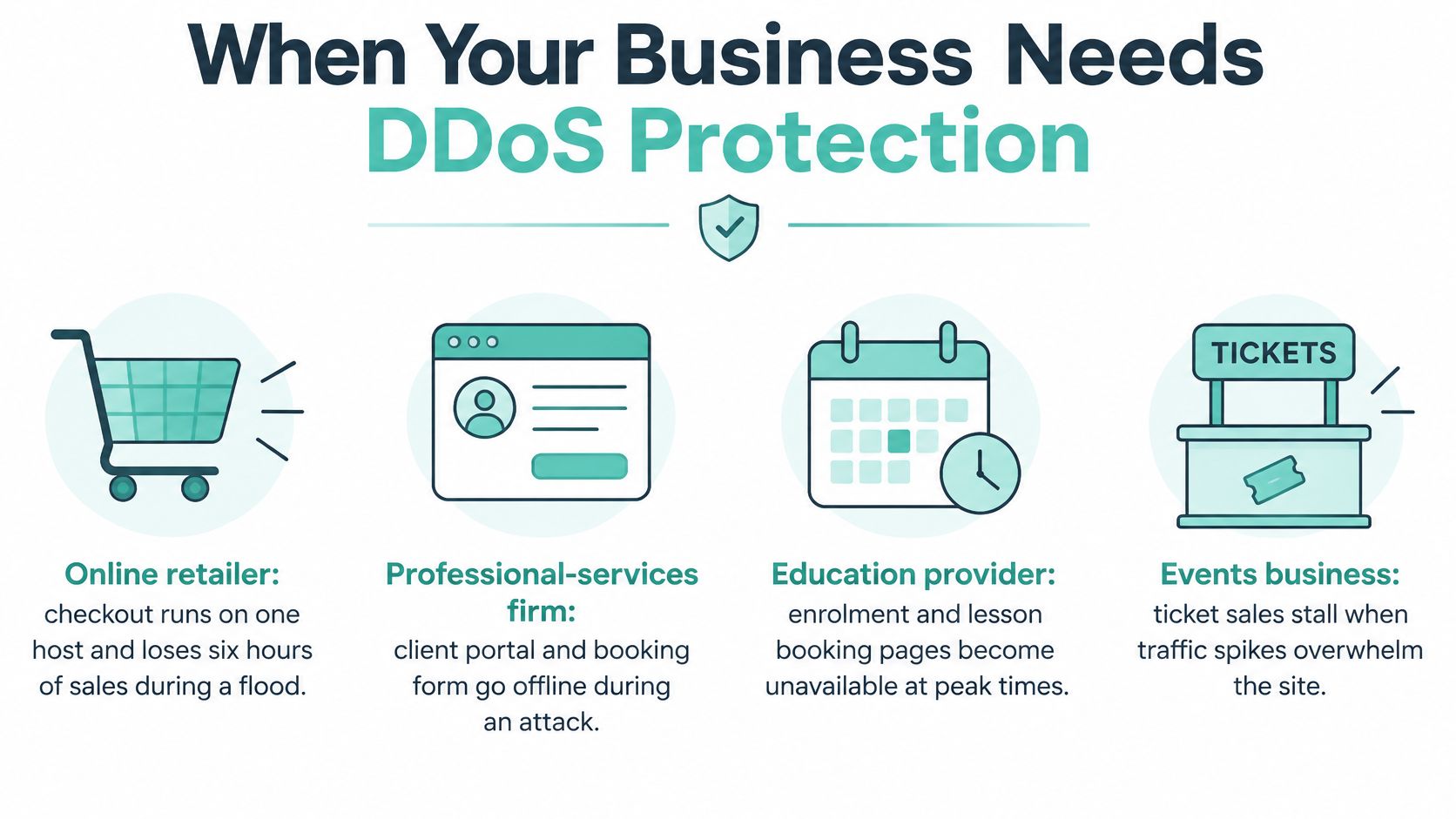
An online retailer that loses six hours of checkout availability in a hypothetical flood starts its estimate with normal hourly sales multiplied by six. That figure still isn't the final loss: some customers return later, while others buy elsewhere.
For budgeting, use your own trading records rather than a generic Australian downtime figure. Calculate sales at risk and lost contribution after avoided costs, then add staff disruption and recovery labour.
One pattern surprises small Australian sites. An application-layer attack can exhaust the server's connection pool while bandwidth graphs stay calm, the way a queue of people who never buy anything can block a shop entrance without filling the car park. A monitor that only watches traffic volume keeps reporting green on a site that is effectively closed, which is why availability, rather than bandwidth, is what protection is defending.
Estimate the impact on your business
| Business scenario | Estimate hourly disruption using | Estimate staff time using | Useful fallback |
|---|---|---|---|
| Online retailer | Missed orders multiplied by contribution per order | Customer enquiries plus order reconciliation | Independent status page and support channel |
| Professional-services firm | Unavailable bookings and delayed billable work | Staff affected multiplied by idle time | Telephone bookings and secure alternate contact |
| Local WordPress club | Missed registrations, ticket contributions or donations | Volunteer enquiry and rebooking time | Separate event updates channel |
| Windows ASP.NET application | Failed customer transactions and interrupted workflows | Support, technical recovery and customer follow-up | Status page and documented manual workflow |
A status page can explain an outage, though it can't replace checkout or safely reproduce a confidential client portal. Decide which activities can continue manually before relying on an alternate channel.
The ACSC's mitigation guidance supports evaluating protection against attack mechanics and recovery needs rather than assuming a quieter period means less capacity is necessary. Use traffic monitoring tools to establish what normal demand looks like for your own services, so an unusual request pattern stands out sooner.
Protect business-critical paths first
List every internet-facing service, then rank each by revenue, operational and safety impact. Priorities commonly include the public website, email availability, customer authentication, and payment or booking paths.
Sector statistics describe where attacks have landed, not the probability that one lands on you. A community club and an online store face the same basic question: how long can this service stay down before the damage exceeds the cost of protecting it?
Budget rule: If a plausible outage would cost more than the annual protection fee, managed protection deserves serious consideration.
For losses that technical controls can't eliminate, ABS Insurance Brokers Pty Ltd's resource to compare cyber insurance cover for Australian SMEs can help frame policy questions. Check interruption cover, exclusions and evidence requirements rather than assuming every DDoS-related loss is insured.
Features to Check Before You Choose a Provider
A DDoS protection label isn't a complete service specification. The useful evidence is a clear account of what is protected, where filtering happens and who acts when automatic controls aren't enough.
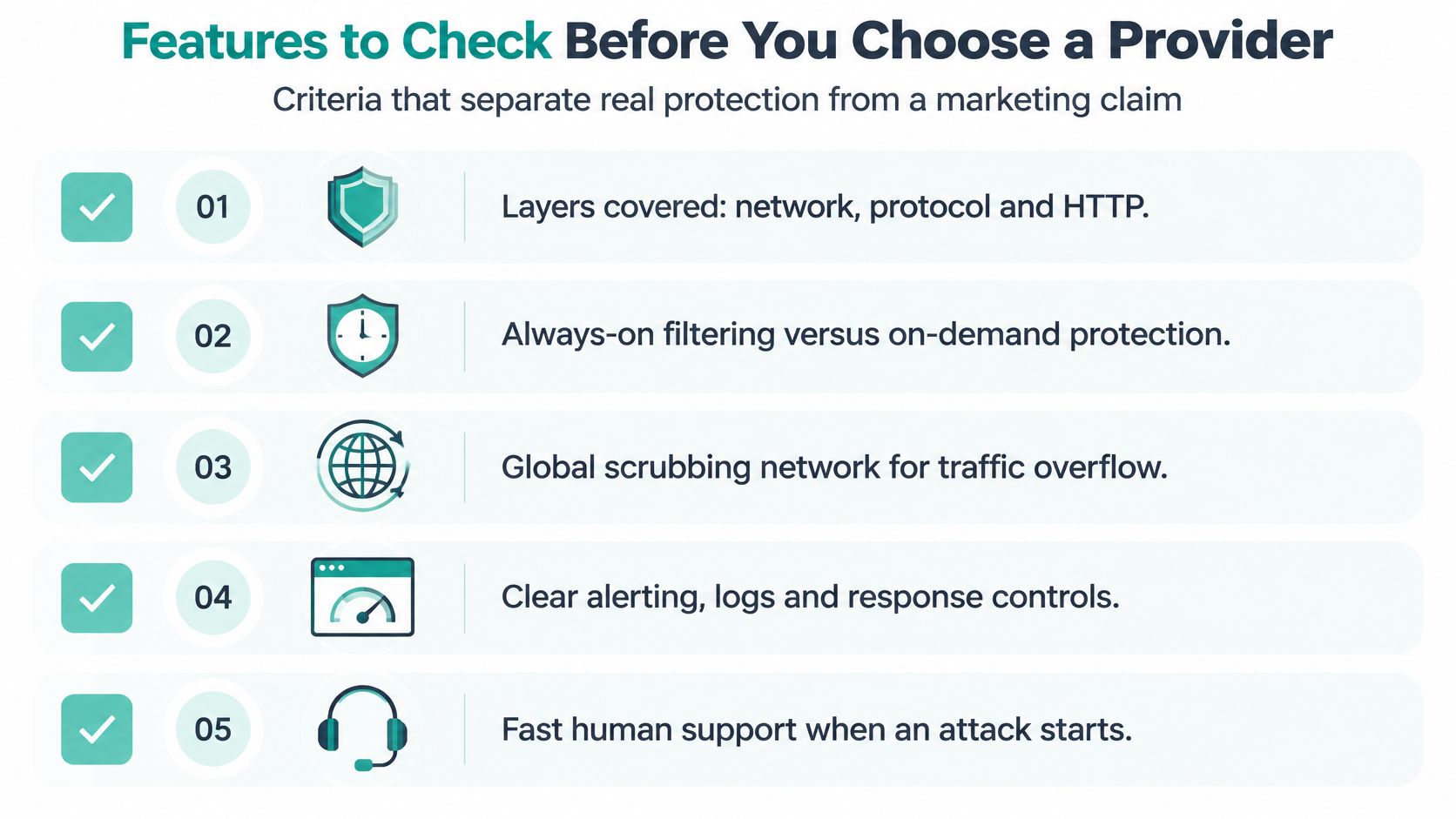
Turn the claim into acceptance criteria
Layers covered. Document network, protocol and HTTP protection separately, including any exclusions for email, DNS, APIs or non-web applications.
Activation model. Establish whether filtering is always on or requires diversion during an incident, because activation procedures affect the period of exposure.
Detection and filtering time. Get a documented explanation of automatic triggers and the time between detection and effective mitigation, rather than accepting an undefined promise of fast response.
Origin protection. Confirm how direct access is restricted so an attacker can't bypass the protective edge.
False-positive handling. Identify how legitimate customers, payment callbacks, accessibility tools and trusted integrations can be restored if rules block them.
Monitoring and escalation. Record the emergency telephone contact, responsible team and after-hours process, distinguishing automated monitoring from human response commitments.
Caching options. Identify which public pages can be cached and which dynamic functions still require the application server.
Logs and reporting. Require enough visibility to understand what was blocked, which services were affected and whether customers could still complete transactions.
Apply the checklist to included hosting protection
Our cPGuard security platform includes Antivirus, DOS protection, Abusive IP Blocklist, Web Application Firewall and CMS Security, free with every cPanel plan. These inclusions establish available controls, but they shouldn't be interpreted as an unlimited mitigation-capacity or response-time guarantee.
All our economy plans include Let's Encrypt SSL, a firewall with DDOS protection, PHP up to 8.x, Softaculous, LiteSpeed, SSH access, CloudLinux Pro and AccelerateWP. Keep security and performance features distinct when comparing plans: faster application execution doesn't, by itself, establish attack coverage.
Use our website security checklist to review hosting security alongside application maintenance. Before purchasing, confirm the current plan inclusions and have any requirements beyond the published features documented.
Capacity and recovery objectives matter more than a provider saying it hasn't recently encountered trouble. The final acceptance test is concrete: obtain an explanation of the layers blocked, activation procedure, reporting access and escalation arrangements, then compare those answers with the services your business runs.
Register your new domain name at competitive market prices including free domain add-ons like privacy, DNS Hosting, Custom Nameservers and Forwarding.
Always the best price and no nasty renewal price hikes.
Register A Domain Name
Building In-House Versus Using a Provider
Available upstream capacity is the deciding constraint. A firewall inside your office or hosting environment can't restore a connection already saturated by traffic arriving from elsewhere.
A provider can filter traffic across infrastructure with more capacity than your individual server connection. That still isn't unlimited protection: service architecture, contracted capacity and application coverage all matter.
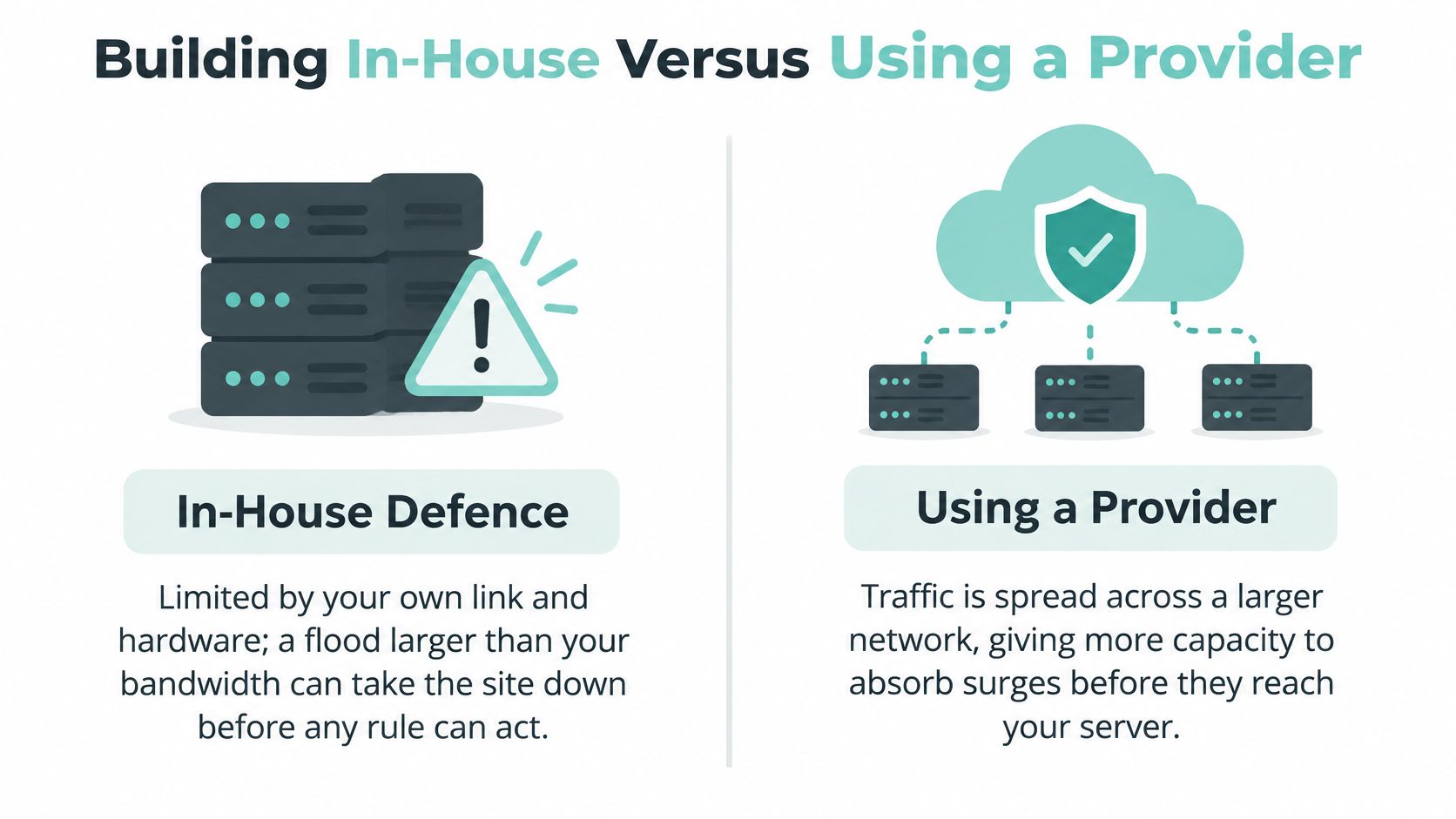
Building DDoS defences in-house versus using a provider
| Criterion | In-house | Provider service |
|---|---|---|
| Capacity to absorb a large flood | Limited to your own bandwidth and hardware | Network capacity shared across many customers |
| Response time | Set by staff availability and automation | Automatic filtering and 24x7 monitoring, where contracted |
| Upfront cost | Hardware, licences and staff time | Monthly or annual fee, often bundled with hosting |
| Expertise needed | Network and security engineers on staff | Provider analysts handle tuning and rules |
| Control | Full control over rules and logs | Control through the provider's dashboard and policy settings |
| Best fit | Large organisations with specialist teams and critical systems | Small businesses, web developers and WordPress owners |
Match ownership to your team
For most small Australian businesses, a provider-led service is the practical starting point. Web developers managing client sites also benefit from having a defined infrastructure escalation path instead of becoming the sole emergency network engineer.
Large organisations may choose a hybrid arrangement. Their own teams manage application rules and local firewalls, while a contracted scrubbing service handles traffic that exceeds local capacity.
Our services and servers are checked 24x7 using infrastructure monitoring software. Our hosting locations include Sydney, Melbourne, Brisbane and Perth, keeping hosting local, although server location alone doesn't establish where every mitigation function runs.
Our guide to managed versus unmanaged VPS hosting helps clarify another important boundary: who maintains the server, investigates alerts and carries out changes. A protected network doesn't remove the need for application ownership.
Compare the complete cost
Use a worksheet rather than an unverified price estimate:
- Outage exposure: Multiply your estimated hourly disruption cost by the duration of a plausible outage.
- Provider option: Record the quoted annual fee, any activation or incident charges, and staff time needed to administer the service.
- In-house option: Include connectivity, equipment, licences, monitoring, maintenance and on-call engineering.
- Residual risk: Allow for disruption that remains possible under either option.
For the retailer scenario, multiply its hourly impact by the hypothetical outage duration, then compare that amount with each written annual quote. Mark an unconfirmed provider price as ? in your working budget until a quote replaces it.
Bundled protection can avoid a separate build cost. It doesn't justify assuming that every specialised application requirement is included.
Confirm Your DDoS Response Plan Before You Need It
The Australian government's 17 March 2025 advisory recommends discussing DoS protection with your internet service provider, monitoring systems for disruption and including service-outage procedures in incident-response plans. It also advises reporting serious cyber-security incidents to the ACSC, which provides assistance through 1300 CYBER1 (1300 292 371).
Keep a usable runbook
Store an accessible copy outside the affected hosting account. Include:
- Emergency contacts: Provider escalation details and the person authorised to approve changes.
- Detection evidence: External availability alerts, request anomalies, error rates and application health.
- Backup communications: A mobile number or separately operated customer update channel.
- Change procedures: Approved DNS, routing or hosting failover steps, with access ownership recorded.
- Customer notifications: Conditions for publishing an update and responsibility for follow-up.
A timeout alone doesn't prove DDoS. Check domain registration status, DNS resolution, recent deployments and application logs; ordinary overload or a database fault can produce similar symptoms.
Our 24x7 Monitoring service monitors and reports on customers' networks, servers and websites, 24x7. Pair monitoring with clear human responsibilities: TekRecruiter's guide to define incident response team roles can help a small team allocate technical decisions and communications.
Test the decisions before an outage
- Record coverage. Confirm the protection included in your plan and list its documented layers.
- Check escalation. Save the emergency contact and any agreed response commitments.
- Rehearse changes. Walk through authorised routing or DNS changes without making unplanned live modifications.
- Schedule reviews. As an internal practice, hold a tabletop exercise every six months and after major hosting changes.
- Prepare reporting. Put ACSC reporting and evidence preservation into the incident checklist.
Use our cyber security guidance for small business to place this runbook alongside your broader security responsibilities. Review your current plan this week and fix the first missing item, whether that's an emergency contact, undocumented coverage or an untested fallback.
Our cPanel hosting includes DDoS protection, and our monitoring services help identify disruption affecting networks, servers and websites. Visit UpTime Web Hosting to review Australian hosting options and discuss how the included controls match your website, booking system or customer application's availability needs.