A hosted website is a website whose files, databases and supporting software are stored on an internet-connected server in a data centre so that browsers anywhere can retrieve and display it. In practice, that means renting not just disk space but an operating environment.
You might already have a domain name, a designer's quote and a hosting plan open in another tab. The confusing part is working out which purchase gets your business online, and who'll fix things if customers can't send an enquiry or complete a booking.
The useful question isn't only what hosting contains. It's who takes responsibility for keeping each part working.
Table of Contents
- What a Hosted Website Actually Is
- How a Hosted Website Serves a Page
- Hosting Types and Who Is Responsible for What
- Security, Backups and Staying Online
- Two Australian Examples in Practice
- How to Choose a Host for Your Website

Performance you can feel, backed by clients who depend on it. Read how our support and uptime create long‑term customer success.Power Your Business with Better Hosting
What a Hosted Website Actually Is
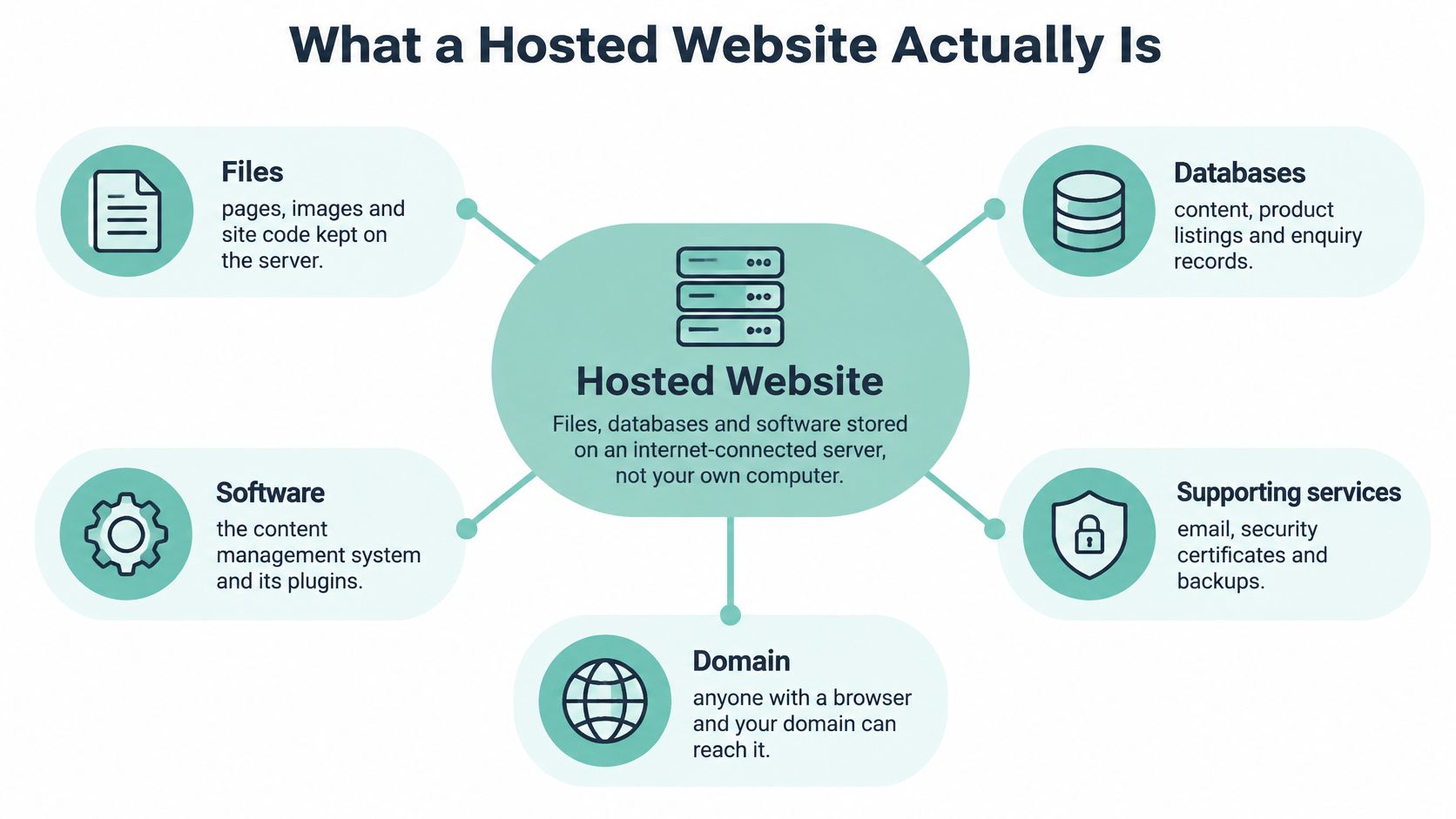
A hosted website runs from a server rather than relying on your own computer being switched on. The hosting arrangement gives its files, database and software somewhere customers can reach them.
Think of your website content as stock you own, and hosting as the premises you rent. A shop needs more than floor space: someone must maintain the power, access and building security. Similarly, a website needs computing resources, network access and operational support, not somewhere to upload images.
Your domain isn't your hosting
Your domain name is the address customers use. Your hosting is the environment that holds and runs the website. Registering an address doesn't automatically create a website, and buying hosting doesn't necessarily register its address.
You can buy these services together or keep them with separate providers. Our guide to the difference between domain names and web hosting explains that distinction without treating them as interchangeable purchases.
A website builder is another separate concept. It's the tool you use to create pages, although some subscriptions bundle the builder and hosting together.
Treat it as business infrastructure
The Australian Bureau of Statistics counted 2,729,648 actively trading businesses at 30 June 2025. That establishes the scale of Australia's business community, not how many businesses have websites.
For an individual business, the practical importance is straightforward. A hosted site might carry appointment requests, product listings, payment pages or customer accounts while staff are busy elsewhere. Email can sit alongside those services, although it may have a separate provider.
Practical rule: Treat hosting as premises for a working business service, not as a drawer where you leave finished website files.
That perspective changes how you assess a plan. Storage matters, but so do continuity, account access and a clear division between the host's work and yours.
How a Hosted Website Serves a Page
A visitor sees a page only after several services work together. Knowing their names helps you describe a fault clearly instead of reporting that the internet has stopped working.
What each part of a hosted website does
| Component | What it does | What you notice if it fails | Who usually supplies it |
|---|---|---|---|
| Domain and DNS | Points the domain name to the server's IP address | Site unreachable or server not found | Registrar and host |
| Web server software | Receives requests and returns pages using Apache, Nginx or LiteSpeed | Slow responses or server errors | Host |
| Storage (NVMe or SSD) | Holds files, themes, plugins and images | Missing images, upload failures or slow saves | Host |
| Database (MySQL or MSSQL) | Stores content, product data and saved form submissions | Blank pages or content that won't save | Host |
| Application runtime (PHP or .NET) | Executes the code behind dynamic pages | Error pages or incompatible plugins | Host |
| TLS certificate for HTTPS | Encrypts information between visitor and website | Certificate or insecure-connection warnings | Host, included or purchased separately |
| Firewall and malware scanning | Filters attack traffic and detects infected files | Defacement, blocklisting or spam complaints | Host, sometimes as an add-on |
| Backups and monitoring | Supports recovery and detects downtime | Longer outages or unrecoverable deletions | Host, verified by owner |
| Email service | Runs mailboxes using your domain | Missing enquiries or failed delivery | Host or separate provider |
These are possible symptoms, not diagnoses. An application bug can resemble a server fault, and a working website doesn't prove its enquiry emails are arriving.
Follow a customer's visit
Say a customer wants to check whether your shop has a product available.
- They type your business's web address or tap a search result.
- Their device asks a DNS resolver where the domain points and receives the server's IP address.
- The browser establishes a secure connection using the site's TLS certificate.
- The web server returns a cached page or passes the request to the application.
- The application queries the database for content, prices or stock information.
- The server returns HTML, CSS, JavaScript and images.
- The browser assembles those resources into the page the customer sees.
A simple brochure page may not need a database query at all. A cached page can also bypass some application processing, reducing the work the server performs.
Location and caching affect the journey
For an Australian audience, a local server can reduce the distance requests travel. An overseas origin can introduce international transit when the browser needs to contact it, but location alone doesn't guarantee a fast site.
A content-delivery network, or CDN, can serve cached images and other assets closer to visitors. Application caching helps too, while WordPress needs compatible PHP and database software beneath it.
The ACMA Communications report 2018–19 recorded 3.19 million .au registrations, illustrating the established local domain environment these services support.
When connecting a new site, follow a domain-to-website connection guide rather than changing settings at random. DNS changes can take time to become visible because resolvers retain cached answers.
For help, contact whoever manages DNS for address-resolution problems, the host for server availability, and the developer for application faults. Your registrar isn't necessarily your DNS provider.
Host your website with our 5-star rated, cPanel website hosting plans.
Super fast servers, with security included and hosted in your choice of Australian Data Center.
View cPanel Plans
Hosting Types and Who Is Responsible for What
Buying hosting doesn't automatically buy a finished, secure website. Hosting supplies the environment; the maintenance agreement determines who looks after the application.
For a WordPress site, a managed hosting provider normally maintains the underlying server platform. Someone must still take ownership of WordPress core, themes, plugins, administrator accounts and testing after changes.
Business.gov.au's website setup guidance distinguishes cloud-based content-management services, where the provider should help protect the website, from self-hosted systems, where the business must apply security patches to its CMS and associated tools.
Compare the service, not just the label
Hosting types compared for an Australian small business
| Hosting type | Best for | What is typically included | Main trade-off |
|---|---|---|---|
| Shared hosting | Brochure sites and smaller WordPress sites on a budget | Server account, often cPanel, email, SSL and plan-based backups | Shared capacity; weak isolation can let another account affect performance |
| Managed WordPress hosting | WordPress sites needing application-focused tools | WordPress-ready stack, caching, tools such as WP Toolkit, scanning and backups | Higher cost; management scope and configuration freedom need checking |
| cPanel or reseller hosting | Developers managing client websites | Separate accounts, per-site email, DNS and databases | You still manage client relationships and website maintenance |
| Windows ASP.NET hosting | Organisations using .NET, classic ASP or MSSQL | Windows platform, supported .NET versions, databases and deployment tools | Requires Windows-specific application expertise |
| Managed VPS | Busy sites or shops needing allocated resources | Virtual server, allocated CPU and RAM, administrative management | Greater cost and an ongoing application-maintenance workload |
| Website builder plans | Owners launching a template-based site quickly | Builder, hosting and SSL in a subscription | Moving elsewhere may require rebuilding the site |
These are common arrangements, not promises that every plan includes every feature. A control panel such as cPanel is an administration tool, not a separate guarantee of application management.
“Cloud” describes infrastructure architecture rather than a complete maintenance service. The distinction between web hosting and cloud hosting matters less than knowing exactly which tasks your agreement covers.
Assign an owner to website maintenance
The Australian Cyber Security Centre's small-business guide recommends protecting administrator logins, updating the CMS and plugins, and backing up regularly. Those tasks need a named person or service, even when the server is managed.
“Managed” should come with a written task list, not an assumption that someone else handles everything.
For example, a developer might approve plugin updates while the host maintains PHP. The business owner should retain account ownership, recovery details and authority to approve restoration. Without that allocation, everyone can assume someone else is acting.
Security, Backups and Staying Online
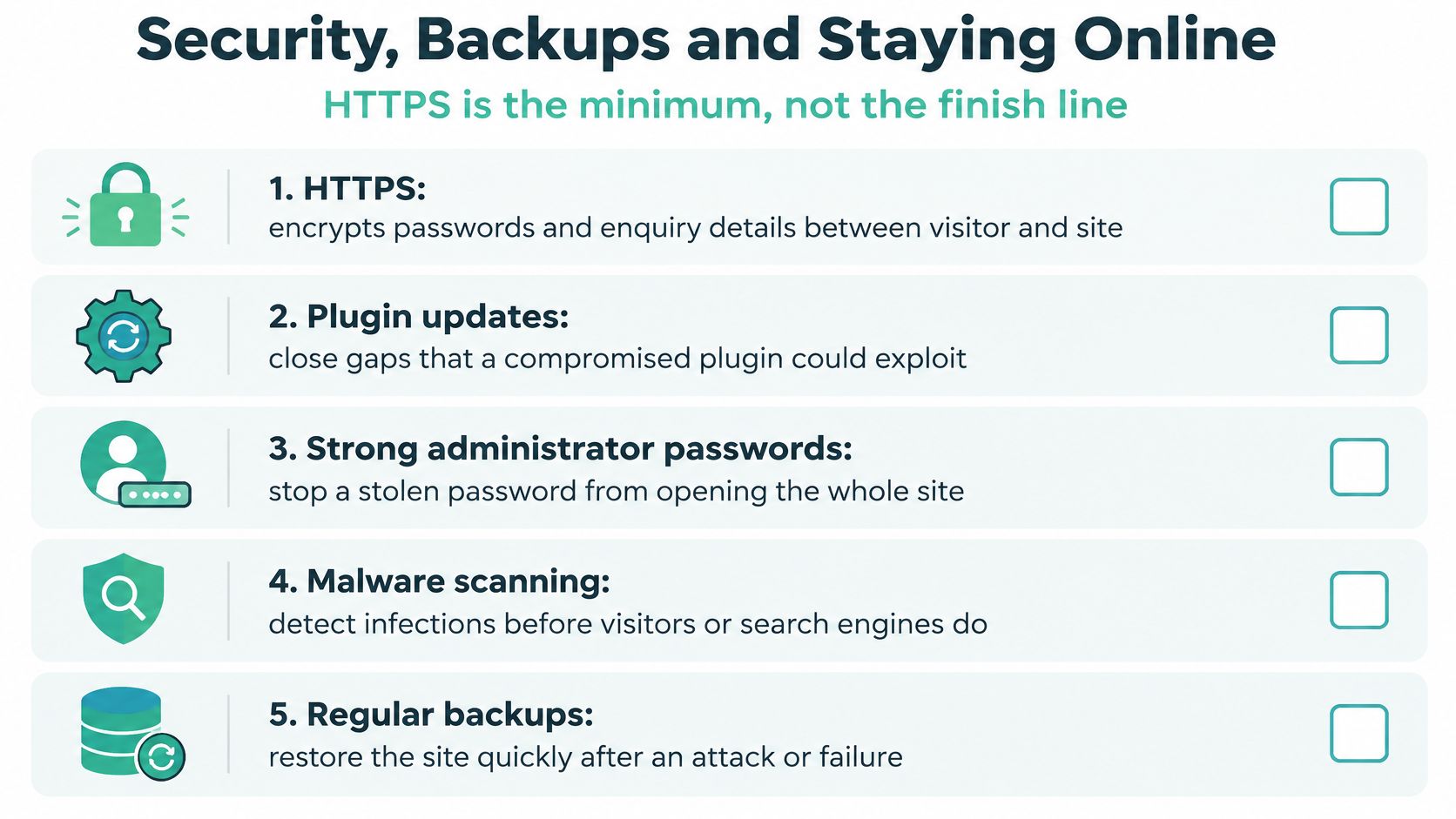
HTTPS is the minimum, not the finish line. It protects information travelling between a visitor and your site, but it doesn't establish that your plugins, administrator accounts or stored files are safe.
An attacker using stolen credentials can publish a phishing page on a site with a valid certificate. A vulnerable plugin can also expose information without breaking encryption.
Protection needs an operating routine
A production hosting service should handle TLS connections, filter hostile traffic, isolate customer accounts, patch the operating system and retain useful logs. Application maintenance must complement those controls, not be replaced by them.
The ABS business cyber-security incident table reports a 21.4% incident rate among Australian businesses in the year ended 30 June 2025. Separately, the Australian Signals Directorate reported an average self-reported cybercrime cost for small business of approximately $56,600 in 2024–25, up 14%.
That cost covers cybercrime generally, not just website incidents. It's a reason to consider recovery responsibilities, not a forecast of what a website outage will cost your business.
A backup must survive the original failure
A backup on the same failed or compromised server may not help. Our explanation of off-site backups describes why separating recovery copies from the live environment matters.
The ACSC's secure-your-website guidance recommends regular backups, preferably off-site, alongside checks on hosting location and HTTPS. We keep hosting and off-site backups locally in Australia.
- Recovery copies: Retain versions so an unnoticed infection doesn't overwrite your only clean copy.
- Restore testing: Confirm that recovered files and databases produce a working website.
- Incident ownership: Establish who isolates the site, investigates the entry point and approves reopening.
The cheapest plan can become the expensive choice when recovery is left to someone without the access or skills to perform it.
Restoration alone isn't remediation. Someone must also remove the vulnerability or compromised account that caused the incident.
Two Australian Examples in Practice
The following scenarios show how responsibilities fit together. They're hypothetical setups, not accounts of particular customers.
A Brisbane café takes bookings
A café owner registers an eligible .au domain, chooses WordPress hosting on an Australian server and builds a site from a template. In this example, the plan includes ten mailboxes for staff and bookings, an SSL certificate and automatic nightly backups.

The booking plugin saves reservations in the database and sends notifications through the configured email service. The owner checks bookings and performs a scheduled monthly review of WordPress, themes and plugins, while applying urgent security fixes sooner.
A predictable failure is postponing a vulnerable plugin's update because the menu page still looks fine. The site's appearance doesn't tell the owner whether its booking software is safe.
The owner's question: Who will repair the booking plugin and reconcile reservations received since the last clean backup?
Choosing local web hosting helps align the service with an Australian audience, but application support still needs a separate agreement.
A Sydney company runs a quoting application
A software company hosts an ASP.NET quoting application on a Windows environment supporting .NET Core and MSSQL. Its developers deploy through Web Deploy or Git and use server logs and a configurable web application firewall to investigate suspicious requests.
An older marketing website uses PHP and MySQL alongside the quoting application. The team keeps a monthly maintenance window for compatibility reviews, while handling urgent defects outside that routine.
The host maintains the agreed platform and firewall controls. The developers maintain application code, database changes and releases, including checks that a customer can complete the quoting process.
An untested release could break quote submission while leaving the homepage available. Recovery may require a tested backup and a compatible database version, not merely uploading yesterday's code.
The company's question: Can we restore the application and database together, and who validates the quoting flow before customers return?
Register your new domain name at competitive market prices including free domain add-ons like privacy, DNS Hosting, Custom Nameservers and Forwarding.
Always the best price and no nasty renewal price hikes.
Register A Domain Name
How to Choose a Host for Your Website
Choose a host against the work your website performs and the work you can realistically manage. A brochure site, booking system and custom application don't create the same support workload.
Use a practical buying checklist
- Live-site and backup location: Confirm both, rather than assuming an Australian business address means Australian infrastructure. Our hosting and off-site backups remain in Australia.
- Included protection: Identify whether SSL, malware scanning, firewall protection and recovery assistance are included or optional. Distinguish detecting malware from removing it.
- Backup arrangements: Record frequency, retention, separate storage and who performs restoration tests. Include the process for recovering a compromised account.
- Support access: Check phone and ticket availability, support hours and after-hours escalation. Australian business-hours access is useful, but it isn't a substitute for an incident process outside those hours.
- Resource limits: Compare storage, CPU, RAM and visitor allowances. Unlimited data transfer doesn't mean unlimited computing capacity.
- Exit conditions: Read cancellation, renewal and migration terms. Keep domain ownership and administrative access under the business's control.
Our Single Domain plan illustrates why the detail matters. It's WordPress ready and supports one website, with 15GB NVMe storage, one domain with unlimited subdomains, 10 email accounts, unlimited data transfer, 200% vCPU with 1GB RAM, and a 15,000 monthly visitor limit.
Our WordPress hosting plans have a one-year term and can be cancelled anytime with no lock-in contract. Confirm the current plan listing and cancellation details before ordering, including what cancellation means for billing and access to your files.
Compare responsibility alongside capacity
A visitor allowance is a planning boundary, not a promise that every site will perform identically. A heavily customised shop can require more processing than a cached information site with similar traffic.
Write a simple responsibility list alongside each shortlisted plan: server maintenance, application updates, account security, backups, restoration and incident response. Put a person or service against every task rather than leaving a blank labelled “hosting”.
Before renewing or moving, write down your visitor count, storage usage, plugin list and essential functions. Compare three plans against the same checklist, and test your most important customer action, such as submitting an enquiry, before deciding what support you need.
UpTime Web Hosting offers Australian hosting for WordPress, cPanel websites and ASP.NET applications, with options for businesses that need more dedicated resources. Visit UpTime Web Hosting to compare plans against your website's requirements and clarify which maintenance tasks you'll retain and which our service covers.