In short
The best cloud-based server backup solution is the one that can meet your business’s recovery point and recovery time objectives, protect backup copies from production-system compromise, retain enough clean versions, and prove recovery through testing. Managed backup is usually preferable when no internal specialist owns monitoring, security, restore testing and incident response.
Key takeaways
- Define the acceptable data-loss window and service outage before comparing storage capacity or feature lists.
- As of November 2026, ASD guidance calls for secure, resilient backup storage, separation from production and regular restoration testing. (cyber.gov.au)
- Retention should cover realistic discovery delays without keeping personal information longer than required.
- A successful backup job is not proof of recovery; the business needs documented restore tests against its objectives.
- Managed backup is usually the safer choice when nobody inside the business can monitor failures and lead a full recovery.
Contents
- Which type of cloud server backup fits your business?
- What recovery objectives should you set before comparing providers?
- How should backups be protected from ransomware and account compromise?
- How much retention and version history do you need?
- What does a credible restore test include?
- When is managed backup better than software alone?
- What should you ask an Australian backup provider before signing?
- What else do businesses ask about cloud-based server backup?
- What should you do next?
Which type of cloud server backup fits your business?
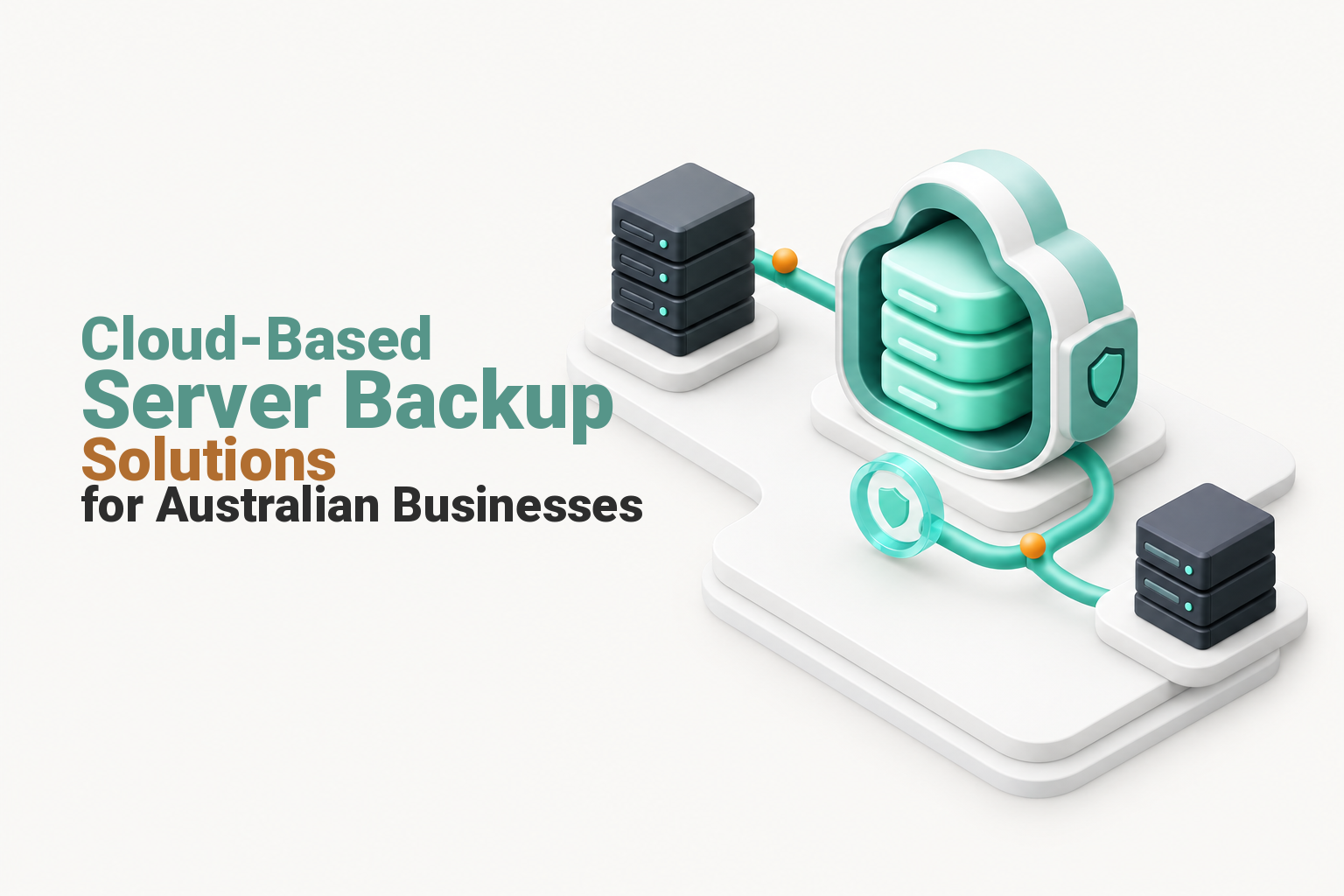
Most Australian small and medium businesses choose between a managed backup service, self-managed backup software, native infrastructure snapshots or a hybrid local-and-cloud design. The right choice depends less on server size than on who will monitor jobs, protect credentials and complete a restore under pressure.
| Approach | Best fit | Who owns daily checking? | Main trade-off |
|---|---|---|---|
| Managed cloud server backup | Businesses without a dedicated backup specialist | The provider, within the contracted scope | Less direct control and a higher service cost |
| Self-managed software and cloud storage | Skilled internal IT teams that want configuration control | Internal staff | The business owns alerts, security and recovery testing |
| Native snapshots or images | Fast rollback of supported hosted workloads | Internal staff or the infrastructure manager | Copies may share an account, control plane or failure domain |
| Hybrid local and cloud backup | Workloads needing fast local recovery plus remote protection | Shared between internal staff and a provider | More components and policies to maintain |
A managed service should configure schedules, monitor job results, investigate failures and help restore covered systems. The contract still needs to state what is included, who approves a restore and what happens outside normal support hours.
Self-managed software can provide flexibility, but buying the software does not assign responsibility. A named person must review alerts, manage storage growth, protect administrator access, update the backup platform and run recovery exercises.
Native snapshots are useful for short-term rollback, but they should not be treated as the only recovery copy when the same compromised account can reach production and its snapshots. A separate off-site backup reduces the chance that one incident affects every usable copy.
Choose the operating model your team can actually monitor and restore, not the one with the longest feature list.

Performance you can feel, backed by clients who depend on it. Read how our support and uptime create long‑term customer success.Power Your Business with Better Hosting
What recovery objectives should you set before comparing providers?
Set a recovery point objective and recovery time objective for each important workload before requesting quotes. The RPO limits acceptable data loss, while the RTO limits how long the service can remain unavailable.
NIST’s Recovery Time Objective definition describes the RTO as the time a system can remain in recovery before the outage harms business processes. NIST contingency planning guidance defines the RPO as the point in time to which data must be recovered after an outage. (csrc.nist.gov)
Do not apply one target to every server. A database accepting orders, payments or bookings may have a much shorter acceptable data-loss window than an archive that changes once a month.
Ask each system owner:
- How much recent work could be recreated without serious disruption?
- How long could staff use a manual process or work without the system?
- Which identity services, databases, applications and network services must return first?
- Which systems depend on one another to produce a usable service?
- What customer, contractual or regulatory obligations affect recovery?
These answers belong in the organisation’s business continuity plan. They determine backup frequency, bandwidth, storage design, support coverage and whether the business needs file recovery, application recovery or a complete server rebuild.
RPO and RTO turn backup shopping into a measurable recovery requirement.
How should backups be protected from ransomware and account compromise?

Require at least one recovery copy that is separated from ordinary production access and protected from unauthorised deletion or modification. Encryption alone is not enough if the same compromised administrator can erase production data and every backup.
As of November 2026, the current ASD Essentials for enterprise IT calls for important data, applications and settings to be backed up to secure, resilient storage protected by encryption and immutable, offline, logically isolated or equivalent controls. It also calls for backup repositories to be isolated from general user environments and production workloads. (cyber.gov.au)
A provider should be able to explain:
- whether backup administration uses separate accounts and multi-factor authentication
- which users can read, modify, delete or restore backup data
- whether retention-period copies are immutable or protected by an equivalent control
- how data is encrypted in transit and at rest
- who controls encryption keys and recovery credentials
- what alerts are generated for failed jobs, mass deletions and policy changes
- whether a production-account compromise could reach every recovery copy
Backups do not replace incident containment. A ransomware event may require the recovery team to identify a clean restore point, isolate affected systems and confirm that malicious access has been removed before reconnecting restored services. The process is covered in more detail in the guide to ransomware recovery services.
A backup that production administrators or ransomware can alter is not sufficiently separated.
Host your website with our 5-star rated, cPanel website hosting plans.
Super fast servers, with security included and hosted in your choice of Australian Data Center.
View cPanel Plans
How much retention and version history do you need?
Retention should be based on business criticality, the rate of change and how long a problem could remain unnoticed. There is no universal number of days that suits every server, database and compliance obligation.
A practical policy may include frequent recent recovery points for operational errors, less frequent historical points for delayed discovery and longer archives where a documented business or legal requirement exists. The exact periods should be approved by the data owner rather than copied from a default software setting.
Longer retention is not automatically safer. If the Privacy Act applies to the organisation, OAIC’s APP 11 guidance says an APP entity must take reasonable steps to protect personal information and destroy or de-identify it when it is no longer needed, unless an exception applies. (oaic.gov.au)
Ask the provider how expired recovery points are removed from replicas, archives and decommissioned media. The contract should also explain what happens to retained data when the service ends and how the business can request an export or verified deletion.
Retention should cover realistic discovery delays without keeping personal information longer than necessary.
What does a credible restore test include?
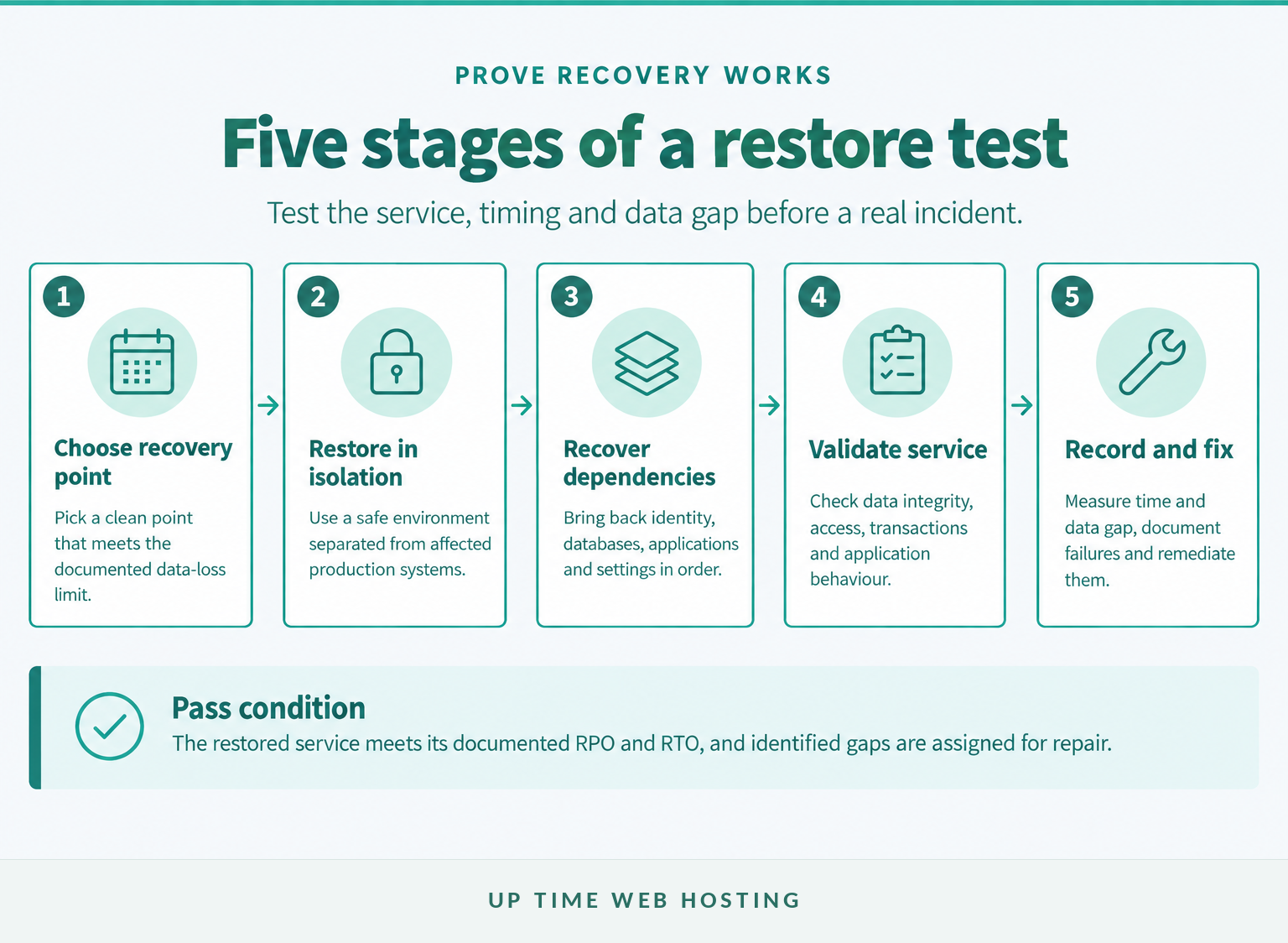
A credible restore test recovers real data or a representative system into a safe environment and measures the result. It should prove that the selected recovery point is usable, dependencies can be restored in order and the documented RPO and RTO can be met.
ASD’s assessment evidence guide treats restoration testing as fully effective when it covers important assets, occurs within the organisation’s defined test cycle, validates the expected recovery objectives and leads to documented remediation of gaps. (cyber.gov.au)
A useful test follows five stages:
- Select a recovery point and confirm why it is suitable.
- Restore into an isolated location without overwriting production.
- Recover identity, database, application and configuration dependencies in order.
- Validate data integrity, user access, transactions and application behaviour.
- Record the recovery time, data gap, errors and corrective actions.
Testing should match the required recovery level. File recovery proves that a document can be retrieved, but it does not prove that a database is consistent or that a complete server can boot and provide its service.
Where the business needs an alternate operating environment as well as stored copies, the design moves into disaster recovery hosting. That arrangement may require rebuilt infrastructure, network changes, identity recovery and application validation before users can return.
A successful restore test, not a green backup status, is the evidence that recovery works.
When is managed backup better than software alone?
Managed backup is usually preferable when the business cannot assign a skilled person to own monitoring, security and recovery testing. Software alone can be suitable when an internal IT team has the time, access and documented processes to operate the entire backup lifecycle.
Consider a managed provider when:
- there is no named internal backup owner
- several servers, databases or applications must recover in a specific order
- failures may occur outside ordinary working hours
- the business lacks a safe environment for restore testing
- recovery requires coordination with hosting, security or application suppliers
- ransomware or administrator compromise is a major concern
A self-managed design can work when the business can securely configure the system, review every relevant alert, maintain independent credentials, manage capacity and perform regular recovery exercises. These responsibilities need to remain covered during leave, staff turnover and emergencies.
Managed backup does not transfer all accountability to the provider. The business must still classify its systems, approve recovery priorities, control authorised access and confirm that the contracted service matches its risk.
The service scope should state who investigates failures, who starts a restore, what recovery labour is included and which systems are excluded. Without that detail, managed backup may amount to little more than software licensing and storage billing.
Managed backup is most valuable when the business lacks the time or skills to own recovery end to end.
Register your new domain name at competitive market prices including free domain add-ons like privacy, DNS Hosting, Custom Nameservers and Forwarding.
Always the best price and no nasty renewal price hikes.
Register A Domain Name
What should you ask an Australian backup provider before signing?
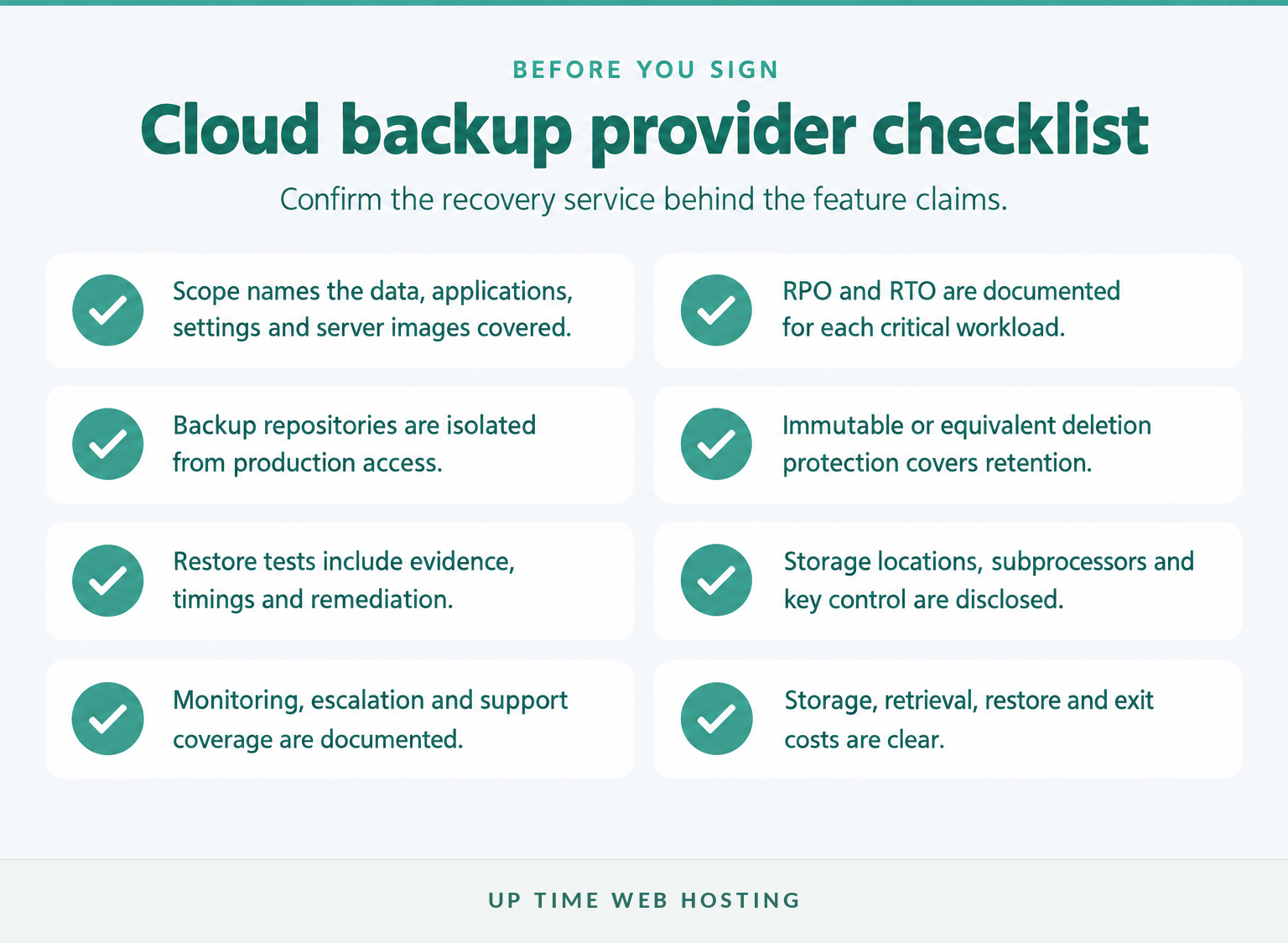
Ask for written answers about coverage, security, recovery, support and total cost before signing. A credible provider should be able to explain the service in operational terms rather than relying on claims such as automatic, secure or unlimited.
Use this checklist:
- What is covered? Confirm whether the service protects files, databases, system state, applications, virtual machines and configuration settings.
- What are the achievable RPO and RTO? Ask whether these are targets, contractual commitments or estimates that depend on server size and network capacity.
- Which restores are supported? Check file, database, application, virtual machine and full-system recovery.
- How are copies isolated? Confirm whether production credentials or administrators can modify or delete every backup.
- What is retained? Request the schedule, version history and deletion process in writing.
- Where is data stored? Ask about primary copies, replicas, subprocessors, applicable jurisdictions and encryption-key control.
- How is the service monitored? Confirm who receives alerts, who investigates failures and how issues are escalated.
- What support is available during an incident? Distinguish the helpdesk’s opening hours from the monitoring and recovery coverage.
- What is the full cost? Include protected capacity, storage growth, retrieval, data transfer, restore labour and exit costs.
- What evidence is available? Ask for restore-test records, service documentation and a clear responsibility matrix.
Australian support can simplify communication, but a local telephone number does not prove that recovery engineers are available when needed. Confirm who performs the restore, where that person is based, how urgent incidents are prioritised and whether after-hours assistance is included.
Australian data storage may support some governance or operational preferences, but location is only one part of due diligence. Access controls, subcontractors, retention, encryption, incident handling and verified deletion still need written answers.
A credible provider can explain scope, security, recovery and costs without vague assurances.
What else do businesses ask about cloud-based server backup?
The most common questions concern the difference between storage and backup, backup frequency, Australian data location and ransomware recovery. The answers depend on the workload and contract, but several principles apply across most business environments.
Is cloud backup the same as cloud storage?
No. Cloud storage primarily holds or synchronises files, while a server backup should preserve recoverable versions of the data, applications, settings and system components needed to restore service. A storage platform can be part of a backup design, but only when backup software, retention, access controls and tested recovery sit around it.
How often should a business server be backed up?
Back up often enough to meet the business’s RPO. A transactional database may need much more frequent protection than a rarely changed archive, so there is no universal schedule. Set frequency from acceptable data loss, then confirm the network, backup window and storage design can complete jobs reliably.
Should cloud backups be stored in Australia?
Not always, but location should be a deliberate contract decision. Ask where primary and replica copies sit, which jurisdictions and subcontractors may be involved, how encryption keys are controlled and how data is returned or destroyed. Australian storage can be useful, but location alone does not demonstrate security or compliance with obligations that apply. (oaic.gov.au)
Can cloud backup recover a ransomware-encrypted server?
Sometimes. Recovery depends on having a clean copy that predates the compromise, isolated credentials, a safe restore environment and a process for confirming the attacker is no longer present. Restoring the newest copy without containment or validation can reintroduce malware, overwrite evidence or reconnect compromised systems too early.
Backup questions become useful only when the answers are written into the service scope.
Experience Microsoft 365 Business Standard for free for 30 days.
Up to 25 users with full access to email, OneDrive and Teams. Includes full versions of desktop apps of Outlook, Word, Excel, PowerPoint and more.
Try Microsoft 365
What should you do next?
Write down the required RPO, RTO, systems, retention and restore-test expectations before asking for a quote. Then compare each proposed service against that page rather than against a feature list.
UpTime Networks Backup and Recovery is intended for businesses that want backup and restoration support rather than software alone. Review the managed off-site backup solutions guide, then request a plan built around the systems that must return first.
Start with the recovery outcome, then choose the service that can prove it.