In short
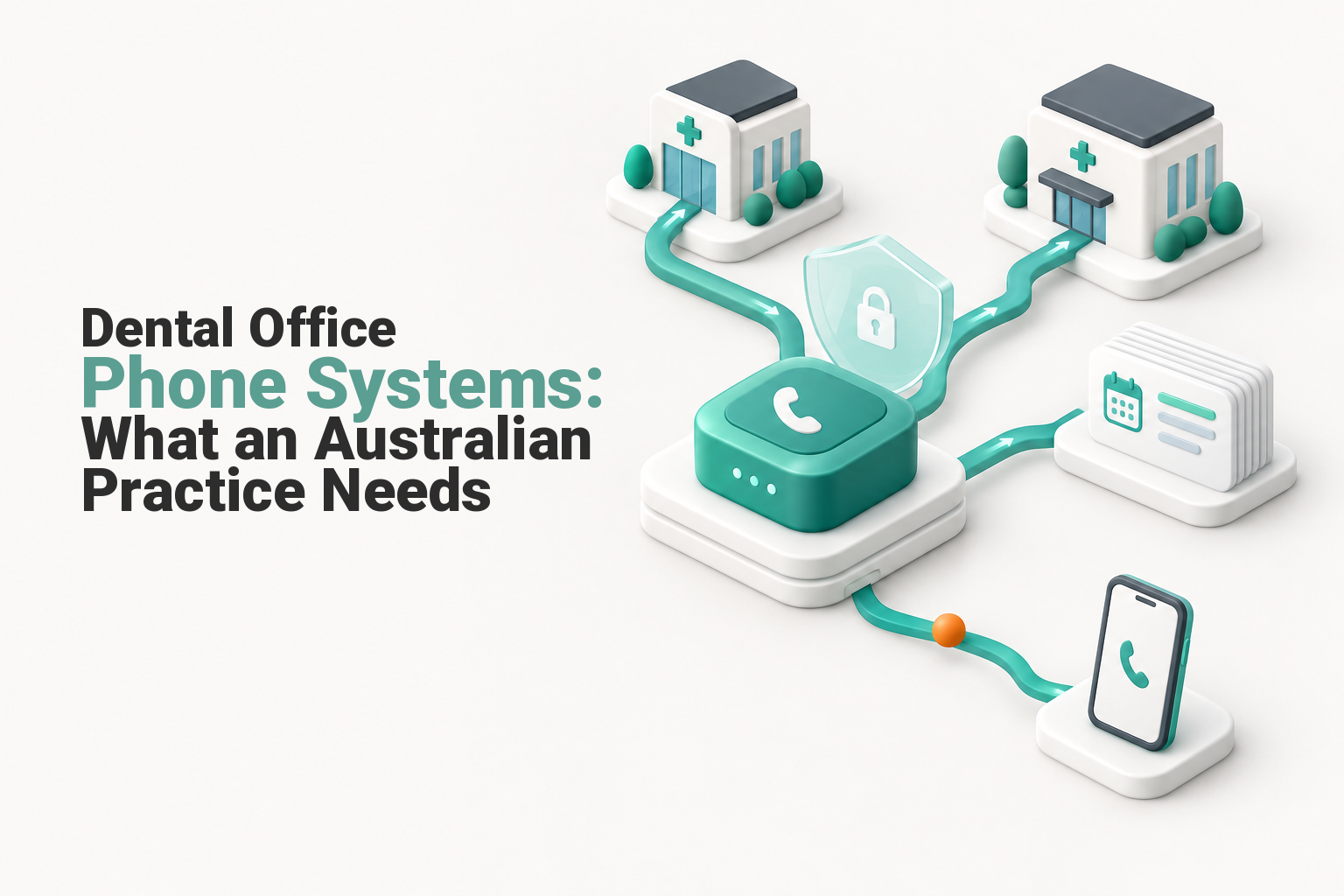
The best dental office phone system for an Australian practice is usually a managed cloud VoIP service built around the practice’s real call flow. It should support queues, overflow rules, shared voicemail, remote reception, multi-site routing, number porting, privacy controls and a tested fallback when the clinic’s internet or power fails.
Key takeaways
- Design the booking, existing-patient, urgent and accounts call paths before choosing handsets or optional features.
- Every queue needs a maximum wait, an overflow destination and a named owner for voicemail or callback tasks.
- As of October 2026, dentists that provide a health service and hold health information are covered by the Privacy Act regardless of business size, according to the OAIC guidance for health service providers. (oaic.gov.au)
- Most NBN-connected services will not work during a power outage, so practices need a charged mobile, suitable power backup or another tested route, according to ACMA's emergency-call guidance. (acma.gov.au)
- Only active numbers can be transferred, and ACMA's number-porting guidance says individual local-number ports generally take 8 to 15 days, while complex ports can take up to 30 days. (acma.gov.au)
Contents
- Which phone system is the best fit for an Australian dental practice?
- How should calls move through the practice?
- Which features prevent routine calls from becoming missed calls?
- Which setup fits a single clinic, multiple locations or remote reception?
- What happens when the internet or power fails?
- How should a dental practice protect patient privacy?
- What will a dental office phone system cost?
- What should you ask before choosing a provider?
- What else do Australian dental practices ask about phone systems?
- What should you do next?
A dental practice does not need the longest feature list. It needs a system that gets each caller to the right person, records what still needs attention and keeps a workable path open when reception or the clinic is unavailable.
Which phone system is the best fit for an Australian dental practice?
A managed cloud VoIP service is usually the practical choice when several people answer calls, reception works remotely or the practice has more than one location. A very small clinic may need a simpler configuration, but it should still have clear overflow, voicemail and outage rules.
Start by comparing VoIP and traditional phone systems rather than assuming every internet-based service is automatically suitable.
- A small clinic may need one public number, a short queue, shared voicemail and mobile overflow.
- A busy single site may need separate booking and accounts paths, queue reporting and remote overflow.
- A multi-site group may need central administration, site-specific hours and cross-clinic routing.
A hosted platform applies the practice’s rules before sending calls to authorised desk phones, computers, mobile apps or external fallback numbers. The broader guide to virtual office phone systems explains this delivery model, setup options and general business costs. (uptimewebhosting.com.au)
Choose the service model that matches the practice’s call flow and continuity needs, not the longest feature list.

Performance you can feel, backed by clients who depend on it. Read how our support and uptime create long‑term customer success.Power Your Business with Better Hosting
How should calls move through the practice?
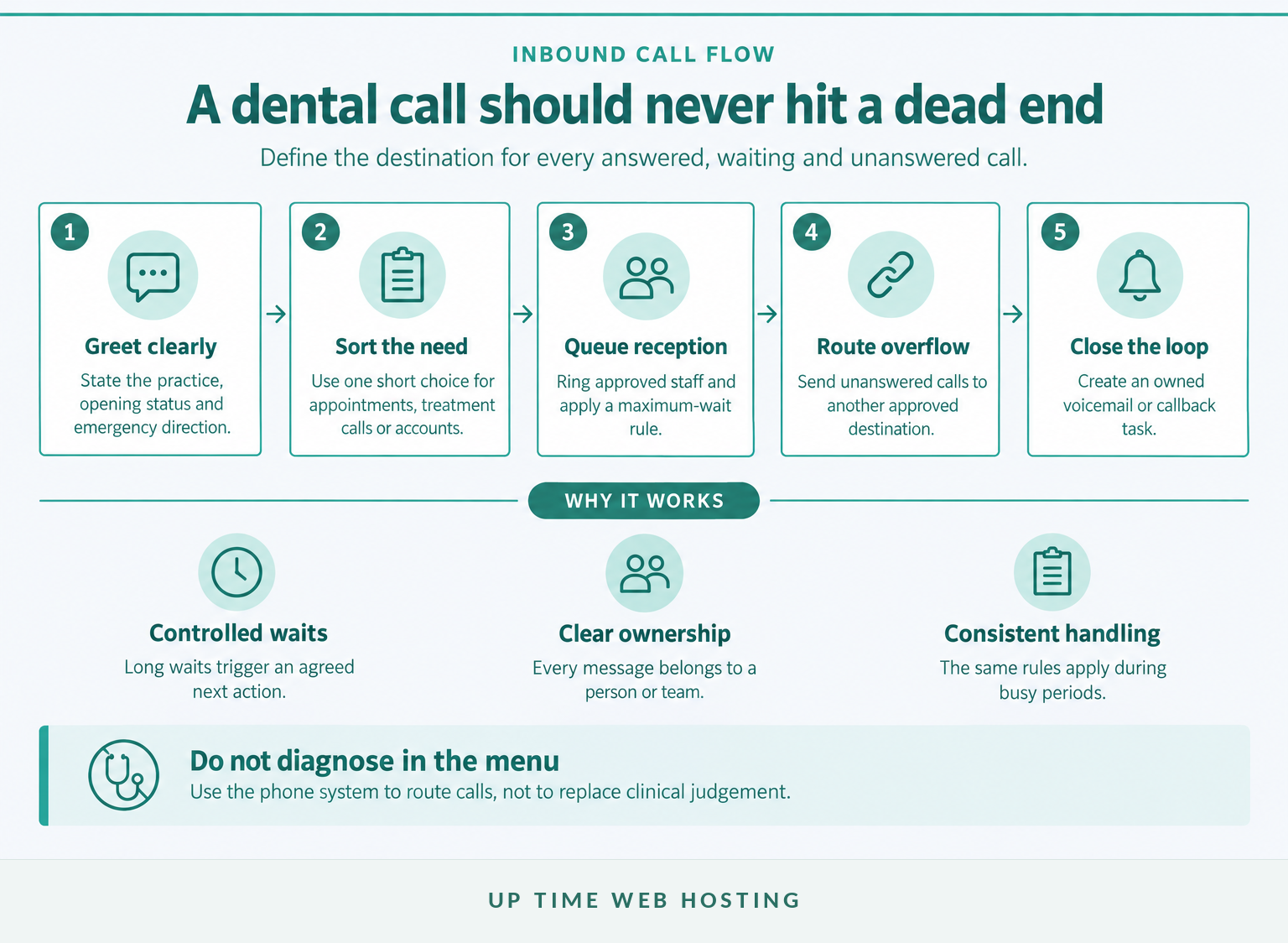
A dental call flow should identify why the patient is calling, place the call in the correct queue and define what happens when nobody answers. The design is incomplete if a caller can reach a dead end or leave a message that nobody owns.
A practical inbound flow has five stages:
- Give a short greeting. State the practice name, opening status and what callers should do in a life-threatening emergency.
- Sort the request. Use one simple choice for appointments, existing treatment enquiries or accounts when separate handling is genuinely useful.
- Queue the call. Ring the reception team while applying a maximum wait and an agreed caller message.
- Apply overflow. Send unanswered calls to approved remote staff, another clinic or a documented fallback arrangement.
- Close the loop. Turn voicemail or a callback request into a task with an owner and response target.
Do not make patients repeat the same details after an internal transfer. If a transfer is unanswered, return the caller to reception or another safe destination instead of disconnecting the call.
A dental call flow is complete only when every unanswered call reaches a named person, queue or owned task.
Which features prevent routine calls from becoming missed calls?
Prioritise the controls that determine who answers, how long a caller waits and where the call goes next. Reporting, recording and transcription should come after dependable routing and recovery.
A cloud PBX can centralise these rules without keeping the main call-control equipment at the clinic. Useful functions include queue visibility, maximum-wait rules, overflow routing, shared voicemail, business-hours schedules, public-holiday schedules, outbound business caller ID and transfers that return safely when unanswered.
Reports should answer practical questions: how many calls were missed, when queues were busiest and whether callbacks were completed. Treat recording and transcription as optional because they add privacy, storage and access responsibilities.
Reliable routing and recovery matter more than bells and whistles.
Host your website with our 5-star rated, cPanel website hosting plans.
Super fast servers, with security included and hosted in your choice of Australian Data Center.
View cPanel Plans
Which setup fits a single clinic, multiple locations or remote reception?
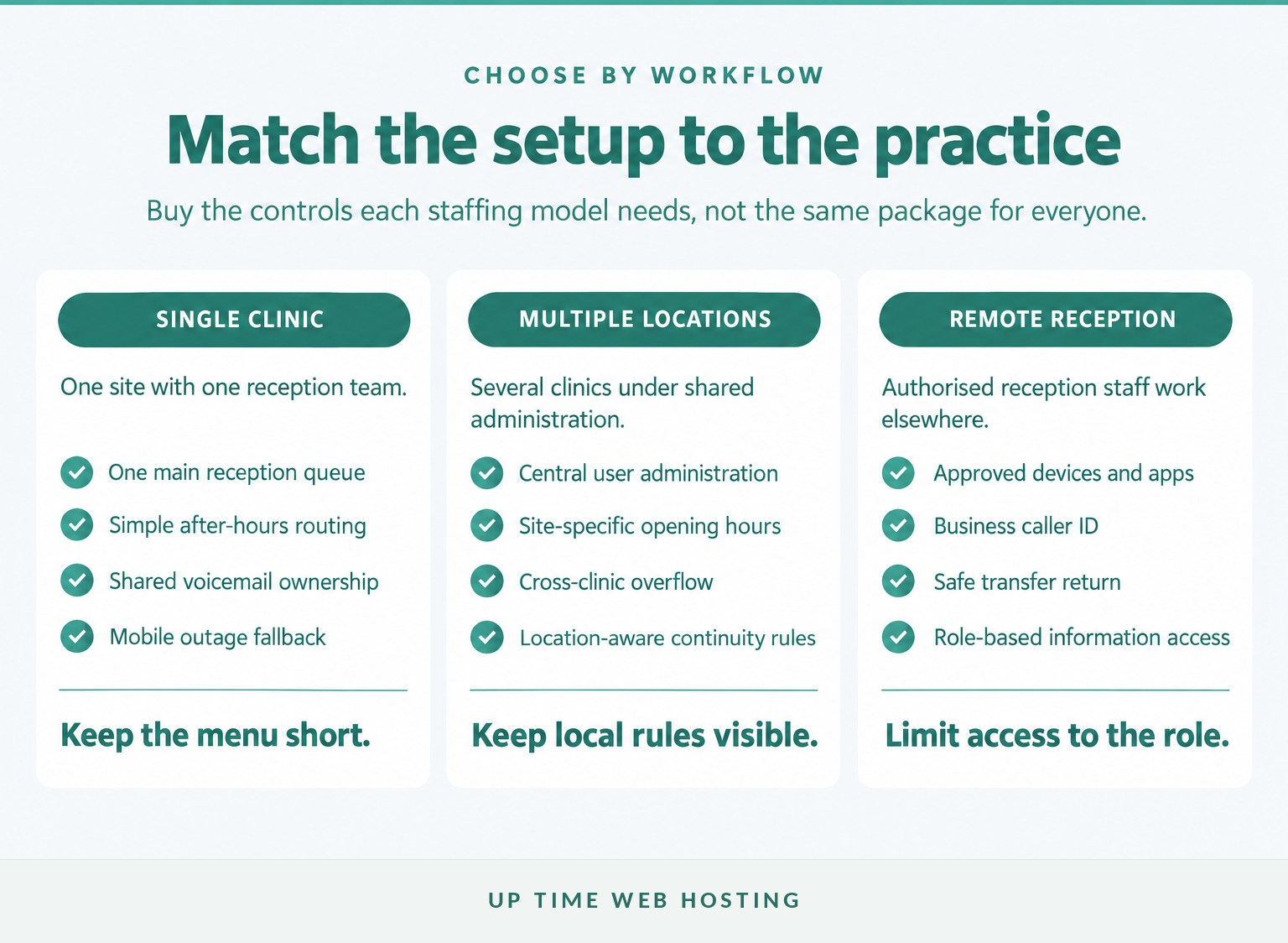
A single clinic usually needs a simple shared queue, while multiple locations need central control with site-level rules. Remote reception requires the same call visibility and transfer controls as on-site reception, with narrower access to patient information.
For one clinic, keep the menu short and give reception one clear view of waiting calls and voicemail. For several clinics, decide whether callers enter through one central number, separate local numbers or both, then document where each queue overflows.
A remote receptionist should use an approved business device or application, present the practice’s caller ID and be able to return failed transfers to reception. Personal mobile numbers should not become the unofficial phone system.
ACMA notes that mobile and VoIP callers may need to state their town and state when calling Triple Zero because they may not be at the service address. Remote workers should know this before an emergency occurs. (acma.gov.au)
The right setup follows the practice’s staffing and locations while keeping control and patient access consistent.
What happens when the internet or power fails?
A cloud dental phone system needs a written fallback for power, local internet, equipment and provider failures. A diversion setting that has never been tested is not a continuity plan.
ACMA says certain VoIP services support Triple Zero, but most NBN-connected services will not operate during a power outage. Keep a charged mobile available and confirm how emergency calling works for each clinic and remote user. (acma.gov.au)
Put the phone service inside the practice’s wider business continuity plan:
- If one handset or user fails, the queue should continue ringing other authorised users.
- If a clinic loses internet or power, an agreed route should send calls to another clinic, approved mobile service or reception arrangement.
- If the provider platform fails, staff need an alternate published contact method and a clear internal notification process.
- If reception is unavailable, voicemail and callback tasks still need ownership.
Test inbound calls, outbound caller ID, queues, transfers, voicemail and outage routing after installation and after material configuration changes.
A cloud phone system is only dependable when its power, internet and provider fallbacks have been written down and tested.
How should a dental practice protect patient privacy?
A dental practice should treat voicemail, recordings and transcripts as potential patient information, not ordinary phone-system data. Access, retention, deletion and provider arrangements should be decided before these features are enabled.
As of October 2026, Australian dentists are health service providers covered by the Privacy Act when they hold health information, even if the practice is a small business. OAIC's APP 11 guidance says reasonable security steps include access controls, ICT security, third-party cloud providers and secure destruction or de-identification. (oaic.gov.au)
Require:
- individual administrator accounts rather than shared passwords;
- multi-factor authentication for administration and remote access;
- permissions based on each employee’s role;
- a retention and deletion rule for recordings, transcripts and voicemail;
- prompt removal of former staff and unused devices.
The Australian Government MFA guidance describes multi-factor authentication as one of the most effective controls for protecting online services and sensitive data. (cyber.gov.au)
If a telephone consultation is recorded, the OAIC health privacy guidance says the patient must be informed at the beginning so they can end the call or ask not to be recorded. Obtain legal advice for the practice’s circumstances and applicable state or territory laws. (oaic.gov.au)
Treat every voicemail, recording and transcript as patient information that needs controlled access and a retention rule.
Register your new domain name at competitive market prices including free domain add-ons like privacy, DNS Hosting, Custom Nameservers and Forwarding.
Always the best price and no nasty renewal price hikes.
Register A Domain Name
What will a dental office phone system cost?
There is no useful universal dental office phone system price because the total depends on users, numbers, devices, setup and continuity requirements. Compare a complete first-year cost in Australian dollars, with GST clearly identified.
The ongoing cost may include:
- users or extensions;
- phone numbers and call usage;
- desk phones, headsets or adapters;
- recording or transcription storage;
- support and configuration changes;
- backup connectivity or diversion services.
One-off costs may include call-flow design, number porting, devices, cabling, network changes and staff training. Ask every provider to quote the same scope so a low per-user fee is not compared with a managed proposal that includes implementation.
Compare the full first-year cost in Australian dollars, not one advertised per-user fee.
What should you ask before choosing a provider?
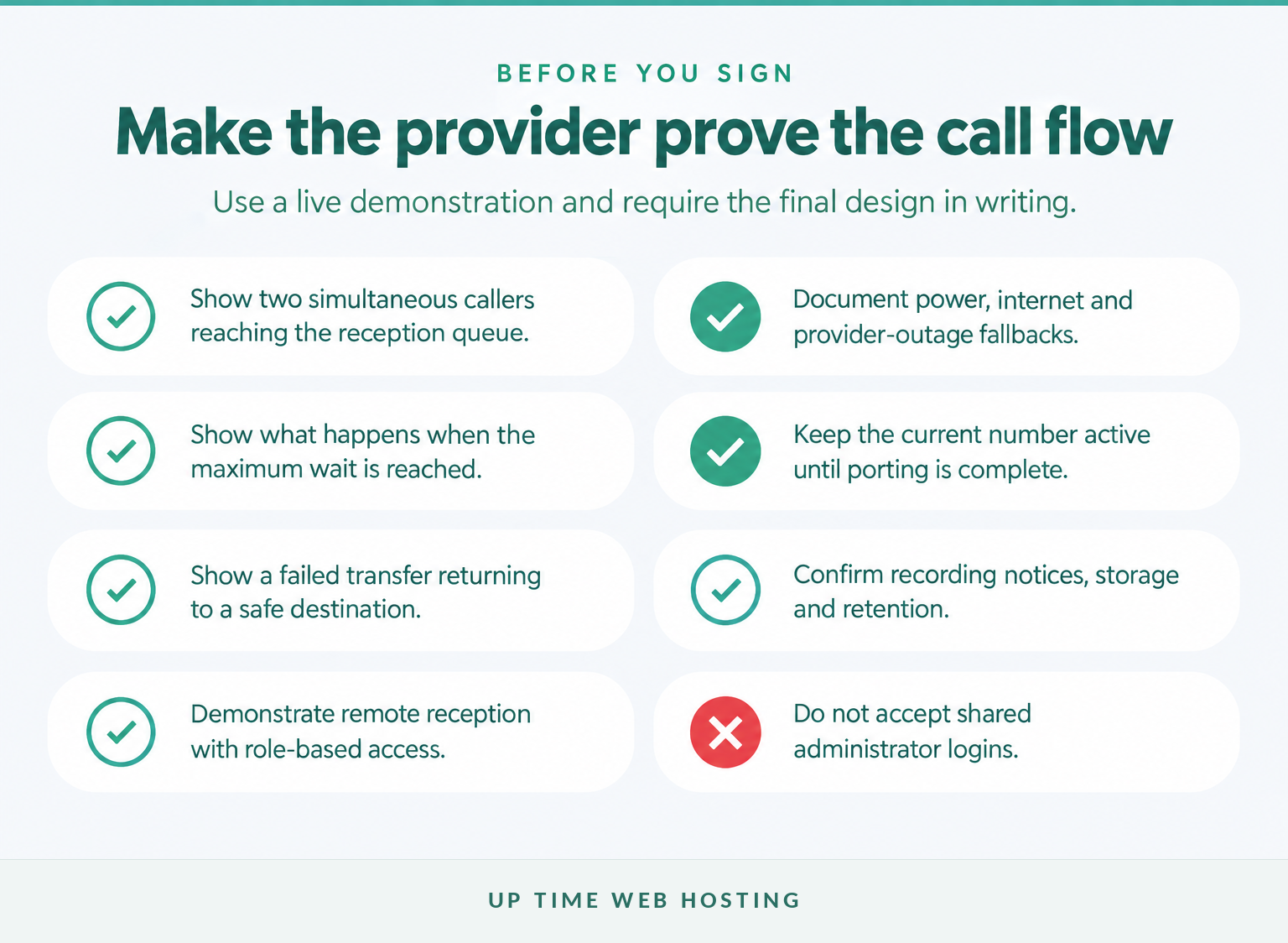
Ask the provider to demonstrate the practice’s real call flow instead of presenting a generic feature list. The demonstration should include busy periods, failed transfers, remote reception and at least one outage scenario.
Test what happens when:
- reception is already speaking to a patient and two more calls arrive;
- a caller reaches the maximum queue wait;
- a transfer to a clinician is not answered;
- a remote receptionist needs to transfer a call back to the clinic;
- the practice is closed for a public holiday;
- one clinic loses internet access;
- an employee with administrator access leaves the practice.
Keep the existing service active during number porting. ACMA says only active numbers can be ported, and the new provider should explain the expected port category, documents, charges and timing before a cutover date is agreed. (acma.gov.au)
Require a written scope covering users, numbers, call flows, devices, support, privacy settings, porting and fallback behaviour.
Choose the provider that can demonstrate the practice’s difficult call scenarios and document the result.
Experience Microsoft 365 Business Standard for free for 30 days.
Up to 25 users with full access to email, OneDrive and Teams. Includes full versions of desktop apps of Outlook, Word, Excel, PowerPoint and more.
Try Microsoft 365
What else do Australian dental practices ask about phone systems?
Most questions reduce to fit, cost, remote access and what happens during an outage. The following answers apply to Australian practices comparing a new or replacement system.
What are the best phone systems for dental offices?
The best phone systems for dental offices are managed cloud VoIP systems that can be configured around the practice’s actual workflow. Look for queues, overflow routing, shared voicemail, remote reception, multi-site control, secure administration, number porting and a written outage plan. The right choice depends on the practice, not a universal brand.
How much does a dental office phone system cost?
A dental office phone system has no reliable universal price because the total changes with users, numbers, call usage, desk phones, setup, porting, recording storage, support and backup connectivity. Ask for the first-year total in Australian dollars, with GST identified, plus the ongoing monthly total and any fees for future changes.
Can a dental receptionist answer calls from home?
Yes. A cloud VoIP system can let an authorised receptionist answer the practice number from another clinic or approved remote device. The design should preserve business caller ID, transfers, queue status and voicemail access while limiting patient information and administrator permissions to what the receptionist needs for the role.
Will a VoIP dental phone still work in a power outage?
Usually not without preparation. ACMA says most NBN-connected services will not work during a power outage, so the practice needs charged mobiles, suitable power backup, alternate internet or routing to another location. Staff also need a separate, tested way to call Triple Zero if the normal service is unavailable. (acma.gov.au)
The best dental phone system is the one that fits the practice’s actual people, sites, rules and risks.
What should you do next?
Map one normal week of incoming calls, including busy periods, missed calls, after-hours messages and cross-clinic transfers. Turn that map into a written call-flow, privacy, cost and continuity checklist before requesting a quote.
Request a written dental call-flow scope from UpTime Networks VoIP and ask the proposed system to be demonstrated against the difficult scenarios in this guide.
Start with the call flow, not the handset catalogue.