You're staring at a dead inbox at the worst possible time. The client email won't open, the password reset for another tool is going nowhere, and if that mailbox belongs to your business, trading can stop while you fumble through recovery prompts. For Australian small businesses, email account recovery isn't a personal admin task, it's a continuity problem, because the mailbox is usually the trust anchor for everything else.
Table of Contents
- Why Email Account Recovery Matters for Australian Businesses
- Recovering Gmail, Outlook and cPanel Hosted Mailboxes
- Step-by-Step Recovery When the Account Has Been Compromised
- Why Legitimate Owners Still Get Locked Out
- Regaining Access When Standard Recovery Factors Are Gone
- A Real Australian Recovery Scenario Worth Learning From
- Prevention Checklist and Ongoing Maintenance for Australian Mailboxes

Performance you can feel, backed by clients who depend on it. Read how our support and uptime create long‑term customer success.Power Your Business with Better Hosting
Why Email Account Recovery Matters for Australian Businesses
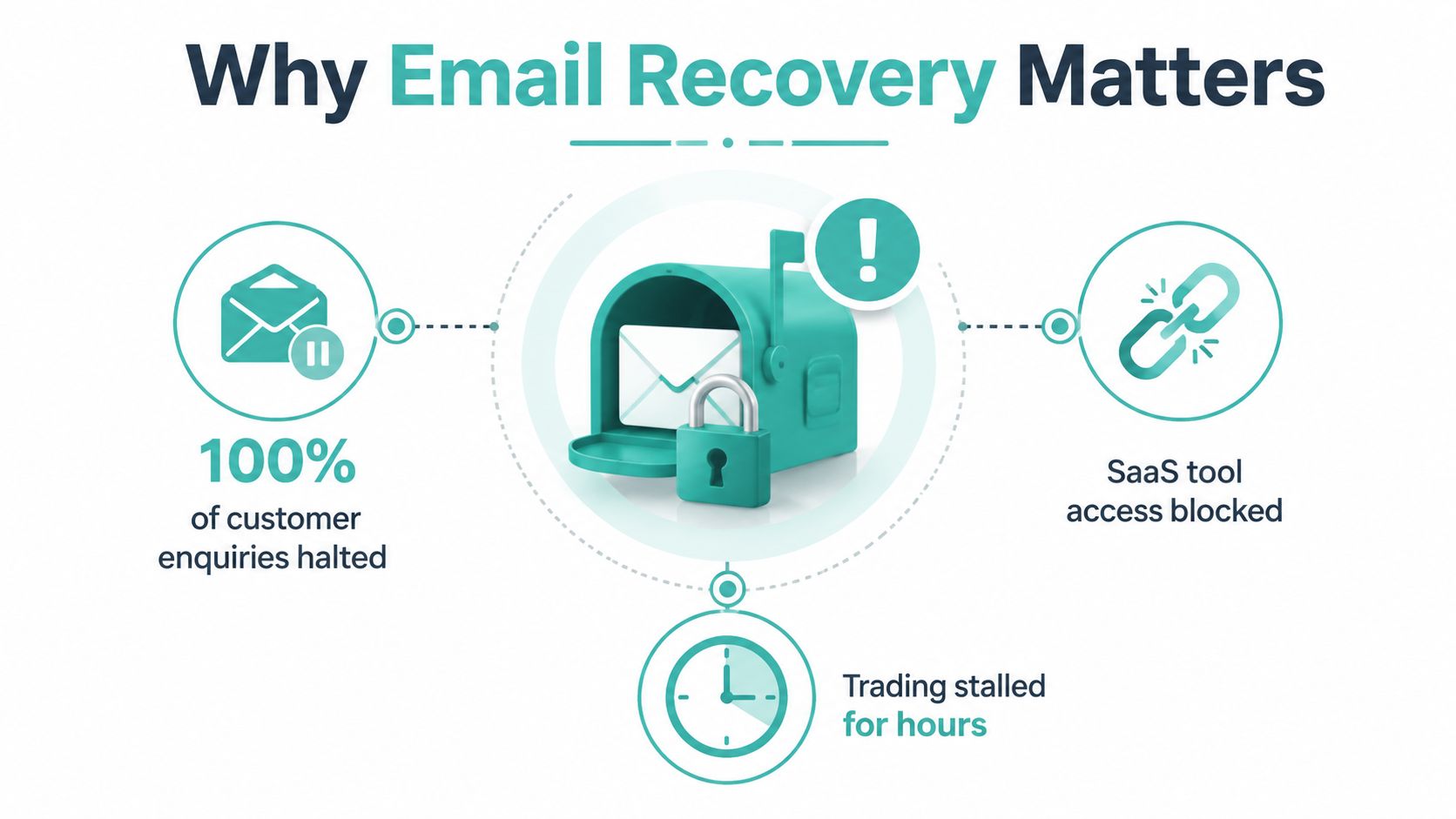
At 8am, before the shutters are up and the phones start ringing, a Brisbane café owner checks the business mailbox and finds it locked. Customer enquiries are sitting there, the booking system wants a password reset, and the cloud payroll login is tied to the same address. That's not inconvenience. That's downtime.
The hard truth is that most services still treat email as the main trust anchor for getting back in. A 2018 analysis of 239 top websites found 92.5% relied on email to reset user passwords, 81.1% were vulnerable to account-recovery attacks under the study's threat model, and 89.1% used email as a self-sufficient recovery method, meaning access to a registered inbox could be enough to compromise the account (Infocom 2018 paper). The same paper found 213 of 239 websites solely relied on email for password recovery, which shows how much rides on a single mailbox.
The business problem is bigger than one inbox
Once the mailbox goes down, the failure spreads. Password resets for accounting, bookings, hosting, and staff tools often land in the same inbox, so one lockout can block several services at once. That's why a recovery plan belongs in business continuity, not on a forgotten help page.
A 2021 security analysis of 366 real-world websites found 302 sites (82.5%) used an email password-reset link, while only 5 sites (1.4%) used SMS and 27 sites (7.4%) used one-time codes sent by email (DIMVA 2021 paper). In plain English, the inbox is still the default gatekeeper. If you run a hosted mailbox, a customer portal, or a small team on shared cloud services, treat mailbox access like you'd treat cash flow. Lose it, and work stops.
Practical rule: if the mailbox is business-critical, recovery needs to be documented before an incident, not guessed during one.
For Australian operators who host their own email or run cPanel-based mail, that means reviewing mailbox ownership, checking who controls the recovery factors, and making sure more than one person knows the first recovery move. If you need a security baseline for the wider environment, keep this cyber security guide for small business handy and make mailbox recovery part of the same conversation.
Recovering Gmail, Outlook and cPanel Hosted Mailboxes
Start with the service you use, not the one you wish you used. Gmail, Outlook, and hosted mail on cPanel recover through different screens, and the right first click saves time when a mailbox lockout is holding up invoices, staff logins, or client replies. If you need a quick refresher on Gmail recovery codes, this quick guide to secure access is a useful reference when a secondary factor is the only thing standing between you and access.
Gmail and Google Workspace
Google's recovery flow is straightforward if you follow it in order. Open the account recovery page, enter the address, choose Try another way if the first prompt fails, then select recovery email verification and open the alternate inbox for the code. Enter the code, set a new password, and sign in.
Google's own guidance puts the recovery mailbox or phone number at the centre of the process (Google account recovery help). If your business runs on Google Workspace, do not waste time bouncing between generic help pages. Start at the recovery screen, check the recovery inbox, and move to admin-level steps only if the personal recovery factors are gone. If the account belongs to a staff member, confirm whether a Workspace admin can step in before you keep retrying from another device. That is the cleanest path for AU teams that need the mailbox back before the end of the business day.
Microsoft accounts and Outlook
Microsoft's recovery form is blunt. You need a working email for contact, and you need enough account context to pass verification before you submit the form (Microsoft recovery form guidance). Make sure the alternate inbox is live before you start, because that is where Microsoft sends the follow-up.
If automated sign-in fails, go straight to the form instead of refreshing the login page. Gather the details first, then submit once, carefully. Repeating the same incomplete form wastes time and usually gets you nowhere. For Outlook users tied to client records, calendars, or Microsoft 365 tools, treat the recovery form like a control point for business continuity, not a casual password reset.
cPanel hosted mailboxes
If your mailbox lives on cPanel, the path usually sits inside the hosting control panel or webmail settings. On UpTime Web Hosting's hosted mail, the mailbox password can be reset through cPanel's Email Accounts area, and the company also publishes a dedicated forgot mailbox password guide for that flow. Use that screen first when the mailbox password itself is the problem.
If the reset email does not arrive, or the mailbox is locked in a way the panel cannot clear, use the hosting provider's local support channels and keep the recovery steps tight. A cPanel mailbox usually fails because the password is wrong, the mailbox is full, or the recovery contact is stale. Fix the first one in the panel, check the second in the mailbox settings, and only then escalate. That is the practical order for hosted mail in Australia, where local support and AU time zones matter when the inbox is blocking work.
What to do first when you are under pressure
Use the provider's official recovery flow before you try helpdesk shortcuts. The automated path is usually the fastest one that still satisfies the platform's identity checks.
For cPanel mail, that usually means opening Email Accounts, changing the password, and confirming the mailbox is still active. If you have forgotten the old password, the mailbox password reset article is the right internal reference. If the mailbox belongs to a hosted business domain and the password reset email cannot be reached, you are no longer in a simple self-serve reset. You are in access restoration.
Host your website with our 5-star rated, cPanel website hosting plans.
Super fast servers, with security included and hosted in your choice of Australian Data Center.
View cPanel Plans
Step-by-Step Recovery When the Account Has Been Compromised
A compromised mailbox is a business-continuity problem first. If an Outlook inbox is auto-replying to clients with a crypto scam, treat it as an active incident. Stop the attacker's access, then clean up the account.
Contain the account before you reset anything
Start with live sessions. Sign out everywhere you can, strip out suspicious forwarding rules, and check for inbox rules that hide mail or delete evidence. If the attacker added app passwords or connected apps, revoke those as well. A password change on its own does nothing if another session is still valid.
For Microsoft 365 users, go straight to the account security page, review recent sign-ins, and remove unknown devices or app access before you change the password. Then set the new password and turn on multi-factor authentication immediately. If a staff member is still sending mail from a compromised mailbox, keep the account offline until the rules and sessions are clean.
Reset access and audit the edges
Once the attacker is out, confirm the recovery contact details belong to you. Check the alternate email, phone number, and any backup methods on file. Then inspect forwarding, calendar sharing, shared mailbox permissions, and any connected automation tools. Attackers often leave their fingerprints outside the inbox itself.
Keep the recovery steps tight and ordered.
- Sign out active sessions: remove unknown logins first.
- Delete suspicious forwarding rules: stop mail leakage immediately.
- Reset the password: do it after containment, not before.
- Enable multi-factor authentication: lock the account down again.
- Review connected apps: revoke anything you do not recognise.
For hosted AU mail, use the provider's identity checks and documented records if ownership is disputed. The contesting ownership of an account guide is the right internal reference when you need to prove control instead of guessing your way through the recovery process.
If the account is live and compromised, every minute spent on the wrong recovery step gives the attacker more room to move.
Why Legitimate Owners Still Get Locked Out
People assume account recovery fails because they forgot something obvious. In practice, platforms reject genuine owners because the recovery attempt doesn't match the pattern they expect. Google's public guidance is clear that recovery depends on things like previous sign-ins and device familiarity, and there's no phone support for account recovery.
That frustrates Australian users who work across different sites, change laptops often, or travel with a VPN switched on. If you sign in from a new device, a fresh browser profile, and an unfamiliar network, the platform can decide the attempt looks risky even when you're the actual owner. The machine doesn't know your story. It only sees signals.
The three common failure modes
The first is device history. If you're trying recovery from a brand-new laptop, a hotel Wi-Fi network, or a browser with no old cookies, you're making the platform do more guessing than it should. Use the device and network you normally sign in from whenever you can.
The second is VPN noise. A VPN can be useful for general security, but it's a bad idea during recovery because it hides the usual location pattern. Turn it off until the account is back.
The third is weak account memory. If you can't provide the last password you remember or a reasonable account creation timeframe, the verification confidence drops. Google's own guidance also steers users towards a replacement Google Account if recovery can't be completed in a sensible window (Google account recovery tips).
Make the first attempt count
Use a familiar device, a normal home or office network, and the browser you used before the lockout. Have the last password you remember ready, even if it's old. If the service asks for prior sign-in details, answer carefully and consistently.
The first recovery attempt is the one that matters most. Match the platform's confidence signals as closely as you can, because repeated random guesses only make the process harder.
For Australian businesses with distributed teams, that means keeping recovery steps documented for staff in Sydney, Melbourne, and regional offices alike. The platform won't care that someone is on the road. It cares whether the attempt looks like the owner.
Regaining Access When Standard Recovery Factors Are Gone
This is the hard case. The recovery email has changed, the phone number is dead, the old device is gone, and the platform won't accept the sign-in attempt. At that point, stop chasing the same broken path and switch to the escalation route that fits the provider.
Microsoft and Google when the easy factors are missing
Microsoft's recovery form still needs a working email for contact and enough account detail to satisfy its process (Microsoft recovery form guidance). Don't submit it half-filled and hope for the best. Gather the account context first, then complete the form once. If the form is rejected, fix the missing detail rather than submitting again immediately.
Google's flow gives you Try another way when the first path fails. Use that option, but don't bounce between every possible factor in the same sitting. If your recovery inbox is still reachable, use it. If it isn't, stop and move to a more realistic fallback, including creating a replacement account if continuity matters more than restoration right now.
For Google Workspace users, admins can generate backup verification codes for users under 2-step verification. That is materially more reliable than hoping SMS arrives on time or that a missing device magically reappears. Super administrators can issue those codes, which makes admin-controlled recovery a practical business tool, not a theoretical one (Google Workspace backup code guidance).
Hosted mail and local support
For hosted mail, the escalation path is different. If the password reset email itself is missing, or the mailbox can't be reached through cPanel, raise a support ticket and be ready to prove account control with the details your provider asks for. For Australian hosting environments, that often means payment details, a security PIN, and account history.
A 1300 call during AEST business hours can solve cases that would otherwise sit in a ticket queue overnight. That matters because support teams can verify ownership against their records when the automated path can't. If you need a reference for backing up cPanel email before a crisis, keep the backup cPanel email guide close and make that part of your admin routine.
When the standard factors are gone, escalation should be orderly, not frantic. Automated recovery first, admin or support-assisted recovery second.
Register your new domain name at competitive market prices including free domain add-ons like privacy, DNS Hosting, Custom Nameservers and Forwarding.
Always the best price and no nasty renewal price hikes.
Register A Domain Name
A Real Australian Recovery Scenario Worth Learning From
A small Brisbane digital agency lost access to a shared client mailbox on a Friday afternoon. The account held ongoing project threads, a Monday deliverable, and the only active contact route for a paying client. Someone tried automated recovery, but the recovery factors were stale and the first attempt failed.
The team then made the classic mistake of waiting too long before escalating. By the time they reached the hosting provider's local support team, the weekend had already eaten into the response window. A verified identity check eventually restored access, but not before the agency spent extra hours juggling client updates and internal work.
That's the cost most businesses ignore. The first incident teaches you that shared inboxes are fragile. The second one gets more expensive because now it also includes reputation damage, staff overtime, and a client who wonders why a Monday deliverable was hanging on a single mailbox.
The agency changed three things after that:
- Sole-owner inboxes: each critical mailbox had a named custodian.
- Documented recovery factors: recovery email, phone, and backup steps were recorded.
- Clear escalation ownership: one person was responsible for opening the support case.
That's the right lesson. The mailbox wasn't just a communication tool, it was a business dependency. Treat it like one, and your recovery process gets simpler the next time something breaks.
Prevention Checklist and Ongoing Maintenance for Australian Mailboxes
Keep every business mailbox current. The recovery email and mobile number need to be live, MFA should be on for Gmail, Outlook, and cPanel webmail, and backup codes should be stored somewhere offline that more than one trusted person can access. Review connected apps quarterly, remove departed staff from hosted mailboxes, and check forwarding rules every month.
If your team uses cPanel or hosted email, pair that with the local support channels and the knowledge base you already have. The email security best practices guide is a sensible baseline for tightening mailbox hygiene, and the hosting provider's 1300 phone line, tickets, and call-backs are there when a reset can't be completed through the usual path.
A 30-minute review twice a year is enough to catch most preventable lockout risks before they become incidents. Put it on the calendar now, not after someone loses access on a Friday.
If you want mailbox recovery that fits Australian hosting reality, with cPanel support, local response times, and clear steps when a mailbox goes missing, speak to UpTime Web Hosting and put your recovery process on firmer ground. Their local support, knowledge base, and hosted email tools are built for the kind of lockout that can stall a workday, not just a password prompt.