You're probably staring at a platform decision after a client call, a mate's recommendation, or a demo that looked effortless. The site needs to look sharp, the phones need to ring, and you don't want to get stuck rebuilding everything eighteen months from now because the booking system, the store, or the accountant's software doesn't fit the platform you picked on day one.
For Australian SMEs, WordPress or Squarespace isn't really a design question. It's an ownership question, a performance question, and, if you're honest, a question about how much friction you're willing to carry when the business grows. The wrong choice won't always hurt immediately, but it usually shows up later as migration pain, SEO loss, maintenance drag, or a site that can't keep up with how you work.
| Platform | Best fit | Main strength | Main trade-off |
|---|---|---|---|
| Squarespace | Creatives, portfolio sites, service businesses | Managed, all-in-one simplicity | Less advanced control when requirements get technical |
| WordPress | Content-heavy sites, growing stores, integrations | Flexibility and long-term control | More moving parts, more responsibility |
| WordPress with good Australian hosting | Businesses that care about speed, backups, and support | Stronger tuning ceiling | Needs disciplined setup and upkeep |
Table of Contents
- Why the Platform Choice Matters Beyond Launch Day
- Core Platform Mechanics and Ownership Models
- Real-World Performance and Core Web Vitals in Australia
- SEO Capabilities and Security Trade-Offs for Australian Sites
- Total Cost of Ownership Over Three to Five Years
- Migration Paths and Switching Costs for Australian SMEs
- Decision Checklist and Recommended Use Cases

Performance you can feel, backed by clients who depend on it. Read how our support and uptime create long‑term customer success.Power Your Business with Better Hosting
Why the Platform Choice Matters Beyond Launch Day
A lot of owners choose a platform the same way they choose a logo colour, by gut feel. A florist in Newcastle sees a clean Squarespace demo, a tradie in Geelong hears that WordPress is “better for SEO”, and both of them go live without thinking about what happens when the business changes shape. That's fine until the site needs a booking layer, an accounting integration, or a more serious content structure, and the original choice starts to feel like a cage.
The true cost isn't the subscription or the initial build. It's the switching cost, the SEO equity you risk losing when URLs change, and the time your team burns on workarounds that never should've existed in the first place. Australian government guidance on digital infrastructure has long treated site ownership, backups, and portability as continuity issues, which is exactly how SMEs should think about them too. The platform is infrastructure, not decoration.
Practical rule: if you're asking whether the site can be moved later without pain, you're already asking the right question.
That's why local hosting matters so much on the WordPress side. A WordPress build on a solid Australian host with staging, backups, and support is a different proposition from a cheap, vague setup that leaves you guessing when something breaks. If you want the local angle on why hosting location and support matter, start with this guide on switching to local Australian hosting.
The mistake I see most often is treating the platform as a launch-day decision. It's really a three-year decision. If your site will stay simple and brochure-like, Squarespace can be enough. If you know the business will grow into deeper content, integrations, or more demanding SEO work, WordPress is usually the smarter long-term base.
Core Platform Mechanics and Ownership Models
A site that looks simple on launch day can hide very different obligations underneath. Squarespace and WordPress both get you online, but they split the work in different ways. Squarespace bundles the hosting, templates, updates, and security into one managed service. WordPress self-hosted makes you, or your host, responsible for the moving parts. That sounds like a small distinction in a sales pitch, yet it decides who carries the operational load every time the site needs attention.
What Squarespace handles for you
Squarespace includes hosting in all plans, plus more than 190 templates, automatic updates, and managed security. That is the practical appeal. You make fewer decisions at setup, and you avoid the usual admin jobs that come with a self-hosted site. There is no plugin conflict to sort out, no separate backup routine to stitch together, and no patching schedule for your team to babysit.
What WordPress asks you to manage
WordPress self-hosted runs on the opposite model. You pick the host, the SSL setup, the backup routine, the theme, and the plugin stack. That means more work, but it also gives you more control over how the site behaves and how far you can push it. If you want a plain explanation of whether the software itself costs anything, this WordPress hosting note separates the WordPress software from the infrastructure you still need around it.
The scale of the ecosystem is the other major difference. WordPress has over 13,000 themes and 62,000+ plugins in the comparison cited by Mercury, while Squarespace sits at 190+ templates and around 40 apps. That breadth is why WordPress suits businesses with unusual requirements, deeper content plans, or more complex integrations. It also explains why WordPress sites are easier to overbuild, and harder to keep tidy without discipline.
| Feature | Squarespace | WordPress (Self-Hosted) |
|---|---|---|
| Hosting | Included in all plans | Separate hosting required |
| Updates | Automatic and managed | Manual updates and backups |
| Templates | More than 190 templates | Thousands of themes |
| Apps or plugins | Around 40 apps | 62,000+ plugins |
| Security model | Centralised and managed | Distributed responsibility |
| Ownership burden | Lower day-to-day admin | Higher day-to-day admin |
The practical call is straightforward. Squarespace cuts operational friction and keeps the stack simple. WordPress gives you more control, more room to grow, and more responsibility. If your priority is fewer moving parts and a tighter managed setup, Squarespace is the cleaner fit. If you are willing to manage the stack properly and want a site that can be shaped over time, WordPress is the better base.
Host your website with our 5-star rated, cPanel website hosting plans.
Super fast servers, with security included and hosted in your choice of Australian Data Center.
View cPanel Plans
Real-World Performance and Core Web Vitals in Australia
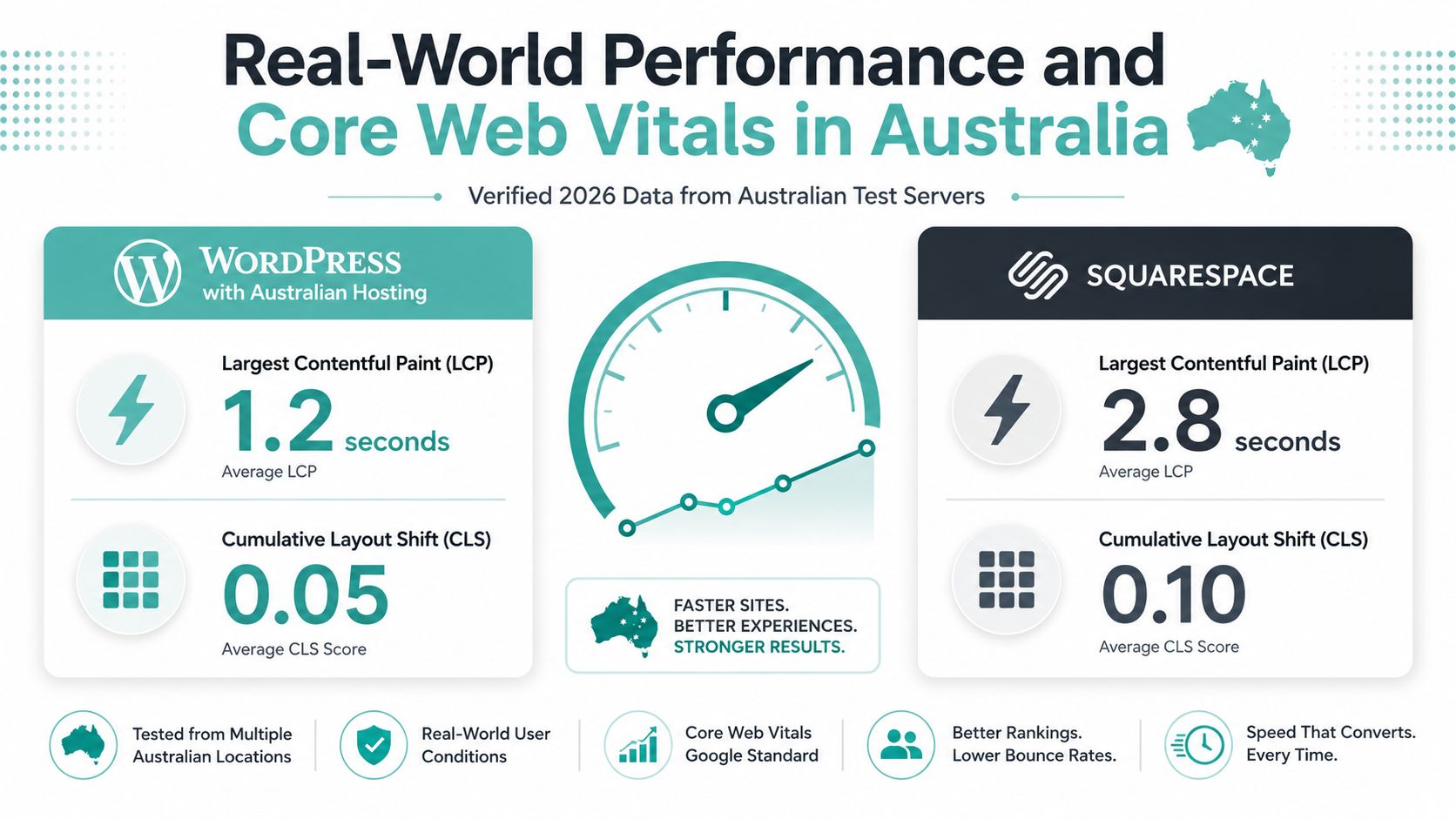
Speed isn't a branding debate, it's a user experience and conversion issue. In an Australia-focused 2026 comparison, Squarespace posted a 67.7% mobile Core Web Vitals pass rate versus 43.4% for WordPress out of the box, and median mobile Lighthouse scores of 47 for Squarespace versus 38 for WordPress (Studio Slate). On raw defaults, Squarespace often looks better.
Why the default result is misleading
That same broader comparison picture changes once WordPress is tuned properly. A separate 2026 comparison reported that optimised WordPress can reach 0.8–1.5 seconds mobile LCP, under 0.05 CLS, under 100ms INP, 400–900 KB homepage weight, and 20–45 HTTP requests, while typical Squarespace sites run at 2.5–3.5 seconds LCP, 0.05–0.15 CLS, 180–280ms INP, 1.8–3.2 MB page weight, and 60–110 HTTP requests (GatiLab). That's the important distinction, because WordPress has the stronger ceiling when the hosting and front end are engineered properly.
What Australian hosting changes
Local hosting can make the difference between a sluggish WordPress site and a sharp one. Australian providers that run LiteSpeed, cache aggressively, and keep support local can close the gap fast. UpTime Web Hosting's Australian stack, with servers in Sydney, Melbourne, Brisbane, and Perth, plus LiteSpeed and AccelerateWP, is the kind of setup that helps WordPress perform like a serious business platform instead of a hobby site.
A fast platform with weak hosting still feels slow. A flexible platform with disciplined hosting can feel very fast.
Here's the blunt version. Squarespace gives you decent consistency without much effort. WordPress gives you the best optimisation potential, but only if you treat hosting, caching, image handling, and theme choice as part of the job. If your Australian site needs to feel fast on mobile, the host matters almost as much as the CMS.
For a practical local perspective on the moving parts involved, see website speed optimisation for Australian users.
SEO Capabilities and Security Trade-Offs for Australian Sites
For an Australian business, SEO and security are not side topics. They shape how easily people find you, how quickly pages load on local connections, and how much risk you carry if the site is hit by spam, plugin failures, or a bad update.
SEO control
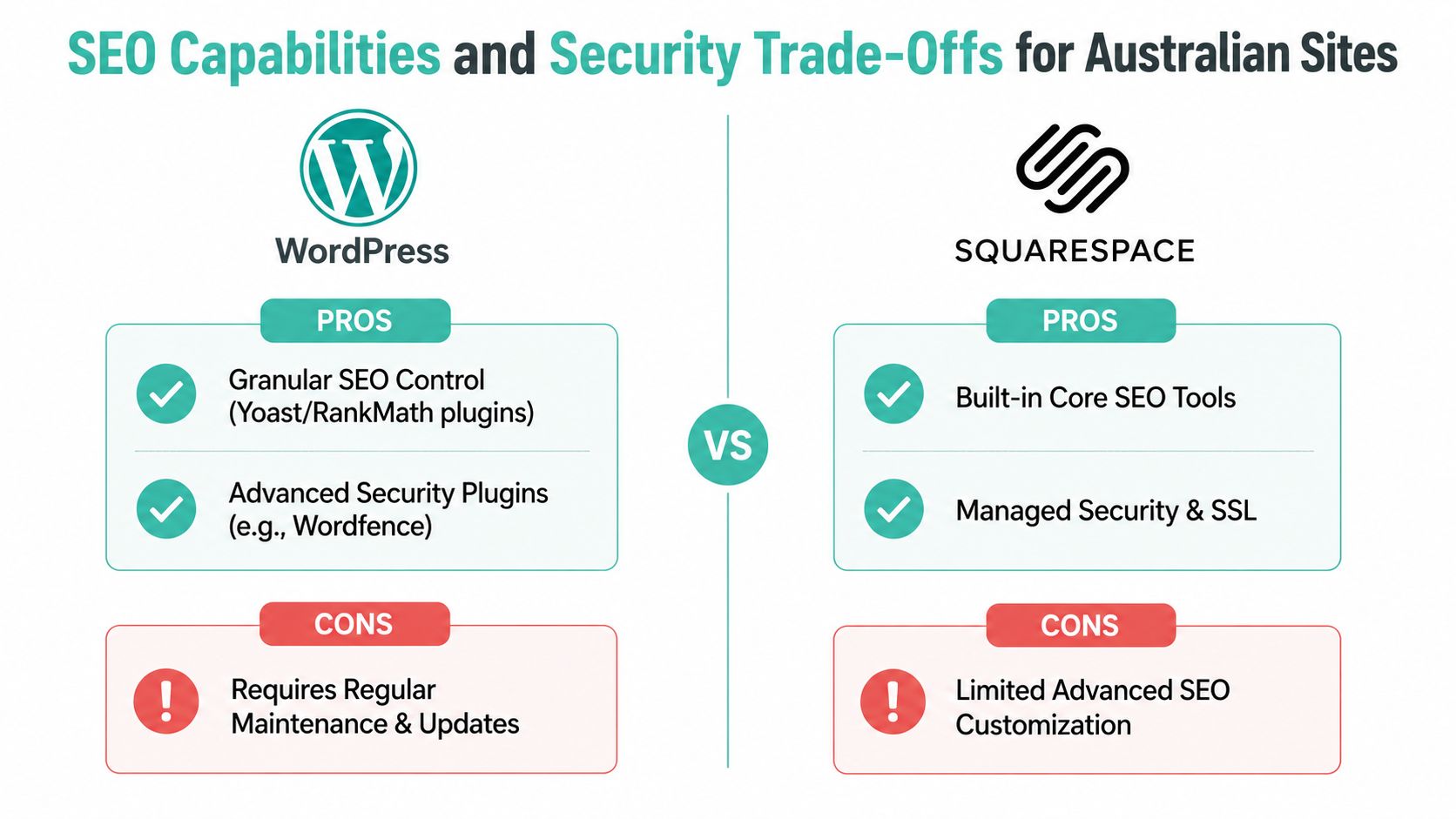
Squarespace gives you the basics in a tidy package. WordPress gives you finer control over technical SEO, which matters once you care about schema, cleaner URL structures, redirects, and plugin-level tuning rather than just publishing content and hoping it ranks.
That control is the reason many Australian SMEs end up on WordPress once search becomes a proper channel. The platform lets you build around the tools you need, and the right setup makes a difference when you are trying to compete in a crowded local market. For a practical starting point, this WordPress SEO plugins guide lays out the plugin side in plain terms.
Squarespace can handle content marketing without much fuss, and that suits businesses that want to publish and move on. WordPress suits sites that need more technical control, tighter tuning, and room to adjust the site as search requirements change.
Security and compliance reality
Security is where the trade-offs become obvious. Squarespace centralises updates and managed security, so there are fewer moving parts to babysit and less admin work for a small team. WordPress pushes more responsibility onto the owner, so plugin updates, backups, malware checks, and general maintenance become part of the operating rhythm.
Tooltester makes the broader point clearly, WordPress needs disciplined maintenance, while all-in-one builders reduce admin but give you less flexibility (Tooltester). That trade-off matters more for Australian businesses that handle customer data, take online enquiries, or rely on the site for day-to-day sales.
If you need local support expectations, off-site backups, and fewer third-party dependencies, WordPress only makes sense when the hosting and maintenance stack is properly run. If you want a smaller attack surface and less upkeep, Squarespace is easier to live with.
Bottom line: neither platform is automatically secure. Security depends on the operating model, the maintenance routine, and how much control you are willing to manage.
For WordPress, a properly configured Australian host can add DDoS-protected firewalls, malware scanning, encrypted backups, and monitoring without turning the site into a maintenance headache. For Squarespace, those protections are part of the managed service, which keeps things simpler but also keeps you inside the platform's rules. The decision is not about which one sounds safer in theory. It is about whether your business can support the way the site needs to be run.
Total Cost of Ownership Over Three to Five Years
A cheap-looking site can turn expensive fast. Squarespace bundles hosting, SSL, templates, and updates into one monthly bill, so the price feels tidy. WordPress looks cheaper at the software level because the core is free, but that only holds until the site starts doing real work and you have to pay for the setup, maintenance, and fixes that keep it running.
What usually drives cost
Squarespace keeps the billing simple, but the convenience premium shows up as soon as you need more advanced eCommerce features, custom integrations, or workarounds the platform does not support natively. WordPress is more modular, so the costs arrive in separate pieces, hosting, premium themes, plugin licences, setup time, maintenance time, and security tools.
If you want to see how hidden hosting costs show up in cheap plans, this note on budget web hosts shows why low headline pricing often turns into lost time and extra admin.
How the models usually differ
Website Builder Expert says Squarespace storage is unlimited across plans, while WordPress storage ranges from 50 GB to unlimited depending on hosting, and Squarespace is often recommended for creatives and service-based businesses, while WordPress suits content-heavy websites (Website Builder Expert). That cost split matches how these platforms behave in practice. Content-heavy sites and stores usually justify WordPress because it scales more freely, but they also demand more hands-on management.
| Site type | Squarespace | WordPress |
|---|---|---|
| Brochure site | Predictable all-in-one cost | Lower entry cost, more variable upkeep |
| Content-heavy blog | Can work, but less flexible | Better fit for ongoing publishing |
| eCommerce store | Simple to launch, tighter limits | More modular, more setup and upkeep |
Australian SMEs also need to factor in GST-inclusive pricing, support access, and where the server sits. A cheap offshore host can look fine on paper, then become a problem the moment something breaks outside your hours and you are stuck waiting for help. A local host will not erase every cost, but it can reduce the cost of delay, and delay is often the primary expense.
The decision is not whether WordPress is always cheaper or Squarespace is always simpler. Squarespace is usually more predictable. WordPress is usually more variable. If you budget carefully and want room to change the site over time, WordPress gives you more flexibility. If you want cleaner monthly planning and fewer moving parts, Squarespace is the safer financial shape.
Register your new domain name at competitive market prices including free domain add-ons like privacy, DNS Hosting, Custom Nameservers and Forwarding.
Always the best price and no nasty renewal price hikes.
Register A Domain Name
Migration Paths and Switching Costs for Australian SMEs
Most platform comparisons ignore the ugly middle. That's the part where a business has already launched, already indexed pages, already built some workflows, and now wants to move because the original choice no longer fits. The migration itself is where the hidden cost shows up.
What actually moves, and what doesn't
Squarespace exports some content cleanly, especially blog posts, but design elements, product structures, and custom page layouts often need manual rebuilding. WordPress migrations are more flexible, but they still require care around hosting setup, theme selection, plugin equivalents, and redirect mapping. In both directions, URL changes can hurt search visibility if you don't map them properly.
Don't treat migration as a technical clean-up. Treat it as a business continuity task.
That's why site ownership and portability matter so much for Australian SMEs. A platform that looks easy on day one can become expensive when you need to leave it later. The time to think about exit options is before you need them.
A practical migration checklist
- Export the content first. Pull out pages, posts, images, and product data before you touch design.
- List every current URL. Redirect planning starts with a clean inventory, not memory.
- Rebuild the structure. Theme and template work is not a copy-paste job, especially if the original site used custom sections.
- Map redirects carefully. Every changed URL needs a clear destination.
- Test forms, analytics, and checkout flows. The site has to function, not just look right.
- Keep backups before and after launch. Recovery is part of migration, not something you think about later.
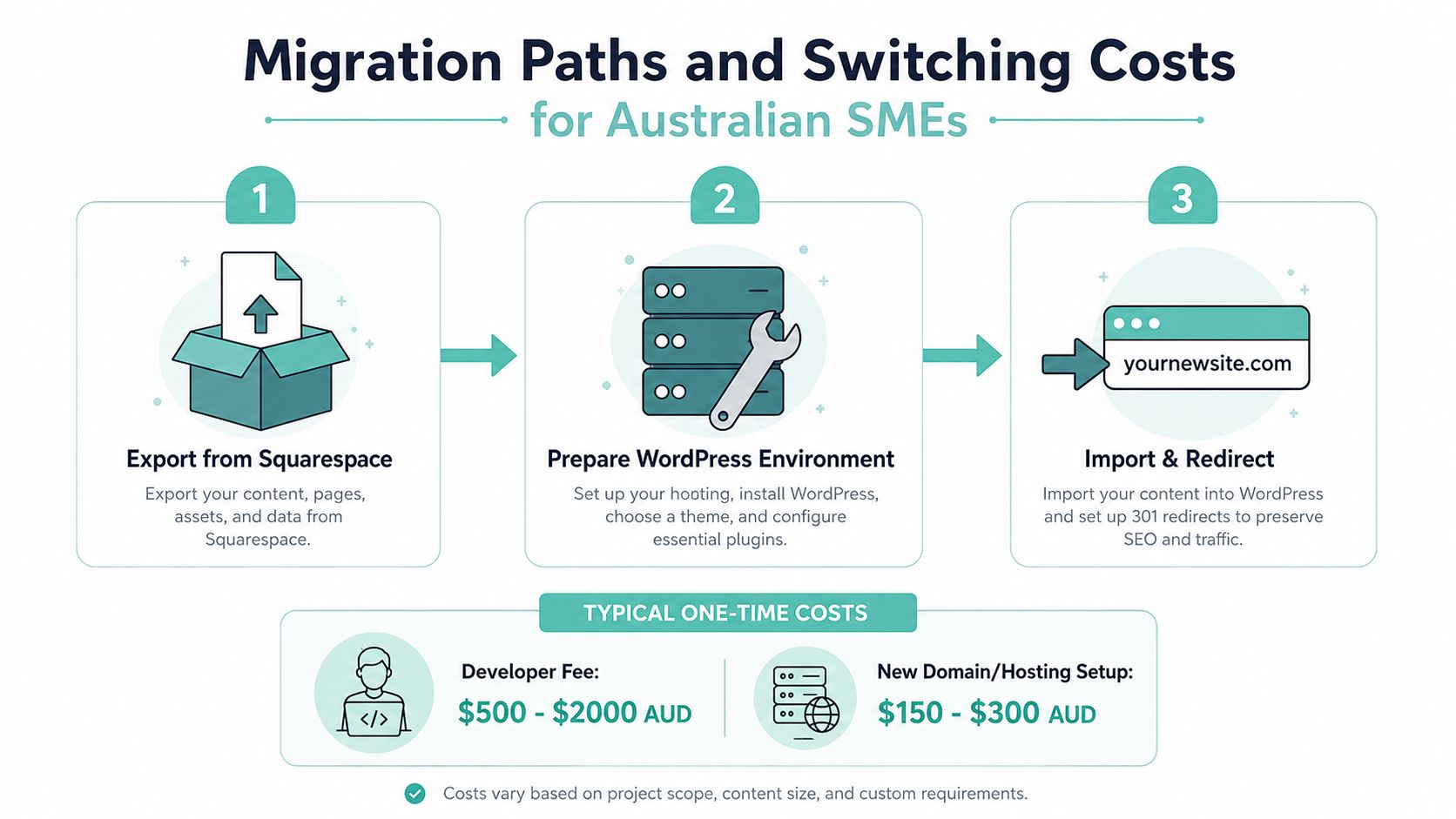
Local hosting can simplify the WordPress side of a move because staging, one-click installs, and migration support reduce the risk of a messy cutover. That doesn't make migration cheap, but it does make it more controlled. If you're already thinking about future flexibility, that's usually the smarter way to build from the start.
Decision Checklist and Recommended Use Cases
If you run a service business, a consultancy, a studio, or a small local brand with a straightforward website, choose Squarespace. It works well for brochure sites, portfolios, and simple enquiry funnels where you want a managed system and do not want to spend time on updates, plugins, or server maintenance. For SMEs that just need a clean site to present services and capture leads, that trade-off makes sense.
Choose WordPress if you need control over the site now and room to grow later. It is the better fit for businesses that care about deeper SEO work, custom integrations, content-heavy publishing, or a store that may become more complex over time. That choice also suits owners who want to keep ownership options open, because switching a WordPress site later is usually easier than rebuilding a locked-in managed site from scratch.
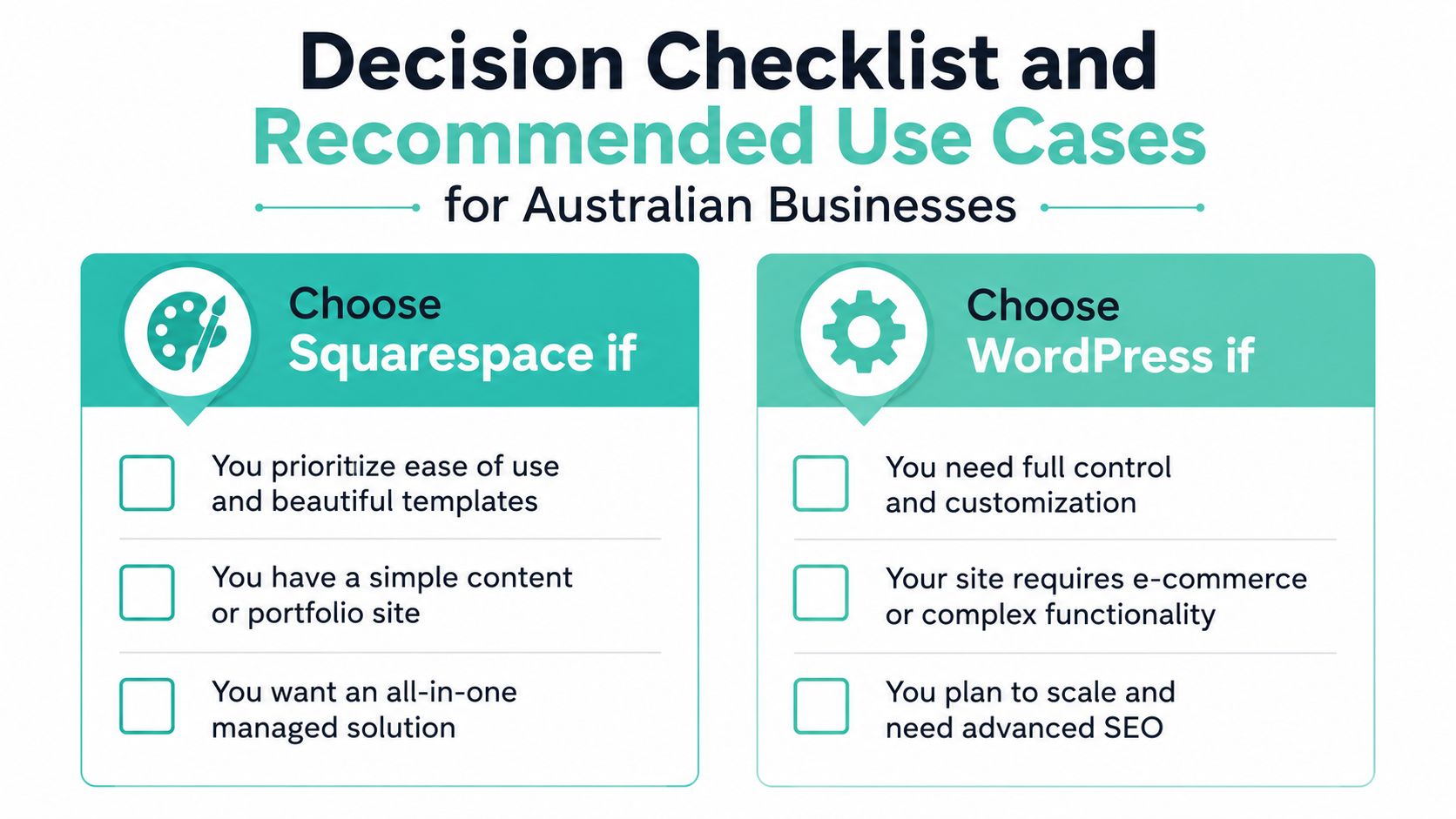
Quick decision check
- Pick Squarespace if: you want less maintenance, faster setup, and a simple managed experience.
- Pick WordPress if: you care about flexibility, SEO depth, integrations, and future growth.
- Pick WordPress with good Australian hosting if: performance, backups, and local support matter as much as the CMS itself.
For Australian businesses, the key question is not which platform looks better on launch day. It is which one will cost less to live with once you need changes, stronger security, or a move to better hosting. Squarespace keeps the mechanics simple, but that simplicity can become a constraint if the site has to do more. WordPress gives you more room to work, and that matters when local performance, compliance, and migration risk start affecting the business.
Use a blunt test. If the site will stay small and static, Squarespace is the cleaner choice. If the site needs to grow, integrate, rank, or move hosts without a full rebuild, WordPress is the smarter long-term bet.
If you want the WordPress side backed by Australian hosting, UpTime Web Hosting provides local servers, cPanel, LiteSpeed, free SSL, malware scanning, backups, and 24×7 monitoring. That setup suits SMEs that want the flexibility of WordPress without adding extra hosting headaches.