In short
WooCommerce does not store customers’ full card numbers or security codes by design when a properly built payment gateway sends payment data directly to its processor. Your site may store a token, card brand, expiry date and last four digits, plus order and billing details. The gateway setup determines your actual PCI scope.
Key takeaways
- Core WooCommerce and its official gateway designs are intended to keep full card numbers and card security codes out of the website database.
- A saved card normally means the website retains a restricted payment token and identifying details, not a reusable copy of the full card number.
- WooCommerce still stores valuable customer data, including names, contact details, addresses, orders, payment method names and transaction references.
- Using a hosted payment form can reduce PCI DSS scope, but it does not remove the merchant’s security and validation responsibilities.
- Logs, custom extensions, exports, staging sites and backups should be checked because unsafe code can store data that WooCommerce core was designed to avoid.
Table of contents
- Does WooCommerce store credit card information?
- What payment information does a WooCommerce site actually keep?
- What changes when a customer saves a card?
- How does your payment gateway change PCI DSS scope?
- Could card details leak into logs, plugins or backups?
- What should a WooCommerce store owner check today?
- What else do store owners ask about WooCommerce payment security?
- What should you do next?
The practical question is not only whether WooCommerce core stores a card number. A store owner also needs to know where the checkout form comes from, what the gateway extension records, what appears in logs and whether an unsafe copy has reached a backup. Here, credit card information means payment-card credentials, not balances created through the separate WooCommerce Store Credit extension.
Does WooCommerce store credit card information?
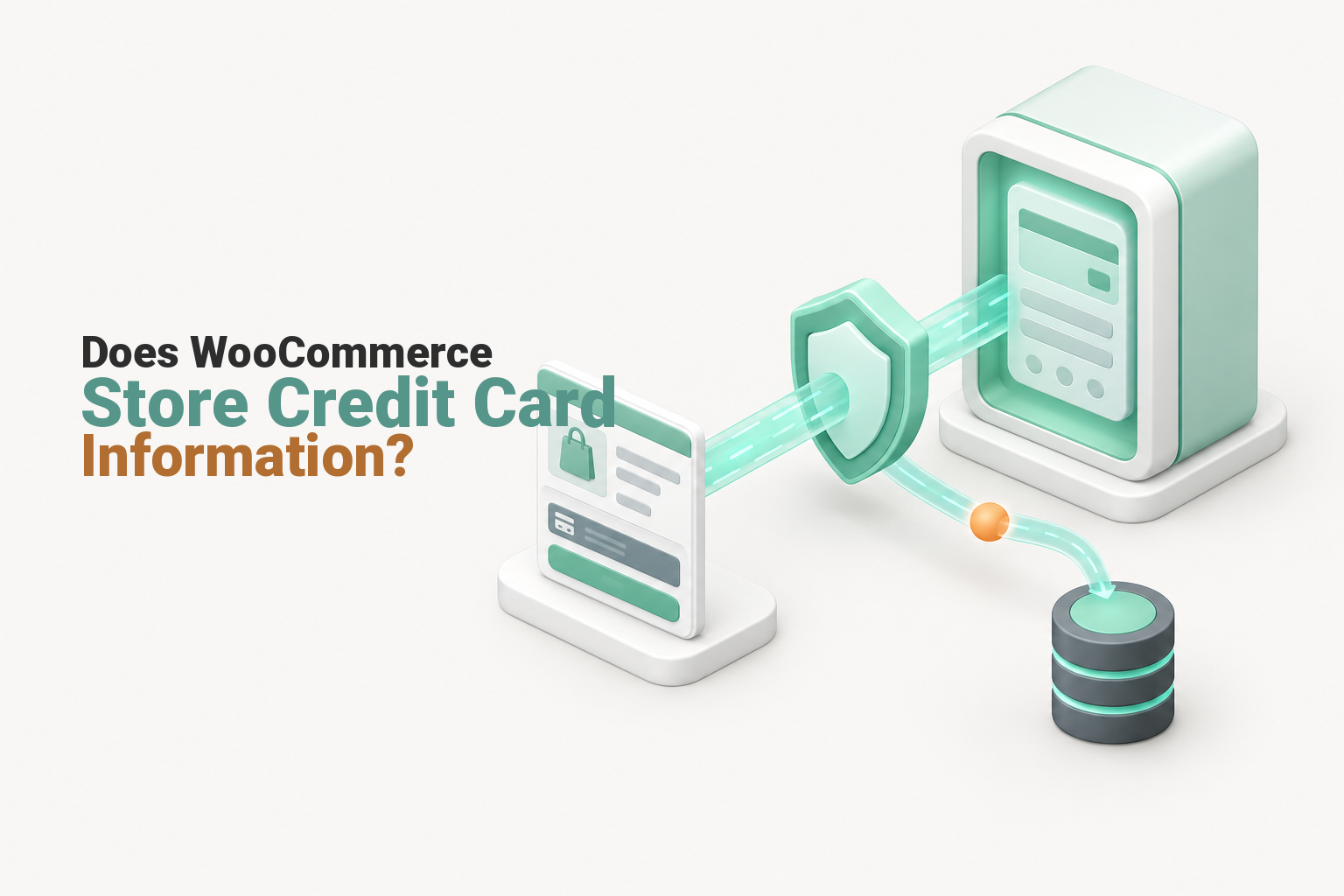
Core WooCommerce is designed so that the full card number and card security code go to the payment processor rather than into the WordPress database. That answer only holds when the selected gateway, checkout form and any custom code follow the same design.
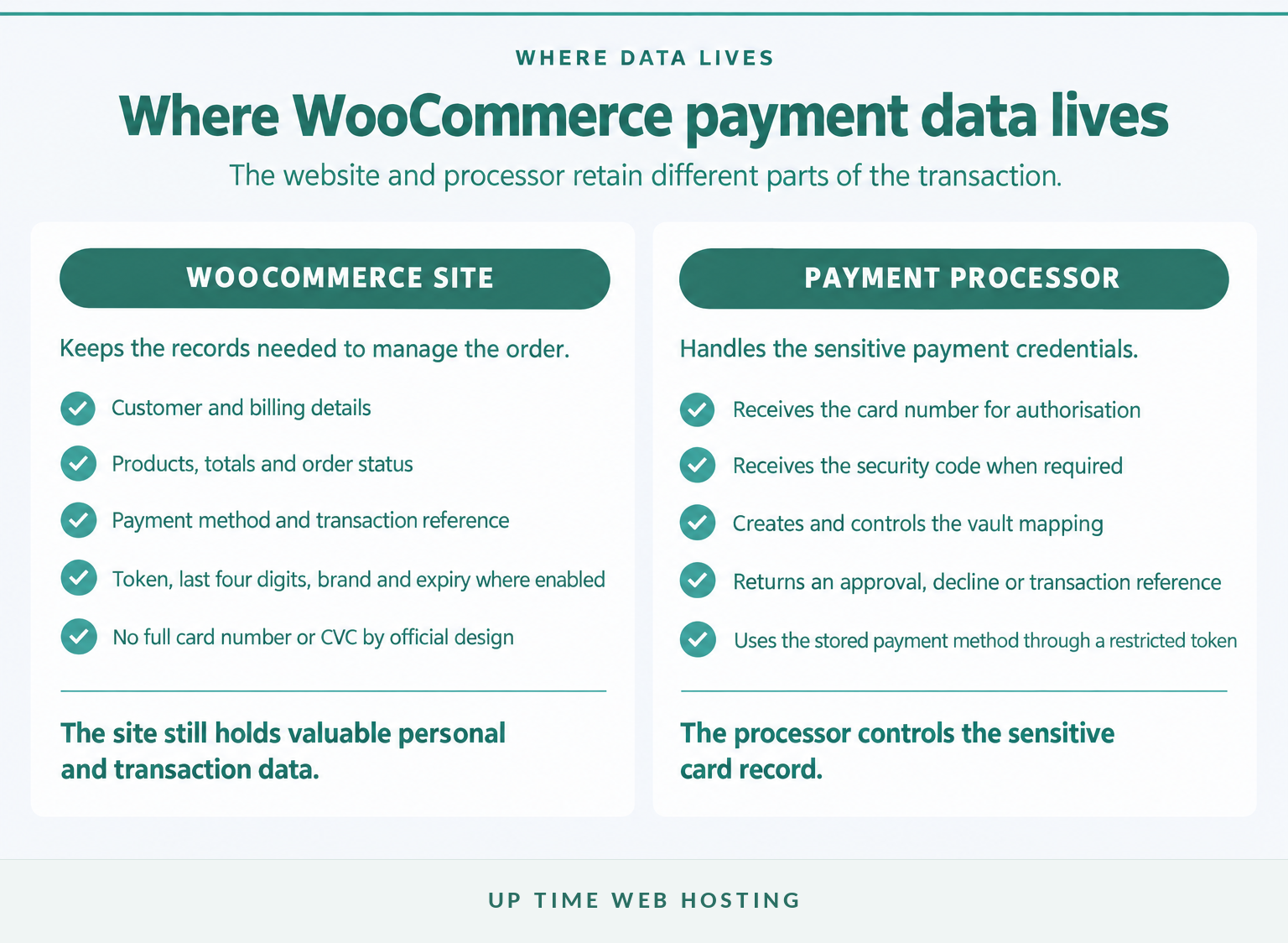
WooCommerce’s security FAQ says its official payment gateway plugins are designed so customers’ full card numbers and security codes do not enter the website database. The payment gateway sends the information needed for authorisation to its payment processor and returns a payment result to the store.
WooCommerce does retain the commercial record needed to manage the purchase. That normally includes the products ordered, order date, customer name, email address, phone number, billing and shipping addresses, totals, payment method and a transaction reference.
This design is not a guarantee for every extension carrying a WooCommerce label. A custom gateway, manual card form, modified checkout, abandoned plugin or unsafe code snippet can collect information that core WooCommerce would not normally retain. The installed gateway’s current documentation and actual data flow must be checked.
WooCommerce’s default design keeps full card credentials out of the database, but the installed gateway determines whether that protection exists in practice.

Performance you can feel, backed by clients who depend on it. Read how our support and uptime create long‑term customer success.Power Your Business with Better Hosting
What payment information does a WooCommerce site actually keep?
A WooCommerce site usually keeps enough information to identify the customer, fulfil the order and reconcile the payment. The sensitive payment credential should remain with the payment processor, while the store receives a result, transaction reference or restricted token.
| Data element | Usual location | Visible to store staff? | Security meaning |
|---|---|---|---|
| Full card number, also called the PAN | Payment processor | No, by design | Verify that the gateway does not write it to orders, logs or custom fields. |
| Card security code, such as CVC or CVV | Used by the processor during authorisation | No | PCI DSS prohibits retaining it after authorisation, even when encrypted. |
| Payment token | WooCommerce and the processor’s vault mapping | Usually as an opaque reference | The token represents the saved method but is not the full card number. |
| Last four digits, card brand and expiry | WooCommerce database when supported by the gateway | Often | These details help the customer recognise a saved method. |
| Billing details, order contents, totals and transaction ID | WooCommerce database | Yes, subject to permissions | These records are personal and commercial data that still require protection. |
The precise fields vary by gateway and extension. WooCommerce’s documentation says its token records can include the last four digits, card type and expiry date, while the processor keeps the actual payment information needed to use that token.
Avoid describing a WooCommerce database as containing no sensitive data merely because it lacks full card numbers. Names, addresses, phone numbers, email addresses, IP information, order history and transaction references can still cause harm if exposed.
WooCommerce provides configurable retention and erasure controls under the WooCommerce Accounts and Privacy settings. Retention periods should reflect genuine fulfilment, accounting, dispute, privacy and legal requirements rather than leaving every order and account untouched indefinitely.
A WooCommerce store can avoid full card storage and still hold personal and transaction data that deserves strong access controls and a defined retention period.
What changes when a customer saves a card?
Saving a card normally stores a payment token rather than a copy of the full card number. The processor keeps the underlying payment method, while WooCommerce retains the token and limited details needed to display and reuse it.
A token is a substitute value linked to a particular customer, merchant account and payment provider. If the customer returns, the site sends the token to the same provider, which uses its protected vault record to attempt the new payment.
The customer may see a card brand, expiry date and last four digits in the account area. Those details identify the saved method but are not enough to reconstruct the full card number.
Tokenisation reduces exposure but does not make the account unimportant. A stolen customer session, compromised administrator account or exposed gateway credential could still allow unauthorised activity within the token’s permitted context. Protect customer logins, administrator access, gateway keys and webhook secrets accordingly.
The phrase save my card can therefore be misleading. A properly configured store is saving permission and a reference that can be sent back to the processor, not a plain or encrypted card number that staff can read from the WooCommerce order screen.
A saved card should be a restricted processor token with limited identifying details, not a retrievable card number in WordPress.
Host your website with our 5-star rated, cPanel website hosting plans.
Super fast servers, with security included and hosted in your choice of Australian Data Center.
View cPanel Plans
How does your payment gateway change PCI DSS scope?
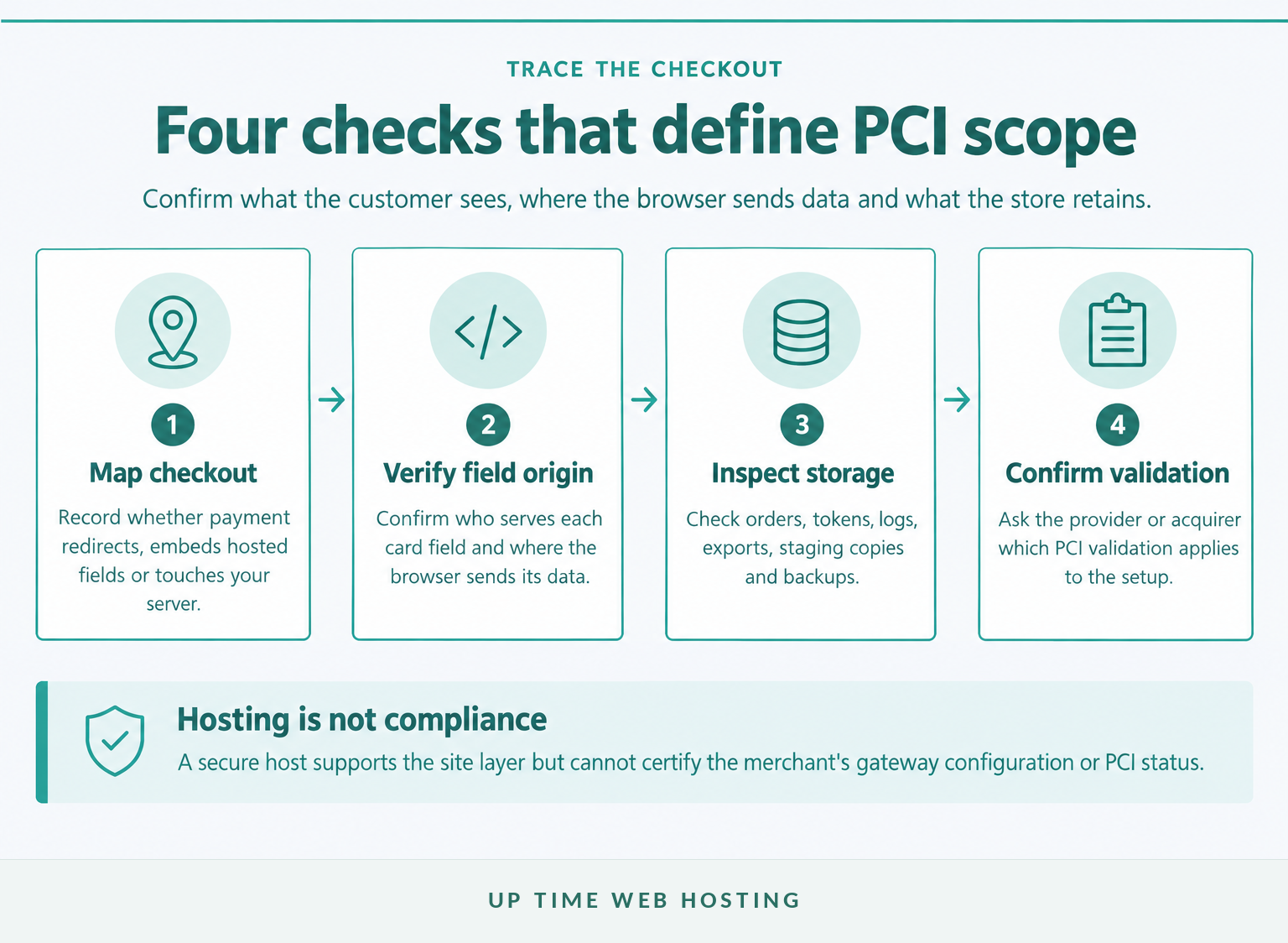
PCI DSS scope depends on how the payment page is delivered and whether cardholder data touches systems controlled by the merchant. A hosted checkout can reduce the systems in scope, but every merchant accepting card payments still needs to confirm the validation required for the actual setup.
As of October 2026, the PCI Security Standards Council’s document library lists PCI DSS v4.0.1. WooCommerce’s own PCI guidance also states that compliance remains the store owner’s responsibility and that the core plugin is not itself a payment processor or automatic certificate of compliance.
The main payment flows create different questions:
- Offsite redirect: The customer leaves the store for a processor-controlled payment page. This can reduce exposure because the store does not provide the card-entry form, although the redirect, WordPress site and administrator accounts still need protection.
- Embedded processor-hosted fields: Card fields appear within the store’s checkout but are supplied by the processor. PCI SSC’s SAQ A guidance for embedded payment forms requires merchants to address payment-page script attacks or obtain appropriate confirmation from the provider.
- Merchant-controlled collection: A form or extension sends card data through systems controlled by the store. This can expand PCI scope substantially and should be reviewed by the payment provider, acquirer or a qualified security assessor.
Do not select a Self-Assessment Questionnaire only because another WooCommerce store uses it. WooCommerce’s PCI DSS guidance recommends confirming reporting requirements with the payment processor, which may request an SAQ, security scans or other evidence.
Can WooCommerce collect card details for later?
Building a form that captures card details now so staff can process them later is not a safe shortcut. It can bring the website, database, staff procedures, logs, support systems and backup copies into the cardholder data environment.
The PCI SSC guidance on card-verification codes says a CVC, CVV or equivalent value must not be stored after authorisation, even when encrypted. Do not place card numbers or security codes in order notes, email messages, helpdesk tickets or custom checkout fields.
Payment flow, not the WooCommerce name alone, determines the store’s PCI DSS exposure and validation path.
Could card details leak into logs, plugins or backups?

Yes, unsafe custom code or a poorly designed extension can write payment data into places WooCommerce core was intended to avoid. Logs, exports, staging databases and backups can then preserve the accidental copy long after the original checkout.
The WooCommerce developer logging guide says logs may be stored as files in the site’s uploads directory or in the WordPress database. Extensions can add their own entries, and payment gateway debug logging may record request or response details when enabled.
An audit should inspect:
- WooCommerce > Status > Logs, especially payment and debug sources;
- order notes, custom order metadata and custom checkout fields;
- WordPress, PHP, web server and security logs;
- CSV exports, database dumps and support attachments;
- staging sites, migration packages, snapshots and remote backups.
Do not paste a real customer card number into a search box to test the site. Search for suspicious field names, labels and code paths, then use an appropriately qualified specialist if pattern-based card-data discovery is required.
A backup reproduces what existed in the files and database when the backup was taken. If unsafe information reached the live database or logs, assume relevant backup generations may also contain it until an investigation proves otherwise. Protect backup access and define deletion procedures rather than treating backup storage as outside the incident.
If card data is discovered, stop the component from collecting more, restrict access, preserve the evidence needed for investigation and contact the payment provider or acquirer. Avoid copying the exposed data into ordinary email or support conversations.
Broader WordPress security controls help reduce the chance of an extension or administrator account being compromised. Understanding the role of a web application firewall also helps store owners separate traffic filtering from payment-data storage and PCI validation.
Logs and backups can copy unsafe payment data, so they belong in the audit rather than outside it.
What should a WooCommerce store owner check today?
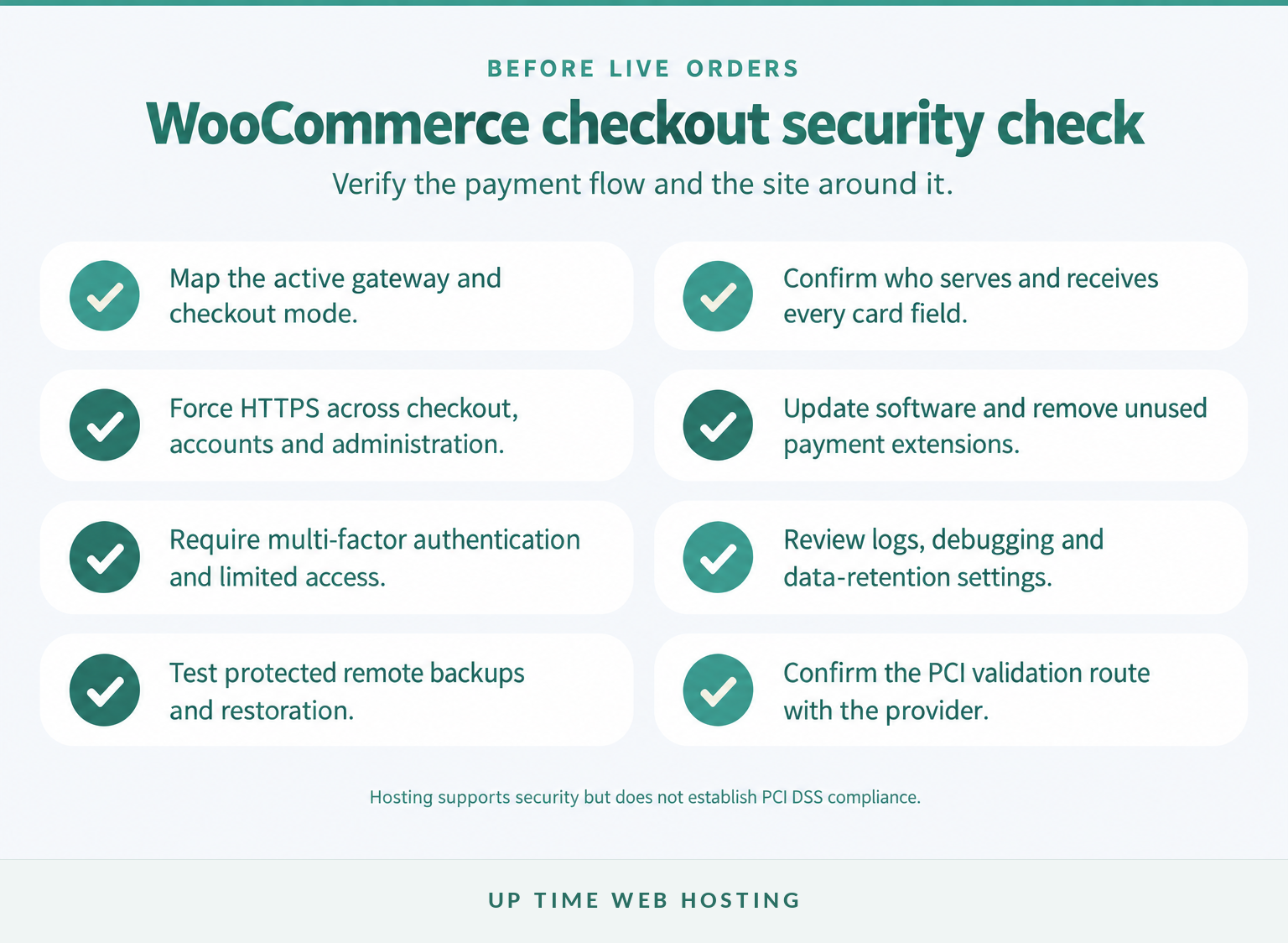
Start by documenting the payment flow, then verify the WordPress environment around it. The aim is to prove where card data goes rather than relying on a plugin name, checkout appearance or hosting badge.
- Identify the active gateway and checkout mode. Record whether the customer is redirected, uses processor-hosted fields or submits information through merchant-controlled code.
- Read the gateway’s current documentation. Confirm what enters WordPress, what the processor stores, which tokens and metadata are returned, and whether debug logging is enabled.
- Verify HTTPS everywhere it matters. Test checkout, account, login, administration and payment-return pages. If the certificate or redirect is uncertain, use the cPanel SSL installation guide to check the setup.
- Update and reduce the software surface. Patch WordPress, WooCommerce, the gateway, themes and extensions. Remove inactive gateways and abandoned plugins rather than merely disabling their checkout options. A wider website security checklist can help organise the remaining controls.
- Restrict privileged access. Use individual administrator accounts, multi-factor authentication, strong credentials and the lowest permissions each person needs.
- Review logs and retention. Disable verbose payment debugging after troubleshooting, protect log access and set a retention period that supports investigation without keeping unnecessary data forever.
- Test protected backups. Confirm that remote backups complete, access is restricted and a clean store can actually be restored. Include staging and migration copies in the inventory.
- Confirm the PCI validation route. Ask the payment provider or acquirer which SAQ, scans or other evidence apply to this exact integration. Keep the answer with the store’s security records.
If the current hosting environment cannot provide dependable HTTPS, WordPress security controls, protected backups and technical support, review Up Time Web Hosting’s wordpress hosting options. Hosting can support a safer site layer, but it cannot choose the correct gateway configuration or certify the merchant’s PCI DSS compliance.
Secure checkout comes from a verified payment flow plus disciplined site operations, not from a single plugin or hosting claim.
Register your new domain name at competitive market prices including free domain add-ons like privacy, DNS Hosting, Custom Nameservers and Forwarding.
Always the best price and no nasty renewal price hikes.
Register A Domain Name
What else do store owners ask about WooCommerce payment security?
Store owners also ask how WooCommerce security affects saved cards, checkout trust and platform upkeep. The short answers below separate customer actions from merchant responsibilities.
What are the disadvantages of WooCommerce?
For security, WooCommerce’s main disadvantage is that the store owner controls many moving parts: WordPress, plugins, themes, hosting, user access and payment extensions. That flexibility creates maintenance work and configuration risk. WooCommerce is not a payment processor, so merchants must choose, configure and validate a suitable gateway and PCI approach.
How do I remove my credit card information from a website?
To remove a saved payment method from a WooCommerce store, sign in and open My Account > Payment methods, then delete the listed method. If no delete option appears, contact the store owner. Removing the saved method usually removes the site’s token reference, not an order’s billing records or transaction records the store must retain.
How secure is WooCommerce?
WooCommerce can support a secure store, but security depends on the whole WordPress environment, including the payment gateway, hosting, software updates, administrator access, extensions and monitoring. WooCommerce says its official gateway designs do not store full card numbers in the site database. A vulnerable plugin or compromised administrator account can still expose other customer data.
Is it safe to put card details on a website?
Entering card details is safer when the checkout uses HTTPS, the merchant is reputable, the payment form is supplied by a trusted processor, and the device and browser are up to date. HTTPS protects data in transit but does not prove the store is trustworthy. Stop if the address, certificate warning or checkout behaviour looks wrong.
Customers need a safe way to manage saved methods, while store owners remain responsible for the wider checkout environment.
What should you do next?
Trace one real checkout from the customer’s browser to the payment result, then write down which organisation serves each card field and which records return to WooCommerce. Check those conclusions against the installed gateway’s current documentation rather than assuming every integration behaves like WooCommerce core.
Before the next live order, review the site database, WooCommerce logs, staging copies and backup inventory for anything the documented payment flow says should not be there. If the data path cannot be explained clearly, pause changes to the checkout and obtain specialist advice.
A store owner should be able to point to every payment-related record and explain why it exists, where it is stored and who is responsible for protecting it.