In short
For most Australian Shopify merchants, register a .com.au or .au domain with an Australian domain provider and connect it to Shopify. As of 17 November 2026, Shopify’s published purchase list does not include .au or .com.au, while connecting preserves independent control of renewals, DNS and business email. Shopify-managed domains suit supported extensions when one-dashboard simplicity matters most. (help.shopify.com)
Key takeaways
- Shopify lets a merchant connect a domain registered elsewhere and make it the store’s primary address. (help.shopify.com)
- Shopify’s published purchase list did not include
.auor.com.auwhen checked on 17 November 2026, so Australian merchants normally register those extensions elsewhere and connect them. (help.shopify.com) - A manual Shopify connection requires one A record, one AAAA record and one
wwwCNAME record with Shopify’s current values. (help.shopify.com) - Shopify does not provide hosted business mailboxes, so existing MX and email-authentication records must be preserved or recreated. (help.shopify.com)
- DNS and TLS changes can take up to 48 hours, so repeated edits during propagation can make a correct setup harder to diagnose. (help.shopify.com)
On this page
- Should you buy a domain through Shopify or keep it with an Australian registrar?
- Which Australian domain should you use for a Shopify store?
- How do you connect an existing domain to Shopify?
- How do you keep business email working during the change?
- How do you check that the Shopify domain connection is correct?
- Should you transfer the domain to Shopify later?
- What else do Australian Shopify merchants ask?
- What should you do next?
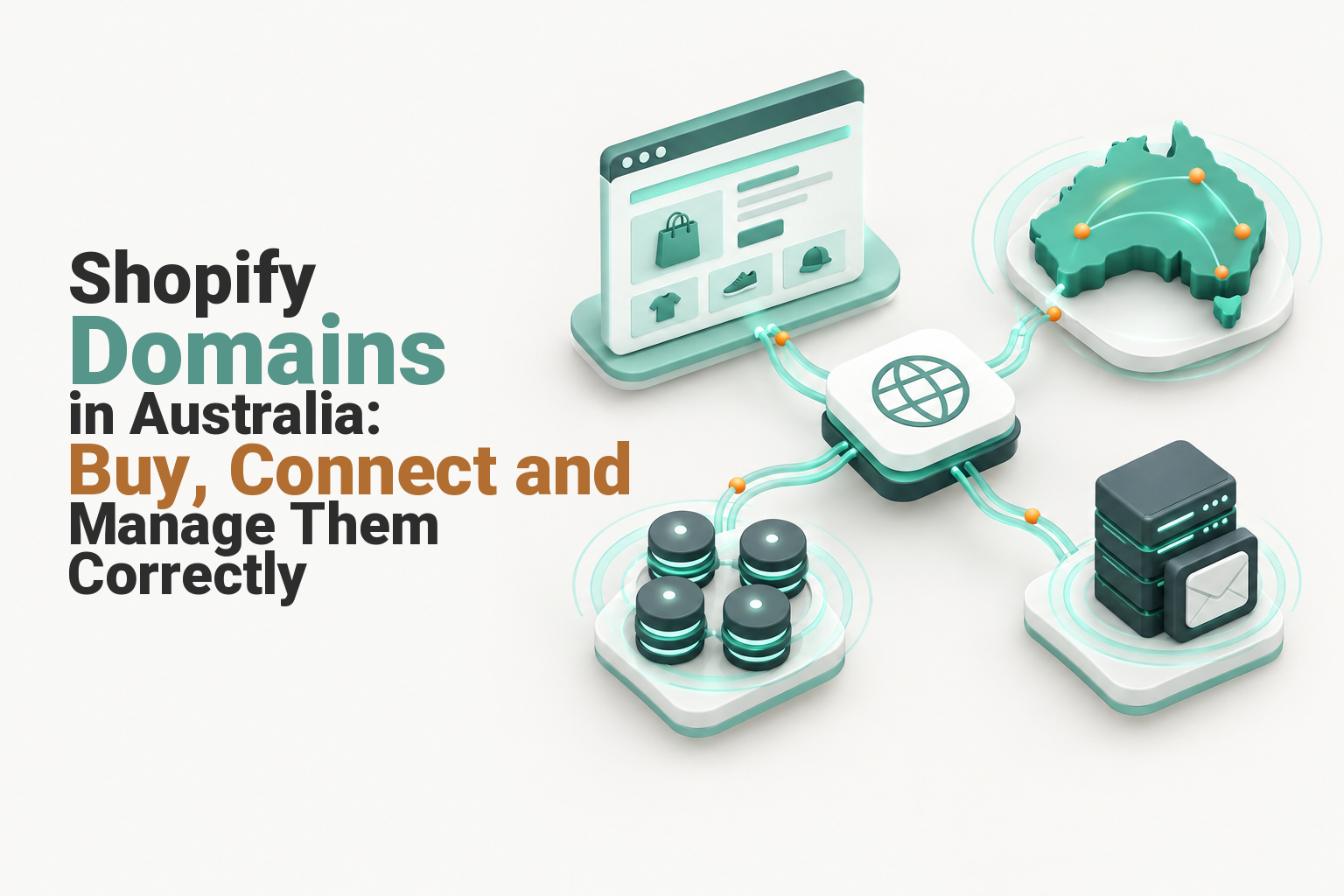
A Shopify store, its domain registration and its business email can be managed by different services. The aim is not to force them into one account, but to give the business clear ownership, reliable renewals and DNS records that direct each service to the correct destination. (help.shopify.com)
Should you buy a domain through Shopify or keep it with an Australian registrar?
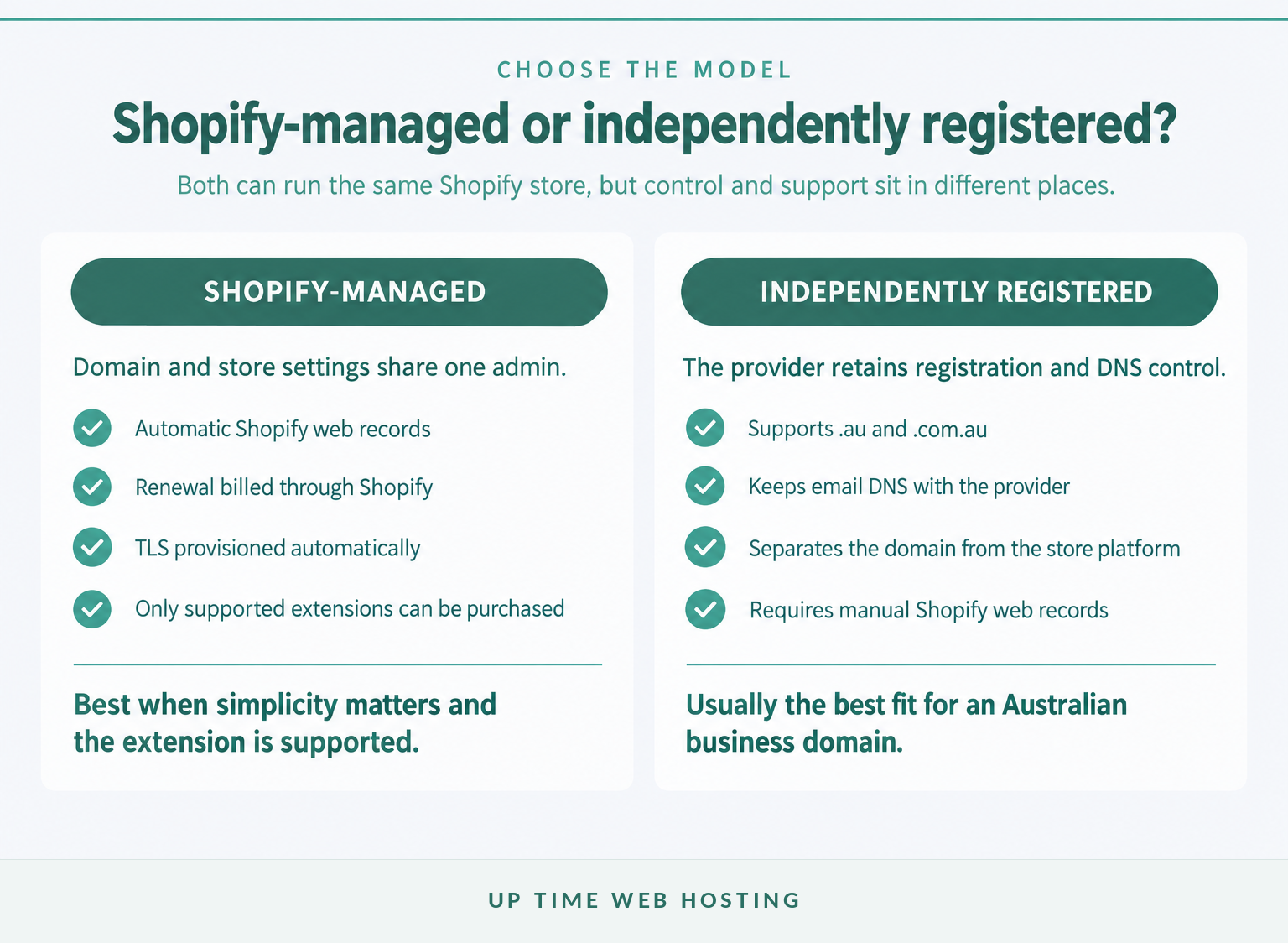
For an Australian business using .com.au or .au, the practical default is to register the domain independently and connect it to Shopify. Buying through Shopify is simpler when the desired extension is supported and the business is comfortable keeping registration, billing and DNS inside the Shopify admin.
The Shopify Help Centre’s current purchase list does not include .au or .com.au. The list can change, which is why availability should be checked again before purchase, but the certain path for either Australian extension is to register it with a provider that offers the namespace and then connect it. (help.shopify.com)
A domain bought through Shopify is managed from Settings > Domains. Shopify configures its default web records, provisions a TLS certificate, sets automatic renewal on by default and registers the domain for one year. The purchase is separate from the Shopify plan, cannot be refunded and does not include hosted business email. (help.shopify.com)
With an independently registered domain, the domain provider remains responsible for registration, billing and renewal. Shopify runs the online store, while the provider’s DNS directs web traffic to Shopify and can continue directing email, verification records and other subdomains to their existing services. Shopify recommends connecting when custom email or other DNS services are tied to the current provider. (help.shopify.com)
Choose a Shopify-managed domain when:
- The required extension appears in Shopify’s current purchase list.
- There is no existing domain, email service or complex DNS zone to preserve.
- One account for store, DNS and renewal administration is the priority.
- The business accepts that the domain must be transferred out before the Shopify account is closed if the name is still needed.
Choose independent registration when:
- The business wants
.com.auor.au. - Business email or other services already depend on the domain’s DNS.
- The domain should remain separate from the ecommerce platform.
- An Australian provider’s support, billing and domain-management tools are preferred.
Practical rule: choose the domain provider for ownership, renewal and DNS management, then choose Shopify for the storefront. Those decisions do not have to be bundled.
For most Australian stores using a local domain, independent registration plus a Shopify connection gives the cleanest balance of local control and ecommerce convenience.

Performance you can feel, backed by clients who depend on it. Read how our support and uptime create long‑term customer success.Power Your Business with Better Hosting
Which Australian domain should you use for a Shopify store?
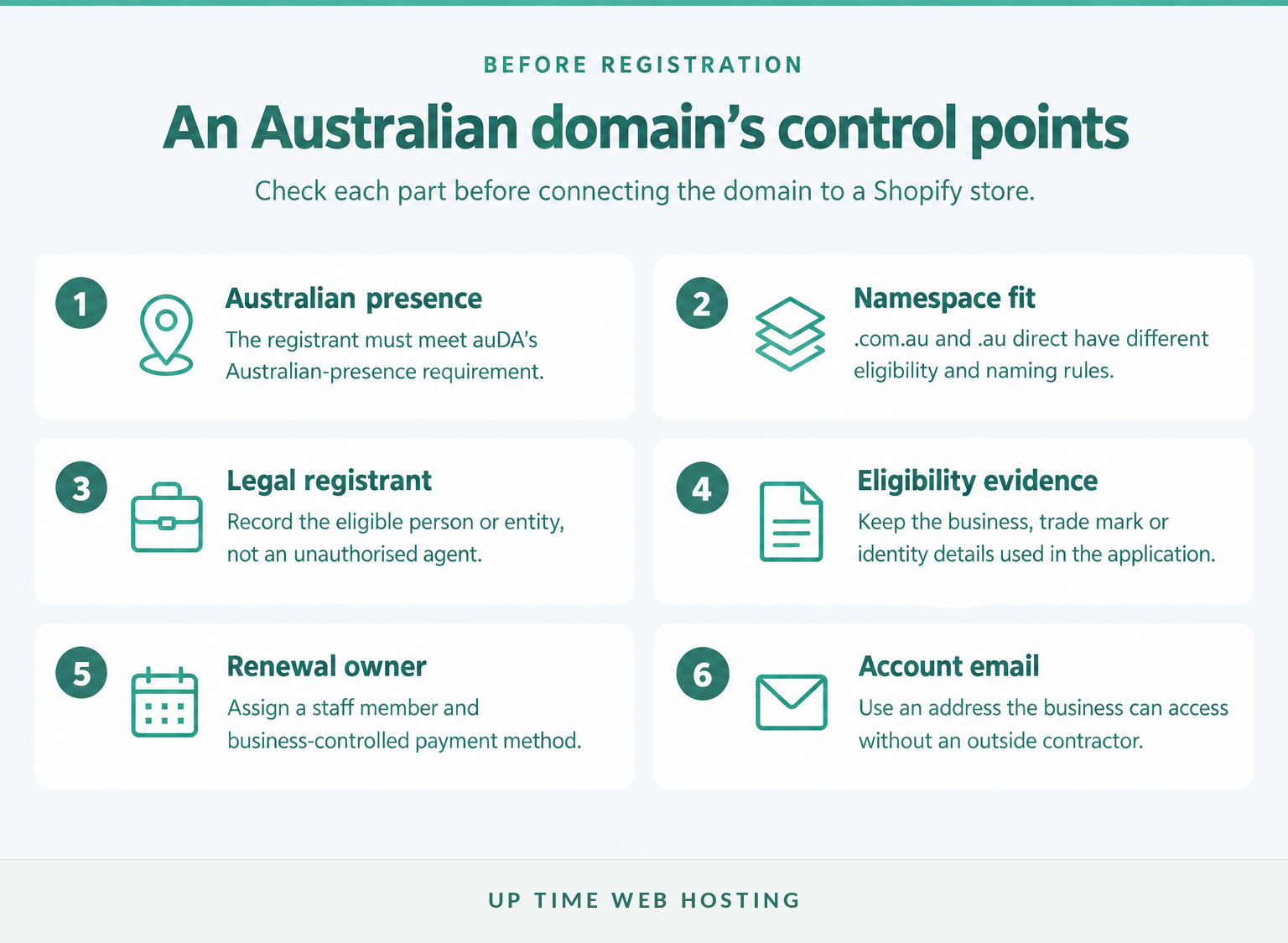
Use .com.au when the store is operated by an eligible Australian commercial entity and the name is connected to the business, its goods or its services. Use .au direct when the registrant has an Australian presence and wants a shorter address without the .com level.
The auDA Licensing Rules in force on 17 November 2026 require every applicant to have an Australian presence. A .com.au applicant must also be a commercial entity, and the chosen name must match or relate to an eligible business name, trade mark, service, product, event, activity or premises. A .au direct applicant needs an Australian presence but has broader freedom to select an available name. (auda.org.au)
The detailed registration questions differ between the namespaces. The guides to registering a .com.au domain and Australia’s .au domain explain the local choices in more depth.
The domain must be registered to the correct legal person or entity. auDA allows an agent to submit an application, but the agent must record the person or business on whose behalf they are applying as the registrant. A developer, staff member or contractor should not quietly become the legal registrant simply because that person completes the form. (auda.org.au)
Before ordering an Australian Shopify domain, record:
- The legal registrant name and the evidence used to establish Australian presence.
- The ABN, ACN, trade mark or personal identification details required for the chosen namespace.
- A registration email address controlled by the business, not by an outgoing developer.
- The staff member responsible for renewal notices, payment details and account recovery.
The right Australian domain is the one the business is eligible to hold, can keep under its own control and can renew without relying on an outside contractor.
How do you connect an existing domain to Shopify?
Connect the domain by backing up its current DNS, changing only the web records that Shopify requires and then adding the root domain in Settings > Domains. Do not replace the entire DNS zone when only the A, AAAA and www CNAME records need to change.
Shopify’s manual connection guide listed the following values on 17 November 2026. (help.shopify.com)
- Back up the DNS zone. Save the existing A, AAAA, CNAME, MX and TXT records before editing anything.
- Open the authoritative DNS manager. This may be at the registrar or a separate DNS provider, depending on the nameservers in use.
- Replace the web records. Set the root A and AAAA records to Shopify’s values and set the
wwwCNAME to Shopify’s hostname. - Preserve unrelated records. Leave mail, verification and service records in place unless the relevant provider has instructed otherwise.
- Connect the root domain in Shopify. Go to Settings > Domains > Connect existing domain, enter the domain without
www, then select Connect domain. - Wait for the status to update. DNS and TLS provisioning can take up to 48 hours, although the connection may complete sooner.
| DNS record | Host or name | Required value | What to do with existing records |
|---|---|---|---|
| A | @ | 23.227.38.65 | Remove other root A records that point elsewhere. |
| AAAA | @ | 2620:0127:f00f:5:: | Remove other root AAAA records. Use Shopify’s expanded IPv6 form if required by the DNS manager. |
| CNAME | www | shops.myshopify.com. | Replace any existing www CNAME and include the final full stop where supported. |
| MX | Root domain | Existing mail-provider values | Keep these unless the email service is also changing. |
| TXT and other CNAME records | Provider-specific | Existing verification and authentication values | Preserve SPF, DKIM, DMARC and service-verification records. |
Shopify says the default TTL can remain unchanged. After the domain displays Connected, it can be made primary by opening the domain, changing its type to Primary domain and saving the change. Other domains attached to the store then redirect to the primary address. (help.shopify.com)
Do not assume a delay means the records are wrong. DNS propagation can cause different networks to see different answers until cached records expire.
A reliable Shopify connection changes the minimum required web records, preserves unrelated services and waits for propagation before further edits are made.
Host your website with our 5-star rated, cPanel website hosting plans.
Super fast servers, with security included and hosted in your choice of Australian Data Center.
View cPanel Plans
How do you keep business email working during the change?
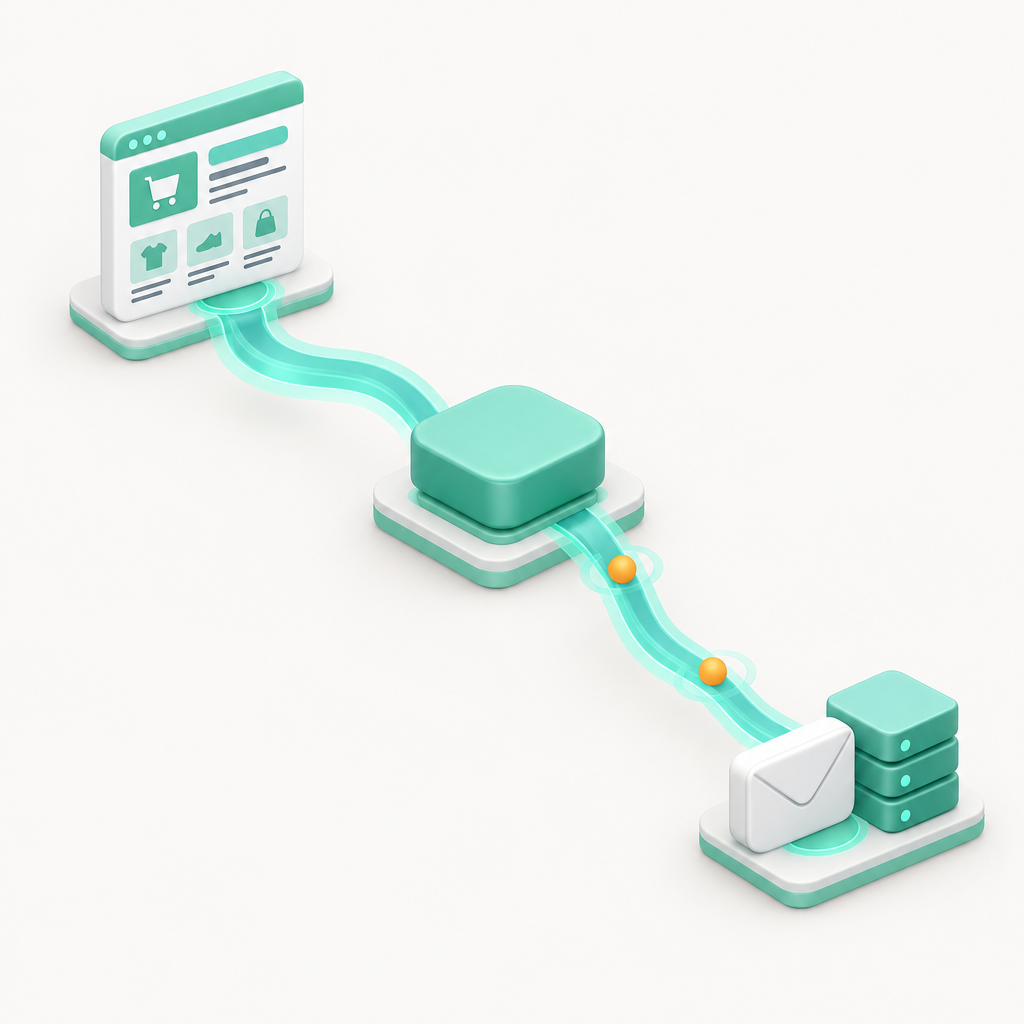
Connecting a domain changes website records, not email records, so business email should keep working when the MX and authentication records remain intact. The common failure is changing nameservers or replacing the DNS zone without recreating the records used by the mail service.
Shopify’s guide to setting up email hosting states that Shopify does not provide hosted email mailboxes. A Shopify-managed domain can use forwarding or connect to an external email host, while an independently registered domain continues to use the mail service configured in its DNS. (help.shopify.com)
Before changing the website records, record these email settings:
- MX records: These direct incoming messages to the correct mail servers and include priority values that must be retained.
- SPF: Usually a TXT record that identifies systems authorised to send mail for the domain.
- DKIM: A TXT or CNAME record used to verify the mail service’s digital signature.
- DMARC: A TXT policy record that tells receiving systems how to handle failed authentication.
- Verification records: TXT or CNAME values used to prove domain ownership to mail and business platforms.
Changing the A, AAAA and www CNAME records should not require deleting those mail records. A nameserver change is different because it moves authority for the entire DNS zone; every required website, email and verification record must exist at the new DNS service before the switch is complete. Shopify gives the same warning when discussing transfers, because custom records are not automatically copied. (help.shopify.com)
After the connection, send one message from the business address to an outside mailbox and reply to it. Also submit the Shopify contact form, review order notifications and confirm that customer replies reach the monitored inbox.
A Shopify domain change is safe for email when the mail records are treated as a separate service and verified after the web records change.
How do you check that the Shopify domain connection is correct?
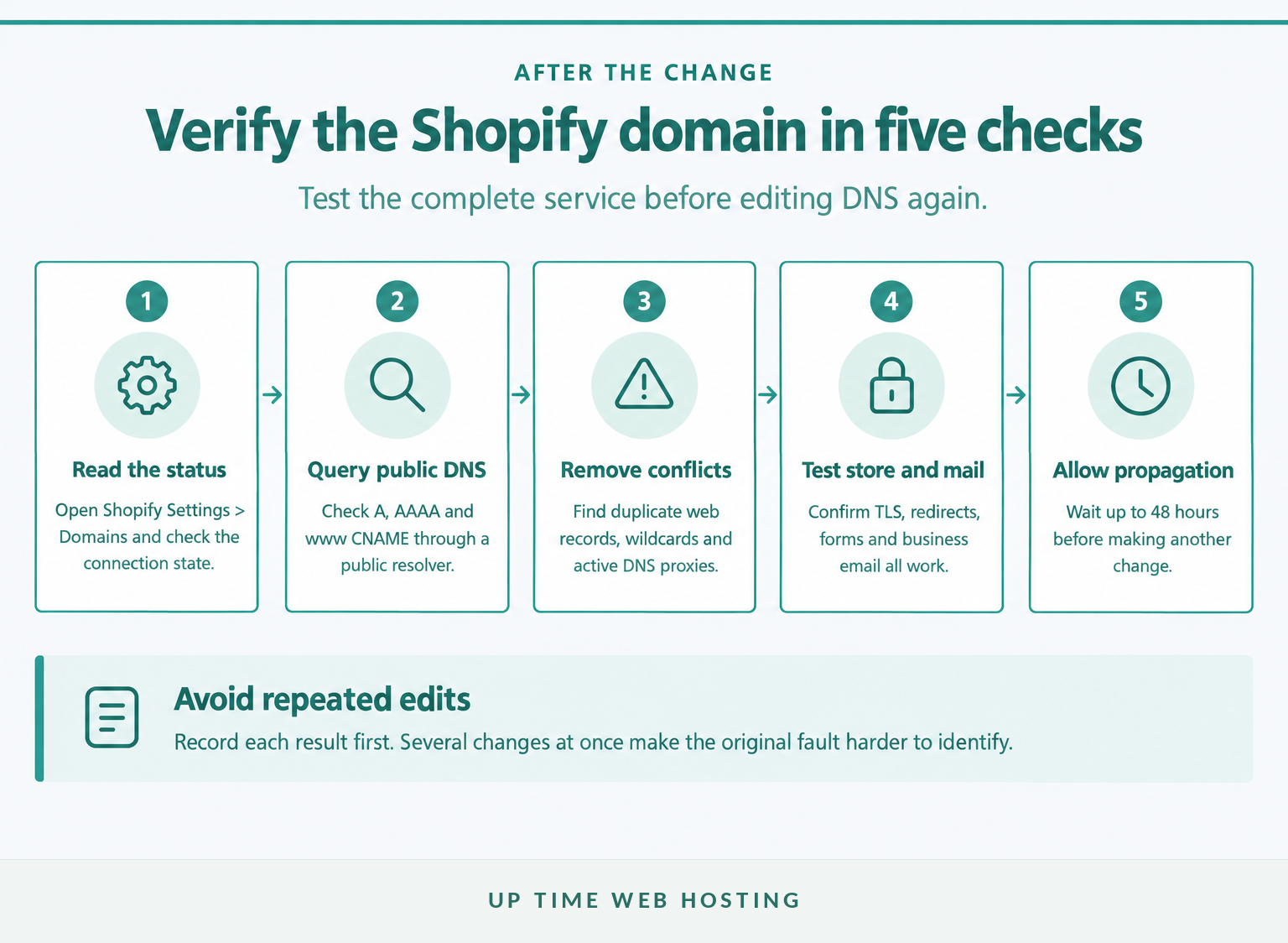
Check the status in Shopify, query the public DNS records and test the storefront, certificate and email from outside the office network. A green result in one dashboard is useful, but it does not replace an end-to-end test of everything the domain supports.
Use this order:
- Open Settings > Domains and confirm that Shopify displays the domain as Connected, not Needs Attention.
- Query the public A, AAAA and
wwwCNAME records. Confirm there is one root A record, one root AAAA record and onewwwCNAME pointing to Shopify. - Remove conflicting web records, wildcard records and active DNS proxies that prevent Shopify from seeing or serving the correct destination.
- Open both the root domain and
wwwaddress in a private browser window. Confirm the certificate is valid and both versions reach the intended primary domain. - Test incoming and outgoing business email, order messages, password resets and the store’s contact form.
Shopify’s domain troubleshooting checklist also says a broken DNSSEC configuration can block a connection. Shopify currently requires DNSSEC to be deactivated for its managed-domain setup, and a third-party domain showing a DNSSEC warning should be reviewed with the DNS provider before further changes are made. (help.shopify.com)
If TLS remains pending, check that any CAA records permit letsencrypt.org, pki.goog and ssl.com. Then wait the full 48-hour propagation period before changing correct records again. (help.shopify.com)
Practical rule: record the result of each test before editing DNS again, because changing several records at once removes the evidence needed to find the fault.
A connected Shopify domain is not finished until the public website, TLS certificate and business email all work from outside the network where the change was made.
Should you transfer the domain to Shopify later?
Usually, connect the domain first and transfer it only if one-dashboard administration is worth giving up the current provider’s domain services. Shopify says a connection can take minutes to 48 hours, while an eligible transfer can take up to 20 days and includes a one-year renewal charge. (help.shopify.com)
Shopify’s connecting versus transferring a domain comparison recommends starting with a connection when the correct choice is uncertain. A connected domain can be transferred later if its extension is eligible. (help.shopify.com)
Before a transfer:
- Connect the domain and confirm the store works before starting the registrar move.
- Check domain ownership and make sure the registrant, administrative email and account access belong to the business.
- Copy every DNS record, including MX, TXT, DKIM and service-verification records.
- Confirm transfer eligibility in the Shopify admin, unlock the domain and obtain the required authorisation code.
- Use a contact email that will remain accessible throughout the transfer and approve every confirmation message.
Shopify’s transfer guide warns that its transfer process resets the A and CNAME records to Shopify’s defaults but does not copy additional custom DNS records. Those records must be added after the transfer, including any MX records needed for business email. (help.shopify.com)
Do not assume that an Australian extension can be transferred merely because it can be connected. Shopify’s admin determines transfer eligibility, and its published purchase list did not include .au or .com.au on 17 November 2026. Keeping an Australian domain with its existing provider and connecting it remains the lower-risk option unless Shopify explicitly confirms eligibility. (help.shopify.com)
A transfer is an administrative choice, not a technical requirement for using a custom domain with Shopify.
Register your new domain name at competitive market prices including free domain add-ons like privacy, DNS Hosting, Custom Nameservers and Forwarding.
Always the best price and no nasty renewal price hikes.
Register A Domain Name
What else do Australian Shopify merchants ask?
These are the questions most likely to stop an Australian merchant before launch. The short answers separate Shopify store hosting, domain registration and email so the next action is clear.
Does Shopify let you use your own domain?
Yes. Shopify lets you connect a domain registered elsewhere, transfer an eligible domain into Shopify, or buy a supported extension through the Shopify admin. A connected third-party domain can become the store’s primary domain, while the original myshopify.com address remains available and redirects customers to the chosen primary address. (help.shopify.com)
Can I buy a .com.au or .au domain through Shopify?
As of 17 November 2026, Shopify’s published list of domain extensions available for purchase does not include .au or .com.au. Australian merchants wanting either extension should register it with a provider that offers Australian domains, then connect it to Shopify using the required A, AAAA and www CNAME records. (help.shopify.com)
Is a Shopify domain free?
Every Shopify store receives a free myshopify.com address, but a custom domain is a separate paid registration. The price and renewal charge depend on the extension, and domains bought through Shopify are registered for one year with annual renewal. Check the current price in Shopify before purchasing because availability and fees can change. (help.shopify.com)
Will connecting my domain to Shopify break email?
Connecting a domain to Shopify should not break business email when the existing MX and email-authentication records remain in place. Email problems usually occur after nameservers are changed or a DNS zone is replaced without recreating MX, SPF, DKIM and DMARC records. Back up the zone and test mail after the change. (help.shopify.com)
How long does a Shopify domain take to connect?
Shopify says DNS changes and TLS provisioning can take up to 48 hours. During that window, some visitors may see the old destination while others reach the Shopify store. Avoid repeated edits unless a record is clearly wrong; verify the A, AAAA and CNAME values, then allow caches time to expire. (help.shopify.com)
A custom Shopify domain is straightforward when registration, website DNS and email are treated as connected but separate responsibilities.
What should you do next?
Choose the legal registrant, extension and email arrangement before changing DNS. Then make one documented change, verify the storefront and mail, and leave enough time for propagation before announcing the domain.
For a .com.au, .au or another independently managed name, search and register an Australian domain before connecting it to Shopify. UpTime Web Hosting provides domain search, registration, transfer and domain-management options for Australian website owners. (uptimewebhosting.com.au)
Before launch:
- Save the registrar login and registrant details in a business-controlled record.
- Export the current DNS zone.
- Confirm the email records and renewal contact.
- Add Shopify’s three required web records and test every service after propagation.
Keep the registration in the business’s name, preserve the email records and make DNS changes only after a backup exists.