
Australian small business surveys indicate that cyber incidents are common and that a single incident can be costly. That changes what web hosting Australia reviews should measure. Price and storage matter, but they do not show whether a site can be restored after a failed update, where backups are stored or how quickly a page loads for a customer in Perth.
A review is only as useful as its test method. Look for evidence of restore procedures, city-level latency and data location. Without those checks, a star rating may reward easy-to-compare features while missing practical risks for Australian businesses.
Table of Contents
- The Six Criteria Every Australian Hosting Review Should Score
- How to Read Hosting Reviews and Ratings
- Reading Uptime Claims Without Being Misled
- How to Test Hosting Speed From Australian Cities
- Backups, Restores and Security Checks Most Reviews Skip
- Privacy and Data Location Rules for Australian Businesses
- Matching Hosting Profiles to Australian Business Needs
- Make the Final Call on Your Shortlist

Performance you can feel, backed by clients who depend on it. Read how our support and uptime create long‑term customer success.Power Your Business with Better Hosting
The Six Criteria Every Australian Hosting Review Should Score
A useful review scores six things every time. Use this table as your scoring sheet before you trust any ranking.
| Criterion | What to check | Evidence to request | Red flag |
|---|---|---|---|
| Performance | Responsiveness from local cities | TTFB and load time by city, median and worst case | Single global uptime figure only |
| Data centre location | Where servers and backups sit | Named city for each server and backup location | Vague claim of Australian hosting |
| Security | Malware, firewall, SSL, MFA | Scan frequency, firewall type, SSL included | Security listed as a feature with no detail |
| Backups and recovery | Frequency, off-site storage, restore testing | Retention period, restore time, who performs restores | Backups mentioned but never tested |
| Support | Hours, channels, escalation | Local phone number, response targets, hours | Ticket-only support with no stated hours |
| Pricing and terms | Renewal price, GST, contract length | Price with GST, first-term discount, renewal rate | Introductory price with no renewal figure |
Why location needs a city name
Performance should mean time to first byte measured from Sydney, Melbourne, Brisbane and Perth, not one global test. A host can look fast from an overseas test node and still feel sluggish for your actual customers. Record the median and the worst result, because the worst result is what a visitor on a busy evening experiences.
Data centre location needs a named city for the live server and a separate answer for backups. At UpTime, hosting is 100% Australian, customers can choose a data centre in Sydney, Melbourne, Brisbane or Perth, and all hosting is stored locally in Australia, including off-site backups. That's the standard of specificity to demand from any provider in web hosting Australia reviews.
This isn't a niche concern. auDA's annual reports show the .au namespace was established on 5 March 1986 and had grown to more than 4.2 million .au domain names by 2023–24, with 100% availability for the .au DNS. A namespace that mature sets expectations for DNS reliability and local domain handling that a review should test, not assume.
Security, support and price in evidence form
For security, a feature list isn't evidence. Ask for malware scan frequency, firewall type, whether SSL is included, and whether multi-factor authentication protects control panel access. If a reviewer can't answer those, the security score is decoration.
Support needs hours, channels and an escalation path in writing. A local phone number such as 1300 92 62 92 plus ticket access tells you more than a promise of friendly help. Ticket-only support with no stated hours leaves you guessing during an outage.
For pricing, insist on the figure with GST included, the first-term discount, and the renewal rate. Our transparent pricing approach exists because an introductory price without a renewal figure isn't a price, it's a teaser. A review that scores only price or storage misses most of what fails a small business.
How to Read Hosting Reviews and Ratings
Audit the review before you read its scores. Four checks take five minutes and expose most weak rankings.
- Test date and location: Confirm when testing happened, from which cities, and whether the reviewer states the origin server location and CDN use.
- Measured results or opinion: Check whether each score rests on recorded numbers or on the reviewer's impression.
- Weighting: Look at how the rating balances price against restore testing and data location. A price-heavy weighting flatters cheap plans with untested recovery.
- Disclosure: Find out whether affiliate or commission links are disclosed. Undisclosed commissions don't prove bias, but they remove your reason to trust the ranking order.
Say a review gives a provider 4.8 out of 5 for being Australian-based, yet names no city for its servers or backups. Under the scoring sheet, data location scores low until a city is named. The headline rating and the evidence point in opposite directions, and the evidence should win.
Match the review against your scoring sheet
Go through the six criteria and mark what the review skips. Red flags include a single global uptime figure, a rating with no test method, testing older than the current plans, and a comparison that never mentions renewal pricing or GST. Each gap is a question you'll have to answer yourself before buying.
Treat a high rating as a starting point for testing, not a result. Ask whether the reviewer tested restore procedures, city-level latency or backup location. If not, the score covers only part of what fails a small business.
A review earns trust by showing its method, its dates and its misses.
That's the rule I apply to every set of web hosting Australia reviews I read. Scores without a method are marketing with numbers attached.
Host your website with our 5-star rated, cPanel website hosting plans.
Super fast servers, with security included and hosted in your choice of Australian Data Center.
View cPanel Plans
Reading Uptime Claims Without Being Misled
Start with the arithmetic. A 99.9% uptime claim allows about 43 minutes of downtime in a 30-day month. If those minutes land on a Friday evening, an online store can lose a full evening of orders while the host still meets its guarantee.
Uptime percentages describe the server or network being up. They say nothing about how fast a visitor sees a page. A host can hit its uptime target every month while your pages load slowly enough to lose customers, so uptime and responsiveness need separate scores.
Australian context for short interruptions
The ACCC's September 2024 Measuring Broadband Australia report found NBN connections experienced an average of 0.37 outages per day, and 69% of NBN outages lasted no longer than three minutes. Other superfast networks averaged 0.22 outages per day, with 74% of outages lasting three minutes or less.
Those figures describe consumer broadband, not hosting. They still matter as context, because they show short interruptions are common in Australian networks. What separates providers isn't whether faults occur, it's how they monitor, communicate and respond. Good website performance monitoring catches problems before your customers report them.
Questions that expose a weak claim
- Monitoring method: Ask how the host monitors servers and how quickly staff are alerted.
- Public incident reporting: Ask whether incidents are published and request a dated incident history.
- Outage response time: Get the target response time in writing, not a verbal assurance.
- After-hours handling: Ask how support handles a fault at night and who can escalate it.
You can put those questions to our support team by phone on 1300 92 62 92 or by email at support@uptimewebhosting.com.au. Treat an uptime figure with no incident history as incomplete, whatever the percentage says.
How to Test Hosting Speed From Australian Cities
A single ping tells you almost nothing about what Australian visitors experience. It ignores page weight, database work, mobile rendering and evening congestion. Run a proper test instead.
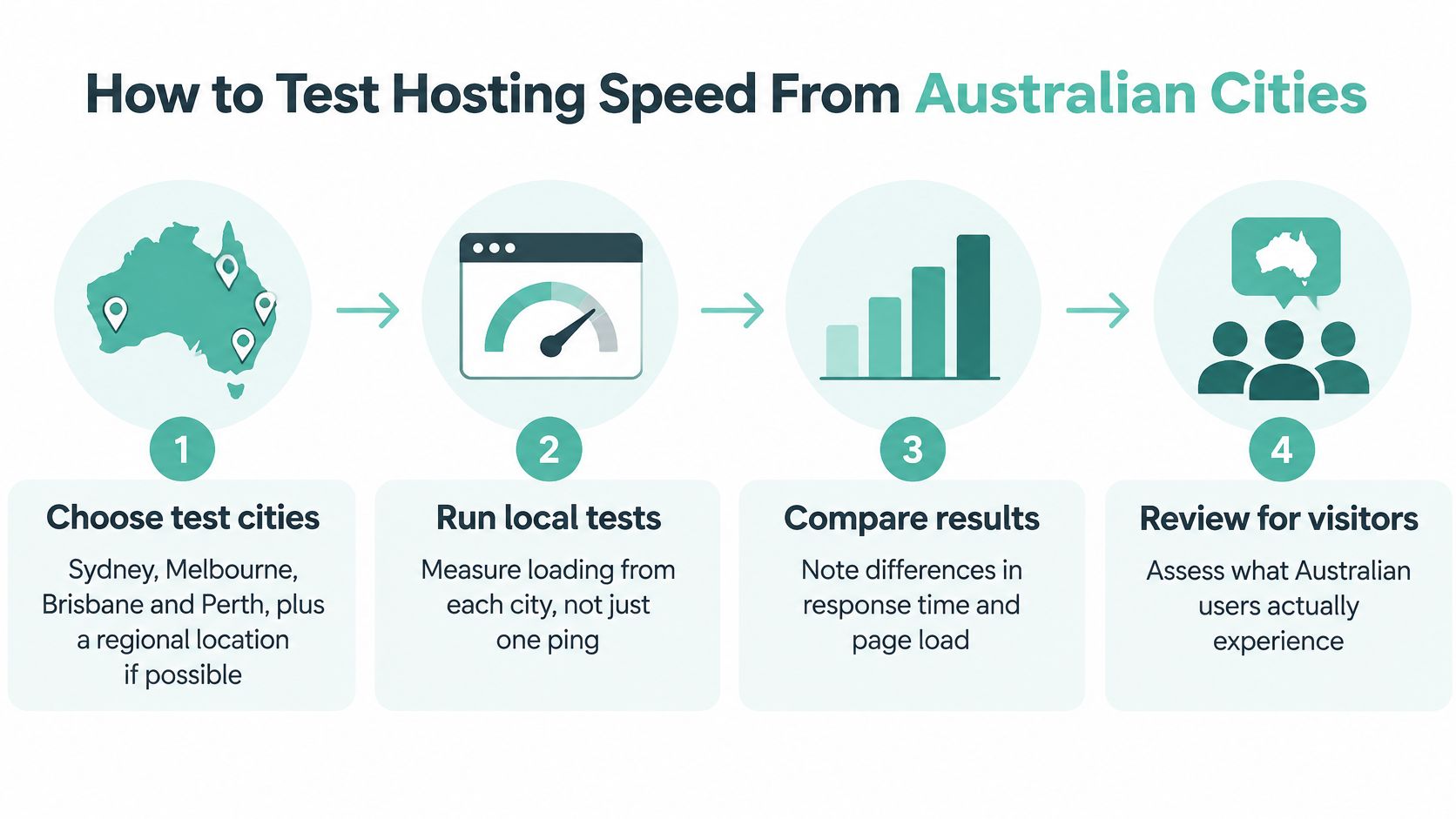
- Choose the test cities. Use Sydney, Melbourne, Brisbane and Perth, plus a regional location if your customers are there. Geography decides which results matter.
- Measure an uncached page. Record time to first byte and full load time on a page that isn't the homepage, so caching doesn't hide origin performance.
- Test peak and off-peak. Run samples during peak evening hours and off-peak. A host that's fast at midday and slow at 8pm has a capacity problem.
- Separate origin and CDN. Test origin-only, then with a CDN enabled. You'll see what the server does and what the cache covers up.
- Record median and worst case. Averages hide the slow loads that lose visitors. The worst result is part of the picture.
- Repeat on a mobile profile. Throttle the connection and use a mid-range phone profile. That's how most Australian visitors will meet your site.
Our guide on how to test website performance walks through the tooling for each step.
What local testing actually shows
A Sydney-based Lighthouse test of 20 popular websites recorded a median time to first byte of 287 ms and a median mobile Largest Contentful Paint of 5.7 seconds. Websites hosted outside the users' home region incurred a median 216 ms additional TTFB. Distance isn't theoretical, it shows up in the first byte.
Local origin servers reduce round trips for domestic visitors, but they don't guarantee good Core Web Vitals. Bloated themes and unoptimised images will still drag LCP out. UpTime's cPanel hosting runs on Australian servers, and if your website targets anyone in Australia, Sydney is the best server location option as a starting point.
Local hosting isn't automatically better, either. The Internet Society's 2025 Australia country report gives the country an overall internet-resilience score of 76% and says 86% of the 1,000 most-visited websites can be reached through a local Australian server or cache. That supports local delivery as a real factor, but it doesn't mean every business needs servers in every capital. Compare Perth and regional results with eastern-capital results before deciding.
| Test city | Why it matters | Metric to record |
|---|---|---|
| Sydney | Largest eastern market and common origin for local hosting | Median TTFB and full load time |
| Melbourne | Second-largest population base for most business sites | Median TTFB and worst-case load time |
| Brisbane | Eastern coast customers on a separate network path | Median TTFB at peak hours |
| Perth | Distance from eastern servers, most sensitive to latency | Median TTFB and LCP on mobile |
| Regional town | Customers outside capital cities with slower links | Full load time on a mobile profile |
A fair result is a site that's fast in its main market and consistent across peak periods. If Perth collapses while Sydney flies, you have a decision to make about origin placement or CDN coverage, and now you have numbers to make it with.
Backups, Restores and Security Checks Most Reviews Skip
A backup only matters if you can restore from it. Reviews that confirm backups exist but skip recovery testing leave a key question unanswered: how quickly can the site be brought back online? For a small business, an untested backup can turn a routine website failure into prolonged downtime.
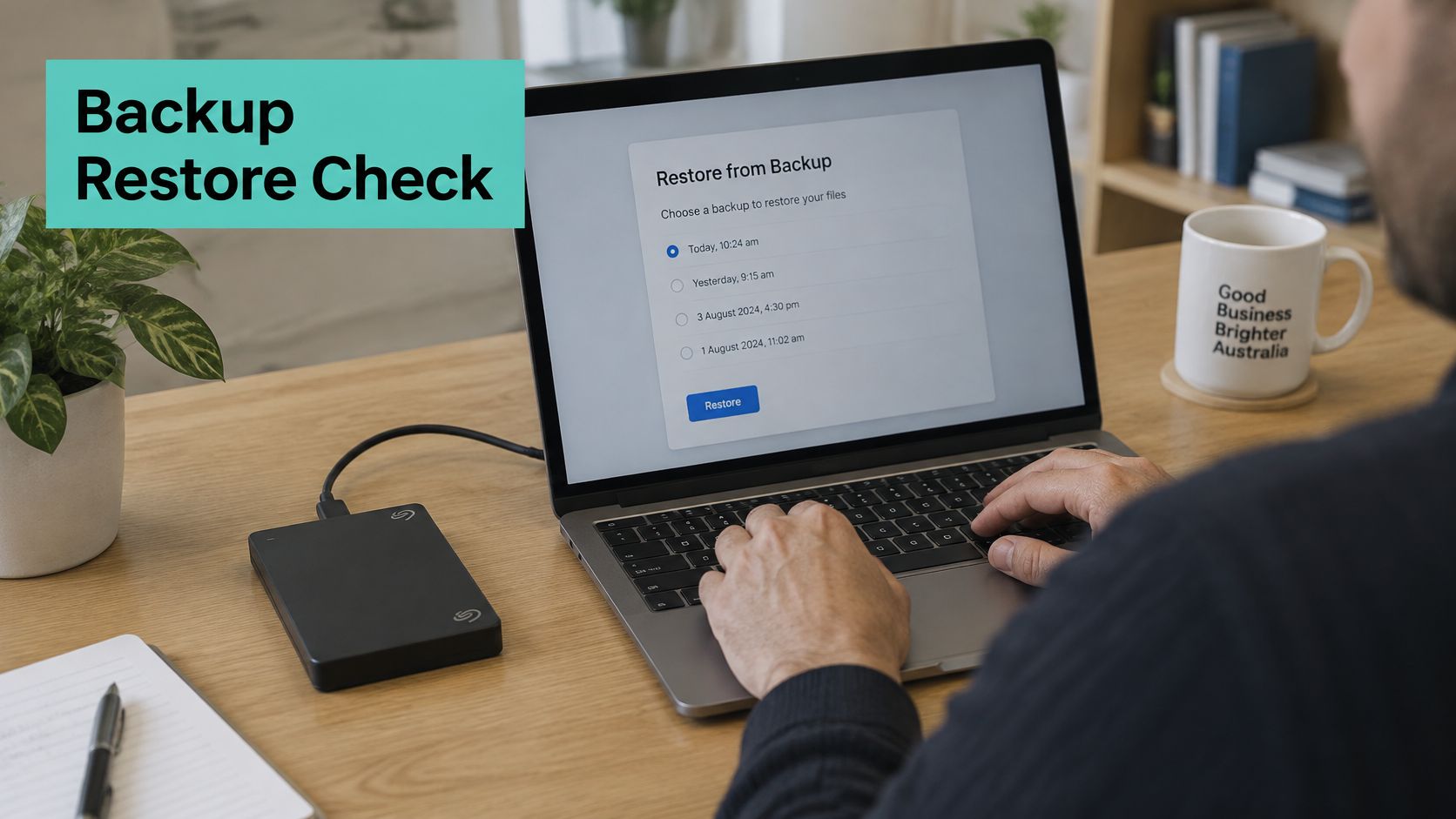
The Australian Government's small business cyber security guidance recommends checking backup practices, restoration testing and where hosting infrastructure is located. Cyber incidents can carry substantial costs for small businesses, so assess recovery readiness alongside the provider's security features.
The recovery checklist
| Recovery item | Question to ask | Evidence that it works |
|---|---|---|
| Backup frequency | How often are backups taken? | Schedule and last successful backup date |
| Off-site storage | Are backups stored separately from the live server? | Storage location and provider |
| Retention | How many restore points are kept? | Retention period in days |
| Restore testing | When was a restore last tested? | Date and recorded restore time |
| Malware response | Who cleans an infected site? | Clean-up included in plan or charged separately |
| Admin security | Is MFA available for control-panel access? | Written confirmation in product documentation |
If a WordPress site fails after a plugin update, recovery depends on having a recent, usable restore point. Ask the provider to record how long restoring the site takes, and whether the recovery includes its files and database. Keeping copies away from the live server can help if the server itself is affected. Review the provider's off-site backup solutions to understand how separate storage fits into its recovery approach.
Test the features, don't list them
UpTime Web Hosting's Australian WordPress Hosting on cPanel accounts are protected 24x7 by the Proactive Defence platform and scanned for malware, with automatic clean up built in. Every plan includes automatic updates through WP Toolkit for WordPress, plugins and themes. A useful review checks what each feature does in practice, including how the host handles a threat or a failed update.
Practical rule: Ask for a dated restore test result and a stated recovery time. A feature list is not evidence.
Get the recovery-point objective, recovery-time target, ransomware response and the name of who performs emergency remediation in writing. If the provider cannot give a restore test date, score recovery low in your web hosting Australia reviews comparison, even if the plan looks inexpensive.
Register your new domain name at competitive market prices including free domain add-ons like privacy, DNS Hosting, Custom Nameservers and Forwarding.
Always the best price and no nasty renewal price hikes.
Register A Domain Name
Privacy and Data Location Rules for Australian Businesses
Say a medical practice takes enquiries through its website form. Names, phone numbers and health-related messages sit in a database and in email inboxes. For that business, where data is stored and who can access it matters more than a small difference in page speed.
The Office of the Australian Information Commissioner states the Privacy Act 1988 includes 13 Australian Privacy Principles and generally applies to organisations with annual turnover above $3 million, while also covering some smaller businesses such as private-sector health service providers. APP 11 requires covered entities to take reasonable steps to protect personal information from misuse, interference, loss and unauthorised access, modification or disclosure.
Turn the duties into hosting questions
- Storage location: Ask where the live site, backups and email physically sit, including off-site copies.
- Access controls: Confirm who can reach the control panel and whether MFA is available.
- Encryption: Confirm HTTPS is included and how backups are protected in storage.
- Retention: Ask how long backups and form data are kept, since OAIC guidance says entities should take reasonable steps to destroy or de-identify information when it's no longer needed.
Hosting in Australia covers data sovereignty, security policies and compliance with local laws. All emails on our Australian Email plan are stored on Australian based servers, and advanced SpamAssassin settings let you fine-tune filters, whitelist trusted senders and block unwanted mail. For the full picture, see how Australian data sovereignty hosting applies these duties in practice.
Get written answers on storage location before you sign. A verbal "we're Australian" won't help you demonstrate reasonable steps later.
Matching Hosting Profiles to Australian Business Needs
Reviews fail buyers when they rank one plan for everyone. Match the profile first, then apply the six criteria with the right priorities. Prices below are in AUD including GST.
| Business profile | Priority criteria | Reference plan and price |
|---|---|---|
| Single brochure or enquiry site | Data location, SSL, renewal clarity | Entry Level plan, $70.00 per month, Sydney, 1 CPU, 40GB NVMe SSD, 2GB RAM, 2TB traffic |
| WordPress business site | Automatic updates, malware clean-up, off-site backups | WordPress cPanel first-year offer, $96.00 on a 1-year term (50% discount); confirm the renewal rate with support before comparing totals |
| Medium-traffic eCommerce | Performance from local cities, restore testing | WP + Woo plan, $83.00 per month, 2 CPU, 60GB, 4GB RAM, 3TB traffic |
| Multiple busy sites | Resource headroom, dedicated IP, backup evidence | Multi Site plan, $110.00 per month, 4 CPU, 100GB, 8GB RAM, 4TB traffic |
| Windows or ASP.NET application | MSSQL support, Windows-specific uptime | Confirm the MSSQL plan and current price with support before shortlisting |
Reading the trade-offs
The Entry Level plan at $70.00 per month is designed for a single WordPress website, with a private server and Dedicated IP in the Sydney data centre. For a brochure site taking enquiries, your priority checks are SSL, named data location and a clear renewal figure. Performance testing still matters, but one city result from your main market may be enough.
The WP + Woo plan at $83.00 per month suits medium traffic sites with eCommerce, stepping up to 2 CPU, 4GB RAM and 3TB traffic. Here I'd weight city-level speed and restore testing heavily, because a slow checkout or a failed restore costs orders directly. The Multi Site plan at $110.00 per month is built for multiple websites with lots of plugins and high traffic, with 4 CPU, 100GB NVMe SSD, 8GB RAM and 4TB traffic in Sydney.
Notice the WordPress cPanel row. A first-year offer of $96.00 on a 1-year term, a 50% discount, looks sharp, but you can't compare totals until you've confirmed the renewal rate. That's not a trick, it's the discipline web hosting Australia reviews should apply to every provider. The Windows profile has no published price to compare here, so confirm it with support rather than guessing.
If you're weighing whether to manage the stack yourself or buy it managed, Font Checker Pro's hosting comparison is a useful side read on that decision. The cheapest plan is only right when restore testing and support still meet your needs. Downgrading recovery to save a few dollars a month is the trade I'd never make.
Experience Microsoft 365 Business Standard for free for 30 days.
Up to 25 users with full access to email, OneDrive and Teams. Includes full versions of desktop apps of Outlook, Word, Excel, PowerPoint and more.
Try Microsoft 365
Make the Final Call on Your Shortlist
Use the same scoring sheet for every provider. Record answers on backup locations, restore procedures, data storage and support, then compare the evidence rather than headline ratings. Vague answers leave a real gap, even when a provider scores highly. First, assess your website's hosting needs in writing so you can judge each offer against your requirements.
For a fair final comparison, check whether you can restore a site from backup, identify the data centre serving your audience, and review where backups and personal data are stored. A city-level speed result is useful only when it reflects the locations your visitors use. Keep the written answers with your scores.
We offer no contracts, so you can run the city speed test and review our written answers before making any longer commitment. Ask about your scoring criteria by calling 1300 92 62 92 or emailing support@uptimewebhosting.com.au. UpTime Web Hosting provides 100% Australian hosting, with data centres in Sydney, Melbourne, Brisbane and Perth, and off-site backups stored in Australia. Put the answers alongside the other providers' evidence, then choose the service that meets your recovery, location and performance requirements. For details, visit UpTime Web Hosting.