In short
The best NBN modem router with VoIP is the one that matches the premises’ NBN technology and the phone service’s setup rules. Check for VDSL2 only on FTTN or FTTB, Ethernet WAN on connection-box services, editable SIP and VLAN settings, suitable phone ports, QoS, current firmware and freedom from provider-locked configuration. (nbnco.com.au)
Key takeaways
- FTTN and FTTB require a compliant VDSL2 modem section, while FTTP and other connection-box services normally feed a router through Ethernet WAN. (nbnco.com.au)
- An analogue handset needs an active analogue phone socket or an ATA, while an Ethernet SIP phone connects through the local network.
- A phone socket is not enough if the provider will not supply SIP credentials or allow the voice service on BYO hardware. (aussiebroadband.com.au)
- NBN internet settings are provider-specific: current Australian services use different combinations of PPPoE, IPoE, VLAN tagging and authentication. (support.tpg.com.au)
- Router security matters after installation, so confirm firmware support, change default credentials and disable unneeded functions. (cyber.gov.au)
Table of contents
- What is the best NBN modem router with VoIP for an Australian business?
- Which NBN connection type do you have?
- Can your VoIP service use the router's phone port?
- What should you check for SIP, VLAN and locked firmware?
- Does QoS actually matter for call quality?
- Should you buy an all-in-one modem router or separate devices?
- What should you ask before buying?
- What else do Australian buyers ask?
- What should you do before ordering?
Searching for the best NBN modem router with VoIP in Australia often produces a list of models. The safer approach is to treat compatibility as a series of gates: NBN access, internet authentication, VoIP registration, handset connection, network performance and administrative control.
What is the best NBN modem router with VoIP for an Australian business?
The best device matches both the NBN hand-off and the voice service, then provides enough routing and Wi-Fi capacity for the office. A high-spec router that cannot accept the provider's WAN or SIP settings is the wrong router.
How should you judge a router?
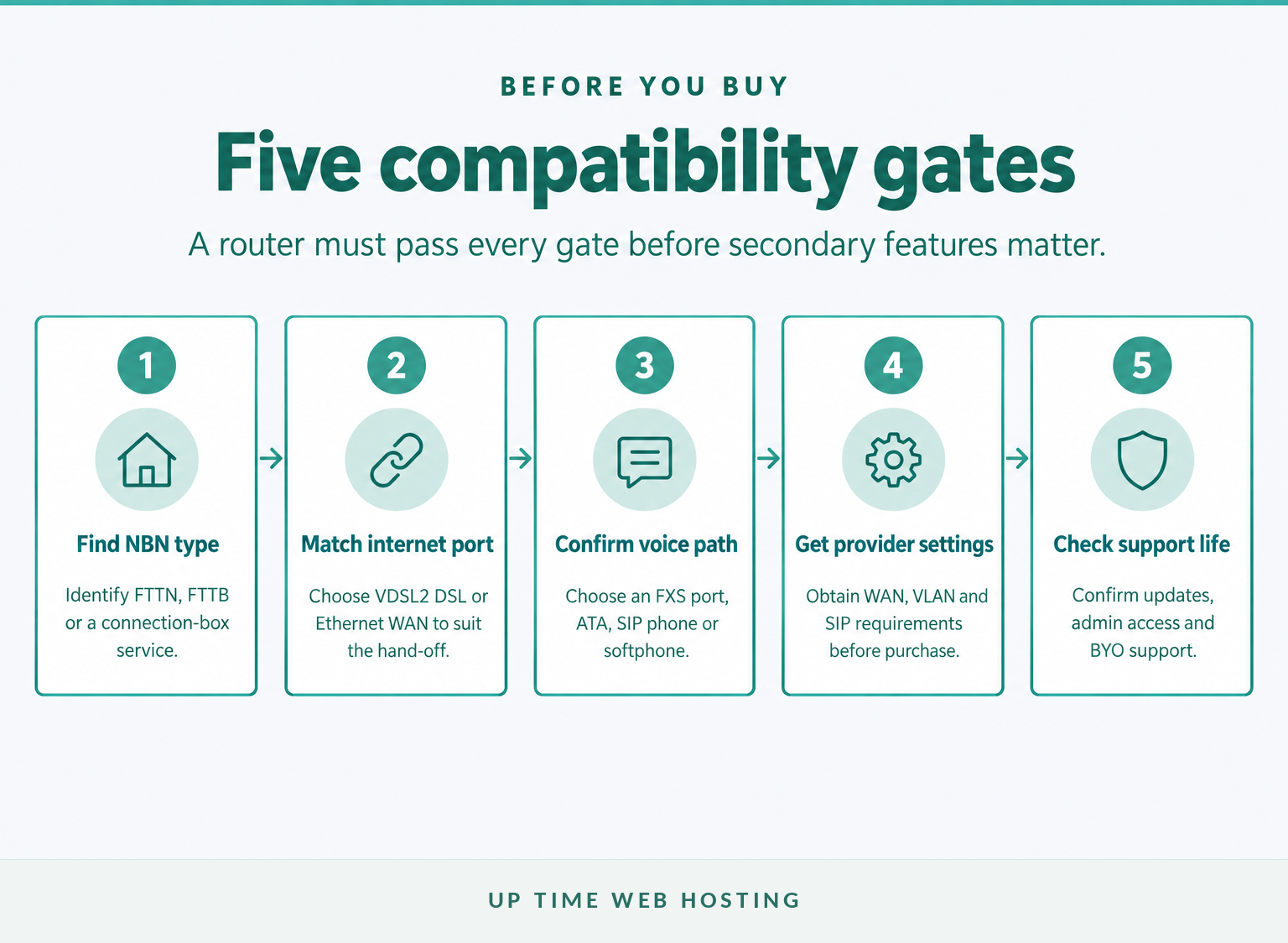
Start with four separate layers:
- NBN access: Does the premises need a VDSL2 modem or an Ethernet WAN router?
- Internet service: Does the provider require PPPoE, IPoE, a username, a VLAN ID or automatic addressing?
- Voice service: Will calls register through the router, an ATA, an IP phone, a computer application or a mobile application?
- Business network: Can the router handle the plan speed, office device count, Wi-Fi coverage, security and voice prioritisation?
Do not treat the router as the complete business phone system. A cloud PBX delivered over VoIP controls numbers, extensions, call queues, business hours and voicemail, while the router carries traffic between the local network and the provider.
The best choice is the least expensive device that passes every compatibility check, not the one with the longest Wi-Fi feature list.

Performance you can feel, backed by clients who depend on it. Read how our support and uptime create long‑term customer success.Power Your Business with Better Hosting
Which NBN connection type do you have?
FTTN and FTTB need a compliant VDSL2 modem section because the NBN signal reaches the premises over copper. FTTP and other connection-box services normally keep the NBN-supplied device in place and connect it to the router's Ethernet WAN port. (nbnco.com.au)
Which socket should feed the router?
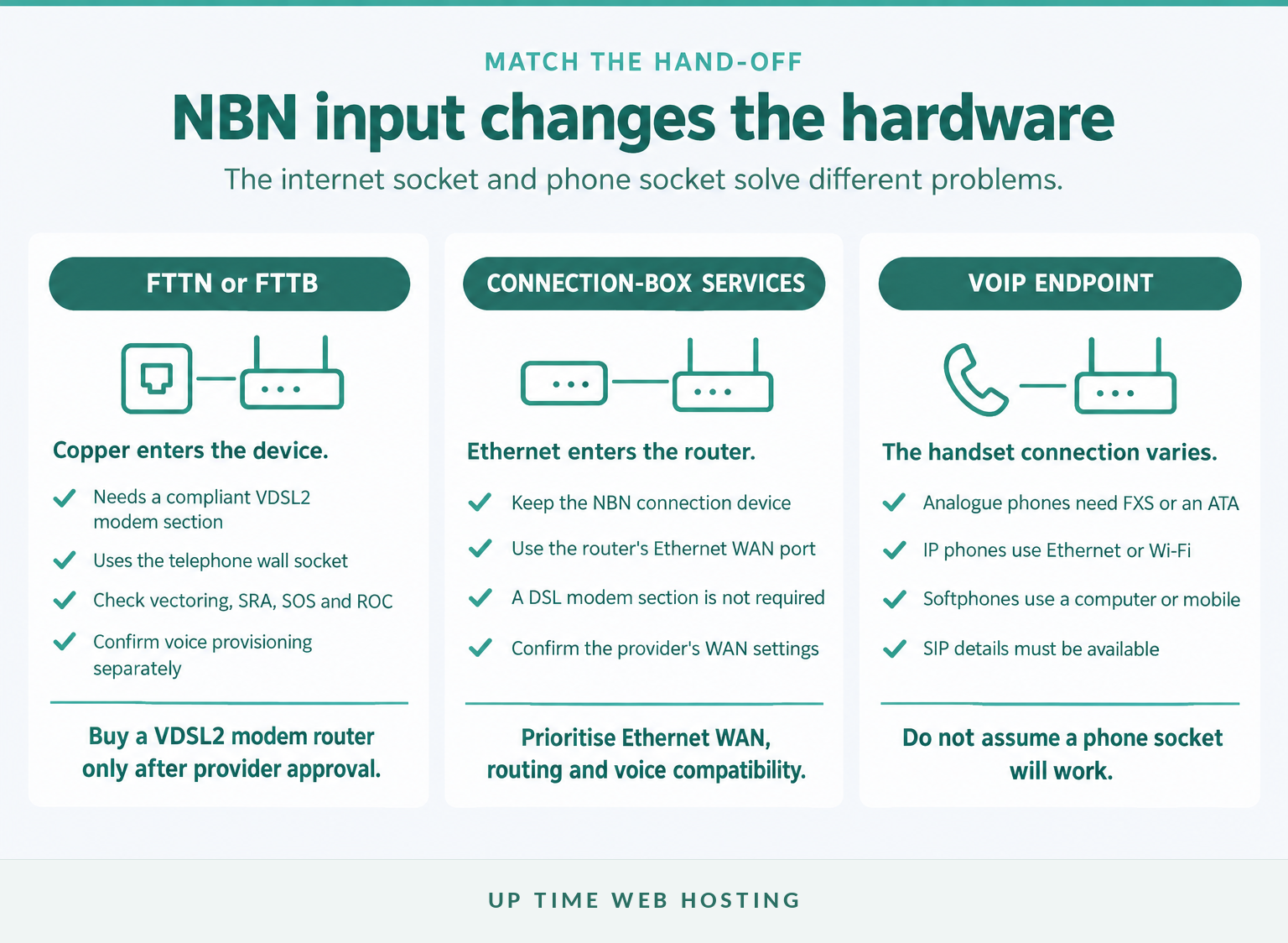
For FTTN or FTTB:
- The DSL port connects to the telephone wall socket.
- The device must support VDSL2 and the current NBN UNI-DSL requirements.
- An older ADSL modem is not enough merely because its plug fits.
- The router may include Wi-Fi, Ethernet switching and phone sockets in the same enclosure.
NBN Co's VDSL2 modem requirements warn that a non-compliant modem may run slowly, drop out, interfere with other services or need replacement before a fault can be accepted. NBN Co specifically identifies VDSL2, vectoring, SRA, SOS and ROC among the relevant capabilities. (nbnco.com.au)
For FTTP:
- Leave the NBN connection box installed.
- Connect the router's Ethernet WAN port to the activated UNI-D or designated data port.
- A built-in DSL modem is not required for the NBN hand-off.
NBN Co's FTTP connection-box guide shows the router connecting to the connection box through Ethernet. (nbnco.com.au)
For HFC, FTTC or Fixed Wireless:
These services also use NBN equipment before the customer router, so the router normally needs an Ethernet WAN port rather than a direct VDSL2 connection. Do not remove or replace the NBN device unless the provider or NBN Co instructs you to do so. (nbnco.com.au)
For an NBN 1000 service, check that the WAN and relevant LAN ports are gigabit-capable and that the router can process the required speed under real office load. Port labels alone do not prove routing performance.
Match the router’s internet-side port to the NBN access technology before comparing Wi-Fi or phone features.
Can your VoIP service use the router's phone port?
A router's phone-shaped socket works only when it is an active analogue phone port and the VoIP service can be provisioned on that device. Many business VoIP systems instead register an IP phone, ATA or software application directly, making a router phone port unnecessary.
Which phone connection are you actually using?
There are four common arrangements:
- Analogue phone connected to the router: The router needs an analogue phone socket, often called an FXS port, and the correct voice configuration.
- Analogue phone connected through an ATA: The ATA plugs into a router LAN port and converts the SIP service for an analogue handset.
- SIP desk phone: The phone connects by Ethernet or Wi-Fi and registers with the VoIP service using its own account settings.
- Softphone: A computer or mobile application registers with the service, so no physical phone socket is needed.
NBN Co's voice-options table describes provider-supplied gateway voice across several NBN technologies and notes that FTTP voice may use a connection-box voice port or provider gateway. That does not mean every independent business VoIP service must use those ports. (nbnco.com.au)
Provider policies differ. One current Australian support page states that its included phone service is unavailable with a BYO modem in a particular configuration, while another current BYO VoIP configuration guide publishes the SIP proxy, registrar and credential fields needed for independent setup. (support.tpg.com.au)
Before buying, ask whether the service supplies the SIP username, password, proxy, registrar, ports and any required encryption settings. If the provider remotely provisions voice and does not release those details, the safest option may be to retain its gateway or use a separate business VoIP service.
A phone socket matters only when the service can provision or expose the SIP settings needed to use it.
Host your website with our 5-star rated, cPanel website hosting plans.
Super fast servers, with security included and hosted in your choice of Australian Data Center.
View cPanel Plans
What should you check for SIP, VLAN and locked firmware?
Check that the buyer can view and change every WAN and VoIP field required by the service. A technically capable router can still be unusable when firmware hides settings, restricts third-party SIP accounts or remains tied to a previous provider.
Which seven checks prevent the wrong purchase?
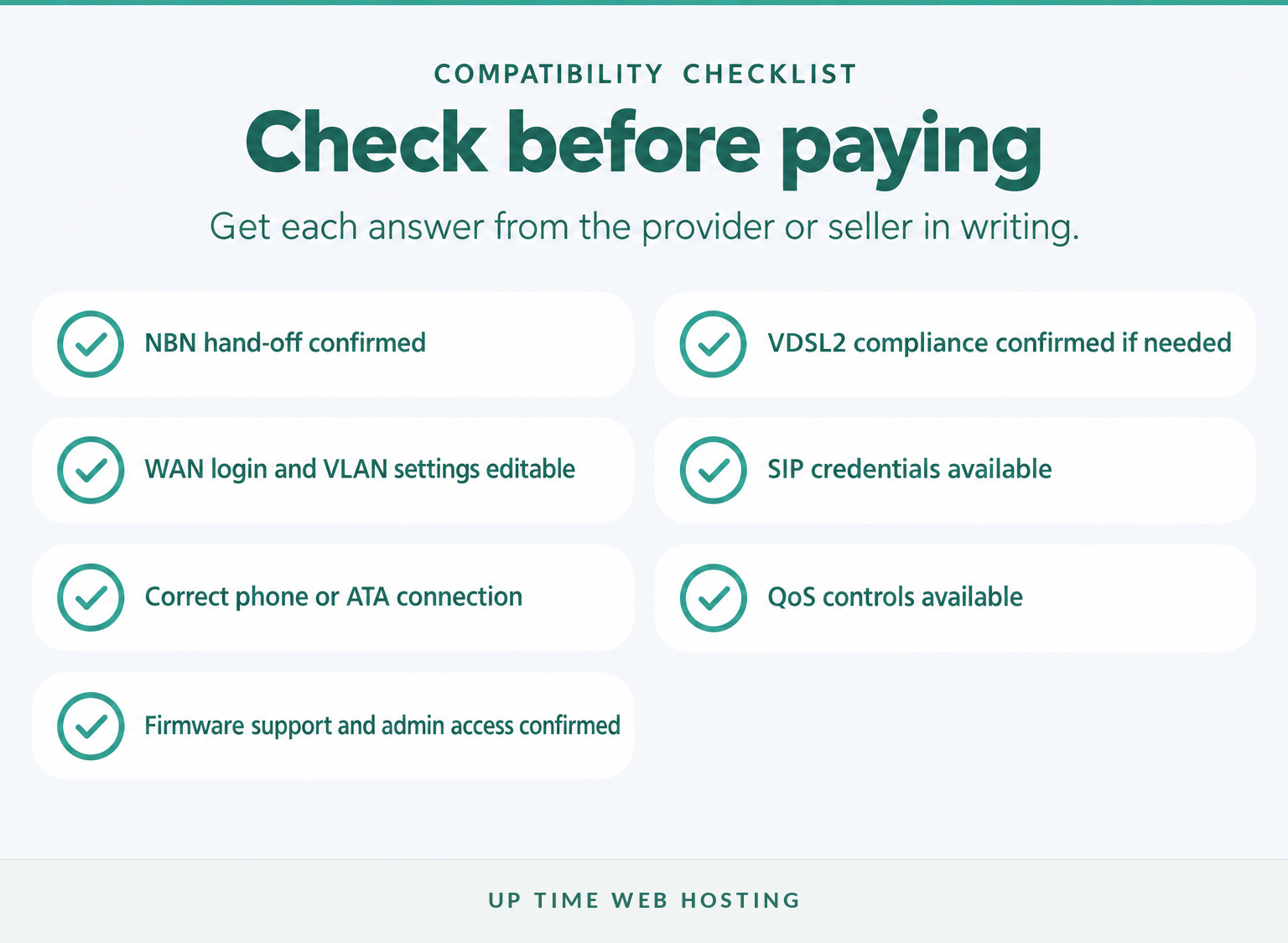
- Can the provider supply the SIP credentials? Ask for the username, authentication password, proxy, registrar, transport method and any special port requirements.
- Can the router accept those settings? Confirm that the administration interface exposes manual SIP configuration rather than only automatic provisioning.
- Will the analogue phone port accept a third-party service? A phone port may be restricted to the original provider's voice platform.
- Which internet protocol is required? Confirm PPPoE, IPoE, DHCP or another stated method.
- Is VLAN tagging required? Obtain the exact VLAN ID and priority rather than copying another provider's settings.
- Can the firmware be reset and updated? Confirm full administrator access, factory-reset behaviour and availability of current firmware.
- What support remains with BYO hardware? Ask whether the provider will test the line, accept faults and assist with settings when its own router is not installed.
As of November 2026, a current Australian NBN settings page specifies PPPoE and VLAN ID 2 for a bundled NBN and phone configuration. A different current BYO router guide specifies IPoE or DHCP with VLAN disabled for its service. These settings are not interchangeable. (support.tpg.com.au)
Provider-supplied hardware also needs closer inspection. Current guidance on locked voice functions notes that a router may work for internet access while its VoIP capabilities remain restricted to the original provider. (aussiebroadband.com.au)
If the buyer cannot change the required WAN and voice settings, the router is not genuinely compatible.
Does QoS actually matter for call quality?
Quality of service, or QoS, can protect calls when uploads, backups or other traffic are competing for limited capacity. QoS cannot repair an unstable NBN connection, weak Wi-Fi coverage or an incorrectly configured VoIP account.
What does a voice-friendly network look like?
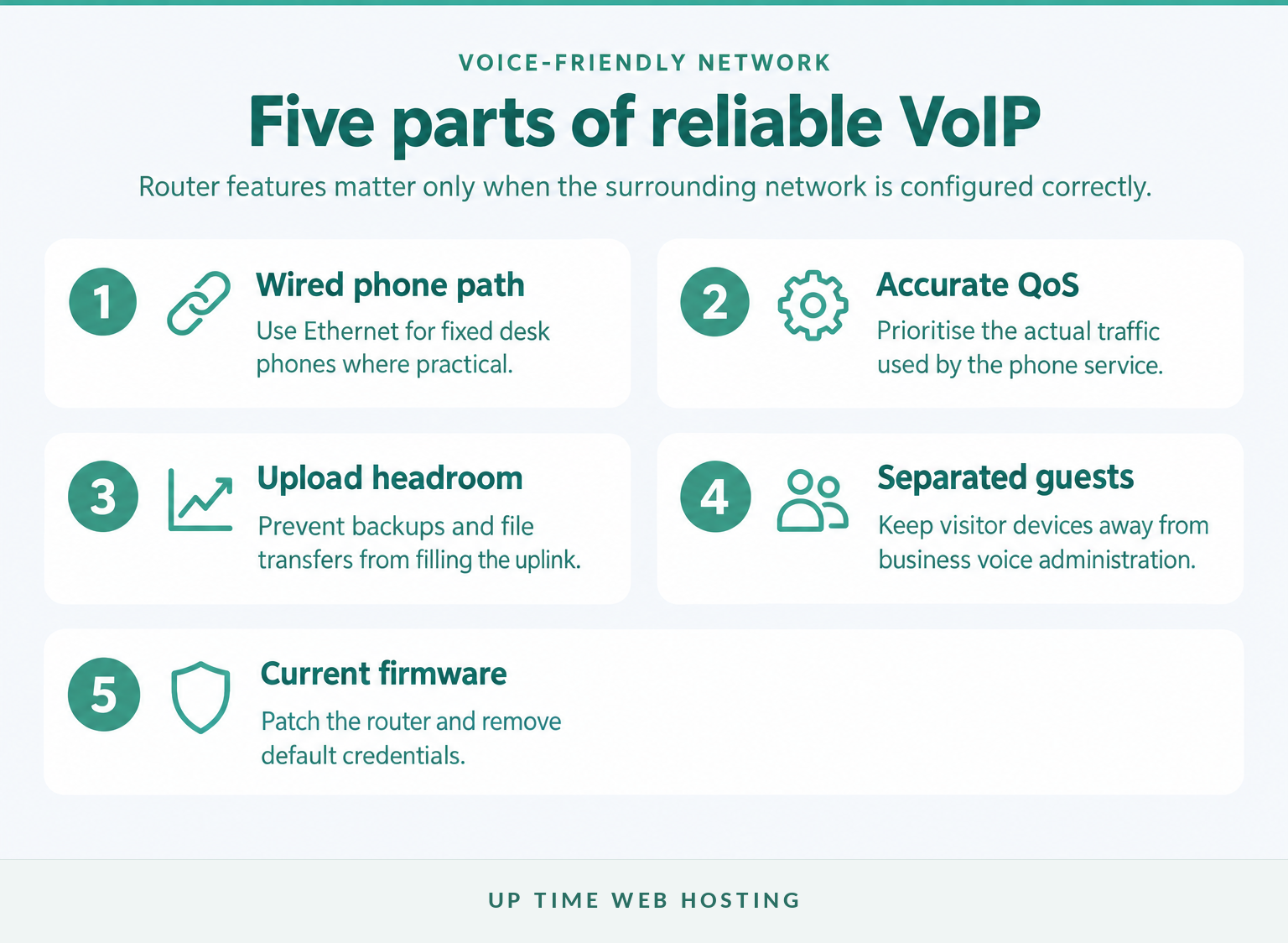
The IETF's guidance for real-time voice traffic explains that many voice streams are sensitive to loss, delay and variation in delay, and that priority queuing can help maintain predictable delivery. (rfc-editor.org)
For a small office:
- Connect desk phones by Ethernet where practical.
- Use QoS rules that recognise the actual phone or voice traffic.
- Enter an accurate upstream rate if the router's QoS system requires one.
- Keep guest devices separate from business phones and administration systems.
- Test calls while cloud backups, file uploads and video meetings are running.
- Check that any Wi-Fi phone remains within reliable coverage throughout the workplace.
Avoid buying solely because a box says it supports QoS. The controls must be understandable, configurable and capable of prioritising the traffic used by the chosen VoIP service.
QoS is useful when congestion exists, but a clean wired path and enough upload capacity come first.
Should you buy an all-in-one modem router or separate devices?
An all-in-one device suits a small office that values simple installation and one support path. Separate routing and voice devices suit businesses that want easier provider changes, independent upgrades and clearer fault isolation.
When is an all-in-one device the better fit?
| Buying question | All-in-one modem router with VoIP | Separate NBN device, router and voice endpoint |
|---|---|---|
| Setup | Fewer boxes and power supplies | More components to configure |
| Troubleshooting | One interface, but faults may overlap | Easier to isolate internet, routing and voice faults |
| Upgrades | Replacing one function may replace everything | Wi-Fi, router or phone hardware can be changed independently |
| Provider changes | Greater risk of locked settings or voice functions | Usually easier to retain the network and change the voice service |
| Best fit | Very small sites with a supported provider configuration | Growing teams, managed VoIP, multiple access points or stronger network controls |
A virtual office phone system can operate through desk phones, computers and mobile applications without depending on an analogue router port. This often lets the internet router and phone platform be selected on their own merits.
Businesses replacing older telephony should also compare the operational differences between VoIP and traditional phone systems rather than treating the router purchase as the whole migration.
Choose one box for simplicity and separate devices for control, easier upgrades and clearer fault isolation.
Register your new domain name at competitive market prices including free domain add-ons like privacy, DNS Hosting, Custom Nameservers and Forwarding.
Always the best price and no nasty renewal price hikes.
Register A Domain Name
What should you ask before buying?
Ask the internet provider, VoIP provider and hardware seller the same compatibility questions before paying. Keep their answers with the order so a vague compatibility claim can be checked against the actual service requirements.
What should be written on the quote or product page?
Confirm all of the following:
- The exact NBN technology at the premises.
- Whether VDSL2 compliance is required.
- Whether the internet connection uses Ethernet WAN or DSL.
- The required authentication method and VLAN settings.
- Whether SIP credentials will be supplied.
- Whether the phone socket accepts the intended VoIP service.
- Whether an ATA or SIP phone would be a better endpoint.
- Whether QoS can prioritise voice traffic.
- The WAN, LAN and Wi-Fi capacity needed for the plan and office.
- The firmware support period and update method.
- Whether the provider supports faults when BYO hardware is installed.
- What happens to calls during an internet or power failure.
Security should be part of the purchase decision. The September 2026 Australian Government network-device guidance calls for trusted firmware, removal or change of default credentials and disabling unneeded functions. (cyber.gov.au)
If an analogue phone service will be connected to fixed office wiring or additional sockets, follow ACMA's cabling guidance and use a registered cabler for regulated telecommunications cabling work. (acma.gov.au)
Hardware is only one part of the decision for workplaces handling sensitive client calls. The small law office phone-system guide shows why voicemail access, recording, call routing and outage planning may need separate review.
Do not buy until the provider and seller have answered the compatibility questions in writing.
What else do Australian buyers ask?
Australian buyers commonly ask whether a modem is still needed, where the phone plugs in and which Wi-Fi router is best. Each answer depends on the NBN technology and the way the VoIP service reaches the handset.
What's the difference between a router and a modem?
A modem converts or terminates the access signal used to reach the provider; a router shares the internet connection between devices and controls the local network. On FTTN and FTTB, one box often does both. On FTTP and other NBN connection-box services, the NBN device handles access and a separate router handles the premises network. (nbnco.com.au)
Can I just plug a VoIP phone into my router?
An Ethernet SIP phone can usually connect to a LAN port if the phone has the correct SIP account settings. An analogue handset cannot use a LAN port; it needs an active FXS phone socket or an ATA. Provider-supplied voice may also require the supplied gateway, so confirm before buying. (nbnco.com.au)
What is the best Wi-Fi router for Australian nbn?
The best Wi-Fi router for Australian NBN matches the NBN hand-off, supports the plan speed, covers the premises and accepts the provider's WAN settings. For VoIP, add reliable QoS, current firmware and the correct SIP or phone-port arrangement. No model is best across every NBN technology and phone service.
The right hardware depends on the connection type and the way the VoIP service reaches the handset.
Experience Microsoft 365 Business Standard for free for 30 days.
Up to 25 users with full access to email, OneDrive and Teams. Includes full versions of desktop apps of Outlook, Word, Excel, PowerPoint and more.
Try Microsoft 365
What should you do before ordering?
Confirm the exact NBN technology and request the internet and SIP settings in writing before ordering hardware. If the provider cannot say whether voice will work on a BYO router, treat that as a compatibility failure rather than an issue to solve after installation.
UpTime's current service page states that its business VoIP platform works with compatible SIP devices and includes Australian-based setup and management support. To select the service and network arrangement together, discuss an Australian business VoIP setup. (uptimewebhosting.com.au)
Confirm the connection and SIP requirements first, then buy the simplest supported hardware that meets them.